

Page 1
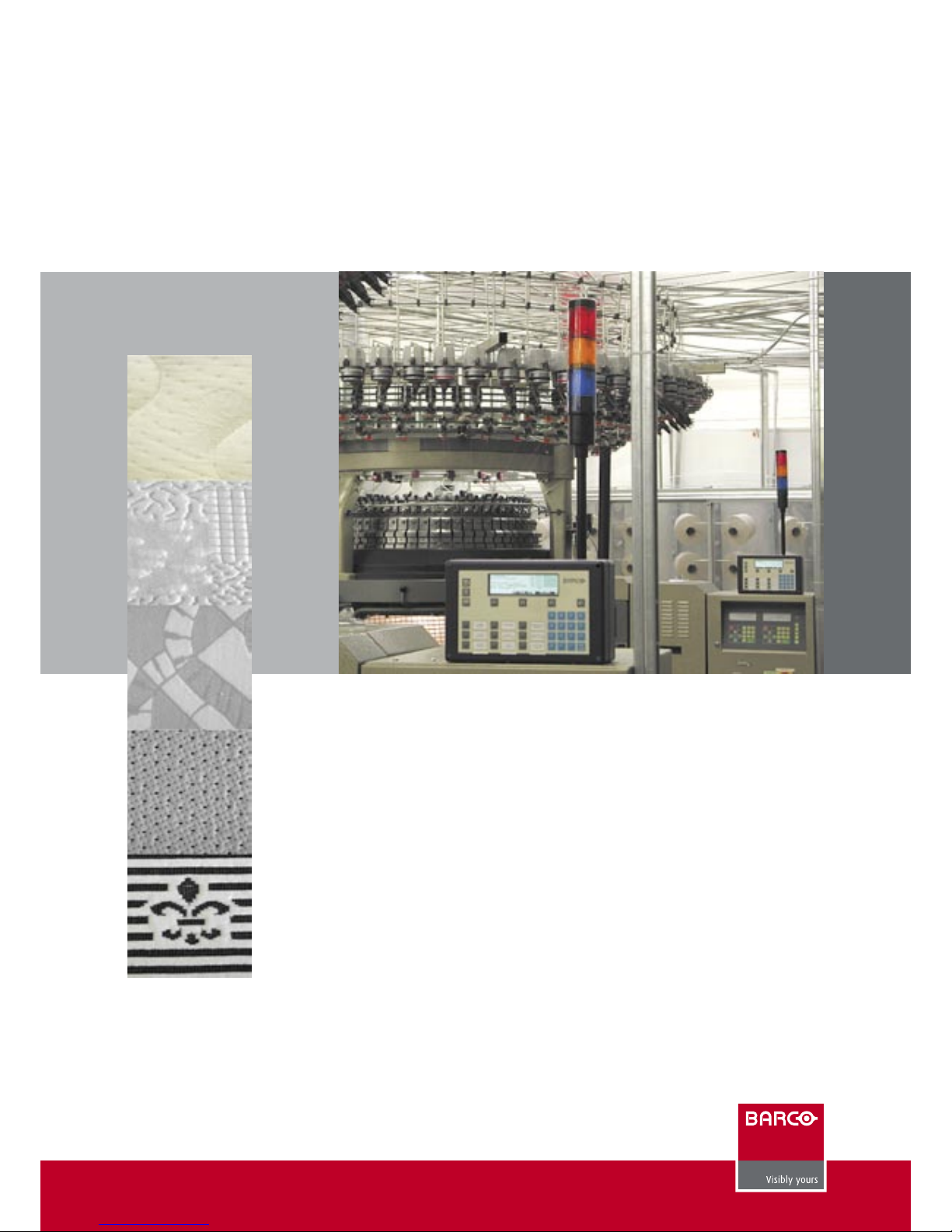
KnitMaster
Barco is proud to introduce KnitMaster, a monitoring system specially configured and designed
for knitting plants.
Through a Graphical User Interface (GUI), KnitMaster users are constantly informed about the
actual situation in the knitting mill resulting in faster reactions to problems and an increased
efficiency.
Powerful analysis tools allow quick identification of weak points and bottlenecks resulting
in an optimal usage of production capacities.
With today’s small order quantities and short delivery times, scheduling has become a critical
function for the textile mill. KnitMaster offers the planning department an interactive tool
allowing them to optimize machine loading based on real time information.
Optional modules are available for on-line control of yarn consumption, connection of weighing scales, integration of the fabric inspection department and link with the company’s ERP
system.
Real Time Monitoring, Planning and Quality Control
for your Knitting Mill
Page 2
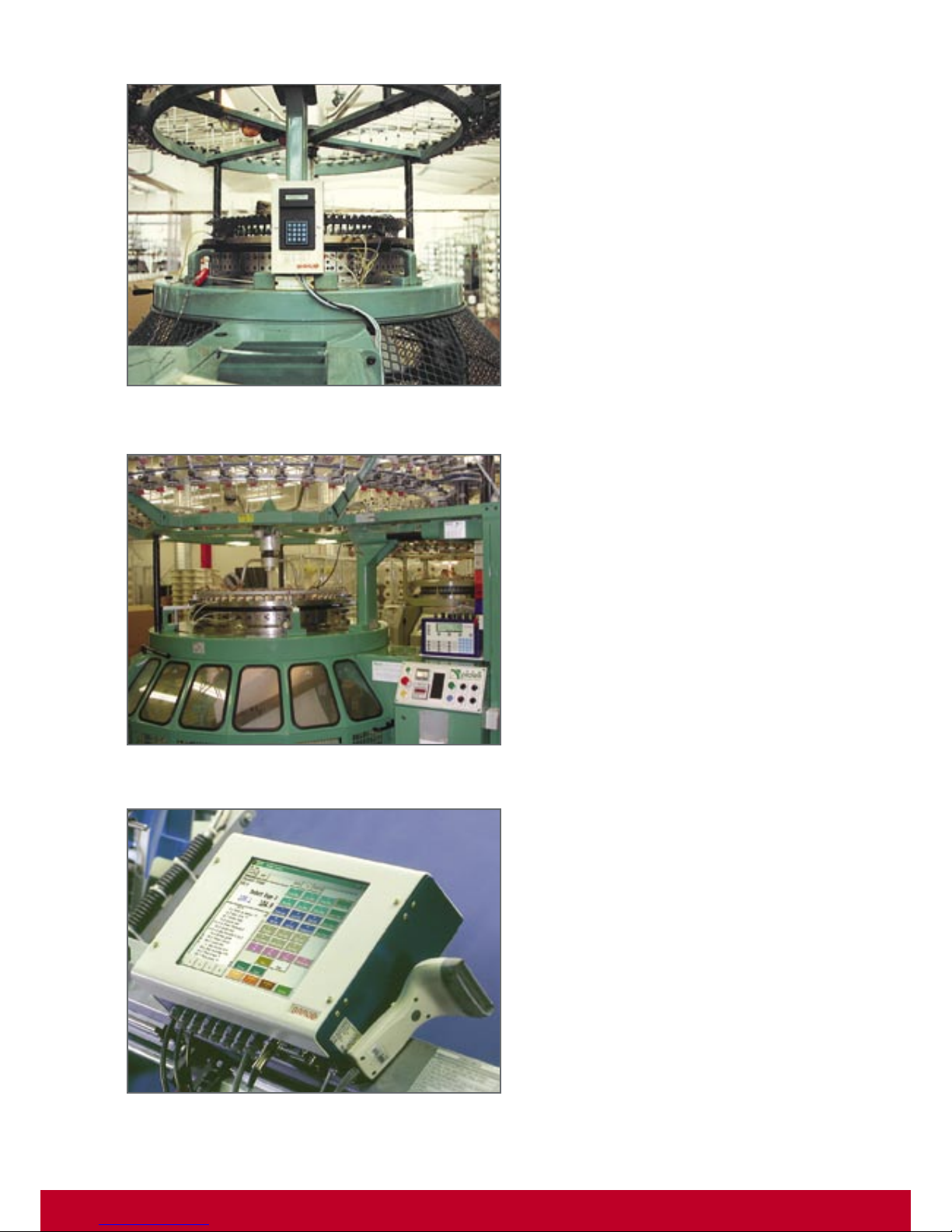
Connecting Machines
DU5P : Flexible and Low Cost Data
Collection Terminal
Each knitting machine is equipped with an industrial data collection terminal (data unit). This device automatically counts the
number of revolutions (production), calculates the speed and
detects automatic stops such as needle breakage, yarn breakage, end of piece,...
As not all stops can be detected automatically, machine operators can make additional declarations by means of the data unit
keyboard. Typical declarations include call fixer, piece change,
quality change, quality check, waiting for yarn,… A display is
available for communication with the operators.
DU8P : Designed for Maximum
User Friendliness
The DU8P has been designed for a maximum flexibility and
ease of use. The large display allows the operator to view all
production and planning information.
Nine pre-defined “quick entry” keys are available for fast entry of
the most frequent stop reasons. All other data entry is conducted
through software driven function keys.
Besides count inputs and digital inputs for automatic stop detection, the DU8P is also equipped with two serial interfaces which
can be used to connect weighing scales, printers,…
Through bi-directional communication, the DU8P can stop the
machine, activate a light or any other machine function by using
one of the five relay outputs.
Touch Screen Fabric Inspection
Terminal
Mounted on the inspection table and linked with the yardage
clock, this terminal offers a Windows based Graphical User
Interface for defect entry.
The “defect codes” are shown as buttons on the screen. The
inspector enters the defect by tapping the corresponding button. Special buttons are available for running defects, cut outs,
mending, …
While inspecting, the piece map is continuously displayed on
the screen and eventual erroneous entries can be corrected on
the spot. For each inspected piece, a defect map with grade
calculation is available and sent to the central computer for
storage and reporting.
Page 3
Monitoring & Reporting
Color Mill
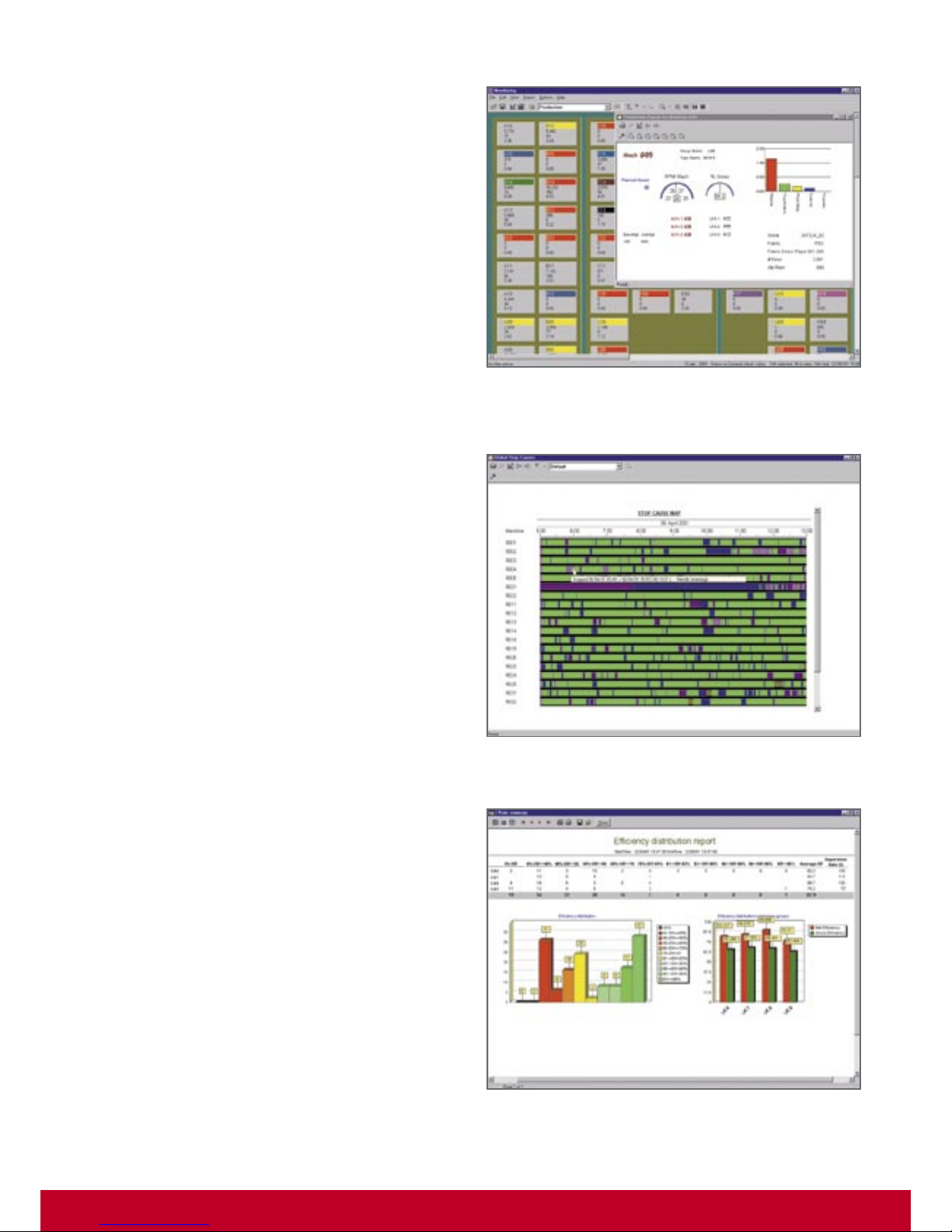
The most important real time analysis tool in KnitMaster is the
COLOR MILL. On this color coded lay-out of the mill, the machines
are pictured in a number of colors, each color indicating a certain
machine status or alarm condition.
From a data selection window, the user selects the type of information to be displayed : efficiencies, speeds, stop rates, etc.
For each data item, exception limits can be defined and problem
machines are automatically flagged.
User definable “filter sets” allow to display only these machines
that correspond with a certain condition, for example all machines with an efficiency less than 85%, all machines waiting for
an intervention, all machines producing a specific style, etc…
A “mouse click” on a specific machine opens a detailed window
with all required details for the selected machine. As a unique
feature within KnitMaster, these detail reports may contain any
user defined mixture of text and graphics.
Film Report
The film report is the result of an automatic machine activity
sampling carried out by KnitMaster. Based on user definable time
intervals, the film report makes a complete machine diagnostic
and shows whether efficiency losses were due to one long stop
or were caused by several short stops.
Report & Formula Generator
All data is stored in a data base and is available for history
reporting. By means of a report and formula generator, a user
without any programming or SQL knowledge can define his own
calculations and reports. For every report item selected from the
data base, upper and lower warning and alarm levels can be
defined resulting in color coded exceptions in the report.
Once a report lay-out has been defined, the user can select it for
a variety of selection keys such as by machine type, by operator, by style, etc…and for any period such as shift, day, week,
month or even year.
Reports can be selected in tabular as well as in graphical format.
The user has a set of graphic options available, such as bar charts,
pie charts, trends and pareto charts.
Page 4
Production scheduling
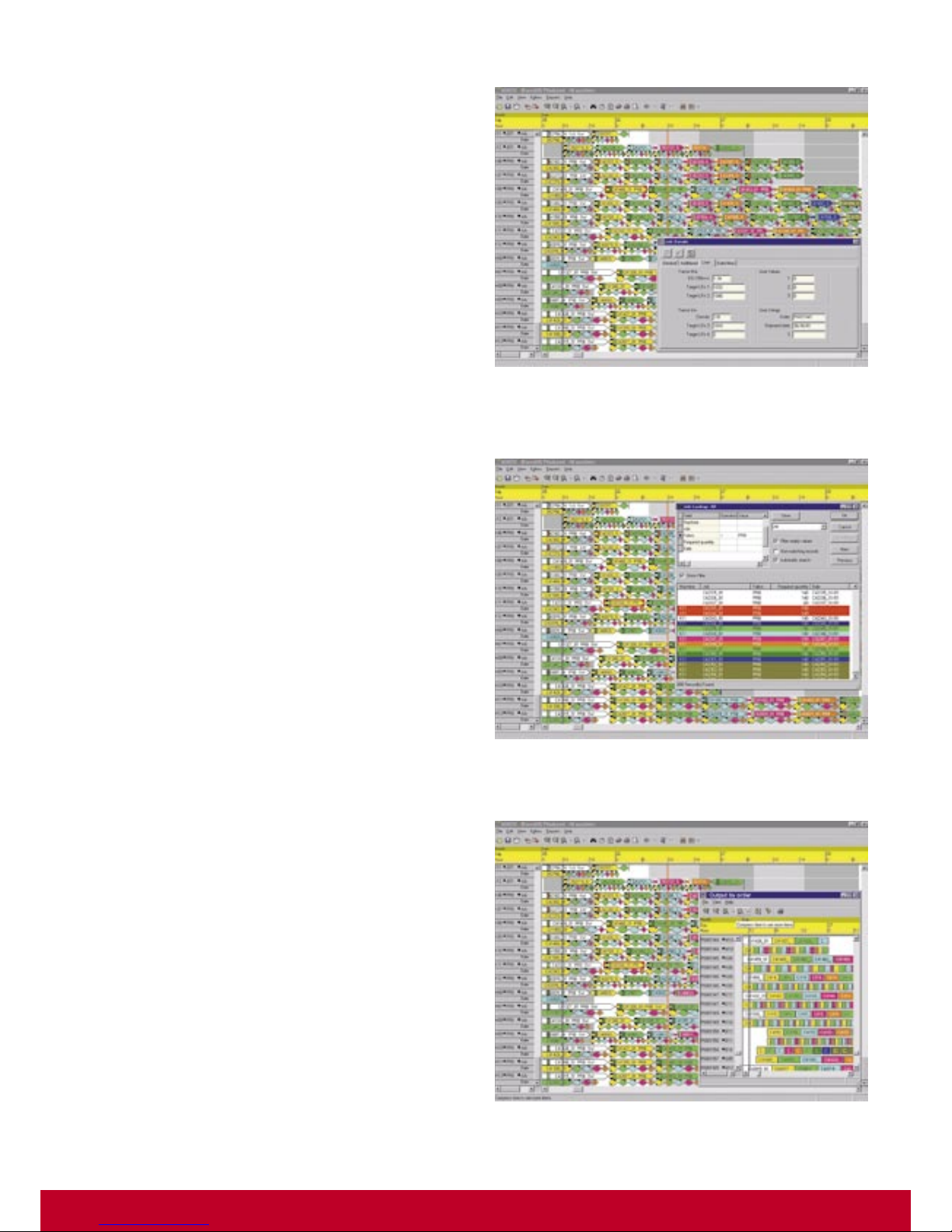
Planning Orders and Pieces: the
Graphical Plan Board
With KnitMaster, the planner conducts his demanding job by
means of an electronic plan board. Similar to the manual plan
board on the wall, the planner can easily assign production orders
to the available machines. Integrated with the style database
and the monitoring system, the plan board software automatically calculates the exact time for every order and actualizes it
based on real time information such as actual speed, efficiency
and stop level.
The KnitMaster scheduling software supports planning of individual pieces as well as orders, expressed in kilos. Orders and
pieces to be produced can be down loaded from the company’s
host computer or can be manually entered into the KnitMaster
system.
By means of simple “drag and drop” functions, the planner
can allocate pieces or orders to machines, re-schedule or assign them to another machine, etc..: the system calculates the
consequences on the spot.
Target Roll Length Control
The target roll length can be downloaded to the data unit at
the machine. Upon reaching the length, the data unit can stop
the machine and activate a doffing lamp to inform the operator
that the machine is waiting for doffing.
Piece Weighing
After knitting, each individual piece is often weighed before it
is transferred to the warehouse or to the next operation. The
scales are connected to the KnitMaster system by means of a
data unit with serial interface. The piece is identified by means of
a barcode scanner or by manual entry on the data unit keyboard.
The data unit automatically reads the weight and transfers it to
the KnitMaster data base and from there on to the company’s
host computer.
Printing of Piece Labels
From the plan board, the user has access to the style specifications data base with all style related technical details. Based
on the machine loading and the information available in the
style data base, the KnitMaster system can print the barcoded
piece tickets.
Page 5
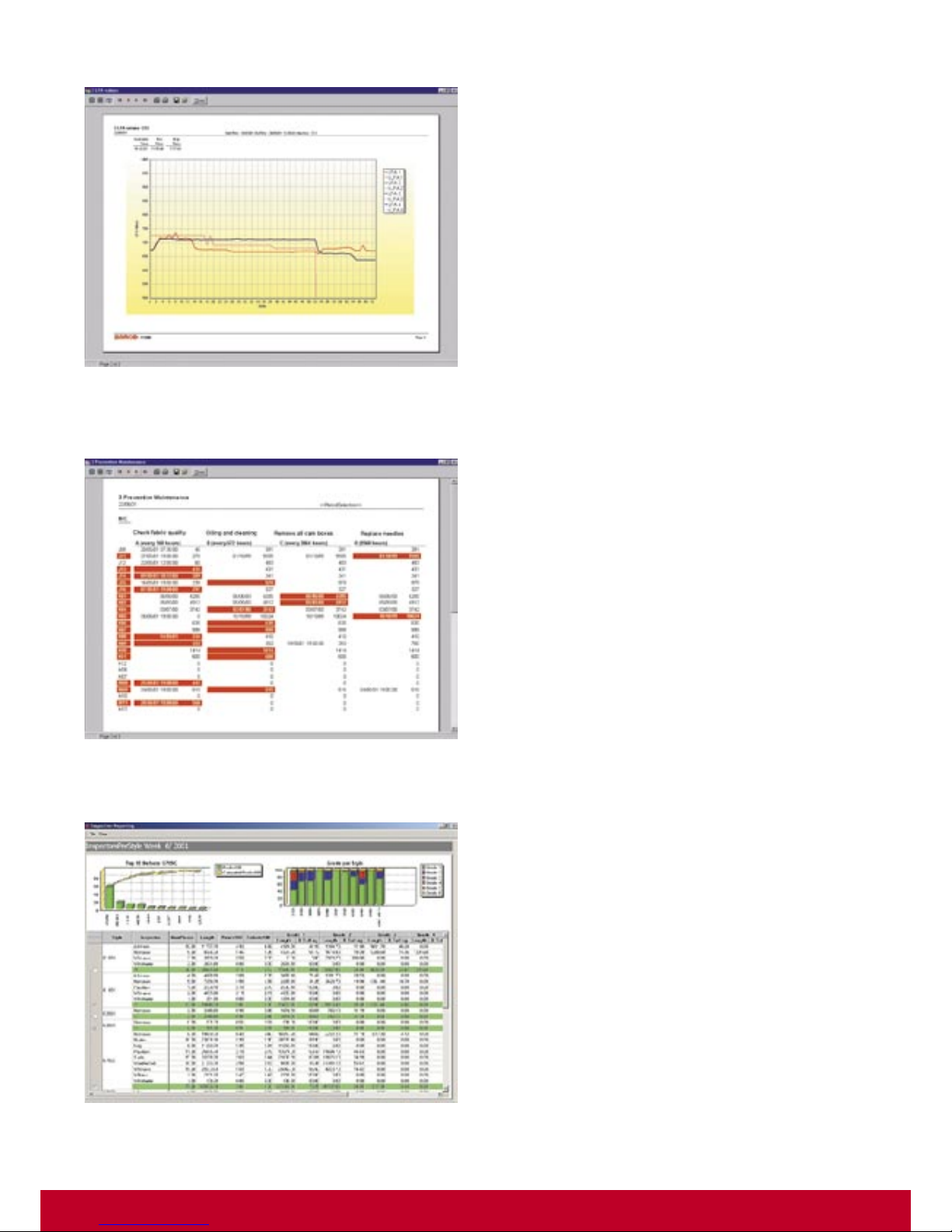
Optional Applications
LFA Monitoring
For each individual style, the standard LFA (Longueur de Fil
Absorbée - Absorbed yarn length per course) values can be
entered in the style data base.
The data unit mounted on the knitting machine is extended
with an additional input board capable of detecting up to four
different belt revolution speeds. Combined with the machine
speed, the KnitMaster software calculates the LFA values in real
time and compares them with the pre-set standards. In case
of too high deviations, the machines are automatically flagged
and eventually stopped by the system.
This feature guarantees continuous quality monitoring and prevents that too heavy or too light pieces are produced.
Preventive Maintenance
On circular knitting machines, particular actions or checks need
to be carried out on a regular basis. These include checks on
fabric quality, oilers, jets and drives, cleaning, …
For each of these maintenance actions, the user defines the
frequency in between two interventions. When executing a
maintenance action, the technician declares his intervention at
the data unit, resetting the maintenance counter to zero.
Based on the monitoring information, the system reports the
machines which are due for a next intervention.
Fabric Inspection
In case the fabric inspection frames are connected to the KnitMaster system, a full defect map is stored for each individual piece
inspected. The extremely powerful and flexible KnitMaster fabric
inspection software offers a wide range of reports including :
- pareto analysis highlighting the most important
defect causes
- defect analysis by style identifying critical styles
- top defect groups by style
- inspector performance reports
With the report generator, which is an integral part of every
KnitMaster system, these reports can easily be customized to
suit the needs of every textile mill.
Page 6
www.barco.com
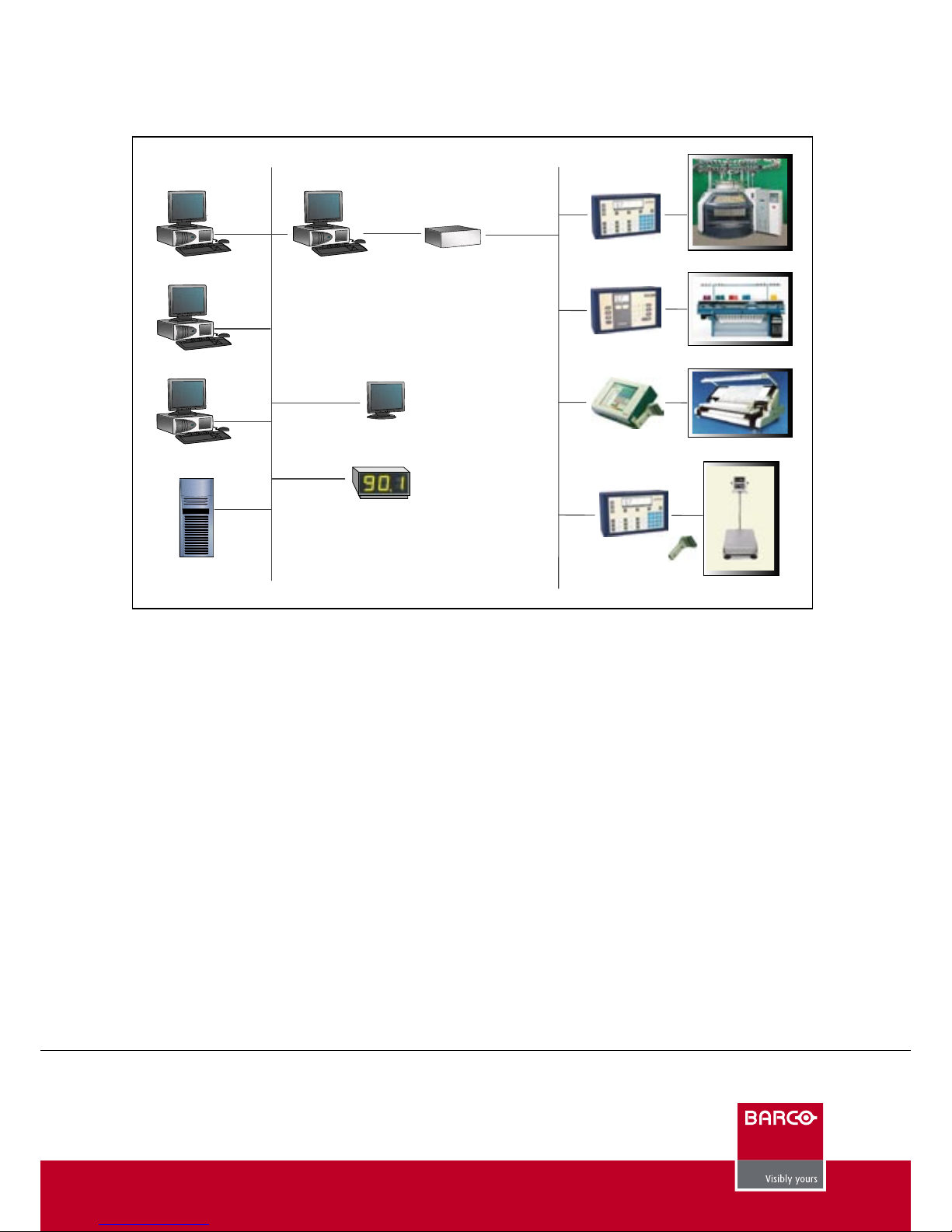
KnitMaster Client-Server concept
BarcoVision
Th. Sevenslaan 106
8500 Kortrijk
BELGIUM
Tel (intl) 32 56 26 26 11
Fax (intl) 32 56 26 26 90
e-mail: [email protected]
08/02/2006
BARCO SEDO GmbH
Neuwies 1
35794 Mengerskirchen
GERMANY
Tel (intl) 49 64 76310
Fax (intl) 49 64 763131
BARCO - Loepfe s.r.l.
Via El Alamein, 11/C
22100 Como
ITALY
Tel (intl) 39 031 3370457
Fax (intl) 39 031 305565
BarcoVision LTD
Capricorn Park
Blakewater Road
Blackburn, Lancashire BB1 5QR UK
Tel (intl) 44 1254 66 22 44
Fax (intl) 44 1254 58 25 95
BarcoVision LLC
4420 Taggart Creek Road
Suite 101
Charlotte, NC 28208 USA
Tel (intl) 1 704 392 93 71
Fax (intl) 1 704 399 55 88
Other applications
Weaving: on-loom inspection, fabric inspection, spare parts, preventive maintenance
Spinning: monitoring and on-line quality control
Dyeing and finishing: planning, lot tracking, monitoring, fabric inspection, optimized cutting
Peripherals
Score boards indicating efficiency or quality ratios as well as TV
monitors bringing comprehensive messages and information
to the operators form an integral part of today’s WeaveMaster
system, improving communication within the mill.
The “CIM-Kiosk”, a TV monitor on the production floor, allows the
user to retrieve information from the system using a standard
browser environment. As such, operators and technicians are
constantly informed about efficiencies, job status, machines
needing assistance...
Link with the ERP system
KnitMaster is easily integrated in the customer’s ERP system.
Through a standard interface, order and style data is transferred from the ERP system and imported in the KnitMaster
database.
The integrated export functionality allows a straightforward
upload of information from KnitMaster to the customer’s ERP
system.
Typical information transferred from the KnitMaster system
includes work in progress, efficiency and quality data.
KnitMaster uses the standard TCP/IP protocol for setting up the
link with the host computer.
Connecting remote sites
KnitMaster supports the connection of multiple plants to one
central server.
In the remote site, an M-Server, connected to a leased telephone
line, links the machines to the central computer system.
Quality control
Windows Server
Circular knitting
Flat knitting
Fabric inspection
Weighing station
Data unit DU10P
Data unit DU8P
Inspection terminal
Data unit DU10P
Barcode scanner
M ServerPlanning
Production
Host
CIMkiosk
Scoreboard
 Loading...