

Page 1
Current Setting
Current Setting
Manual Voltage Setting
Manual Voltage Setting
Voltage Auto Detection
Voltage Auto Detection
Battery Type (Li-poy / Ni-Cd/MH)
Battery Type (Li-poy / Ni-Cd/MH)
1. Operation Manual
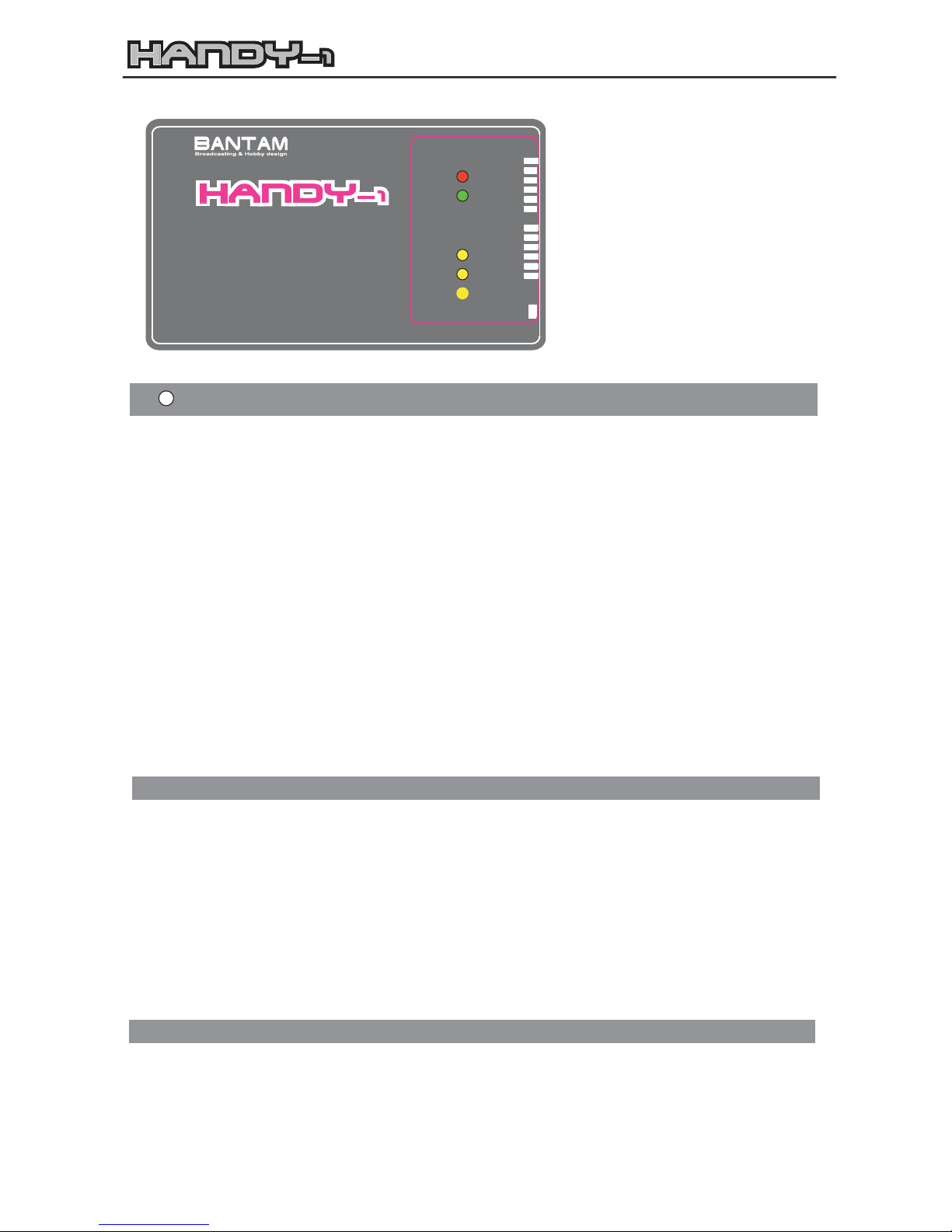
2. LED Status
User's Manual
Safety Note
OUTPUT
INPUT
INPUT
DC11~15V
Made in Korea
Charging Rate : 0.1A~2.5A (50W)
Charging Rate : 0.1A~2.5A (50W)
Ni-Cd/MH : 1~12Cells
Ni-Cd/MH : 1~12Cells
Micro Process Controlled
Micro Process Controlled
Li-Poly : 3.7V~18.5V (1~5Series)
Li-Poly : 3.7V~18.5V (1~5Series)
Auto / Manual Voltage Selection
Auto / Manual Voltage Selection
MULTI CHARGER
MULTI CHARGER
Li-POLY
Li-POLY
Select
Select
FULL
FULL
CHARGE
CHARGE
1.5A
1.0A
0.5A
0.1A
2.5A
2.0A
CURRENT
CURRENT
SELECT
SELECT
Check the Batt.
Type Select
C.C / C.V
C.C / C.V
Batt.Type
Batt.Type
Caution
Caution
14.8V
11.1V
7.4V
3.7V
AUTO
18.5V
Detection
VOLTAGE
VOLTAGE
SELECT
SELECT
Ni-Cd/MH
Ni-Cd/MH
Auto
Auto
* Read the instructions before using the charger for the first time
* Do not open the case, and do not modify the unit in any way
* Use the charger exclusively to recharge rapid-charge capable Li-Ion / Li-Ploymer, NiCd or NiMH
batteries
* Observe the battery manufacturers charging instructions (especially with Li-Ion and Li-Polymer
batteries !)
* Use the charger only to recharge packs consisting of cells of the same type and capacity
* Do not attempt to charge two battery packs simultaneously
* Do not recharge packs which are hot to the touch; allow them to cool down to ambient temperature
first
* Do not leave the charger operating unsupervised
* The charger may become hot when operating take care when touching the unit
=> Do not cover the charger; provide adequate cooling
=> Do not subject the charger to direct sunshine
* Keep the charger, battery and cables well away from flammable or temperature-sensitive objects
* Protect the charger from damp and dust
1) Read these instructions completely and attentively, before you use this unit for the first time. Do not
discard the manual and please hand over the manual when you give the unit to other person at any
reason.
2) Please provide good ventilation to the charger and keep an eye on it during charging.
3) You should know about the battery to be charged to select 'Battery type' correctly.
4) Never charge Lithium polymer battery with the mode of 'Ni-Cd/Ni-MH'. It can be exploded and cause
a fire.
5) If your Li-Po battery pack has complex connections of parallel and serial you need to check the
voltage of each cell periodically. If the voltage of each cell is out of balance it also can be exploded.
1) When you connect the charger to a power source(DC 12V), the LED of 'Battery Type' will be on. Now
it is waiting for charging.
2) If you select 'Auto Detection' the 'Auto' LED will be on.
3) When Li-Po battery is connected to the charge lead the 'C.C/C.V Charge' LED(Red) will be on for
C.C(constant current) mode. But the LED will blink continuously for C.V(constant voltage) after the CC
mode
Page 2
3. Error (all of five LEDs will blink continously)
4. Charging Li-Polymer battery
5. Charging Ni-Cd/Ni-MH
6. Safety functions
7. Specfications
4) When the battery is fully charged 'FULL' LED(Green) will be on.
5) This charger can charge 1 to 12 cells of Ni-Cd or Ni-MH batteries. And it has the delta-peak
voltage detection for the completion of charging.
1) When the input power is lower than DC 11.0V of higher then DC 15.0V.
2) Bad connection of charging lead and battery.
3) If any of bad connection occurs on C.V Mode 'FULL' LED will be on.
4) When the charger detects the upper limit of voltage especially for the battery has large internal
resistance.
1) Set 'Battery Type Switch' for Li-Poly Mode.
2) Set voltage manually.
3) Or select 'Auto Detection'.
4) Select the 'Current Select' for the maximum of 1 C of the capacity of battery to be charged.
5) Connect the battery to a charging lead.
* In Manual mode, the unit will check the voltage of battery and the voltage you select for the first one
minute. If they are different from your setting the error will be shown.
* In Auto Detection mode, it checks the voltage of battery with the 1/10 of current you select for about
two minutes and then starts to charge.
* If the battery was discharged below 3.0V per cell the error may occur. In this case try charging 2~3
times repeatedly.
1) Set 'Battery Type Switch' for Ni-Cd/MH Mode.
2) Set 'Current Select'.
3) Connect the battery to a charging lead and it will start to charge.
1) Reverse polarity protection both input and output.
2) Safety check input voltage.
3) Self-protection for the short circuit during charging.
4) Built-in safety timer for the max. 12 hrs of charging. If over, it will be off automatically.
Input Voltage: DC11.0V~15.0V
Charging output: 50W
Li-Polymer: 3.70V~18.50V (1~5 series)
Ni-Cd/MH: 1~12 cells
Charge current: 0.1A~2.5A
Dimensions: W106 x H41 x D12 mm
Distributor
HEAD OFFICE
3rd 187-7 Gayang-Dong, Kangseo-Gu, Seoul Korea 157-200
PHONE (02) 3663-6433 FAX(02) 3663-6435
E-Mail : [email protected]
Web Site http://bantamtek.com
 Loading...