

Page 1

GSM/3G Gate Controller
Quick Guide
Model: G200
Version: 1.2
Page 2
GSM/3G Gate Controller
3G: 850/2100 MHz UMTS.
Introduction
G200 is a new designed Smart Wireless Gate controller. It could be well inte-
grated with most of the electronic locks, gate motors, gate operators, and
widely used in residential, institutional, industrial markets. G200 works with a
Nano SIM card, users could dial the SIM card number to open the door, and no
phone charges, no distance limits, no keyfobs, more convenient and friendly
than any other solutions.
Specifications
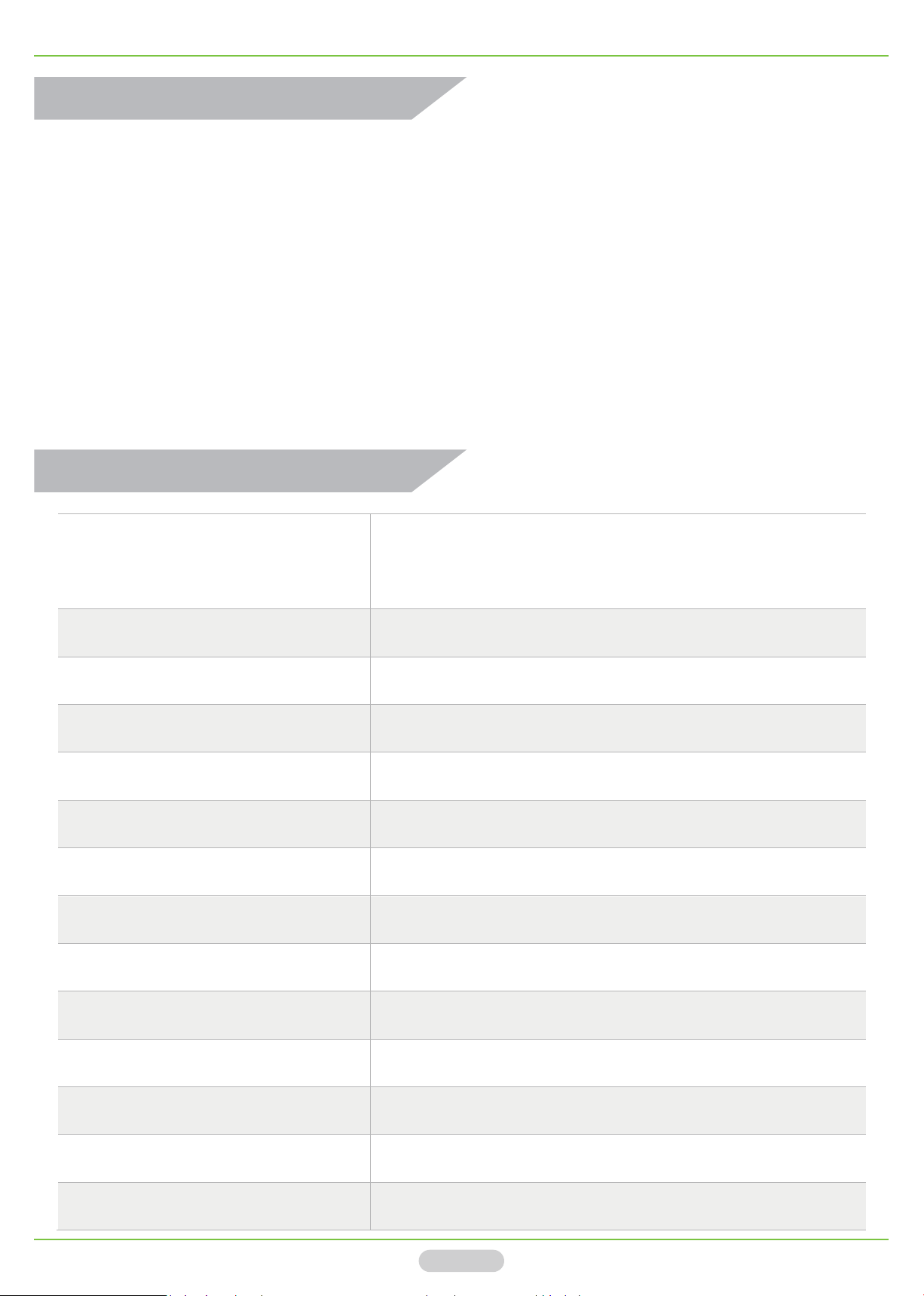
GSM: Quad-band 850/900/1800/1900MHz
GSM/3G Frequency
DC Power DC 9V – 36V /1A
Power consumption Max. 50mA/Average 25mA
SIM Card Nano type, 3V
Antenna 50 Ω SMA
Relay Specification 3A/250V AC | 20A/14V DC
Relay Type NO/NC
Relay Time Max. 0s - 900s
3G WCDMA : 900/2100 MHz UMTS
3G CDMA2000: 850/1900 MHz UMTS
Users 200
Wired Switch Supports
Operating Temp
Relative Humidity
Dimension 96.5×50×31.5mm
Net Weight 88g
Page 2
- 10℃ ~ + 60℃
10% ~ 90%( RH)
Page 3
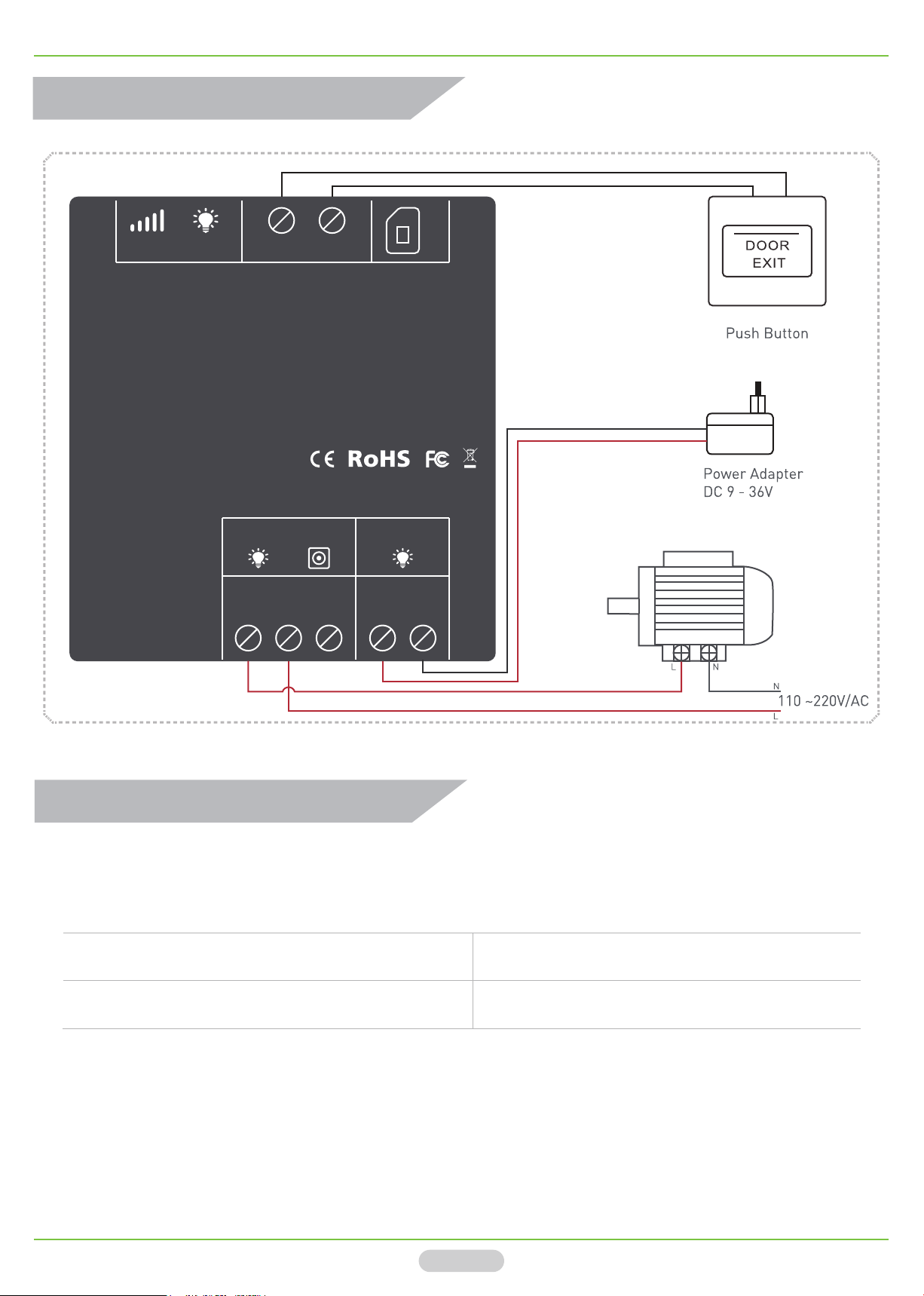
Wiring Diagram
GSM/3G Gate Controller
SIM
SignalANT
Wired Switch
Gate Controller
Model: G200
Reset PowerRelay
Relay Output
NO COM NC
DC 9~36V
-
+
-
+
Initial Settings
Make sure the device antenna is installed, and you MUST send the SMS com-
mand as below before using the device. If successed, it will return a message.
SMS Command Return Message
PasswordTELThe SIM Card Number of device#
E.g.: 1234TEL0044666666#
“1234” is the device password(Default).
“0044” is the country code of United Kingdom.
“666666” is the SIM Card Number of the device.
Set Success!
Page 3
Page 4
GSM/3G Gate Controller
Other Settings
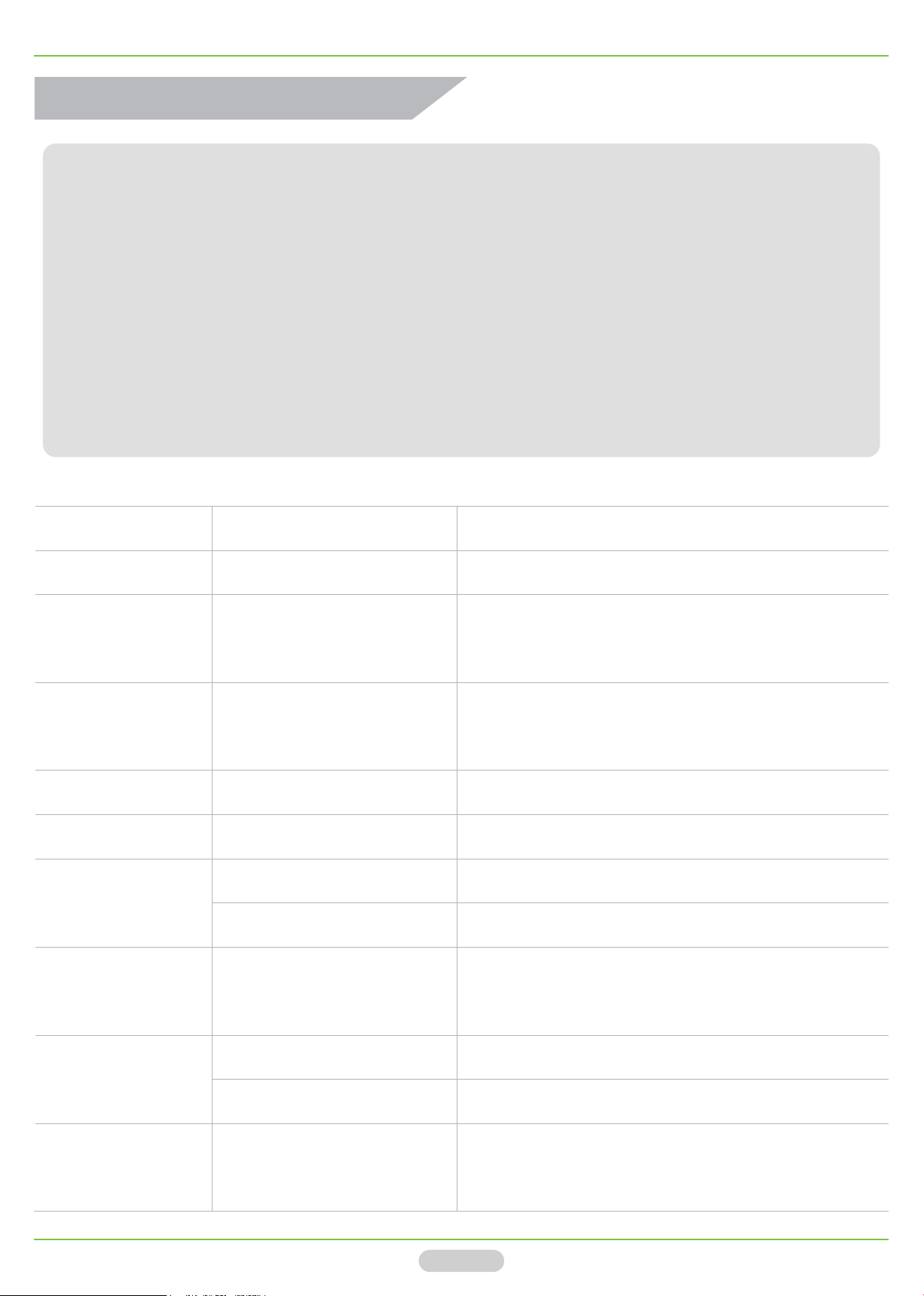
About the SMS commands in the charts below is presented as examples, please
use it according to your real situation. Read the cautions as below:
1). All the red letters in the SMS command should be in CAPS.
2). Add your country code before the phone number, such as”0044” in UK.
4). Do not leave any space in the SMS command.
5). Sending SMS command may have some cost which charged by your local
mobile operator. But dial to open the door is free of charge.
Function SMS Command Meaning
Change password 1234Pnew password Default is 1234 (4 characters)
Add phone number to 2
Add new user 1234A002#044777777#
list. From 001 – 200. The “001” is the Admin.
Check user’s
1234A005#
position
Check user list 1234AL005#010# The Users from 5th to 10th in the user list.
Delete the user 1234A005## Delete the 5th user in the user list.
Set the
authorization
1234ALL# Anyone could open the door by SMS or CALL
1234AUT# Only authorized users could open the door
Check the 5th User’s Phone Number
Total 200 users: 001 - 200
nd
position of the user
Set the relay time 1234GOT010#
Operate the door
by SMS
Check the device
status
1234CC Open the door by SMS
1234DD Close the door by SMS
1234EE Check the GSM signal and relay status
The relay will close after 10s.
Relay time:000 - 900
Page 4
Page 5
GSM/3G Gate Controller
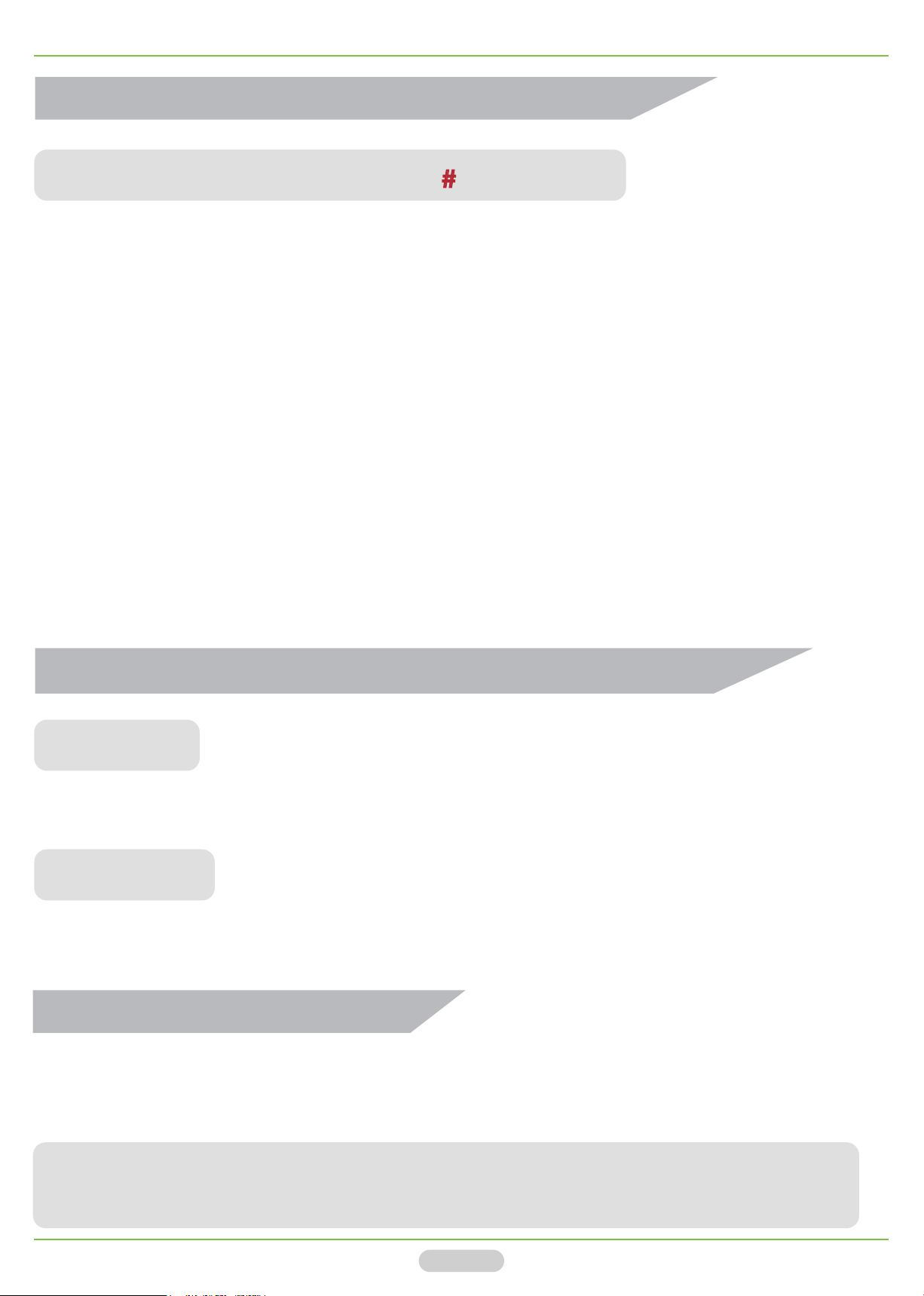
Set the Valid User In A Specific Time?
1234A002#0044777777#1809061005#1809072230#
’1234‘: The device password(default).
‘002’: The user was set as 2nd position on the authorized user list.
‘0044777777’: The user’s UK phone number.
‘1809061005’: 10:05am on 6th, Sep, 2018.
‘1809072230’: 22:30pm on 7th, Sep, 2018.
-
Meaning: The phone number ’0044777777’ could only open the door by SMS or CALL
during a specific time from
10:05am on 6th, Sep, 2018 to 22:30pm on 7th, Sep,
2018. After the deadline, this phone number could not open the door.
Disable the Notification Message of the Relay Status?
1234GON##
-
Meaning: When the user open the door, the device will not send notification message.
1234GOFF##
-
Meaning: When the door is closed, the device will not send notification message.
How to Reset the Device?
Turn off the device, and keep pressing the RESET button (Refer to the panel
sticker on page 3), then turn on the device (do not release the RESET button).
-
NOTICE: The RESET setting will reset all datas as default, but not delete the users
you had added to to the device before.
Page 5
Page 6
GSM/3G Gate Controller
How to Open The Door
There are three ways to open the door:
1). The authorized users dial to open the door.
2). The authorized users send SMS command to open the door.
3). Push the Exit Button to open the door.
The Standard Package
1). The Device * 1pcs
2). The Antenna * 1pcs
3). The Wiring Terminal * 3pcs
4). The Quick Guide Brochure * 1pcs
Notice: The power adapter and
push button are NOT included.
Warranty and Cautions
1). Two years warranty since you purchased our products.
2). Please read the user manual carefully before using the products.
3). Our device supports DC 9~36V. DC 12V/1A power adapter is recommended.
4). Do not install the device in the bad environment, such as rain, water, etc.
5). If the device can’t work, please check if your SIM card is on service with
enough money, or the power wire is connected correctly.
6). If got any issues on the devices, please contact the distributor or shopper
Page 6
Page 7
GSM/3G Gate Controller
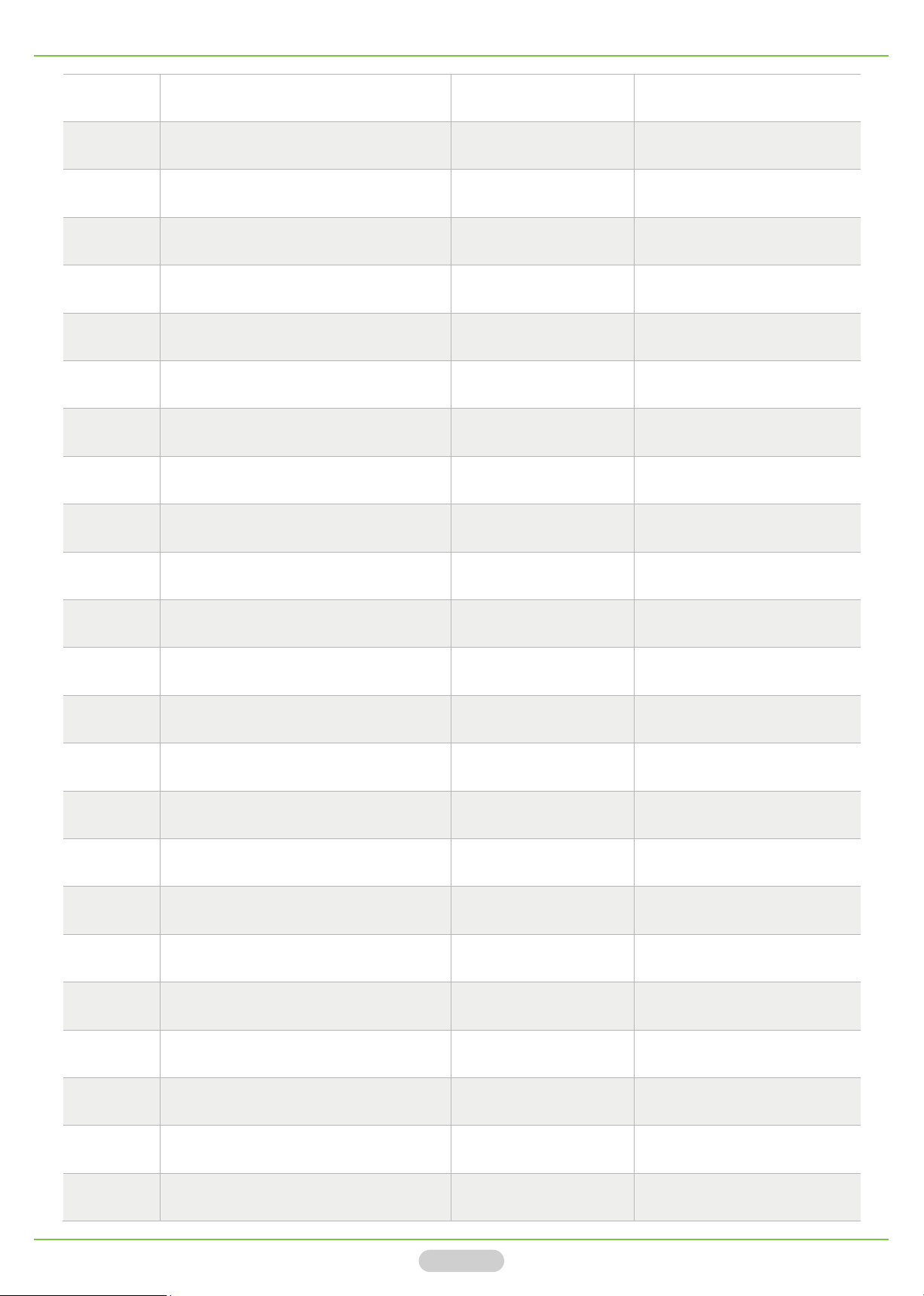
Position User’s Phone Number User Name Memo
001
002
003
Page 7
Page 8

 Loading...