

Page 1
Ethernet Packet Generator
TCL API GUIDE
Ethernet Packet Generator
TCL API GUIDE
Version 1.0
APG4 APG8 APG200 APG208
APG-TCL-UG-V1-0 1 7 June 2017
Page 2
Software Revisions
APG TCL API
Embedded Software
FPGA
Version 1.0.0
Version 2.0
Version 6.010B
Date
Version
Changes
12 August 2016
0.8
Restricted customer release
7 June 2017
1.0
General Release
Added APG200
Added Timestamp Analysis (see Section 3.7)
Added API Initialisation (Section 4)
apgGetVersion renamed to apgGetApiVersion (Section 4.2)
apgOpen waits for unit ready (Section 5.1.1)
Removed inconsistencies in apgSaveConfiguration PORTLIST
(see Section 6.1.1)
RXTIME replaces TIMESTAMP in apgGetPort CAPTURE PACKET
command (see Section 8.2.8)
apgSetPort command simplified (Section 8.3.1)
Added apgSetPort TOPOLOGY command to enable switching
between 40G / 4x10G modes (Section 8.3.1)
Added Deep Packet Capture (see Section 8.1.3)
Added Packet/Second Transmit Rate (Section 9.3.2)
Added Multi-Burst Transmit Mode (Section 9.3.2)
apgLoadStream command modified (Section 9.1.1)
INFORMATION:
Additional information to clarify functionality or usability
WARNING:
Clarification of unexpected or restricted functionality
This document applies to the following software versions:
Revision History
Ethernet Packet Generator
TCL API GUIDE
Visit www.axtrinet.com/documentation for the latest documentation.
Document Conventions
APG-TCL-UG-V1-0 2 7 June 2017
Page 3

Ethernet Packet Generator
TCL API GUIDE
Disclaimer
Axtrinet retains the right to make changes to this document at any time, without notice. The
information in this document is believed to be accurate and reliable. Axtrinet does not warrant
the accuracy of completeness of the information, text, graphics or other items contained within
this document.
Axtrinet provides the software and the documentation "as is" without warranties of any kind.
Axtrinet disclaims all warranties and representations of any kind relating to products, software
or services provided hereunder, whether express, implied, statutory, including without
limitation the implied warranties of merchantability, fitness for a particular purpose, accuracy,
or non-infringement of third party rights.
Axtrinet does not warrant that the software will in every case process all data correctly, or that
operation of the products, including software, will be uninterrupted, free from error, or secure.
The disclaimers in this section will not apply to the extent prohibited by applicable law.
The software is not designed, intended, or certified for use in components of systems intended
for the operation of weapons, weapons systems, nuclear installations, means of mass
transportation, aviation, medical systems, devices, implants, or equipment, pollution control,
hazardous substances management, or for any other dangerous application in which the failure
of the products could create a situation where bodily injury or death may occur. The use of the
software in any such application is solely at your own risk.
Copyright statement
Copyright © 2017 Xentech Solutions Limited, all rights reserved. The information contained in
this document is the property of Xentech Solutions Limited. No part of this publication shall be
reproduced, stored or transmitted in any form or by any means without the prior written
permission of Xentech Solutions Limited.
Axtrinet™ is a trading name and registered trademark of Xentech Solutions Ltd.
APG-TCL-UG-V1-0 3 7 June 2017
Page 4

Ethernet Packet Generator
Section
Description
1. INTRODUCTION
Summary of the TCL API interface and capabilities
2. INSTALLATION
Installation procedures for the Microsoft™ Windows™ and
Linux drivers and TCL API Interface
3. TEST ENVIRONMENT
Introduction to Ethernet packet generation, packet
structures and control
4. API INITIALISATION
Initialising the APG TCL API and version command
5. CONNECTION COMMANDS
Open and Close connections to the APG units
6. CONFIGURATION COMMANDS
Save and Apply unit configurations
7. UNIT COMMANDS
Unit-level connection, load, and get TCL commands
8. PORT COMMANDS
Port-level configuration load, get, set and apply TCL
commands
9. STREAM COMMANDS
Stream-level configuration load, get, set and apply TCL
commands
10. TOOLS
Command and Header tools to simplify access to the
internal database variables
TCL API GUIDE
Preface
About This Document
This manual describes the structure and commands of the Axtrinet TCL API, and contains the
following sections:
Related Documentation
[1] APG-GSG Axtrinet Getting Started Guide
[2] APG-UG Axtrinet User Guide (including APG Control Interface)
[3] APG-HDR Axtrinet Header Definitions
[4] APG-SW-TC Axtrinet APG Software License Terms And Conditions
Visit www.axtrinet.com/downloads for the latest documentation.
APG-TCL-UG-V1-0 4 7 June 2017
Page 5

Glossary
APG Axtrinet Packet Generator
API Application Programming Interface
FCS Frame Checksum
IBG Inter-Burst Gap
IFG Inter-Frame Gap
pps Packets per Second
QSFP+ Quad Small Form-Factor Pluggable (40Gbps)
RPM Revolutions per Minute
SFD Start-of-Frame Delimiter
SFP Small Form-Factor Pluggable (1Gbps)
SFP+ Small Form-Factor Pluggable (10Gbps)
TCL Tool Command Language
USB Universal Serial Bus
Ethernet Packet Generator
TCL API GUIDE
APG-TCL-UG-V1-0 5 7 June 2017
Page 6

Ethernet Packet Generator
TCL API GUIDE
Contents
1. INTRODUCTION .............................................................................................. 9
1.1 Main Features ................................................................................................. 9
1.2 Benefits .......................................................................................................... 9
1.3 Trademarks .................................................................................................... 9
1.4 Software Licences and Support..................................................................... 10
1.5 Contact Details ............................................................................................. 10
2. INSTALLATION ............................................................................................. 11
2.1 Minimum System Requirements ................................................................... 11
2.2 Prerequisites ................................................................................................ 11
2.3 Testing the Installation ................................................................................ 11
2.3.1 Windows Environment ....................................................................................... 11
2.3.2 Linux Environment ............................................................................................ 11
2.4 Example Files................................................................................................ 12
3. TEST ENVIRONMENT & CONCEPTS ................................................................ 13
3.1 Definitions .................................................................................................... 14
3.2 APG Configuration ........................................................................................ 15
3.3 Port Topology ............................................................................................... 15
3.3.1 SFP+ Ports ...................................................................................................... 15
3.3.2 QSFP+ Ports .................................................................................................... 15
3.4 Transmit Configuration ................................................................................. 16
3.5 Receive Path ................................................................................................. 18
3.6 Packet Capture ............................................................................................. 19
3.7 Packet Analysis............................................................................................. 19
4. API INITIALISATION .................................................................................... 20
4.1 Initialisation ................................................................................................. 20
4.1.1 Windows Environment ....................................................................................... 20
4.1.2 Linux Environment ............................................................................................ 20
4.2 Version Command - apgGetApiVersion ......................................................... 20
4.2.1 apgGetApiVersion [VAR] .................................................................................... 20
5. CONNECTION COMMANDS ............................................................................ 21
5.1 Open Connection - apgOpen ......................................................................... 21
5.1.1 apgOpen [IP-ADDRESS] .................................................................................... 21
5.2 Close Connection - apgClose ......................................................................... 21
5.2.1 apgClose [UNITID]............................................................................................ 21
6. CONFIGURATION COMMANDS ....................................................................... 22
6.1 Save Configuration ....................................................................................... 22
6.1.1 apgSaveConfiguration [UNITID] [PORTLIST] {FILENAME} ..................................... 22
6.2 Apply Configuration ...................................................................................... 23
6.2.1 apgApplyConfiguration [UNITID] [FILENAME] ....................................................... 23
7. UNIT COMMANDS .......................................................................................... 24
7.1 Load Unit Data - apgLoadUnit ....................................................................... 25
7.1.1 apgLoadUnit [UNITID] INFO ............................................................................... 25
7.1.2 apgLoadUnit [UNITID] STATUS ........................................................................... 25
7.1.3 apgLoadUnit [UNITID] PORTSTATUS ................................................................... 25
7.1.4 apgLoadUnit [UNITID] COUNTERS ...................................................................... 26
APG-TCL-UG-V1-0 6 7 June 2017
Page 7

Ethernet Packet Generator
TCL API GUIDE
7.1.5 apgLoadUnit [UNITID] RATES {DURATION} ......................................................... 26
7.2 Get Unit Data - apgGetUnit ........................................................................... 27
7.2.1 apgGetUnit [UNITID] INFO [VAR] ....................................................................... 27
7.2.2 apgGetUnit [UNITID] STATUS [VAR] ................................................................... 28
8. PORT COMMANDS ......................................................................................... 29
8.1 Load Port Data - apgLoadPort ....................................................................... 31
8.1.1 apgLoadPort [PORTID] INFO .............................................................................. 31
8.1.2 apgLoadPort [PORTID] MODULE ......................................................................... 31
8.1.3 apgLoadPort [PORTID] CAPTURE [VAR] {NUMPKT} ............................................... 31
8.1.4 apgLoadPort [PORTID] ANALYSIS {TSID} ............................................................ 32
8.2 Get Port Data - apgGetPort ........................................................................... 32
8.2.1 apgGetPort [PORTID] INFO [VAR] ....................................................................... 32
8.2.2 apgGetPort [PORTID] STATUS [VAR] ................................................................... 34
8.2.3 apgGetPort [PORTID] MODULE [VAR] .................................................................. 35
8.2.4 apgGetPort [PORTID] TXSTATS [VAR] ................................................................. 36
8.2.5 apgGetPort [PORTID] RXSTATS [VAR] ................................................................. 37
8.2.6 apgGetPort [PORTID] RATES [VAR] ..................................................................... 38
8.2.7 apgGetPort [PORTID] CAPTURE CONFIG [VAR] ..................................................... 39
8.2.8 apgGetPort [PORTID] CAPTURE PACKET TOTALPACKETS ....................................... 40
8.2.9 apgGetPort [PORTID] CAPTURE PACKET [VAR] [PKTNUM] ...................................... 40
8.2.10 apgGetPort [PORTID] ANALYSIS [TYPE] [VAR] ..................................................... 41
8.3 Set Port Configuration - apgSetPort ............................................................. 42
8.3.1 apgSetPort [PORTID] [VAR] [VAL] ...................................................................... 42
8.4 Apply Port Configuration - apgApplyPort ...................................................... 43
8.4.1 apgApplyPort [PORTID] STATE ........................................................................... 43
8.5 Control Commands - apgControlPort ............................................................ 44
8.5.1 apgControlPort [COMMAND] [PORTLIST] ............................................................. 45
8.5.2 apgControlPort [CAPTURE] [PORTLIST] ............................................................... 45
8.5.3 apgControlPort CLEARANALYSIS [PORTLIST] ........................................................ 46
9. STREAM COMMANDS ..................................................................................... 47
9.1 Load Stream Configuration - apgLoadStream ............................................... 48
9.1.1 apgLoadStream [STREAMID] .............................................................................. 48
9.2 Get Stream Configuration - apgGetStream .................................................... 48
9.2.1 apgGetStream [STREAMID] CONFIG [VAR] .......................................................... 49
9.2.2 apgGetStream [STREAMID] HEADER HEADER_LIST .............................................. 50
9.2.3 apgGetStream [STREAMID] HEADER [HDR] [FLD] ................................................ 50
9.2.4 apgGetStream [STREAMID] PAYLOAD [VAR] ........................................................ 51
9.3 Set Stream Configuration - apgSetStream .................................................... 52
9.3.1 apgSetStream [STREAMID] DEFAULT .................................................................. 53
9.3.2 apgSetStream [STREAMID] CONFIG [VAR] [VAL] ................................................. 53
9.3.3 apgSetStream [STREAMID] HEADER HEADER_LIST [HDRLIST] .............................. 54
9.3.4 apgSetStream [STREAMID] HEADER [HDR] [FLD] [VAL] ........................................ 54
9.3.5 apgSetStream [STREAMID] HEADER [HDR] [FLD] [VAL] [MODE] [STEP][MIN][MAX]. 56
9.3.6 apgSetStream [STREAMID] PAYLOAD [VAR] [VAL]................................................ 56
9.4 Apply Stream Configuration - apgApplyStream ............................................. 56
9.4.1 apgApplyStream [STREAMID]............................................................................. 57
10. TOOLS ........................................................................................................... 58
10.1 Command Tools ............................................................................................ 58
10.1.1 apgGetVariables [COMMAND] {FUNCTION} ......................................................... 58
10.2 Header Tools................................................................................................. 58
10.2.1 apgGetHeaderList [STREAMID] ........................................................................... 58
10.2.2 apgGetHeaderFieldList [HDR] ............................................................................. 59
10.2.3 apgGetHeaderFieldValue [HDR] [FLD] [VAR] ........................................................ 59
APG-TCL-UG-V1-0 7 7 June 2017
Page 8

Ethernet Packet Generator
TCL API GUIDE
APPENDIX A - QUICK REFERENCE GUIDE ............................................................... 60
APPENDIX B - SAMPLE APGSAVECONFIGURATION FILE ......................................... 64
APG-TCL-UG-V1-0 8 7 June 2017
Page 9

Ethernet Packet Generator
TCL API GUIDE
1. INTRODUCTION
Thank you for purchasing an Axtrinet™ APG Ethernet Packet Generator.
The Axtrinet APG Ethernet Packet Generators provide compact and affordable 40Gbps and
10Gbps Ethernet Packet Generator/Analysers with a simple-to-use Control Interface and an
open TCL API for third party scripting.
Ideally suited to applications in R&D, Test and Manufacturing environments, and 'on the road'
with Field Sales and Application Engineers, the Axtrinet APG Ethernet Packet Generators allow
reliable and affordable development and testing of:
Ethernet network equipment such as switches, routers, firewalls and network monitoring
devices
Data storage equipment with 10Gbps and 40Gbps Ethernet interfaces
Specialist devices such as FPGA accelerator NIC cards and offload appliances
Ethernet infrastructure installations encompassing cabling and switches
1.1 MAIN FEATURES
Highly configurable Ethernet Packet Generation
Full wire-speed operation on all ports
Industry standard QSFP+ and SFP+ ports
Real-time packet counts and error detection
Packet Capture for post-test analysis
Simple to use Control Interface for configuration and control
Clear LED status indication for unit operation and Ethernet traffic generation/reception
USB 2.0 port for easy set up and local management and 10/100Mbps Ethernet LAN
connection for flexible remote management
1.2 BENEFITS
Low cost allows multiple units to be deployed in a development environment – one per
desk
Easy to set up and use. Avoids the need for complex vendor specific programming skills
Ideal for integration into a manufacturing test environment using TCL scripting interface
Flexible choices of interfaces allows use with different speeds and media types, maximising
the investment across multiple projects
Small size, 1U high (44mm) and 146mm wide, for desk-top or rack shelf mounting (1/3
rack width)
1.3 TRADEMARKS
Windows is a registered trademark or trademark of Microsoft Corporation, registered in the
U.S. and other countries.
ActiveTcl is a registered trademark or trademark of ActiveState, registered in the Canada and
other countries.
Axtrinet is a registered trademark of Xentech Solutions Limited, registered in the UK.
APG-TCL-UG-V1-0 9 7 June 2017
Page 10

Ethernet Packet Generator
Address:
Xentech Solutions
Suite 6 Stanta Business Centre
3 Soothouse Spring
St Albans
AL3 6PF
UK
Phone:
+44 (0)1727 867795
Email:
Technical Support:
Sales:
Web Site:
www.axtrinet.com
TCL API GUIDE
1.4 SOFTWARE LICENCES AND SUPPORT
See the Axtrinet APG Software License Terms & Conditions [4]
Email based software support is included in the purchase price for the first 12 months after
delivery. Extended Software Support is available for purchase; please contact Axtrinet or your
reseller for more information.
1.5 CONTACT DETAILS
Technical assistance is available from Axtrinet at the following address:
APG-TCL-UG-V1-0 10 7 June 2017
Page 11

Ethernet Packet Generator
Processor
Pentium-class processor or equivalent
Memory
2GB (4GB recommended)
Disk Space
15MB
OS
64bit (x86_64) Linux systems
Microsoft Windows 7
Microsoft Windows 8.x
Microsoft Windows 10.x
Interfaces
Minimum: USB 2.0
Preferred: USB 2.0 & 10/100Base-T
% cd C:/Program Files/Axtrinet/APG/examples/
% tclsh test.tcl
APG TCL API V1.0.0
Build Date 1496403379
Target API Version 161016
$ ./usr/share/axtrinet/apg/examples/test.tcl
APG TCL API V1.0.0
Build Date 1496403379
Target API Version 161016
TCL API GUIDE
2. INSTALLATION
APG TCL API installation process on a host PC running Linux or Windows is described in the
APG User Guide [2] Section 2.
2.1 MINIMUM SYSTEM REQUIREMENTS
2.2 PREREQUISITES
In the Windows Environment, a TCL distribution (such as Activestate® ActiveTcl) must be
installed before using the APG TCL API.
In the Linux Environment, the TCL package for your 8.6.x distribution must be installed before
using the APG TCL API.
2.3 TESTING THE INSTALLATION
2.3.1 Windows Environment
The Axtrinet TCL package is installed in C:/Program Files/Axtrinet/APG/tcllib
To test the installation, run "test.tcl" in the /examples directory:
The Axtrinet TCL API has been successfully installed if test.tcl completes without errors, and
displays the API version, build data and target API version.
2.3.2 Linux Environment
The Axtrinet TCL package is installed in /usr/share/axtrinet/apg/
To test the installation, run "test.tcl" in the /examples directory:
The Axtrinet TCL API has been successfully installed if test.tcl completes without errors, and
displays the API version, build data and target API version.
APG-TCL-UG-V1-0 11 7 June 2017
Page 12

Ethernet Packet Generator
1.
demo_init.tcl
Initialise Axtrinet APG API Package
2.
demo_connection.tcl
Open and Close connections to the Axtrinet APG
3.
demo_save_recall.tcl
Save and load port and stream configuration
4.
demo_unit_commands.tcl
Load and display unit information
5.
demo_port_commands.tcl
Load and display unit and port information.
It includes the following examples:
a) demo_generate_portlist.tcl
Generate list of unit ports and streams
b) demo_configure_stream.tcl
Configure streams and apply to unit
c) demo_port_control.tcl
Start/stop traffic, calculate rates, capture packets
d) demo_port_counters.tcl
Read and display port counters and rates
e) demo_port_capture.tcl
Read and display captured packets
TCL API GUIDE
2.4 EXAMPLE FILES
Example files are provided in the demo directory that can be run within your TCL environment:
APG-TCL-UG-V1-0 12 7 June 2017
Page 13
Ethernet Packet Generator
LAN
LAN
WAN
APG TCL API
API Interface
APG Control
Interface
Management Interface
Ethernet
API Interface
APG Management
Packet Generator FPGA
10Gbps
10Gbps
10Gbps
10Gbps
10Gbps
10Gbps
10Gbps
10Gbps
40Gbps
40Gbps
User TCL
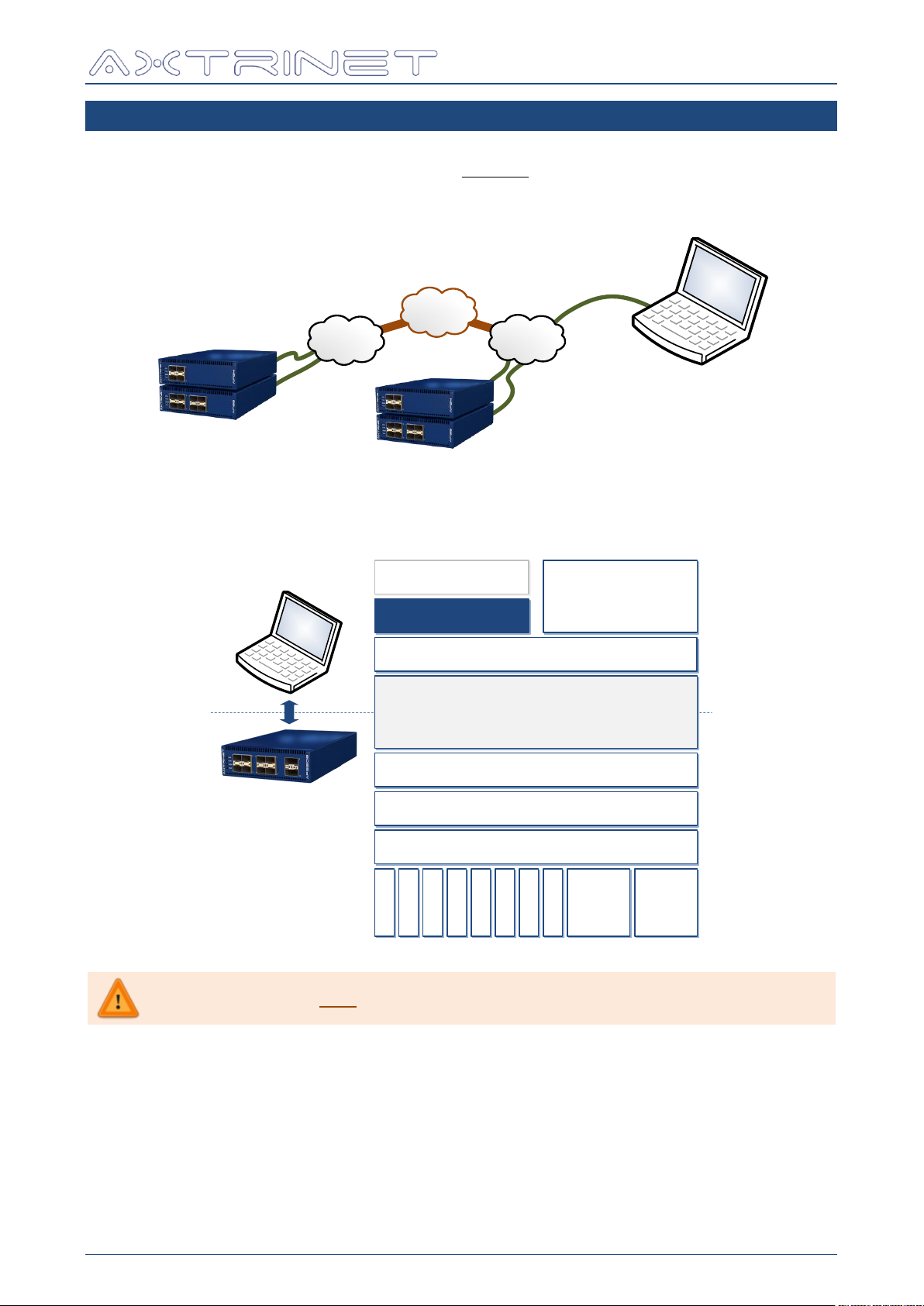
The APG TCL API only runs over the Ethernet Management Interface.
TCL API GUIDE
3. TEST ENVIRONMENT & CONCEPTS
The Test Environment consists of one or more Axtrinet Packet Generators. The APG TCL API
can connect to single or multiple units over the Ethernet management interface. The units
may be located in the same location, or in geographically separate locations connected by a
WAN.
All accessible units can be managed through the same Control Interface or TCL scripting
interface. The APG TCL API and the APG Control Interface share the same API to the Axtrinet
Packet Generator:
The Axtrinet APG API provides a TCL scripting interface for automated test generation.
The API provides access to:
unit, port and stream configuration and status
packet counters (packets, bytes, errors)
receive filters and packet capture tools
port control (start, step, stop)
The Axtrinet APG Control Interface is described in the APG User Guide [2].
APG-TCL-UG-V1-0 13 7 June 2017
Page 14

3.1 DEFINITIONS
UNIT
A unit is a single physical Axtrinet Packet Generator (APG4, APG8, APG200 or
APG208).
A unit is assigned a UNITID when the management connection is first opened
using the APG TCL API. The UNITID is fixed for the duration of the TCL session,
and is used to uniquely identify a unit during the session. The UNITIDs will be
reassigned if the TCL session is restarted.
Unit commands enable management connections; provide access to the unit
status (See Section 4).
PORT
A PORT is a physical aperture on the unit (SFP+ or QSFP+).
Ports are numbered from 1.
The UNITID is used in conjunction with the PORT number to create the PORTID
(eg Unit 2, Port 7 has a PORT ID {2 7}). The PORTID is fixed for the duration
of the TCL session, and is used to uniquely identify a port during the session.
Port commands allow access to the modules; port capabilities and
configuration; and port counters (see Section 8).
SUBPORT
Where a QSFP+ port can be configured into different topologies (eg 40Gbps or
4x10Gbps), the PORTID is qualified with a SUBPORT.
Subports are numbered from 1.
The UNITID is used in conjunction with the PORT and SUBPORT number to
create the SUBPORTID (eg Unit 3, Port 10, Subport 1 has a SUBPORT ID
{3 10 1}). The SUBPORTID is fixed for the duration of the TCL session, and is
used to uniquely identify a port during the session.
Subports use the Port commands to gain access to the modules; port
capabilities and configuration; and port counters (see Section 8).
MODULE
A MODULE is a SFP+ or QSFP+ transceiver, and must be inserted into a port
aperture to enable a link. Module configuration and status are accessed with
the Port Commands (see Section 8)
STREAM
A transmit stream generates a controlled number of Ethernet frames with a
defined length and rate; fixed header configuration with a fixed or varying
header contents; and a fixed or varying payload.
The UNITID and PORTID are used in conjunction with the STREAM number to
create the STREAMID (eg Unit 1, Port 3 Stream 2 has a STREAMID {1 3 2}).
When a port has subports, the SUBPORTID is also required to form the
STREAMID (eg Unit 1, Port 9, Subport 2 Stream 6 has a STREAMID {1 9 2 6}).
The STREAMID is fixed for the duration of the TCL session, and is used to
uniquely identify a stream during the session.
The outputs from the eight stream generators are multiplexed into a single
stream for transmission from a port.
Stream commands allow the stream configuration to be read from the unit,
modified and written to the unit (See Section 9)
Ethernet Packet Generator
TCL API GUIDE
APG-TCL-UG-V1-0 14 7 June 2017
Page 15
Ethernet Packet Generator
apgLoad
LOCAL
DATABASE
apgGet
apgApply
apgSet
Stream
Generators
40Gbps
MAC
10Gbps
Serdes
10Gbps
Serdes
10Gbps
Serdes
10Gbps
Serdes
QSFP+
Module
MPO
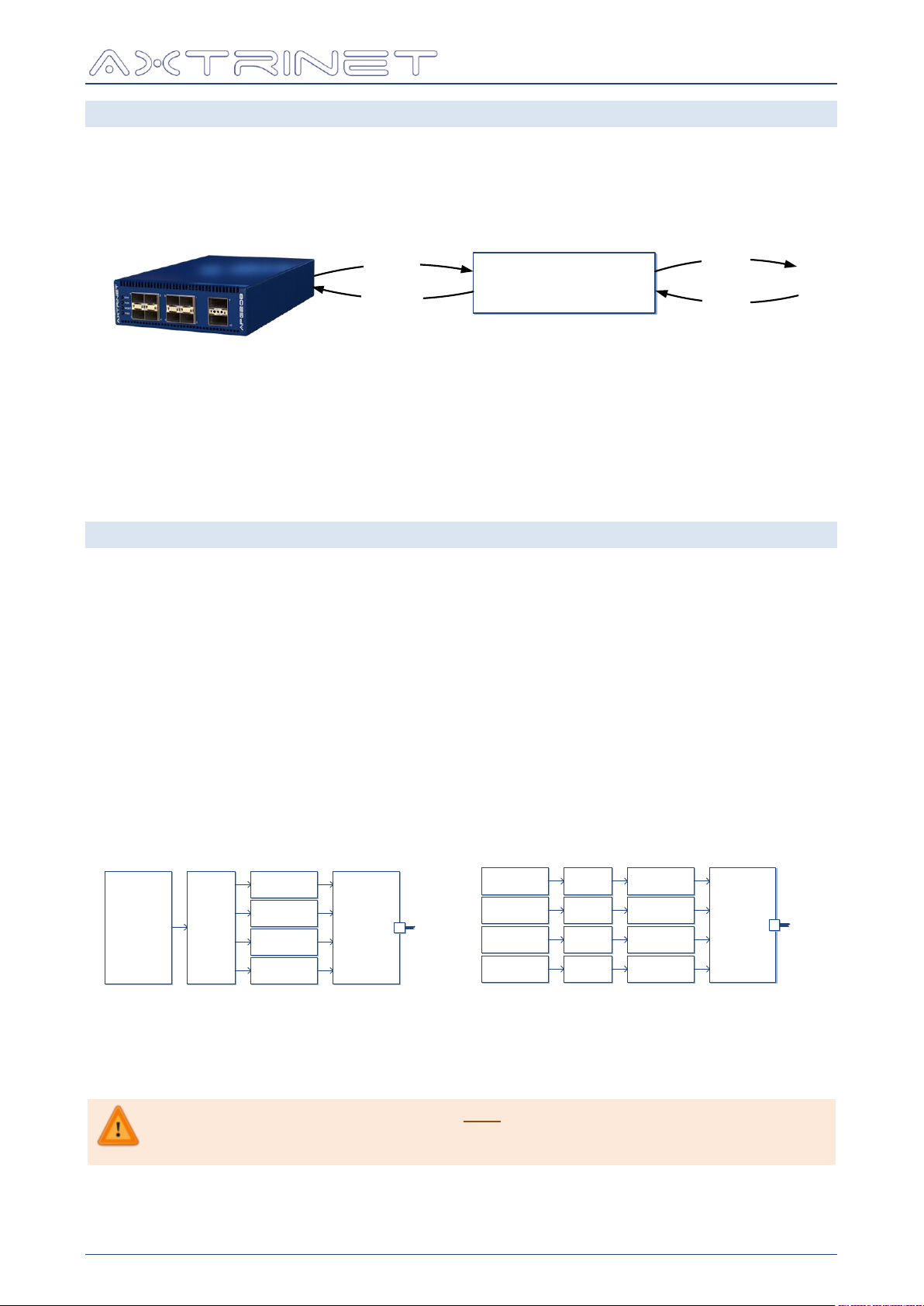
a) QSFP+ Port in 40Gbps Topology (default)
S t r e a m
G e n e r a t o r s
S t r e a m
G e n e r a t o r s
S t r e a m
G e n e r a t o r s
S t r e a m
G e n e r a t o r s
1 0 G b p s
M A C
1 0 G b p s
S e r d e s
1 0 G b p s
M A C
1 0 G b p s
S e r d e s
1 0 G b p s
M A C
1 0 G b p s
S e r d e s
1 0 G b p s
M A C
1 0 G b p s
S e r d e s
Q S F P +
M o d u l e
M P O
b ) Q S F P + P o r t i n 4 x 1 0 G b p s T o p o l o g y
Mixed topology of the QSFP+ ports is only available with Port 9 at 4x10Gbps, and
Port 10 at 40Gbps. Setting Port 9 to 40Gbps or Port 10 to 4x10Gbps topologies will
automatically switch the other port into the same mode.
TCL API GUIDE
3.2 APG CONFIGURATION
The 'master' unit, port and stream configurations are stored on the Axtrinet™ APG unit.
The TCL API uses a 'local' database to store the current and modified configurations, before
being applied into the unit.
The TCL API provides the tools to apgLoad the APG unit configuration and status into the local
database, read (apgGet) and modify (apgSet) the local database, and write (apgApply) to
the APG unit.
The traffic generator is controlled with the apgControl command.
The unit retains its configuration over a power cycle.
3.3 PORT TOPOLOGY
Port Topology defines the physical port configuration (eg 40Gbps, 4x10Gbps), rather than the
interface type (eg QSFP+).
Port topologies is changed with the apgSetPort TOPOLOGY command (see Section 8.3.1).
3.3.1 SFP+ Ports
The SFP+ Port Topology is fixed 10Gbps only.
3.3.2 QSFP+ Ports
The QSFP+ interface topology can be configured in 40Gbps mode (default) or 4X10Gbps mode,
where each of the 10Gbps lanes that comprise the 40Gbps link are managed independently.
Changing the port topology of a QSFP+ port changes both the transmit and receive paths.
Switching between 40Gbps and 4x10Gbps topologies is performed with the apgSetPort
TOPOLOGY command (see Section 8.3.1).
APG-TCL-UG-V1-0 15 7 June 2017
Page 16
Ethernet Packet Generator
STREAM 0
STREAM 1
STREAM 2
STREAM 3
STREAM 4
STREAM 5
STREAM 6
STREAM 7
+
PORT N MODULE
Status
Status
Enable
Rate
Length
Header
Payload
Enable Enable
ContentsCounters
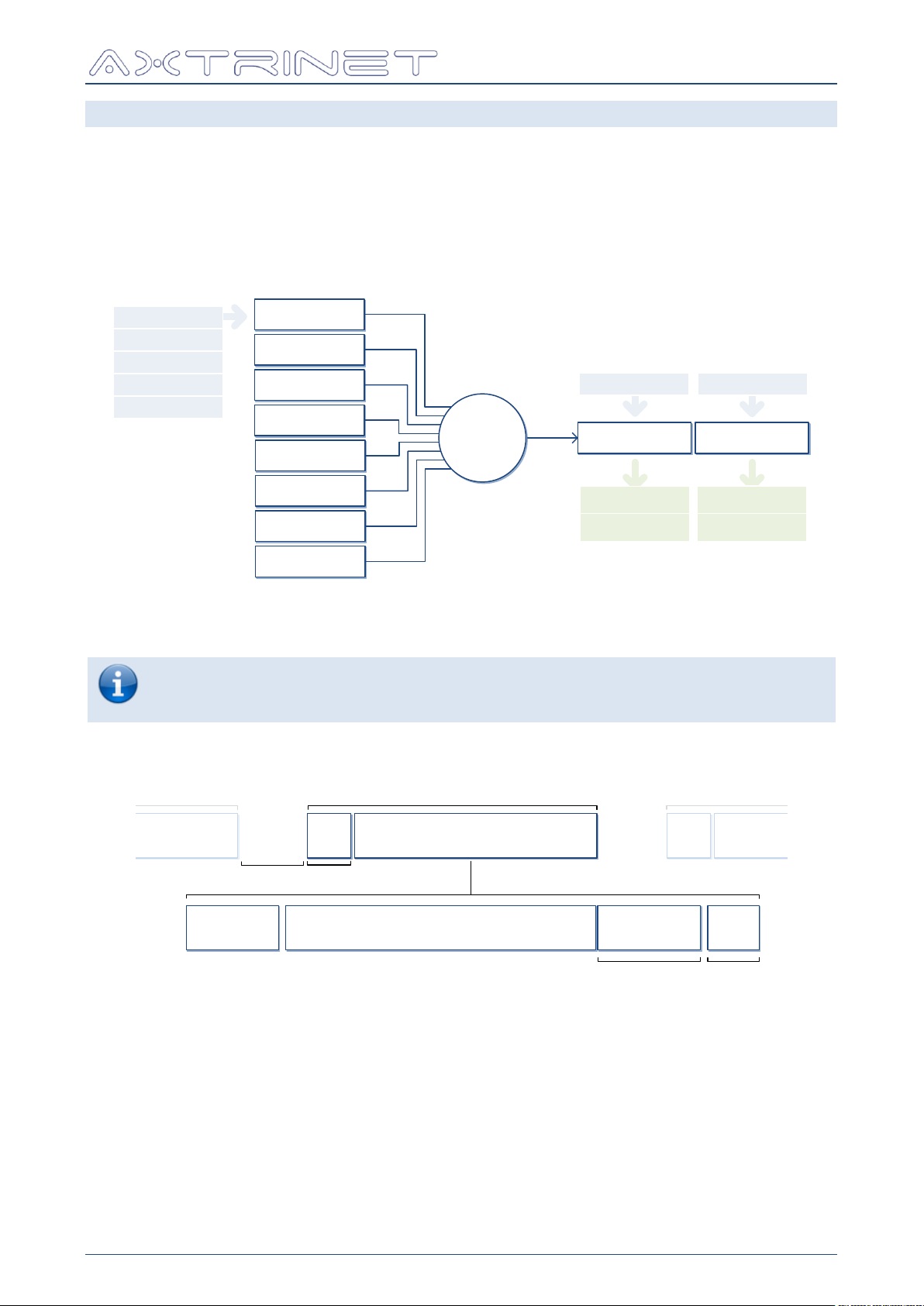
To bring a link up, both the port and module must be enabled.
To transmit a stream, the port, module and stream must be enabled.
The transmit mode must be CONTINUOUS or a non-zero BURST.
HEADERS PAYLOAD
TIMESTAMP
(OPTIONAL)
FRAME LENGTH
4 BYTES
FIXED, INCREMENTING, DECREMENTING, RANDOM
HEADER AND FIELD LENGTHS NOT DRAWN TO SCALE
SFD
Start-of-
Frame
Delimiter
FRAME
IPG
Inter
Packet
Gap
12 BYTES(min)
8 BYTES
PACKET
FRAME
NEXT PACKET
FRAME
PREVIOUS PACKET
SFDIPG
FCS
Frame
Checksum
16 BYTES
3.4 TRANSMIT CONFIGURATION
Each port contains a transmit engine that comprises:
8 parallel independent configurable Ethernet stream generators
Stream multiplexer
Transmit port configuration and status
Module configuration and status
TCL API GUIDE
The streams are processed in a round-robin sequence, transmitting a packet if it queued and
ready to send.
The Stream Generator defines an Ethernet frame:
A transmit stream generates a controlled number of Ethernet frames at a controlled length and
rate; with a fixed header configuration, fixed or varying header contents, and a fixed or
varying payload.
Streams can be enabled or disabled using apgGetStream CONFIG.
APG-TCL-UG-V1-0 16 7 June 2017
Page 17
Ethernet Packet Generator
T=0
CONTINUOUS
SINGLE BURST
MULTIPLE BURSTS
TX_IBG TX_BURST SIZE
TX_BURST COUNT = 1
TX_BURST COUNT = 10
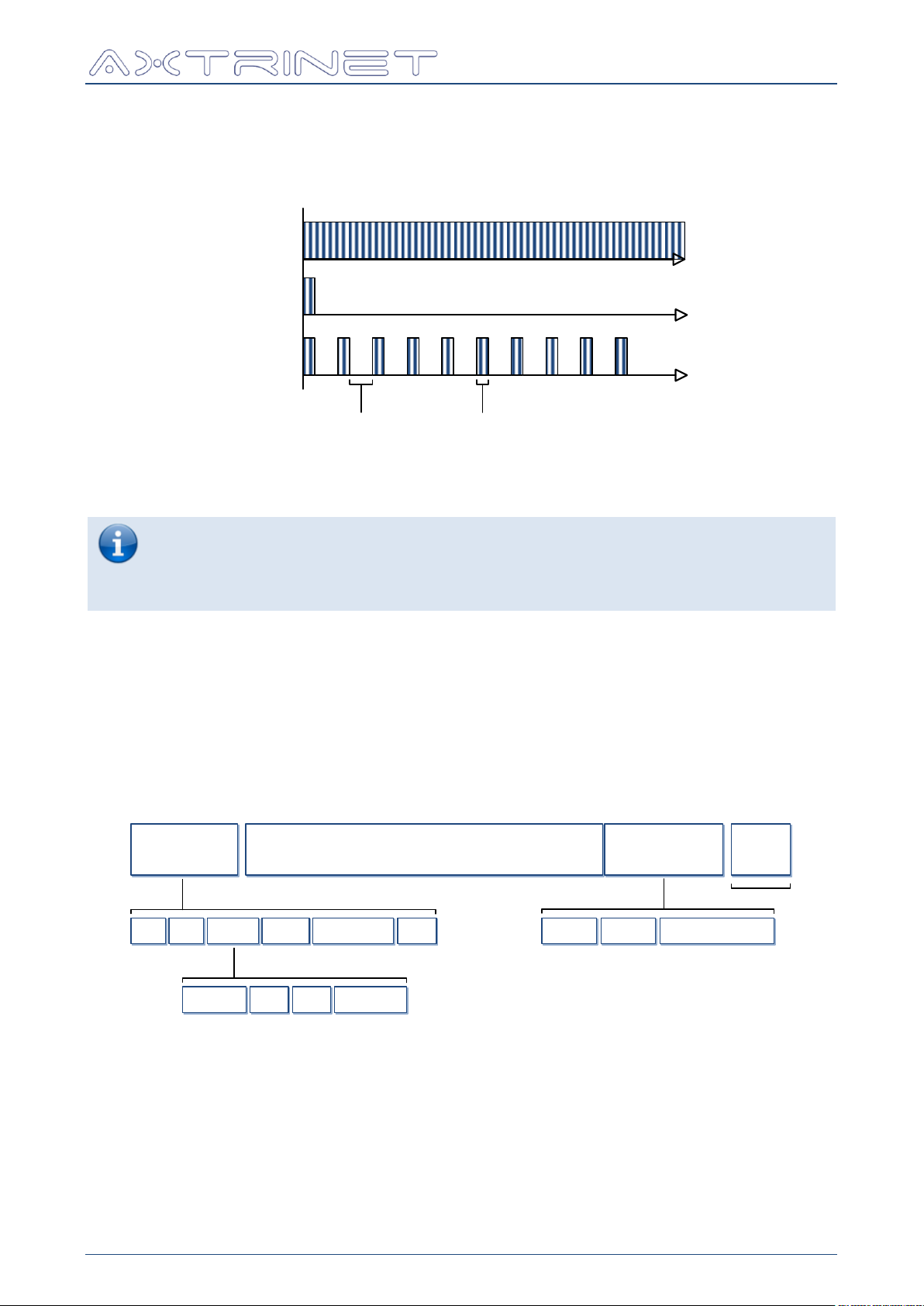
Care should be taken to ensure that the cumulative stream transmit rates does not
exceed the port capacity.
If the cumulative stream transmit rates does exceed the port capacity, the port will
transmit at wire rate, but the streams will transmit at a lower rate than configured.
HEADERS PAYLOAD FCS
TIMESTAMP
(OPTIONAL)
4 BYTES
DA SA VLAN IPV4 TCP
EG:
TYPE
FIXED, INCREMENTING, DECREMENTING, RANDOM
PID
EG:
PRI CFI VID
FIXED FIXED
INCREMENTING
DECREMENTING
RANDOM
FIXED FIXED
HEADER AND FIELD LENGTHS NOT DRAWN TO SCALE
SEQ
INCREMENTING
4 BYTES
TIMESTAMP
TIME
8 BYTES
ID
FIXED
4 BYTES
TCL API GUIDE
The stream transmit mode can be set using apgSetStream CONFIG, and defines how the
packets are generated: either Continuously; as a Single Burst of TX_BURST_SIZE packets; or
a Multiple Burst of TX_BURST_SIZE packets, repeated TX_BURST_COUNT times, separated
by TX_IBG.
The stream transmit rate can be set using apgSetStream CONFIG. The stream rate can be
set as in percent, packets per second or clock cycles.
The length defines the total length of the frame in bytes, including the headers, payload,
timestamp (if enabled) and 4-byte Frame Checksum (FCS). The length can be fixed, or
incrementing, decrementing or random over a range using apgSetStream CONFIG.
The HEADER is created by adding header types (eg MAC, VLAN, IPV4) to the stream using
apgSetStream HEADER HEADER_LIST.
Headers can be configured using apgSetStream HEADER.
The payload can be fixed, or incrementing, decrementing or random over a range using
apgSetStream PAYLOAD. The payload may additionally include a timestamp and sequence
number.
APG-TCL-UG-V1-0 17 7 June 2017
Page 18
Ethernet Packet Generator
To bring a link up, both the port and module must be enabled.
To transmit a stream, the port, module and stream must be enabled.
The transmit mode must be CONTINUOUS or a non-zero BURST.
FILTER 0 is reserved for
internal use only
FILTER 0
FILTER 1
FILTER 2
FILTER 3
+
Mask
PORT NMODULE
Receive
Counters
CAPTURE
BUFFER
Filter
Counters
Captured
Data
Match
Enable
Control
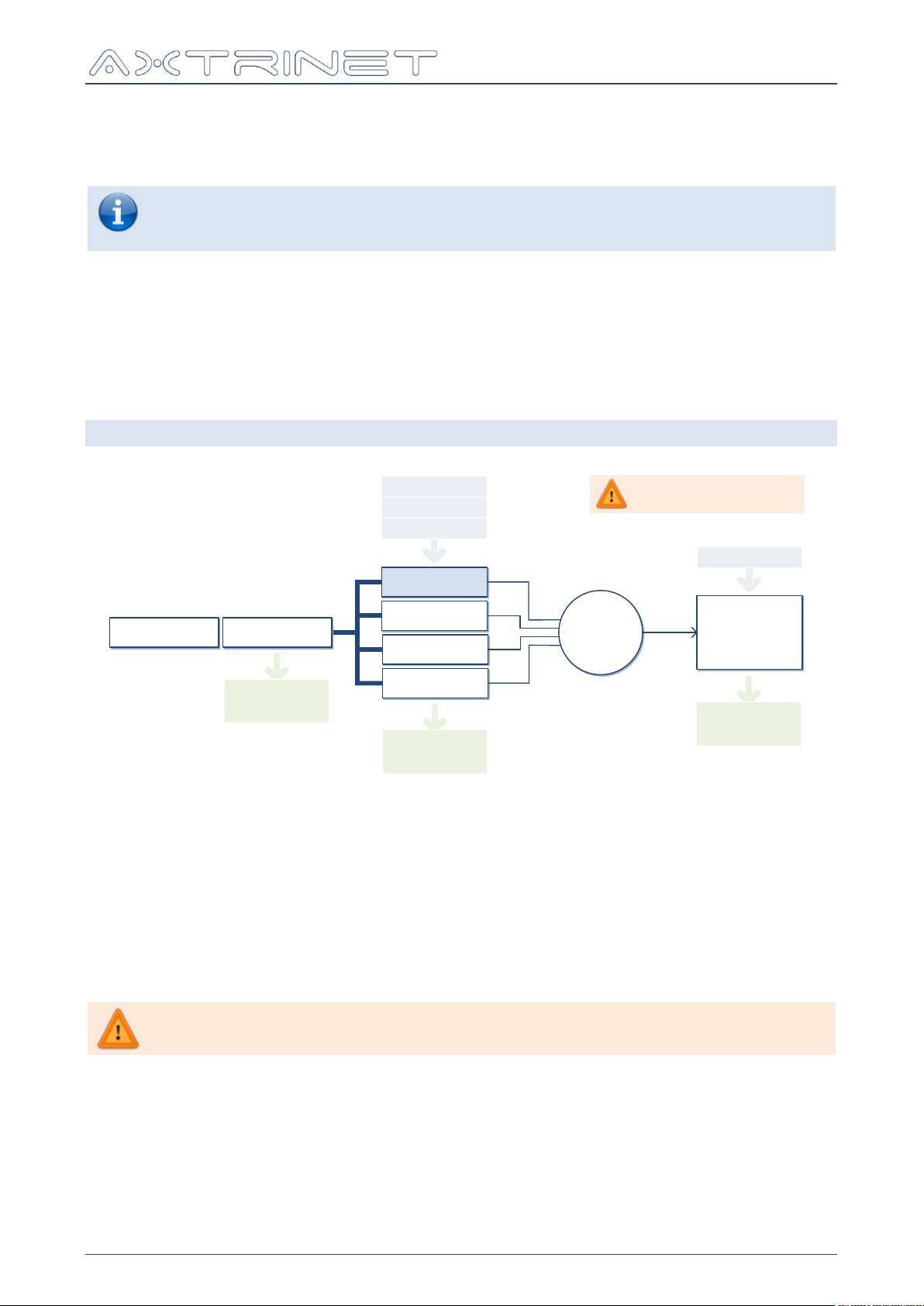
Configurable Capture Filters are not supported in APG TCL API V1.0
Software. All received port traffic is forwarded to the capture buffer.
TCL API GUIDE
The optional "Timestamp Fields" incorporating the timestamp ID, Sequence Number and
Timestamp are enabled on a "per stream" basis using the apgSetStream PAYLOAD
TS_ENABLE command, and processed using the apgLoadPort ANALYSIS and apgGetPort
ANALYSIS commands.
Port link status and link speed are accessible using apgGetPort INFO and apgGetPort
STATUS, and the transmit counters can be read using apgGetPort TXSTATS.
A module can be enabled or disabled using apgSetPort command.
The module type, vendor and capabilities are accessible using apgGetPort MODULE.
The traffic generator is controlled with the apgControl command.
3.5 RECEIVE PATH
Each port contains a receive path that comprises:
Module status
Receive port status and counters
Filter stream multiplexer
Configurable Capture Buffer
The port receive counters can be read using apgGetPort RXSTATS.
APG-TCL-UG-V1-0 18 7 June 2017
Page 19
Ethernet Packet Generator
TS
RX
TS=TS
TX
TS=TS
RX
N BYTES
Transmit Receive
Latency = (TSRX - TSTX) x 8ns
N BYTES
HEADERS PAYLOAD ID SEQ TSTXFCS HEADERS PAYLOAD ID SEQ TSTXFCS
Receive
TS
RX1
HEADERS PAYLOAD ID SEQ1TS
TX1
FCS
HEADERS PAYLOAD ID SEQ2TS
TX2
FCSTS
RX2
ΔRX = (TS
RX2
– TS
RX1
) x 8ns ΔTX = (TS
TX2
– TS
TX1
) x 8ns
TCL API GUIDE
3.6 PACKET CAPTURE
A 16KB capture buffer is available per port, that can be enabled using the apgControlPort
PORTCAPTURE command. The contents of the capture buffer can be downloaded from the
unit with apgLoadPort CAPTURE, and read with apgGetPort CAPTURE PACKET.
A single port can be enabled to capture to the 'deep' 1GB capture buffer, with the
apgControlPort DEEPCAPTURE command.
Packet capture is disabled with the apgControlPort DISABLECAPTURE command, and
cleared with the apgControlPort CLEARCAPTURE command.
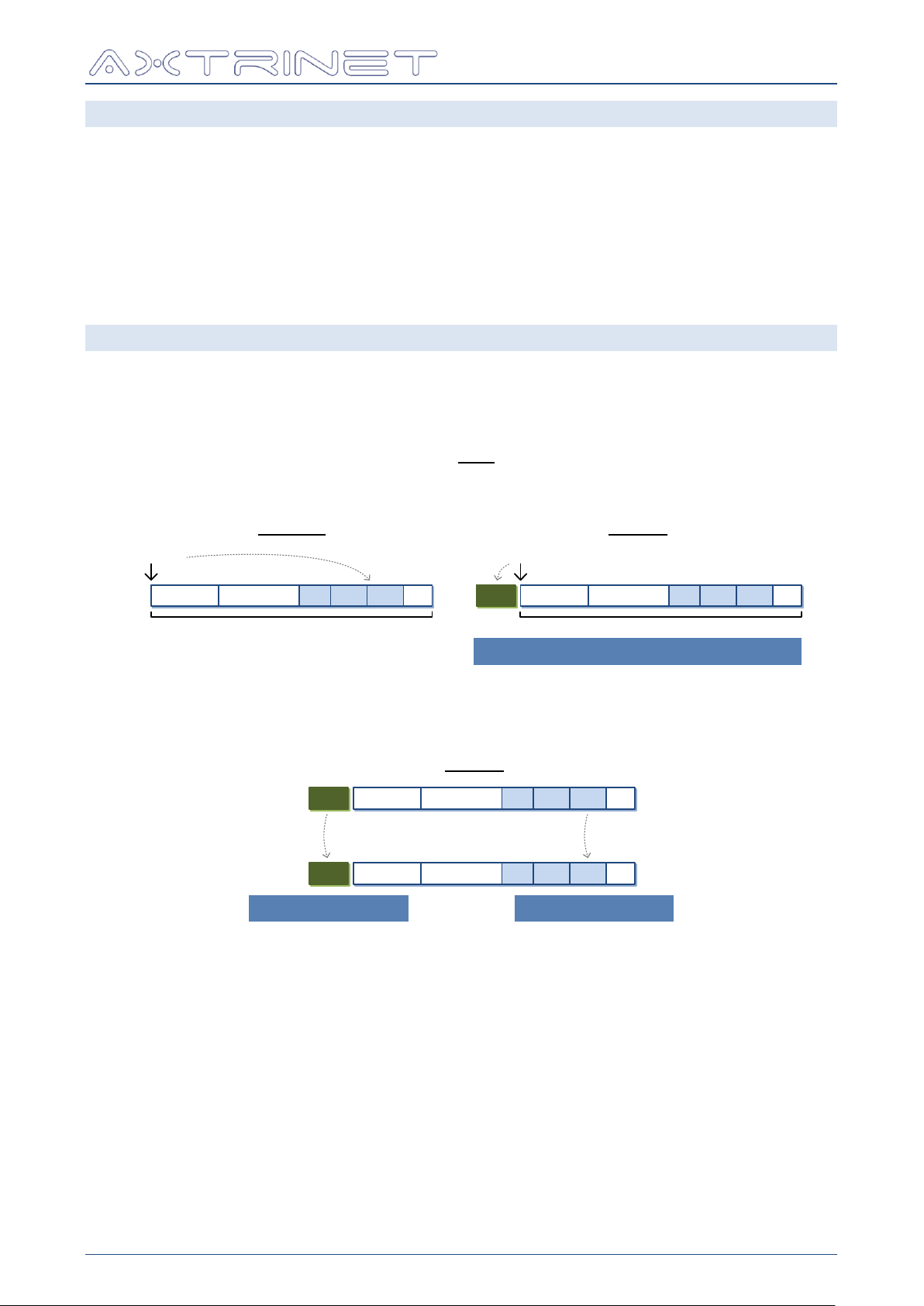
3.7 PACKET ANALYSIS
The Packet Analysis function provides basic analysis of the packet timestamp fields from the
captured packets, and analysed with the apgLoadPort ANALYSIS command.
The 'Timestamp' fields are added to each transmitted packet of a timestamp-enabled stream.
The transmit timestamp is the time of the first transmitted bit. The transmit sequence number
increments for each packet transmitted from a port.
The Timing Analysis provides packet transmit-to-receive timing (latency):
Transmit-to-transmit timing (transmit stability) and receive-to-receive timing (receiver
stability) are also performed:
The SEQUENCE numbers are checked for out-of-order packets, gaps and repeated values.
The analysis measurements are cleared using the apgControlPort CLEARANALYSIS
command. Each time captured data is analysed with apgLoadPort ANALYSIS, the results
are appended to the existing results.
The analysis results are read using apgGetPort ANALYSIS.
APG-TCL-UG-V1-0 19 7 June 2017
Page 20

Ethernet Packet Generator
# Instantiate APG TCL API
source "C:/Program Files/Axtrinet/APG/axtrinetApi.tcl"
← Load API
# Display TCL Version Info
puts "[apgGetApiVersion DESCRIPTION] [apgGetApiVersion VERSION]"
puts "Build Date [apgGetApiVersion BUILD_DATE]"
puts "Target API Version [apgGetApiVersion API_VERSION]"
→ APG TCL API V1.0.0
→ Build Date 1496403379
→ Target API Version 161016
# Instantiate APG TCL API
source "/usr/share/axtrinet/apg/axtrinetApi.tcl"
← Load API
# Display TCL Version Info
puts "[apgGetApiVersion DESCRIPTION] [apgGetApiVersion VERSION]"
puts "Build Date [apgGetApiVersion BUILD_DATE]"
puts "Target API Version [apgGetApiVersion API_VERSION]"
→ APG TCL API V1.0.0
→ Build Date 1496403379
→ Target API Version 161016
A LOAD command is not required before the apgGetApiVersion
[VAR]
LENGTH
DESCRIPTION
Example
COMPANY
21 char
Xentech Solutions Ltd
BRAND
8 char
Axtrinet
DESCRIPTION
11 char
APG TCL API
VERSION
10 char
Axtrinet TCL API Version currently running
V1.0.0
BUILD_DATE
32 bits
Build date of the TCL API
1496403379
API_VERSION
6 char
Target API Version
161016
TCL API GUIDE
4. API INITIALISATION
The Axtrinet APG TCL API is initialised by sourcing the axtrinetApi.tcl file that contains:
Path to the APG TCL API
"package require" declaration
Import APG TCL API Commands
Header Definition file processing
4.1 INITIALISATION
4.1.1 Windows Environment
The APG TCL API is 'sourced' in the Windows environment with the following command:
4.1.2 Linux Environment
The APG TCL API is 'sourced' in the Linux environment with the following command:
4.2 VERSION COMMAND - APGGETAPIVERSION
Get (read) the APG TCL API versions.
4.2.1 apgGetApiVersion [VAR]
apgGetApiVersion returns the variable value if successful, otherwise the command will
display an error message and exit the TCL environment.
APG-TCL-UG-V1-0 20 7 June 2017
Page 21
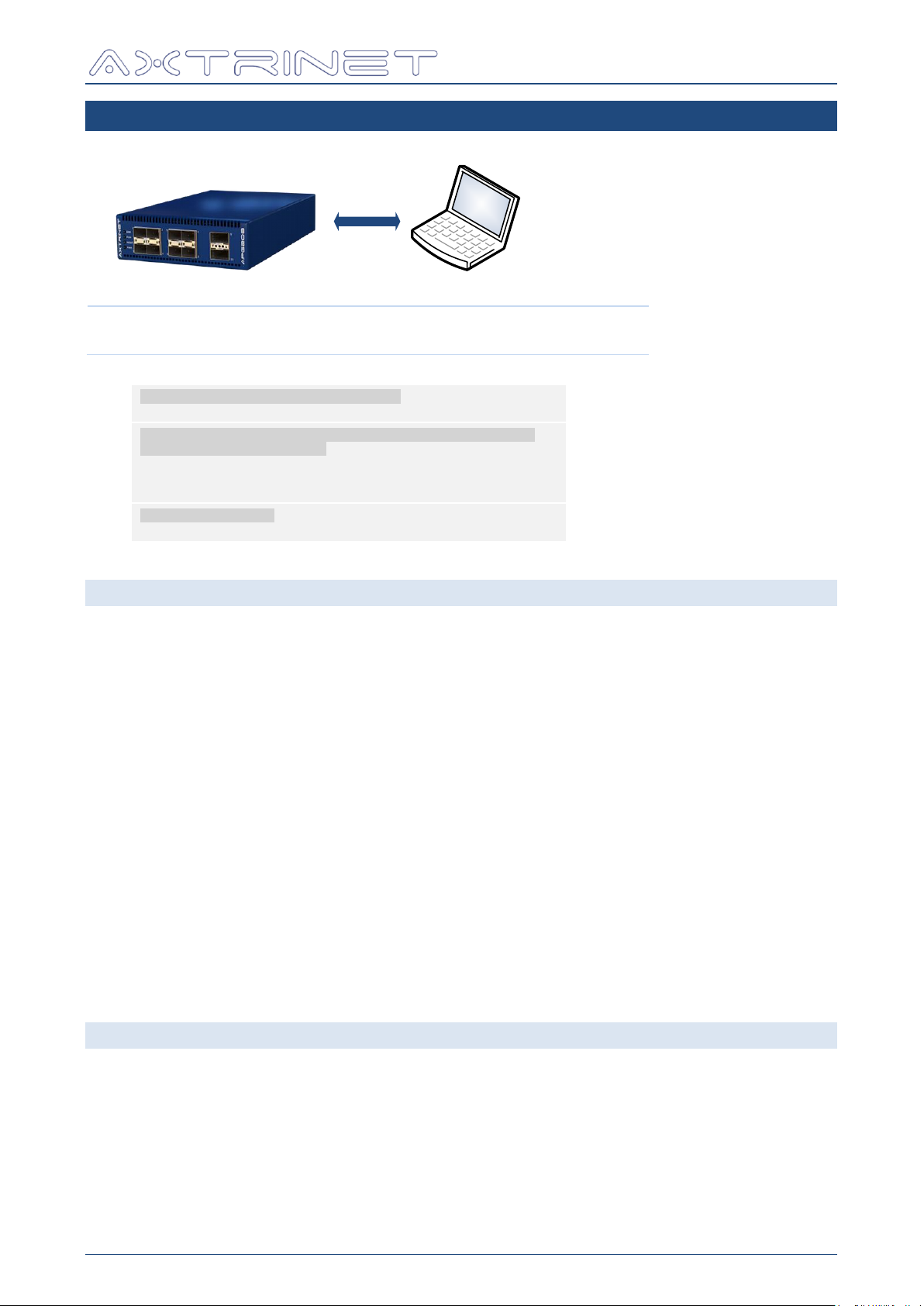
5. CONNECTION COMMANDS
apgOpen / apgClose
Connection
apgOpen [IP-ADDRESS]
apgClose [UNITID]
Eg:
# Instantiate APG TCL API (Windows)
source "C:/Program Files/Axtrinet/APG/axtrinetApi.tcl"
← Load API
# Open connection to unit at IP address 192.168.1.100
# Returns integer Unit ID
set IPADDRESS 192.168.1.100
set UNITID [apgOpen $IPADDRESS]
puts "Opened connection to Unit $UNITID at $IPADDRESS"
→ UNITID = 1
# Close connection
apgClose $UNITID
→ 1
Ethernet Packet Generator
TCL API GUIDE
5.1 OPEN CONNECTION - APGOPEN
5.1.1 apgOpen [IP-ADDRESS]
Opens a connection to the Axtrinet Packet Generator at [IP-ADDRESS].
If the connection is successfully opened, apgOpen polls apgLoadUnit STATUS to determine
the hardware status until the unit is READY (apgLoadUnit STATUS READY = 1).
apgOpen then loads the critical unit, port and stream information into the local databases
using the following commands:
apgLoadUnit [UNITID] INFO
apgLoadPort [PORTID] INFO
apgLoadStream [STREAMID]
If the connection is successfully opened and the critical configuration loaded from the unit,
apgOpen returns the UNITID of the new unit.
If the connection fails to open, apgOpen exits the TCL environment. The connection may fail
if two APG Control Interface or TCL management connections to the unit, the unit is being
upgraded or the unit fails to boot (check front panel LEDs).
5.2 CLOSE CONNECTION - APGCLOSE
5.2.1 apgClose [UNITID]
Closes the connection to the Axtrinet Packet Generator UNITID.
apgClose returns 1 if successful, otherwise the command will display an error message and
exit the TCL environment.
APG-TCL-UG-V1-0 21 7 June 2017
Page 22
Ethernet Packet Generator
apgSaveConfiguration
apgApplyConfiguration
Configuration
apgSaveConfiguration [UNITID] [PORTLIST] {FILENAME}
apgApplyConfiguration [UNITID] [FILENAME]
Eg:
# Instantiate APG TCL API (Windows)
source "C:/Program Files/Axtrinet/APG/axtrinetApi.tcl"
← Load API
# Open connection to unit at IP address 192.168.1.100
# Returns integer Unit ID
set IPADDRESS 192.168.1.100
set UNITID [apgOpen $IPADDRESS]
puts "Opened connection to Unit $UNITID at $IPADDRESS"
Open Connection
→ UNITID = 1
puts "Saving configuration"
set FILENAME APGexample.apg
apgSaveConfiguration $UNITID ALL $FILENAME
Save Configuration
puts "Closing Connection"
apgClose $UNITID
Close Connection
################################
set UNITID [apgOpen $IPADDRESS]
puts "Opened connection to Unit $UNITID at $IPADDRESS"
Open Connection
→ UNITID = 2
puts "Loading saved configuration $FILENAME"
apgApplyConfiguration $UNITID $FILENAME
Load Configuration
puts "Closing Connection"
apgClose $UNITID
Close Connection
TCL API GUIDE
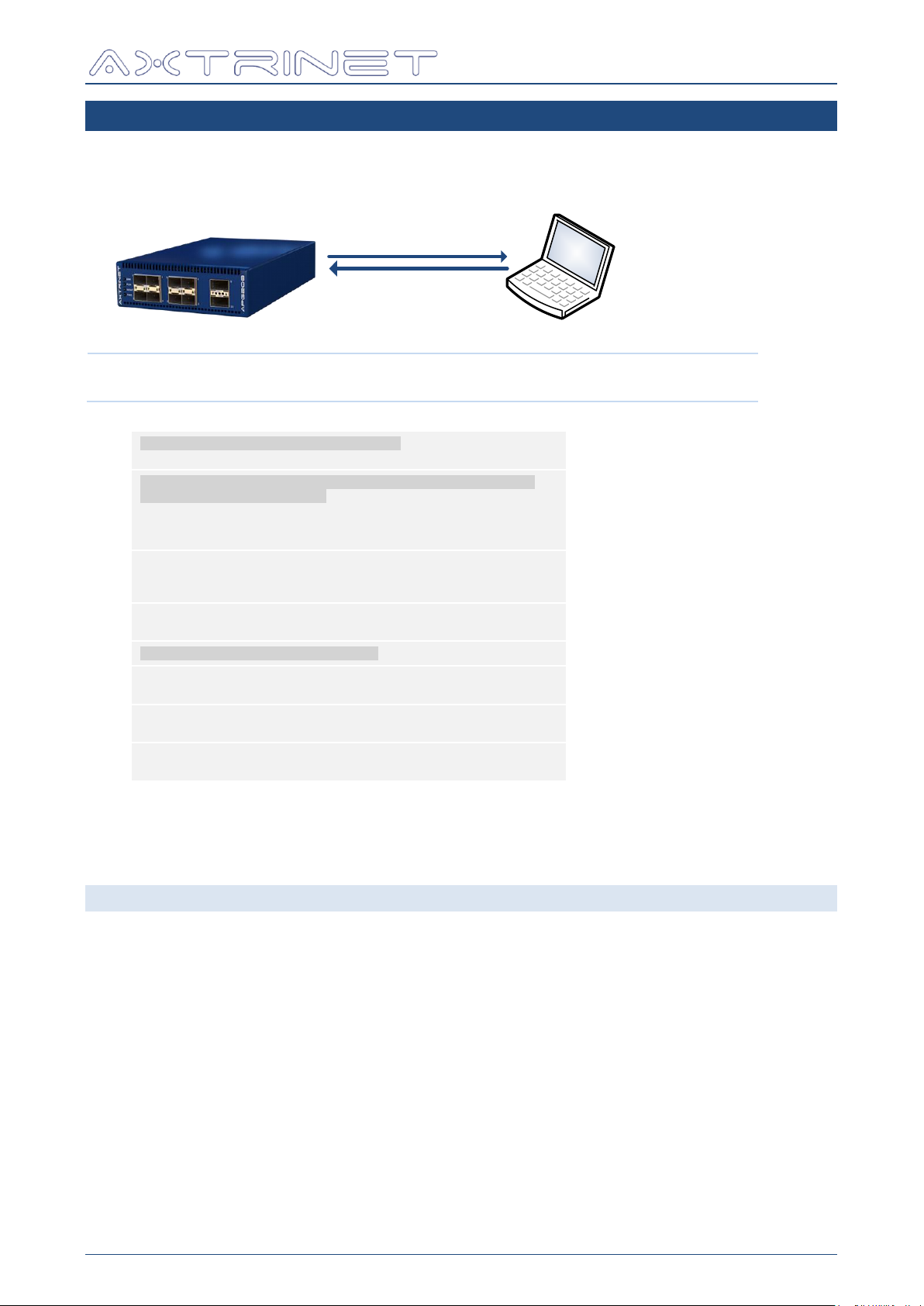
6. CONFIGURATION COMMANDS
The configuration commands apgSaveConfiguration and apgApplyConfiguration allow the
unit configuration to be saved to and loaded from an external file.
An example saved configuration file is shown in APPENDIX B - Sample apgSaveConfiguration
File for port 1 only.
6.1 SAVE CONFIGURATION
6.1.1 apgSaveConfiguration [UNITID] [PORTLIST] {FILENAME}
Saves the unit UNITID PORTLIST port configuration to FILENAME.
PORTLIST can be "ALL" or in the list of PORTID format, eg {{ 1 1 } { 1 3 }}
If FILENAME is not specified, the default filename [SERIAL].config is used where SERIAL is
apgGetUnit [UNITID] INFO SERIAL.
The saved configuration file contains the expected API_VERSION (apgGetUnit [UNITID]
INFO API_VERSION) and PRODUCT (apgGetUnit [UNITID] INFO PRODUCT)
A 'cut down' example file is shown in Appendix B for a single port and stream. A saved file for
the APG208 will contain the configuration for 10 ports each with 8 streams.
The saved configuration can be manually edited to modify the unit configuration.
APG-TCL-UG-V1-0 22 7 June 2017
Page 23

Ethernet Packet Generator
TCL API GUIDE
6.2 APPLY CONFIGURATION
6.2.1 apgApplyConfiguration [UNITID] [FILENAME]
Applies the stored configuration file FILENAME to unit UNITID.
File FILENAME is first scanned for suitability, verifying that the API_VERSION and PRODUCT
type match. If there is an API_VERSION mismatch, the commands may not apply. If there is
a PRODUCT mismatch, ports and stream configurations may not apply to the unit UNITID.
APG-TCL-UG-V1-0 23 7 June 2017
Page 24
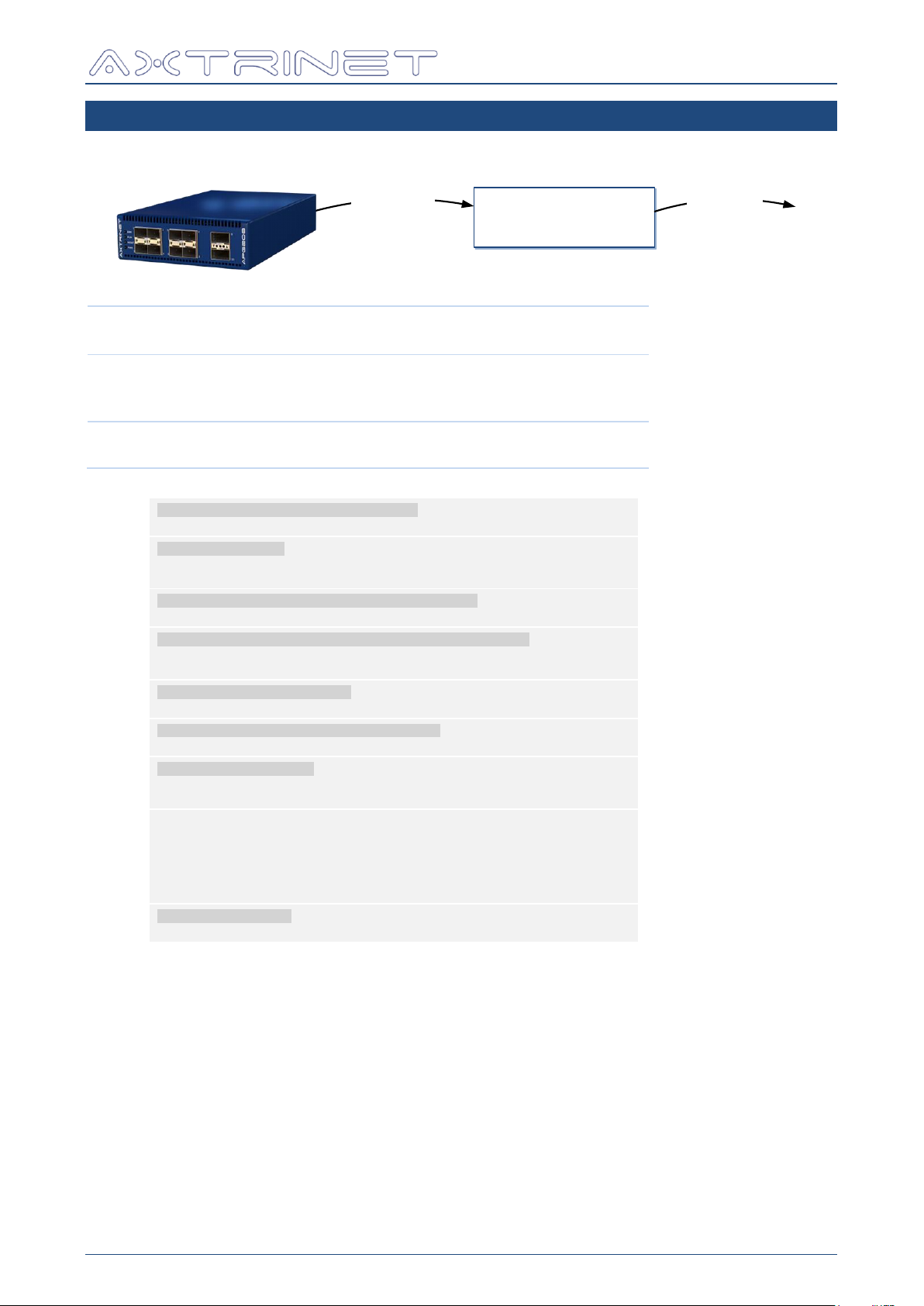
7. UNIT COMMANDS
apgLoadUnit
LOCAL ‘UNIT’
DATABASE
apgOpen / apgClose
apgGetUnit
apgLoadUnit
apgLoadUnit [UNITID] INFO
apgLoadUnit [UNITID] STATUS
apgLoadUnit [UNITID] PORTSTATUS
apgLoadUnit [UNITID] COUNTERS
apgLoadUnit [UNITID] RATES
apgGetUnit
apgGetUnit [UNITID] INFO [VAR]
apgGetUnit [UNITID] STATUS [VAR]
Eg:
# Instantiate APG TCL API (Windows)
source "C:/Program Files/Axtrinet/APG/axtrinetApi.tcl"
← Load API
# Open Connection
set IPADDRESS 192.168.1.100
set UNITID [apgOpen $IPADDRESS]
# Load unit information into local database
apgLoadUnit $UNITID INFO
→ 1
# Get the unit information from the local database
set TYPE [apgGetUnit $UNITID INFO PRODUCT]
set SN [apgGetUnit $UNITID INFO SERIAL]
→ APG208
→ APG000006
# Display unit information
puts "Unit $UNITID is an $TYPE with S/N $SN"
# Load unit status into local database
apgLoadUnit $UNITID STATUS
→ 1
# Display unit status
set UPTIME [apgGetUnit $UNITID STATUS UPTIME]
puts "$SN has been on for [expr $UPTIME / 1000] secs"
→ Eg 23000
set READY [apgGetUnit $UNITID STATUS READY]
while !$READY {
puts "Unit $UNITID is still booting"
after 5000
set READY [apgGetUnit $UNITID STATUS READY]
}
→ 1
~60sec after turned on
→ 1
# Close connection
apgClose $UNITID
→ 1
Ethernet Packet Generator
TCL API GUIDE
APG-TCL-UG-V1-0 24 7 June 2017
Page 25
Ethernet Packet Generator
apgLoadUnit
LOCAL ‘UNIT’
DATABASE
apgOpen / apgClose
apgGetUnit
TCL API GUIDE
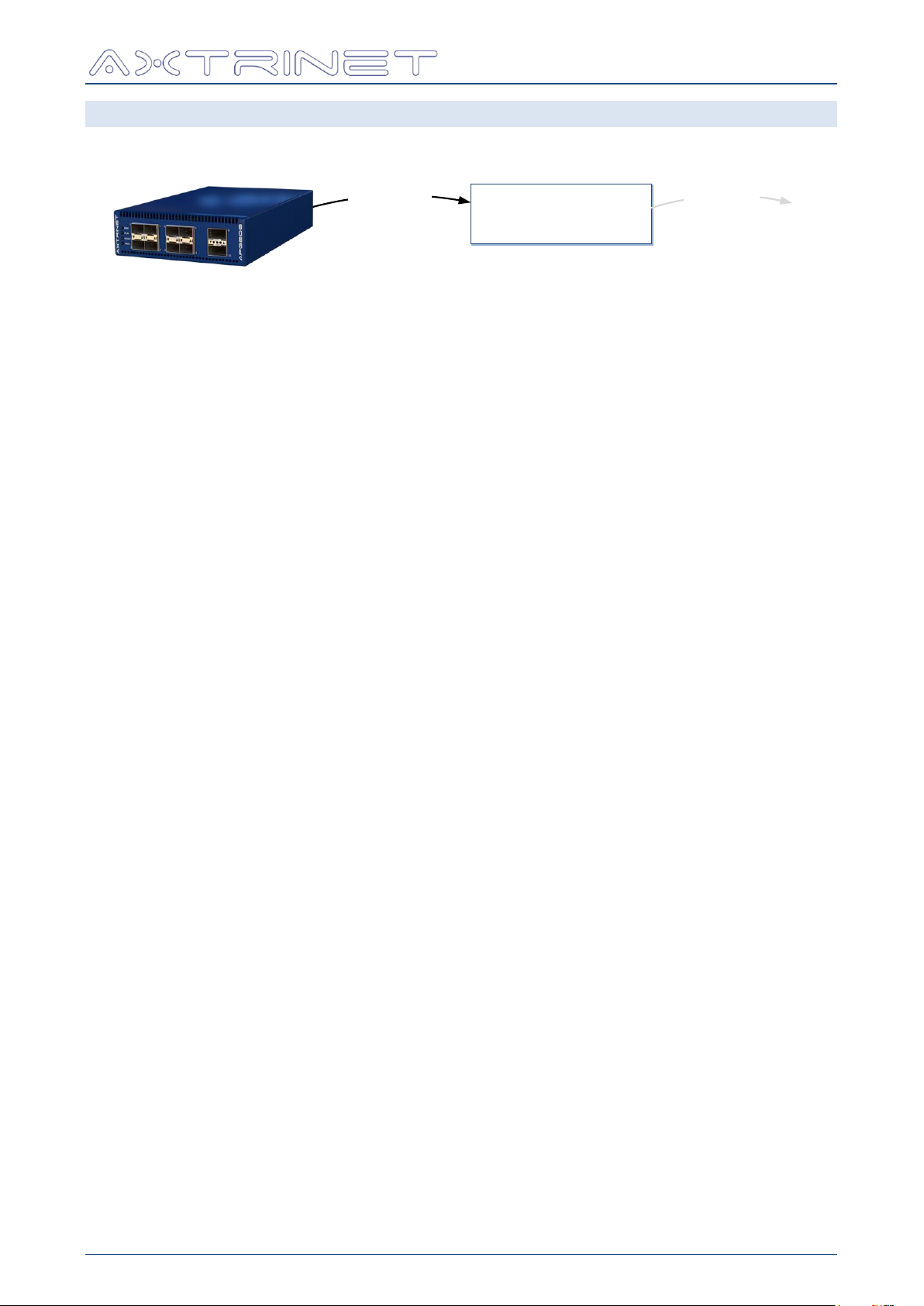
7.1 LOAD UNIT DATA - APGLOADUNIT
Load the UNIT configuration and status from the hardware into the local database.
apgLoadUnit returns 1 if successful, otherwise the command will display an error message
and exit the TCL environment.
7.1.1 apgLoadUnit [UNITID] INFO
Loads the unit information into the local database, containing:
Unit Product ID and Serial Number
Hardware and Software Versions
Port Count
The port information can be read using apgGetUnit INFO.
7.1.2 apgLoadUnit [UNITID] STATUS
Loads the unit status into the local database, containing:
Uptime (ms)
Temperature, Fan and Status Flags
The unit status can be read using apgGetUnit STATUS.
7.1.3 apgLoadUnit [UNITID] PORTSTATUS
Loads the unit port status into the local database, containing:
Link Mode, Status and Speed
Module Type
Port Label
The port status can be read using apgGetPort STATUS.
APG-TCL-UG-V1-0 25 7 June 2017
Page 26

Ethernet Packet Generator
TCL API GUIDE
7.1.4 apgLoadUnit [UNITID] COUNTERS
Loads the transmit and receive counters for all ports in the unit into the local database,
containing:
Time that the counter is read
Number of Bytes
Number of Good Packets
Number of Underrun Packets
Number of Packet Fragments
Number of Packets with Frame Checksum (FCS) Errors
Number of Frames with No Start-of-Frame Delimiter (SFD)
Frame Rate (pps)
Port transmit counters can be read using apgGetPort TXSTATS.
Port receive counters can be read using apgGetPort RXSTATS.
7.1.5 apgLoadUnit [UNITID] RATES {DURATION}
The transmit and receive rates are calculated when apgLoadUnit RATES is called.
The rate calculator takes two counter readings, separated by {DURATION} milliseconds
(eg 2000 = 2sec), to calculate the transmit and receive frame, byte, bit and error rates. If
{DURATION} is omitted, a duration of 1000ms is assumed.
The transmit and receive rates are stored in the local database, containing:
Transmit Frame, Byte and Bit Rates
Receive Frame, Byte, Bit and Error Rates
Port rates can be read using apgGetPort RATES.
APG-TCL-UG-V1-0 26 7 June 2017
Page 27
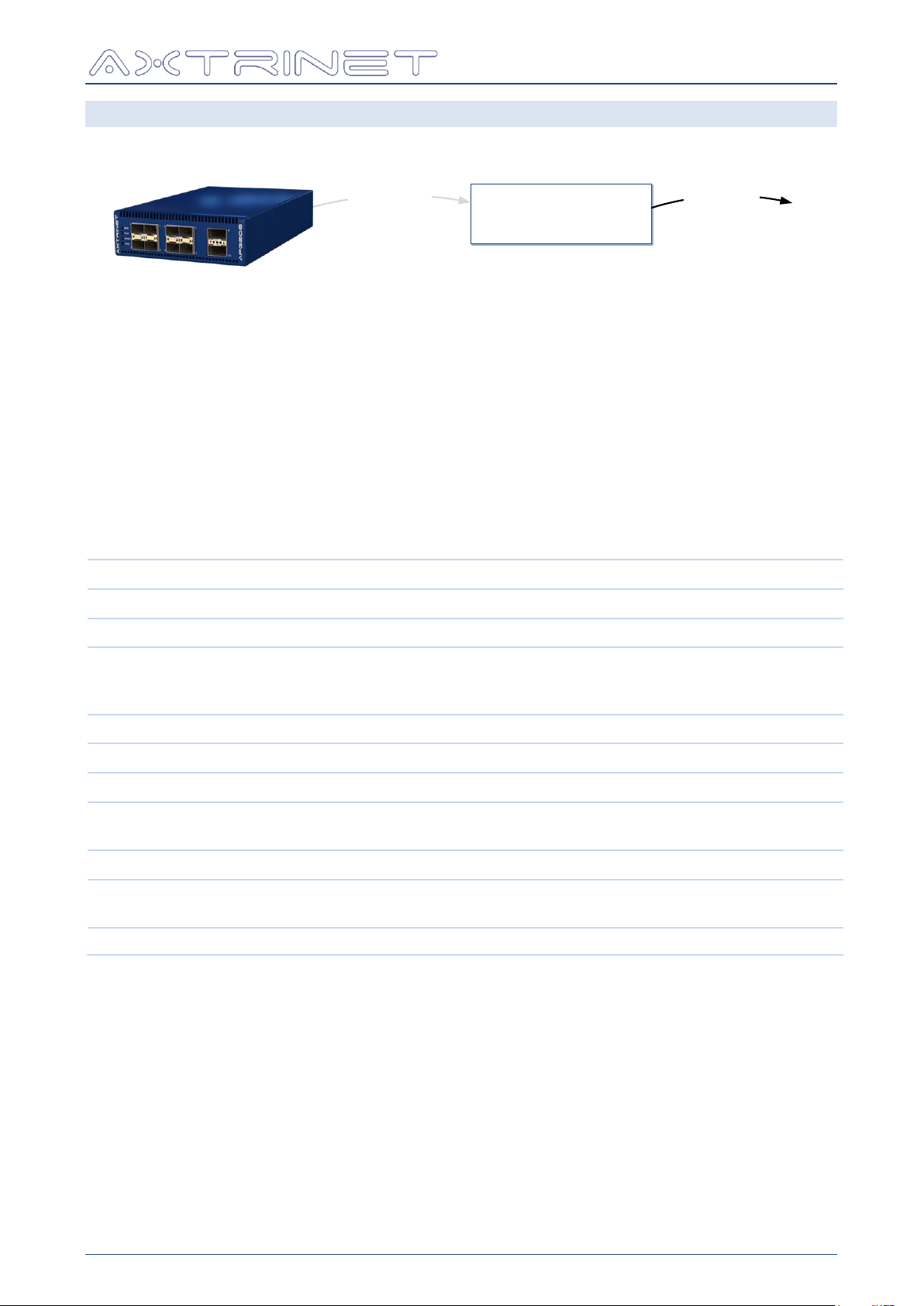
Ethernet Packet Generator
apgLoadUnit
LOCAL ‘UNIT’
DATABASE
apgOpen / apgClose
apgGetUnit
[VAR]
LENGTH
DESCRIPTION
API_VERSION
32 bits
API Version of the Firmware eg 160229
PORT_COUNT
8 bits
Number of physical ports on the unit
API_MINIMUM
32 bits
Minimum API supported by the unit
[apgGetApiVersion API_VERSION] must be greater
than API_MINUMUM, and should ideally match.
SERIAL
16 chars
Serial Number eg APG000006
PRODUCT
12 chars
Product Code eg APG208
FW_VERSION
8 chars
Firmware Version loaded onto the UNIT eg 1.2-1
FW_BUILDDATE
32 bits
Build timestamp of the Firmware Version loaded onto the
UNIT eg 1457534868
FPGA_VERSION
8 chars
Firmware Version loaded onto the UNIT eg 1.652
FPGA_BUILDDATE
32 bits
Build timestamp of the Firmware Version loaded onto the
UNIT eg 1455890890
HW_VERSION
8 chars
Hardware Version of the Unit eg A.00.00
TCL API GUIDE
7.2 GET UNIT DATA - APGGETUNIT
Get (read) the UNIT configuration and status from the local database.
apgGetUnit returns the variable value if successful, otherwise the command will display an
error message and exit the TCL environment.
7.2.1 apgGetUnit [UNITID] INFO [VAR]
The APG unit information can be read with the apgGetUnit INFO command.
The apgGetUnit INFO command must be preceded by at least one apgLoadUnit INFO,
otherwise the command will display an error message and exit the TCL environment.
The unit INFO is static for the duration of the test session, and should only need to be read
once at the start of the test.
APG-TCL-UG-V1-0 27 7 June 2017
Page 28
Ethernet Packet Generator
[VAR]
LENGTH
DESCRIPTION
UPTIME
64 bits
Time since the unit was powered up (in ms)
TEMP
2 bits
Temperature Flags, calculated from the preset T
OPERATE
, T
WARNING
and T
SHUTDOWN
temperature thresholds:
0 = OK T ≤ T
OPERATE
+ 3
1 = HIGH T
OPERATE
+ 3 ≤ T < T
WARNING
2 = WARNING T
WARNING
≤ T < T
SHUTDOWN
3 = ALARM T > T
WARN
FAN
1 bit
0 = Fan Failed
1 = Fan OK
SELFTEST
1 bit
0 = Self-Test Failed
1 = Self-Test Passed
Self-Test verifies that the internal power supplies are
within tolerance and that the CPU interfaces are
operational.
READY
1 bit
0 = Unit not ready (FPGA Booting)
1 = Unit Ready (FPGA Booted)
TCL API GUIDE
7.2.2 apgGetUnit [UNITID] STATUS [VAR]
The APG unit status can be read with the apgGetUnit STATUS command.
The apgGetUnit STATUS command must be preceded by at least one apgLoadUnit
STATUS, otherwise the command will display an error message and exit the TCL environment.
The unit STATUS is dynamic, and should be re-loaded before reading.
APG-TCL-UG-V1-0 28 7 June 2017
Page 29
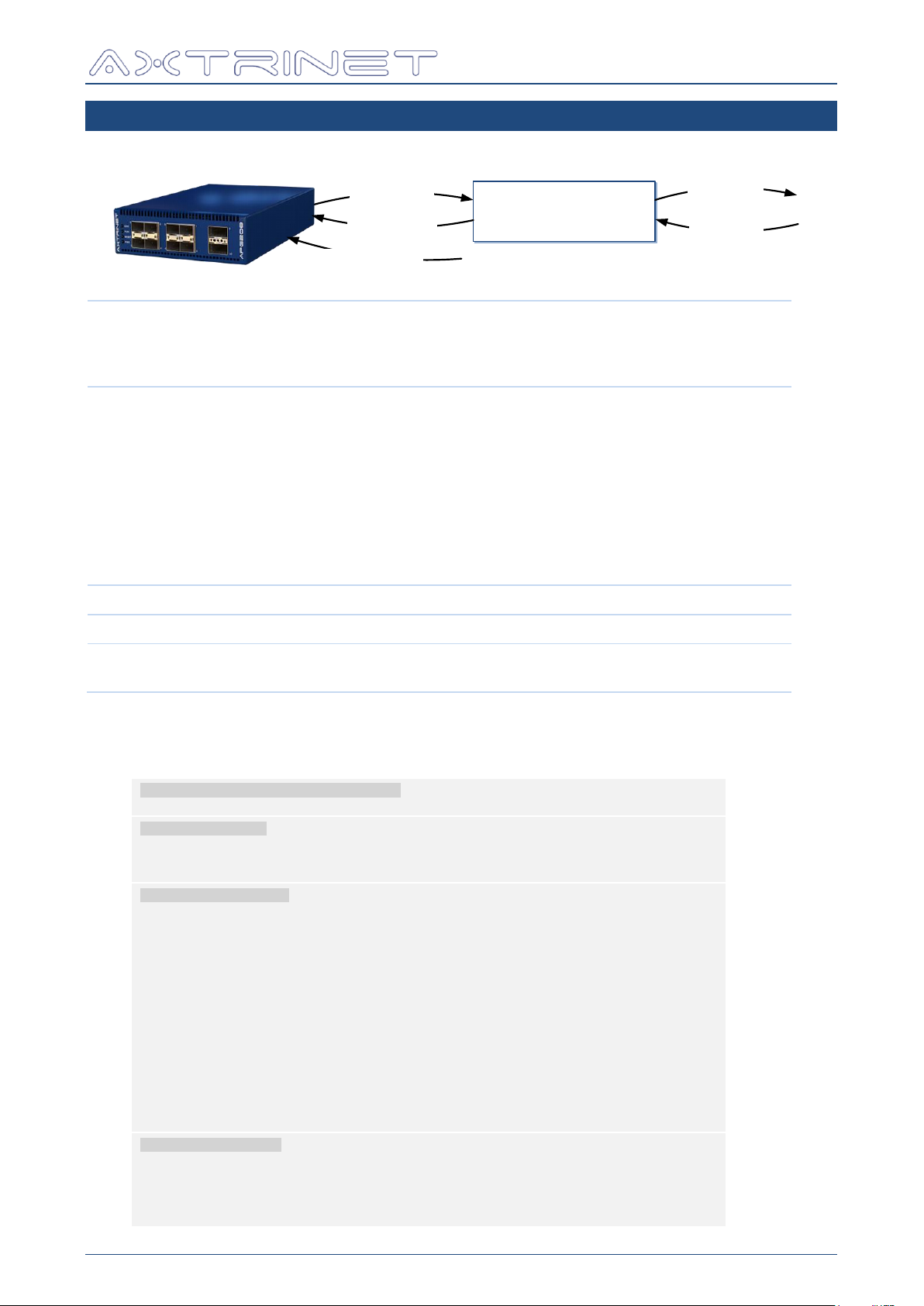
8. PORT COMMANDS
apgLoadPort
LOCAL ‘PORT’
DATABASE
apgGetPort
apgApplyPort
apgSetPort
apgControlPort
apgLoadPort
apgLoadPort [PORTID] INFO
apgLoadPort [PORTID] MODULE
apgLoadPort [PORTID] CAPTURE
apgLoadPort [PORTID] ANALYSIS {TSID}
apgGetPort
apgGetPort [PORTID] INFO [VAR]
apgGetPort [PORTID] STATUS [VAR]
apgGetPort [PORTID] MODULE [VAR]
apgGetPort [PORTID] TXSTATS [VAR]
apgGetPort [PORTID] RXSTATS [VAR]
apgGetPort [PORTID] RATES [VAR]
apgGetPort [PORTID] CAPTURE CONFIG [VAR]
apgGetPort [PORTID] CAPTURE PACKET TOTALPACKETS
apgGetPort [PORTID] CAPTURE PACKET [VAR] [PKTNUM]
apgGetPort [PORTID] ANALYSIS [TYPE] [VAR]
apgSetPort
apgSetPort [PORTID] [VAR] [VAL]
apgApplyPort
apgApplyPort [PORTID]
apgControlPort
apgControlPort [COMMAND] [PORTLIST]
apgControlPort [CAPTURE] [PORTLIST]
Eg:
# Instantiate APG TCL API (Windows)
source "C:/Program Files/Axtrinet/APG/axtrinetApi.tcl"
← Load API
# Open Connection
set IPADDRESS $::DutIpAddress
set UNITID [apgOpen $IPADDRESS]
set PORTLIST ""
Open
Connection
# Generate Port List
puts "\nDEMO: Generating Port List for Unit $UNITID"
apgLoadUnit $UNITID INFO
set PORT_COUNT [apgGetUnit $UNITID INFO PORT_COUNT]
for { set PO 1 } { $PO <= $PORT_COUNT } { incr PO } {
set PORTID [list $UNITID $PO]
apgLoadPort $PORTID INFO
set NSUBPORTS [apgGetPort $PORTID INFO NSUBPORTS]
for { set SP 0 } { $SP <= $NSUBPORTS } { incr SP } {
set SUBPORTID [list $UNITID $PO $SP]
if { $SP > 0 } { apgLoadPort $SUBPORTID INFO }
if { [apgGetPort $SUBPORTID INFO NSUBPORTS] == 0 } {
lappend PORTLIST $SUBPORTID
}
}
}
puts " -> $PORTLIST"
Generate Port
list
All ports
All subports
# Configure Streams
puts "\nDEMO: Configure Streams"
set STREAM 0
foreach PORTID $PORTLIST {
scan $PORTID "%d %d %d" UN PO SP
puts " -> Port $PO"
Configure
Streams
Ethernet Packet Generator
TCL API GUIDE
Where PORTID = {UNIT.PORT} or {UNIT.PORT.SUBPORT}
APG-TCL-UG-V1-0 29 7 June 2017
Page 30
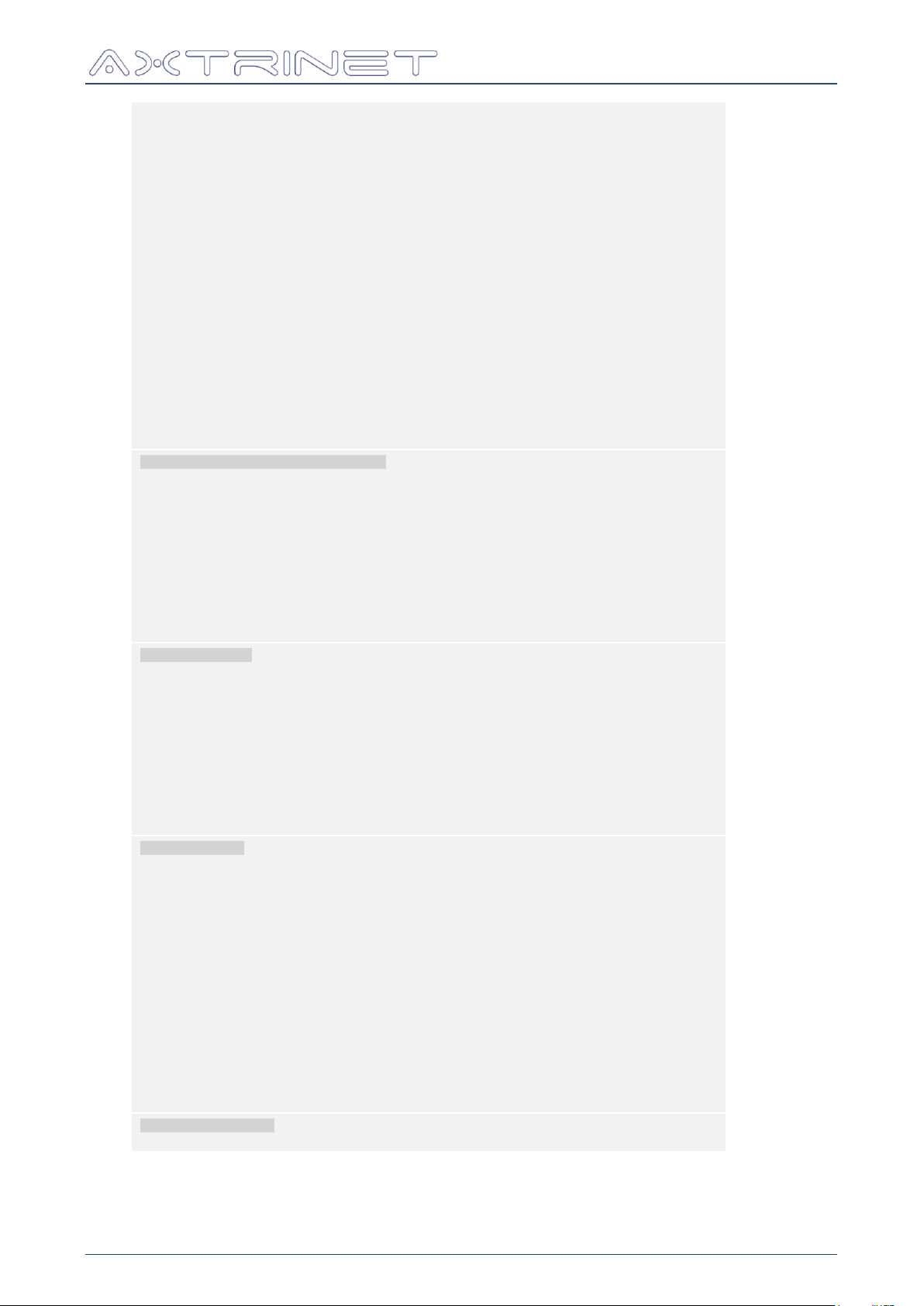
Ethernet Packet Generator
for { set ST 0 } { $ST < 8 } { incr ST } {
set STREAMID [linsert $PORTID end $ST]
if { $ST == 0 } {
apgSetStream $STREAMID DEFAULT
apgSetStream $STREAMID CONFIG ENABLE 1
apgSetStream $STREAMID CONFIG SIZE_MODE RANDOM
apgSetStream $STREAMID CONFIG PACKET_SIZE 64
apgSetStream $STREAMID CONFIG PACKET_SIZE_MAX 5000
apgSetStream $STREAMID HEADER HEADER_LIST "MACHEADER"
apgSetStream $STREAMID HEADER MACHEADER DA \
[format "08:%02d:%02d:%02d:%02d:00" $UN $PO $SP $ST]
apgSetStream $STREAMID HEADER MACHEADER SA \
[format "08:%02d:%02d:%02d:%02d:01" $UN $PO $SP $ST]
apgSetStream $STREAMID PAYLOAD DATA_CONTROL RANDOM
if { $PO >= 9 } {
apgSetStream $STREAMID PAYLOAD DATA_CONTROL INCREMENT
apgSetStream $STREAMID PAYLOAD PAYLOAD_DATA "01 02 03 04 05 06 07 08"
}
} else {
apgSetStream $STREAMID CONFIG ENABLE 0
}
apgApplyStream $STREAMID
}
}
Stream 0
Enable
Random Size
64 –
5000 bytes
MACHEADER
Random Data
If 40G
Increment
Data
Disable 1-7
Apply Config
# Port Transmit & Capture Control
puts "\nDEMO: Generating Packets for 3 seconds"
apgControlPort STOPTX $PORTLIST
apgControlPort CLEARCOUNTERS $PORTLIST
apgControlPort STARTTX $PORTLIST
after 1000
puts "DEMO: Calculating data rates over 1000ms"
apgLoadUnit $UNITID RATES 1000
puts "DEMO: Clearing Capture Buffers and enabling Capture on all ports "
apgControlPort PORTCAPTURE $PORTLIST
after 1000
puts "DEMO: Stopping Traffic"
apgControlPort STOPTX $PORTLIST
TX Control
Clear counts
Start TX
Calculate
Rates
Enable Capture
Stop TX
# Port Counters
puts "\nDEMO: Display Port Counters"
apgLoadUnit $UNITID COUNTERS
foreach PORTID $PORTLIST {
scan $PORTID "%d %d %d" UN PO SP
set TXPKT [apgGetPort $PORTID TXSTATS GOOD_PACKETS]
set TXRATE [expr [apgGetPort $PORTID RATES TXBITRATE] / 1000000.0]
set RXPKT [apgGetPort $PORTID RXSTATS GOOD_PACKETS]
if { $TXPKT > 0 } {
puts [format " Port %2d TX %7d at %8.2f Mbps, RX %7d packets" \
$PO $TXPKT $TXRATE $RXPKT]
}
}
Counters
Load
Get counters
# Port Capture
puts "\nDEMO: Display Captured Packets"
foreach PORTID $PORTLIST {
scan $PORTID "%d %d %d" UN PO SP
apgLoadPort $PORTID CAPTURE CONFIG
set AVAILABLE [apgGetPort $PORTID CAPTURE CONFIG AVAILABLE ]
if { $AVAILABLE > 0 } {
apgLoadPort $PORTID CAPTURE BUFFER
puts "\n Port $PO:\n"
set PKTCOUNT [ apgGetPort $PORTID CAPTURE PACKET TOTALPACKETS ]
for { set PKT 1 } { $PKT <= $PKTCOUNT } { incr PKT } {
set LENGTH [apgGetPort $PORTID CAPTURE PACKET LENGTH $PKT]
puts -nonewline [format " %3d: %5d bytes -> " $PKT $LENGTH]
set DATA [apgGetPort $PORTID CAPTURE PACKET DATA $PKT]
foreach BYTE $DATA { puts -nonewline [format "%02X " $BYTE] }
puts ""
}
}
}
Capture
Load config
If data ...
Load buffer
Display data
# Close connection
apgClose $UNITID
Close
connection
TCL API GUIDE
APG-TCL-UG-V1-0 30 7 June 2017
Page 31
Ethernet Packet Generator
apgLoadPort
apgApplyPort
LOCAL ‘PORT’
DATABASE
apgGetPort
apgSetPort
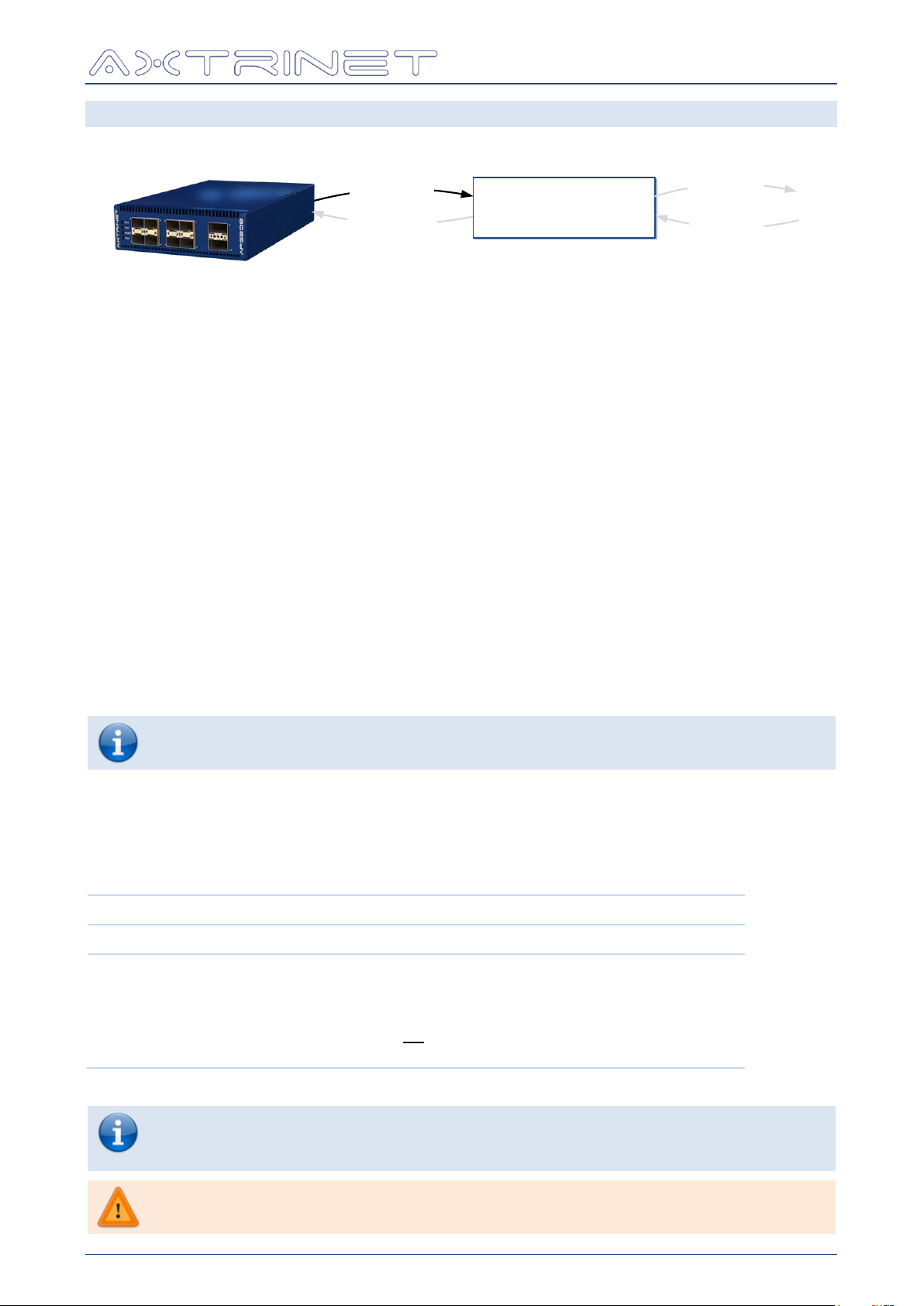
Only the ID, VENDOR and DIAGNOSTIC information is available.
[VAR]
DESCRIPTION
CONFIG
Load the port capture configuration into the local port database.
BUFFER
Load the port capture buffer into the local port database
{NUMPKT} is an optional field to define the number of packets to be
downloaded from the unit, starting from the first captured packet. If
{NUMPKT} is not declared, all captured packets are downloaded from
the unit.
apgLoadPort CAPTURE BUFFER takes ~1secs to download and process a full
10Gbps port capture, and ~3sec to download and process a full 40Gbps port
capture.
A full 66MB DEEP CAPTURE buffer will take ~12min to download
TCL API GUIDE
8.1 LOAD PORT DATA - APGLOADPORT
Loads the PORT configuration and status from the hardware into the local database.
apgLoadPort returns 1 if successful, otherwise the command will display an error message
and exit the TCL environment.
8.1.1 apgLoadPort [PORTID] INFO
Loads the port information into the local database, containing:
Port Topology (eg 40Gbps or 4x10Gbps)
Impact of Topology Change flags
Number of Subports (eg 1 for 10Gbps Ports, 4 for 40Gbps Ports)
Maximum Number of Streams (8)
Maximum Number of Filters (4)
The port information can be read using apgGetPort INFO.
8.1.2 apgLoadPort [PORTID] MODULE
Loads the module information into the local port database.
The port information can be read using apgGetPort MODULE.
8.1.3 apgLoadPort [PORTID] CAPTURE [VAR] {NUMPKT}
Loads the contents of the port capture configuration or buffer into the local port database.
The port information can be read using apgGetPort CAPTURE.
APG-TCL-UG-V1-0 31 7 June 2017
Page 32
Ethernet Packet Generator
apgLoadPort
LOCAL ‘PORT’
DATABASE
apgGetPort
apgApplyPort
apgSetPort
[VAR]
LENGTH
DESCRIPTION
TOPOLOGY
16 bits
Current port topology:
Bit 0-7 = Reserved
Bit 8 = Blocked (0x0100)
Bit 9 = 1Gbps (0x0200)
Bit 10 = Reserved
Bit 11 = 10Gbps (0x0800)
Bit 12 = 4x10Gbps (0x1000)
Bit 13 = 40Gbps (0x2000)
Bit 14-15 = Reserved
TCL API GUIDE
8.1.4 apgLoadPort [PORTID] ANALYSIS {TSID}
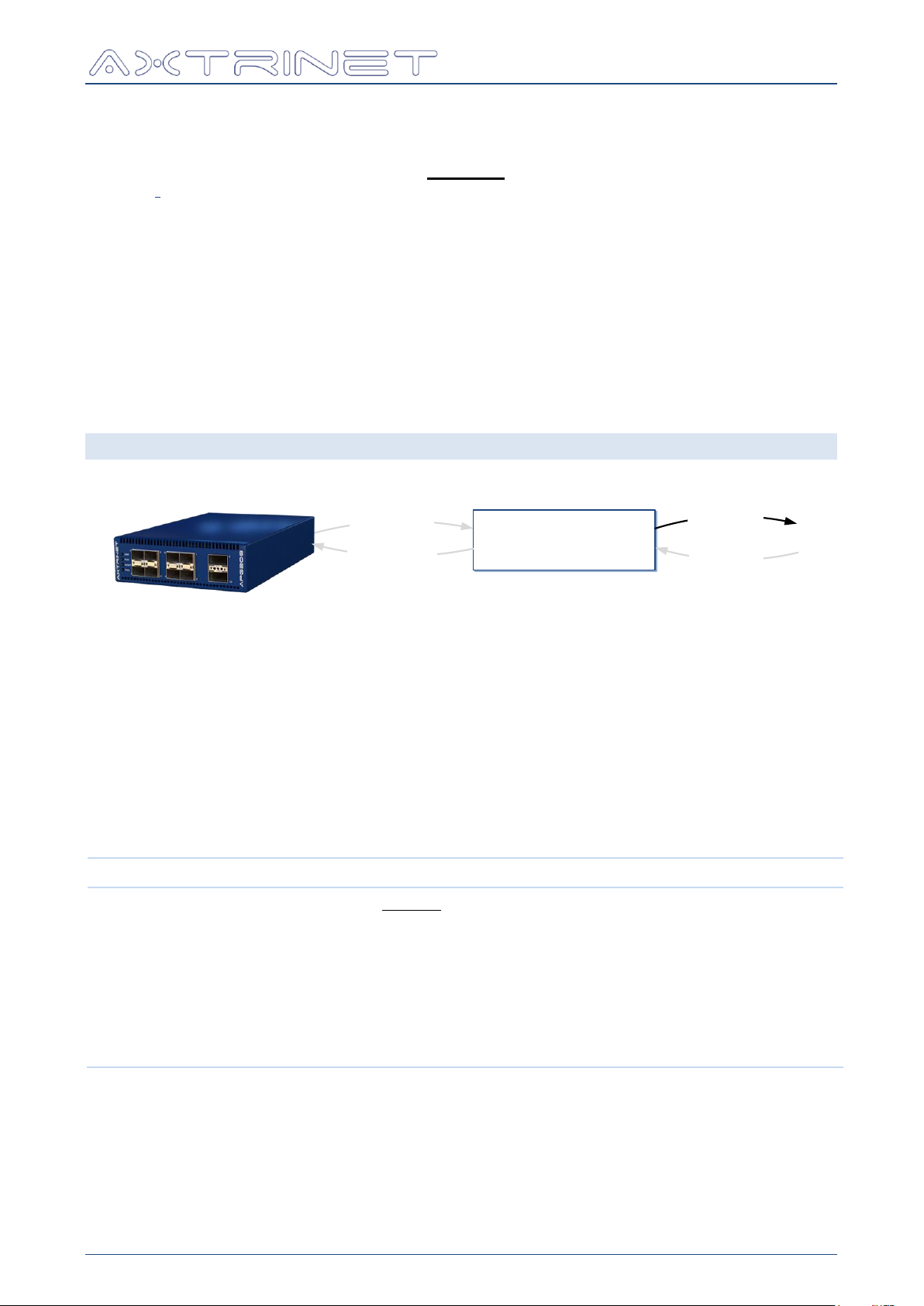
The port analysis calculations are performed when apgLoadPort ANALYSIS is called.
The analysis calculations are performed on captured data. The apgLoadPort CAPTURE
BUFFER command enables capture on the port, and captures until the capture buffer is full.
The captured data is then downloaded and processed automatically. Only packets that match
the timestamp identifier TSID are processed. The TIMESTAMPID field is ignored if no TSID
value is set.
The latency measurements are stored in the local database, containing:
Transmit-to-transmit timing measurements
Transmit-to-receive timing measurements
Receive-to-receive timing measurements
Packet latency measurements can be read using apgGetPort ANALYSIS.
8.2 GET PORT DATA - APGGETPORT
apgGetPort returns the variable value if successful, otherwise the command will display an
error message and exit the TCL environment.
8.2.1 apgGetPort [PORTID] INFO [VAR]
The port information can be read using the apgGetPort INFO command.
The apgGetPort INFO command must be preceded by at least one apgLoadPort INFO,
otherwise the command will display an error message and exit the TCL environment.
Port information is relatively static during a test and should only need to be read once at the
start of the test, or if the port transceiver or topology is changed.
APG-TCL-UG-V1-0 32 7 June 2017
Page 33

Ethernet Packet Generator
[VAR]
LENGTH
DESCRIPTION
TOPOLOGY_CAP
16 bits
Port topology capabilities:
Bit 0-7 = Reserved
Bit 8 = Blocked (0x0100)
Bit 9 = 1Gbps (0x0200)
Bit 10 = Reserved
Bit 11 = 10Gbps (0x0800)
Bit 12 = 4x10Gbps (0x1000)
Bit 13 = 40Gbps (0x2000)
Bit 14-15 = Reserved
NSUBPORTS
8 bits
Number of subports associated with the port
NSTREAMS
8 bits
Maximum number of streams that can be configured on
the port
NFILTERS
8 bits
Maximum number of filters that can be configured on the
port
TCL API GUIDE
APG-TCL-UG-V1-0 33 7 June 2017
Page 34

Ethernet Packet Generator
[VAR]
LENGTH
DESCRIPTION
LINK
8 bits
0 = No Link
1 = Link OK
MODULE_STATUS
8 bits
Bit 0 = Not Present
Bit 1 = Module Present
Bit 2 = Module Fault
Bit 3 = LOS
Bit 4 = Transmit Enable
Bit 5 = Rate Select 0
Bit 6 = Rate Select 1
Bit 7 = Reserved
SPEED
16 bits
Bit 0 = 10Mbps
Bit 1 = 100Mbps
Bit 2 = 1Gbps
Bit 3 = 10Gbps
Bit 4 = 40Gbps
Bit 5 = 100Gbps
Bit 6 = 4x10Gbps
Bit 7-15 = Reserved
Note that SPEED returns the expected port speed if the
link is down, and the actual port speed if the link is up.
SPEED_ABILITY
16 bits
Bit 0 = 10Mbps
Bit 1 = 100Mbps
Bit 2 = 1Gbps
Bit 3 = 10Gbps
Bit 4 = 40Gbps
Bit 5 = 100Gbps
Bit 6 = 4x10Gbps
Bit 7-15 = Reserved
MODULE_SEQUENCE
16 bits
Module Sequence ID → Number of times a module has
been inserted. Used to determine whether the module
has changed.
MODULE_TYPE
8 bits
0 = No Module
1 = SFP/SFP+
2 = QSFP+
MODULE_CLASS
8 bits
0 = None
1 = Fibre
2 = Copper
3 = Passive Direct Attach
4 = Active Direct Attach
MODULE_TEMP
16 bits
Module Temperature (°C)
Measured in 1/256ths of a degree. (ie divide by 256 to
get measured temperature)
TCL API GUIDE
8.2.2 apgGetPort [PORTID] STATUS [VAR]
The port status can be read using the apgGetPort STATUS command.
The apgGetPort STATUS must always be preceded by at least one apgLoadUnit
PORTSTATUS, otherwise the command will display an error message and exit the TCL
environment.
The apgGetPort STATUS is dynamic during a test as the link status changes, and should
always be preceded by apgLoadUnit PORTSTATUS
APG-TCL-UG-V1-0 34 7 June 2017
Page 35

Ethernet Packet Generator
[VAR]
LENGTH
DESCRIPTION
LINKMODE
8 bits
Current MAC-to-Module PMA Link Mode:
Bit 0 = 1000Base-X (SFP+ Port only)
Bit 1 = SGMII (SFP+ Port only)
Bits 3-4 = Reserved
Bit 5 = SRLR (QSFP+ only)
Note that the unit software will automatically choose the
preferred link mode based on the transceiver, but can be
over-written by the user.
LINKMODE_CAP
8 bits
MAC-to-Module PMA Link Mode Capabilities:
Bit 0 = 1000Base-X (SFP+ Port only)
Bit 1 = SGMII (SFP+ Port only)
Bits 3-4 = Reserved
Bit 5 = SRLR (QSFP+ only)
TIMESTAMPID
32 bits
Timestamp ID field
PORTNAME
12 char
Port Name
[VAR]
LENGTH
DESCRIPTION
MODULE_TYPE
8 bits
0 = No Module
1 = SFP/SFP+
2 = QSFP+
ID
96 chars
Serial ID Fields
VENDOR_ID
32 chars
Vendor-Specific ID field
[VAR]
LENGTH
DESCRIPTION
VENDOR_NAME
16 char
Manufacturer
VENDOR_PN
16 char
Manufacturer's Part Number
VENDOR_REV
4 char
Manufacturer's Revision
VENDOR_SN
16 char
Manufacturer's Serial Number
DATECODE
64 bits
Manufacturing Date
TCL API GUIDE
8.2.3 apgGetPort [PORTID] MODULE [VAR]
The module information can be read using the apgGetPort MODULE command.
The apgGetPort MODULE must always be preceded by at least one apgLoadPort MODULE,
otherwise the command will display an error message and exit the TCL environment.
The apgGetPort MODULE is dynamic during a test as the link status changes, and should
always be preceded by apgLoadPort MODULE.
The following fields are extracted from the ID Fields:
APG-TCL-UG-V1-0 35 7 June 2017
Page 36

Ethernet Packet Generator
Eg:
# Instantiate APG TCL API (Windows)
source "C:/Program Files/Axtrinet/APG/axtrinetApi.tcl"
# Open Connection
set IPADDRESS 192.168.1.100
set UNITID [apgOpen $IPADDRESS]
set PORTLIST {{$UNITID 1 0} {$UNITID 2 0}}
Open
Connection
# Port Counters
puts "\nDEMO: Display Port Counters"
apgLoadUnit $UNITID COUNTERS
foreach PORTID $PORTLIST {
scan $PORTID "%d %d %d" UN PO SP
set TXPKT [apgGetPort $PORTID TXSTATS GOOD_PACKETS]
set TXRATE [expr [apgGetPort $PORTID RATES TXBITRATE] / 1000000.0]
set RXPKT [apgGetPort $PORTID RXSTATS GOOD_PACKETS]
if { $TXPKT > 0 } {
puts [format " Port %2d TX %7d at %8.2f Mbps, RX %7d packets" \
$PO $TXPKT $TXRATE $RXPKT]
}
}
Counters
Load
Get counters
# Close connection
apgClose $UNITID
Close
connection
[VAR]
LENGTH
DESCRIPTION
TIMESTAMP
32 bits
Time that the transmit counters are read
BYTES
64 bits
Number of transmitted bytes
GOOD_PACKETS
64 bits
Number of good packets transmitted
PKT_64
32 bits
Count of 64 byte packets transmitted
PKT_65_128
32 bits
Count of 65-128 byte packets transmitted
PKT_129_256
32 bits
Count of 129-256 byte packets transmitted
PKT_257_512
32 bits
Count of 257-512 byte packets transmitted
PKT_513_1024
32 bits
Count of 513-1024 byte packets transmitted
PKT_1025_1536
32 bits
Count of 1025-1536 byte packets transmitted
PKT_1537_9000
32 bits
Count of 1537-9000 byte packets transmitted
PKT_9001_MAX
32 bits
Count of >9001 byte packets transmitted
TX_RUNTIME
32 bits
Time in seconds since the transmit command was sent
TCL API GUIDE
8.2.4 apgGetPort [PORTID] TXSTATS [VAR]
The transmit counters are read with the apgGetPort TXSTATS command.
The apgGetPort TXSTATS must always be preceded by at least one apgLoadUnit
COUNTERS, otherwise the command will display an error message and exit the TCL
environment.
The apgGetPort TXSTATS will change during a test, and should always be preceded by a
apgLoadUnit COUNTERS command. If the counters are not re-loaded, apgGetPort
TXSTATS will return the previous values.
APG-TCL-UG-V1-0 36 7 June 2017
Page 37

Ethernet Packet Generator
[VAR]
LENGTH
DESCRIPTION
TIMESTAMP
32 bits
Time that the receive counters are read
BYTES
64 bits
Number of received bytes
GOOD_PACKETS
64 bits
Number of good packets received
PKT_UNDERSIZE
32 bits
Number of under-sized (<64 Bytes) packets received
PKT_FRAGMENTS
32 bits
Number of packets fragments received
PKT_FCSERROR
32 bits
Number of packets received with Frame Checksum (FCS)
Errors
PKT_NOSFD
32 bits
Number of packets received without a valid Start-ofFrame Delimiter (SFD)
PKT_64
32 bits
Count of 64 byte packets received
PKT_65_128
32 bits
Count of 65-128 byte packets received
PKT_129_256
32 bits
Count of 129-256 byte packets received
PKT_257_512
32 bits
Count of 257-512 byte packets received
PKT_513_1024
32 bits
Count of 513-1024 byte packets received
PKT_1025_1536
32 bits
Count of 1025-1536 byte packets received
PKT_1537_9000
32 bits
Count of 1537-9000 byte packets received
PKT_9001_MAX
32 bits
Count of >9001 byte packets received
FILTER1
32 bits
Packets matched by Filter 1
FILTER2
32 bits
Packets matched by Filter 2
FILTER3
32 bits
Packets matched by Filter 3
FILTER4
32 bits
Packets matched by Filter 4
TCL API GUIDE
8.2.5 apgGetPort [PORTID] RXSTATS [VAR]
The receive counters are read with the apgGetPort RXSTATS command.
The apgGetPort RXSTATS must always be preceded by at least one apgLoadUnit
COUNTERS, otherwise the command will display an error message and exit the TCL
environment.
The apgGetPort RXSTATS will change during a test, and should always be preceded by a
apgLoadUnit COUNTERS command. If the counters are not re-loaded, apgGetPort
RXSTATS will return the previous values.
APG-TCL-UG-V1-0 37 7 June 2017
Page 38

Ethernet Packet Generator
[VAR]
LENGTH
DESCRIPTION
TXPKTRATE
32 bits
Transmit Packet Rate (packets/sec)
TXBYTERATE
64 bits
Transmit Byte Rate (Bytes/sec)
Derived from the Transmit BYTE count
TXBITRATE
64 bits
Transmit Bit Rate (Bits/sec)
Bits on the wire, including Inter-Frame Gap (IFG) and
Start-of-Frame (SFD) delimiter.
RXPKTRATE
32 bits
Receive Packet Rate (packets/sec)
RXERRORRATE
32 bits
Receive FCS Errored Packet Rate (packets/sec).
Divide the returned value by 16384 to get the FCS
errored packets per second.
RXBYTERATE
64 bits
Receive Byte Rate (Bytes/sec)
Derived from the Receive BYTE count
RXBITRATE
64 bits
Receive Bit Rate (Bits/sec)
Bits on the wire, including Inter-Frame Gap (IFG) and
Start-of-Frame (SFD) delimiter.
TCL API GUIDE
8.2.6 apgGetPort [PORTID] RATES [VAR]
The transmit and receive data rates are read with the apgGetPort RATES command.
apgGetPort RATES must always be preceded by at least one apgLoadUnit RATES,
otherwise the command will display an error message and exit the TCL environment.
apgGetPort RATES will change during a test, and should always be preceded by a
apgLoadUnit RATES command. If the rates are not re-loaded, apgGetPort RATES will
return the previous values.
APG-TCL-UG-V1-0 38 7 June 2017
Page 39
Ethernet Packet Generator
Eg:
# Instantiate APG TCL API (Windows)
source "C:/Program Files/Axtrinet/APG/axtrinetApi.tcl"
# Open Connection
set IPADDRESS 192.168.1.100
set UNITID [apgOpen $IPADDRESS]
set PORTLIST {{$UNITID 1 0} {$UNITID 2 0}}
Open
Connection
# Capture Control
puts "\nDEMO: Generating Packets"
apgControlPort STOPTX $PORTLIST
apgControlPort STARTTX $PORTLIST
puts "DEMO: Clearing Capture Buffers and enabling Capture on all ports "
apgControlPort PORTCAPTURE $PORTLIST
after 100
puts "DEMO: Stopping Traffic"
apgControlPort STOPTX $PORTLIST
TX Control
Start TX
Enable
Capture
Stop TX
# Port Capture
puts "\nDEMO: Display Captured Packets"
foreach PORTID $PORTLIST {
scan $PORTID "%d %d %d" UN PO SP
apgLoadPort $PORTID CAPTURE CONFIG
set AVAILABLE [apgGetPort $PORTID CAPTURE CONFIG AVAILABLE ]
if { $AVAILABLE > 0 } {
apgLoadPort $PORTID CAPTURE BUFFER
puts "\n Port $PO:\n"
set PKTCOUNT [ apgGetPort $PORTID CAPTURE PACKET TOTALPACKETS ]
for { set PKT 1 } { $PKT <= $PKTCOUNT } { incr PKT } {
set LENGTH [apgGetPort $PORTID CAPTURE PACKET LENGTH $PKT]
puts -nonewline [format " %3d: %5d bytes -> " $PKT $LENGTH]
set DATA [apgGetPort $PORTID CAPTURE PACKET DATA $PKT]
foreach BYTE $DATA { puts -nonewline [format "%02X " $BYTE] }
puts ""
}
}
}
Capture
Load config
If data ...
Load buffer
Display data
# Close connection
apgClose $UNITID
Close
connection
[VAR]
LENGTH
DESCRIPTION
AVAILABLE
32 bits
Filled capture data available for upload (bytes)
BUFFERSIZE
32 bits
Total memory available for packet capture (bytes)
FLAGS
2 bits
0 = Capture Disabled
1 = 16KB Port Buffer Enabled & Capturing Packets
2 = Capture Disabled
3 = 1GB Extended Packet Buffer Enabled & Capturing Packets
The FLAGS are set indirectly using the
apgControlPort [CAPTURE] commands
TCL API GUIDE
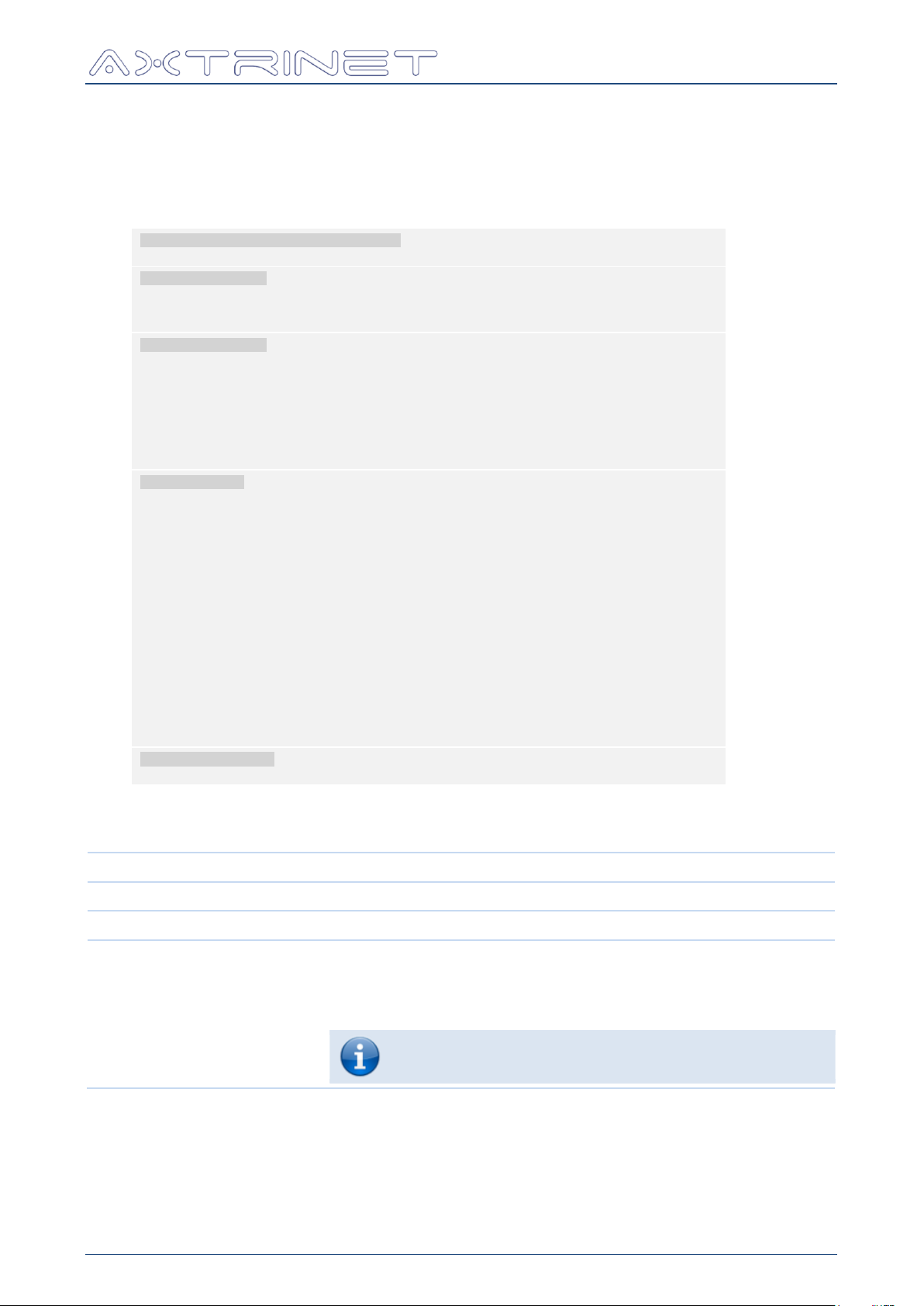
8.2.7 apgGetPort [PORTID] CAPTURE CONFIG [VAR]
Read the capture configuration, buffer and available memory sizes.
apgGetPort CAPTURE CONFIG must always be preceded by at least one apgLoadPort
CAPTURE CONFIG, otherwise the command will display an error message and exit the TCL
environment.
apgGetPort CAPTURE CONFIG will change while the capture buffer is filling, and should
always be preceded by a apgLoadPort CAPTURE CONFIG command.
Packet capture is controlled with the apgControlPort PORTCAPTURE, apgControlPort
DISABLECAPTURE, apgControlPort CLEARCAPTURE commands to start, stop and clear the
capture buffer.
The capture buffer is loaded using apgLoadPort CAPTURE BUFFER, and read using
apgGetPort CAPTURE PACKET.
APG-TCL-UG-V1-0 39 7 June 2017
Page 40

Ethernet Packet Generator
[VAR]
LENGTH
DESCRIPTION
RXTIME
64 bits
Receive timestamp of packet [PKTNUM] measured in 8ns
intervals since the unit was turned on.
TSMODE
4 bits
Receive Timestamp Flag of packet [PKTNUM]
0xA = Approximated timestamp
Anything else = Actual timestamp.
LENGTH
16 bits
Length of packet [PKTNUM]
PKTERROR
1 bit
Packet Error Flag of packet [PKTNUM]:
0 = OK
1 = FCS Error
DATA
[String]
Captured data of packet [PKTNUM]
Packet format is space-separated integers
[VAR]
LENGTH
DESCRIPTION
IDFIELD
32 bits
ID Field extracted from packet [PKTNUM]
Bytes [LENGTH]-19 to [LENGTH]-16
SEQNUM
32 bits
Sequence Number extracted from packet [PKTNUM]
Bytes [LENGTH]-15 to [LENGTH]-12
TXTIME
64 bits
Transmit timestamp extracted from packet [PKTNUM]
Bytes [LENGTH]-11 to [LENGTH]-4, measured in 8ns intervals
since the unit was turned on.
DELTA
32 bits
Latency of packet [PKTNUM], calculated by [TSRX]–[TSTX]
measured in 8ns ticks.
WARNING: ID, SEQ and TXTIME field are extracted on every captured
packet, regardless of the validity of the received packet. Care must be
taken to ensure that the receive packets contain the expected data before
further processing the information.
TCL API GUIDE
8.2.8 apgGetPort [PORTID] CAPTURE PACKET TOTALPACKETS
TOTALPACKETS (32 bits) is the total number of packets held in the capture buffer.
The capture configuration is loaded with apgLoadPort [PORTID] CAPTURE BUFFER.
8.2.9 apgGetPort [PORTID] CAPTURE PACKET [VAR] [PKTNUM]
Read the capture packet data, where [PKTNUM] is the packet number in the capture buffer in
the range 1 to [TOTALPACKETS].
The capture configuration is loaded with apgLoadPort [PORTID] CAPTURE BUFFER.
The following variables are also valid if the TIMESTAMP_CONTROL is enabled (see Section
9.2.4) the transmitting stream:
Packet capture is enabled with apgControlPort PORTCAPTURE command.
The amount of data available for download can be monitored using the apgLoadPort
CAPTURE BUFFER and apgGetPort CAPTURE PACKET TOTALPACKETS to get the total
number of captured packets.
APG-TCL-UG-V1-0 40 7 June 2017
Page 41

Ethernet Packet Generator
[TYPE]
DESCRIPTION
TXTX
Transmit-to-transmit timestamp calculations
TXRX
Transmit-to-receive timestamp calculations
RXRX
Receive-to-receive timestamp calculations
SEQUENCE
Sequence Number status
[VAR]
DESCRIPTION
CYCLES
Number of capture cycles to collect samples
SAMPLES
Number of processed latency samples
LIST
List of processed timing deltas
MIN
Minimum latency, measured in 8ns ticks
MAX
Maximum latency, measured in 8ns ticks
MEAN
Mean latency, measured in 8ns ticks
MODE
Mode latency, measured in 8ns ticks
STDDEV
Standard Deviation, measured in 8ns ticks
[VAR]
DESCRIPTION
CYCLES
Number of capture cycles to collect samples
SAMPLES
Number of processed SEQ samples
LIST
List of processed SEQ samples
MIN
Minimum SEQNUM from sample
MAX
Maximum SEQNUM from sample
RANGE
SEQNUM range from sample
MONOTONIC
1=Monotonic 0=Not Monotonic
RPTCOUNT
Repeated Counter, increments if SEQn has been seen before
GAPCOUNT
Gap Counter, increments if SEQn > SEQ
n-1
+ 1
OOOCOUNT
Out-of-Order Counter, increments if SEQn < SEQ
max
TCL API GUIDE
8.2.10 apgGetPort [PORTID] ANALYSIS [TYPE] [VAR]
The latency measurements are read with the apgGetPort ANALYSIS command.
apgGetPort ANALYSIS must always be preceded by at least one apgLoadPort ANALYSIS,
otherwise the command will display an error message and exit the TCL environment.
If the measurements are not re-calculated, apgGetPort ANALYSIS will return the previous
values.
If [TYPE] is TXRX, TXTX or RXRX, the following [VAR] are available:
If [TYPE] is SEQUENCE, the following [VAR] are available:
APG-TCL-UG-V1-0 41 7 June 2017
Page 42
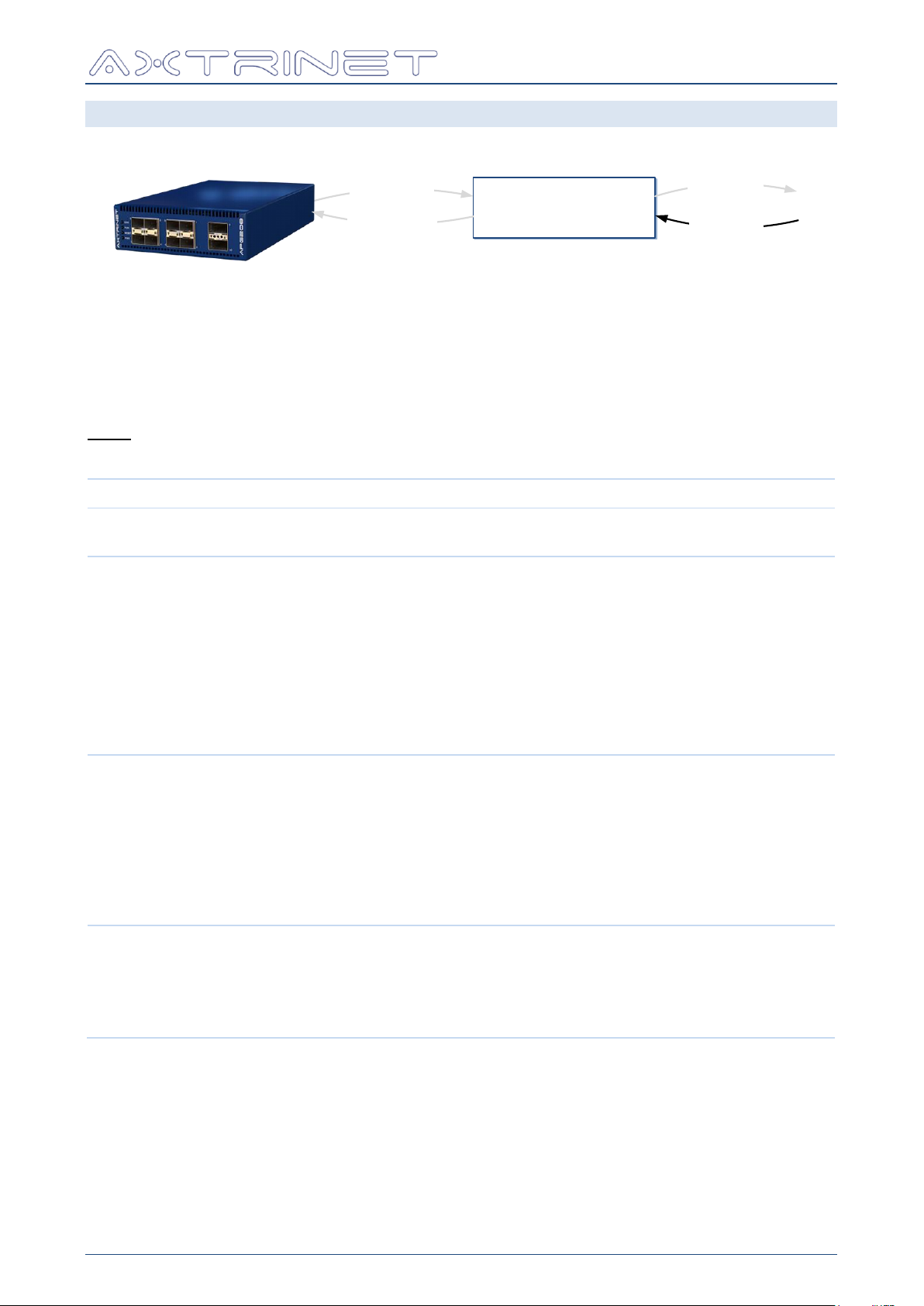
Ethernet Packet Generator
apgLoadPort
LOCAL ‘PORT’
DATABASE
apgGetPort
apgApplyPort
apgSetPort
[VAR]
Description
Default
TXENABLE
0 = Module Disabled
1 = Module Enabled
0x1
RATE
[RATE SELECT 1][RATE SELECT 0]
0 = RS1 & RS0 Not Set (low speed operation)
1 = RS1 Not Set, RS0 Set
2 = RS1 Set, RS0 Not Set
3 = RS1 & RS0 Set (high speed operation)
Note: Both bits should normally be set high for
10Gbps operation, although some vendor's
transceivers do not meet the SFP MSA guidelines.
Check vendor's recommended settings in the
datasheet.
0x3
TOPOLOGY
BLOCKED = Port Disabled
SFP+ Ports only:
1G = Fixed 1Gbps
10G = Fixed 10Gbps
QSFP+ Ports only:
40G = Fixed 40Gbps
4x10G = Fixed 4x10Gbps
SFP+ Ports:
10G
QSFP+ Ports:
40G
LINKMODE
SFP+ Ports only:
1000X = 1000Base-X (1Gbps only)
SGMII = SGMII (10Gbps or 1Gbps)
QSFP+ Ports only:
SRLR = 40GBase-SR/LR
SFP+ Ports:
SGMII
QSFP+ Ports:
SRLR
TCL API GUIDE
8.3 SET PORT CONFIGURATION - APGSETPORT
apgSetPort returns the set value if successful, otherwise the command will display an error
message and exit the TCL environment.
8.3.1 apgSetPort [PORTID] [VAR] [VAL]
The apgSetPort command allows configuration of the transceiver inserted into the port, and
must be followed with apgApplyPort STATE to apply the port configuration onto the unit.
The [VAR] and [VAL] fields can be:
APG-TCL-UG-V1-0 42 7 June 2017
Page 43
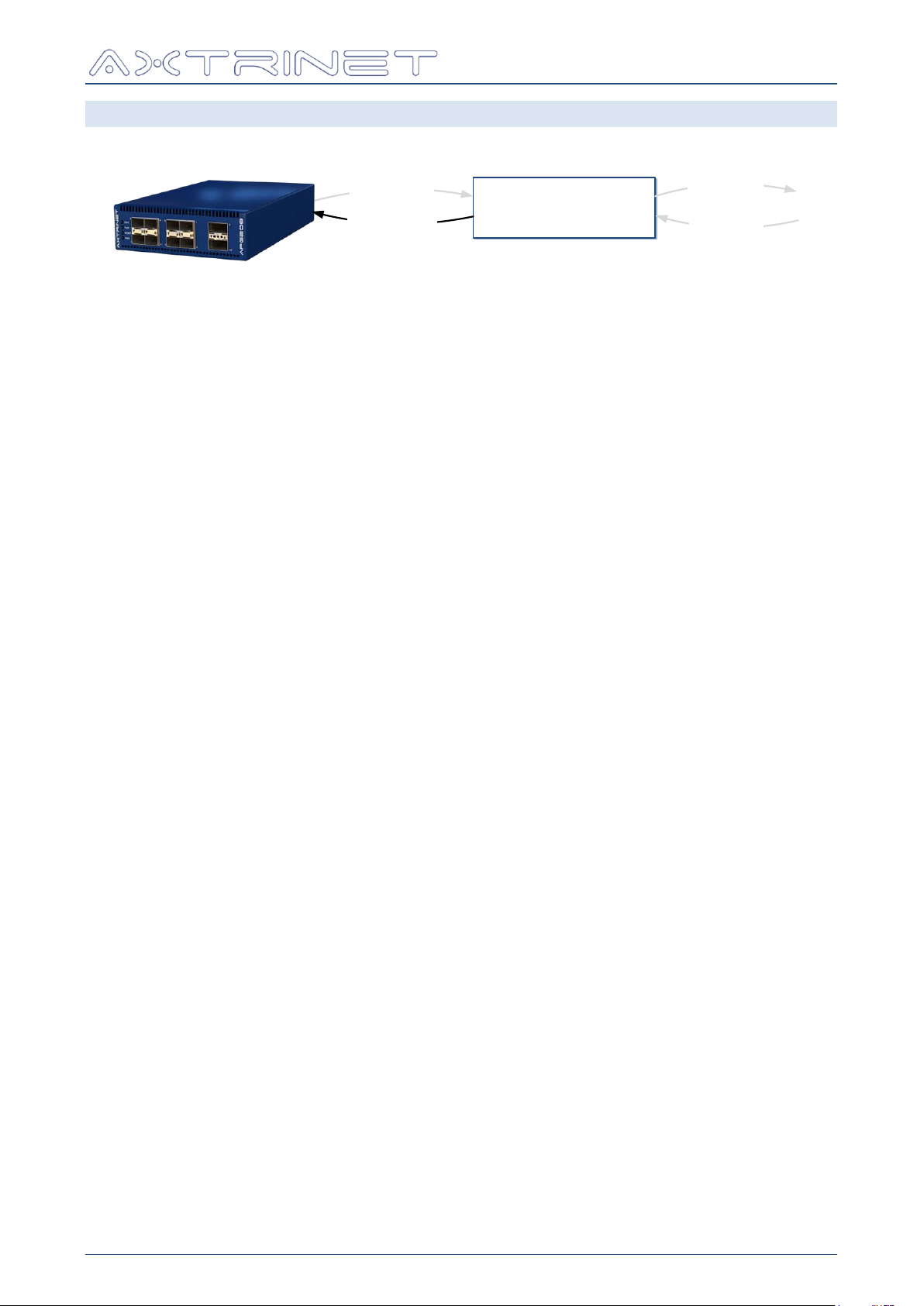
Ethernet Packet Generator
apgLoadPort
LOCAL ‘PORT
DATABASE
apgGetPort
apgApplyPort
apgSetPort
TCL API GUIDE
8.4 APPLY PORT CONFIGURATION - APGAPPLYPORT
apgApplyPort returns 1 if successful, otherwise the command will display an error message
and exit the TCL environment.
8.4.1 apgApplyPort [PORTID] STATE
The apgApplyPort STATE command must be used after apgSetPort command to apply the
configuration changes to the unit.
APG-TCL-UG-V1-0 43 7 June 2017
Page 44
Ethernet Packet Generator
STATE
Description
STOPPED
Traffic generation stopped.
Stream configuration is loaded into the port traffic generator when a
STARTTX or STEPTX is issued.
Port transmit counters are stopped, although the port receive counters
may still be counting if the port is receiving traffic.
TRANSMITTING
The port is generating traffic, and remains in this state until a STOPTX,
PAUSETX or STEPTX command is issued.
If all of the enabled streams are generating fixed burst length
traffic, the port will stop transmitting when all streams have
transmitted the BURST LENGTH number of packets and move
to the STOPPED state.
A STEPTX command transmits the next packet, then PAUSES.
Issuing a second STARTTX has no effect.
PAUSED
Traffic generation is stopped.
Transmission continues when a STARTTX or STEPTX command is
issued, without loading a new stream configuration.
The PAUSE state is useful for interrupting a continuous stream
to allow the test data to settle and read the counters.
STEP
Transmit the next packet from the stream queue. The port immediately
returns to the PAUSED state.
Eg:
# Instantiate APG TCL API (Windows)
source "C:/Program Files/Axtrinet/APG/axtrinetApi.tcl"
← Load API
# Open Connection
set IPADDRESS 192.168.1.100
set UNITID [apgOpen $IPADDRESS]
set PORTLIST {{$UNITID 1 0} {$UNITID 2 0}}
Open
Connection
# Port Transmit & Capture Control
puts "\nDEMO: Generating Packets for 3 seconds"
apgControlPort STOPTX $PORTLIST
apgControlPort CLEARCOUNTERS $PORTLIST
apgControlPort STARTTX $PORTLIST
after 1000
puts "DEMO: Calculating data rates over 1000ms"
apgLoadUnit $UNITID RATES 1000
puts "DEMO: Clearing Capture Buffers and enabling Capture on all ports "
apgControlPort PORTCAPTURE $PORTLIST
after 1000
puts "DEMO: Stopping Traffic"
apgControlPort STOPTX $PORTLIST
TX Control
Clear counts
Start TX
Calc Rates
Enable
Capture
Stop TX
# Close connection
apgClose $UNITID
Close
connection
TCL API GUIDE
8.5 CONTROL COMMANDS - APGCONTROLPORT
Packet generation and capture are controlled with the apgControlPort command.
apgControlPort returns 1 if successful, otherwise the command will display an error message
and exit the TCL environment.
A port can be one of four transmit states:
APG-TCL-UG-V1-0 44 7 June 2017
Page 45

Ethernet Packet Generator
Eg:
apgControlPort STARTTX {{ 1 1 } { 1 3 }}
Starts transmission on ports 1 & 3
[COMMAND]
Description
STARTTX
Start packet transmission on all [PORTLIST] ports.
From the STOPPED state, STARTTX loads the new stream
configuration on all [PORTLIST] ports and start transmitting.
From the PAUSED state, packet transmission will start without loading
the latest configuration.
STEPTX
Transmit the next packet on all [PORTLIST] ports.
From the STOPPED state, STEPTX loads the new stream configuration
on all [PORTLIST] ports and transmits a single packet.
Where multiple streams are enabled, the port will transmit the next
packet from the stream sequencer.
PAUSETX
Pause the packet transmission on all [PORTLIST] ports
STOPTX
Stop the packet transmission on all [PORTLIST] ports
CLEARCOUNTERS
Clear the transmit and receive packet counters on all [PORTLIST] ports
[CAPTURE]
Description
PORTCAPTURE
Enable the 16KB capture buffers on all [PORTLIST] ports and start
capturing packets.
DEEPCAPTURE
Enable the 1GB extended capture buffer on all [PORTLIST] ports and
start capturing packets.
DISABLECAPTURE
Disable capturing on all [PORTLIST] ports
Capture must be enabled to read the capture buffer.
The capture buffer is cleared when capture is disabled.
CLEARCAPTURE
Clear the capture buffers on all [PORTLIST] ports
TCL API GUIDE
8.5.1 apgControlPort [COMMAND] [PORTLIST]
Traffic generator control is performed on a group of ports identified by [PORTLIST].
[PORTLIST] is a TCL list of PORTIDs:
The following control commands can be used to control the port traffic generator:
8.5.2 apgControlPort [CAPTURE] [PORTLIST]
Capture control is performed on a group of ports identified by [PORTLIST].
The following control commands can be used to control the port packet capture:
APG-TCL-UG-V1-0 45 7 June 2017
Page 46

Ethernet Packet Generator
Eg:
set PORTLIST {{1 2}{1 5}}
apgControlPort PORTCAPTURE $PORTLIST
Enable port (16KB)
capture on both
ports.
apgControlPort CLEARCAPTURE $PORTLIST
apgControlPort STARTTX $PORTLIST
Clear capture
buffers and start
transmitting
foreach PORTID $PORTLIST {apgLoadPort $PORTID CAPTURE
BUFFER 100}
Load 100 packets
from each port
buffer
foreach SUBPORTID $PORTLIST {
set PKTCOUNT [ apgGetPort $SUBPORTID CAPTURE PACKET
TOTALPACKETS ]
For each port, get
the number of
downloaded packets
for { set PKT 1 } { $PKT <= $PKTCOUNT } { incr PKT } {
puts [apgGetPort $SUBPORTID CAPTURE PACKET
DATA $PKT]
Then display each
packet.
}
}
For example, to capture and display active traffic on connected ports 1 & 5:
8.5.3 apgControlPort CLEARANALYSIS [PORTLIST]
TCL API GUIDE
Clear the Packet Analysis measurements on a group of ports identified by [PORTLIST].
APG-TCL-UG-V1-0 46 7 June 2017
Page 47
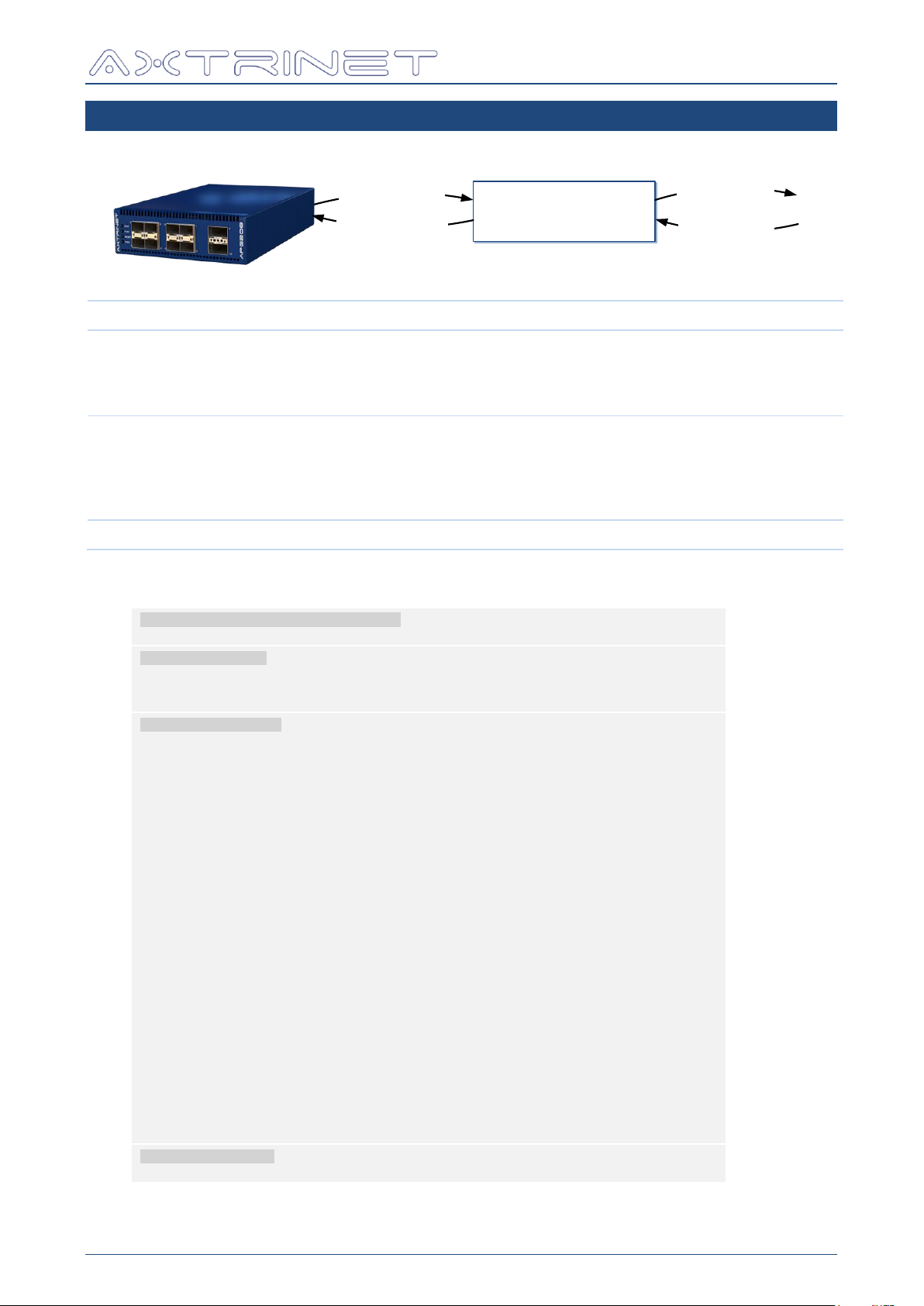
9. STREAM COMMANDS
apgLoadStream
LOCAL ‘STREAM’
DATABASE
apgGetStream
apgApplyStream
apgSetStream
apgLoadStream
apgLoadStream [STREAMID]
apgGetStream
apgGetStream [STREAMID] CONFIG [VAR]
apgGetStream [STREAMID] HEADER HEADER_LIST
apgGetStream [STREAMID] HEADER [HDR] [FLD]
apgGetStream [STREAMID] PAYLOAD [VAR]
apgSetStream
apgSetStream [STREAMID] DEFAULT
apgSetStream [STREAMID] CONFIG [VAR] [VAL]
apgSetStream [STREAMID] HEADER HEADER_LIST [HDRLIST]
apgSetStream [STREAMID] HEADER [HDR] [FLD] [VAL]
apgSetStream [STREAMID] PAYLOAD [VAR] [VAL]
apgApplyStream
apgApplyStream [STREAMID]
Eg:
# Instantiate APG TCL API (Windows)
source "C:/Program Files/Axtrinet/APG/axtrinetApi.tcl"
← Load API
# Open Connection
set IPADDRESS 192.168.1.100
set UNITID [apgOpen $IPADDRESS]
set PORTLIST {{$UNITID 1 0} {$UNITID 2 0}}
Open
Connection
# Configure Streams
puts "\nDEMO: Configure Streams"
set STREAM 0
foreach PORTID $PORTLIST {
scan $PORTID "%d %d %d" UN PO SP
puts " -> Port $PO"
for { set ST 0 } { $ST < 8 } { incr ST } {
set STREAMID [linsert $PORTID end $ST]
if { $ST == 0 } {
apgSetStream $STREAMID DEFAULT
apgSetStream $STREAMID CONFIG ENABLE 1
apgSetStream $STREAMID CONFIG SIZE_MODE RANDOM
apgSetStream $STREAMID CONFIG PACKET_SIZE 64
apgSetStream $STREAMID CONFIG PACKET_SIZE_MAX 5000
apgSetStream $STREAMID HEADER HEADER_LIST "MACHEADER"
apgSetStream $STREAMID HEADER MACHEADER DA \
[format "08:%02d:%02d:%02d:%02d:00" $UN $PO $SP $ST]
apgSetStream $STREAMID HEADER MACHEADER SA \
[format "08:%02d:%02d:%02d:%02d:01" $UN $PO $SP $ST]
apgSetStream $STREAMID PAYLOAD DATA_CONTROL RANDOM
if { $PO >= 9 } {
apgSetStream $STREAMID PAYLOAD DATA_CONTROL INCREMENT
apgSetStream $STREAMID PAYLOAD PAYLOAD_DATA "01 02 03 04 05 06 07 08"
}
} else {
apgSetStream $STREAMID CONFIG ENABLE 0
}
apgApplyStream $STREAMID
}
}
Configure
Streams
Stream 0
Enable
Random Size
64 –
5000 bytes
MACHEADER
Random Data
If 40G
Increment
Data
Disable 1-7
Apply Config
# Close connection
apgClose $UNITID
Close
connection
Ethernet Packet Generator
TCL API GUIDE
Where STREAMID = {UNIT.PORT.STREAM} or {UNIT.PORT.SUBPORT.STREAM}
APG-TCL-UG-V1-0 47 7 June 2017
Page 48
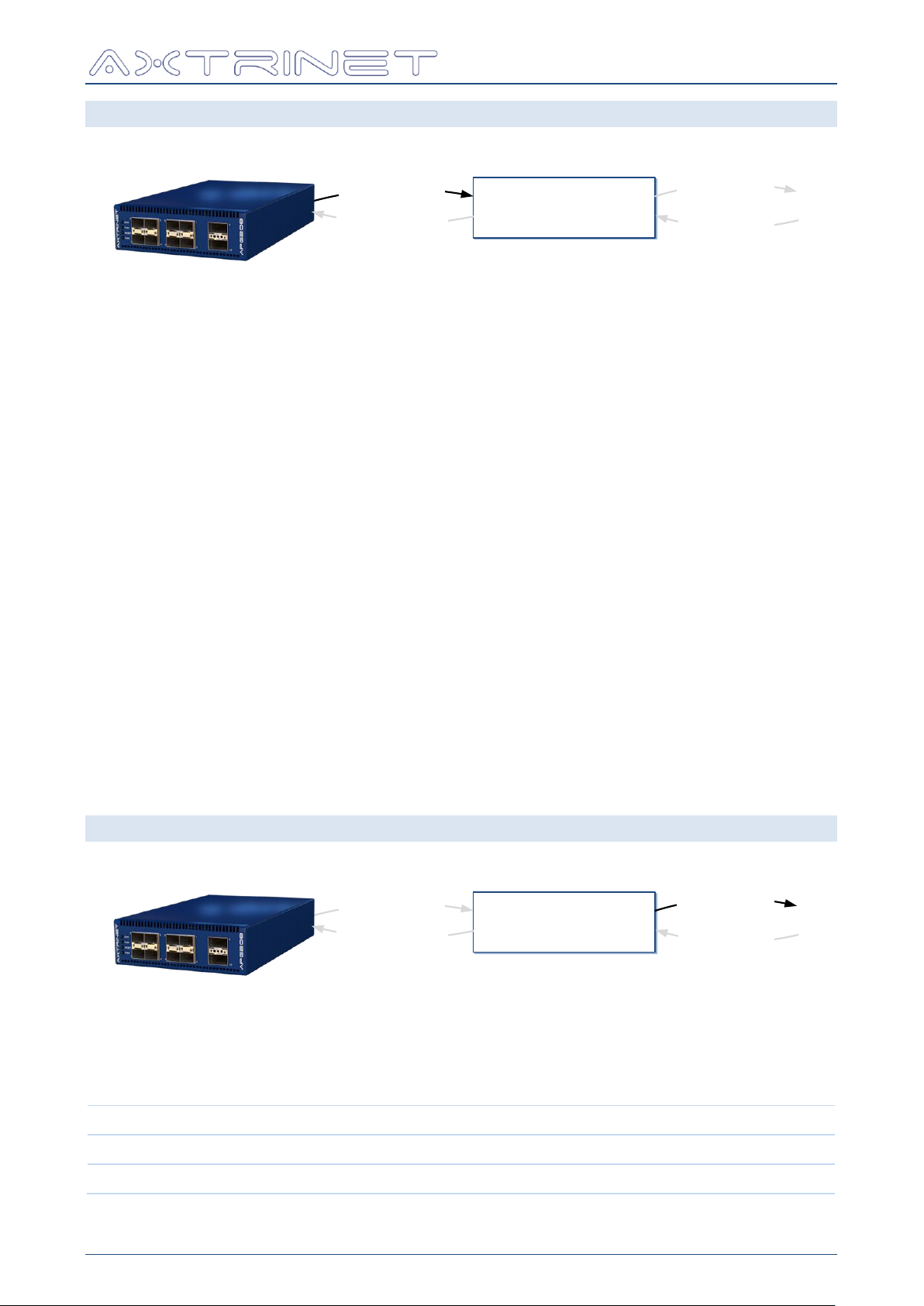
Ethernet Packet Generator
apgLoadStream
LOCAL ‘STREAM’
DATABASE
apgGetStream
apgApplyStream
apgSetStream
apgLoadStream
LOCAL ‘STREAM’
DATABASE
apgGetStream
apgApplyStream
apgSetStream
CONFIG
Defines the stream state, packet rate and packet size
HEADER
Defines the Ethernet headers (eg MACHEADER) and fields (eg DA)
PAYLOAD
Defines the packet contents following the headers
TCL API GUIDE
9.1 LOAD STREAM CONFIGURATION - APGLOADSTREAM
Load the STREAM configuration and status from the hardware into the local database.
apgLoadStream returns 1 if successful, otherwise the command will display an error message
and exit the TCL environment.
9.1.1 apgLoadStream [STREAMID]
Loads the Stream Information into the local configuration database, containing:
Stream Configuration
Enable
Transmit, Rate and Payload Modes
Frame Size
Stream Header
Configured Headers
Header Settings
Stream Payload
Data, Offset and Length
Timestamp
The Stream Information can be read using the apgGetStream CONFIG, HEADER and
PAYLOAD commands.
9.2 GET STREAM CONFIGURATION - APGGETSTREAM
apgGetStream returns the get value if successful, otherwise the command will display an
error message and exit the TCL environment.
A stream configuration is defined by the CONFIG, HEADER and PAYLOAD:
APG-TCL-UG-V1-0 48 7 June 2017
Page 49

Ethernet Packet Generator
[VAR]
LENGTH
Description
ENABLE
8 bits
0 = Stream Disabled
1 = Stream Enabled
TX_MODE
8 bits
0 = Continuous
1 = Burst
RATE_MODE
8 bits
0 = TXGAP (Inter Frame Gap)1 = PPS (Frames Per
Second)
2 = Percent
SIZE_MODE
8 bits
0 = Fixed
3 = Random
TX_CONTROL
8 bits
0 = Transmit good frames
RATE_VALUE
64 bits
If RATE_MODE = 0 (TXGAP)
→ TXGAP = RATE_VALUE * 8 bytes * link speed
If RATE_MODE = 1 (Packets per Second
→ PPS = RATE_VALUE pps
If RATE_MODE = 2 (PERCENT)
→ PERCENT = RATE_VALUE * 1000
Eg RATE_VALUE = 90500 → 90.5%
TX_BURST_SIZE
32 bits
Number of frames in the burst
TX_BURST_COUNT
32 bits
Number of bursts to transmit
TX_IBG
32 bits
Inter-burst gap (TX_IBG x 5.5ns)
PACKET_SIZE
32 bits
Total frame length (including FCS) in bytes.
If SIZE_MODE is not 0 (FIXED), FRAME_SIZE defines the
minimum frame length for the increment, decrement or
random size.
PACKET_SIZE_MAX
32 bits
Maximum frame length (including FCS) in bytes for the
increment, decrement or random size modes.
If SIZE_MODE is 0 (FIXED) this value is ignored.
TCL API GUIDE
9.2.1 apgGetStream [STREAMID] CONFIG [VAR]
The stream configuration status, rate and size information is read with the apgGetStream
CONFIG command.
apgGetStream CONFIG must either be configured using apgSetStream CONFIG or be
preceded by at least one apgLoadStream. If [VAR] has not been defined, apgGetStream
CONFIG will display an error message and exit the TCL environment.
APG-TCL-UG-V1-0 49 7 June 2017
Page 50

Ethernet Packet Generator
Variable
Description
[VAL]
Initial Value
[MODE]
The header field modes are defined in the Header Definition document [3].
For example, the MACHEADER DA modes are "FIX INC" where:
FIX
Fixed [FLD] value [VAL]
INC
Incrementing [FLD] value [VAL], starting at [VAL] with each
byte incrementing to [MAX], wrapping to [MIN] to continue
incrementing
[MIN]
Minimum range for INC [FLD] value wraps to [MAX] in decrementing
mode.
[STEP]
Byte-wise step
[MAX]
Maximum range for INC .
[FLD] value wraps to [MIN] (zero) in incrementing mode.
TCL API GUIDE
9.2.2 apgGetStream [STREAMID] HEADER HEADER_LIST
Returns a list of configured header names in the order that the headers appear in the frame.
apgGetStream HEADER HEADER_LIST must either be configured using apgSetStream
HEADER HEADER_LIST or be preceded by at least one apgLoadStream. If [VAR] has not
been defined, apgGetStream HEADER HEADER_LIST will display an error message and exit
the TCL environment.
For example, the minimum set of ethernet headers is:
MACHEADER ETHERNET_II USERDEFINED
The full list of headers is defined in the latest Header Definition document [3].
For example: A header structure containing a MAC Header [MACHEADER] and an Ethertype
[ETHERNET-II] will return "MACHEADER ETHERNET-II"
The maximum number of headers in the header list is 10.
The maximum length of the headers is 64 bytes.
9.2.3 apgGetStream [STREAMID] HEADER [HDR] [FLD]
Returns the value of a header field configuration.
apgGetStream HEADER must either be configured using apgSetStream HEADER or be
preceded by at least one apgLoadStream. If [FLD] has not been defined, apgGetStream
HEADER will display an error message and exit the TCL environment.
The returned value depends on the configuration mode (FIX, INC etc).
apgGetStream HEADER returns a single value if [MODE] is FIXed.
apgGetStream HEADER returns a list if [MODE] is not FIXed, containing the following fields:
"[VAL] [MODE] [MIN] [STEP] [MAX]"
Where:
The full list of [HDR] headers is defined in the latest Header Definition document [3].
The header fields [FLD] for the basic set of ethernet headers are shown below as examples.
The full list of headers is defined in the latest Header Definition document [3].
APG-TCL-UG-V1-0 50 7 June 2017
Page 51

Ethernet Packet Generator
Format
Minimum
Maximum
Comments
MAC-ADDRESS
00:00:00:00:00:00
FF:FF:FF:FF:FF:FF
HEX4
0x0
0xFFFF
HEX2ARRAY
0x0
0xFF
Variable length HEX2 values
separated by spaces
[FLD]
DESC
SIZE
FORMAT
MODE
DA
MAC Destination Address
6 bytes
MAC-ADDRESS
FIX INC
SA
MAC Source Address
6 bytes
MAC-ADDRESS
FIX INC
[FLD]
DESC
SIZE
FORMAT
MODE
ETHERTYPE
Ethernet-II Type
2 bytes
HEX4
FIX INC
[FLD]
DESC
SIZE
FORMAT
MODE
DATA
Data Values
Variable
HEX2ARRAY
--
[VAR]
LENGTH
Description
PAYLOAD_DATA
12 Char
Payload values
DATA_CONTROL
8 bits
FIXED, RANDOM, INCREMENT, DECREMENT
apgGetStream HEADER returns the variable value in the following formats:
9.2.3.1 MACHEADER
9.2.3.2 ETHERNET_II
TCL API GUIDE
9.2.3.3 USERDEFINED
The USERDEFINED header is a variable length configurable field that can be used to implement
any fixed custom header field.
9.2.4 apgGetStream [STREAMID] PAYLOAD [VAR]
Returns the value of the payload fields.
apgGetStream PAYLOAD must either be configured using apgSetStream PAYLOAD or be
preceded by at least one apgLoadStream. If [VAR] has not been defined, apgGetStream
PAYLOAD will display an error message and exit the TCL environment.
APG-TCL-UG-V1-0 51 7 June 2017
Page 52
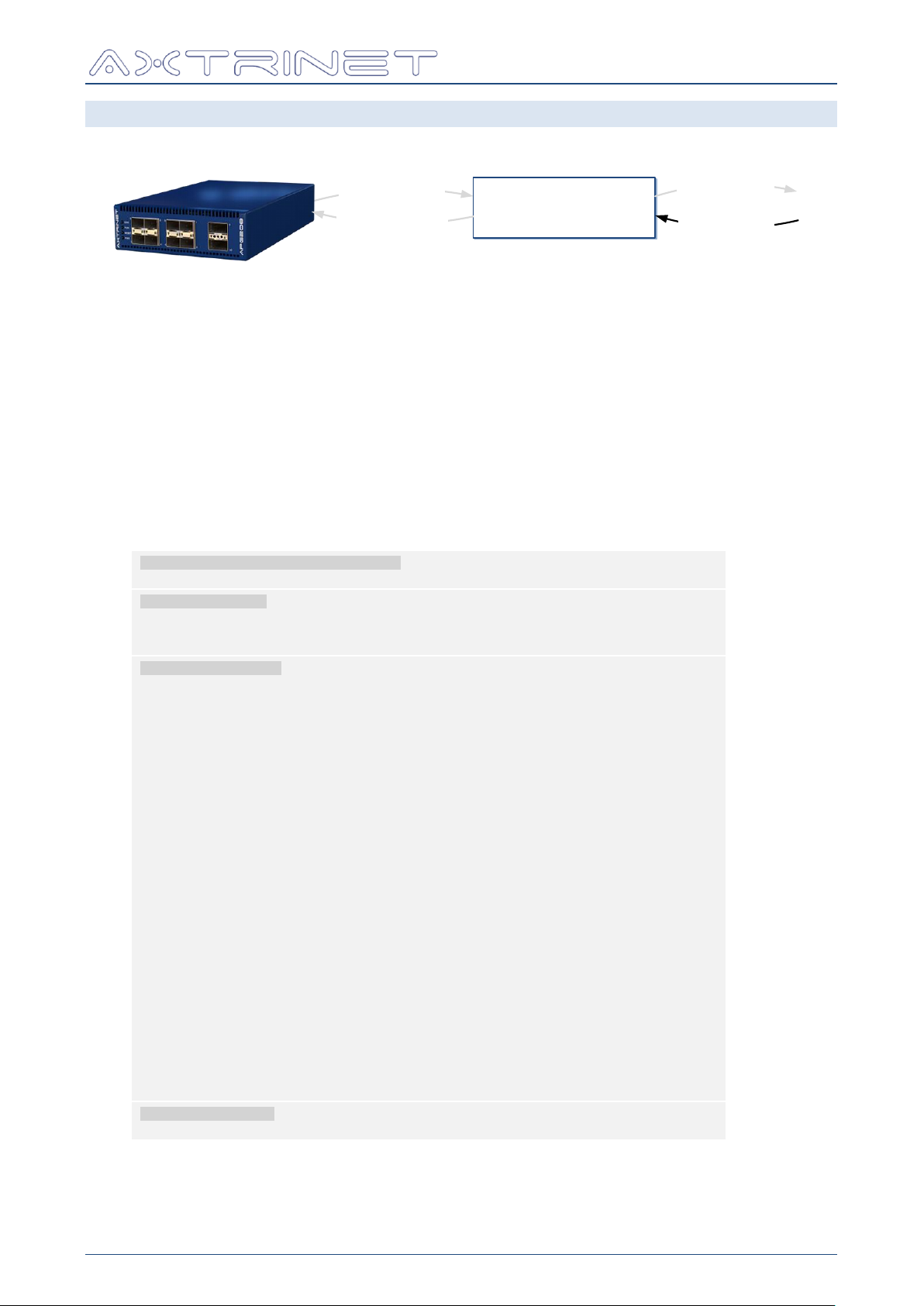
Ethernet Packet Generator
apgLoadStream
LOCAL ‘STREAM’
DATABASE
apgGetStream
apgApplyStream
apgSetStream
Eg:
# Instantiate APG TCL API (Windows)
source "C:/Program Files/Axtrinet/APG/axtrinetApi.tcl"
← Load API
# Open Connection
set IPADDRESS 192.168.1.100
set UNITID [apgOpen $IPADDRESS]
set PORTLIST {{$UNITID 1 0} {$UNITID 2 0}}
Open
Connection
# Configure Streams
puts "\nDEMO: Configure Streams"
set STREAM 0
foreach PORTID $PORTLIST {
scan $PORTID "%d %d %d" UN PO SP
puts " -> Port $PO"
for { set ST 0 } { $ST < 8 } { incr ST } {
set STREAMID [linsert $PORTID end $ST]
if { $ST == 0 } {
apgSetStream $STREAMID DEFAULT
apgSetStream $STREAMID CONFIG ENABLE 1
apgSetStream $STREAMID CONFIG SIZE_MODE RANDOM
apgSetStream $STREAMID CONFIG PACKET_SIZE 64
apgSetStream $STREAMID CONFIG PACKET_SIZE_MAX 5000
apgSetStream $STREAMID HEADER HEADER_LIST "MACHEADER"
apgSetStream $STREAMID HEADER MACHEADER DA \
[format "08:%02d:%02d:%02d:%02d:00" $UN $PO $SP $ST]
apgSetStream $STREAMID HEADER MACHEADER SA \
[format "08:%02d:%02d:%02d:%02d:01" $UN $PO $SP $ST]
apgSetStream $STREAMID PAYLOAD DATA_CONTROL RANDOM
if { $PO >= 9 } {
apgSetStream $STREAMID PAYLOAD DATA_CONTROL INCREMENT
apgSetStream $STREAMID PAYLOAD PAYLOAD_DATA "01 02 03 04 05 06 07 08"
}
} else {
apgSetStream $STREAMID CONFIG ENABLE 0
}
apgApplyStream $STREAMID
}
}
Configure
Streams
Stream 0
Enable
Random Size
64 –
5000 bytes
MACHEADER
Random Data
If 40G
Increment
Data
Disable 1-7
Apply Config
# Close connection
apgClose $UNITID
Close
connection
TCL API GUIDE
9.3 SET STREAM CONFIGURATION - APGSETSTREAM
apgSetStream returns the set value if successful, otherwise the command will display an
error message and exit the TCL environment.
A stream configuration is made up of three parts:
apgSetStream CONFIG
apgSetStream HEADER
apgSetStream PAYLOAD
All three parts have to be correctly defined to successfully configure a stream.
It is recommended that a default stream is created using apgSetStream DEFAULT to ensure
that all of the variables correctly are defined, then modifying the default configuration.
The stream configuration is applied to the unit using apgApplyStream.
APG-TCL-UG-V1-0 52 7 June 2017
Page 53

Ethernet Packet Generator
[VAR]
Description
Default
FORMAT
ENABLE
0 = Stream Disabled
1 = Stream Enabled
0
HEX2
TX_MODE
CONTINUOUS (0)
BURST (1)
MULTIBURST (2)
CONTINUOUS
TX_BURST_SIZE
Number of frames in the burst
1
INT
TX_BURST_COUNT
Number of bursts to transmit
1
INT
TX_IBG
Inter-burst gap (x5.5ns)
0
INT
RATE_MODE
TXGAP Pseudo-IPG at internal clock
frequency
PPS Packets per Second
PERCENT % maximum bit rate
TXGAP
RATE_VALUE
If RATE_MODE = TXGAP
→ TXGAP = RATE_VALUE * 8 bytes * link
speed
0
INT
If RTE_MODE = PPS
→ PPS = RATE_VALUE pps
INT
If RATE_MODE = PERCENT
→ PERCENT = RATE_VALUE * 1000
Eg RATE_VALUE = 90500 → 90.5%
INT
SIZE_MODE
FIXED = Fixed PACKET_SIZE byte packets
RANDOM = Random length packets between
PACKET_SIZE and PACKET_SIZE_MAX
bytes.
If PACKET_SIZE_MAX is not defined, fixed
length PACKET_SIZE byte packets will be
generated.
FIXED
PACKET_SIZE
Total packet length (including FCS) in bytes.
If SIZE_MODE is not 0 (FIXED), FRAME_SIZE
defined the minimum frame length for the
increment, decrement or random size.
32 ≤ PACKET_SIZE ≤ 16000 bytes
If PACKET_SIZE < 32 → 32
If PACKET_SIZE < 16000 → 16000
Packet sizes < 64 bytes will be counted as
UNDERSIZE packets.
100
INT
TCL API GUIDE
9.3.1 apgSetStream [STREAMID] DEFAULT
Sets the STREAMID configuration to default settings, with the following exceptions:
STREAM 0 is ENABLED
MAC DA is set to 08:$PORTID:$SUBPORTID:$STREAMID:00:00
MAC SA is set to 08:$PORTID:$SUBPORTID:$STREAMID:00:01
9.3.2 apgSetStream [STREAMID] CONFIG [VAR] [VAL]
The apgSetStream CONFIG command allows configuration of the stream state, transmit
mode, rate mode and packet size settings.
The [VAR] and [VAL] fields can be:
APG-TCL-UG-V1-0 53 7 June 2017
Page 54

[VAR]
Description
Default
FORMAT
PACKET_SIZE_MAX
Maximum packet length (including FCS) in
bytes.
If SIZE_MODE is 0 (FIXED) this value is
ignored.
PACKET_SIZE_MAX ≤ 16000 bytes
Larger values will be set to 16000.
100
INT
Where variable FORMAT has the follow settings:
FORMAT
Min
Max
INT
0
N/A
HEX2
0x0
0xFF
(256 dec)
HEX4
0x0
0xFFFF
(65,535 dec)
HEX8
0x0
0xFFFFFFFF
(4,294,967,296 dec)
Variable
Description
[HDR]
The full list of [HDR] headers is defined in the latest Header Definition
document [3].
[FLD]
The full list of headers fields [FLD] are defined in the latest Header
Definition document [3]
[VAL]
Value to be set
Format
Minimum
Maximum
Comments
MAC-ADDRESS
00:00:00:00:00:00
FF:FF:FF:FF:FF:FF
INT
0 Depends on FLD 'size'
HEX2
0x0
0xFF
HEX4
0x0
0xFFFF
HEX2ARRAY
0x0
0xFF
Variable length HEX2 values
separated by spaces
Ethernet Packet Generator
TCL API GUIDE
9.3.3 apgSetStream [STREAMID] HEADER HEADER_LIST [HDRLIST]
Sets the configured headers in the order that the headers appear in the frame.
For example: A header structure containing a MAC Header [MACHEADER] and an Ethertype
[ETHERNET-II] is defined with [HDRLIST] set to "MACHEADER ETHERNET-II"
The full list of headers is defined in the latest Header Definition document [3].
The maximum number of headers in the header list is 10.
The maximum length of the headers is 64 bytes.
9.3.4 apgSetStream [STREAMID] HEADER [HDR] [FLD] [VAL]
Sets the value of a FIXED header field, where:
apgSetStream variables are set in the following formats:
The maximum total header length is 64 bytes.
APG-TCL-UG-V1-0 54 7 June 2017
Page 55

9.3.4.1 MACHEADER
[FLD]
DESC
SIZE
FORMAT
DA
MAC Destination Address
6 bytes
MAC-ADDRESS
SA
MAC Source Address
6 bytes
MAC-ADDRESS
Eg:
apgSetStream {1 1 0 1} HEADER MACHEADER DA 01:23:45:67:89:AB
apgApplyStream {1 1 0 1}
[FLD]
DESC
SIZE
FORMAT
ETHERTYPE
Ethernet-II Type
2 bytes
HEX4
Eg:
apgSetStream {1 3 0 5} HEADER ETHERNET-II ETHERTYPE 0x0800
apgApplyStream {1 3 0 5}
[FLD]
DESC
SIZE
FORMAT
DATA
Data Values
Variable
HEX2ARRAY
Eg:
apgSetStream {2 2 0 3} HEADER USERDEFINED "00 11 22 33 44 55"
apgApplyStream {2 2 0 3}
9.3.4.2 ETHERNET_II
9.3.4.3 USERDEFINED
Ethernet Packet Generator
TCL API GUIDE
The USERDEFINED header is a variable length configurable field that can be used to implement
any fixed custom header field.
APG-TCL-UG-V1-0 55 7 June 2017
Page 56

Ethernet Packet Generator
Variable
Description
[HDR]
The full list of [HDR] headers is defined in the latest Header Definition
document [3].
[FLD]
The header fields [FLD] are defined in the Header Definition document [3]
[VAL]
Value to be set
[MODE]
The header field modes are defined in the Header Definition document [3].
For example, the MACHEADER DA modes are:
FIX
Fixed [FLD] value [VAL]
INC
Incrementing [FLD] value [VAL], starting at [VAL] with each
byte incrementing to [MAX], wrapping to [MIN] to continue
incrementing
[STEP]
Byte-wise step
[MIN]
Minimum range for INC
Always zero in APG TCL API V1.0 Software.
[FLD] value wraps to [MAX] in decrementing mode.
[MAX]
Maximum range for INC .
[FLD] value wraps to [MIN] (zero) in incrementing mode.
[VAR]
Description
Default
RANGE
DATA_CONTROL
FIXED, RANDOM,
INCREMENT, DECREMENT
FIXED
PAYLOAD_DATA
Payload values
00
HEX2ARRAY
TS_ENABLE
Timestamp Control
0 = Disabled
1 = Enabled
0
INT
FORMAT
Min
Max
HEX2ARRAY
0x0
0xFF
12-byte HEX2 values separated by spaces
TCL API GUIDE
9.3.5 apgSetStream [STREAMID] HEADER [HDR] [FLD] [VAL]
[MODE] [STEP][MIN][MAX]
Sets the value of a VARIABLE header field, where:
9.3.6 apgSetStream [STREAMID] PAYLOAD [VAR] [VAL]
Sets the value of the payload fields.
apgGetStream PAYLOAD must either be configured using apgSetStream PAYLOAD or be
preceded by at least one apgLoadStream. If [VAR] has not been defined, apgGetStream
PAYLOAD will display an error message and exit the TCL environment.
Where variable FORMAT has the follow settings:
9.4 APPLY STREAM CONFIGURATION - APGAPPLYSTREAM
APG-TCL-UG-V1-0 56 7 June 2017
Page 57
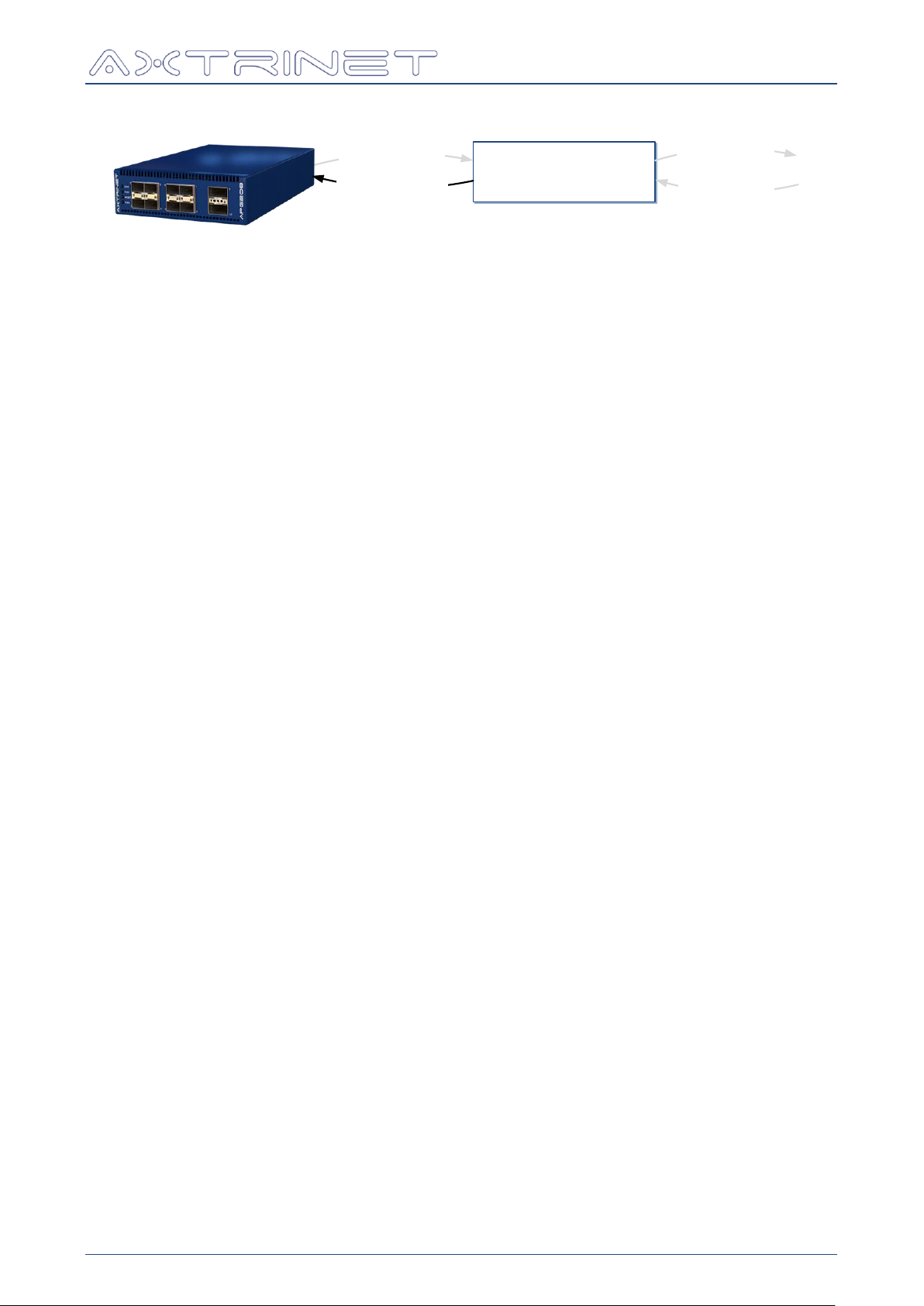
Ethernet Packet Generator
apgLoadStream
LOCAL ‘STREAM’
DATABASE
apgGetStream
apgApplyStream
apgSetStream
TCL API GUIDE
apgApplyStream returns 1 if successful, otherwise the command will display an error
message and exit the TCL environment.
9.4.1 apgApplyStream [STREAMID]
Applies the STREAM CONFIG, HEADER and PAYLOAD configurations to the unit.
APG-TCL-UG-V1-0 57 7 June 2017
Page 58

Ethernet Packet Generator
COMMAND
FUNCTION
VERSION
--
UNIT
INFO
STATUS
PORT
INFO
STATUS
TXSTATS
RXSTATS
RATES
SETPORTCONFIG
STREAM
CONFIG
PAYLOAD
Eg:
apgGetVariables UNIT STATUS
→ "UPTIME TEMP FAN SELFTEST READY"
Eg:
foreach VAR [apgGetVariables UNIT INFO] {
set $VAR [apgGetUnit $UNITID INFO $VAR]
}
puts $SERIAL
puts $PRODUCT
→ APG000006
→ APG208
Eg:
apgGetHeaderList { 1 1 0 1 }
→ "MACHEADER VLAN_INNER ETHERNET_II"
10. TOOLS
The following tools are provided to simplify access to the local data structures.
10.1 COMMAND TOOLS
10.1.1 apgGetVariables [COMMAND] {FUNCTION}
Returns a space-separated string of valid variables for a command, where:
TCL API GUIDE
For example, to get the apgGetUnit STATUS variables:
apgGetVariables can be used to load variables from the local database:
10.2 HEADER TOOLS
10.2.1 apgGetHeaderList [STREAMID]
Returns a space-separated string of headers configured for stream STREAMID.
APG-TCL-UG-V1-0 58 7 June 2017
Page 59

Ethernet Packet Generator
Eg:
set STREAMID { 1 1 0 2 }
apgLoadStream $STREAMID
set HEADERLIST [apgGetHeaderList $STREAMID]
→ "MACHEADER ETHERNET_II"
foreach HDR $HEADERLIST {
puts "$HDR:[apgGetHeaderFieldList $HDR]"
}
→ MACHEADER: DA SA
→ ETHERNET_II: ETHERTYPE
VAR
LABEL
Header field name
DESCRIPTION
Field description
LENGTH
Length (integer)
SCALE
Scale (eg bits, bytes)
FORMAT
See apgSetStream (Section 9.3)
EDITABLE
0 = Fixed (value cannot be changed)
1 = Editable
Eg:
set STREAMID { 1 1 0 0 }
apgLoadStream $STREAMID
set HEADERLIST [apgGetHeaderList $STREAMID]
foreach HDR $HEADERLIST {
set FIELDLIST [apgGetHeaderFieldList $HDR]
foreach FLD $FIELDLIST {
foreach VAR { DESCRIPTION LENGTH SCALE FORMAT } {
set $VAR [apgGetHeaderFieldValue $HDR $FLD $VAR]
}
Puts "$HDR $FLD \($DESCRIPTION\)"
puts " -> $LENGTH $SCALE \($FORMAT\)"
}
}
}
Displays:
MACHEADER DA (MAC Destination Address)
-> 6 bytes (mac-address)
MACHEADER SA (MAC Source Address)
-> 6 bytes (mac-address)
ETHERNET_II ETHERTYPE (The encapsulated protocol type >= 0x600)
-> 2 bytes (hex4)
TCL API GUIDE
10.2.2 apgGetHeaderFieldList [HDR]
Returns a space-separated string of fields for the headers configured for stream STREAMID.
10.2.3 apgGetHeaderFieldValue [HDR] [FLD] [VAR]
Returns the value of the header structure field variable, where VAR:
APG-TCL-UG-V1-0 59 7 June 2017
Page 60
Ethernet Packet Generator
TCL API VERSION
[VAR]
apgGetApiVersion [VAR]
COMPANY
BRAND
DESCRIPTION
VERSION
BUILD_DATE
API_VERSION
CONNECTION
[VAR]
apgOpen [IP-ADDRESS]
apgClose [UNITID]
CONFIGURATION
[VAR]
apgSaveConfiguration [UNITID] [PORTLIST] {FILENAME}
Eg PORTLIST = "{{1 2}{1 4}}" or ALL
apgApplyConfiguration [UNITID] [FILENAME]
UNIT COMMANDS
[VAR]
apgLoadUnit [UNITID] INFO
apgGetUnit [UNITID] INFO [VAR]
API_VERSION
PORT_COUNT
API_MINIMUM
SERIAL
PRODUCT
HWARE_VERSION
FPGA_VERSION
FPGA_BUILDDATE
FIRMWARE_VERSION
FIRMWARE_BUILDDATE
apgLoadUnit [UNITID] STATUS
apgGetUnit [UNITID] STATUS [VAR]
UPTIME
TEMP
FAN
SELFTEST
READY
PORT COMMANDS
[VAR]
apgLoadUnit [UNITID] PORTSTATUS
apgGetPort [PORTID] STATUS [VAR]
LINK
MODULE_STATUS
SPEED
MODULE_SEQUENCE
MODULE_TYPE
MODULE_CLASS
MODULE_TEMP
apgLoadPort [PORTID] INFO
apgGetPort [PORTID] INFO [VAR]
PORTNAME
SPEEDCAP
NSUBPORTS
NSTREAMS
apgLoadPort [PORTID] MODULE
apgGetPort [PORTID] MODULE [VAR]
MODULE_TYPE
ID
VENDOR_ID
VENDOR_NAME
VENDOR_PN
VENDOR_REV
VENDOR_SN
DATECODE
TCL API GUIDE
APPENDIX A - QUICK REFERENCE GUIDE
APG-TCL-UG-V1-0 60 7 June 2017
Page 61

Ethernet Packet Generator
apgSetPort [PORTID] [VAR] [VAL]
DEFAULT
TOPOLOGY
RATE
TXENABLE
LINKMODE
PORTNAME
apgApplyPort [PORTID]
STATE
apgControlPort [COMMAND] [PORTLIST]
STARTTX
STEPTX
PAUSETX
STOPTX
CLEARCOUNTERS
PORTCAPTURE
DISABLECAPTURE
CLEARCAPTURE
CLEARANALYSIS
apgLoadUnit [UNITID] COUNTERS
apgGetPort [PORTID] TXSTATS [VAR]
TIMESTAMP
BYTES
GOOD_FRAMES
PKT_64
PKT_65_128
PKT_129_256
PKT_257_512
PKT_513_1024
PKT_1025_1536
PKT_1537_9000
PKT_9001_MAX
TX_RUNTIME
apgGetPort [PORTID] RXSTATS [VAR]
TIMESTAMP
BYTES
GOOD_FRAMES
PKT_UNDERSIZE
PKT_FRAGMENTS
PKT_FCSERROR
PKT_NOSFD
PKT_64
PKT_65_128
PKT_129_256
PKT_257_512
PKT_513_1024
PKT_1025_1536
PKT_1537_9000
PKT_9001_MAX
FILTER1
FILTER2
FILTER3
FILTER4
apgLoadUnit [UNITID] RATES
apgGetPort [PORTID] RATES [VAR]
TXPKTRATE
TXBYTERATE
TXBITRATE
RXPKTRATE
RXERRORRATE
RXBYTERATE
RXBITRATE
apgLoadPort [PORTID] CAPTURE
apgGetPort [PORTID] CAPTURE CONFIG [VAR]
AVAILABLE
BUFFERSIZE
FLAGS
apgGetPort [PORTID] CAPTURE PACKET
TOTALPACKETS
TIMESTAMP
TSMODE
LENGTH
PKTERROR
DATA
TCL API GUIDE
APG-TCL-UG-V1-0 61 7 June 2017
Page 62

Ethernet Packet Generator
apgLoadPort [PORTID] CAPTURE
apgGetPort [PORTID] ANALYSIS TXTX [VAR]
apgGetPort [PORTID] ANALYSIS TXRX [VAR]
apgGetPort [PORTID] ANALYSIS RXRX [VAR]
CYCLES
SAMPLES
LIST
MIN
MAX
MEAN
MODE
STDDEV
apgGetPort [PORTID] ANALYSIS SEQUENCE [VAR]
CYCLES
SAMPLES
LIST
MIN
MAX
RANGE
MONOTONIC
RPTCOUNT
GAPCOUNT
OOOCOUNT
STREAM COMMANDS
[VAR]
apgLoadStream [STREAMID]
apgGetStream [STREAMID] CONFIG [VAR]
ENABLE
TX_MODE
TX_CONTROL
TX_BURST_SIZE
TX_BURST_COUNT
TX_BURST_IBG
RATE_MODE
RATE_VALUE
SIZE_MODE
PACKET_SIZE
PACKET_SIZE_MAX
apgGetStream [STREAMID] HEADER HEADER_LIST
apgGetStream [STREAMID] HEADER [HDR] [FLD]
See Header Definition document [3]
Eg for MACHEADER:
MACHEADER DA
MACHEADER SA
apgGetStream [STREAMID] PAYLOAD [VAR]
PAYLOAD_DATA
DATA_CONTROL
apgSetStream [STREAMID] DEFAULT
apgApplyStream [STREAMID]
apgSetStream [STREAMID] CONFIG [VAR] [VAL]
ENABLE
TX_MODE
TX_BURST_SIZE
TX_BURST_COUNT
TX_BURST_IBG
RATE_MODE
RATE_VALUE
SIZE_MODE
PACKET_SIZE
PACKET_SIZE_MAX
apgApplyStream [STREAMID]
TCL API GUIDE
APG-TCL-UG-V1-0 62 7 June 2017
Page 63

Ethernet Packet Generator
apgSetStream [STREAMID] HEADER HEADER_LIST [HDRLIST]
Eg "MACHEADER ETHERNET-II"
apgApplyStream [STREAMID]
apgSetStream [STREAMID] HEADER [HDR] [FLD] [VAL]
See Header Definition document [3]
Eg for MACHEADER:
MACHEADER DA 08:00:00:11:22:33
MACHEADER SA 08:00:00:11:22:34
apgApplyStream [STREAMID]
apgSetStream [STREAMID] HEADER [HDR] [FLD] [VAL]
[MODE] [STEP][MIN][MAX]
See Header Definition document [3]
Eg for MACHEADER DA:
MACHEADER DA 08:00:00:11:22:33
INC 0:0:1:1:1:1 0:0:0:0:0:0
FF:FF:FF:FF:FF:FF
apgApplyStream [STREAMID]
apgSetStream [STREAMID] PAYLOAD [VAR] [VAL]
PAYLOAD_DATA
DATA_CONTROL
apgApplyStream [STREAMID]
TOOLS
Options
apgGetVariables [COMMAND] {FUNCTION}
VERSION
UNIT INFO
UNIT STATUS
PORT INFO
PORT STATUS
PORT TXSTATS
PORT RXSTATS
PORT RATES
PORT SETPORTCONFIG
STREAM CONFIG
STREAM PAYLOAD
apgGetHeaderList [STREAMID]
apgGetHeaderFieldList [HDR]
See Header Definition document [3]
Eg HDR = MACHEADER
apgGetHeaderFieldValue [HDR] [FLD] [VAR]
See Header Definition document [3]
LABEL
DESCRIPTION
LENGTH
SCALE
FORMAT
EDITABLE
TCL API GUIDE
APG-TCL-UG-V1-0 63 7 June 2017
Page 64

Ethernet Packet Generator
# FILENAME: APG000010.apg
# API_VERSION 160629
# PRODUCT APG208
Eg: If [UNITID] = 4,
set PORTID {UNITID 1}
is processed as
set PORTID {4 1}
######################################################################################
#
# FILENAME: APG000010.apg
#
# Generated on Mon, 08 Aug 2016 at 14:27:05
#
# AXTRINET APG000010 CONFIGURATION FILE
#
######################################################################################
# UNIT CONSTRAINTS ###################################################################
# API_VERSION 160629
# PRODUCT APG208
Unit API Version and
Product Type.
# PORT 1 ############################################################################
set PORTID {UNITID 1}
apgSetPort $PORTID UPDATE 6
apgSetPort $PORTID MODULE_STATUS 113
apgSetPort $PORTID SPEED 8
apgApplyPort $PORTID STATE
Port Configuration for
Unit UNITID Port 1
Apply port config
# STREAM 1.0.0 ##################################
set STREAMID {UNITID 1 0 0}
Stream Configuration
for Port 1.0 Stream 0
apgSetStream $STREAMID CONFIG ENABLE 1
apgSetStream $STREAMID CONFIG TX_MODE 0
apgSetStream $STREAMID CONFIG RATE_MODE 2
apgSetStream $STREAMID CONFIG SIZE_MODE 3
apgSetStream $STREAMID CONFIG TX_CONTROL 0
apgSetStream $STREAMID CONFIG RATE_VALUE 86015
apgSetStream $STREAMID CONFIG TX_BURST_SIZE 1
apgSetStream $STREAMID CONFIG TX_BURST_COUNT 1
apgSetStream $STREAMID CONFIG TX_IBG 1
apgSetStream $STREAMID CONFIG PACKET_SIZE 64
apgSetStream $STREAMID CONFIG PACKET_SIZE_MAX 16000
Stream configuration
apgSetStream $STREAMID HEADER HEADER_LIST "MACHEADER VLAN_INNER VLAN_INNER \
VLAN_INNER VLAN_INNER ETHERNET_II USERDEFINED16"
Stream Header List
Header Configurations
apgSetStream $STREAMID HEADER MACHEADER DA 00:DD:01:01:00:00
apgSetStream $STREAMID HEADER MACHEADER SA 00:55:01:01:00:00 INC 01:02:03:04:05:06 \
00:00:00:00:00:00 0A:0B:0C:0D:0E:0F
MACHEADER
TCL API GUIDE
APPENDIX B - SAMPLE APGSAVECONFIGURATION FILE
The output file from apgSaveConfiguration [UNITID] [PORTLIST] {FILENAME} is shown
below. In this example, the default filename [SERIAL].apg was generated.
The unit constraints API_VERSION and PRODUCT are mandatory, and the corresponding
apgApplyConfiguration [UNITID] [FILENAME] will fail if either are missing, or do not
match in the target unit [UNITID]. API_VERSION and PRODUCT must be in the following
format:
The UNITID in the saved file is not a valid TCL construct, and is automatically replaced with the
apgSaveConfiguration [UNITID] command.
The full configuration file APG000010.apg is shown below:
APG-TCL-UG-V1-0 64 7 June 2017
Page 65

Ethernet Packet Generator
apgSetStream $STREAMID HEADER VLAN_INNER PROTOCOL_ID 0x8100
apgSetStream $STREAMID HEADER VLAN_INNER PRIORITY 0
apgSetStream $STREAMID HEADER VLAN_INNER CFI 0
apgSetStream $STREAMID HEADER VLAN_INNER VID 1 INC 0 1 4095
VLAN #1
apgSetStream $STREAMID HEADER VLAN_INNER/2 PROTOCOL_ID 0x8101
apgSetStream $STREAMID HEADER VLAN_INNER/2 PRIORITY 0
apgSetStream $STREAMID HEADER VLAN_INNER/2 CFI 0
apgSetStream $STREAMID HEADER VLAN_INNER/2 VID 1 INC 0 2 10
VLAN #2
apgSetStream $STREAMID HEADER VLAN_INNER/3 PROTOCOL_ID 0x8102
apgSetStream $STREAMID HEADER VLAN_INNER/3 PRIORITY 0
apgSetStream $STREAMID HEADER VLAN_INNER/3 CFI 0
apgSetStream $STREAMID HEADER VLAN_INNER/3 VID 1
VLAN #3
apgSetStream $STREAMID HEADER VLAN_INNER/4 PROTOCOL_ID 0x8103
apgSetStream $STREAMID HEADER VLAN_INNER/4 PRIORITY 0
apgSetStream $STREAMID HEADER VLAN_INNER/4 CFI 0
apgSetStream $STREAMID HEADER VLAN_INNER/4 VID 1 INC 0 4 30
VLAN #4
apgSetStream $STREAMID HEADER ETHERNET_II ETHERTYPE 0x0812
ETHERNET_II
apgSetStream $STREAMID HEADER USERDEFINED16 DATA 0x0000 INC 0x0010 0x0000 0x2000
USERDEFINED16
apgSetStream $STREAMID PAYLOAD PAYLOAD_DATA "00 00 00 00 00 00 00 00"
apgSetStream $STREAMID PAYLOAD DATA_CONTROL 0
apgSetStream $STREAMID PAYLOAD TIMESTAMP_CONTROL 0
Payload configuration
apgApplyStream $STREAMID
Apply stream config
# STREAM 1.0.1 ##################################
set STREAMID {UNITID 1 0 1}
apgSetStream $STREAMID CONFIG ENABLE 0
apgApplyStream $STREAMID
Stream 1
... Disabled
Apply stream config
# STREAM 1.0.2 ##################################
set STREAMID {UNITID 1 0 2}
apgSetStream $STREAMID CONFIG ENABLE 0
apgApplyStream $STREAMID
Stream 2
... Disabled
Apply stream config
# STREAM 1.0.3 ##################################
set STREAMID {UNITID 1 0 3}
apgSetStream $STREAMID CONFIG ENABLE 0
apgApplyStream $STREAMID
Stream 3
... Disabled
Apply stream config
# STREAM 1.0.4 ##################################
set STREAMID {UNITID 1 0 4}
apgSetStream $STREAMID CONFIG ENABLE 0
apgApplyStream $STREAMID
Stream 4
... Disabled
Apply stream config
# STREAM 1.0.5 ##################################
set STREAMID {UNITID 1 0 5}
apgSetStream $STREAMID CONFIG ENABLE 0
apgApplyStream $STREAMID
Stream 5
... Disabled
Apply stream config
# STREAM 1.0.6 ##################################
set STREAMID {UNITID 1 0 6}
apgSetStream $STREAMID CONFIG ENABLE 0
apgApplyStream $STREAMID
Stream 6
... Disabled
Apply stream config
# STREAM 1.0.7 ##################################
set STREAMID {UNITID 1 0 7}
apgSetStream $STREAMID CONFIG ENABLE 0
apgApplyStream $STREAMID
Stream 7
... Disabled
Apply stream config
# END OF FILE ########################################################################
TCL API GUIDE
APG-TCL-UG-V1-0 65 7 June 2017
Page 66

Ethernet Packet Generator
TCL API GUIDE
Xentech Solutions Ltd
Suite 6 Stanta Business Centre
3 Soothouse Spring
St Albans
AL3 6PF
United Kingdom
Tel: +44 (0)1727 867795
Email: [email protected]
APG-TCL-UG-V1-0 66 7 June 2017
 Loading...