

Page 1
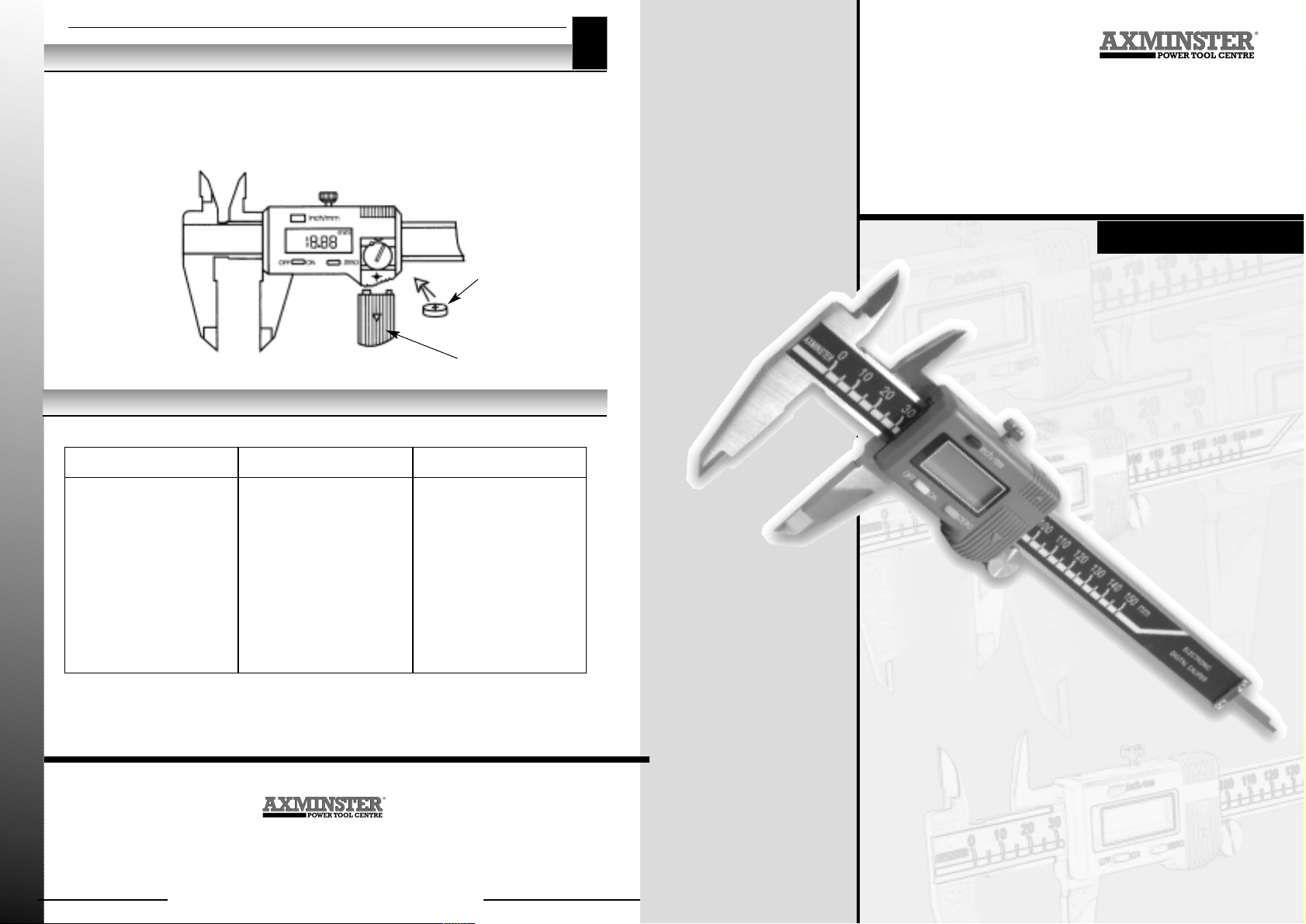
Battery Replacement
03
www.axminster.co.uk
Digital Electronic
Caliper
Axminster Devon EX13 5PH UK
01297 33656
(International Dialling +44 1297 33656)
388005
388005
User Manual
When the display flashes the battery needs replacing. Slide off the battery cover and fit a new
battery, Type SR44 or equivalent, with the positive side upwards. Follow the handling and
disposal instructions supplied with the new battery.
If the display is incorrect after fitting a new battery, remove it, wait for a minimum of 30 seconds
and replace.
Trouble Shooting
Problem Cause Remedy
Display flashes about Battery voltage low Replace battery.
once every second
Display does not change Problem in circuit Remove battery and
when slider is moved replace after minimum
of 30 seconds.
No display on LCD 1. Battery contacts dirty 1. Remove battery and
contacts clean with dry cloth.
2. Battery voltage low 2. Replace battery.
Battery
(1.55v)
Battery cover
Page 2
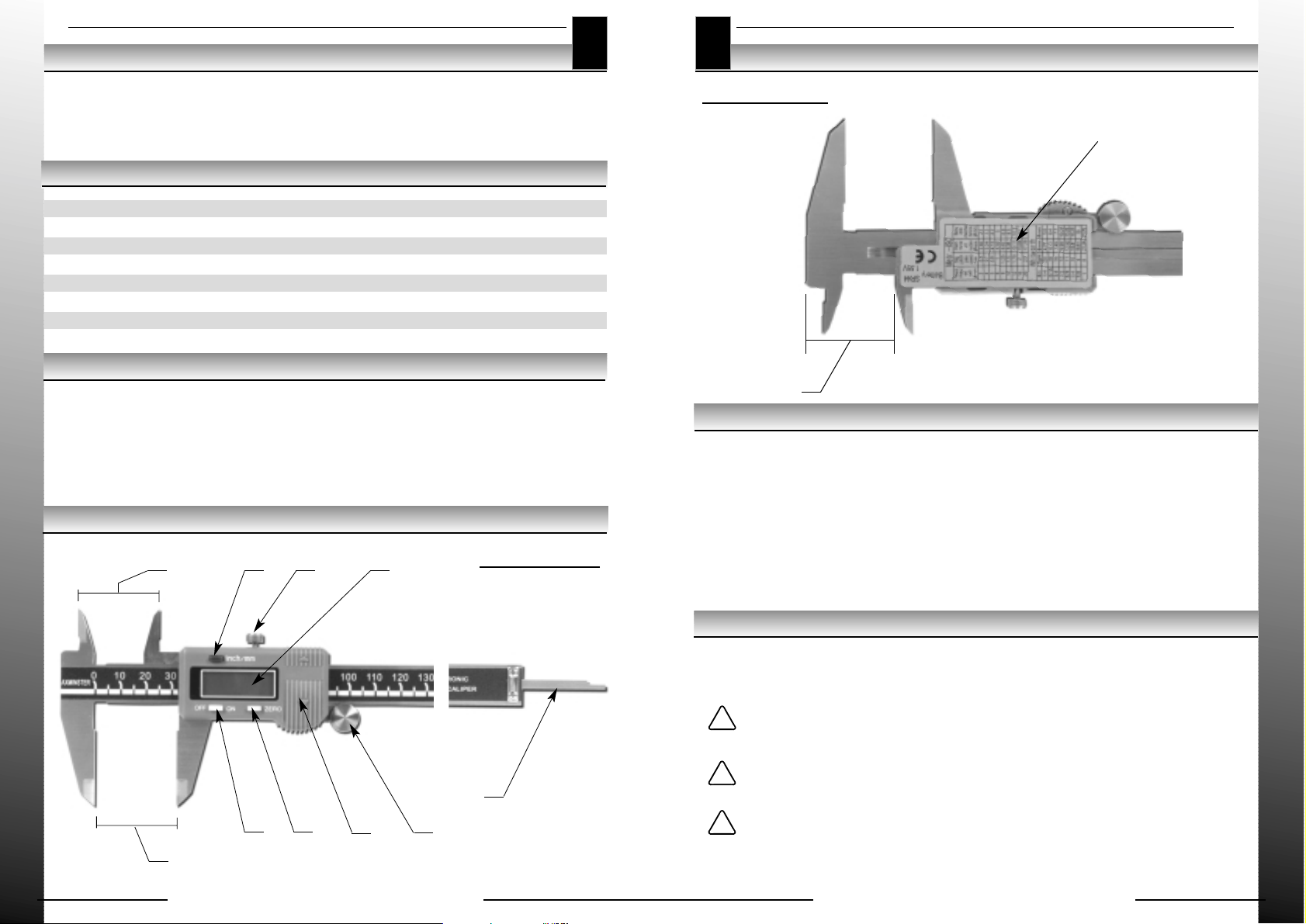
Illustration of the Tool continued
02
www.axminster.co.uk
Introduction
01
www.axminster.co.uk
The Axminster 150mm Electronic Digital Caliper is a precision made measuring device, suitable
for use in any situation where fast and accurate measuring is required. It offers a high level of
accuracy combined with ease of operation and a high visibility digital display with touch-of-abutton zeroing and inch/metric conversions.
Technical Specification
Parts Identification
Operating instructions
Maintenance
Illustration of the Tool
Measuring Range: 0-155mm (0-6.1")
Resolution 0.01mm (0.0005")
Accuracy +/- 0.03mm (0.001")
Repeatability 0.01mm (0.0005")
Measuring Method Linear capacitance
Display Type LCD
Power Source One 1.55v button cell
1. Internal measuring jaws
2. Inch/metric conversion button
3. Locking screw
4. LCD display
5. External measuring jaws
6. On/off button
7. Zero setting button
8. Battery cover
9. Adjusting wheel
10. Depth measuring probe
11. Step measuring faces
Slacken off the locking screw (3)
Wipe the measuring faces and the bar of the caliper with a dry cloth; do not use any organic
solutions.
Check that the buttons, switches and digital display are all working properly.
Switch the unit on and select inch or metric measurements as required.
Close the jaws together and check that display reads zero; if not, press the zeroing button.
When measuring, do not use excessive force on the jaws as this may distort the calipers and
produce an inaccurate result.
The thumb wheel and locking screw can be used to accurately set the measuring head to any
required dimension.
Clean the caliper bar with a dry cloth prior to use, moisture can affect the accuracy of
measurement.
The caliper, and in particular the measuring faces, should be cleaned regularly with a clean cloth.
Do not use any solvents, just a dry cloth.
Turn the power off when not in use in order to save battery power.
Do not bring the calipers into contact with any source of electricity, apart from
the approved battery, as this may damage the chip.
Do not use an electrical engraver to mark the instrument.
1
2
3
4
11
8
5
6
7
9
10
Metric.ISO & Witworth thread tables
Backview
Frontview
!
!
!
 Loading...