

Page 1
CHGQIW Assembly Instructions
CHGQIW Wireless Charging Station
VF
Thank you for purchasing CHGQIW Wireless Charging Station.
This product installs in any desk, meeting table or other work surface, with the
convenience of being able to charge smartphones and tablets without being tethered
of having the hassle of finding a power point.
Confirm all hardware is included before you
Read these instructions start to finish before beginning installation.
Note: If you cannot understand these instructions or are concerned about safety of
the installation contact a qualified contractor or contact AVFI at 1-877-834-3876
begin assembly.
Supplied Hardware
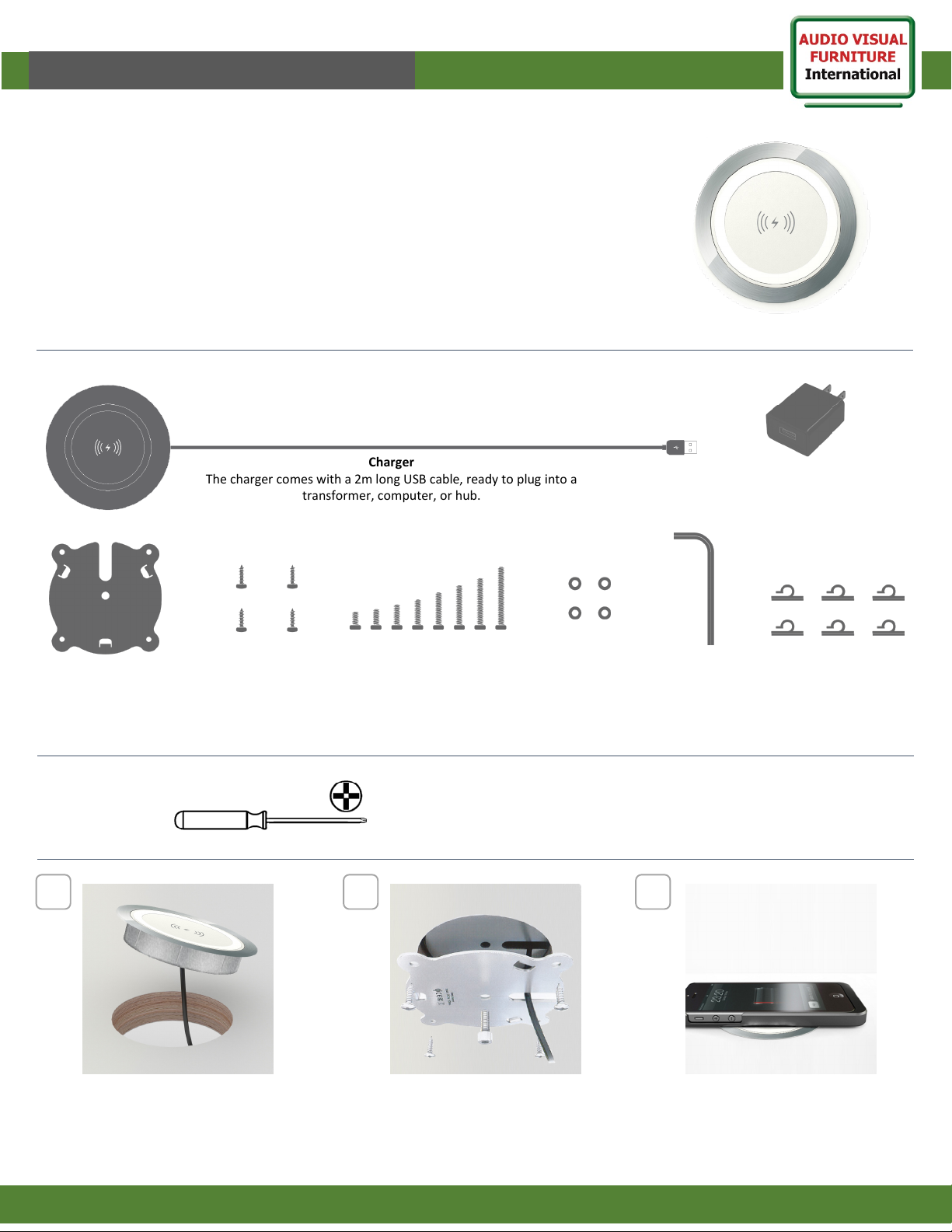
Charger
The charger comes with a 2m long USB cable, ready to plug into a
transformer, computer, or hub.
I
AC Power adapter
Output: DC 5V, 2A
Steel Plate
The plate clamps the
charger to the desk
Tools required
1
Fit the charger in to 80mm
hole in the work surface
Wood screws
For added security
Bolts
8 different length bolts to
secure charger to a range
of work top thicknesses
(18mm - 50mm)
Spacers
Spacers may need
to be used with the
bolt for certain
desk thicknesses
2 3
Secure the charger with the steel plate
provided, using the appropriate length bolt
(use 16mm blot for standard 1” surface)
-use wood screws for extra security
Allen key
To tighten
the bolt
Plug USB cable into power source and
charger will be ready to charge devices
when placed on top
Cable clips
Use adhesive cable clips
to tidy the power cable
to the underside of the
work surface
www.video-furn.com
1
288 Don Hillock Drive |Aurora |Ontario|L4G 0G9 | 1.877.834.3876
 Loading...