

Page 1
VF
I
Assembly Instructions
BKT-CCPL Codec Plus mount
Thank you for purchasing AVFI’s BKT-CCPL Bracket.
This product is designed to have many mounting options.
Confirm all hardware is included before you begin assembly.
Read these instructions start to finish before beginning installation.
Note: If you cannot understand these instructions or are concerned about safety
of the installation contact a qualified contractor or contact AVFI at 1-866-405-0655.
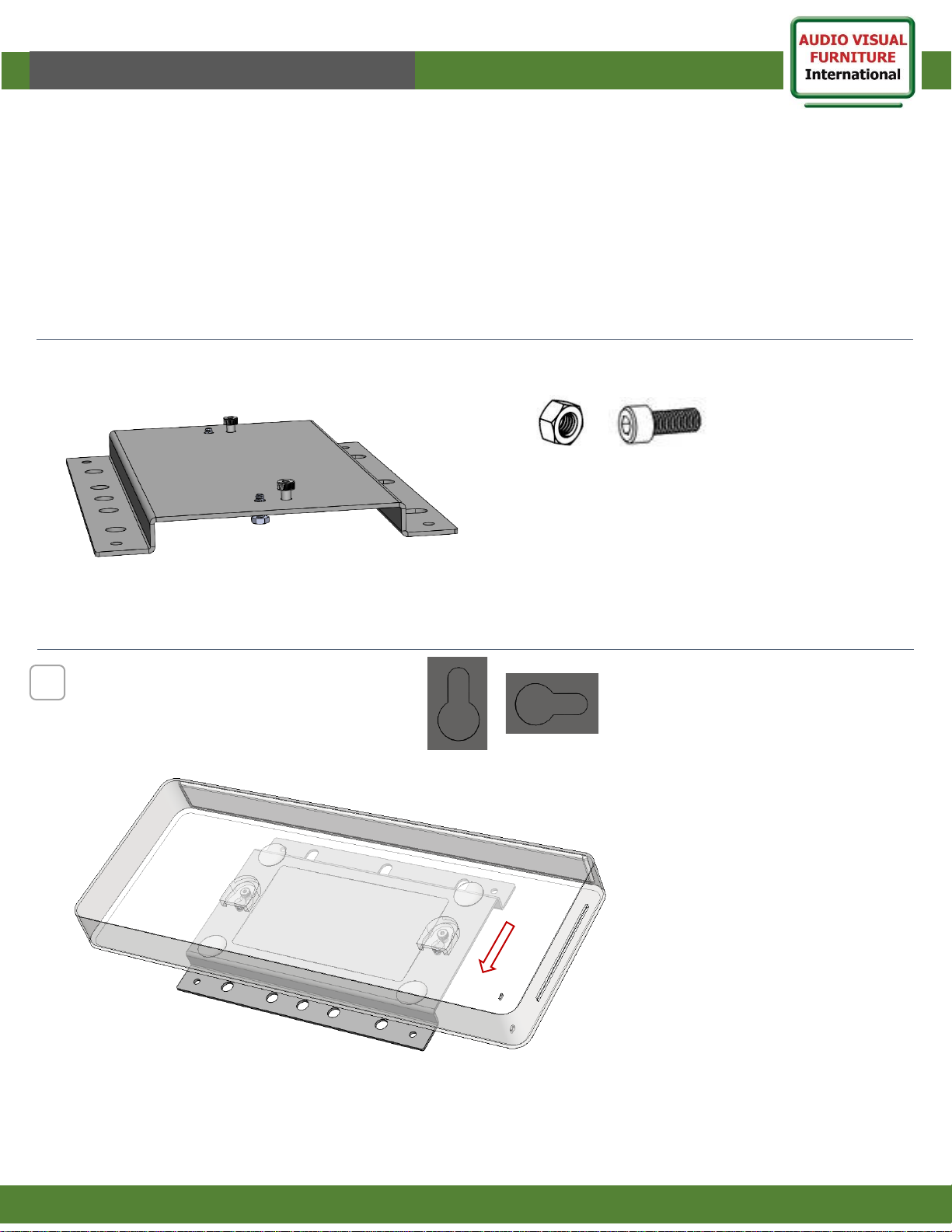
Supplied Parts
Supplied Hardware (Installed on bracket)
1
www.video-furn.com
190 Don Hillock Drive |Aurora |Ontario|L4G 0G9 | 1.866.405.0655
BKT-CCPL
M8 Nut
(4)
M8-20mm Bolt
(4)
1
Slide Codec onto bracket to check fit and
orientation (mounting direction)
Key on back of codec should be point
upwards or sideways in mounted position.
Page 2
VF
I
Assembly Instructions
www.video-furn.com
2
BKT-CCPL Codec Plus bracket
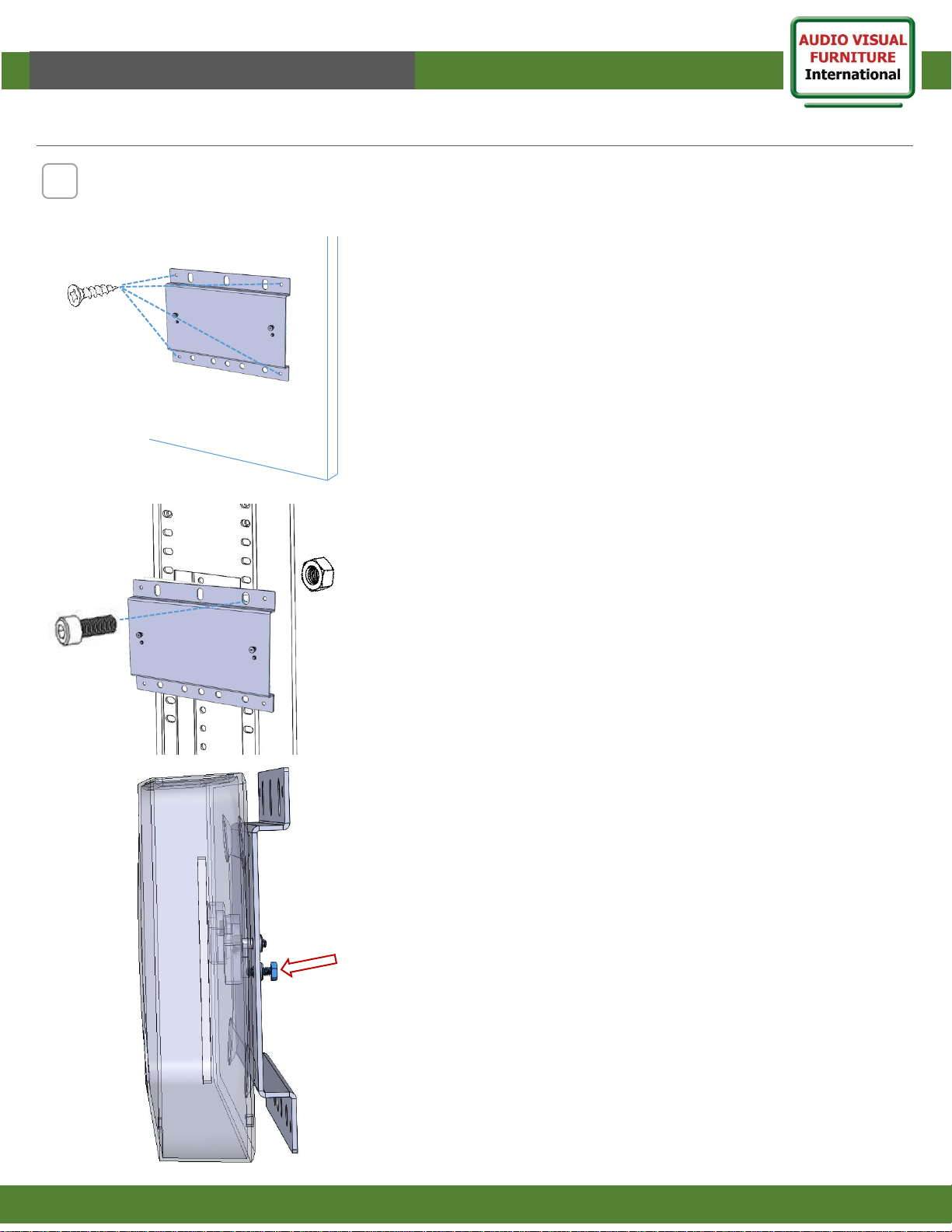
Choose from many mounting methods. ( Some hardware not included)
2
Furniture Wall mount.
Attach to wall using 4 wood screws.
(screws not included)
After mounting the Bracket.
Slide Codec onto bracket and tighten
screws on back with small wrench to
lock codec from sliding. Done.
Cart/Stand mount.
8mm Machine screws w nuts x4.
Attach to front or rear of Rolling stand.
190 Don Hillock Drive |Aurora |Ontario|L4G 0G9 | 1.866.405.0655
 Loading...