

Page 1
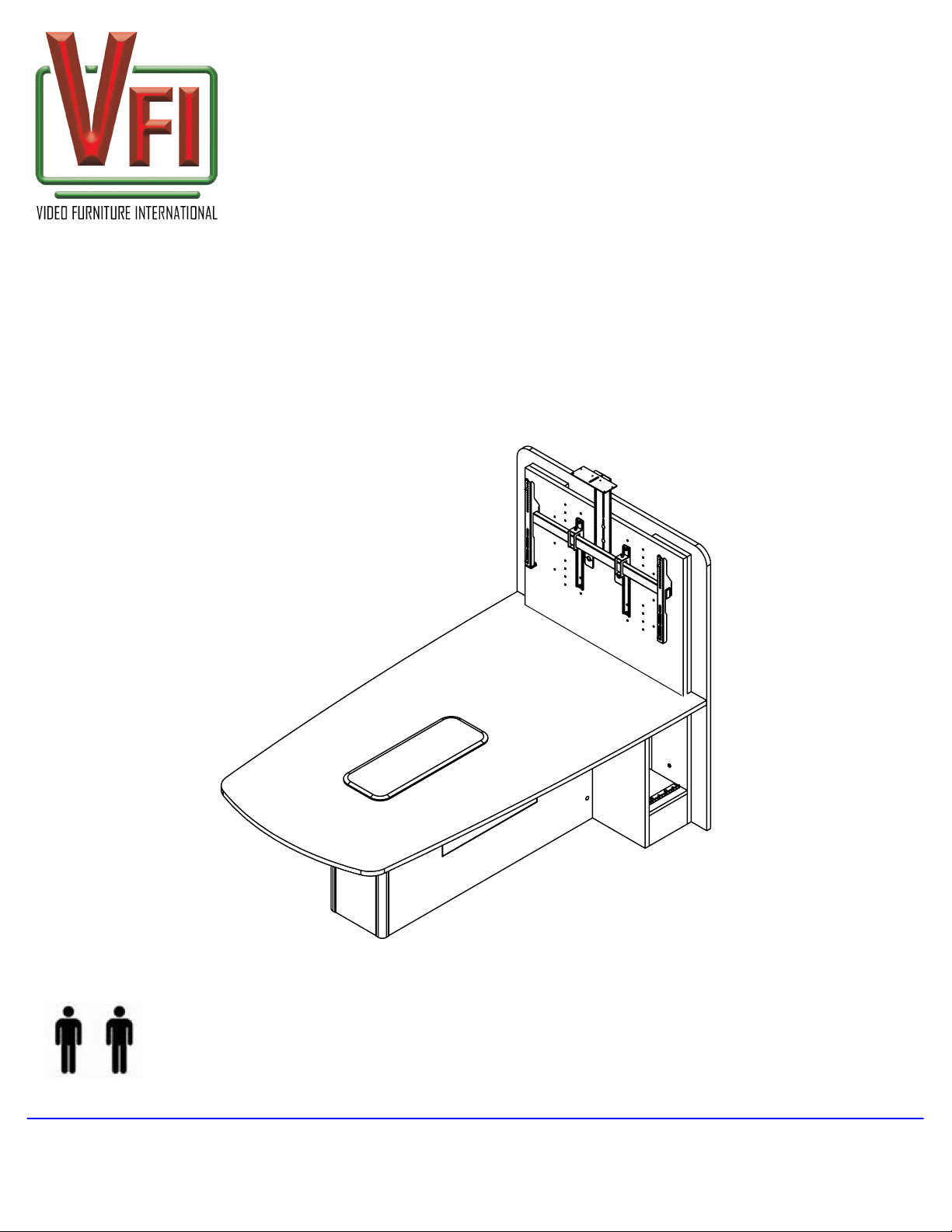
T526 Collaboration
Table
Assembly and Setup Instructions
version 0.0
Note:
If you cannot understand these instructions or are concerned about safety of the installation
Contact a qualified contractor or contact VFI at 1-877-834-3876.
Confirm all hardware is included before you begin assembly.
Not all hardware supplied will be used depending on the manufacturer of your display/s.
Page 1
of 6
TWO (2) PEOPLE ARE REQUIRED TO UNPACK AND ASSEMBLY THIS PRODUCT
VIDEO FURNITURE INTERNATIONAL
190 Don Hillock Drive Aurora , Ontario L4G 0G9 www.video-furn.com
Toll Free: 1-877-834-3876 Fax: 1-905-751-1488 Local:905-751-1459
Page 2
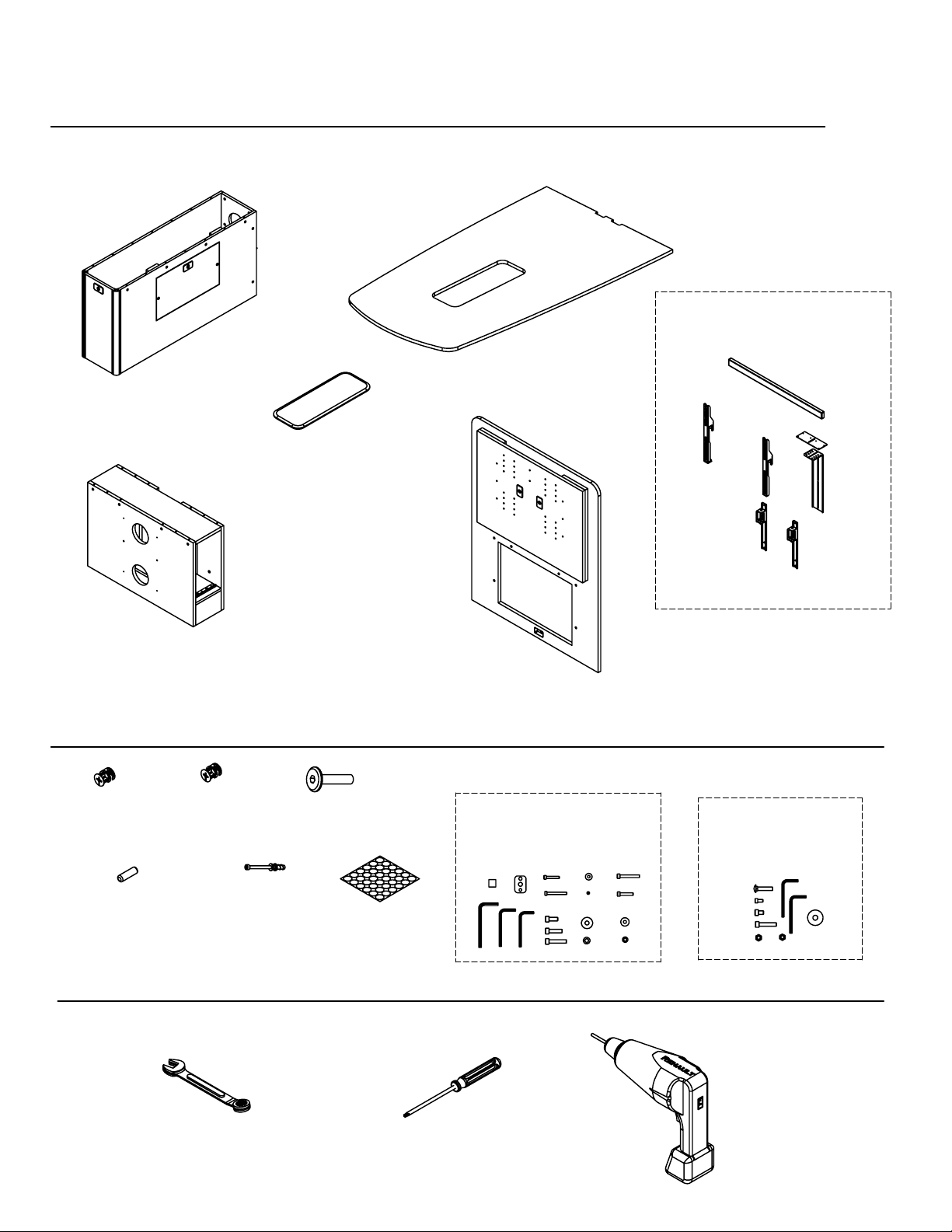
SUPPLIED PARTS
Page 2
PM2 MOUNT S/D/XL
(1)
of 6
Base 1
(1)
*cut outs not shown*
Base 2
(1)
SUPPLIED HARDWARE
.75" Mat
Cam
(12)
1.00" Mat
Cam
(8)
Island Large
(1)
Panel Bolt
1.5"
(6)
T526-Top
(1)
Back
assembly
(1)
TV32-52 / TV52 - 70
Hardware bag
(1)
*SINGLE SHOWN*
TP-1000
Hardware bag
(1)
8-30mm
Wooden dowel
(6)
REQUIRED TOOLS (not included)
7/16 and 13mm
Wrench or Socket
Cam Pin
(16)
Stickers
Cam
(20)
Cordless drill
w/ #2 Phillips (+)
bit
#2 Phillips (+)
Screwdriver
Page 3
Page 3
of 6
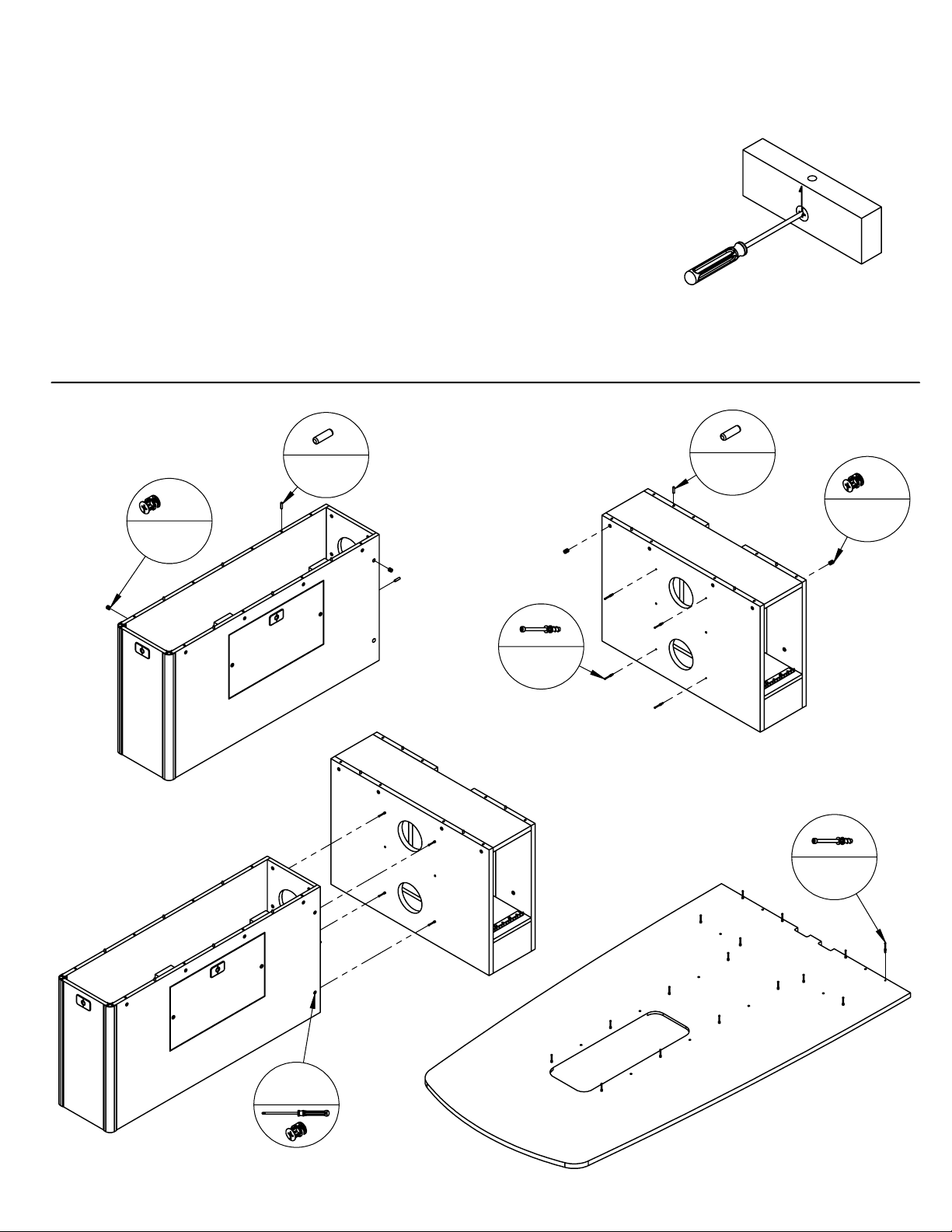
In order to
The T526 Series table will require you to use this
type of operation throughout the assembly
process
screwdriver and the cam
In order to
screwdriver and the cam
Direction of
pieces
Required to go under the
table
1
.75"
12
TIGHTEN
LOOSEN
8
the cams, turn the
CLOCKWISE
the cams, turn the
COUNTER CLOCKWISE
2
4
1"
8
x4
4
43
16
Page 4
Page 4
of 6
5
6
x20
16 6
Page 5
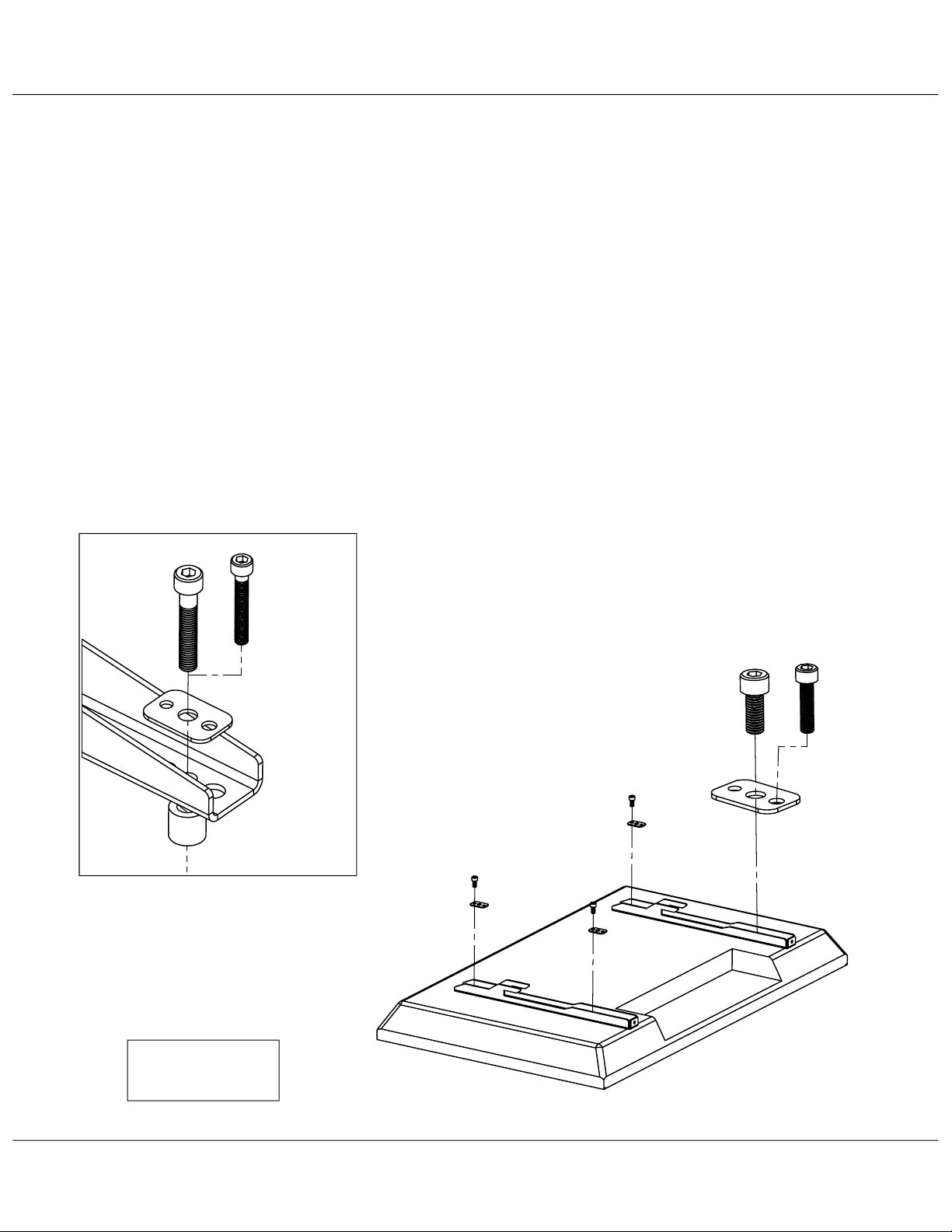
Attaching TV Brackets
1. Place TV face down on blanket or non abrasive surface such as cardboard.
2. Check to see if your TV came with mounting hardware or not.
If not,we have supplied the most common hardware.
Most displays under 42" will use the M6 bolt. Most 42"+ will use the M8 bolts.
See which bolt length you need by hand tightening only.
3. Place TV brackets so you can see the TV mounting holes through the bracket
and insert bolt through a multi washer.
4. Hand tighten until there is resistance, then give a half turn with hex key.
DO NOT OVER TIGHTEN AS THIS CAN DAMAGE OR PUNCTURE THE TV
Page 5
of 6
Notes
•
•
.
Have 2 people lift the TV as it can be very heavy and awkward.
Some TV's require non standard hardware. This bracket was made to
accommodate up to M10 bolts which can be found at your local hardware
store along with longer versions of the included hardware.
Optional Spacer mounting
M8 X 40
M6 X 40
Multi
TV Bracket
Spacer
M8 x 20
M6 x 25
OR
M5 x 25
Multi
Washer
Spacer is used when the back of TV is
not flat or the mount holes are sunk into
the back of the TV. (Rarely used)
TV
Hardware Bag
VIDEO FURNITURE INTERNATIONAL
190 Don Hillock Drive Aurora , Ontario L4G 0G9 www.video-furn.com
Toll Free: 1-877-834-3876 Fax: 1-905-751-1488 Local:905-751-1459
Page 6
Page 6
of 6
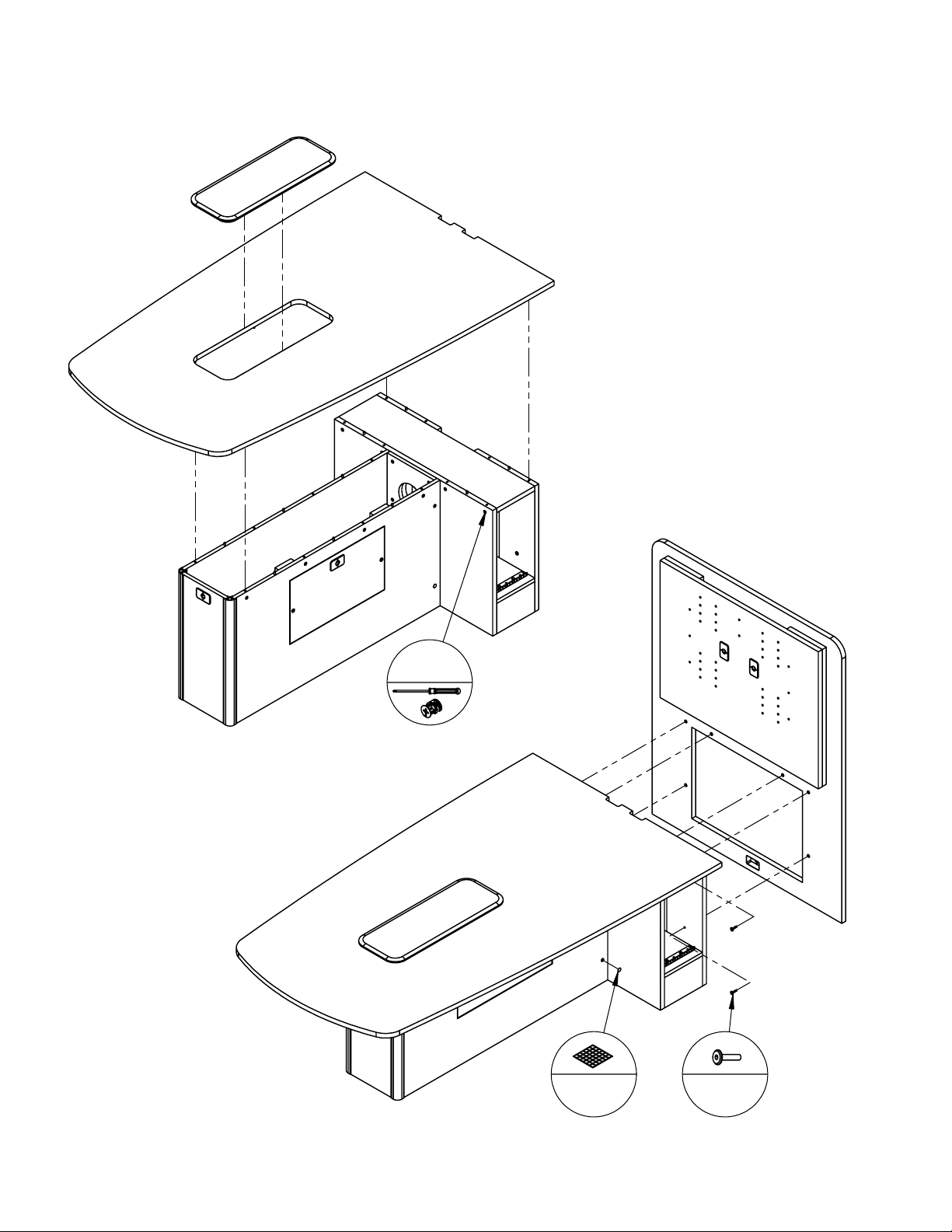
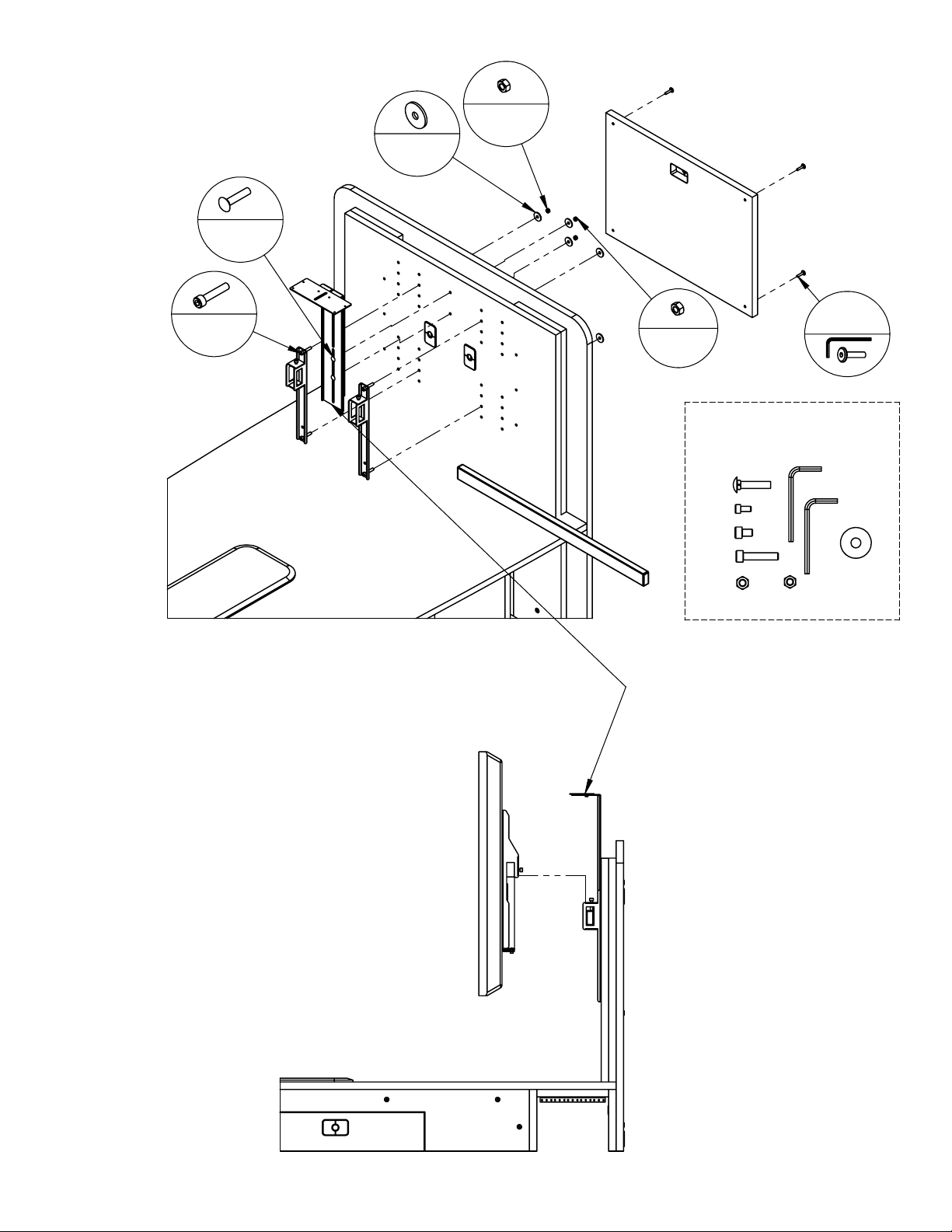
7
4x M8
6
2
4
2x 5/16
x4
USE TP-1000
HARDWARE BAG
8
PLACE IN HIGHEST
POSITION AND ADJUST
AFTER TV HAS BEEN INSTALLED
DONE !
 Loading...