

Page 1
R
X1S
32Bit/384K DSD 解码耳放一体机
32Bit/3 84K DSD MINI U SB DAC
Page 2
Thanks for purchasing the aune X series X1s DAC , it is
the fifth generation products of aune X1.
We sincerely hope that this new DAC will bring you
outstanding listening pleasure. To fully appreciate the
capabilities of the X1s Mini USB DAC, please read the
following manual carefully and completely before using
the product.
Dear Customers,
1
Page 3
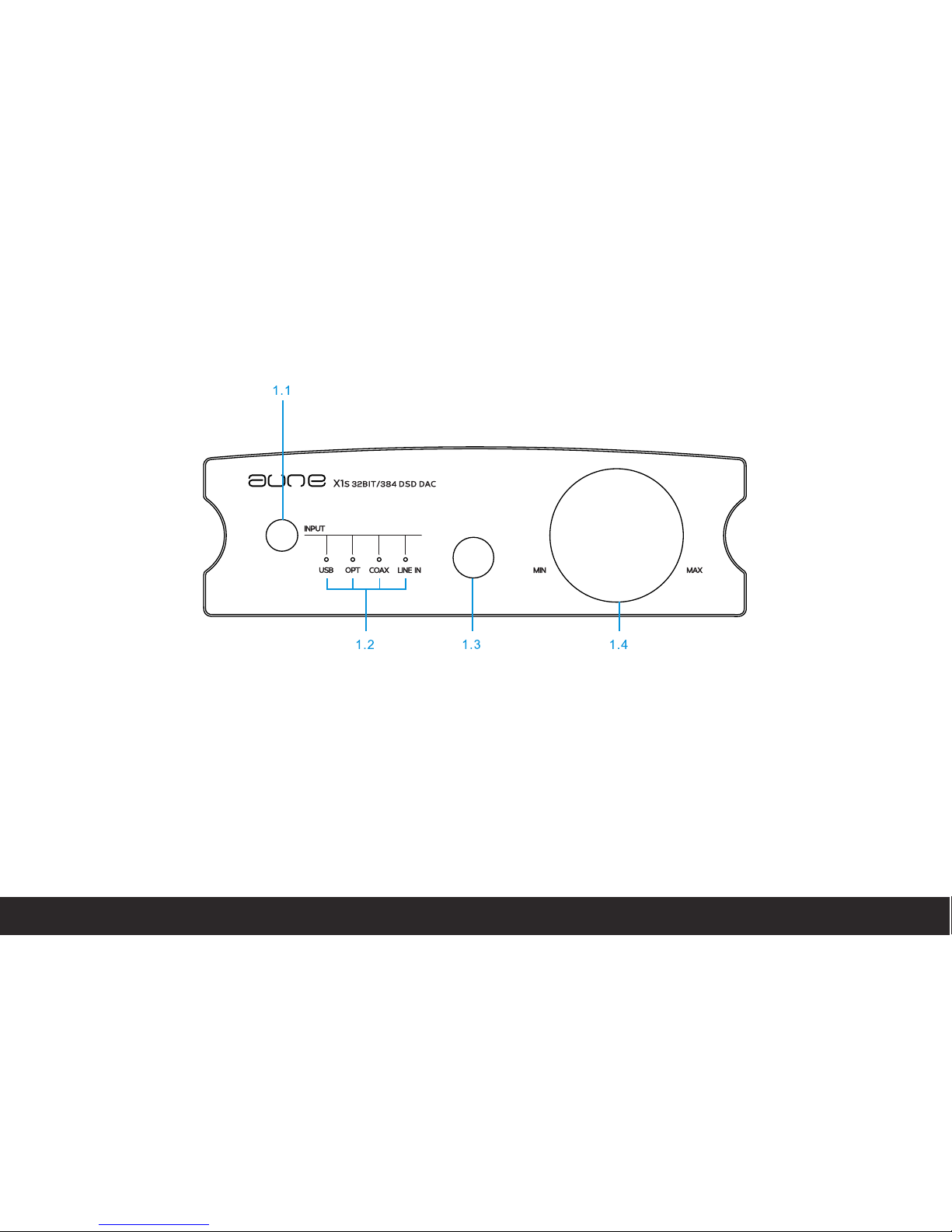
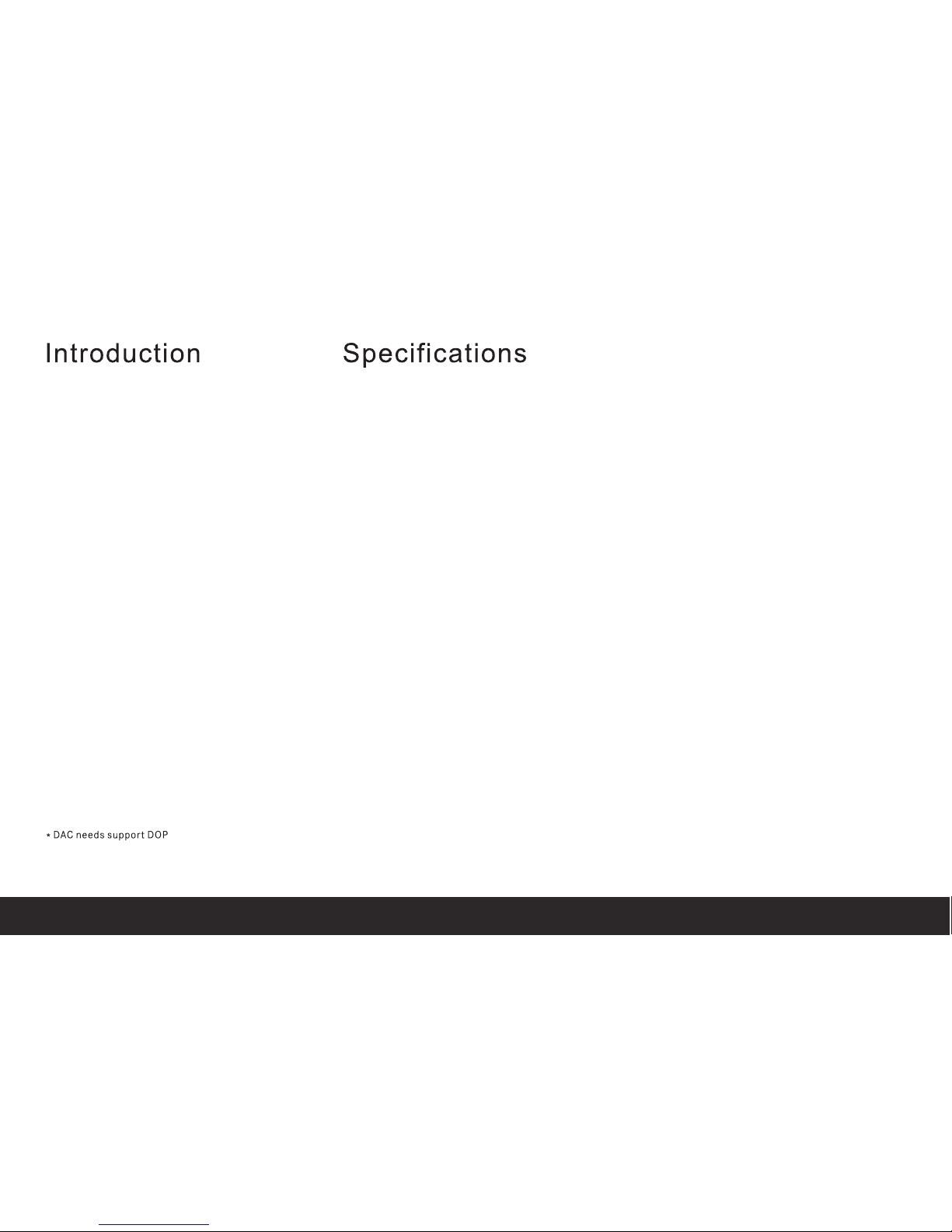
View of front panel and name of each part
1.1 Output signal switch / Filter mode switch
1.2 Input status indicators, Switch cycled by the
button
:headphone outside Input status
indicator ,the outside Input Status
is available when the led is on
USB
OPTICAL
COAXIAL
LINEIN
1.3 Headphone output
1.4 Volume control knob
2
Page 4
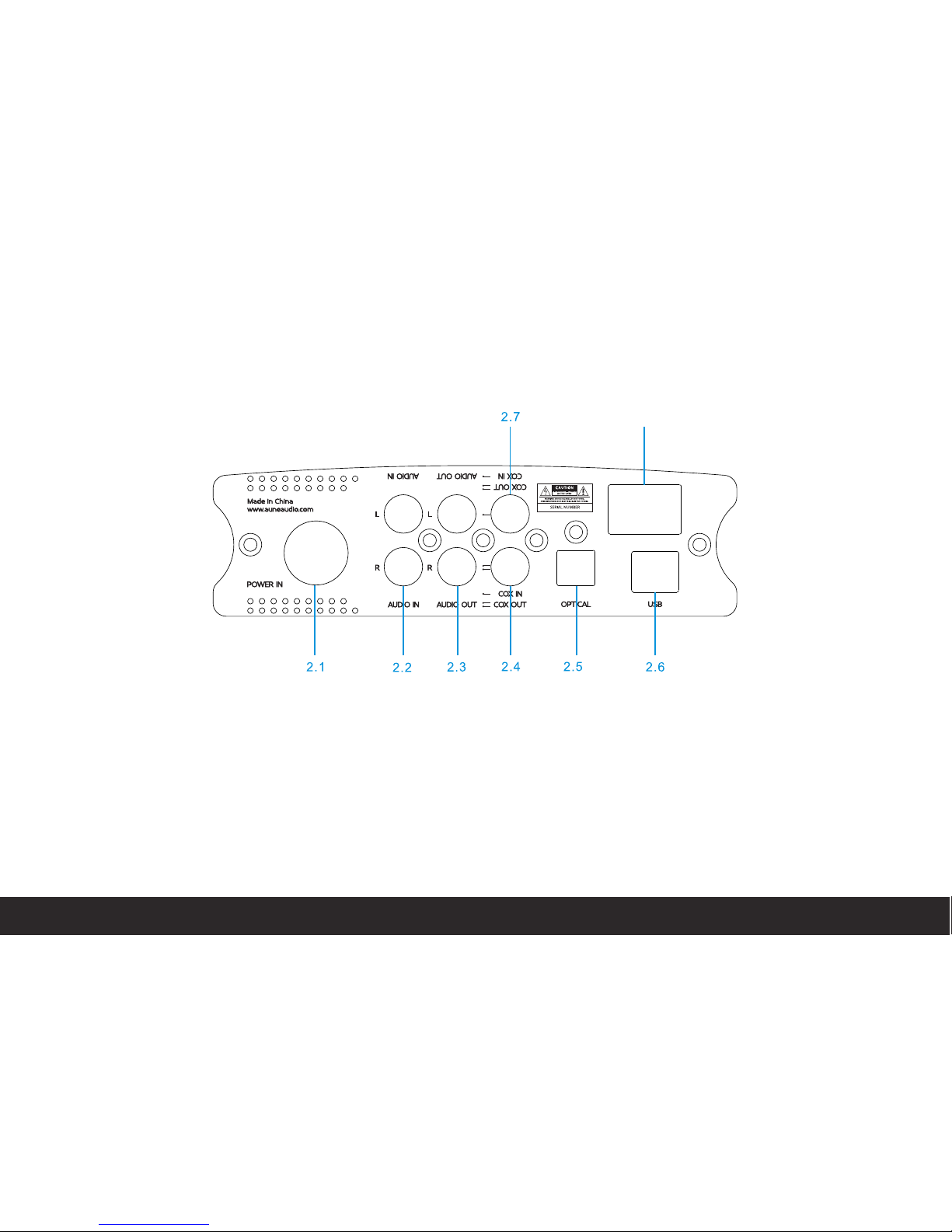
2.8
2.1 POWER IN
2.2 AUDIO IN
2.3 AUDIO OUT
2.4 COAXIAL OUT (Effective with USB)
2.5 OPTICAL IN
2.6 USB Input socket
2.7 COAXIAL IN
2.8 POWER ON/OFF
View of rear panel and name of each part
3
Page 5
The X1s is not only a MINI DAC, it also can
Be used as :
Hing quality DSD128 USB DAC32Bit/348K
High quality DAC24Bit/192K
High quality digital interface 24Bit/192K
High quality headphone amplifier
USB The highest support 32BIT/3 84 K DS D1 28:
Coaxial and optical The highe st s up po rt 2 4B it / 19 2K :
Digital coaxial output The high es t su pp or t 24 Bi t/ 19 2K :
Output voltage level @ 0dB 2.1V rms :
Frequency response (from 20 H z to 2 0 kH z) ± 0. 1d B :
Dynamic range 126dB :
THD+N @ 1KHz -110dB :
IMD+N @ 19KHz & 20KHz -110dB :
Stereo crosstalk -112dB :
Headphone output : 300 ohm/80 MW
Size 145 x 45 x 171 (mm) of product:
Net Weight:2KG
Components:X1s x 1/Power adap te r x 1/ Ma nu al x 1 /U SB c ab le x 1 /
6. 5mm to 3.5mm stereo F adapter x 1
4
Page 6
OPERATING
INSTRUCTION
OUTPUT SWITCH/ FILTER MODE SWITCH
5
Indicator to Filter Mode
Fast Roll-off Filter Mode
Slow Roll-off Filter Mode
Winimum Phase Filter Mode
1、Long press the buttons two seconds to Filter Mode , the indicator will on the "USB"
2、Long press for four seconds to the "chosen Filter Mode" , the red Led will on in turn ,then stop, the
indicator will locked
Page 7
OPERATING
INSTRUCTION
USB DAC
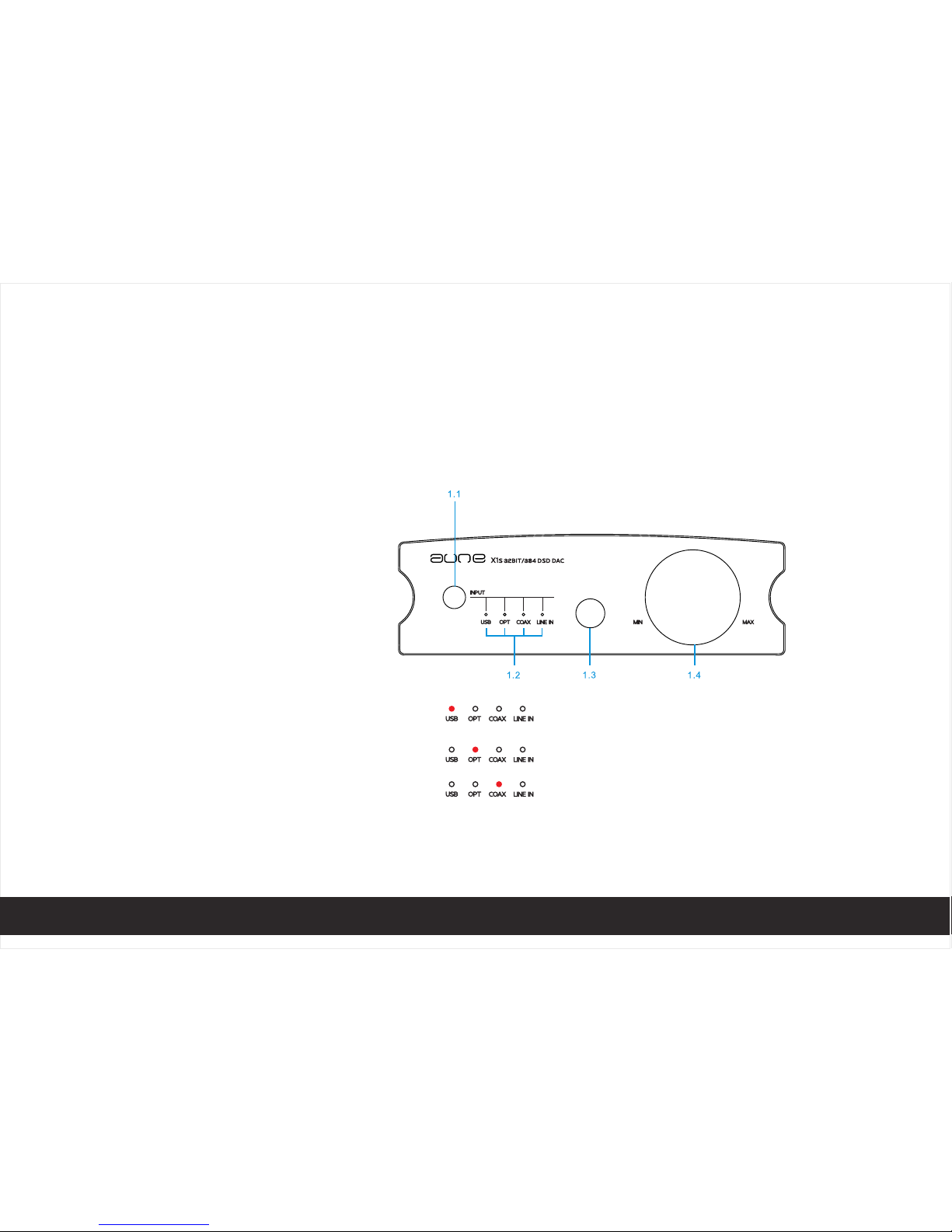
1、Connect the device to your computer through "USB" socket (as photo 1)
2、Press the Input signal button, let the indicator to USB position,the LED will turn when USB signal is
locked
3、Play music on your computer
4、Connect active loudspeaker or amplifier through "AUDIO OUT" socket
5、Connect headphone through Phone socket
6、 Adjust sound level by knob
photo 1
6
Page 8
OPERATING
INSTRUCTION
USB-SPDIF DIGITAL OUTPUT
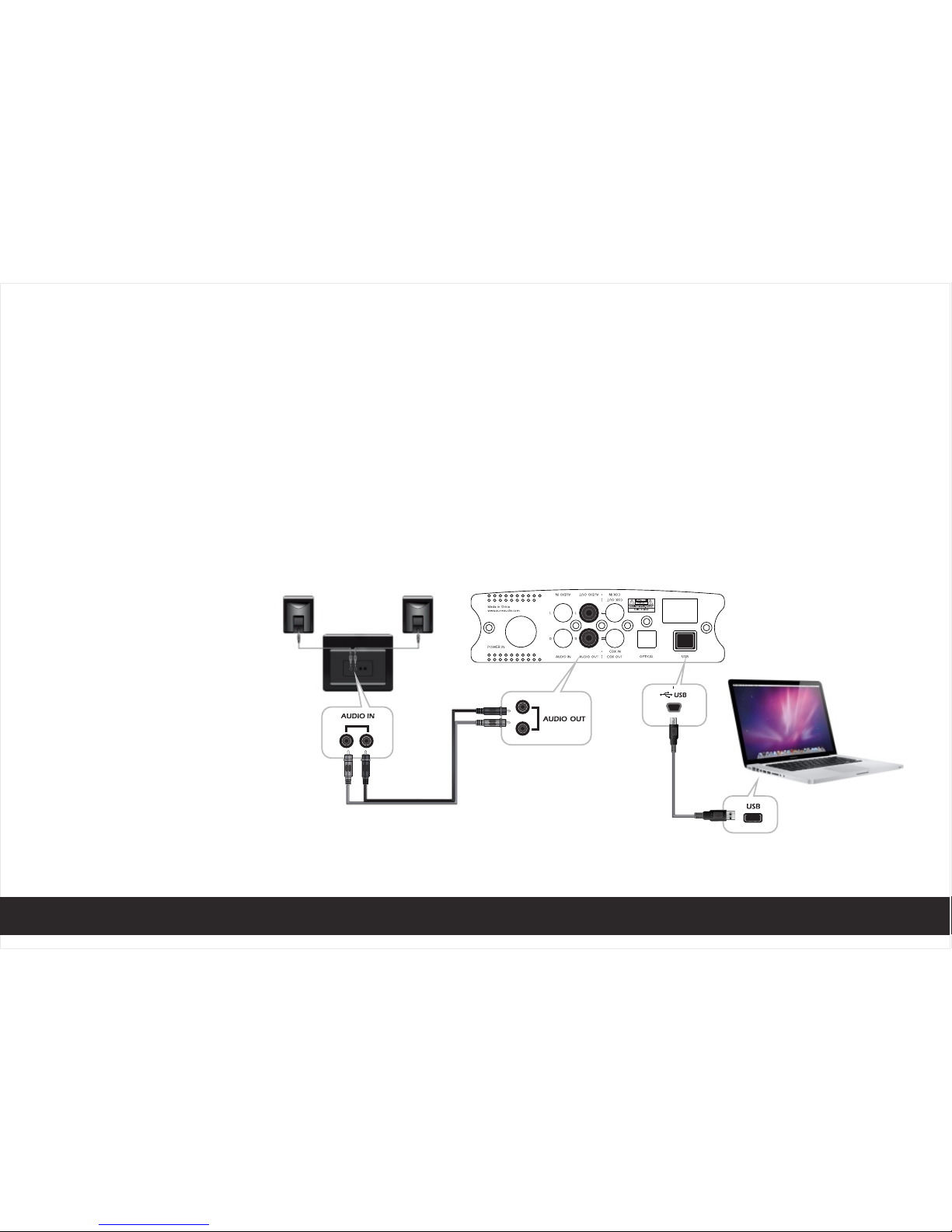
1、Connect the device to your computer through "USB" socket (as photo 2)
2、Press the Input signal button, let the indicator to USB position,the LED will turn when USB signal is
locked
3、Play music on your computer
4、Connect DAC to lisen music through ''COAX OUT'' socket
photo 2
COA X OUT
COA X IN
7
Page 9
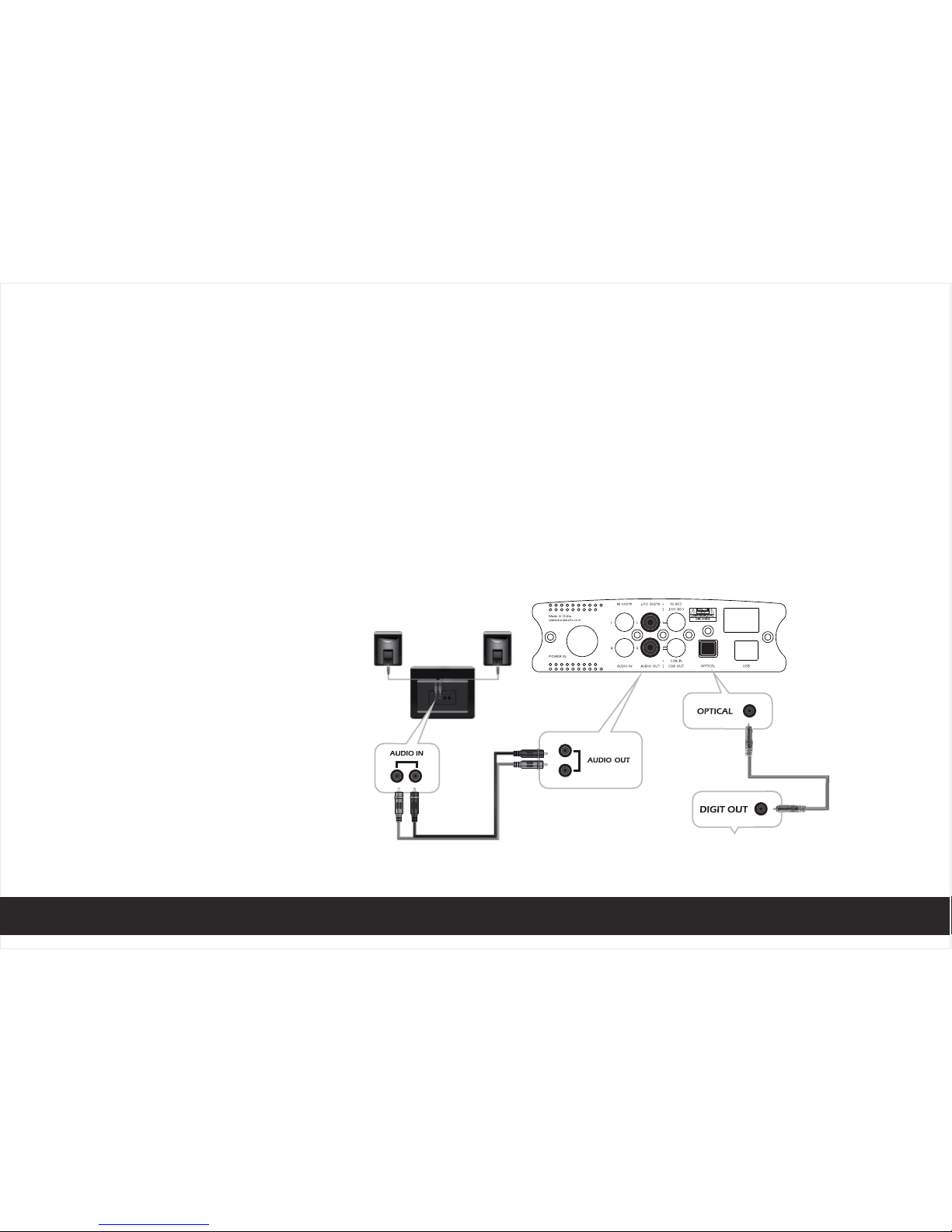
1、Connect the device to your digital out devices (CD player or computer with digital output) using
coaxial cable (as photo 3)
2、Press the Input signal button to make the indicator to "COAXIAL" or "OPTICAL" position, the LED will
turn when digital signal is locked
3、Play music on your devices
4、Connect active loudspeaker or amplifier through "AUDIO OUT" socket
5、Connect headphone through Phone socket
6、 Adjust sound level by knob
OPERATING
INSTRUCTION
DIGITAL DAC
photo 3
8
Page 10
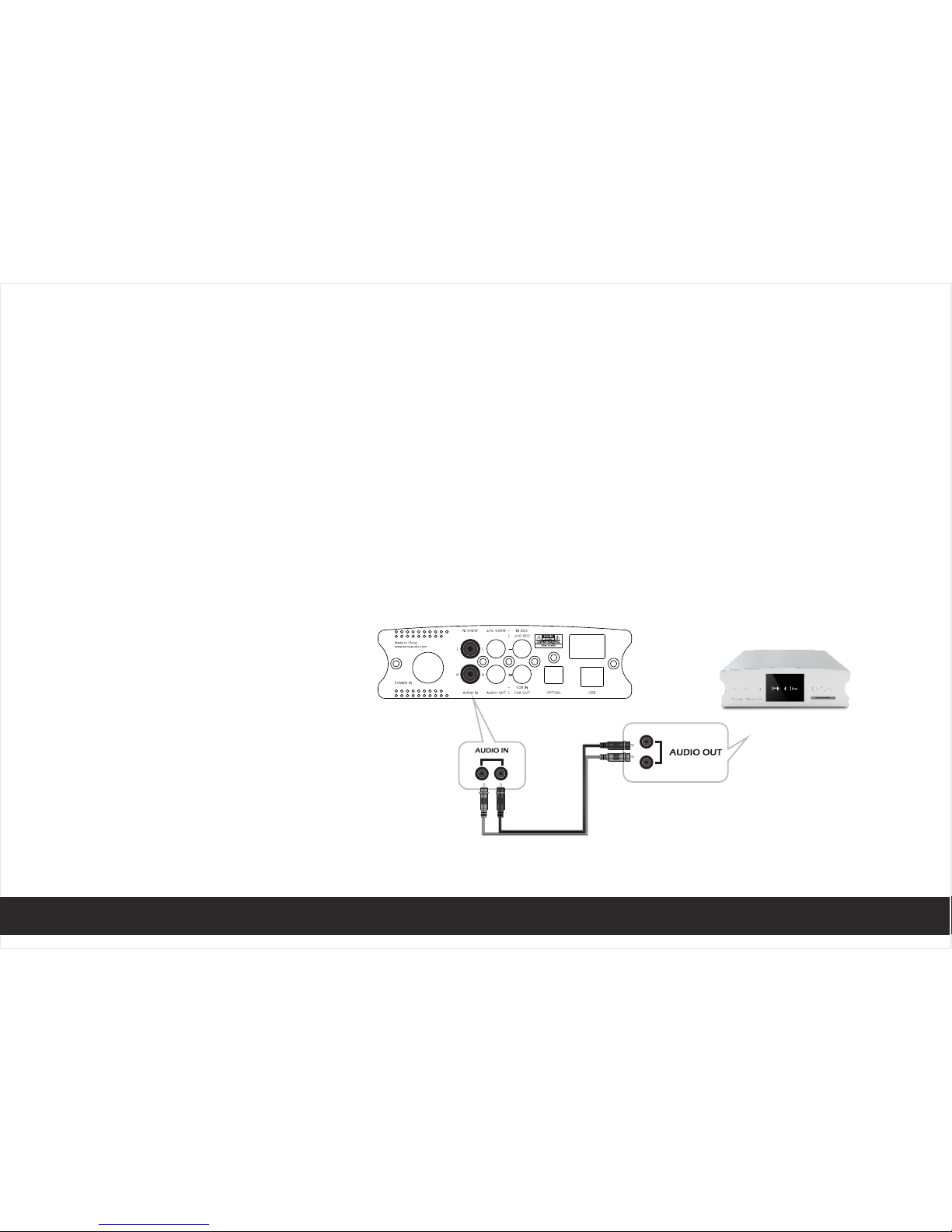
PURE HEADPHONE AMPLIFIER
1、Connect your sound source to the device though the "AUDIO IN" socket (as photo 4)
2、Press the Output signal button make the indicator to "LINE IN" position, the indicator will be locked
3、Plug your headphone to phone socket
4、Adjust sound level by knob
photo 4
OPERATING
INSTRUCTION
9
Page 11
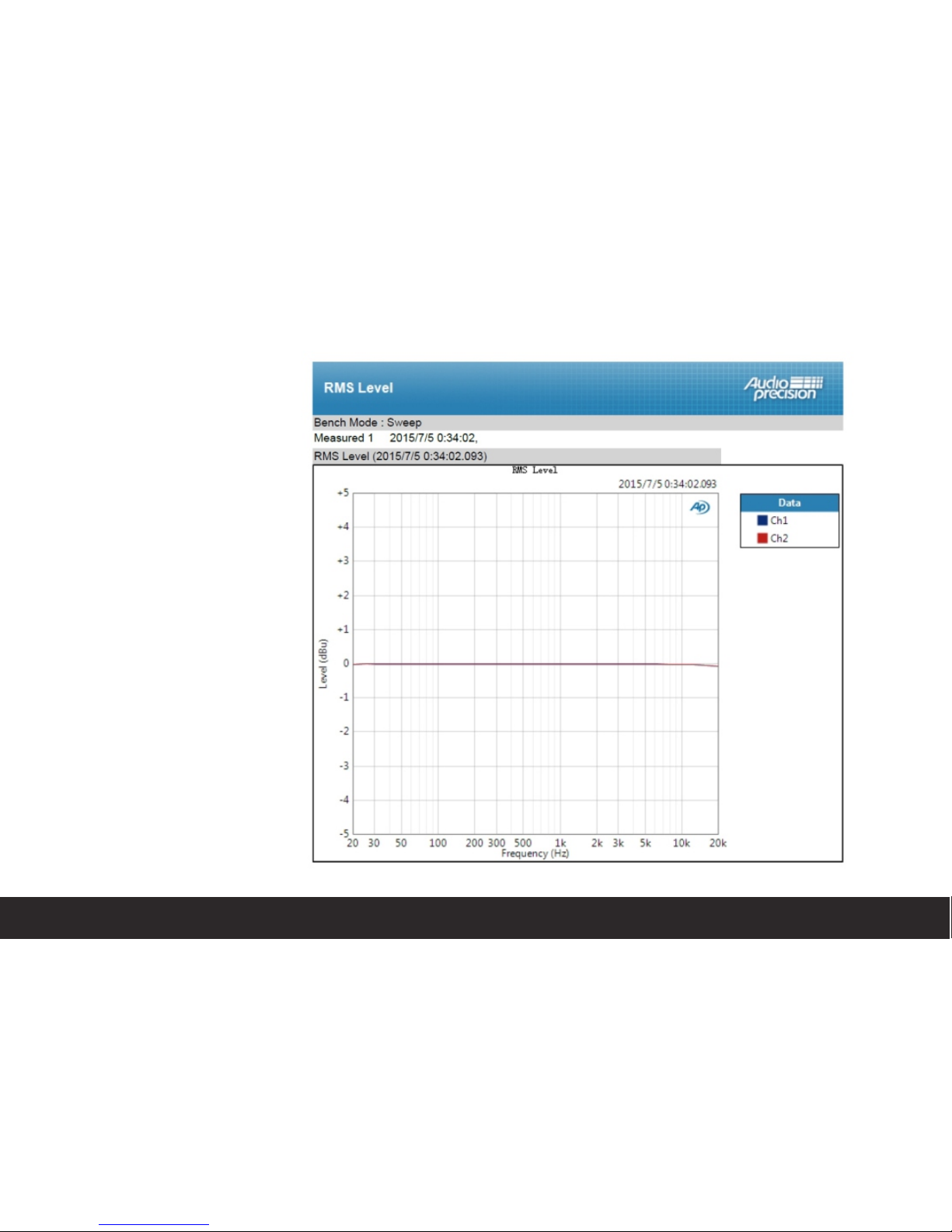
10
TEST CURVE
Page 12
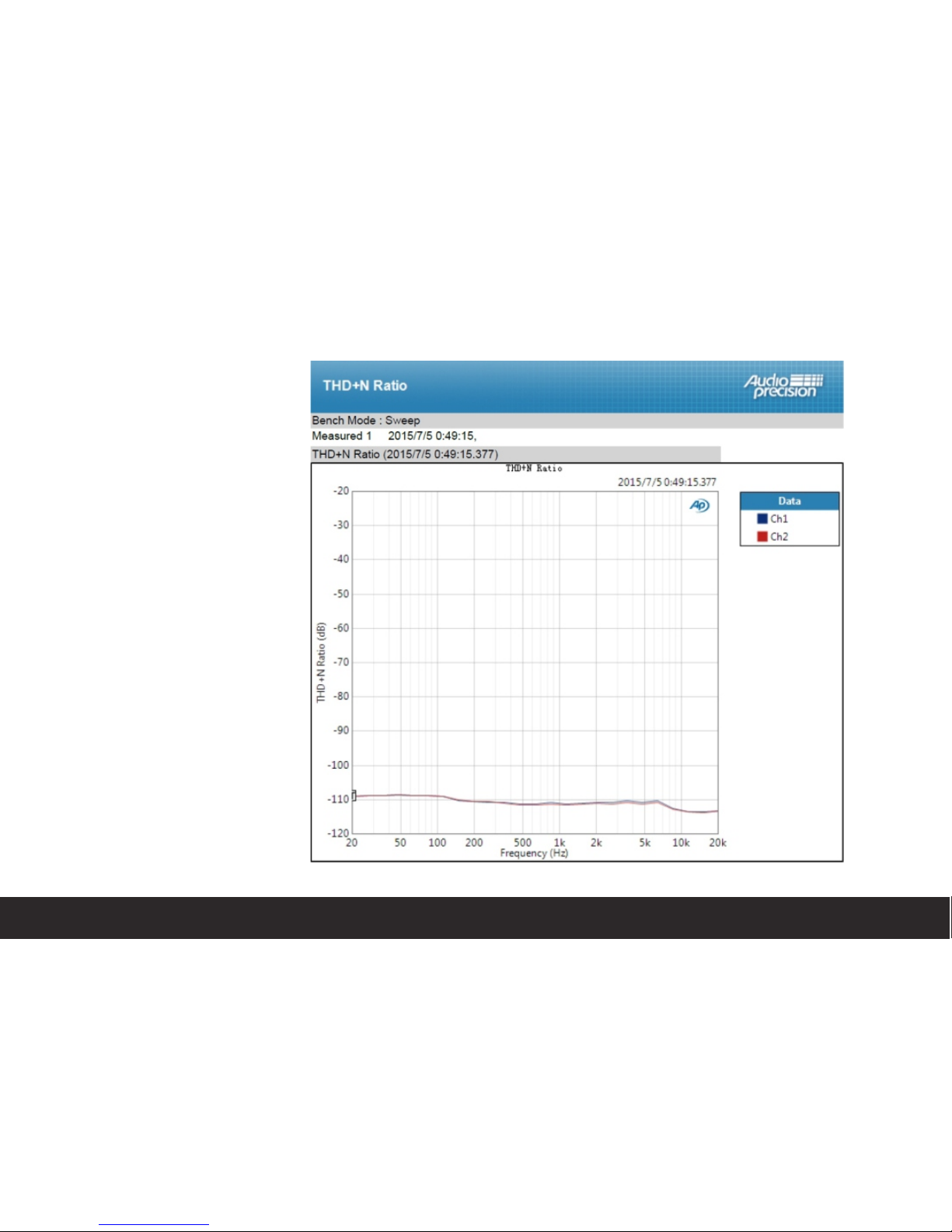
11
TEST CURVE
Page 13
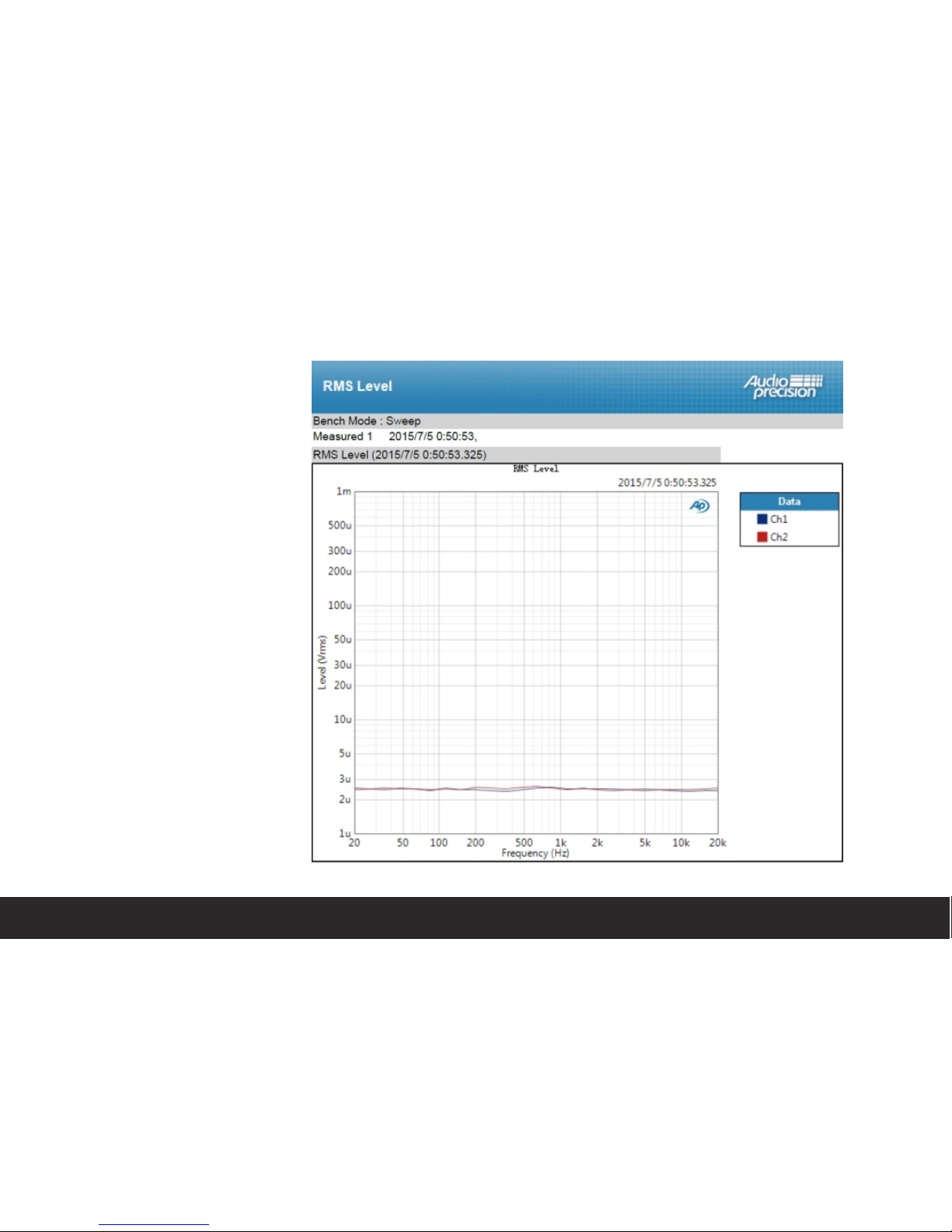
12
TEST CURVE
Page 14
Page 15
www.auneaudio.com
aune
 Loading...