

Page 1
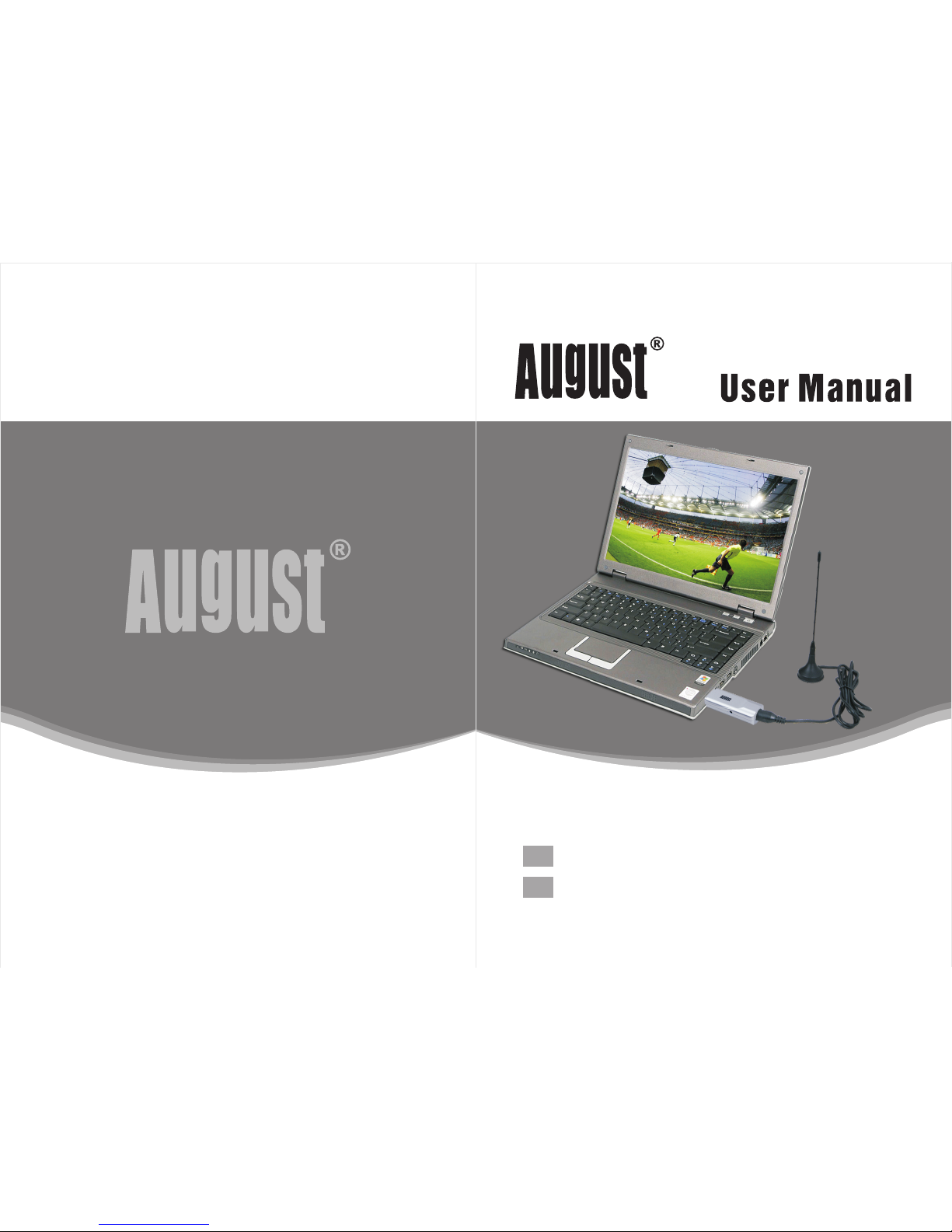
DVB-T230
EN
DE
August International Ltd
United Kingdom
Tel: +44 (0) 845 250 0586
www.augustint.com
USB Freeview (HD) TV Receiver
USB DVB-T2 Digital TV Empfänger
Page 2
Thank you for buying this August product. You may already
be familiar with using similar products but please take the
time to read these instructions carefully. They are designed to
familiarise you with the product’s many features and to ensure
that you get the very best from your purchase.
Safety
In order to ensure your safety and the safety of others, please
read the Safety Instructions before using this product.
Disposal
Please ensure the product and its accessories are disposed of
in compliance with WEEE (Waste Electrical and Electronic
Equipment) Directive and any other applicable regulations.
Please check with your local authority for regional disposal
regulations.
Customer Service:
Should you need support with this product, please contact our
Customer Service Centre:
Telephone: +44 (0) 845 250 0586
Email: [email protected]
Declaration of Conformity
The Declaration of Conformity can be found on our
website at http://augustint.com/en/declaration/
1.Introduction--- ----------------------- -----------------1
2.Hardware Connecti on--------------------- ----------3
3.How to inst all Driver and Software----------------4
4.Frequently Asked Quest ions------------------- ----12
5.Warranty-- ----------------------- --------------------1 4
Page 3
/10
Support MPEG1/2/4, H.264 and H.265
-1- -2-
Page 4
3. How to inst all Driver and Software
Visit our we bsite and dow nload the fil es in the Downl oa d
section .
Please do wn load 'Drive r' for driver i nstallati on and 'Tota lMedia'
for softw ar e installat ion.
Ensure th at y ou download t he files that a re compatib le with your
operati ng s ystem.
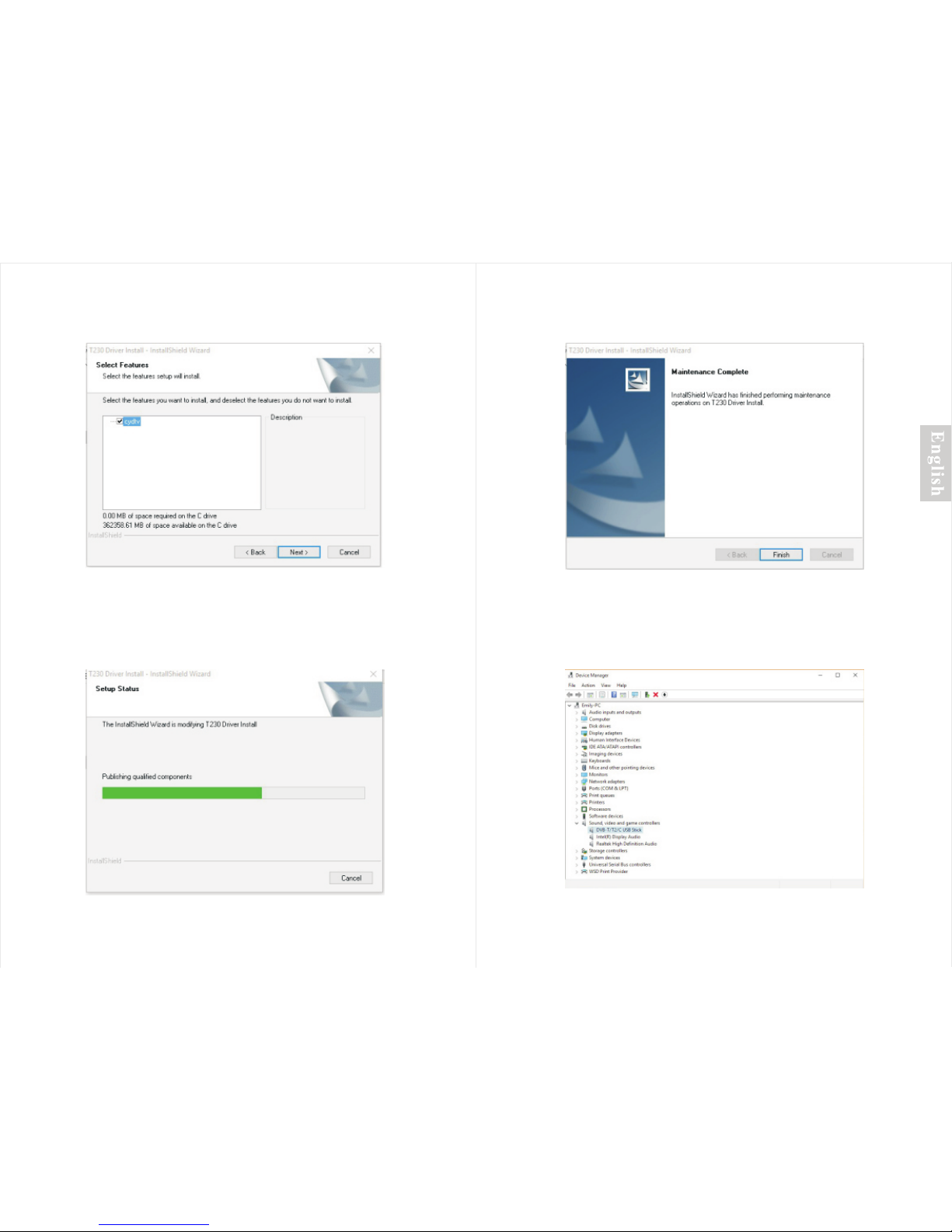
3.1 Drive r install at ion
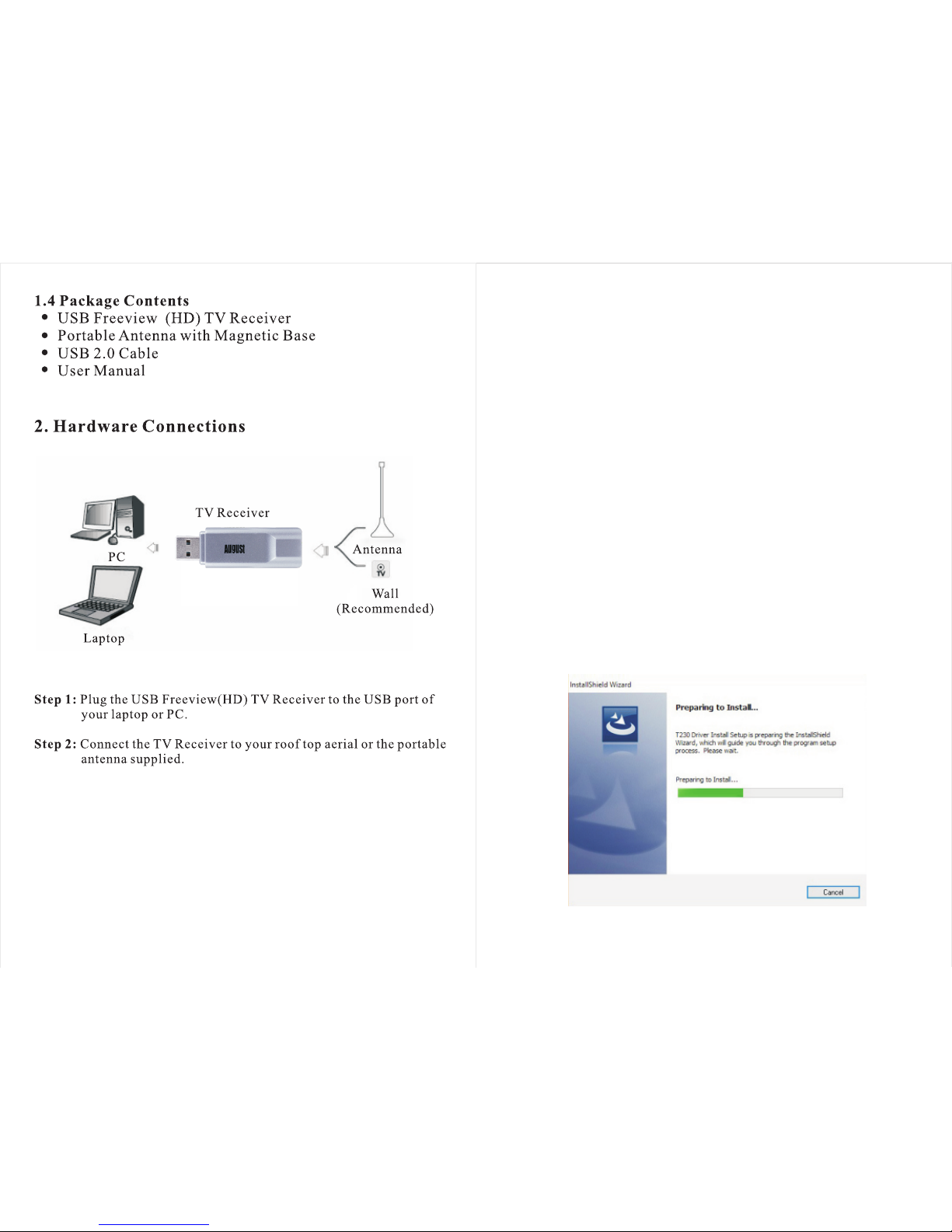
1. Plug the d ev ice into a USB po rt.
2. Find the d ow nloaded dri ver file name d 'Driver-DVB-T230 '.
3. Right cl ic k on the file, th en select 'Ex tract all'.
4. Follow t he i ntroducti ons to finish t he extracti on, then a fold er
named 'Dr iv er' will appe ar and open aut omaticall y.
5. Run the ‘S et up' applica tion.
6. Follow t he o n screen inst ructions to f inish insta lling the
driver.
-3- -4-
Step 1:
Page 5
Step 3:
Step 2:
-5-
Step 4:
Step 5:
-6-
Page 6
-7- -8-
Step 2:
Step 3:
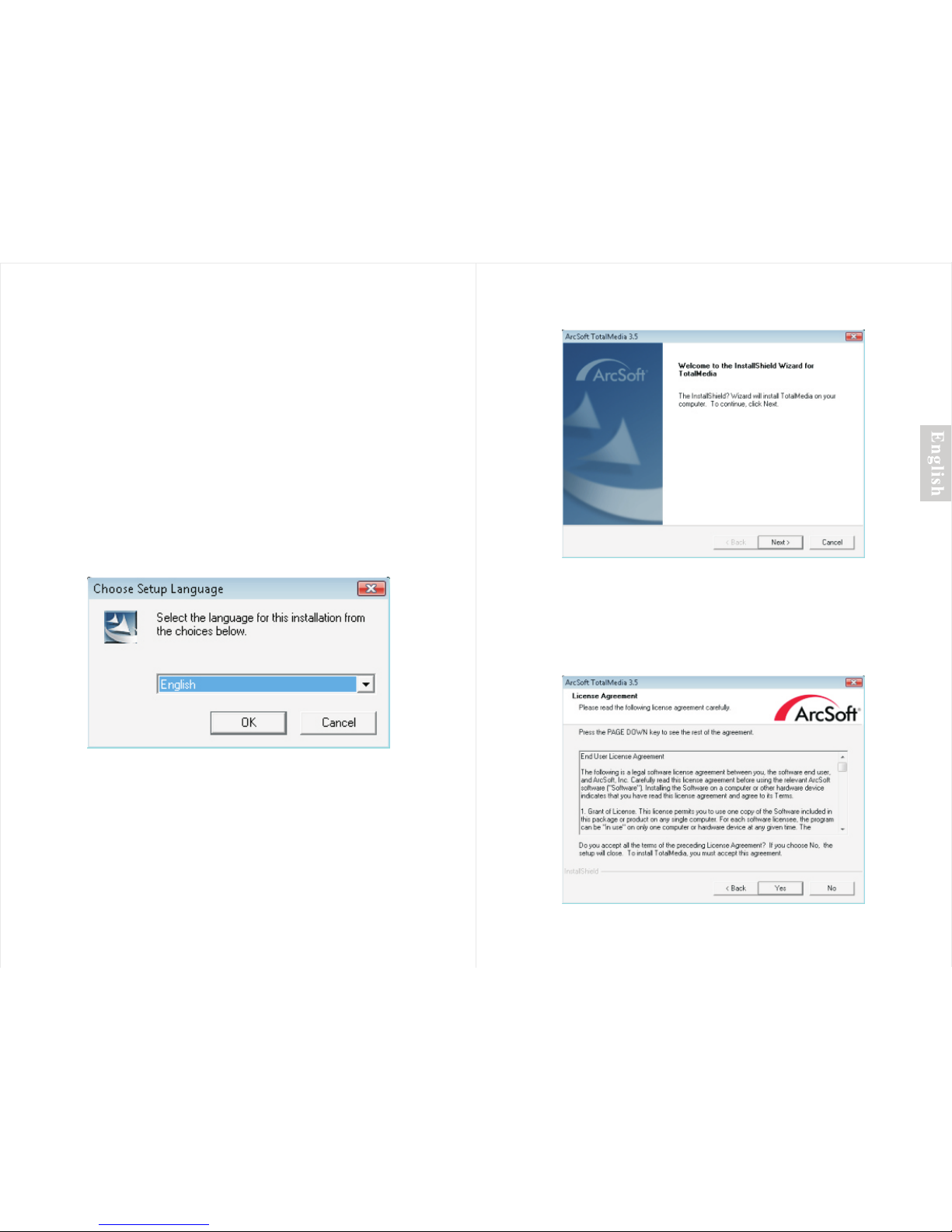
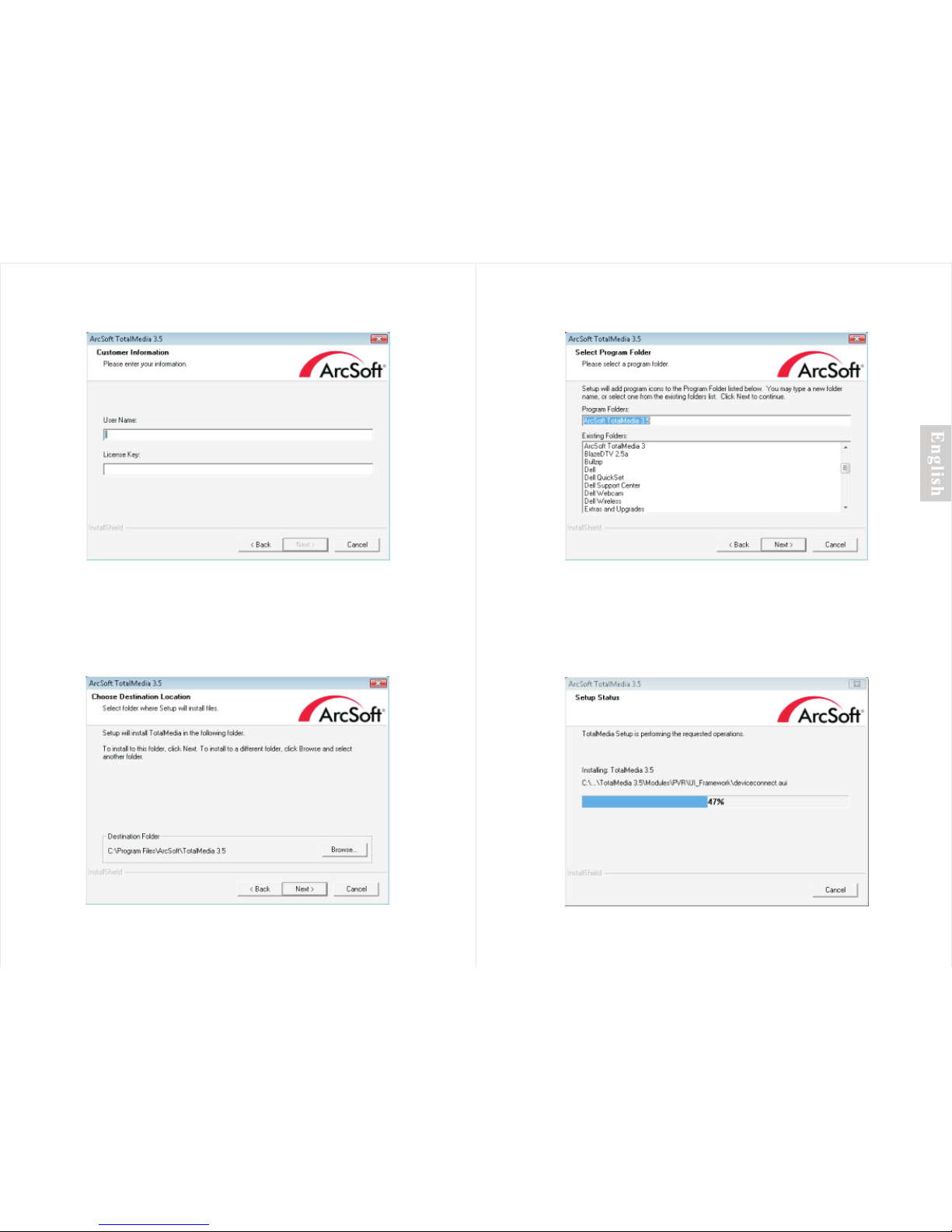
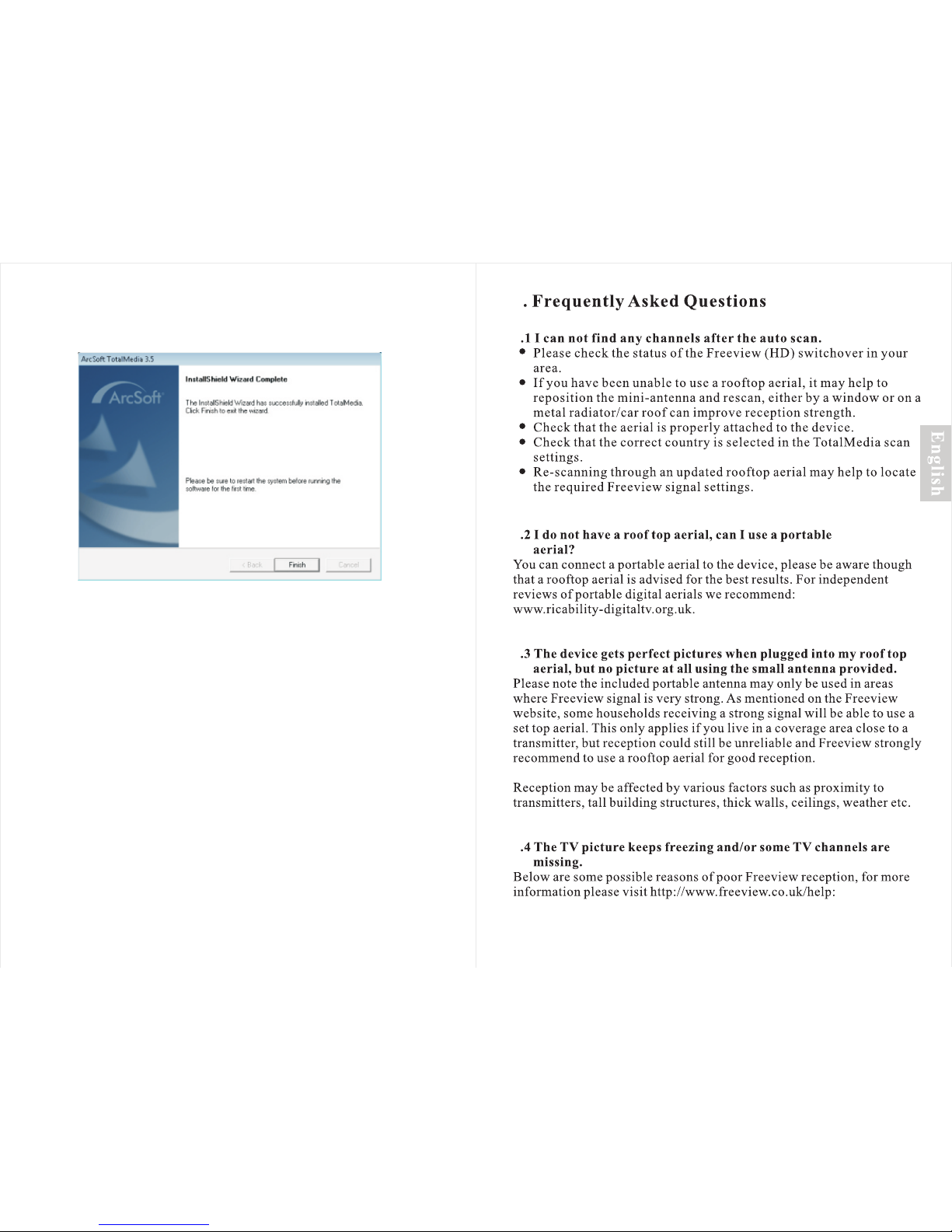
3.2 Softw are insta ll ation
1. Find the d ow nloaded sof tware file na med 'Total Media-DVB T230'.
2. Right cl ic k on the file and s elect 'Extr act all'.
3. Follow t he i nstructio ns to complet e the extract ion process ,
then a fold er c alled 'TotalMedia ' will appear.
4. Run the 'S et up' applica tion.
Follow th e in struction s on screen to fi nish instal ling the
softwar e. You can fi nd the produc t key on the back o f
this user m an ual
Step 1:
Page 7
Step 7:
Step 4: Step 6:
-9- -10-
Step 5:
Page 8
Step 8:
-11- -12-
4
4
4
4
4
Page 9
4.8
4
4
4
-14--13-
This product is in compliance with the essential requirements and other
relevant provisions of Directive 2014/30/EU. The Declaration of
conformity may be consulted online at
http://www.augustint.com/en/declaration.
5
 Loading...