

Page 1
August International Ltd
United Kingdom
Telephone: +44 (0)845 250 0586
www.augustint.com
Antenne TV Amplifiée USB
Antenna TV Amplificata USB
Verstärkte TV-Antenne
Verstärkte TV-Antenne
Antena TV Amplificada USB
USB Amplified TV Antenna
DTA500
EN
FR
DE
IT
ES
Page 2
Thank you for purchasing the August DTA500 USB amplified
TV antenna. This user manual is designed to familiarize you
with all the features of this device. Please take time to read this
user manual carefully, even if you are already familiar with a
similar product.
To ensure your safety and the safety of others, please ensure you
read the Safety Instructions before using this device.
Please do not open the DTA500 by yourself. It can be unsafe and
will invalidate the manufacturer warranty.
Please ensure the product and accessories are disposed in
compliance with WEEE (Waste Electrical and Electronic
Equipment) Directive and other regulations in your country.
Always check with the environmental agency and relevant
authority for disposal regulations.
You can contact: +44 (0) 845 250 0586 or email
[email protected] should you require technical support and
customer service.
Safety
Disposal
Customer Service
User Manual
1. Important Safety Instructions
2. Main Features
1) Please ensure a minimum distance of 5 cm around the device
for sufficient ventilation.
2) Do not cover the device with items such as newspapers,
tablecloths, curtains, etc. as it may impede the ventilation.
3) Keep the device away from open flames.
4) Keep the device out of reach of children.
5) Do not open the device, as this will invalidate the warranty.
Receives DAB radio, Digital and Analogue TV
20 dB amplified high gain aerial
Frequency range: VHF 170-230MHz, UHF 470-862MHz
Can be powered by USB or antenna socket
Designed for both indoor and outdoor use
Low noise amplifier technology
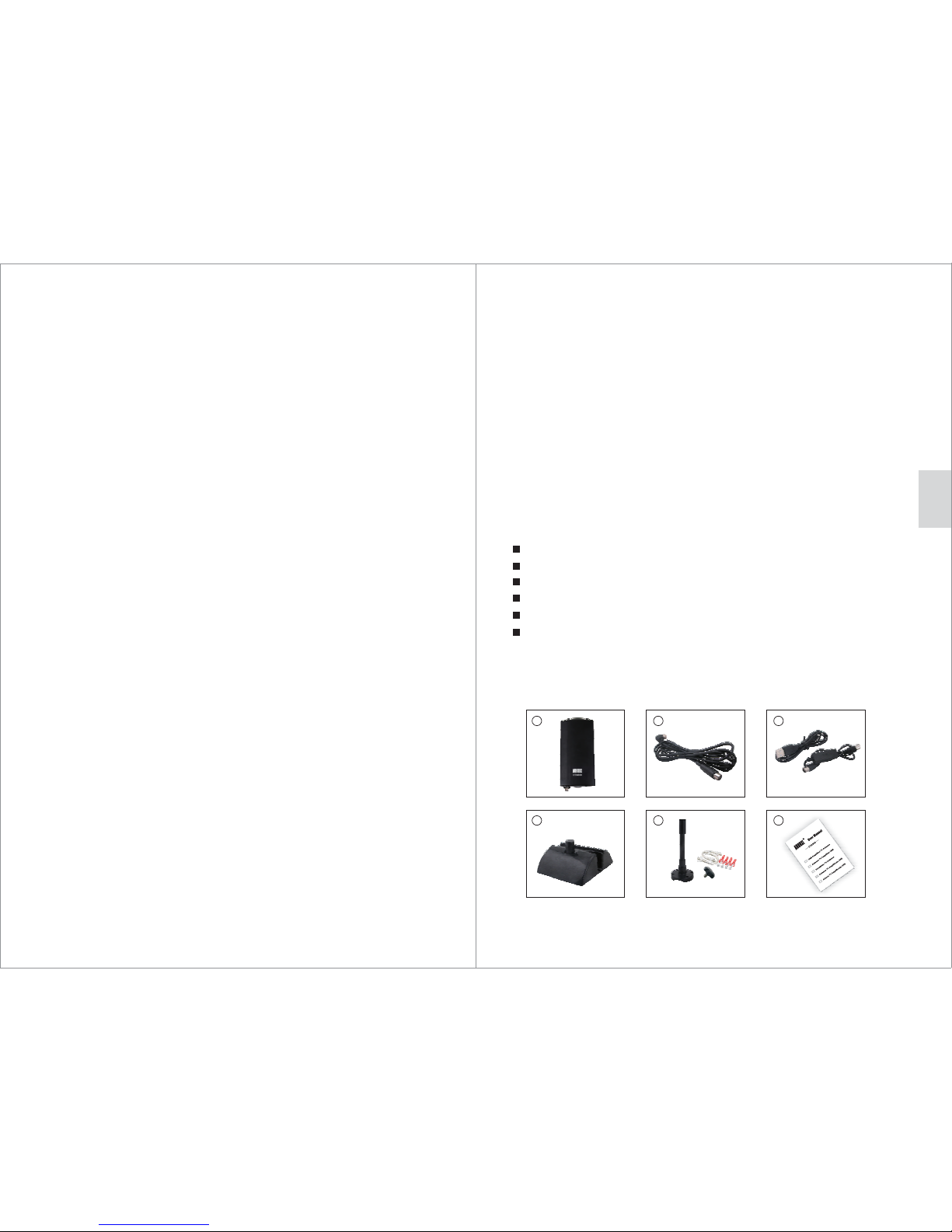
3. Package Contents
1
2 3
4
5 6
-1-
English
Page 3
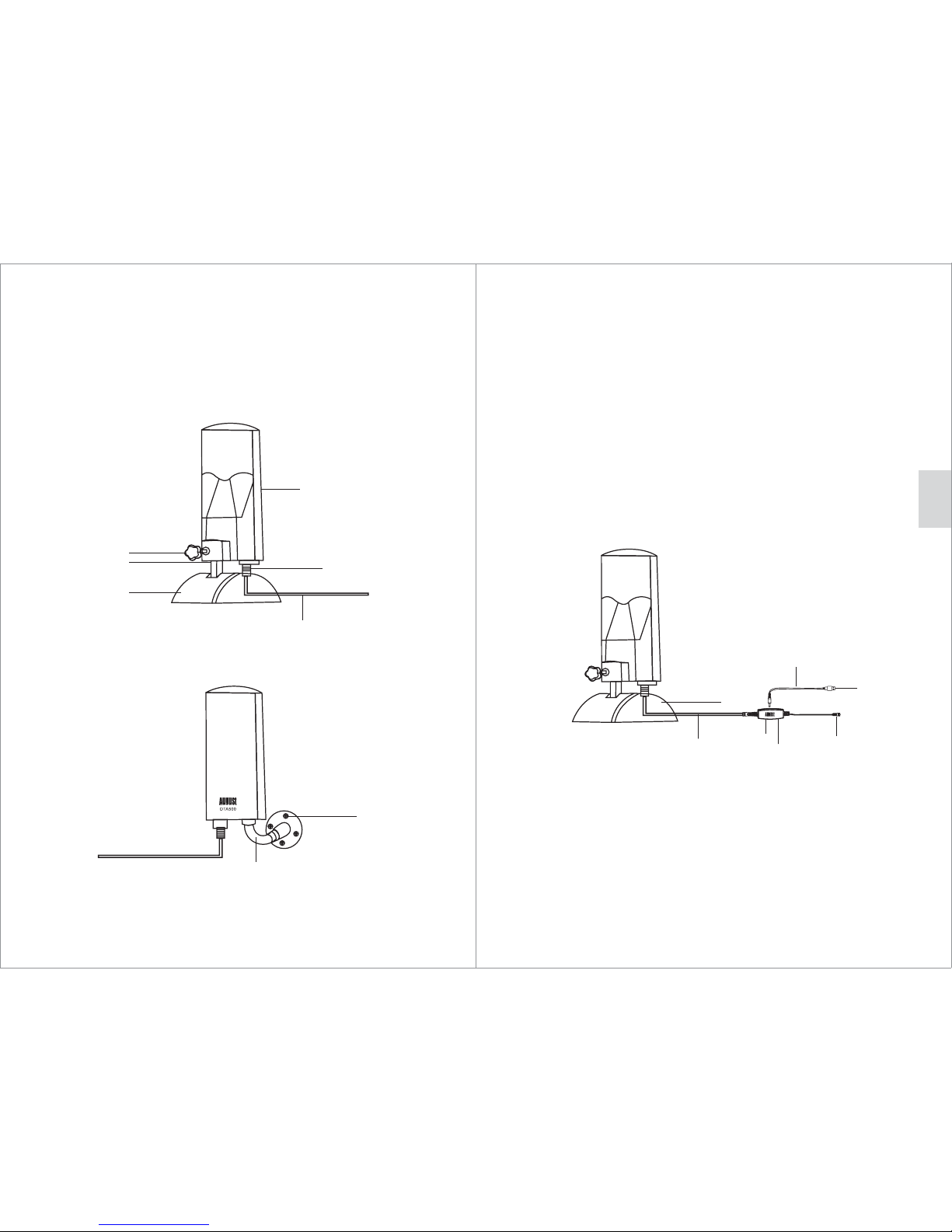
1) Indoor aerial stand
2)
3)
4)
5) To main aerial unit
Aerial power indicator
Mask screw
Main aerial unit
4. Indoor and Outdoor Setup
5. Operations
6) 3 metre aerial cable
7)8)Mounting bracket
Mount the bracket on a wall or a fixed object using
the supplied 4 scre ws or 2 U-shape holders
1) Main aerial unit )
2) 5)
3) 6) User manual
4 Indoor aerial stand
3 metre aerial cable Mounting kit
USB power adaptor and cable
5.1 Use of DTA500 with powered USB port or adaptor
1
4
5
7
3
Use the aerial indoor
2
6
1) To main aerial unit
2) 3 metre aerial cable
3) USB power indicator
4) USB power adaptor
5) To TV or set top box
6) To powered USB port or USB mains or car adaptor
7) USB cable
Use the outdooraerial
8
7
1
2
3
4
5
Use the aerial indoor
6
-3--2-
English
Page 4
The product must be correctly installed and operated in
accordance to the instructions given in this user manual.
The product must be used solely for domestic purposes.
The warranty only covers the main unit, and does not cover the
accessories.
The warranty does not cover the damage caused by misuse,
negligence, accident and natural disaster.
The warranty will be rendered invalid if the product is resold or
has been damaged by inexpert repairs. The manufactures disclaim
any liability for incidental or consequential damages.
Please consult our customer adviser before returning any product;
we are not responsible for any unexpected product returns.
Any faulty product must be kept and returned in the original
packaging with all the accessories and the original copy of the
purchase receipt.
The warranty is in addition to, and does not diminish, your statutory
or legal rights.
Customer Service:
6. Specifications
UHF: 470-862MHz VHF: 170-230MHz
Gain: 20±2dB
Dimension: 110x125x235mm
Net weight: 383g
DC In: 5V 30mA
Warranty
This product is guaranteed for twelve months from the date of the
original purchase. In the unlikely event of any defect arising due to
faulty materials or workmanship, the unit will be either replaced or
repaired free of charge (where possible) during this period. An
alternative product will be offered in case the product is no longer
available or repairable.
This warranty is subject to the following conditions:
The warranty is only valid within the country where the product
is purchased.
5.2 Use of DTA500 with powered antenna socket
Some TVs, boxes and other receivers are capable of outputting
power via their aerial sockets. When connected to one of these
devices, the DTA500 does not need to be connected to the USB
power adaptor.
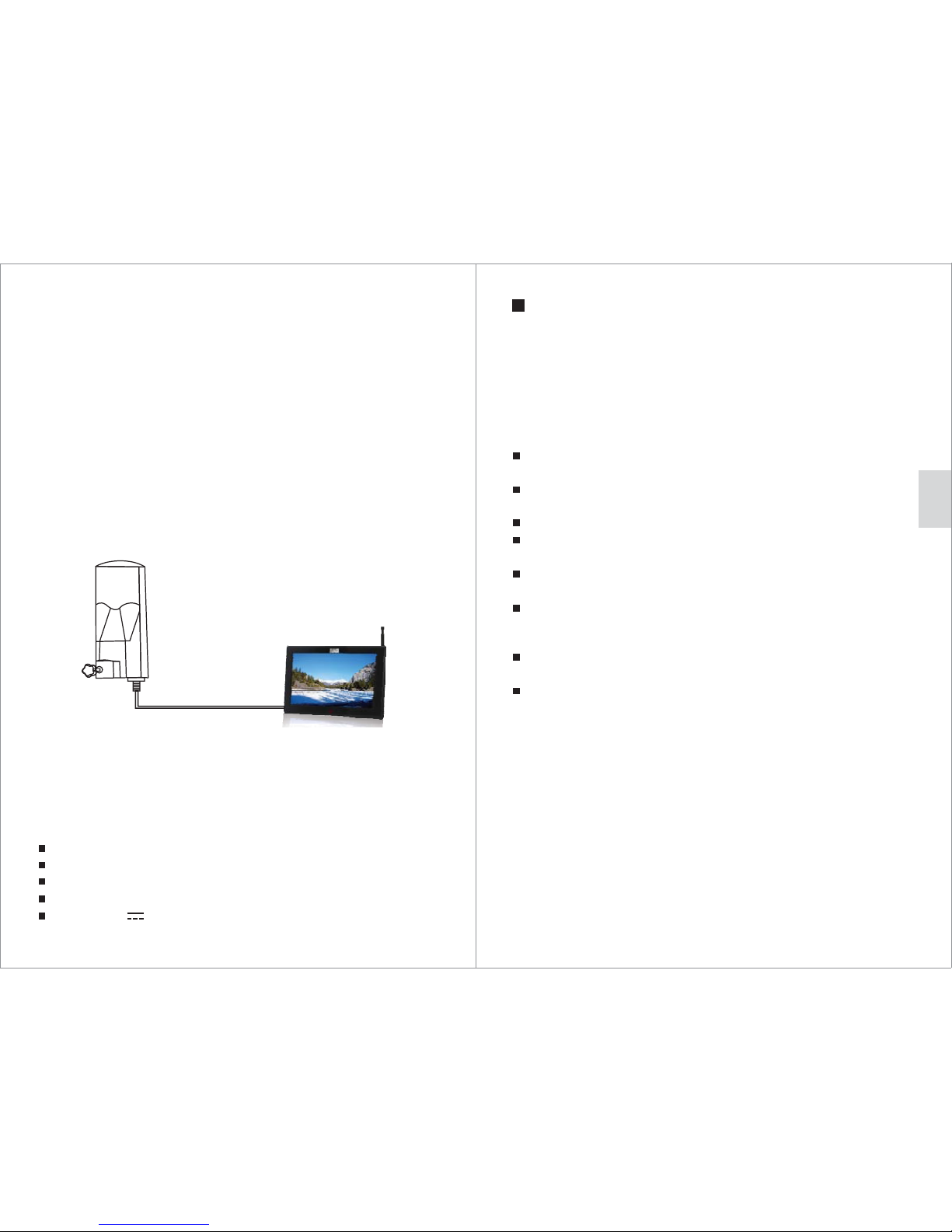
Connect the 3m cable to the main aerial unit and connect the other
end to the aerial-in socket on your TV or set top box.
Step 1: Connect the 3m cable to the main aerial unit and connect the
other end to the USB power adaptor.
Step 2: Connect the aerial output plug at the end of the USB power
adaptor to your TV, set top box or other receivers.
Step 3: Connect the mini USB lead to the USB power adaptor, and
the other end of the USB cable to a powered USB port, USB
mains adaptor or 12-24V car adaptor.
TO TV
-5--4-
English
 Loading...