

Page 1

aJive
Quick-Start Guide
Page 2
1
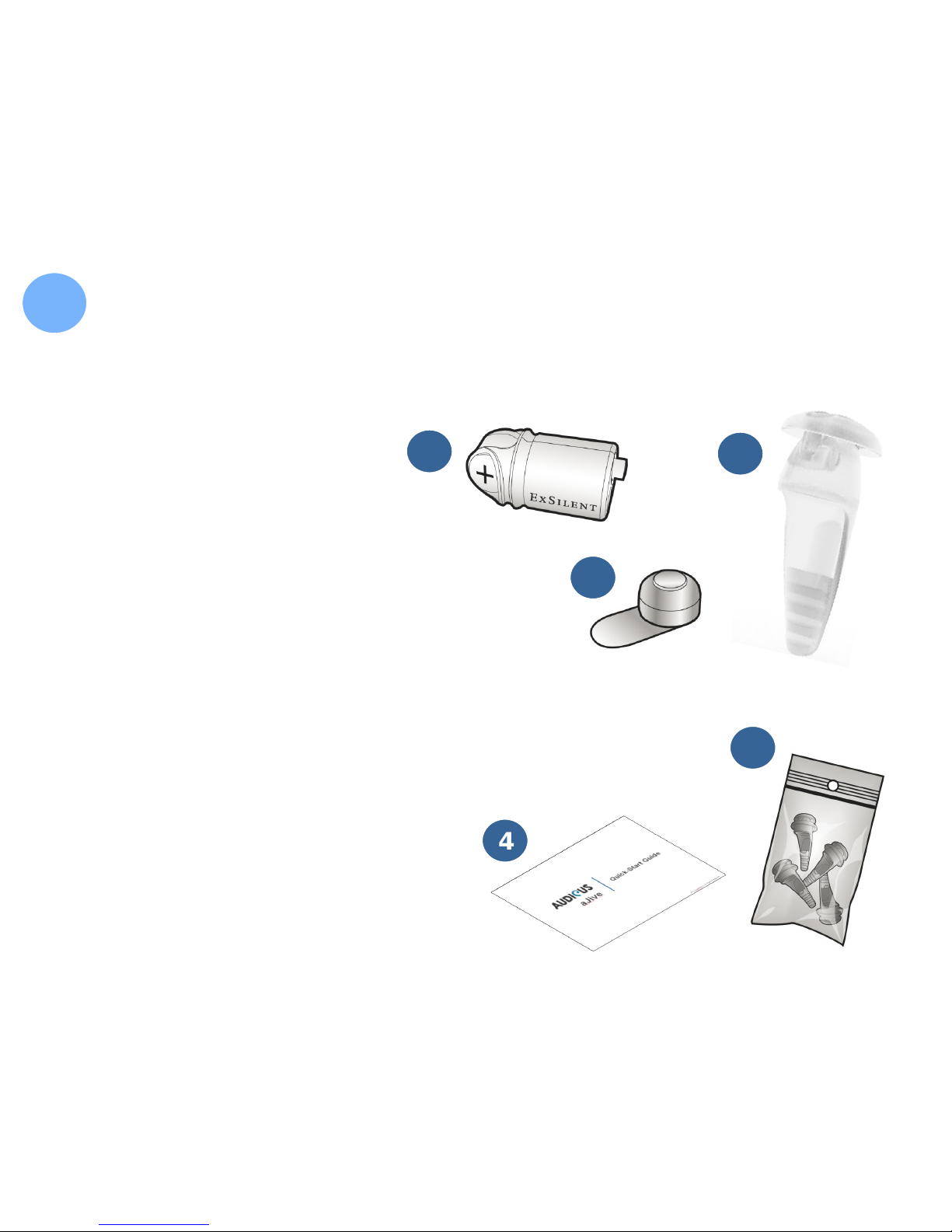
Inside the Black Box You Have:
4. Manual
5. Replacement Soft-Tips
3
2
4
5
1
Inside the Silver Box You Will Find:
1. Hearing Device
2. Battery (size 10)
3. Soft-Tip
Page 3
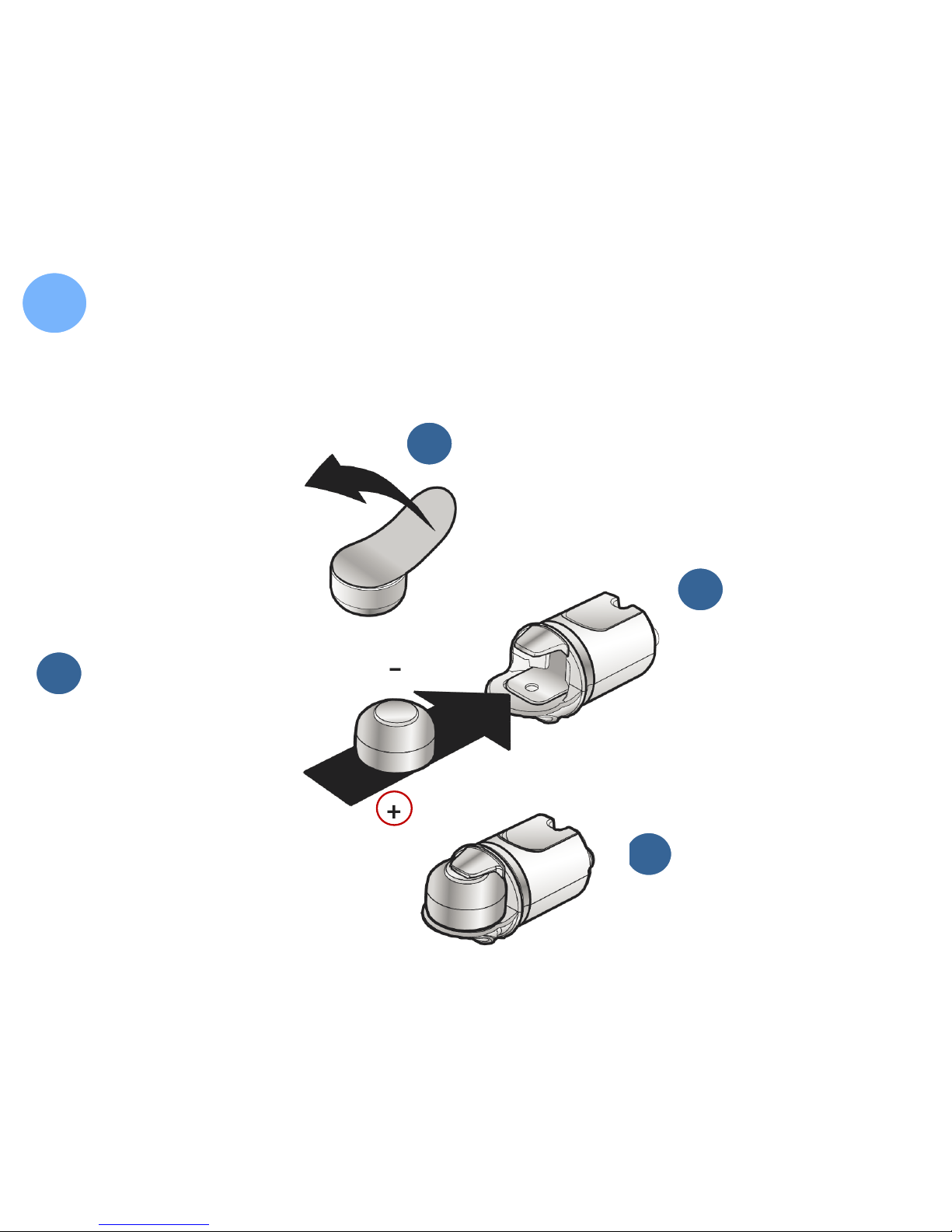
Inserting the Battery
2
Remove sticker from battery
1
Battery should
have “+” sign
(flat side) down
3
ExSilent logo
should face
down
2
Insert battery in
hearing device
4
Page 4
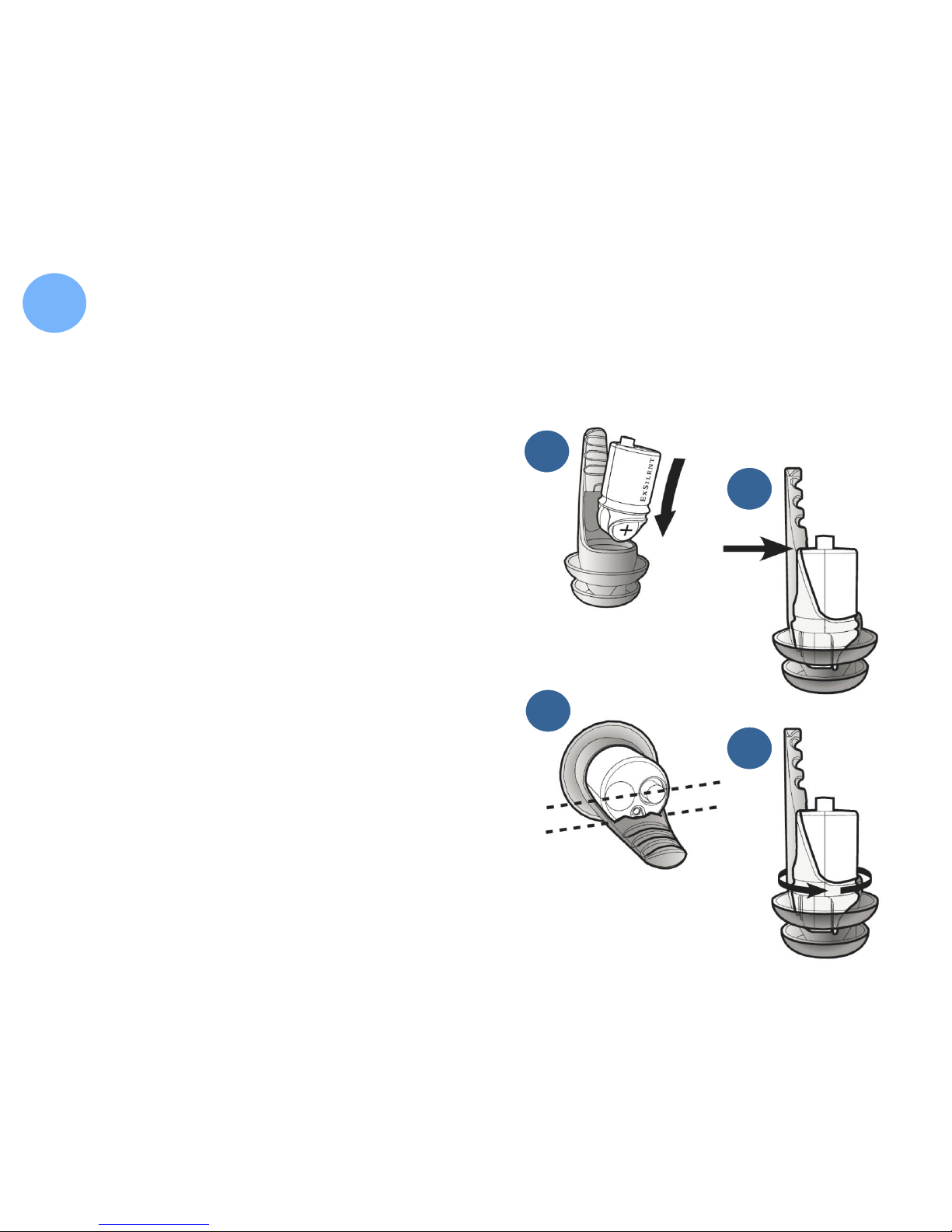
Inserting Hearing Device in Soft-Tip
3
1
1. Soft-Tip tail should face
upward. ExSilent logo and
“+” sign face outward
2. Push hearing device all the
way into Soft-Tip
3. Edge of hearing device fits
into the grooved area of tail
4. Insert device far so that "E" in
ExSilent borders cap head
2
3
4
Page 5
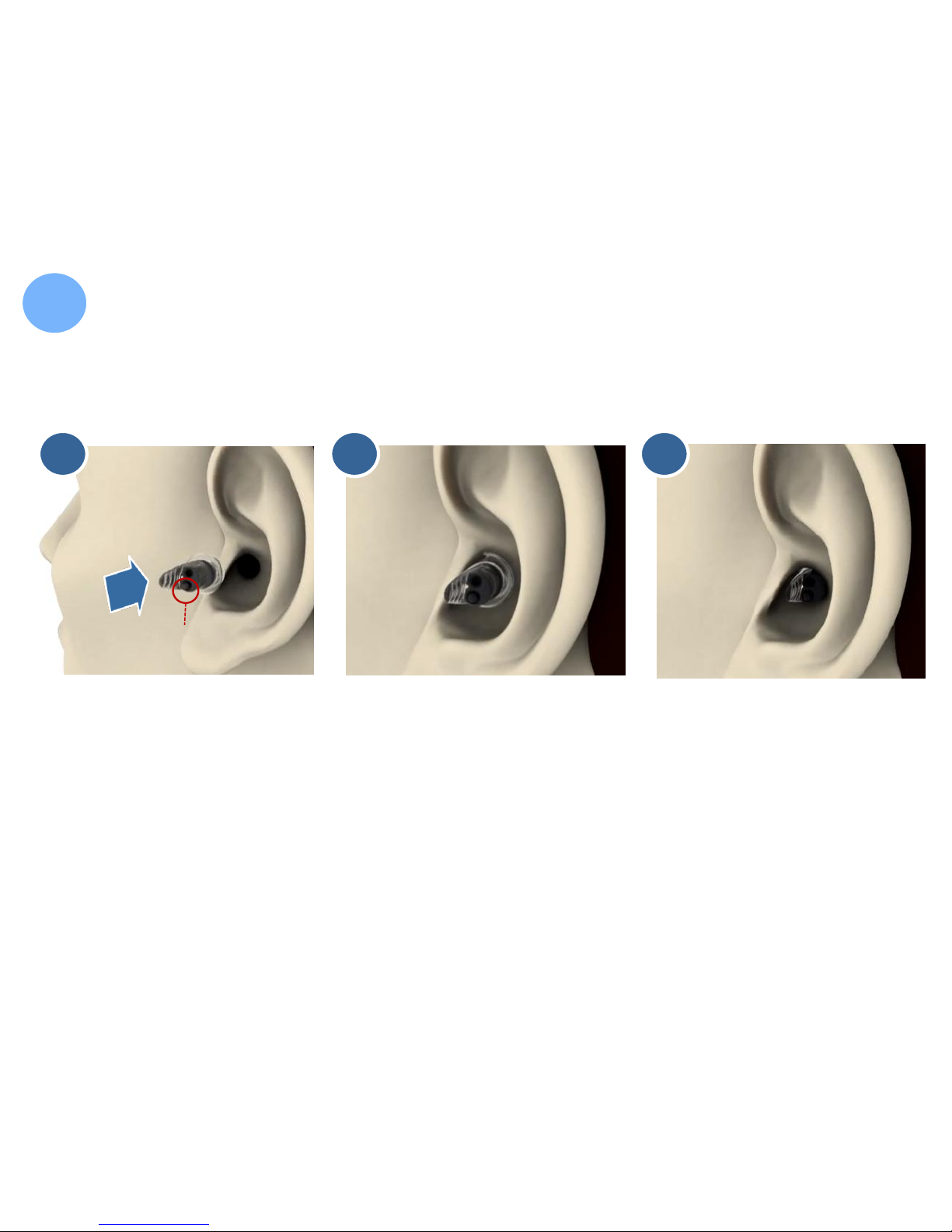
Inserting the aJive in Your Ear
4
1 3 2
The tail of the Soft-
Tip should face
forward toward
your face.
Black button should
face downward.
Button faces
down
Tail
towards
face
Gently push the
aJive all the way
into your ear
canal. A twisting
motion can help.
Make sure the
aJive sits snugly
and comfortably.
Alternatively, use
a different sized
Soft-Tip.
Page 6

WAIT! Before Putting it in Your Ear… Did You:
5
1. Insert battery with the “+” sign facing down?
2. Insert device into Soft-Tip with “+” sign facing down?
3. Push device all the way into the Soft-Tip?
4. Have tail of Soft-Tip facing forward when inserting device?
1
2
3
It is OK…:
1. …if the hearing device whistles a bit at first
…to call us for help. Just dial 855-283-4287
1
2
4
 Loading...