

Page 1
Bluetooth
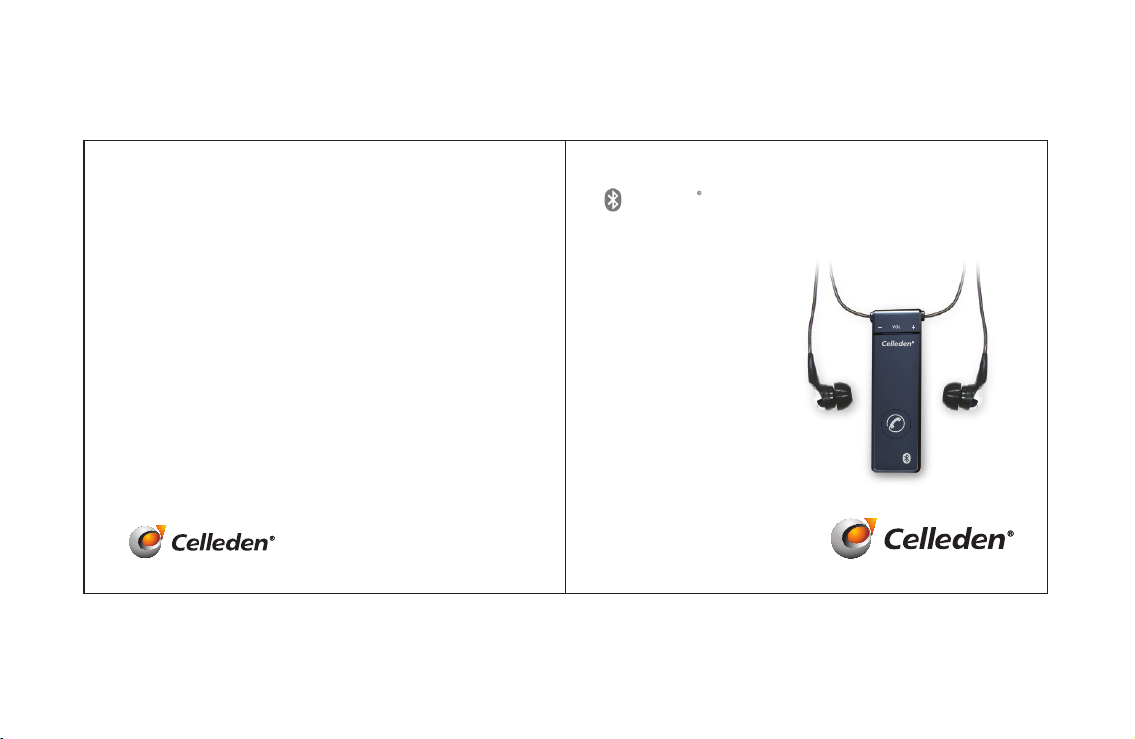
Stereo
Headset
STB-2881
User’s Guide
Http://www.celleden.com
Made in China
www.celleden.com
Page 2
Introduction
1
2
Contents
The Celleden STB-2881 Bluetooth Stereo Headset is a new concept in wireless
connectivity. Using Bluetooth v1.2, the STB-2881 delivers great stereo
sound via a robust and secure Bluetooth connection. The STB-2881 works
with any Bluetooth enabled device that supports the headset profile, the
®
®
®
®
handset profile, or the A2DP profile for streaming stereo audio. This makes
the STB-2881 compatible with cellphones, PCs/laptops, PDAs, even MP3/MP4
players. If you have a cellphone that supports streaming audio, you can
listen to your tunes without worry - incoming calls will be routed to the
headset automatically. Once the call is finished the music will come back
on, so you won't miss a thing.
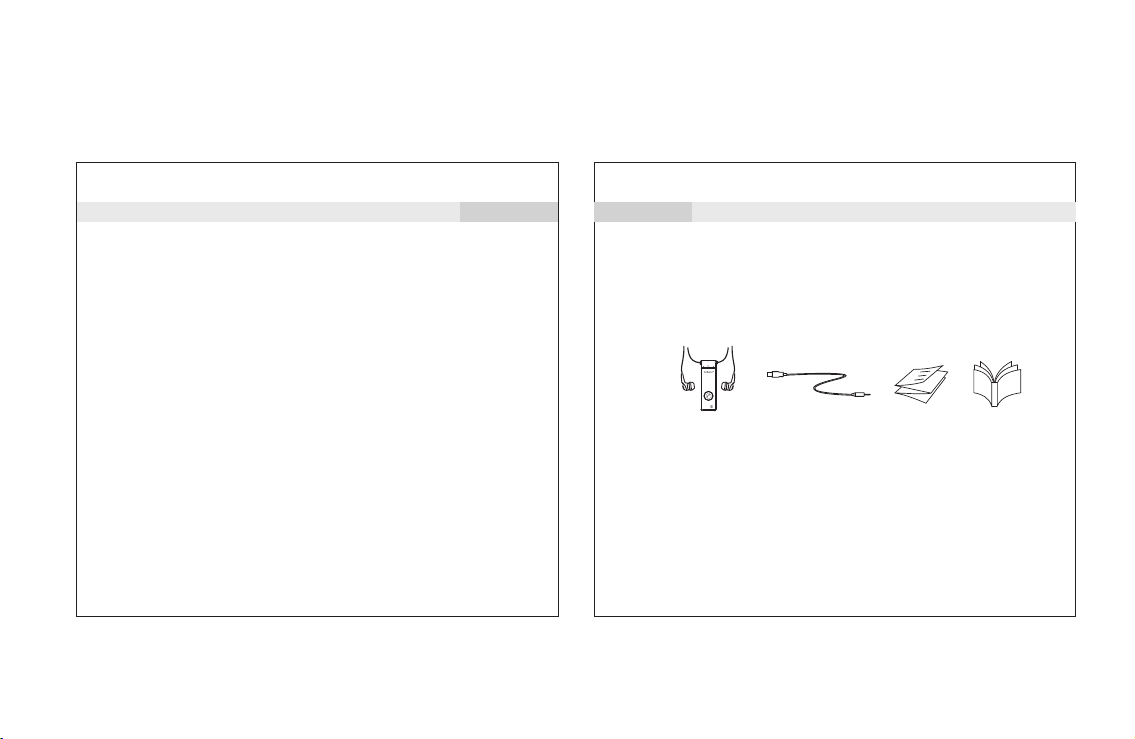
This package contains the following:
Main unit
The accessories may be subject to change for
the sake of product improvement.
Changes may be made without prior notice.
USB Extension Cable
Quick Guide
r
r
e
e
s
s
U
U
d
d
i
i
u
u
g
g
User's Guide
's
's
e
e
Page 3
Specifications:
3
4
Features:
Technical Specifications
Compliance: Bluetooth version 1.2 Class 2 6 ~ 4dB
Frequency range: 2.4-2.48 GHz
Speaker output: < 90 dB
Talk time: about 6 hours
Music playing time: about 6 hours
Standby time: 80 hours
Supported profiles: Headset, Handsfree, and A2DP
Weight: 25g
Dimensions(LxWxH): 80 x 24 x 8mm
®
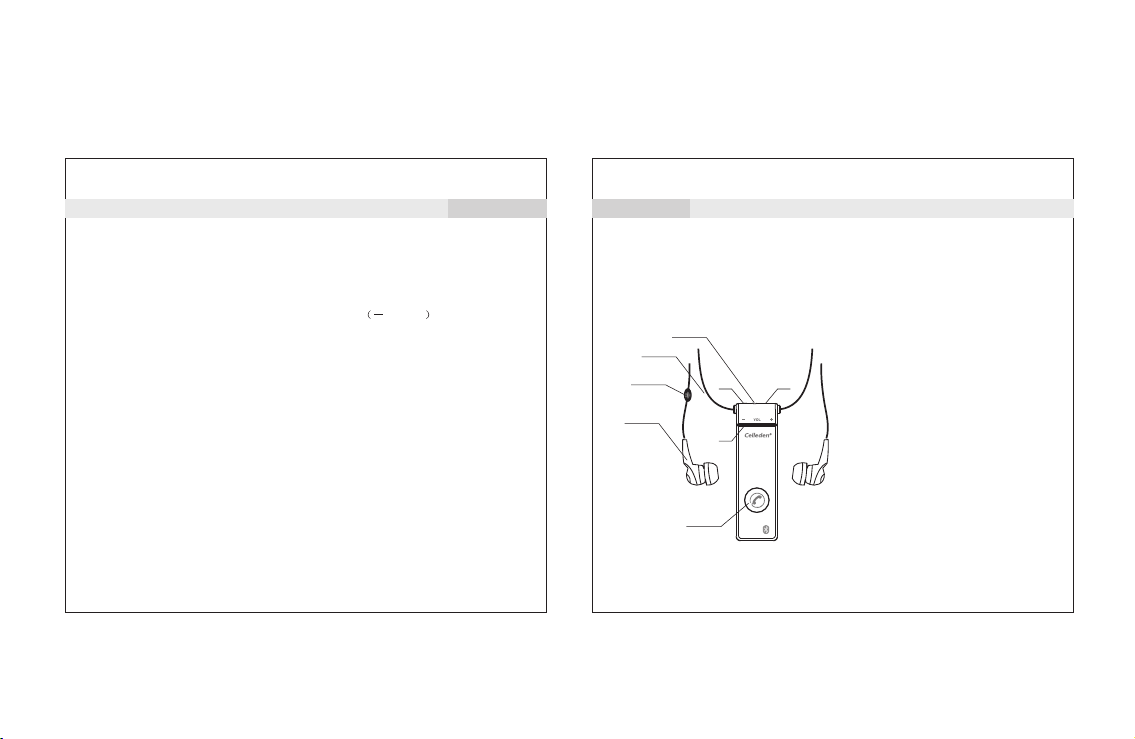
1. Talk button ---
2
3
5
6
4
1
78
Multi-function control key
2. DC jack --- Used for charging
3. Neck strap
4. LED indicator --- Status check
5. Microphone
6. Ear phone
7. Vol+ key
8. Vol- key
Page 4
Operating Instructions:
5
6
Operating Instructions:
Charging
Use the USB cable included in the package to connect the STB-2881 with
your PC/laptop. Charging will start automatically when the headset is
connected and the red indicator light will turn on. It will then turn off
when charging is completed.
Note: Make sure you
charge the unit for at
least 3 hours before
first use.
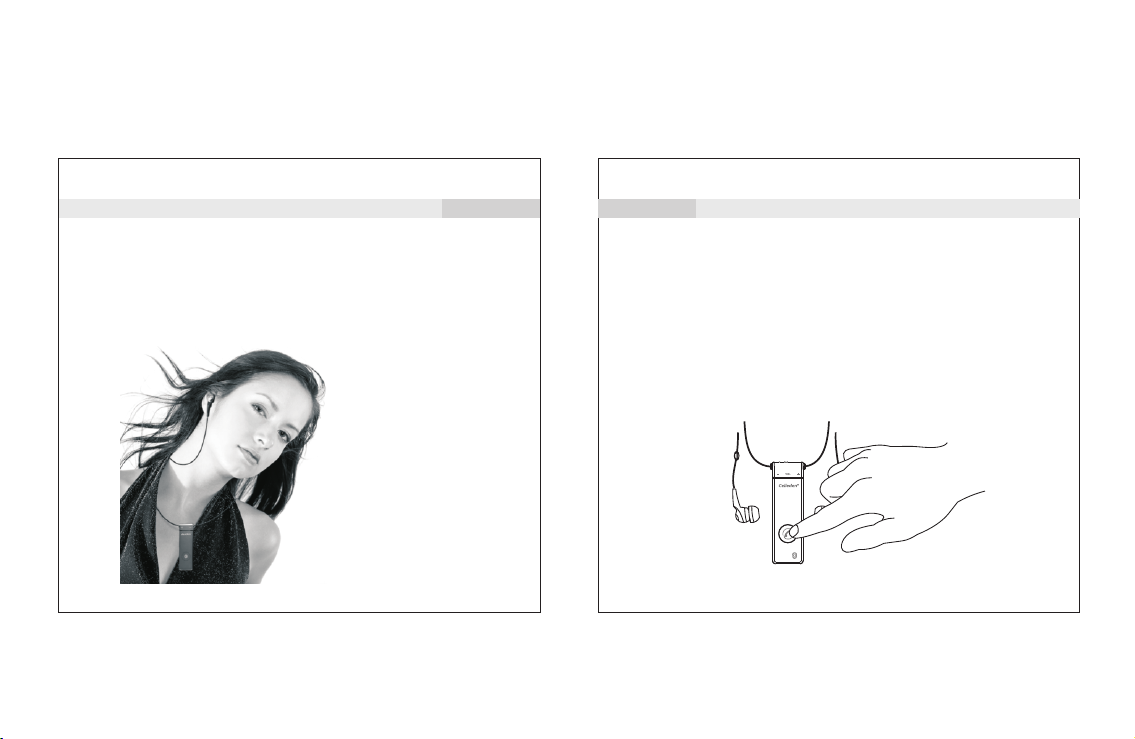
Wearing the headset
See diagram
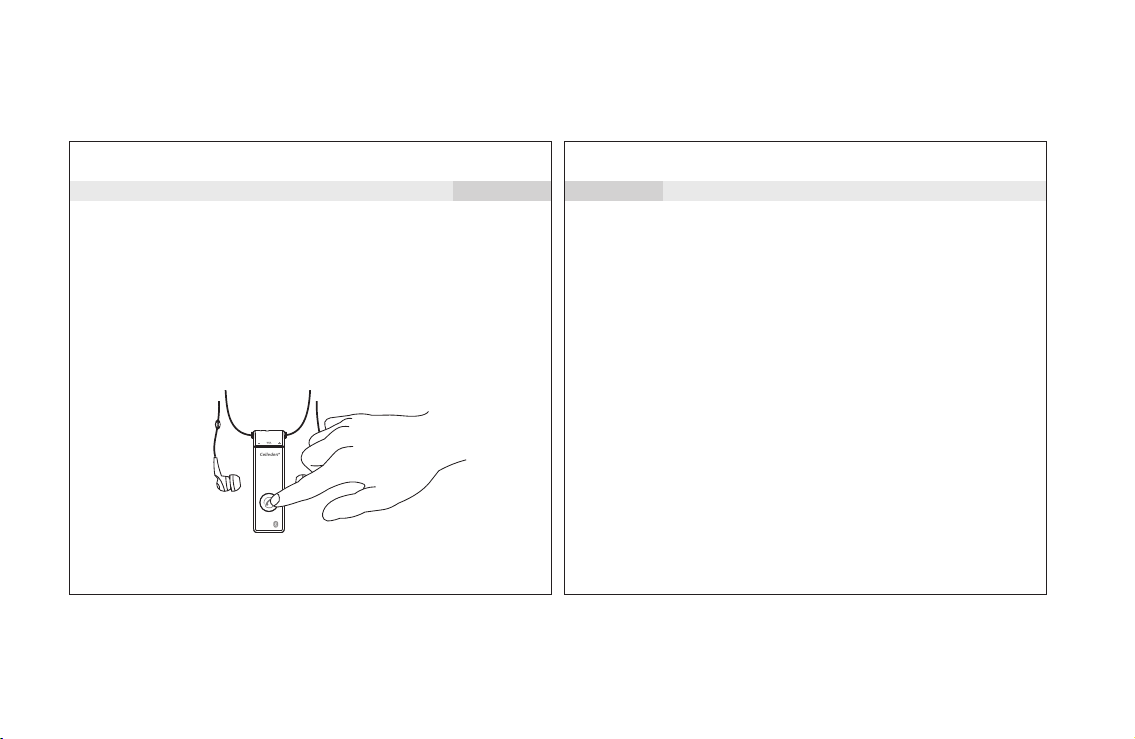
Power on/off
Power on
Press and hold the multi-function control key for about 4 seconds
until the blue LED indicator starts flashing or a tone is heard from
the headset. Now the headset is on and in Standby mode.
Note: The red LED indicator will be flashing
when the battery is low
4 seconds
Page 5
Operating Instructions:
7
8
Operating Instructions:
Power on/off
Power off
Press and hold the multi-function control key for about 2 seconds until
the red LED indicator flashes or a tone is heard from the headset. The
headset is now off.
2 seconds
Pairing
"Pairing" means creating a trusted relationship between two or more
®
Bluetooth devices. The devices must be paired before they can
communicate with each other. Pairing identification is stored for later
use, and the devices will automatically recognize each other the next
time they are connected.
Note: Before use, the STB-2881 must be paired with another
®
Bluetooth enabled device. The STB-2881 can save up to 7 device
IDs in memory, although it can communicate with only one device
at a time. The 7 IDs will be stored in the device list by order. When
more than 7 devices are paired with the unit, the oldest one will
be deleted. The headset can only automatically connect with the
most recently paired device.
See diagram on the following page.
1. Place the STB-2881 within 30 cm of the device to be paired with.
Page 6
Operating Instructions:
9
10
Operating Instructions:
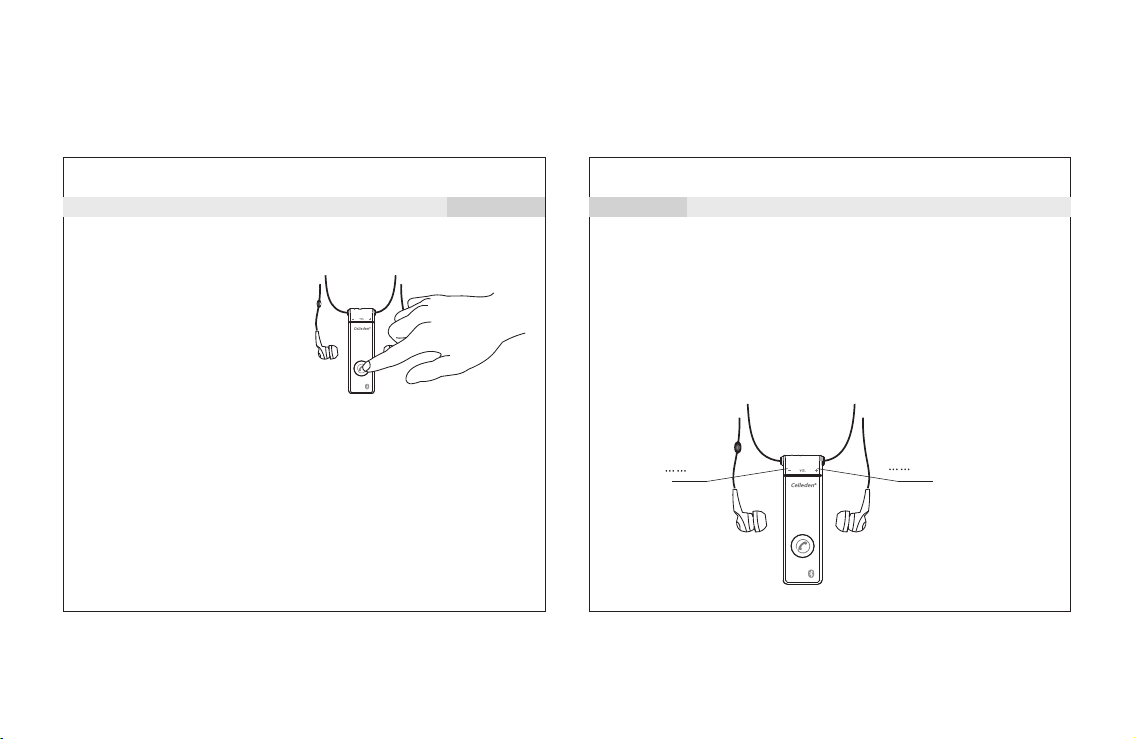
2. While the STB-2881 is off,
press and hold the multi-function
control key for about 6 seconds,
until the red and blue LEDs flash
alternately. The STB-2881 will
now be in Pairing mode.
3. Initiate the Bluetooth search function
in the device to be paired
with, such as a mobile phone or PC/laptop. Please refer to the user's
manual of the device for more information.
4. Select “STB-2881” in the device list and follow the instructions to
proceed.
5. Follow the instruction to enter pairing code “1234”. The red LED
indicator will stop flashing if pairing is successful. STB-2881's device
ID will be stored in the device list of the Bluetooth device so that no
pairing will be required for the next use.
®
6 seconds
®
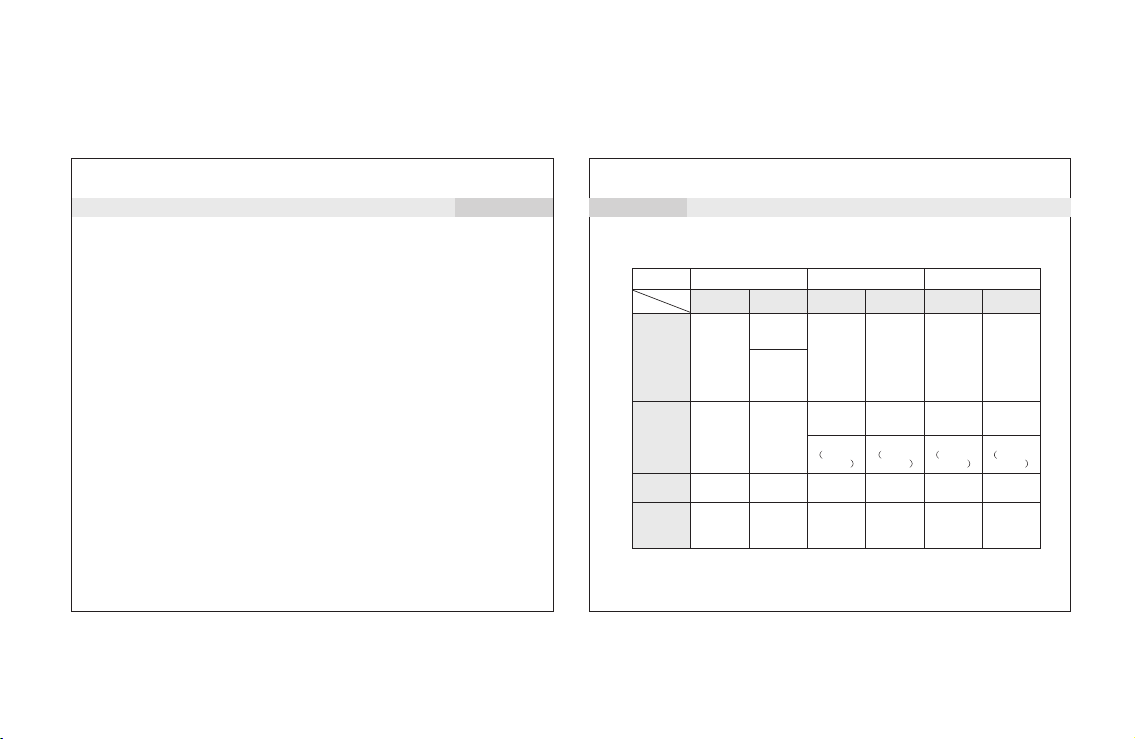
Volume adjustment
Press the Vol+ button to increase the volume. A tone will be heard from
the headset to indicate that the level has been changed. A separate tone
will be heard when the unit is at maximum volume.
Press the Vol- button to decrease the volume. A tone will be heard from
the headset to indicate that the level has been changed. A separate tone
will be heard when the unit is at minimum volume.
Low
High
Page 7
Operating Instructions:
11
12
Operating Instructions:
Stereo Music
After pairing with a Bluetooth device that supports the A2DP profile,
®
such as a PC, MP3 player or cellphone, the music output of those devices
will be be transmited to the STB-2881.
Answering/Ending phonecalls
After pairing with Bluetooth enabled cell phones, the music play will
®
be paused when there is an incoming call. A beep tone will also be
heard to notify that there is an incoming call. Press the multi-function
control key once to answer the call and press it once again to end the
call. The music play will now be resumed when the call is ended. If the
call is ended from the other side, music play will automatically be resumed.
Note: Automatic switching between phonecalls and music play
function is not supported by Sony Ericsson T series cellphones.
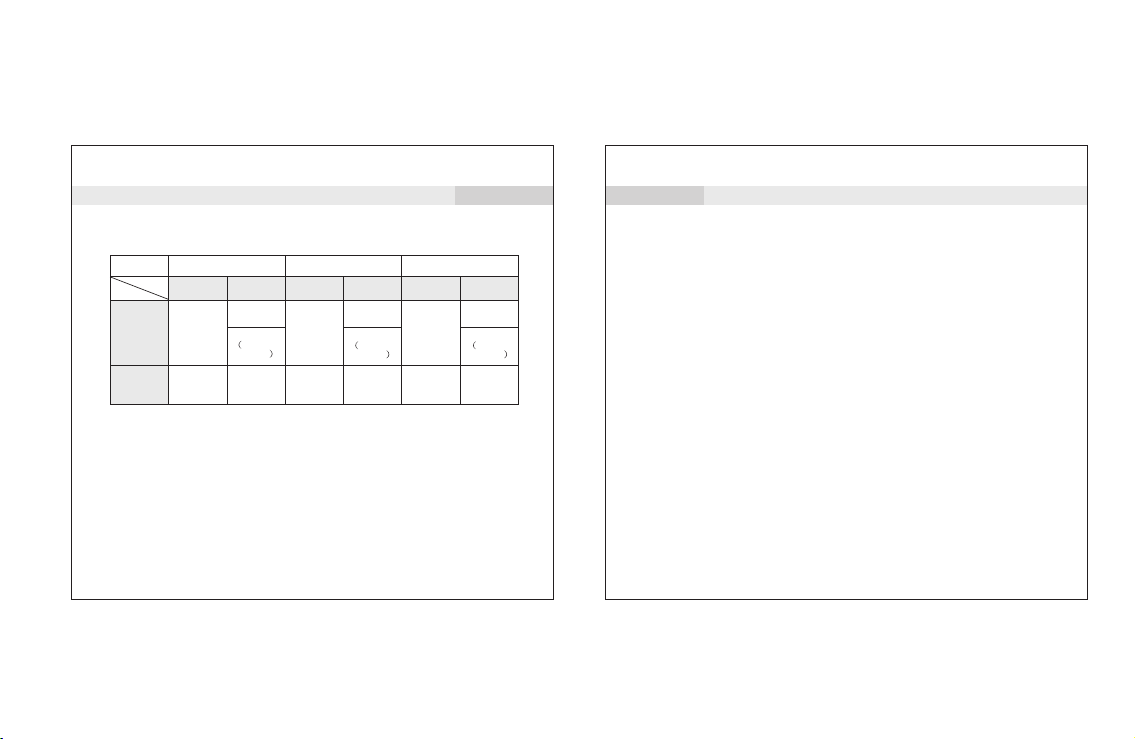
Status
Power
Off
Standby
Pairing
Voice
Activated
Dial
Press and
hold
No
function
Voice
activated
dial
Cancel
pairing
Cancel
Voice
Activated
Dial
TALK
Press
briefly
Power on
(around
4 secs)
Enter
pairing
mode
(around
6 secs)
Power off
(around
2 secs)
Power off
Power off
Vol+ Vol-
hold
No
Vol+
for Sony
No
No
Press
briefly
No
function
Last
number
redial
No function
for Sony
Ericsson
Press and
function
No function
for Sony
Ericsson
Press and
function
No function
Ericsson
functionNo functionNo functionNo function
functionNo functionNo functionNo function
hold
No
Vol-
Press
briefly
function
Last
number
redial
No function
for Sony
Ericsson
No
Page 8
Operating Instructions:
Status
Incoming
call
During a
call
The voice activated dialing function only works withcellphones that
support this function. Please refer to the user’s manual of your cellphone
regarding this issue.
Low-power prompt
The red LED will flash and a beep sound will be heard from the unit
when the power level is low. Please recharge the unit or the unit will
turn off by itself.
Press and
hold
Answer
call
End call
TALK
Press
briefly
Reject call
Power off
for Sony
Ericsson
Power off
Vol+ Vol-
hold
No
up
Press
briefly
No
function
Answer call
for Sony
Ericsson
Mute
Press and
function
Volume
Press and
hold
No
function
Volume
Down
13
Press
briefly
No
function
Answer call
for Sony
Ericsson
Mute
14
(Note: Please read all this information before using the STB-2881
®
Bluetooth Stereo Headset)
1. Check for any exceptions or rules, due to national/local requirements or
limitations, in usage of this Bluetooth Stereo Headset or any other Bluetooth
devices.
2. Check also the laws and regulations on the use of mobile phones and
handsfree equipment in the areas where you drive.
3. Please note that only authorized Celleden dealers or service partners should
remove and/or replace the rechargeable battery, or any other components.
4. Please use Celleden original accessories only. Use of non-Celleden original
accessories may result in damage, loss of performance to the headset,
injury, electric shock or ev en fire.
5. Please do not expose the Stereo Headset to extreme high or low temperatures,
moisture or fluid.
6. Please do not drop, throw or bend the Stereo Headset as rough treatment will
damage it .
7. If the Stereo Headset will not be used for a while, please store it in a place
where it is dry, free from dust, and not prone to extreme temperature
fluctuations.
8. RF frequency and energy may affect some electronic systems in a motor
vehicle. Please check with the manufacturer to ensure that the headset
will not affect the electronic systems in the motor vehicle.
9. Some medical electronic equipment may not be shielded from RF energy.
Therefore, please do not use the headset near medical equipment without
permission.
Important information
® ®
Page 9
Important information
15
Warning
16
10. Please turn off the Stereo Headset before boarding any aircraft. To prevent
any interference with communication systems, please do not use the
Stereo Headset while the plane is in the air.
11. Please turn off the Stereo Headset in any area with a potentially explosive
atmosphere.
12. Please do not allow children to play with the Stereo Headset since it contains
small parts.
13. Please do not expose the rechargeable battery to extreme temperatures.
If the battery is used at low temperature , the battery capacity will be
reduced.
14. The rechargeable battery has a long life if treated properly.
Note: The Stereo Headset is connected to a mobile phone or other electronic
devices using radio frequency signals which cannot guarantee connection
under all conditions or circumstances. Therefore, please never rely solely
upon the headset for essential or emergency communications.
Changes or modifications to this unit not expressly approved by
the party responsible for compliance will void the user's authority
to operate the equipment. Any change to the equipment will
void FCC grant.
This equipment has been tested and found to comply with the
limits for a Class B digital device, pursuant to part 15 of the FCC
Rules. These limits are designed to provide reasonable protection
against harmful interference in a residential installation. This
equipment generates, uses and can radiate radio frequency
energy and, if not installed and used in accordance with the
instructions, may cause harmful interference to radio
communications. However, there is no guarantee that interference
will not occur in a particular installation. If this equipment does
cause harmful interference to radio or television reception, which
can be determined by turning the equipment off and on, the
user is encouraged to try to correct the interference by one or
more of the following measures:
--Reorient or relocate the receiving antenna.
--Increase the separation between the equipment and receiver.
--Connect the equipment into an outlet on a circuit different
Page 10
Page 11

* Specifications and features are subject
to change without prior notice.
 Loading...