

Page 1
ASCENT
FREEDOM TO EXPLORE
A
A
A
B
a
1
t
8
t
e
3
r
2
y
-
B
B
l
u
D
e
A
t
o
o
t
h
H
e
a
d
s
e
t
f
o
AAAAAA
r
c
e
battery
l
l
p
h
o
n
e
s
For c ellphones
ADB-2381
User’s Guide
Http://www.celleden.com
Made in China
www.celleden.com
Page 2
Introduction
1
2
Contents
Introduction
The ADB-2381 is a portable handsfree device using advanced Bluetooth
technology. Using Bluetooth version 1.2, it provides a fast connection
speed and excellent sound quality.
The ADB-2381 uses one AAA battery which delivers long standby and
talking times. The battery is easily replaced and there's no need for
recharging.
The ADB-2381 supports both the headset and handsfree profiles so it
can be paired with any other Bluetooth enabled devices with these
profiles, such as mobile phones or computers, thus freeing your hands
for other tasks. The controls are easy to operate and can be activated
with one hand while the headset is in use.
Operation Requirement
The ADB-2381 can connect with any Bluetooth device which supports
the headset or handsfree profiles.
®
®
®
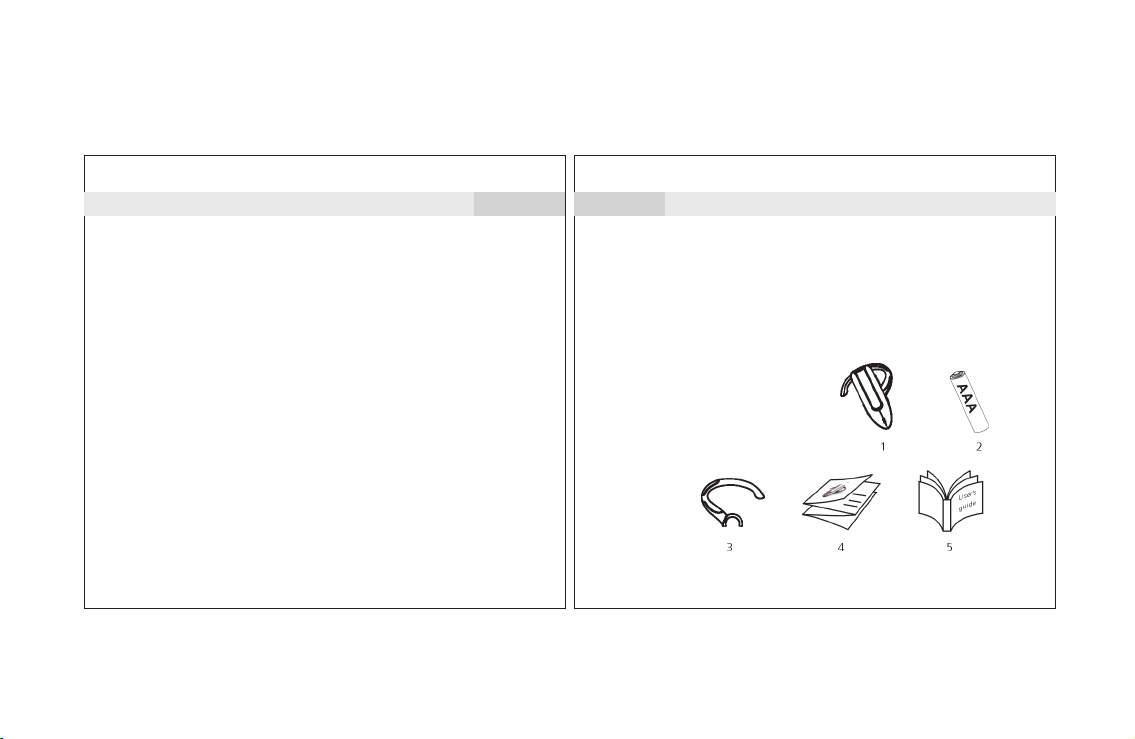
This package contains the following:
®
1. Headset
2. One AAA alkaline battery
3. Ear Hook
4. Quick Guide
5. User's Guide
The accessories may be
subject to change for the
sake of product improvement.
Changes may be made
without prior notice.
Page 3
Features
3
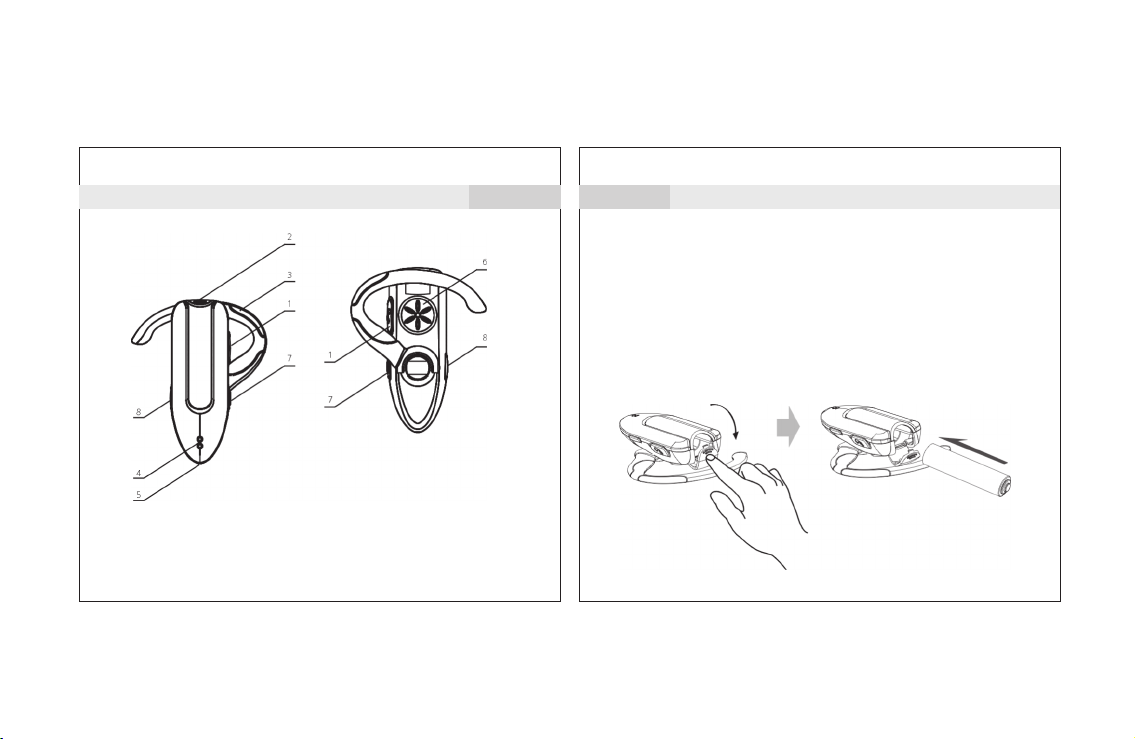
1. Talk Button: Controls multiple headset functions
2. Battery door: For accessing and changing the battery
3. Ear Hook: Can be rotated for right or left ear
4. LED indicator: Provides visual cue of headset status
5. Microphone 6. Speaker
7. Volume Up 8. Volume Down
4
Replacing the battery
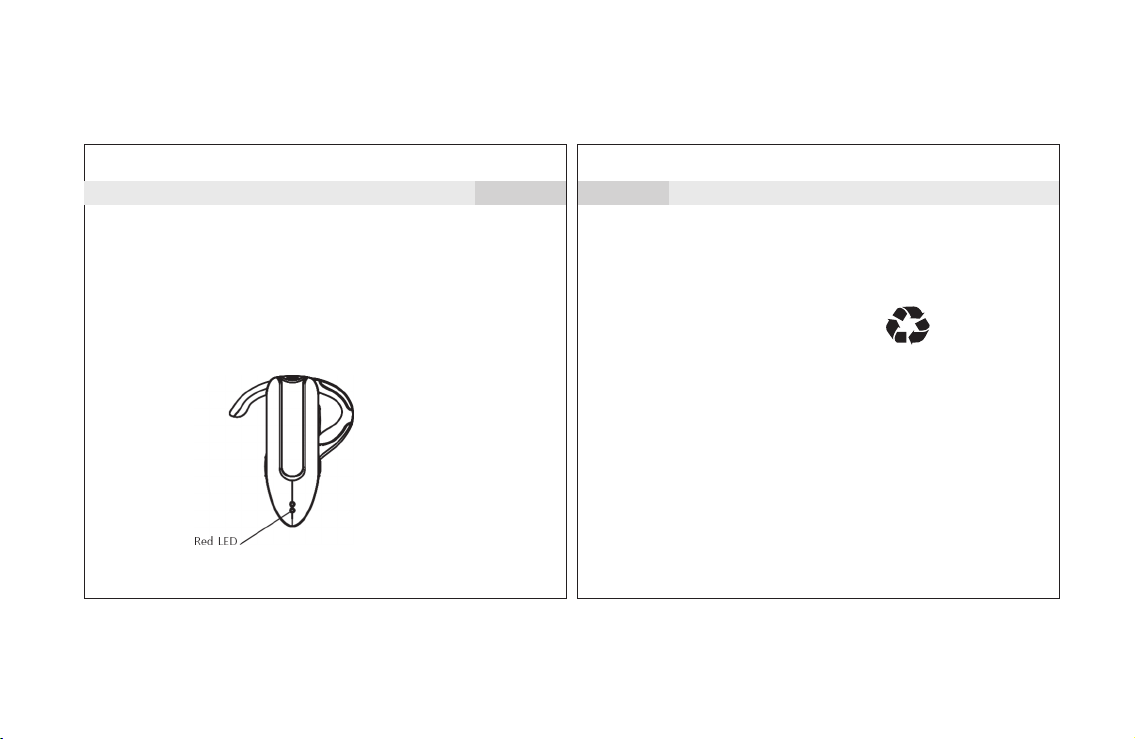
1. If the battery runs low in your headset, the bottom (red) LED will
flash intermittently, and there will be a slight beep tone from the
speaker indicating that the voltage is running low.
2. In such a case, the battery should be replaced.
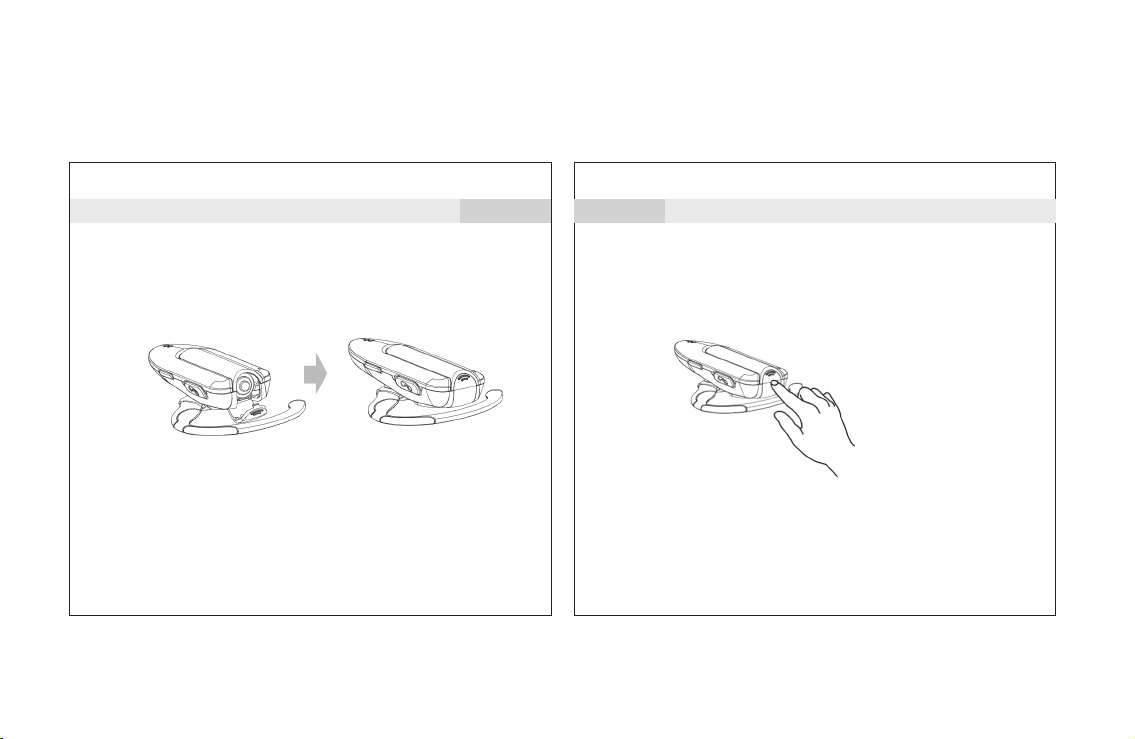
3. Simply open the battery door at the top of the headset to access
the battery compartment. Remove the old battery and replace
with a fresh alkaline AAA.
4. Insure that the polarity of the battery matches the markings
on the case.
Operating Instructions:
Page 4
Operating Instructions:
Replacing the battery
5
6
Operating Instructions:
Note:
A fresh headset battery will yield approximately 15 hrs.
of talking time and more than two weeks standby.
Note:
Avoid touching the headset battery
cover when in use, which may
accidently open the cover door.
Page 5
Operating Instructions:
7
8
Operating Instructions:
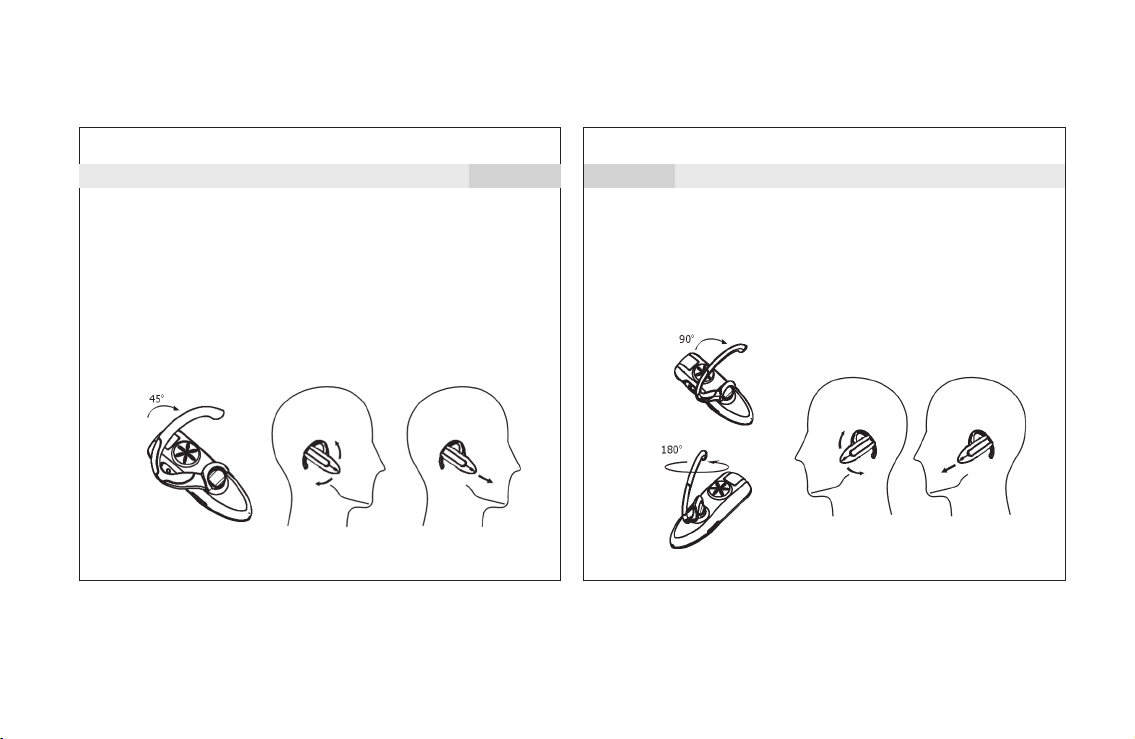
Wearing the headset
When packaged, the headset is originally set-up to be worn
on the right ear.
1. Open the ear hook approximately 45° away from the unit.
2. Place the ear hook over the ear.
3. Close the headset flat against the ear hook, insuring good
auditory reception.
4. Point the microphone towards your mouth.
Changing for wear on the left ear:
1) Open the ear hook (90 from the headset);
2) Rotate the ear hook by 180;
3) Press the ear hook to the speaker of the headset;
0
0
Page 6
Operating Instructions:
9
10
Operating Instructions:
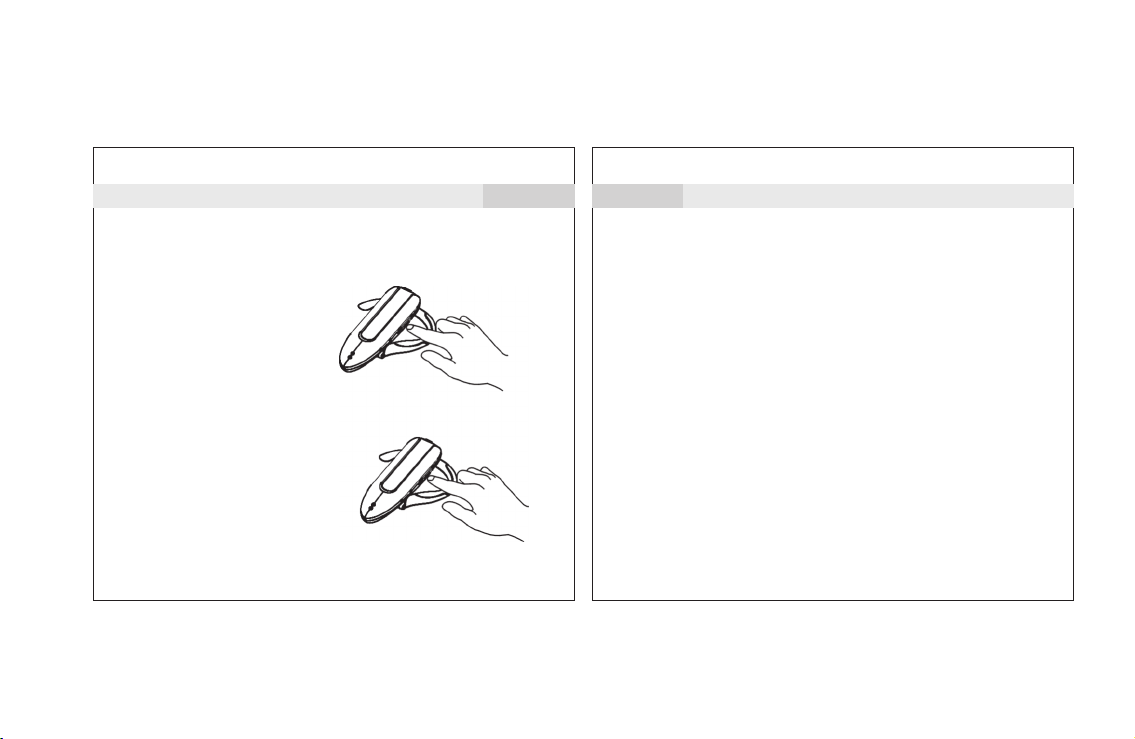
Turning the headset on:
1. Press and hold the Talk
button for about 6 seconds,
until the green LED flashes
and there is a brief tone
from the speaker.
2. The headset is now on and
in Standby mode.
Note: If the battery is low,
the red LED will flash.
Turning the headset off:
1. Press and hold the Talk button
for approx. 2 seconds. The red
LED will flash and there will be
a brief tone from the speaker.
The unit will then power off.
6 seconds
2 seconds
Pairing
Note:
Before you use the headset, you must pair it with your
mobile phone or other Bluetooth device. “Pairing”creates a
secure link between Bluetooth devices, and allows the phone
or other device to remember the headset's unique ID. When
the headset is paired to the mobile phone, it will automatically
connect to the mobile phone.
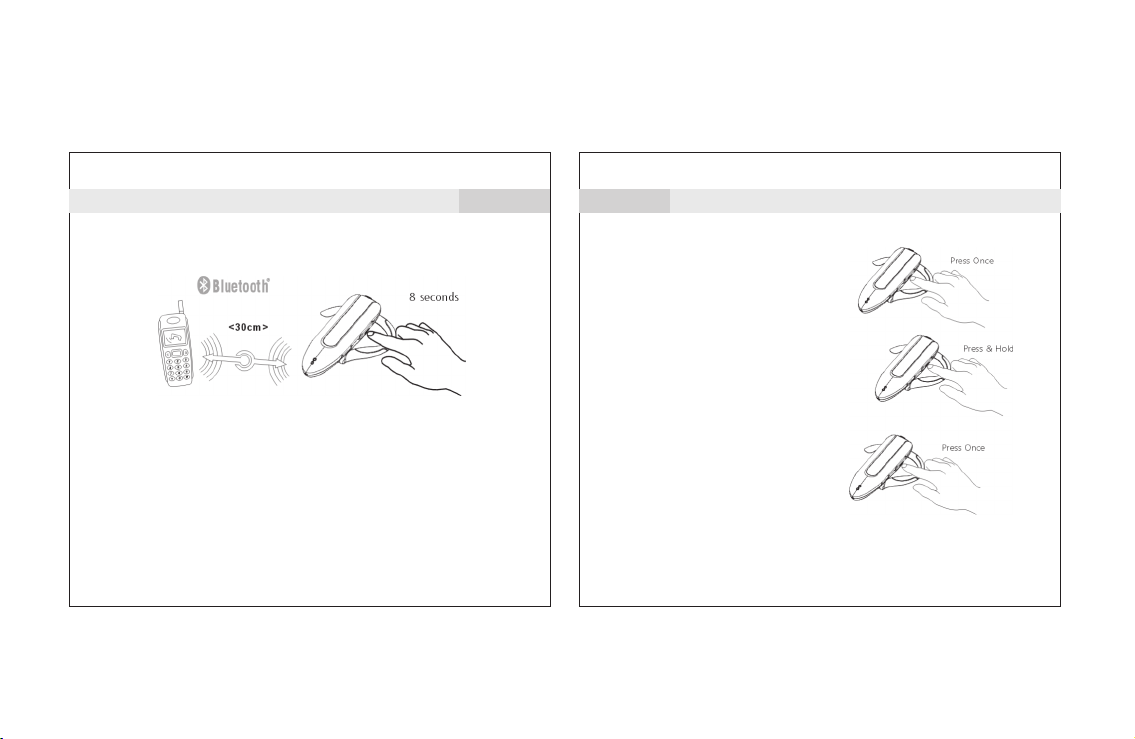
1) Put the Bluetooth device within 30 cm. of the headset.
2) Make sure the headset is off. Keep pressing the Talk button for
about 6 seconds until the red and green LED indicators flash alternately.
The earpiece is now in pairing mode.
3) Perform a device discovery from your phone. (For details
on device discovery for your phone, refer to the phone's
user's guide.) When the scan is complete, the phone
displays the devices found.
®
®
®
Page 7
Operating Instructions:
4) Select the ADB-2381 from the discovered devices list and
confirm following the on-screen prompts.
5) When prompted by the phone, enter the password “1234”
and confirm the pairing with the phone. Pairing is successful
when the red LED stops flashing. The device's ID is now
stored in the phone's memory. They can connect automatically
when you use them afterward.
11
12
Answering a call:
When the headset rings or
the audio signal is heard,
press the Talk
button briefly.
Rejecting a call:
To refuse an incoming call,
press and hold the Talk button
for approximately 2 seconds and
the call will be refused.
Ending a call:
Same as the steps for answering
a call.
Note: If your mobile phone is Sony Ericsson, please
see the table in Section 14 for more information.
Operating Instructions:
Page 8
Operating Instructions:
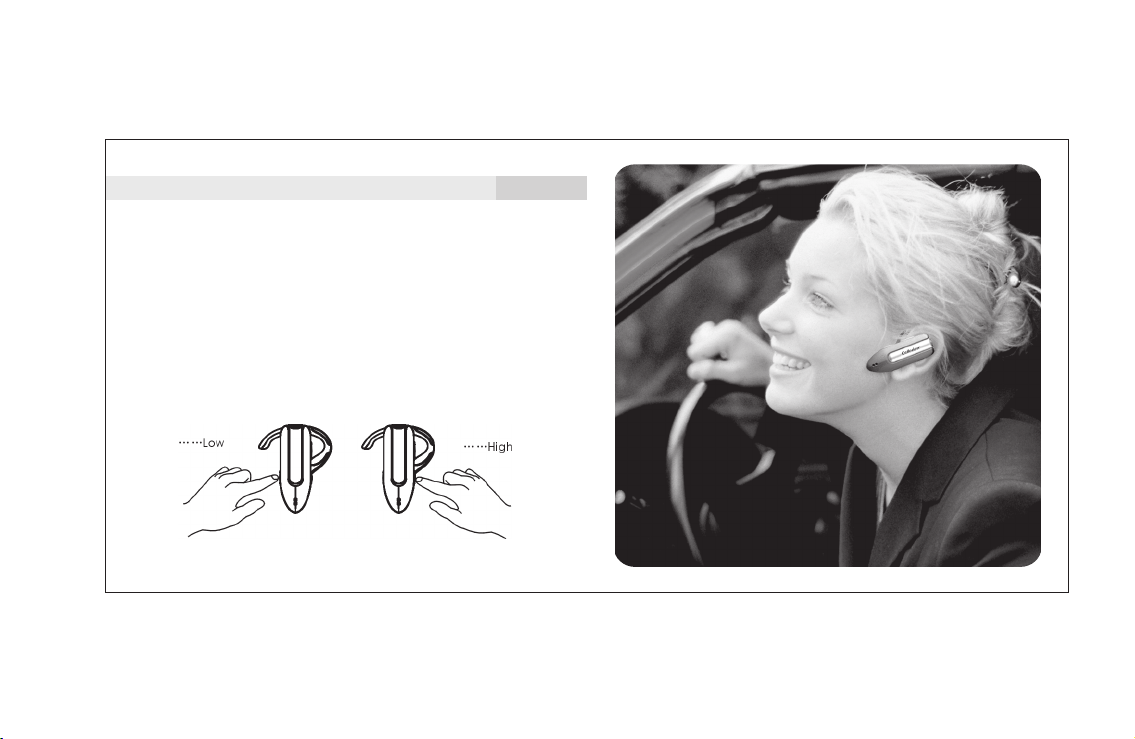
Adjusting the volume:
Use the Volume Up or Volume Down buttons to increase or
decrease the volume. At each increment, there will be a slight
tone from the speaker, until it reaches its maximum or
minimum level.
Note:
It is strongly recommended to adjust the volume slowly and in
increments, to avoid damage to sensitive hearing.
13
Page 9
14
Operating Instructions:
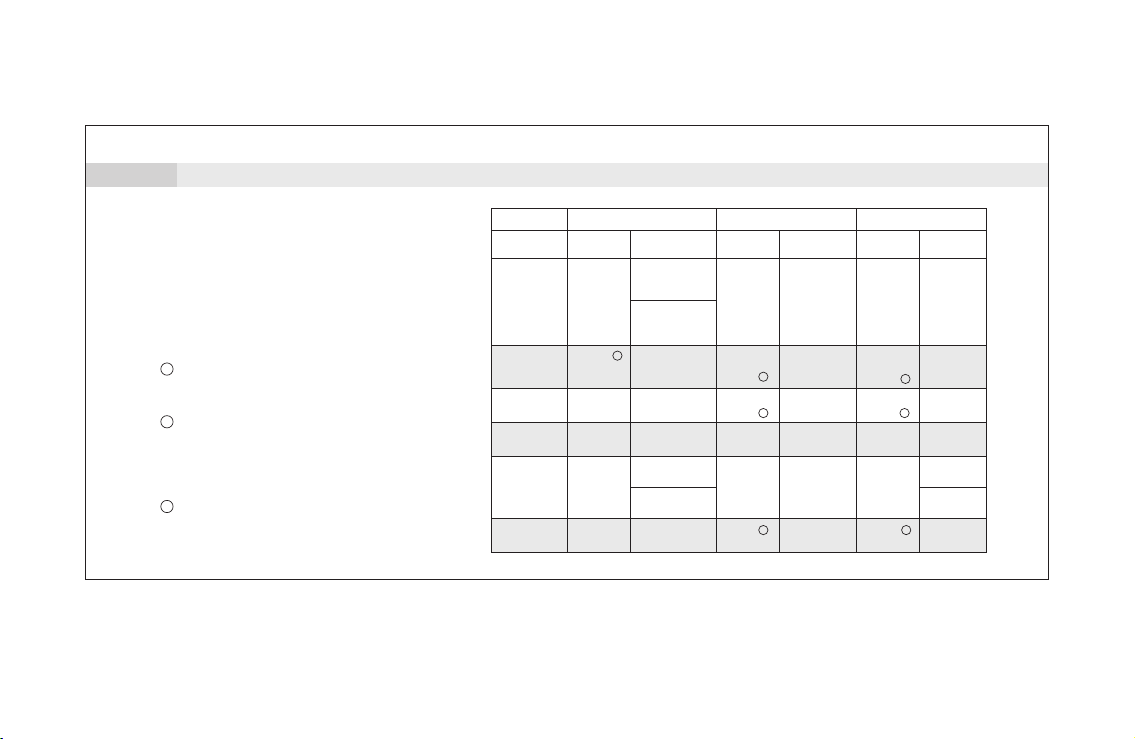
Functions of the buttons
Below are the functions of the buttons
when the headset is paired with the
mobile phone:
The voice dial and the reject function needs
1
the support of the mobile phone. Please
refer to the mobile phone's user's guide.
During conversation, press and hold the ”Vol+”
2
and ”Vol-” buttons for approx 2 seconds, or until
you hear the tone from the speaker. The Mute
function is now activated. The function can be
cancelled with the same steps.
3
This function will toggle the LED ON/OFF.
Working
Status
Off
Standby
Pairing
Starting
voice dial
When there is
incoming call
During
conversation
Talk Volume Up
Voice dial
Answer
Press & Hold
Turn on the power
(press and hold
for 6 seconds)
Enter the pairing
mode (press and
hold for 8 seconds)
Turn off the power
1
(press and hold
for 2 seconds)
Turn off
the power
Turn off
the power
Reject
Turn off the power
(for Sony Ericsson)
Turn off
the power
Press Once
No function
Cancel
pairing
Cancel
voice dial
Hang
up a call
Press Once
No function
Increase the
volume
No function
No function
No function
Increase
the volume
Press & Hold
No function
No function
3
No function
3
No function
No function
3 3
Call transfer
Volume Down
Press Once
No function
Decrease the
volume
No function
No function
No function
Decrease
the volume
Press & Hold
No function
Last number
redial
3
No function
3
No function
No function
Answer
(for Sony Ericsson)
No function
Page 10
Operating Instructions:
15
16
Safety & Precautions:
Battery-low indication
When the battery is low, the red LED will flash. A beep will be
heard from the speaker to remind you of the battery condition.
If the voltage of the battery continues to decrease, the headset
unit will automatically power off.
Battery Safety:
Used batteries must be disposed of
properly and may need to be recycled.
Contact your local recycling center or
the manufacturer of the battery for
proper disposal methods.
Warning: Never dispose of batteries in a fire because they
may explode.
Note: Please review the warnings and instructions provided by
the manufacturer of your battery. Instructions may
include: (1) Keep batteries from children and seek immediate
medical assistance if a battery is swallowed. (2) Do not open
batteries, install them backwards, charge them, or expose
batteries to water, fire or high temperatures. These activities
may cause a battery to explode or leak, resulting in personal
injury or property damage.
Page 11

Safety & Precautions:
17
18
Troubleshooting
Electromagnetic Interference/Compatibility:
Note: Nearly every electronic device is susceptible to
electromagnetic interference (EMI) if inadequately shielded,
designed, or otherwise configured for electromagnetic
compatibility.
To avoid electromagnetic interference and/or compatibility
conflicts, turn off your device in any facility where posted
notices instruct you to do so. Hospitals or health care
facilities may be using equipment that is sensitive to
external RF energy.
This section lists some problems that you might encounter
while using the headset.
1. No sound contact between the headset and
another device:
The headset and the receiving device have to be paired
to recognize each other.
They also have to be within range of each other. Make sure
the headset and the receiving device are no more than
10m./30ft. apart with no solid objects in between.
2. The headset indicator light flashes red.
This indicates that the headset has only limited talking and
standby time left. Replace battery.
Page 12

Troubleshooting
19
20
Important information
3. Pairing is unsuccessful
If pairing has not succeeded after a few tries, you may have to reset
the headset first before pairing.
To reset the headset:
With the headset turned off, press and hold the ON/OFF button for
about 10 seconds until the indicator light flashes red and blue, and
then press and hold the ON/OFF button until the indicator light goes
off. The headset is now reset.
4. Some headset functions do not work
If you notice that you cannot make use of all the features in the
headset, please check if your mobile phone has the right software
version.
Note: Please read all this information before using the ADB-2381
Bluetooth Headset
1. Check for any exceptions or rules, due to national/local
requirements or limitations, in usage of this Bluetooth
headset or any other Bluetooth devices.
2. Check also the laws and regulations on the use of mobile
phones and hands free equipment in the areas where you drive.
3. Please note that only authorized Celleden dealers or service partners
should remove and/or replace any internal components of this device.
4. Please use Celleden original accessories only. Use of non-Celleden original
accessories may result in damage, loss of performance to the
headset, injury, electric shock or even fire.
5. Please do not expose the headset to extreme high or low
temperatures, moisture or fluid.
6. Please do not drop, throw or bend the headset as rough
treatment will damage it.
7. If the headset will not be used for a while, please store it in
a place where it is dry, free from dust, and not prone to extreme
temperature fluctuations.
®
®
®
Page 13

Important information
21
Warning
22
8. RF frequency and energy may affect some electronic systems
in a motor vehicle. Please check with the manufacturer to
ensure that the headset will not affect the electronic systems
in the motor vehicle.
9. Some medical electronic equipment may not be shielded
from RF energy. Therefore, please do not use the headset
near medical equipment without permission.
10.Please turn off the headset before boarding any aircraft.
To prevent any interference with communication systems,
please do not use the headset while the plane is in the air.
11.Please turn off the headset in any area with a potentially
explosive atmosphere.
12.Please do not allow children to play with the headset since
it contains small parts.
Note: The headset is connected to a mobile phone or other
electronic devices using radio frequency signals which cannot
guarantee connection under all conditions or circumstances.
Therefore, please never rely solely upon the headset for essential
or emergency communications.
Changes or modifications to this unit not expressly approved by
the party responsible for compliance will void the user's authority
to operate the equipment. Any change to the equipment will
void FCC grant.
This equipment has been tested and found to comply with the
limits for a Class B digital device, pursuant to part 15 of the FCC
Rules. These limits are designed to provide reasonable protection
against harmful interference in a residential installation. This
equipment generates, uses and can radiate radio frequency
energy and, if not installed and used in accordance with the
instructions, may cause harmful interference to radio
communications. However, there is no guarantee that interference
will not occur in a particular installation. If this equipment does
cause harmful interference to radio or television reception, which
can be determined by turning the equipment off and on, the
user is encouraged to try to correct the interference by one or
more of the following measures:
--Reorient or relocate the receiving antenna.
--Increase the separation between the equipment and receiver.
--Connect the equipment into an outlet on a circuit different
Page 14

Warning
from that to which the receiver is connected.
--Consult the dealer or an experienced radio/TV technician for
help.
The user's manual or instruction manual for an intentional or
unintentional radiator shall caution the user that changes or
modifications not expressly approved by the party responsible
for compliance could void the user's authority to operate the
equipment. In cases where the manual is provided only in a
form other than paper, such as on a computer disk or over
the Internet, the information required by this section may be
included in the manual in that alternative form, provided the
user can reasonably be expected to have the capability to access
information in that form.
This equipment complies with FCC radiation exposure limits set
forth for an uncontrolled environment.
This device complies with part 15 of the FCC Rules. Operation
is subject to the following two conditions: (1) This device may
not cause harmful interference, and (2) this device must accept
any interference received, including interference that may cause
undesired operation.
23
* Specifications and features are subject
to change without prior notice.
 Loading...