

Page 1
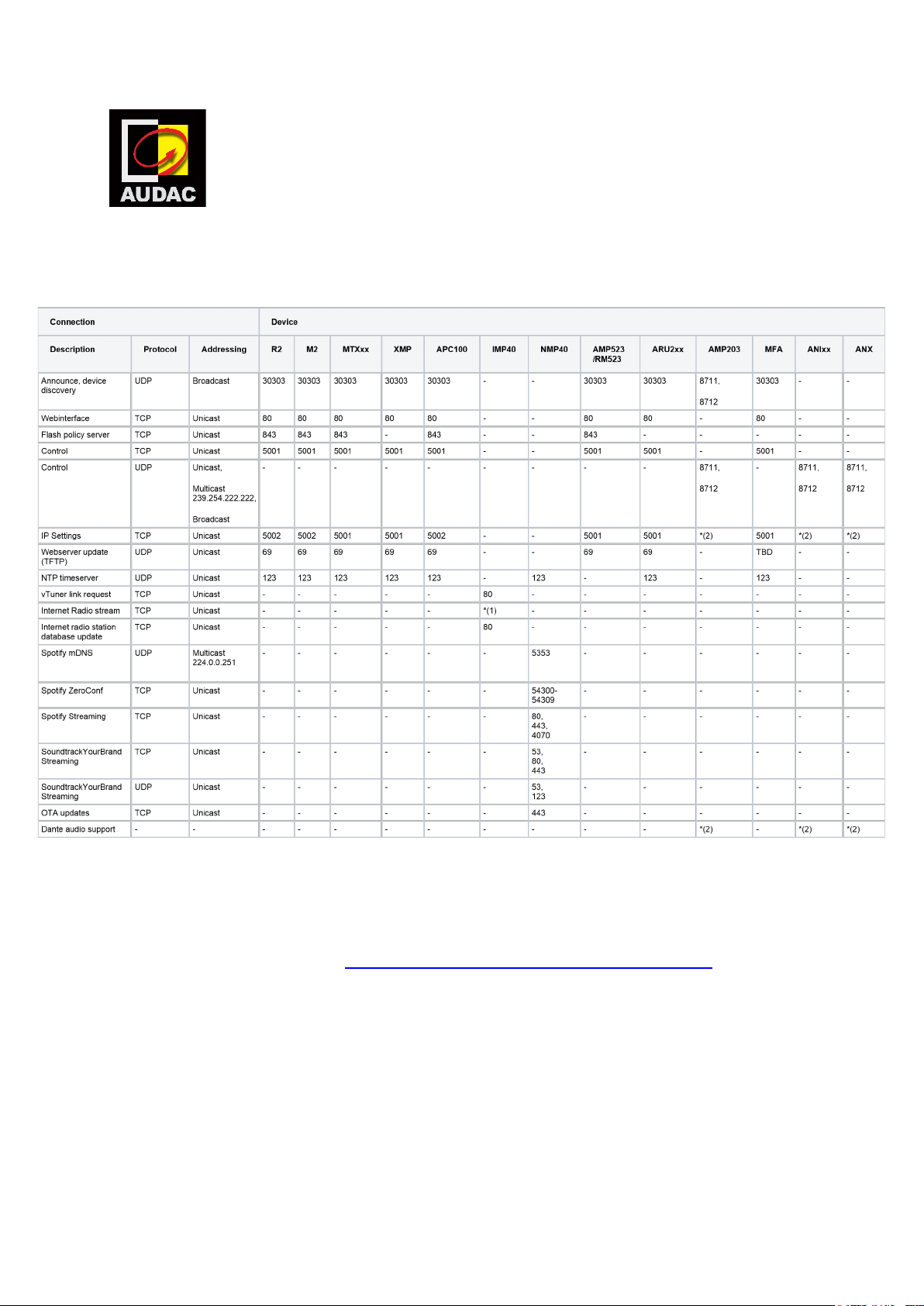
Required port numbers
AUDAC technical support
Device port numbers
(1) Depending on radio station and server. The stream server used by vTuner can differ from the stream server info found
on the radio station website, as a result the port numbers can also differ. To be sure check the radio station website for a stream
server link and port information, add this stream server link to your IMP40 favorites and open this port number in your network
infrastructure.
(2) See Dante ports overview page: https://www.audinate.com/faq/which-network-ports-does-dante-use
Page 2
AUDAC Touch™ port numbers
Software
AUDAC Touch™
AUDAC Touch™ 2
7984,7985
80, 443
To control a device by AUDAC Touch™ all device port numbers above must be open.
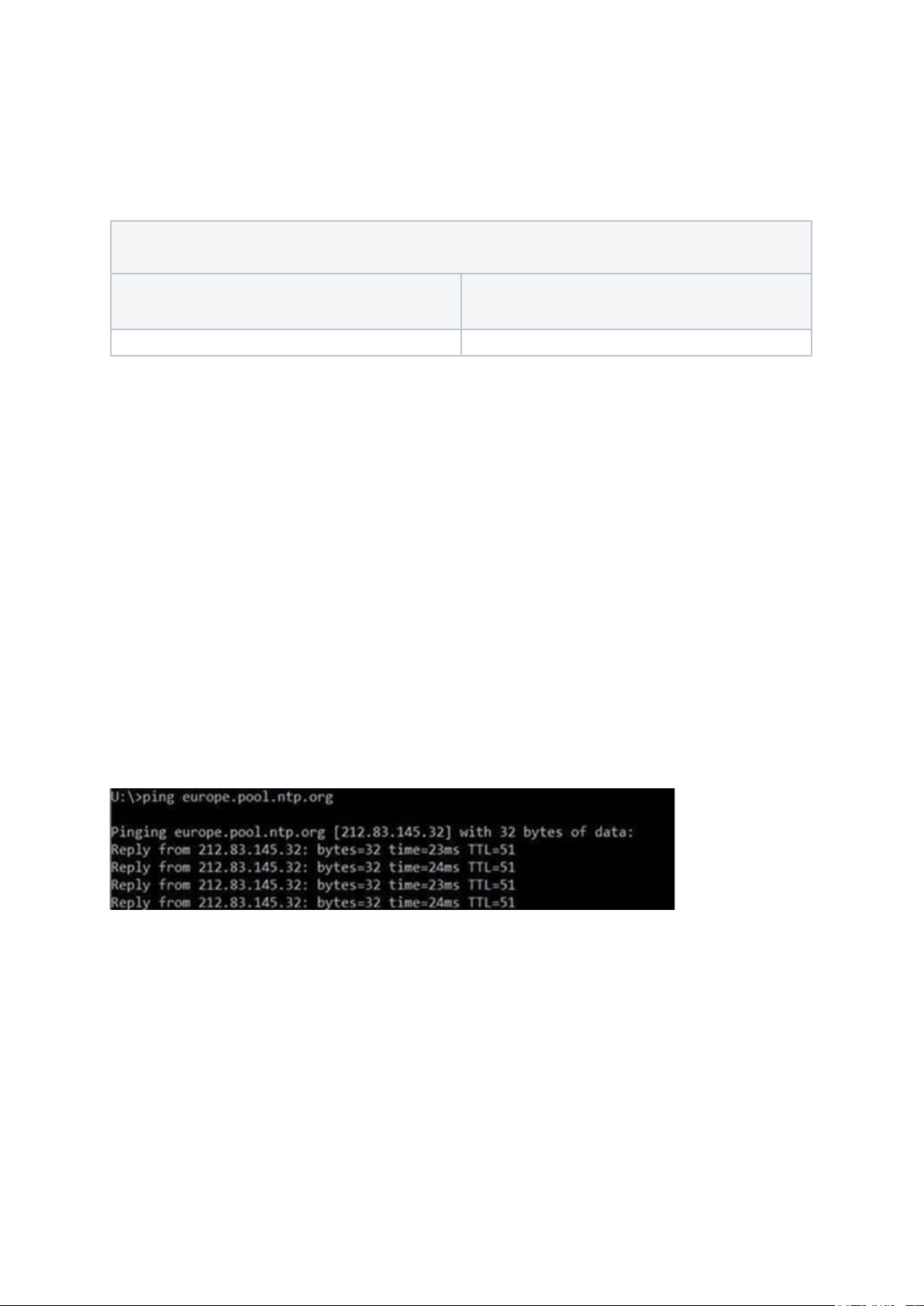
Finding an NTP server
If your network has any restrictions, it is recommended to contact your network
management to obtain the NTP address for the network you are connecting to, if the
network is unmanaged or has no port restrictions then to find the IP address relative to
you simply ping the address as shown below.
"europe.pool.ntp.org"
"asia.pool.ntp.org"
"oceania.pool.ntp.org"
"north-america.pool.ntp.org"
"south-america.pool.ntp.org"
"africa.pool.ntp.org"
Use the IP address shown in your ping response.
Contact [email protected] for more information.
 Loading...