

Page 1
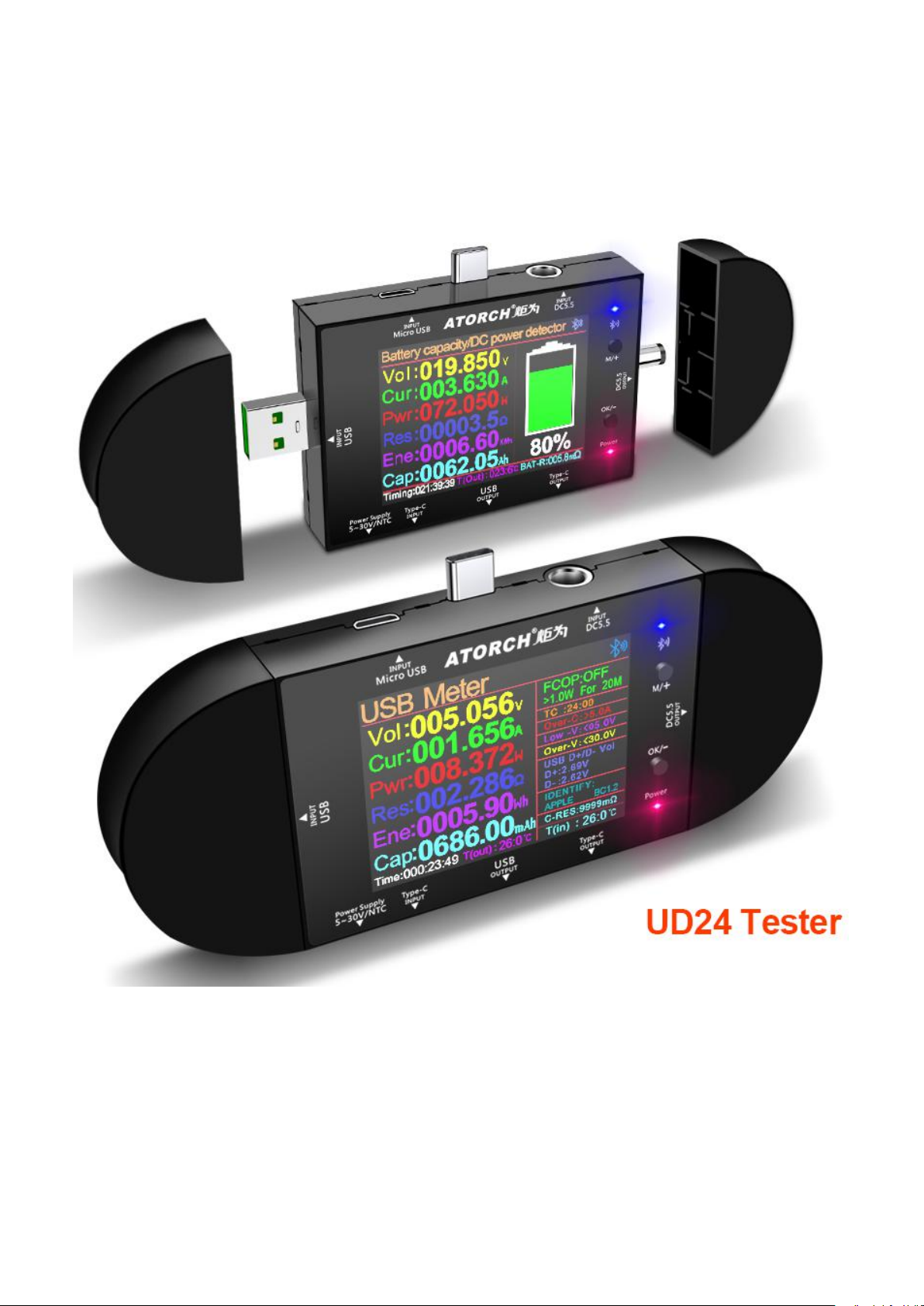
UD24 Tester User Manual
It can be used as a USB tester or as a DC voltmeter. It is a high-end
product created by the wisdom of the industry!
UD24 2.4"inch USB tester DC5.5 Type-C digital voltmeter ammeter power bank voltage detector volt QC PD
electric meter for APP
Page 2

Product description
Voltage measurement range: 5V~32.0V
Current measurement range: 0.00~ 5.10A
Timing time: 999 hours 59 minutes 59 seconds
Input interface: Type-C/Micro USB/USB
Output interface: Type-C/USB
Timing charging reminder setting: countdown 24 hours any set value
USB D+ voltage range: 0V~2.99V
USB D- voltage range: 0V~2.99V
Refresh time:> 500mS/ times> 500mS/ times
Measurement rate: about 0.5 times/sec
Alarm mode: siren sound + display prompt double warning
Display type: large screen with true color digital display with heavy cost 2.4 Chinese and English
measurement interface
Self-consumption current: <0.02A
Working temperature: -10~+60°C -10~+60°C
Working humidity: 10~80 (no doubt) 10~80 (no doubt)
Working pressure: 80~106kPa
Page 3
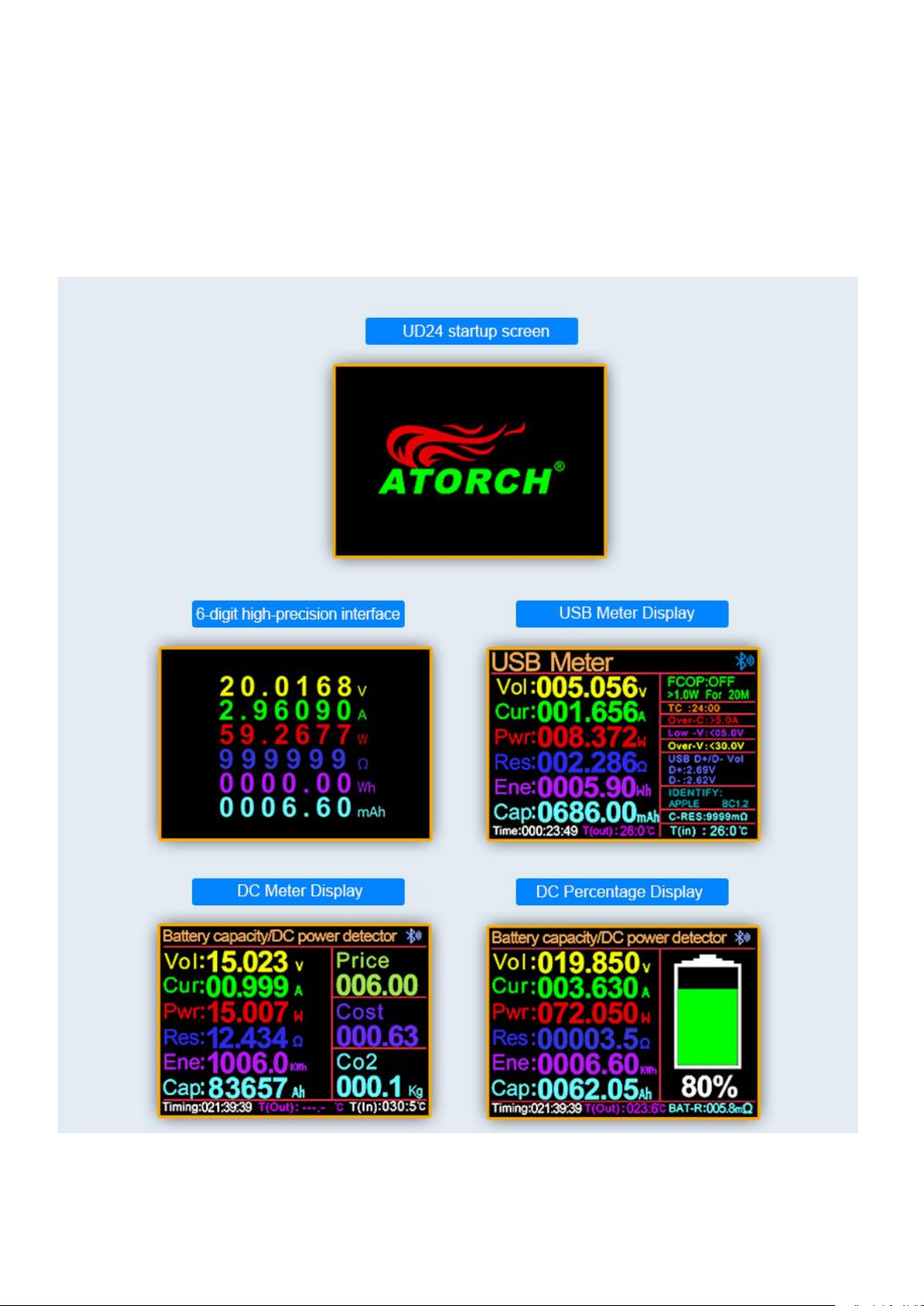
UD24 Startup screen and function test interface
1.6-digit high-precision interface
2.USB Meter Display
3.DC Meter Display
4.DC Percentage Display
Page 4
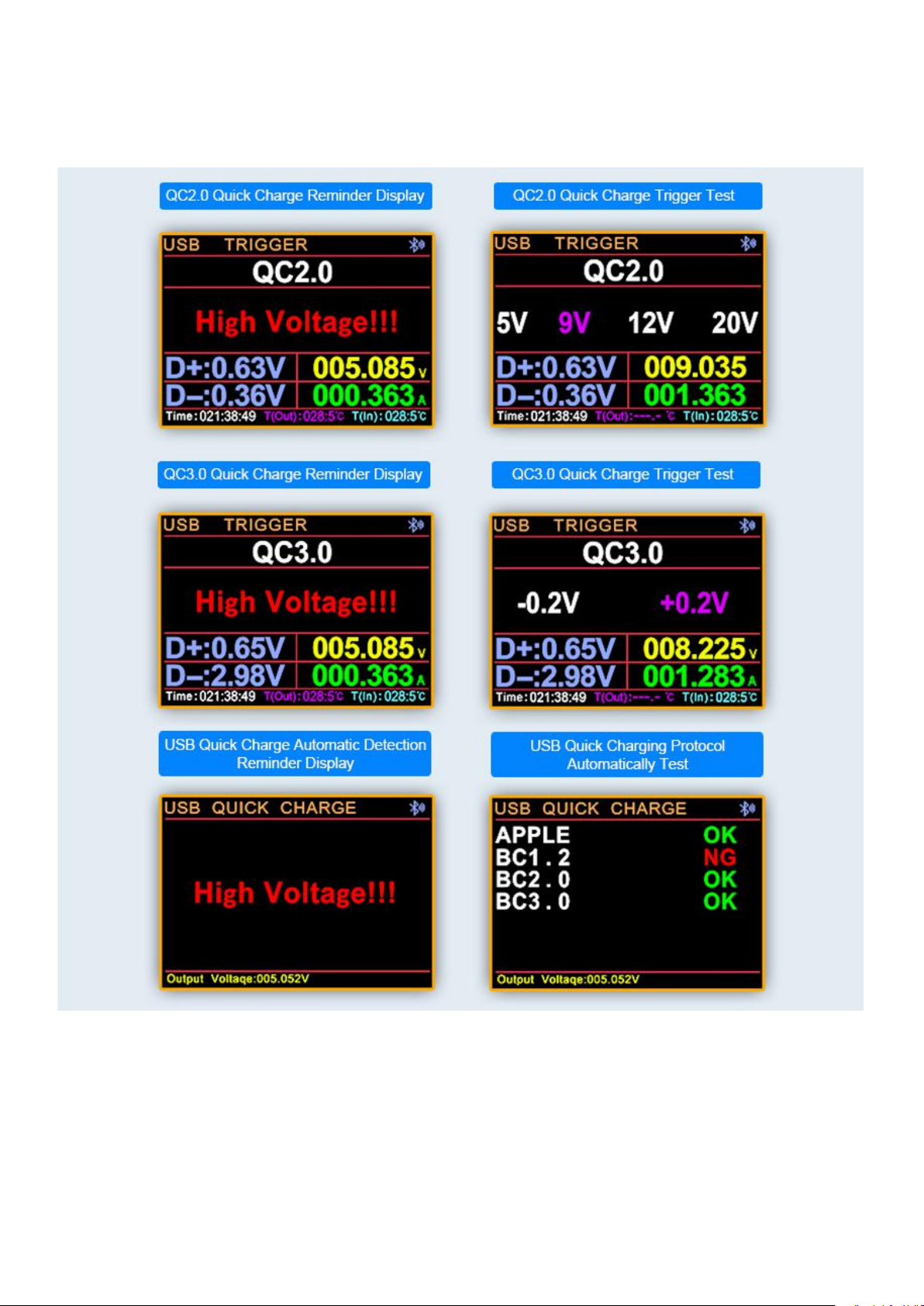
Qualcomm QC3.0/2.0 Quick charge protocol triggers automatic detection
of multiple quick charge protocols
Page 5
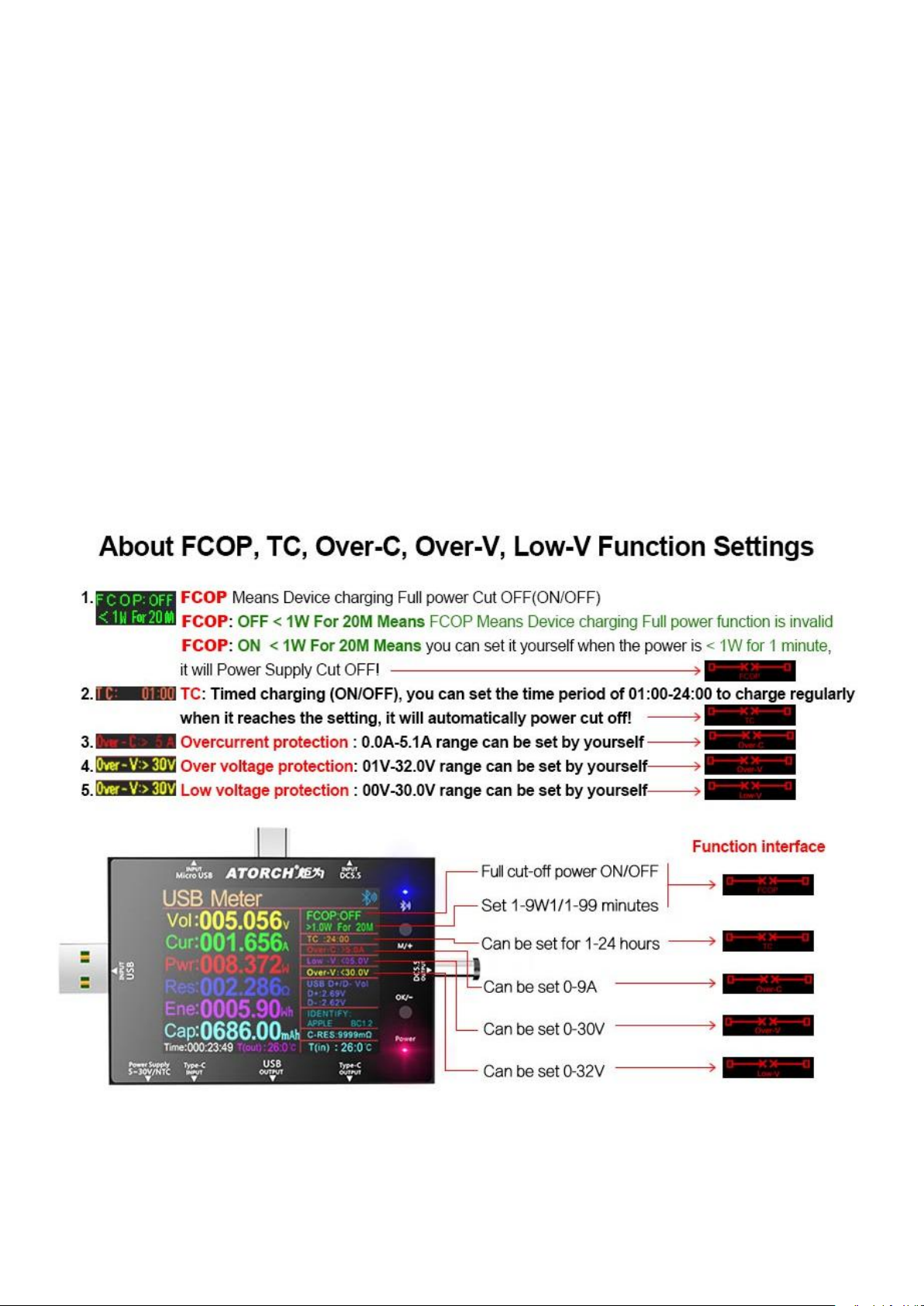
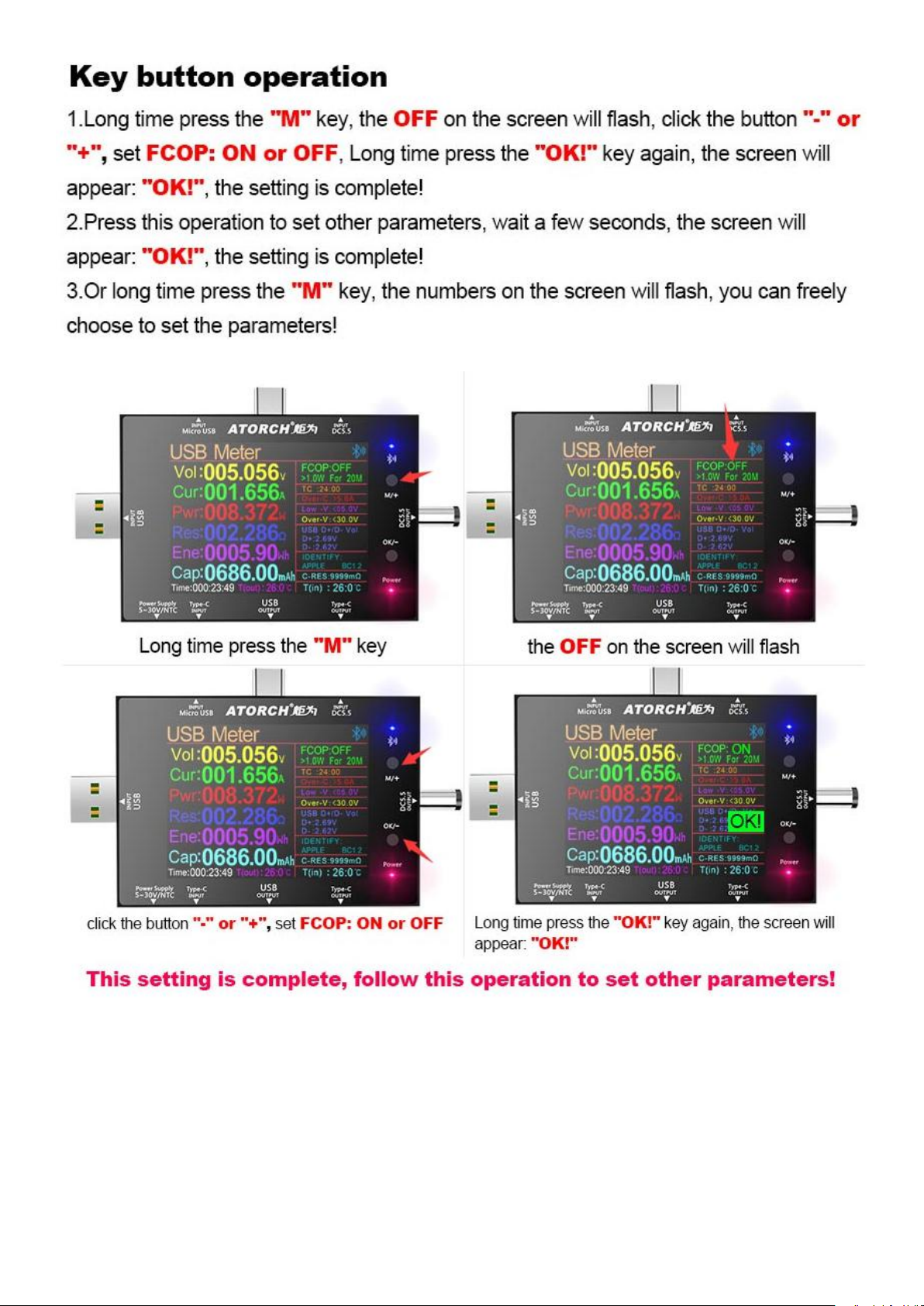
Five-fold intelligent protection, safe charging and double safety
According to their actual needs, the user can set the full power-off switch, full power-off parameter
conditions, timing charging time, and over-current, over-voltage, low-voltage and other parameters,
so that this equipment can be fully automated and unattended according to your needs. The set
parameters run automatically, and the real-time monitoring well automatically cuts off the power
according to the corresponding settings to protect your charging equipment in all aspects. From
then on, your charging becomes more safe, interesting and playable!
1. FCOP: Full power Cut off (ON/OFF), you can set it yourself when the power is < 1W for 1 minute,
it will power cut off
2. TC: Timed charging (ON/OFF), you can set the time period of 01:00-24:00 to charge regularly,
when it reaches the setting, it will automatically power cut off
3. Overcurrent protection: you can set the range of 0.0A-5.1A by yourself
4. Over voltage protection: 01V-36V range can be set by yourself
5. Low voltage protection: 00V-35V range can be set by yourself
Page 6
Page 7
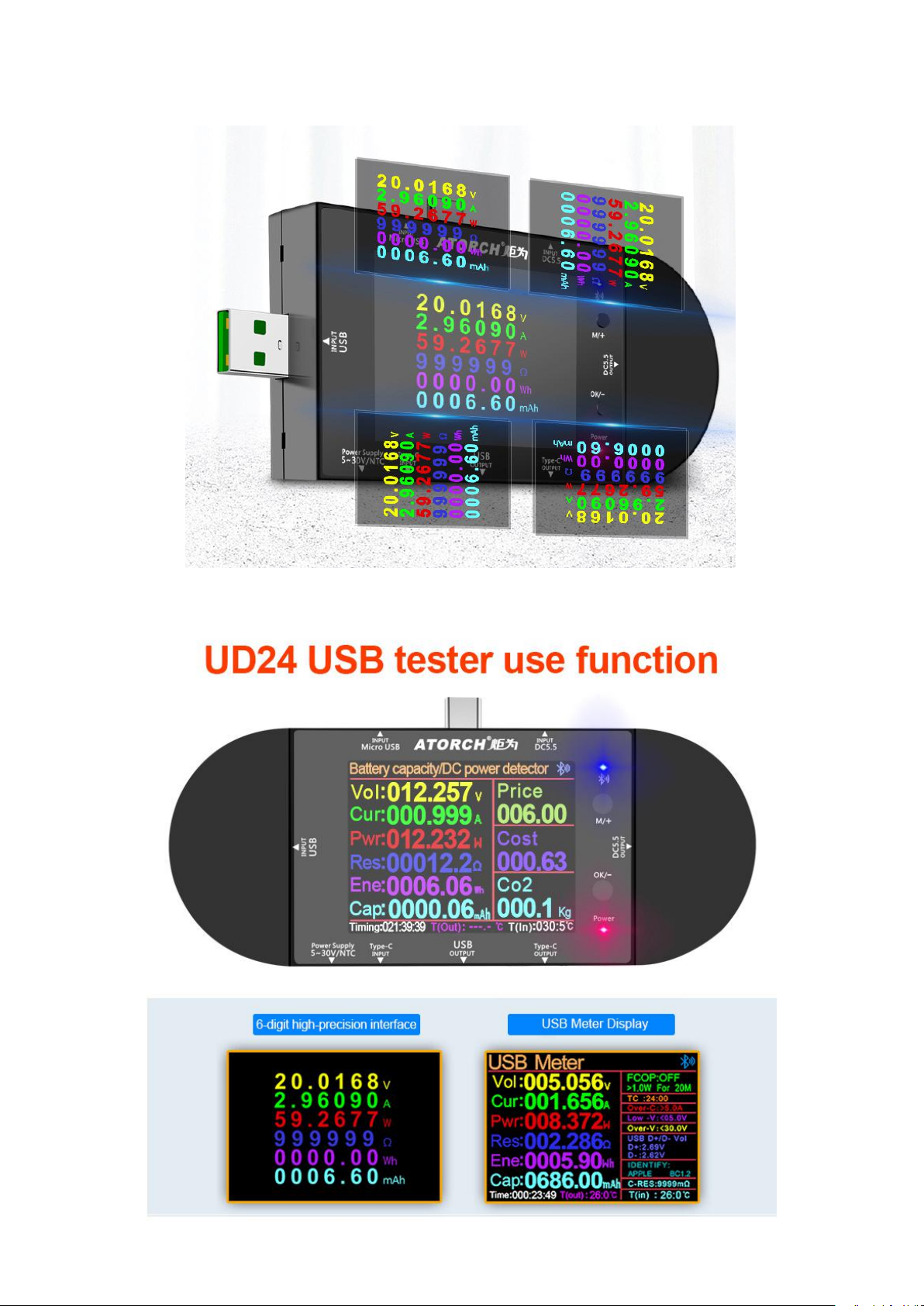
360° rotating screen on all sides satisfies reading at any angle
Page 8
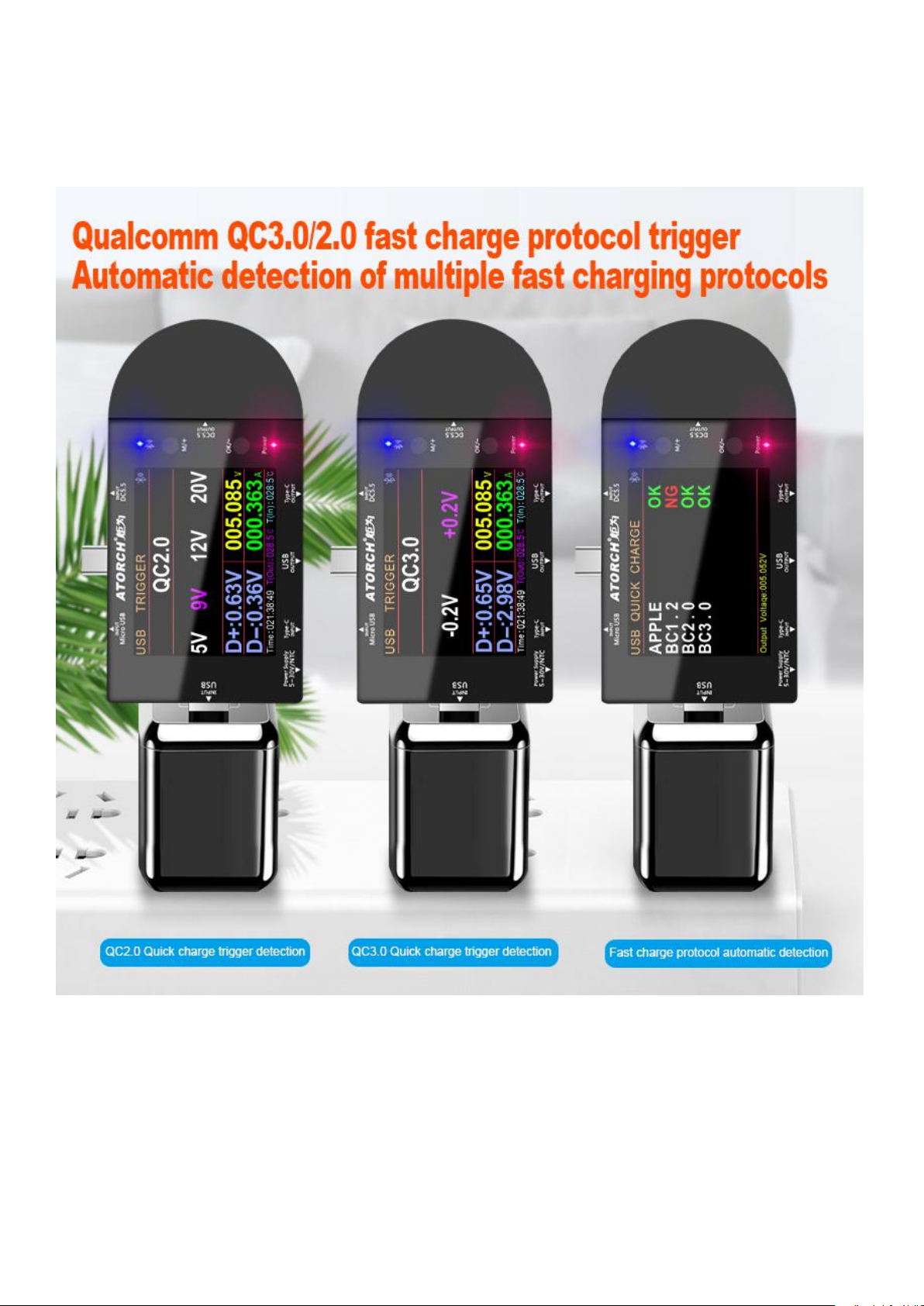
Qualcomm QC3.0/2.0 fast charge protocol trigger Automatic detection off
multiple fast charging protocols
Page 9
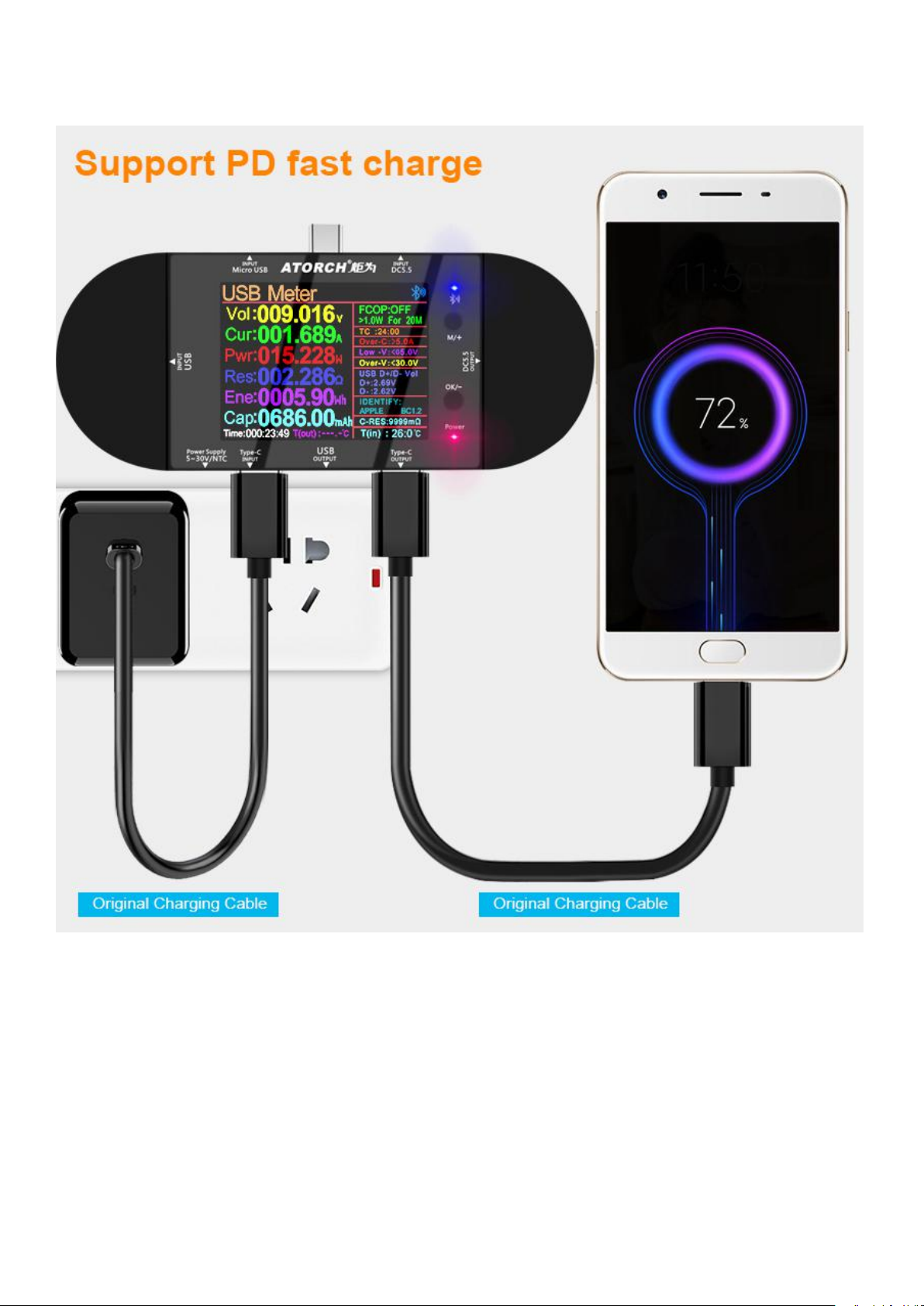
Support PD fast charge
Page 10
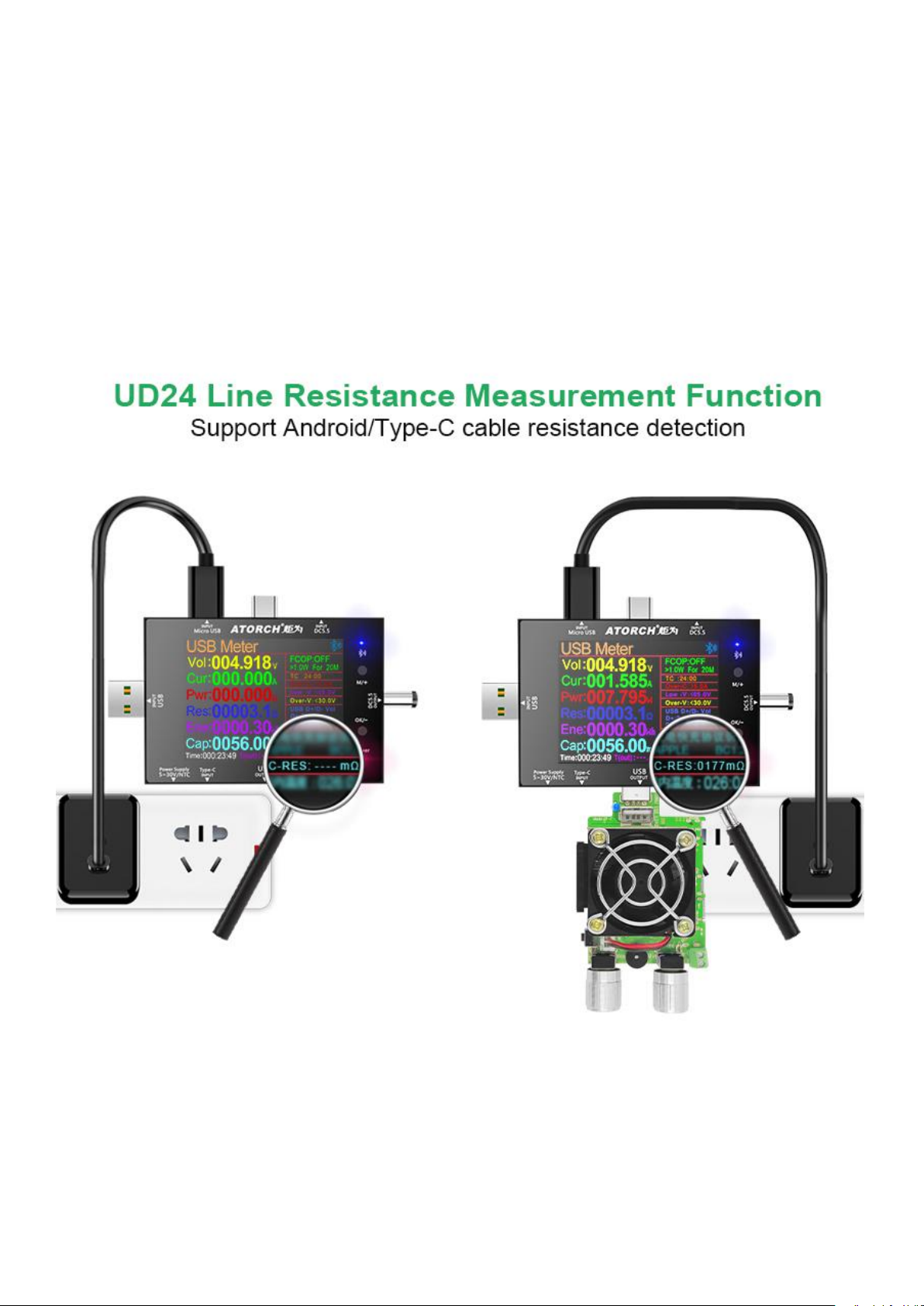
UD24 line resistance measurement function Support Android/Type-C
cable resistance detection
According to the connection method shown below, first measure the current battery no-load voltage,
and then add the output load. At this time, you can read the current battery internal resistance
The internal resistance calculation formula of this table: (no-load voltage-loaded voltage) / current
current = battery internal resistance
Page 11
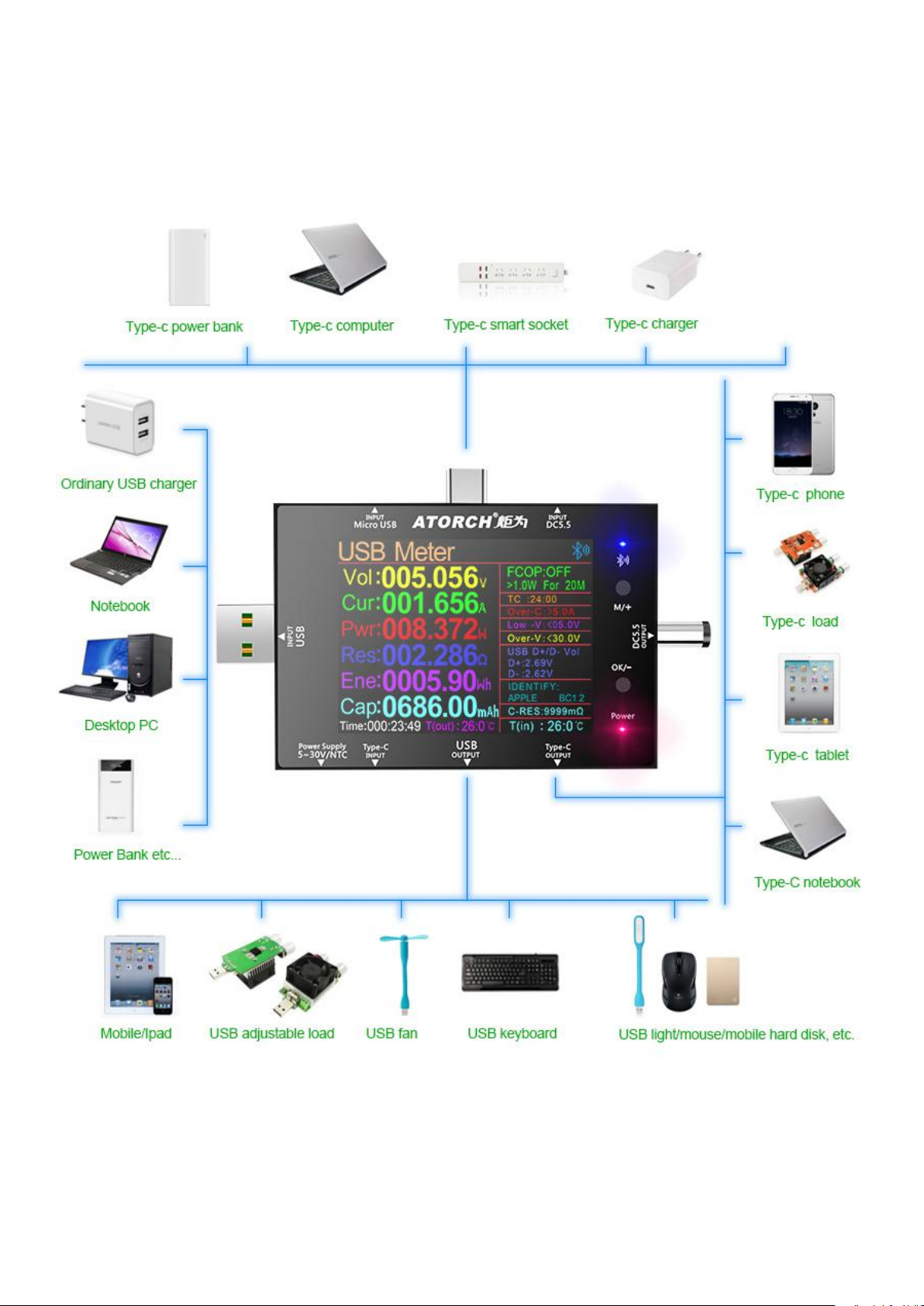
USB and Type-C Test Application Range
Connect and test various USB and Type-C interfaces and various battery devicesMulti-port
design-multi-use and multi-play!
Page 12
Page 13
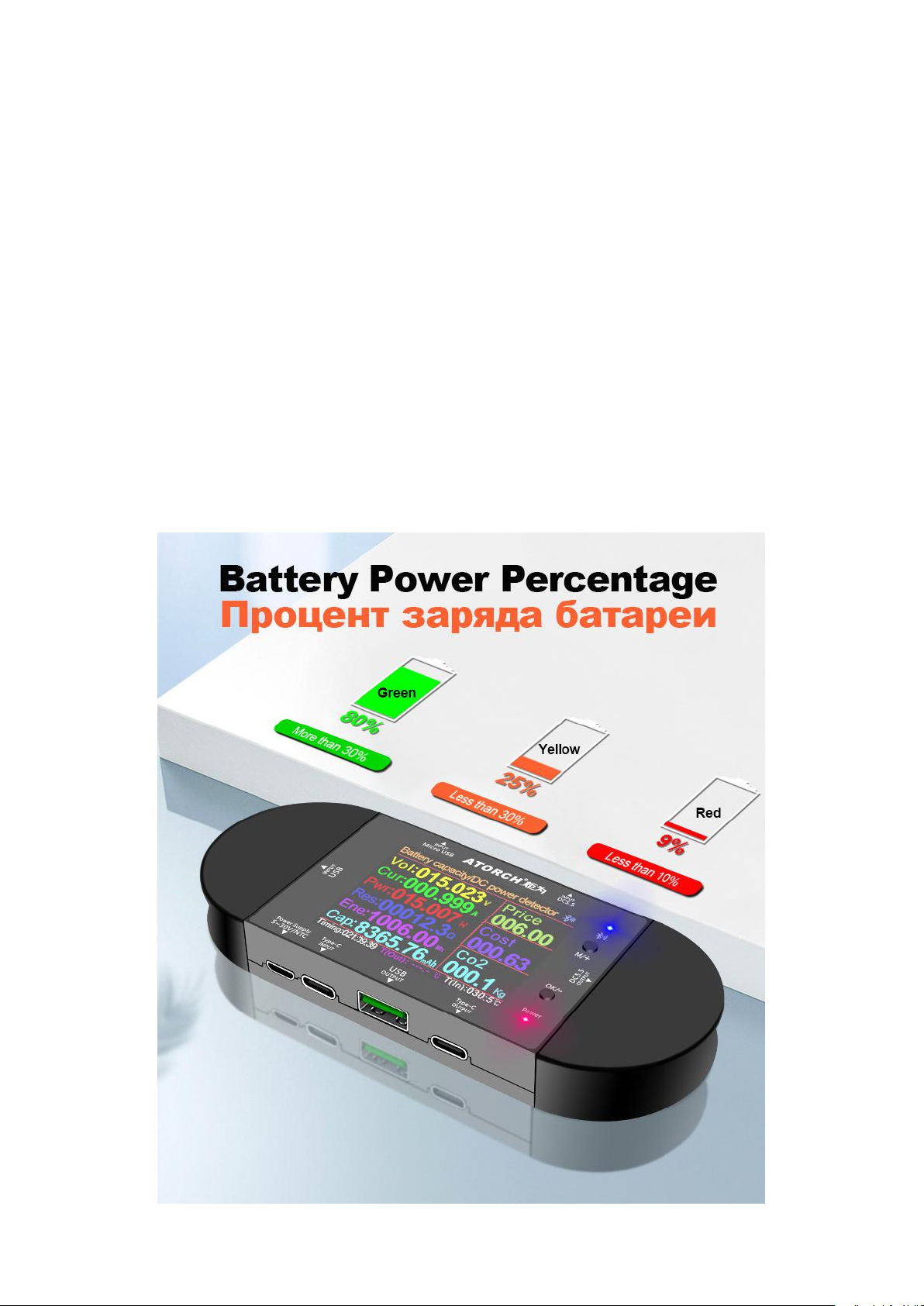
Battery power percentage
The meter can freely set the battery type according to the user in the background, the
corresponding full voltage value and discharge voltage
If there is no low value, the system calculates the percentage according to the threshold set by the
user, and then changes the color of the percentage through the battery symbol
Display (more than 30% green, less than 30% yellow, less than 10% red);
When the display range is between 1% and 100%, the POWER red light on the panel lights up, and
the relay output interface outputs at this time
The level is used to control the relay to connect the current path. When it exceeds the range of
1%~100%, the red light goes out at the same time
The plug electric appliance outputs a low level to disconnect the current path to ensure the safety
protection of the battery for charging and discharging.
People avoid the risk of damaging the battery due to overcharge and overdischarge, and it can also
be used for other purposes of overvoltage and low voltage disconnect protection.
Page 14
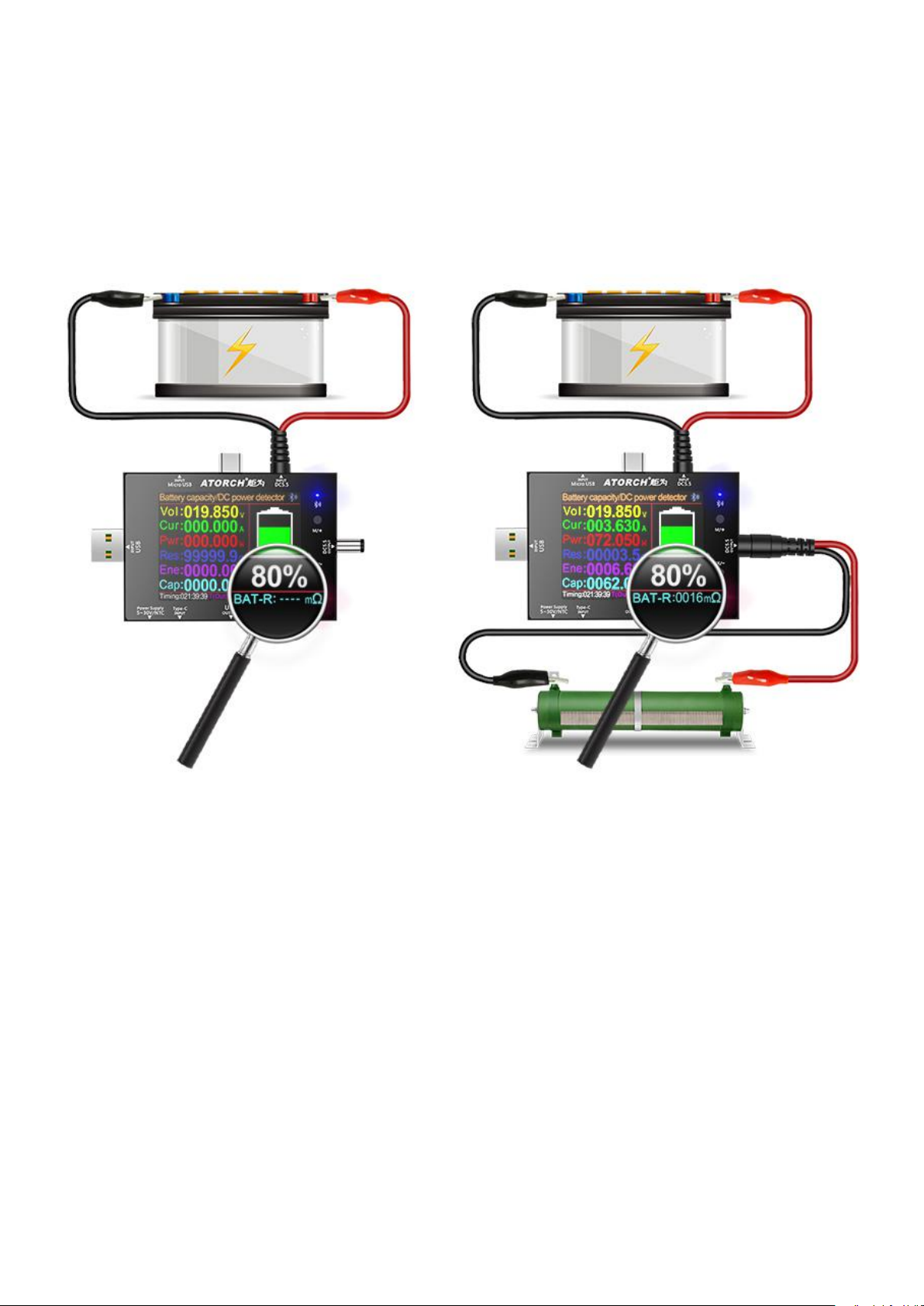
Battery internal resistance detection function
According to the connection method shown below, first measure the current battery no-load voltage,
and then add the output load. At this time, you can read the current battery internal resistance
The internal resistance calculation formula of this table: (no-load voltage-loaded voltage) / current
current = battery internal resistance
Page 15
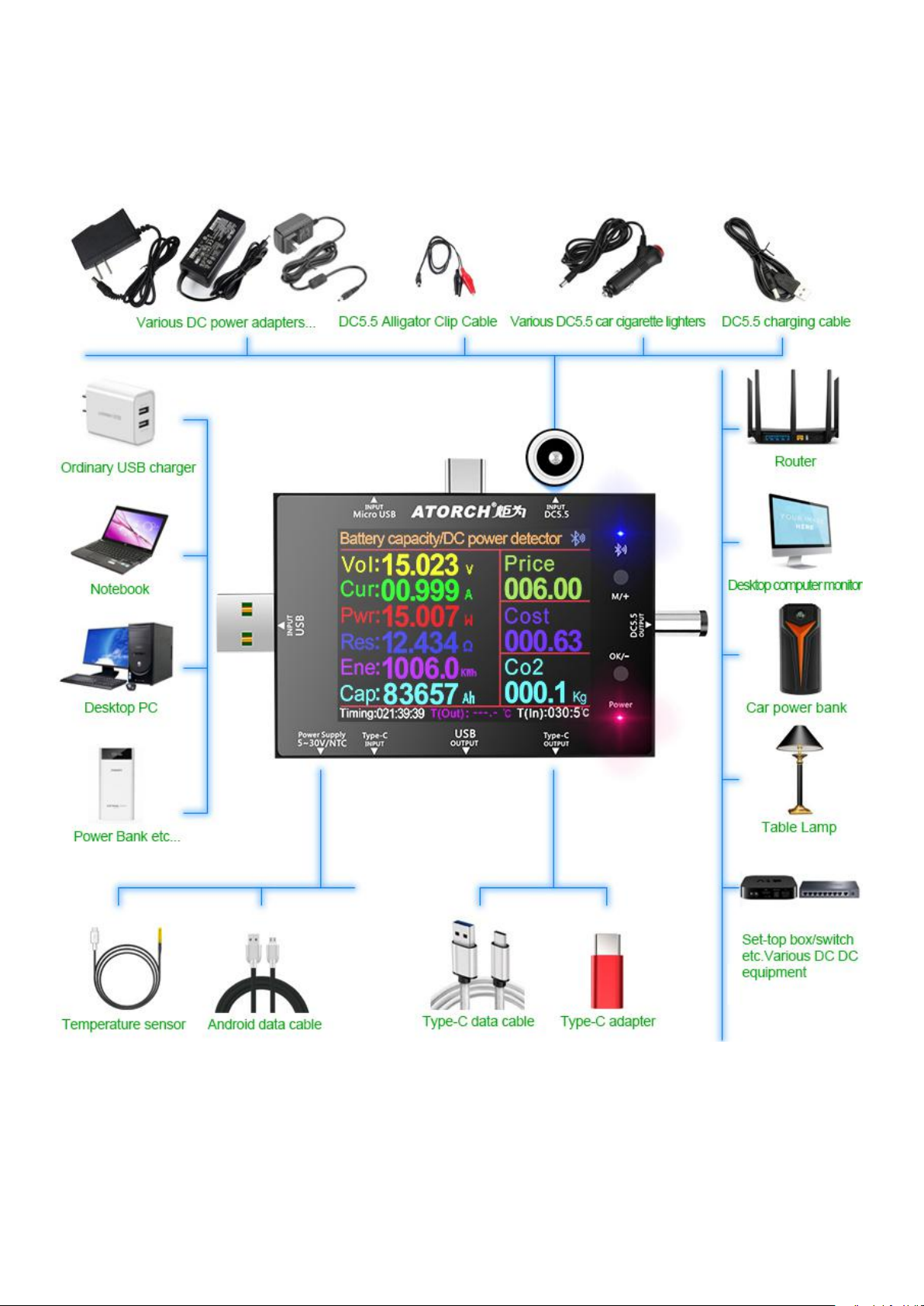
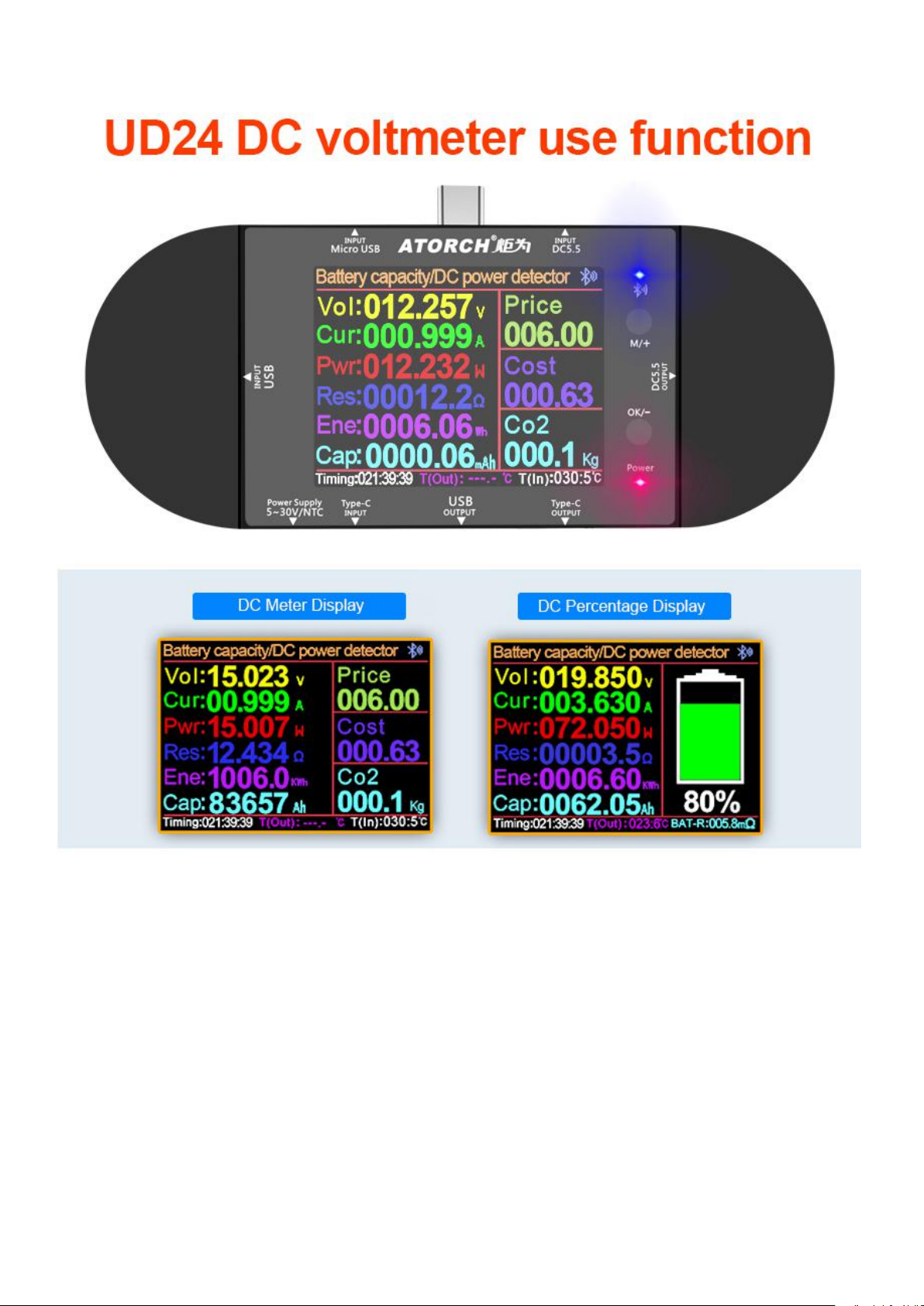
DC Power Supply Test Application Range
Connect and test various DC power supplies and equipment Multi-portion design, one thing,
multi-use, multiple play
Page 16
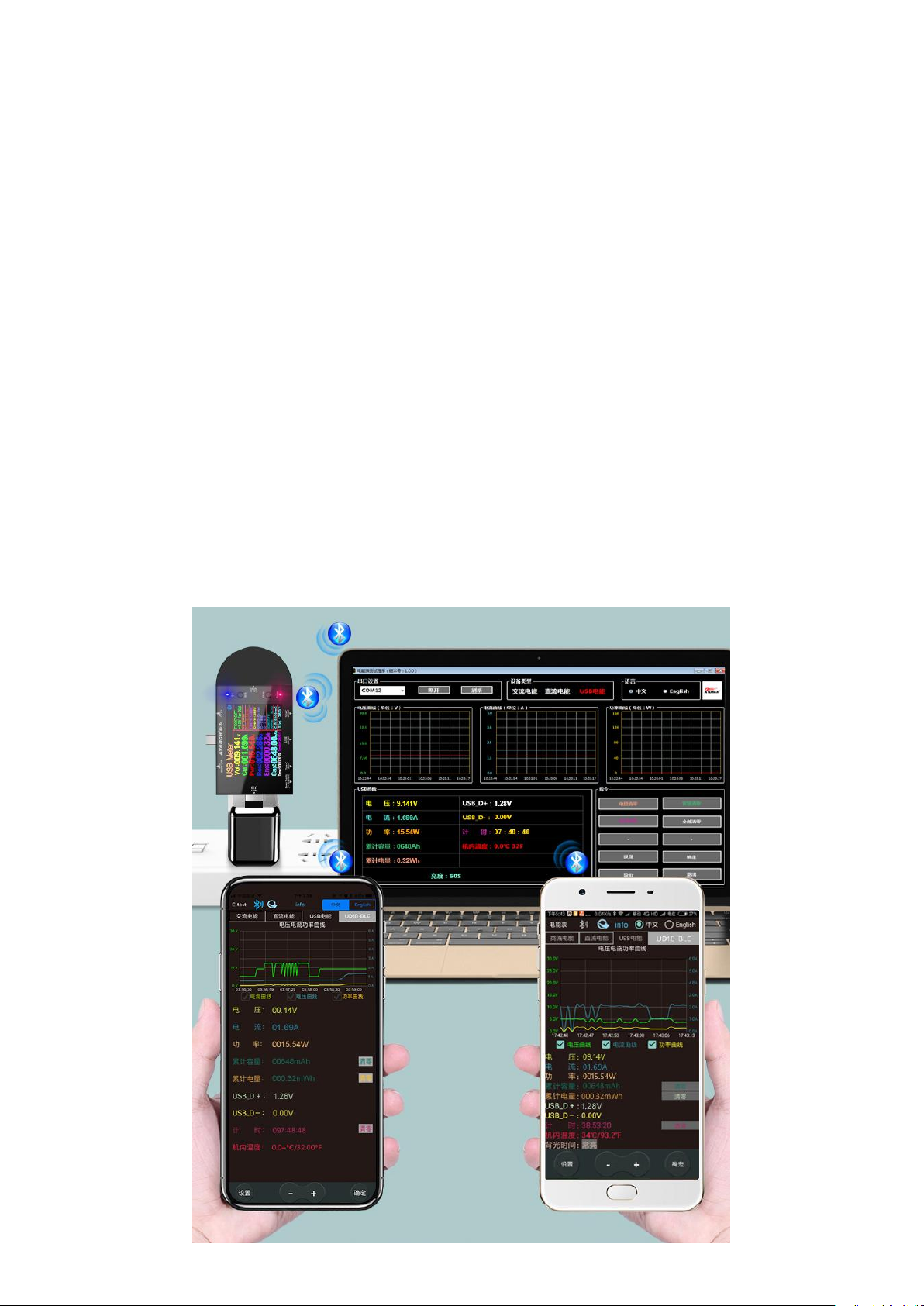
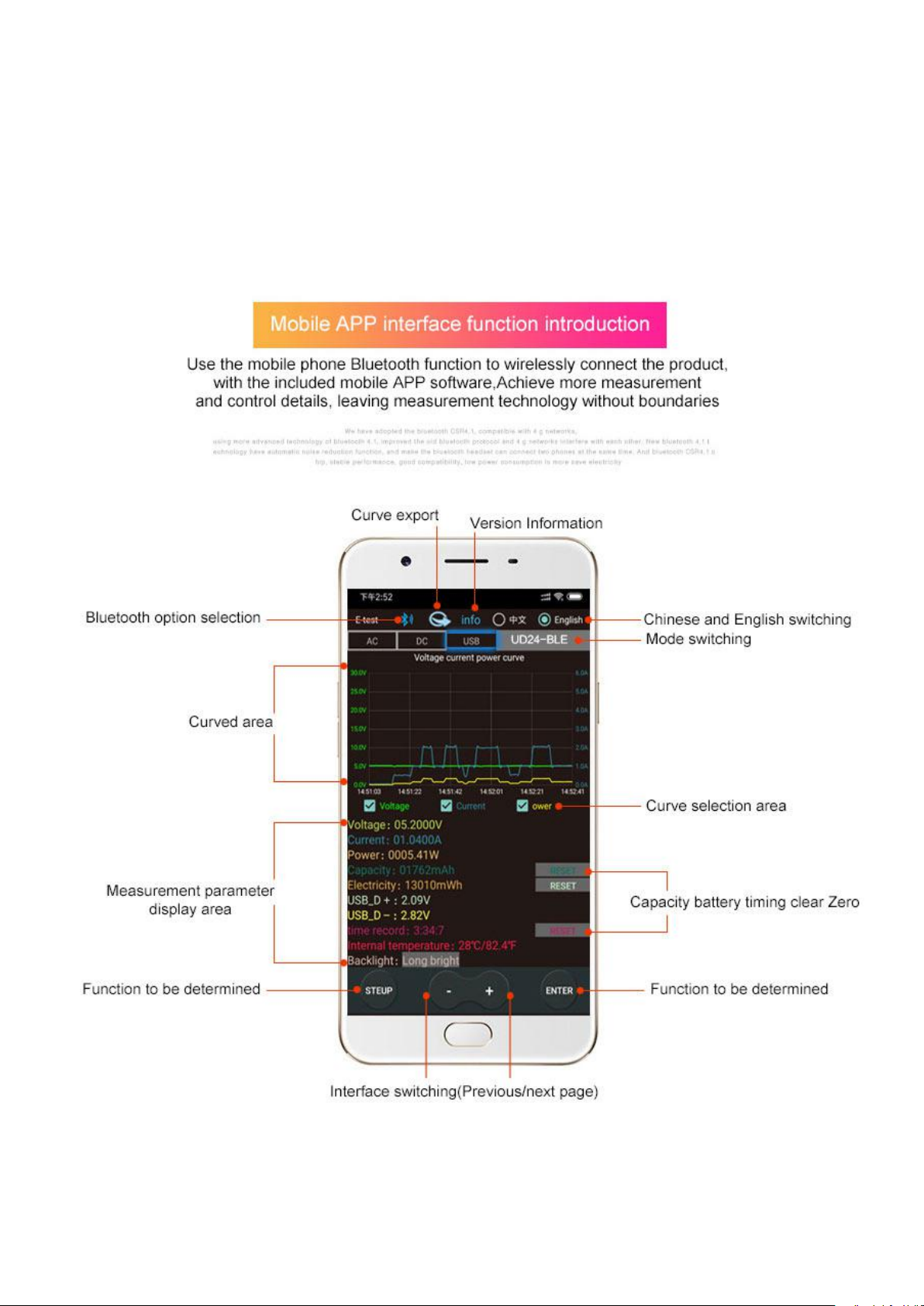
1) Apple Mobile APP:
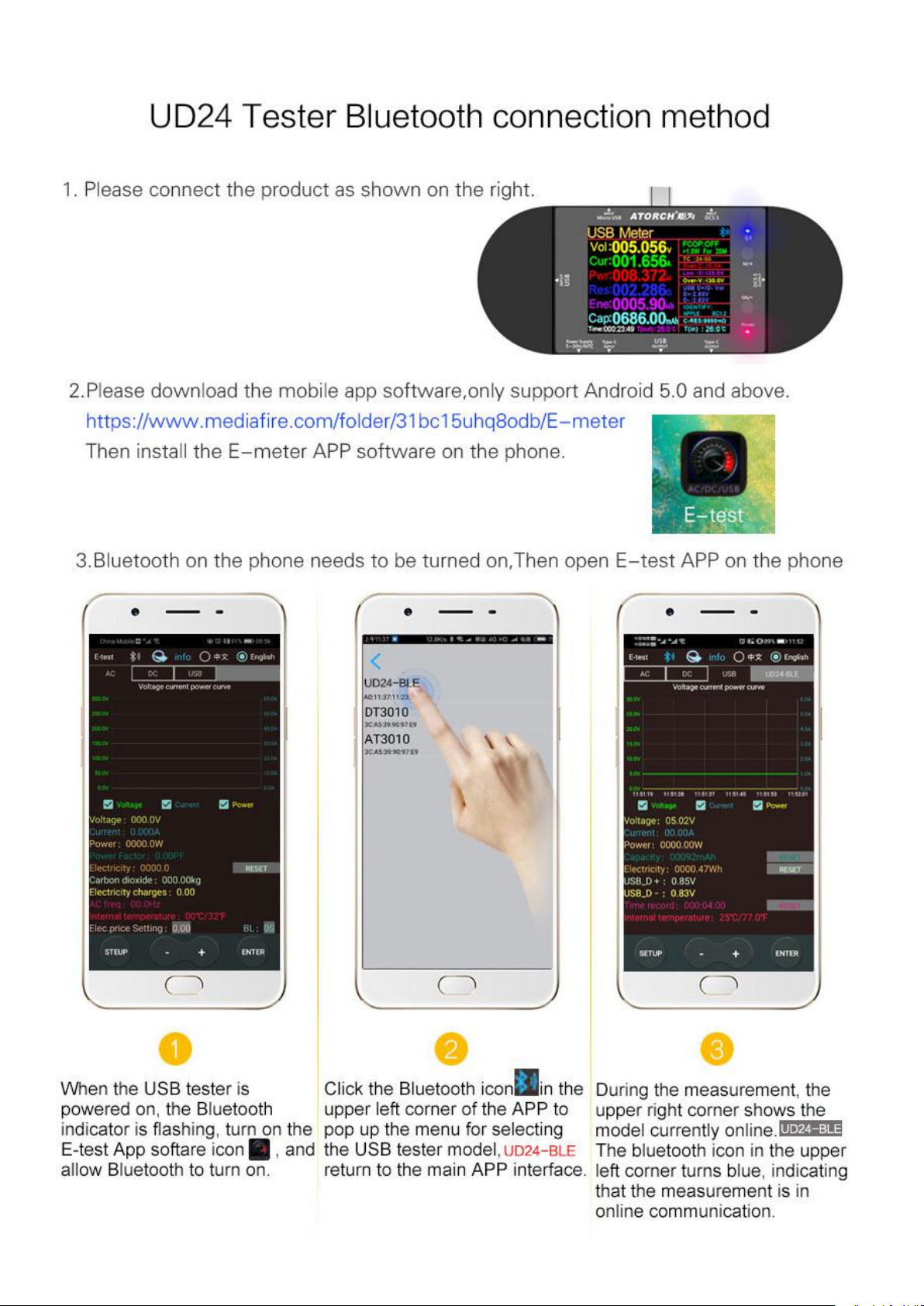
Please search for E_test in the application store to download and install, then click the Bluetooth
APP icon to open the software, and then click the Bluetooth icon above the software to enter the
selection DL24-BLE to connect, you can achieve mobile phone remote wireless remote control
settings and Measurement function, the discharge status can be viewed at any time on the mobile
phone, various data cleaning is visible, the voltage and current power curve of the discharge, etc.
2) Android phone APP:
Scan the QR code on the back of the host to download the corresponding APP software or Android
APP: search E-test at Google play to down load . After the installation is complete, open the
software and click the Bluetooth icon to enter the direct selection of DL24-BLE to successfully use it
online. (No need for Bluetooth pairing, the software Bluetooth icon directly selects DL24. can)
3) Computer Bluetooth wireless online APP:
First add the Bluetooth device to the serial port device of DL24-SPP on the computer, then scan the
QR code on the back of the host to download the corresponding APP software and store it. Open
the software without installing and select the Bluetooth serial port model just added. You can
successfully use online
Page 17
File Download Way
1, User manual, PC software installation instruction and PC software and Android APP download
link : http://www.mediafire.com/folder/9r973dly7uvui/UD24
2, IOS APP: search E_test on iphone APP store to download
3. Android APP: search E-test at Google play to down load
Page 18
Page 19
Page 20
Warm tips:
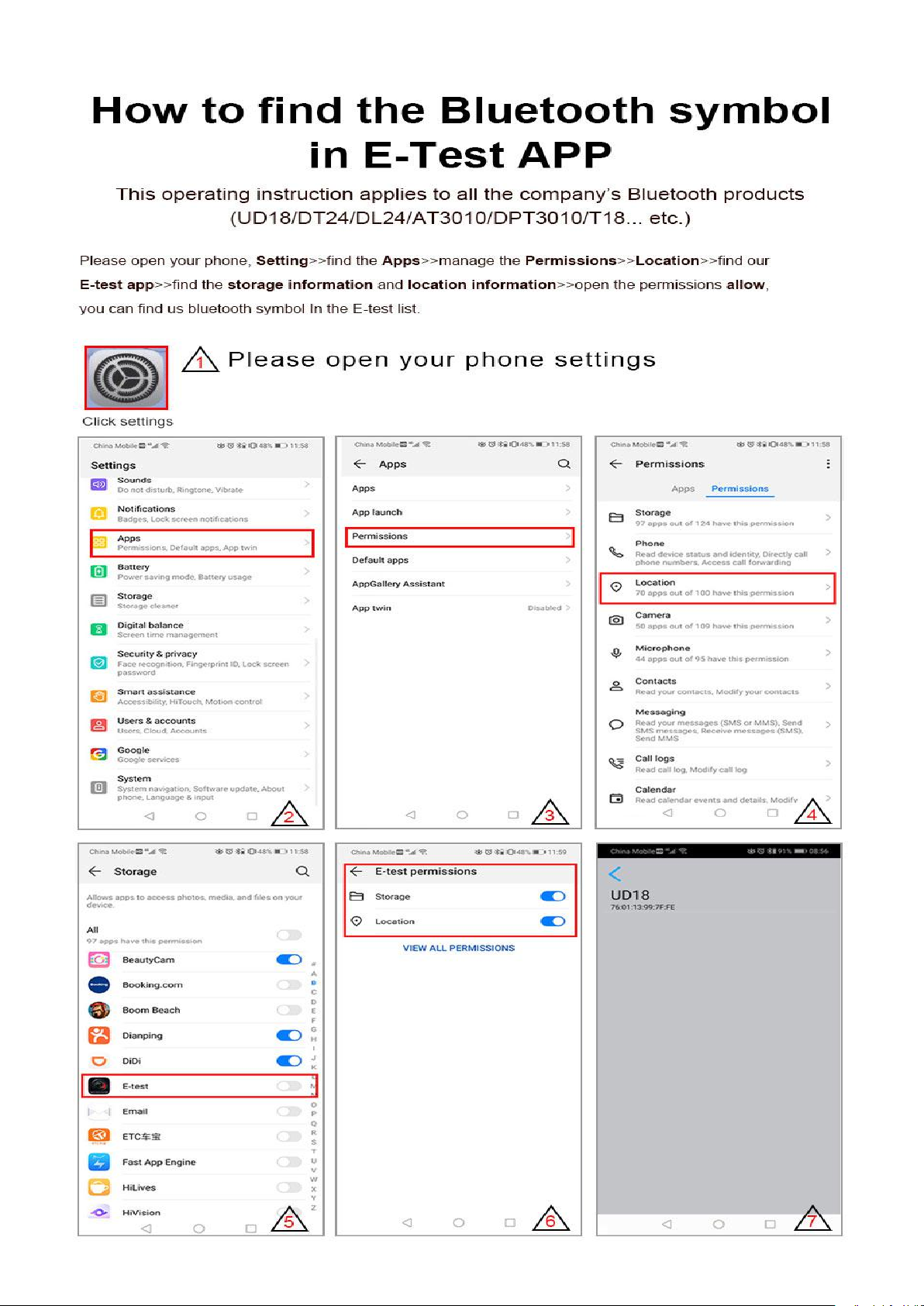
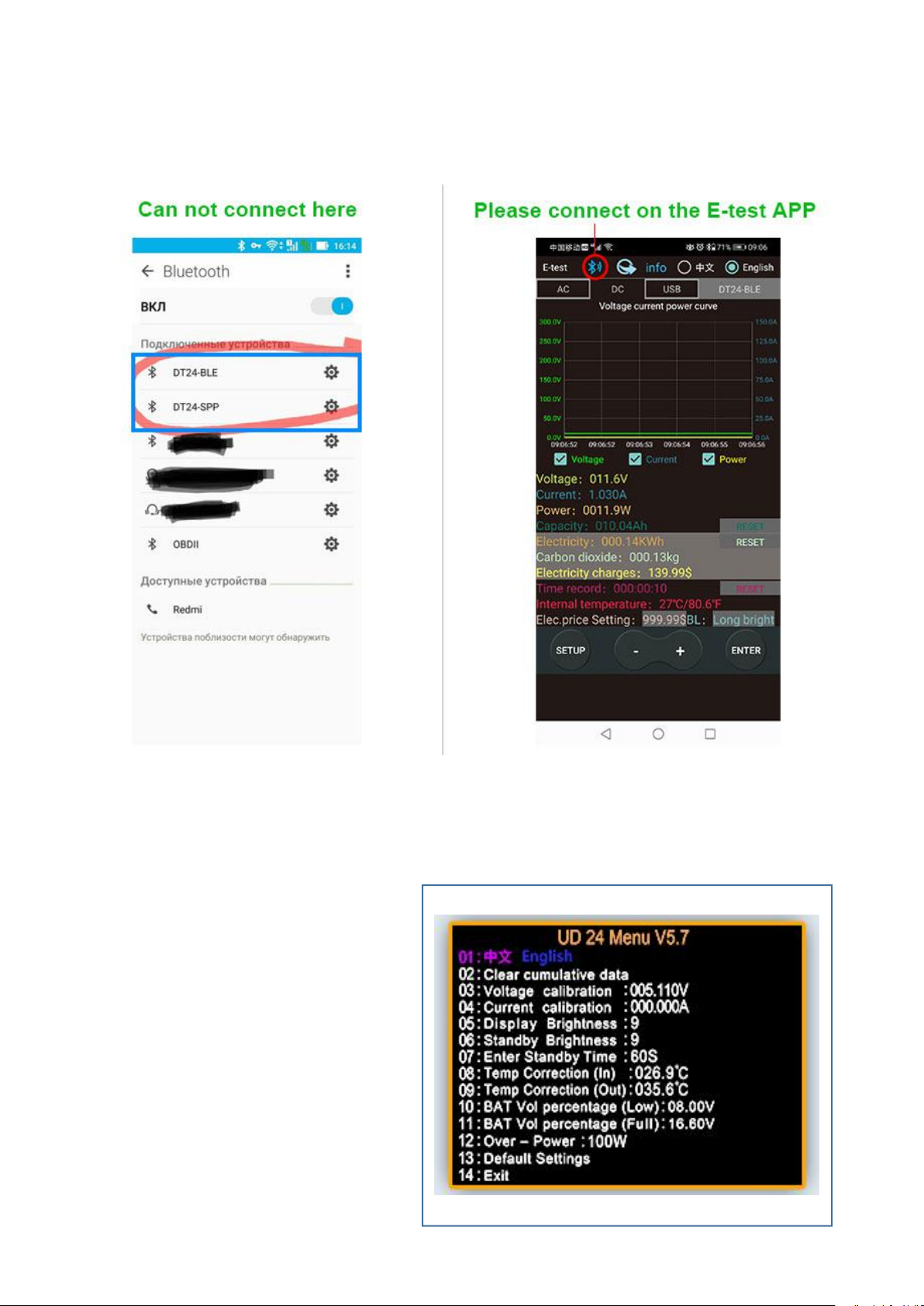
Please pay attention to this detail. Do not connect in Bluetooth mode. Do not need password
pairing. Please connect in our E-test app.
Product background parameter setting
UD 24 Menu V5.7
01:Chinese English
02:Clear cumulative data
03: Voltage calbration :005.110V
04: Current calibration : 000.000A
05: Display Brightness :9
06: Standby Brightness :9
07: Enter Standby Time :60S
08: Temp Correction ([n) 026.9
09: Temp Correction ou) :035.6C
10: BAT Vol percentage (Low): 08.00V
11: BAT Yol percentage (Ful): 16.60V
12: Over-Power : 100W
13: Default Seltings
14: Exit
Page 21
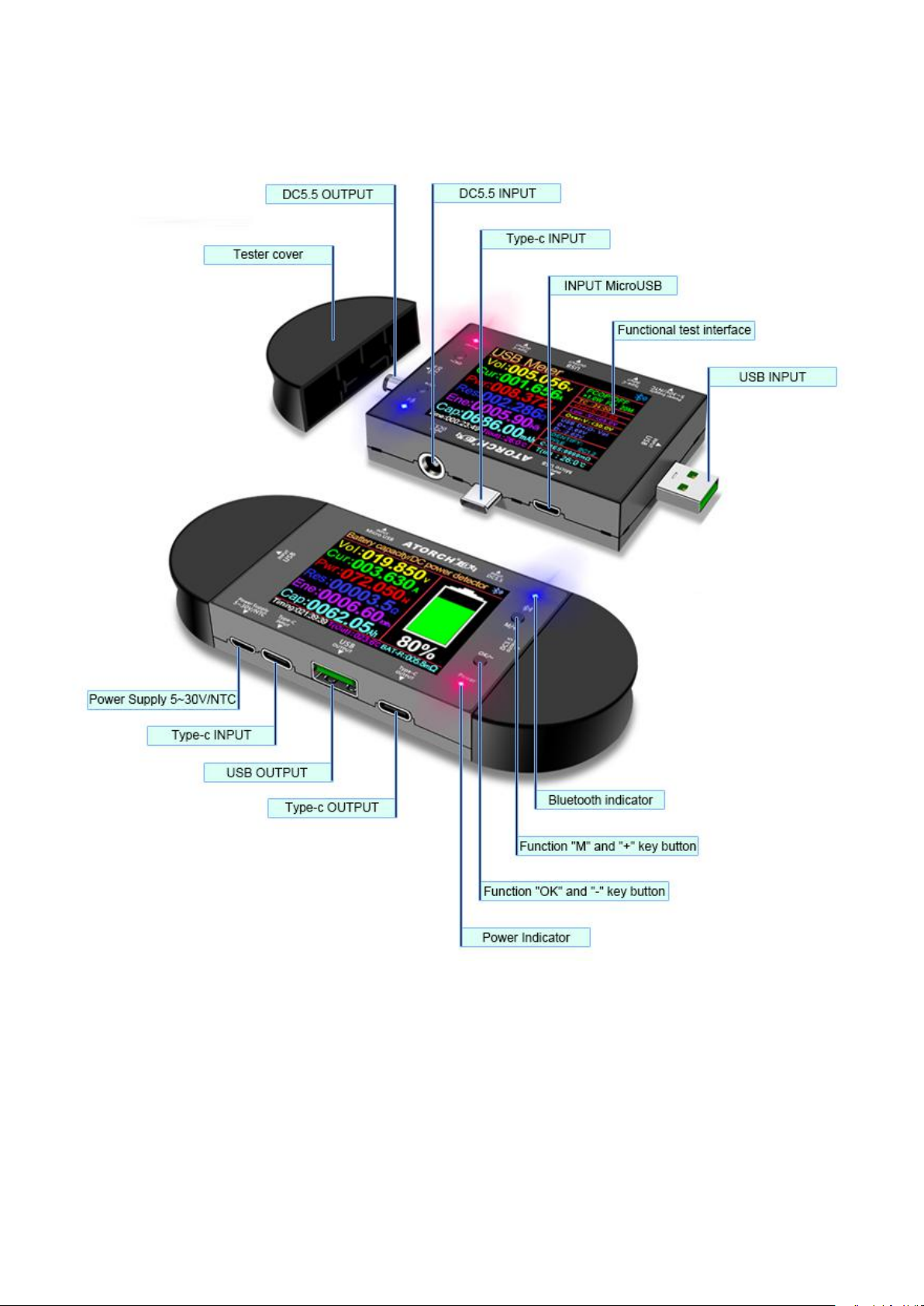
Introduction to each part of the product
Page 22
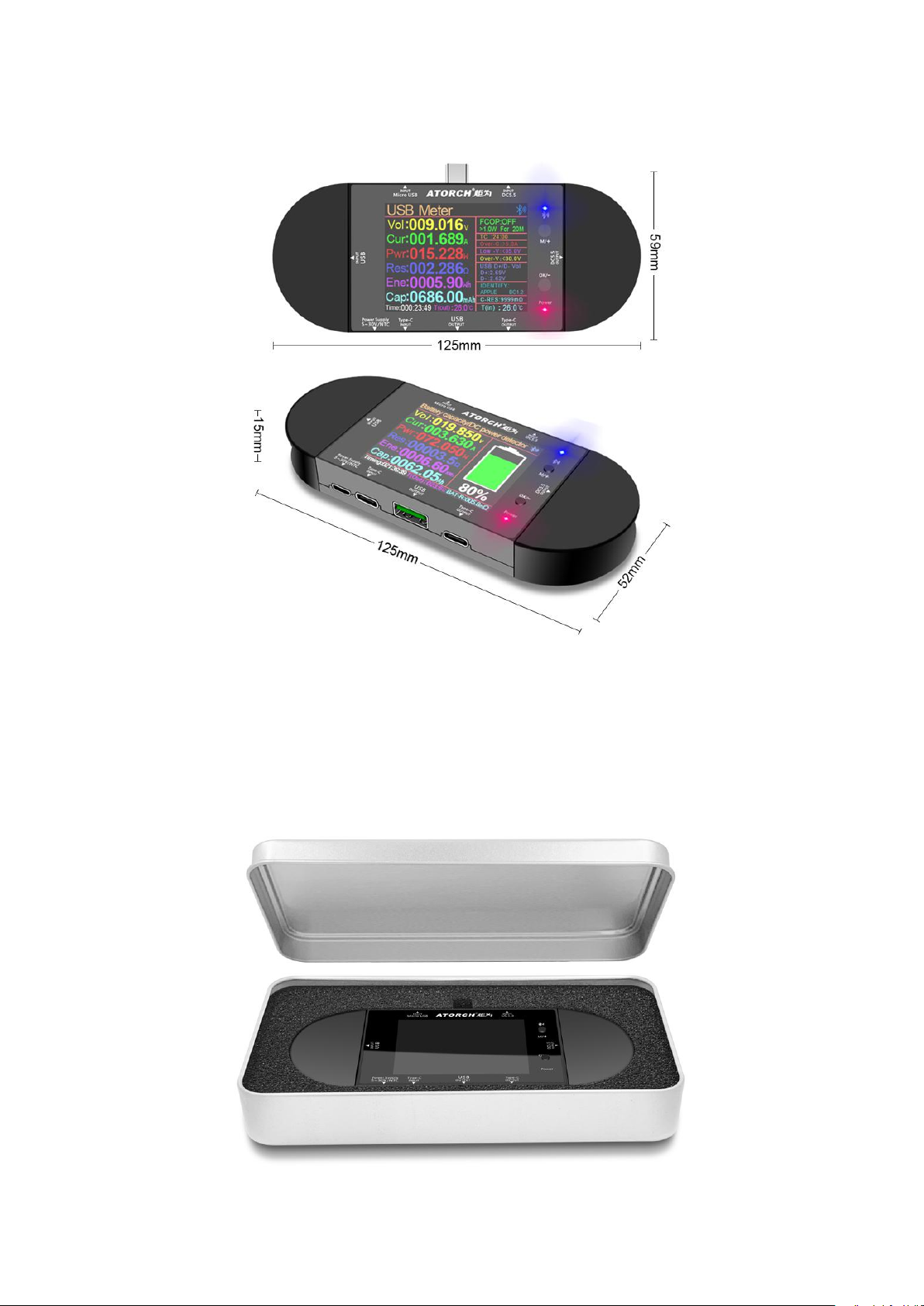
Product Size
Product packaging
 Loading...