

Page 1
SEE INSTRUCTION MANUAL FOR FULL INSTUCTIONS
AND IMPORTANT SAFETY INFORMATION.
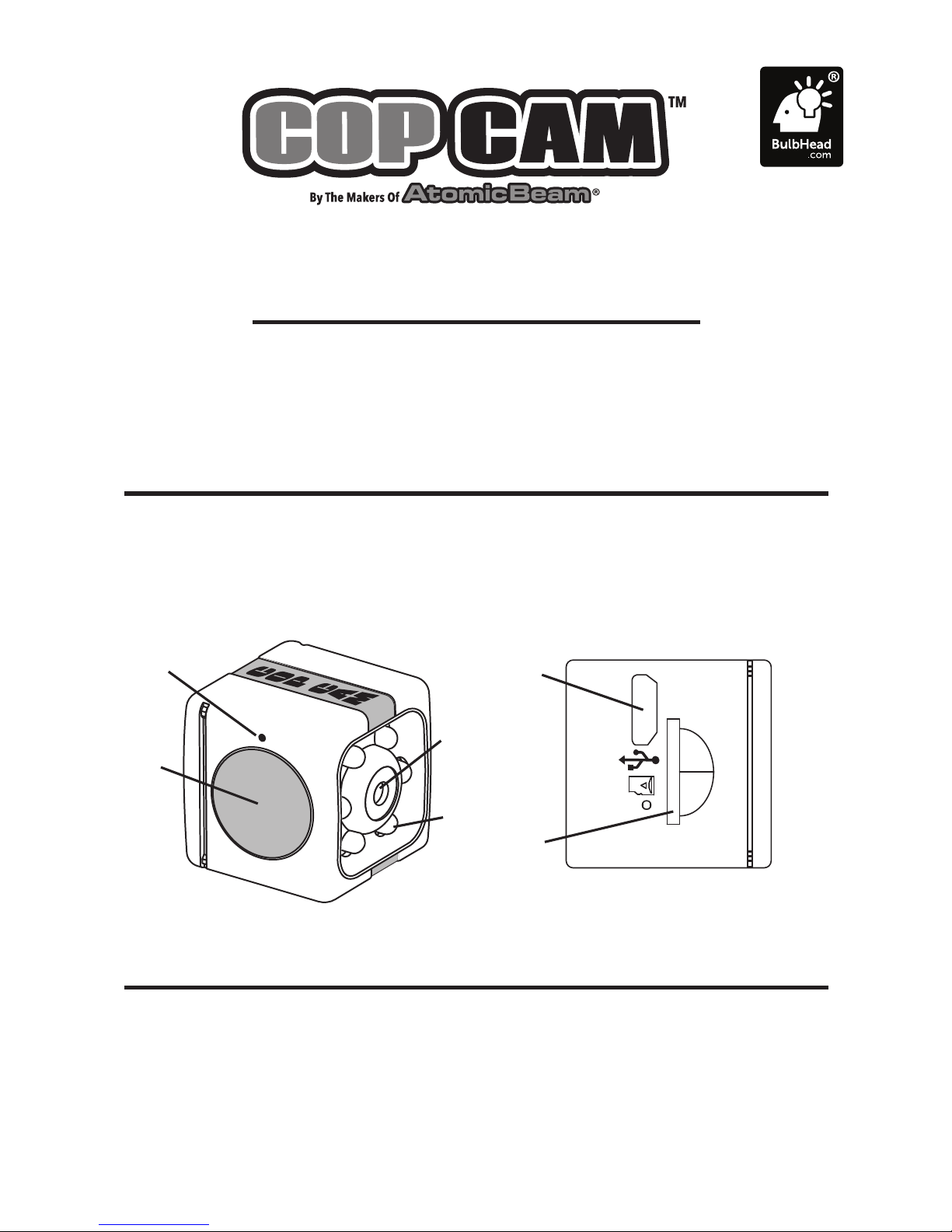
A. Power/Record Button
B. Indicator Light
C. Camera Lens
D. Night Mode Bulbs
E. Memory Card Port
F. Charging Port
B
PRODUCT COMPONENTS
POWER ON/OFF
To Power On:
To turn on press and hold
POWER/RECORD button for
4 seconds.
To Power Off:
To turn off press and hold
POWER/RECORD button for
4 seconds.
A
D
F
E
C
QUICK START GUIDE
Page 2
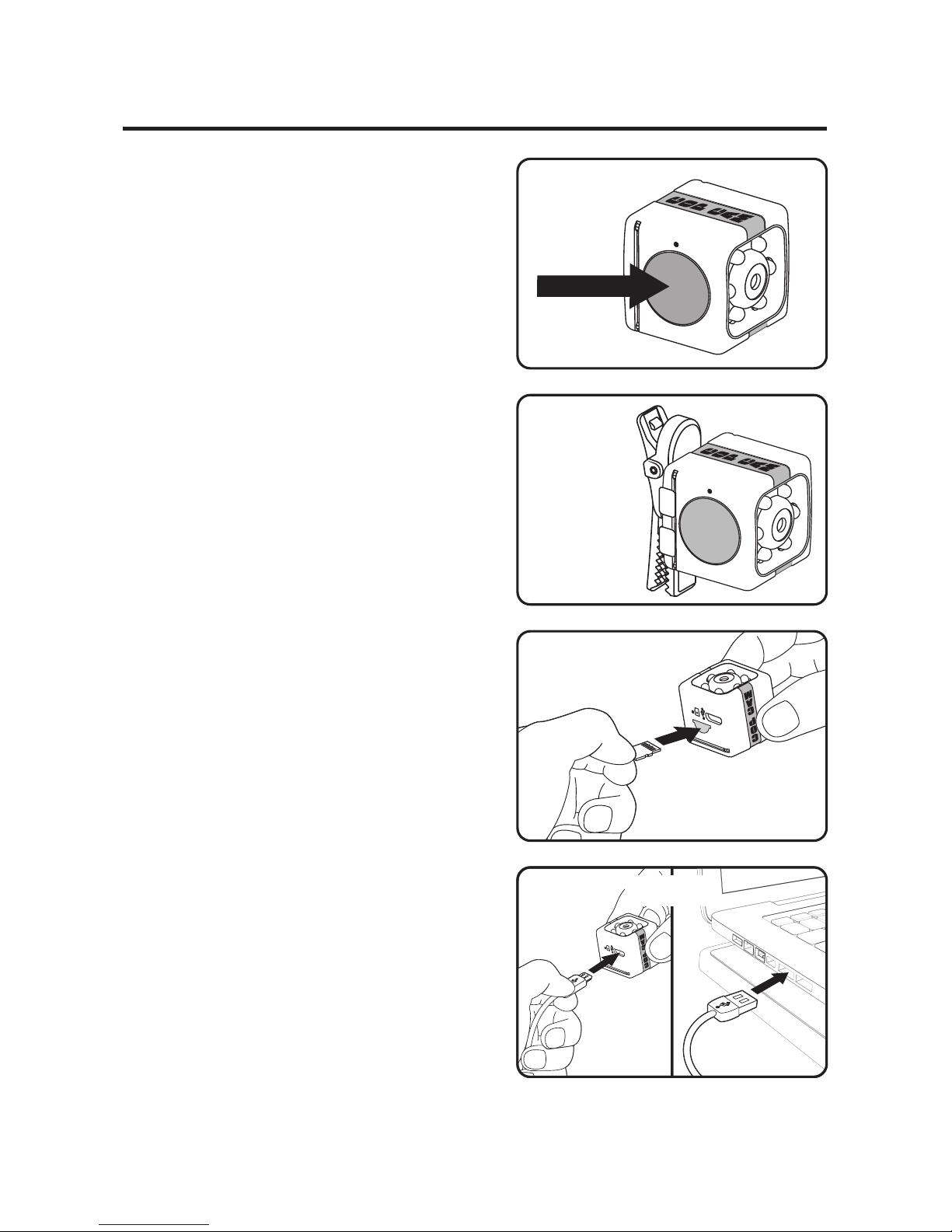
STEP 1: To turn on press and hold
POWER/RECORD button for 4
seconds. (Figure A) LED light will
illuminate solid red. Cop Cam
™
will
start recording video when motion
is detected. Ensure Cop Cam
™
is
oriented as shown so video is
upright. (Figure B)
STEP 2: To switch to photo mode
press and hold the POWER/
RECORD button for 2 seconds. LED
light will illuminate solid green. To
take a photo quickly press the
POWER/RECORD button once.
STEP 3: To retrieve footage,
remove memory card by pressing
inward to release, then pull out of
slot. (Figure C) Use included USB
cable to connect Cop Cam™ to your
Computer/Laptop. Access footage
following prompts. (Figure D)
STEP 4: To charge Cop Cam
™
, plug
into computer/laptop. LED light will
alternately flash red and green.
(Figure D)
See instruction manual for additional camera use information
& how to use wall mount/table stand & swivel clip.
FIGURE A
FIGURE C
FIGURE D
GETTING STARTED
FIGURE B
 Loading...