

Page 1
CONTENTS
1
Preparing to use your
Berkshire SD 30
2 Using your
Berkshire SD 30
3 Using your
Berkshire SD 30 with
a Headset
4 Features and Facilities
5 Help
6 Care
7 Compliance Notes
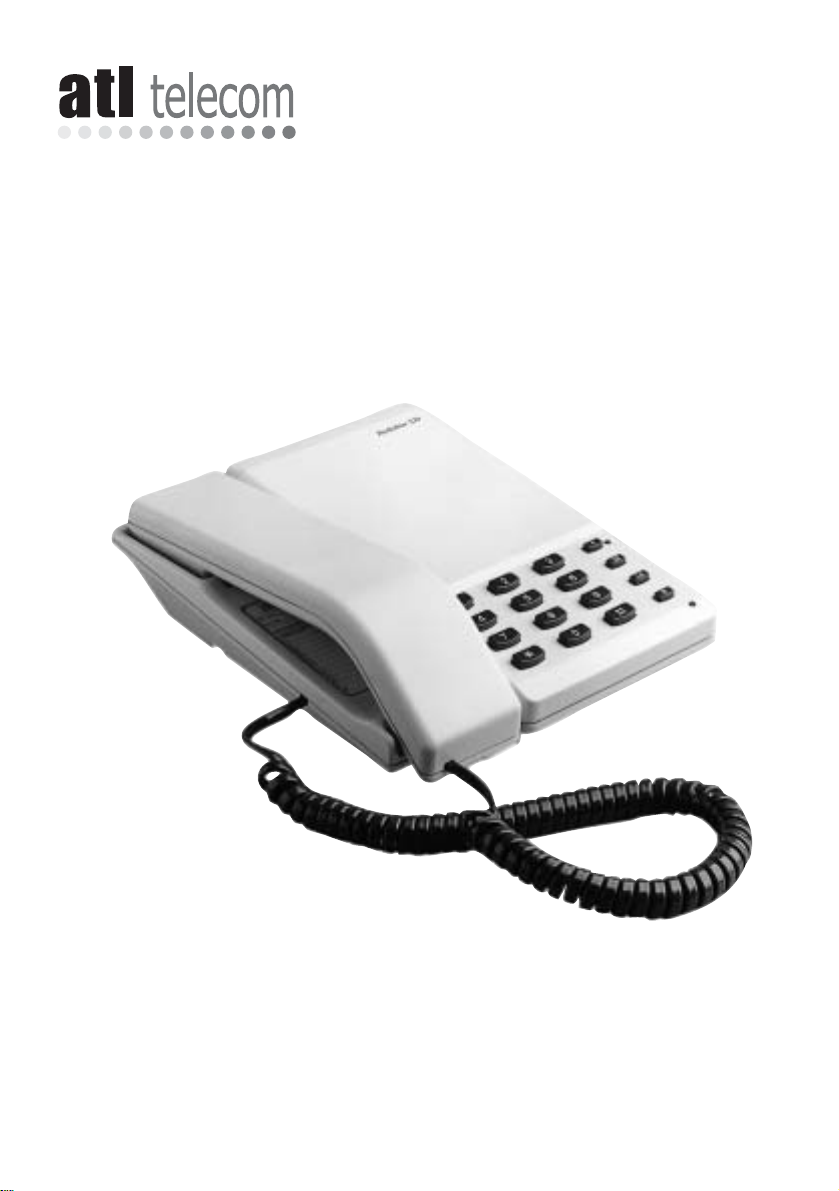
Berkshire SD 30
User Guide
Thank you for choosing a Berkshire SD 30 telephone. You have selected a carefully
designed telephone which incorporates the latest technology to provide a stylish
telephone which will provide many years of excellent service.
This booklet will ensure you obtain the best use of your telephone.
Page 2
1. Preparing to use your
Berkshire SD 30
INITIAL CHECK
Our telephones are checked and tested and
leave us in perfect condition. If yours is
damaged, please return it to your supplier with
proof of purchase, for replacement. As headset
specifications vary , check with your supplier that
selected headset is compatible.
TELEPHONE NUMBER LABEL
The telephone incorporates a label underneath
the handset for recording frequently used
telephone numbers.
To remove the plastic cover operate the release
clip with your thumb nail and hinge upward.
CONNECTION
The Berkshire SD 30 telephone can be
connected either to a Direct Exchange line or as
an extension to a compatible company
exchange (PBX).
• Plug the telephone line cord terminating plug
into a new style telephone socket.
• Lift the handset and place receiver to your ear.
WALL MOUNTING
A wall mounting kit is available as an option,
which provides a facility for storage of excess
connection cord. Please contact your supplier
for further information.
2. Using your Berkshire
SD 30
RECEIVING CALLS
Any incoming calls will be announced by the
tone caller. To answer the call, simply lift the
handset.
ADJUSTING YOUR VOLUME
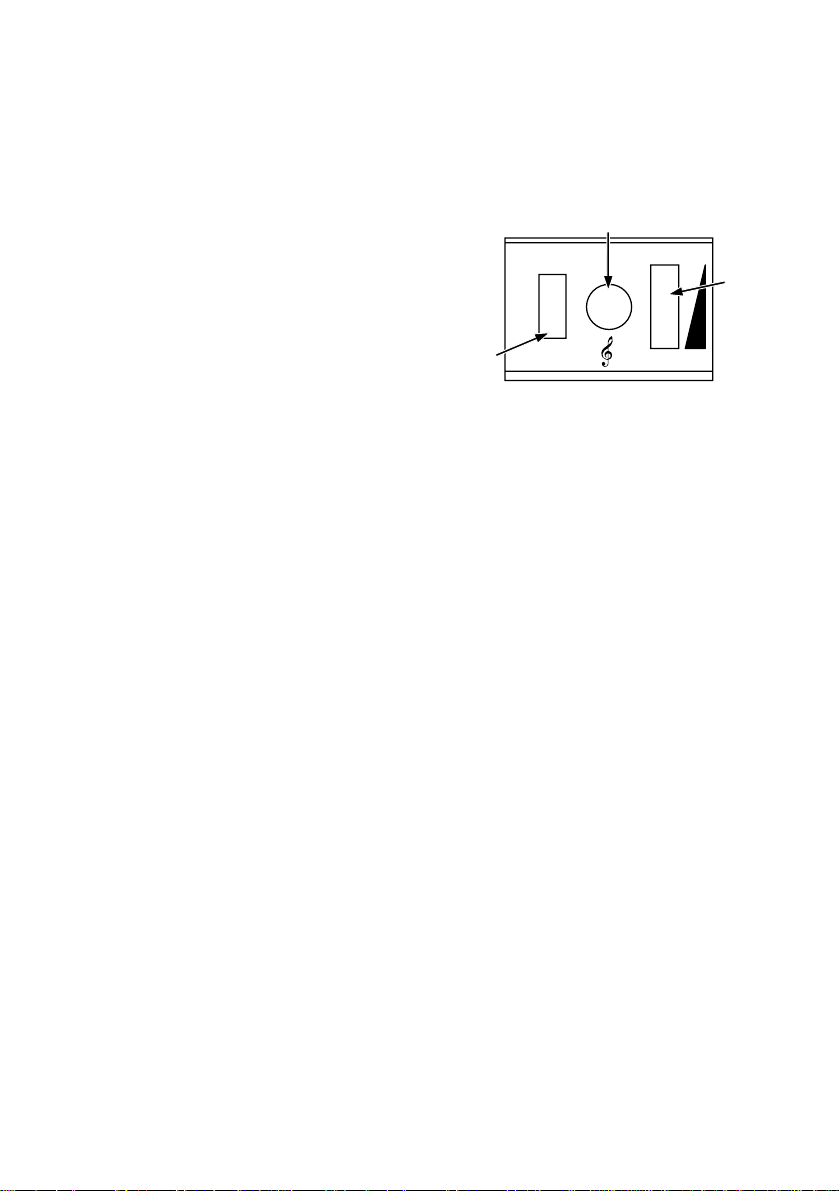
The tone caller volume control is located in the
recess in the base of the telephone. Slide the
switch until the desired volume is obtained.
Note that the final position turns the ringer
volume off.
ADJUSTING YOUR PITCH CONTROL
The tone caller pitch control is located in the
recess in the base of the telephone.
MAKING A CALL
• Pick up the handset and listen for dial
tone
• Dial the required telephone number.
(Note: making external calls from a
company exchange (PBX) requires the
number to be pre-fixed by an access digit,
normally ‘9’)
3. Using your Berkshire
SD 30 with a Headset
CONNECTING THE HEADSET
To connect the headset, insert the plug on the
headset cord into the socket marked H/SET on
the underside of the telephone.
ANSWERING CALLS
When your telephone rings, you can take the
call on either the handset or the headset. To
receive it on the headset, press the HS button
once. This turns the headset on. The call is now
connected through to the headset. At the end
of the call, press the HS button a second time.
This turns the headset off.
Tone Caller Pitch Control
Toner
Call
LDE
MFE
Dialling
Selector
Switch
MFT
+–
Volume
Page 3

MAKING CALLS
Press the HS button to turn the headset on and
dial as normal. When you have finished the call,
press HS to turn the headset off.
ADJUSTING THE VOLUME
You can adjust the volume of the earphones, by
rotating the dial on the right hand side of the
telephone.
TRANSFERRING CALLS
• FROM HANDSET TO HEADSET
If you have taken a call on the handset and
wish to transfer it to your headset, press HS
and keep it pressed while you replace the
handset.
• FROM HEADSET TO HANDSET
If you wish to transfer a call from your
headset to the handset, simply pick up the
handset. This action will switch off the
headset.
4. Features and Facilities
RECALL
Berkshire SD 30 telephones are provided with a
Recall or R button, required by modern public
exchanges in order to provide access to various
features such as transfering a call. For this, the
dialling selector switch (see diagram) in the base
of the telephone must be set to the MFT or MFE
positionper system requirements.
LAST NUMBER REDIAL (LR) KEY
If you wish to redial the last number you dialled,
you can do so by lifting the handset, and
pressing the LR button.
If you have a company exchange that requires a
pause after the outside line access code, Last
Number Redial will not be available on your
system.
SECRECY
The microphone in the handset / headset can be
turned off (mute) in order for you to refer to a
colleague without your caller hearing you.
•Pressing the S button turns off the
microphone and flashes the adjacent
lamp.
•Pressing the S button again turns the
microphone back on and the lamp is
turned off.
5. Help
If the telephone appears to be faulty when first
connected, a few simple checks may help to
identify some possible problems, as listed
below:
NO DIAL TONE
• Check that the telephone plug is fully inserted
in the socket
• If it is, try connecting the telephone into
another socket, if available.
If dial tone is now heard, the original socket is
faulty.
• Alternatively, try connecting another
telephone into your socket. If this telephone
gives dial tone, then your new telephone is
probably faulty.
ALL OPERATIONS SEEM SATISFACTORY
EXCEPT THE R BUTTON
• Change dialling selector switch from MFE to
MFT. If operation of R button is now
satisfactory, the problem is resolved.
If not, ask your supplier for assistance.
ALL OPERATIONS SEEM SATISFACTORY BUT
CALLS ARE NOT BEING RECEIVED
• Check that the Tone Caller Volume control is
not set to the OFF position.
If it is not set off and calls are not being
received, your Berkshire SD 30 supplier should
be contacted.
Page 4

6. Care
The plastic casing and parts of your Berkshire SD
30 telephone should be cleaned with a cloth
moistened with a mild household cleaner.
Avoid using abrasive cleaners which will
damage the high gloss finish and avoid aerosol
sprays which may find their way into the
telephone through openings.
7. Compliance Notes
The Berkshire SD30 may be connected to the
following types of installation:
1. Direct Exchange Lines (DELs)
2. Compatible Private Automatic Branch
Exchanges (PABXs). Please contact the
supplier of your Berkshire SD30 to
confirm compatibility with your PABX.
Whilst the Berkshire SD30 is compliant as an
extension to a compatible PABX system, it
cannot be guaranteed to operate under all
possible conditions of connection. Any case of
difficulty should be referred in the first instance
to the supplier of your telephone.
Guarantee
Your Berkshire SD30 telephone is designed and
manufactured to exacting quality standards.
This enables ATLTelecom Limited to offer a full
10 year guarantee from the date of purchase.
This guarantee protects against faulty material
or workmanship, applies to the UK only and is
not transferable.
The terms and conditions under which the
guarantee will be valid are as set out below.
1. Misuse or any modification carried out to
the telephone, or operation other than in
accordance with the instructions supplied,
will invalidate the guarantee
2. Damage arising from incorrect installation,
accidental damage or consequential loss,
are not covered under the guarantee.
3. In the event of a fault developing during
the period of the Guarantee, the complete
telephone should be returned to your
supplier, adequately and safely packed,
together with proof of date of purchase.
4. The liability of ATL Telecom Limited will be
limited to the cost of repair or complete
replacement of the defective instrument, at
the discretion of the company.
5. The terms of this guarantee do not affect
your statutory rights.
Manufacturer’s Declaration
ATL Telecom Limited declares that this product is
in conformity with the essential requirements of
the ‘R&TTE directive 1999/5/EC’
Note: A copy of the Declaration of Conformity
is available upon request from ATL Telecom
Limited.
ATLTelecom Limited,
Cypress Drive,
St Mellons,
Cardiff, CF3 0EG
Telephone: (029) 20500700
Facsimile: (029) 20500701
1/175/001/610 Issue 03 June 2002
 Loading...