

Page 1
<ATD100B (Desktop Reader) Quick Guide>
Product Composition
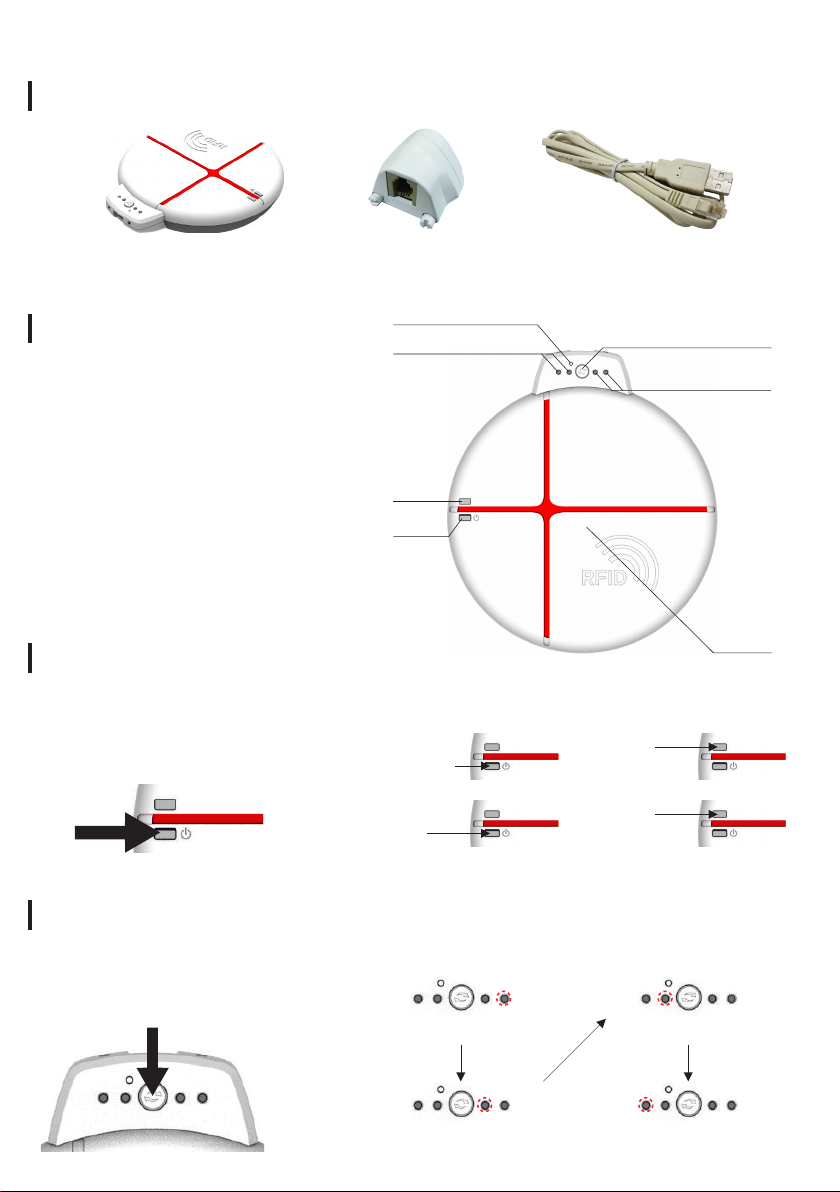
ATD100B Main Body RJ9 USB Sync CableRJ 9 Gender Connector
Name of each part
1
3
1 Reset Button
2 Communication Mode
Switch Button
3 Status indicator
4 Charge Indicator
5 Power Button & Power Indicator
6 UHF
4
5
Power ON / OFF & Lamp indication
Press the power button
for 2 seconds to turn on
the power.
Power ON
(Green LED ON)
Power OFF
(Lamp OFF)
POWER
2
3
6
CHARGE
Charging
(Red LED ON)
Charging
Complete
(Green LED ON)
Switch to Bluetooth / USB Communication Mode
Push the Communication Mode
Switch Button, the Communication
Mode Switches sequentially.
USB BT
H
S H S
BTUSB
SH
SPP (Red LED ON)
SH
HID (Blue LED ON)
SH
BTUSB
SH
USB ModeBluetooth Mode
SH
SPP (Red LED ON)
SH
HID (Blue LED ON)
BTUSB
SH
BTUSB
SH
Page 2
Check product installation and operation
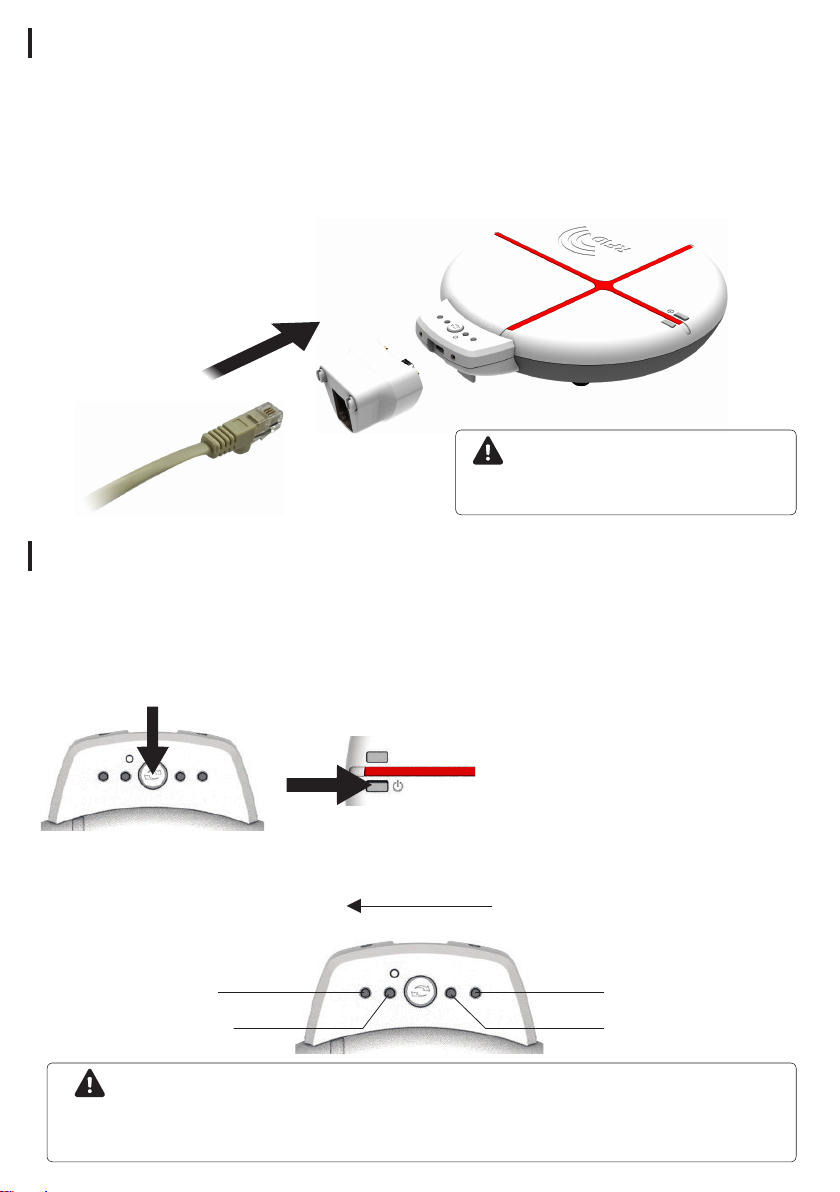
1 Please connect the RJ9 gender Connector to the product body, and x the screw
using a coin or screwdriver.
2 Connect the RJ 9 cable to the USB port on your PC.
3 Press the power button for 2 seconds to turn on the power.
4 After running Notepad on a PC, when the tag is close to the main antenna,
the data onto the recognized tag is displayed in Notepad.
Caution
Once recognized, the tag will not be
recognized again for 10 seconds.
RFID Output Strength Control
1 Press the power button and the Communication Mode Switch Button simultaneously
for 5 seconds to enter the output Strength switching mode.
2 Press the Communication Mode Switch Button to Control the output Strength.
3 Restart the machine by pressing the power button or the reset button to apply the
current settings.
USB BT
H
S H S
Press simultaneously for
5 seconds.
Output Strength
Strong
18dBm
9dBm
Weak
USB BT
H
S H S
12dBm 15dBm
Caution
- The power is automatically turned off if it does not operate in 1 hour based on the last tag
recognition time.
- If the power is turned off, press the power button again for 2 seconds to turn on the power.
 Loading...