

Page 1
10/100BASE-T Fast Ethernet
Media Converter
NMC-3301 User’s manual
Rev:2.1
1.Overview
The Media Converter complies with IEEE802.3,
IEEE802.3u, IEEE802.3x Standards. It is designed to
convert data signal between 100 Base-Tx and 100
Base-Fx fast Ethernet. The data signal converted by
such high performance media converter can be
transmitted up to 20Km maximum by fiber-optical
cable.
The Converter is equipped with two fiber
opticconnectors (One for transmitting-Tx and another
for receiving-Rx), two RJ-45 Jacks and one external
power supply receptacle. Six LED indicators are
built-in for easy diagnosing and monitoring the status
of power, Unshielded Twisted Paired (UTP) Link, UTP
Activity, Fiber Link, Fiber Activity, Full duplex and
data rates. It can be configured automatically for Full
Duplex or Half Duplex operation.
It is compact, cost-effective, low dissipative, high reliable
and stable. It can be used in standalone applications or
Rack-Mounted applications where multiple media
converter can be inserted into a rack-mount chassis (Up
10 units) and allowing all the converters to be powered by
a single internal power supply.
2.0 Specifications:
2.1 Performance Introduction
Parameter Type
Data Rate(Mbps) 10/100
Optical Wavelength(nm) 1310
Fiber Type(μm) Single Mode 9/125*
Connector Type SC
Max Distance(Km) 20Km
Power Supply AC110-220V/+5V DC, 1A
Operating Temperature
Storage Temperature
0-70℃
-40~80℃
Relative Humidity 5% to 90% non condensing
EMI and Safety
Dimensions
CE,FCC Class A
170mm×120mm×30mm
Front Panel
Receiving
Transmitting
L/A
RX TX
SPD
L/A FDX SPD L/A FDX
SPD
PWR
PWR
L/A-FX
SPD-FX
SPD-TP
L/A-TP
FDX-TP
SPD-TP
L/A-TP
FDX-TP
Led indicate
LED Color
L/A-FX Green
Lit when fiber connection is good
Function
Blink when fiber data is active
SPD-FX Green Blink when fiber data is active
L/A-TP Green
Lit when TP connection is good,
Blink when TP data is active
SPD-TP Green Lit,100Mbps; Non-light 10Mbps
FDX Green
Lit when full-duplex mode is
active
PWR Green Lit when +5V power is coming up
3.0 Installing the Converter
3.1 For as a stand along unit.
3.11 Verify if the AC-DC adapter conforms to your country
AC power requirement then insert power plus
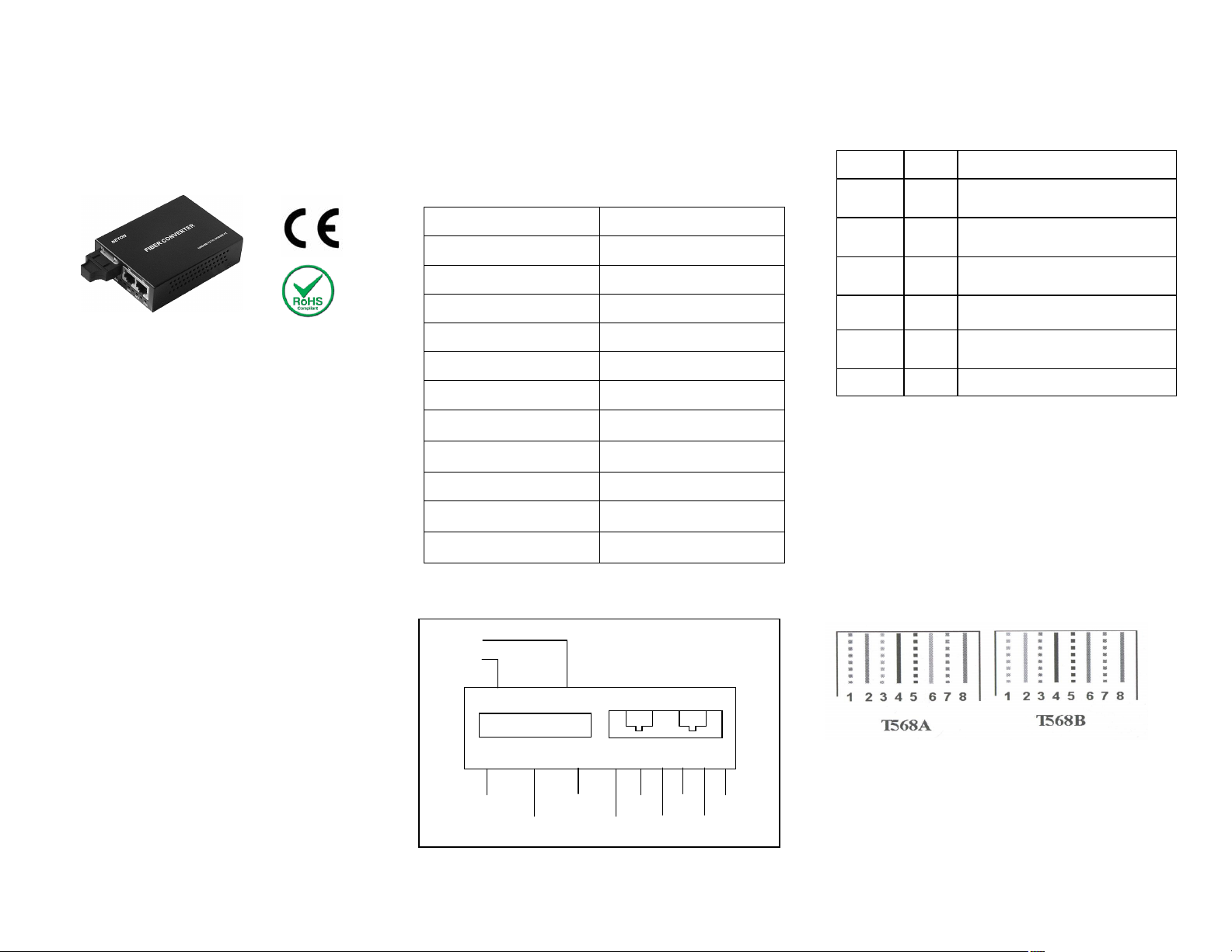
3.12 Check the type of UTP(se fig.1)
UTP complies With IEEE802.3 Standards, and has two
types:T568A T568B.
Fig.1 The type of UTP
NOTE: G: Green; O: Orange; B: Blue; P: Palm
Parallel cable: connect T568A to T568A,or T568B to
T568B
Page 2

Crossing-over: connect T568A to T568B
3.1.3 TP Port List (Fig.2)
4.0 Installing
4.1 TP port installing
The RJ-45 port can connect the parallel lines “=” or The
cross lines “X”
4.12 Fiber port installing
Connect the fiber-optic transceiver on the media
converter with the Single-mode SC fiber connectors.
4.13 Connect to switch power adaptor
4.14 Check the appearance that converter instructions
light. If connection right, the PWR,L/A LED is bright;
Otherwise checking the Fiber port and TP port.
Note: Connecting to Router, Bridge or Switch.Pleasa
refer to the device’s Technical Manual.
 Loading...