

Page 1
Thanks for your purchasing this ATake 7800 combo set! This keyboard and mouse will
finally free you of the constraints of your desktop by providing a wireless connection
between your keyboard/mouse and your PC.In order to enjoy the full performace of
your keyboard and mouse we recommend you to read this manual carefully before
the installation.
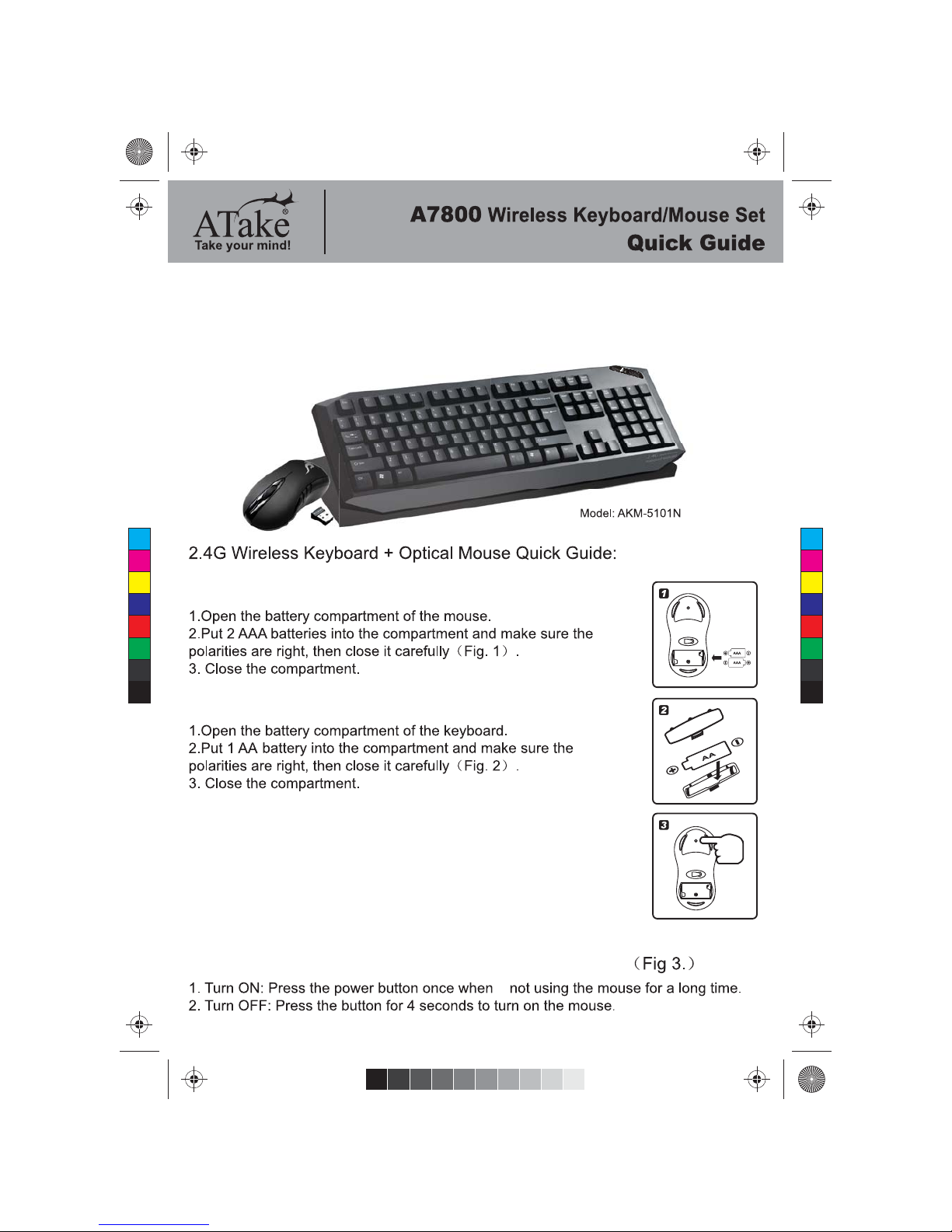
Batteries Installation(Mouse)
Batteries Installation(Keyboard)
Wireless Receiver Connection
Turn ON/OFF the switch of the Optical Mouse Manually:
Both the keyboard mouse use 2.4GHz digital technology to
wirelessly communication.They transmit radio frequency signals that
are picked up by the receiver and sent to the computer.The USB
receiver is connected via one of USB port of your computer.
CAUTION:Turn the computer off before the connection,and remerber
that working on a metallic surface will reduce the RF performance.
C
M
Y
CM
MY
CY
CMY
K
AKM-5101N(A7800)_EN_guide.pdf 1 2011-12-29 13:31:23
Page 2
+886 222214999
[email protected]
Customer Service
http://www.atake.com/
on the keyboard
mode
TROUBLE SHOOTING
FCC Statement
1.This device complies with part 15 of the FCC rules.
Operation is subject to the following two conditions:
(1) This device may not cause harmful interference, and.
(2) This devise must accept any interference that may cause undesired
operation.
2.Changes or modifications not expressly approved by the party responsible for
compliance could voice the user’s authority to operate the equipment.
C
M
Y
CM
MY
CY
CMY
K
AKM-5101N(A7800)_EN_guide.pdf 2 2011-12-29 13:31:26
 Loading...