

Page 1
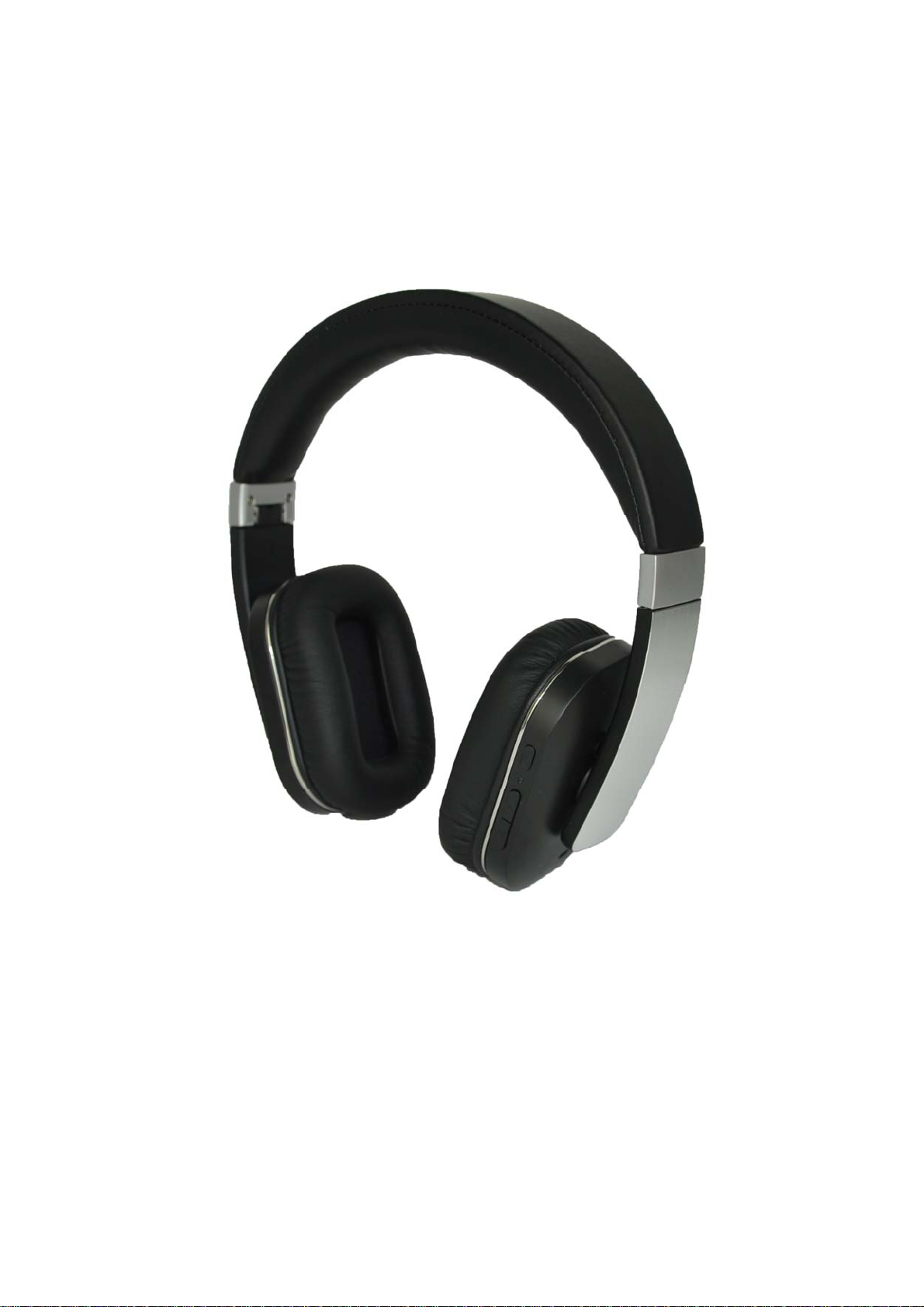
Bluetooth ANC headphone
F5AS
User Manual
Page 2

Get started
To know more about your F5AS Bluetooth ANC headphone
Features
1, Bluetooth 4.1+EDR
2, 3.5mm music line-in function
3, apt-X® audio technology
4, Support connecting with 2 phones devices
5, iOS show the headphone battery power status
6, ANC(active noise reduction ) function
2
Page 3

How to use
1,General Function
Operation LED Status
Power on Blue LED flashes 2 times
Power off Red LED flashes 2 times
Pairing Red LED & Blue LED flashes alternately
Standby Blue LED flashes 3 times in 5 seconds
Incoming call Blue LED flashes continuous
Low battery Red LED flashes 2 times every 2 seconds
Charging Red LED keep lighting during charging
Blue LED keep lighting charging finished
2, Basic Buttons Operation
Power on: Press multifunction button for 2 seconds. Blue LED flashes 2 times.
Headphone turn on.
Power off: Press multifunction button for 3 seconds. Red LED turn off after flashes 2
times. Headphone turn off.
Volume adjust: Each press on 'Volume up' or ' Volume down' buttons, one level voice
volume changes. When volume reaches to Max or Minimum,"Tick" reminding voice
occurs.
Play/Pause: Short press multifunction button, music pause. Press it again, music
continues.
Previous: in standby status, Long press 2 seconds 'volume down' button, music turns to
previous one.
Next:: in standby status ,Long press 2 seconds 'Volume up’, music turns to next one.
Answer Call: Short press multifunction button to answer the incoming call.
End call: Short press multifunction button, phone call ended.
Reject call: Press 'Volume up' button for 2 seconds to reject a call.
Transfer call: During the phone call conversation, press' Volume up 'button for 2
seconds, call switches to mobile phone. Press 'Volume up' button for 2 seconds again, call
switches to headphone.
Last number redial: in standby status, continuously press headphone multifunction
button twice to redial the last number.
Call Mute function: Press 'Volume down' button for 2 seconds, call mute. Press
'Volume down' button for 2 seconds again, call mute cancel.
Battery Capacity status: When headphone connects to iOS devices, iOS devices show
the headphone battery power status on the upper right corner.
Charging: new headphone has enough power for pairing and dialing out for several
times. When in low battery, please charging via USB cable for 2 hours. Red LED keep
lighting during charging, blue LED keep lighting charging finished.
Reset Mode: Connect the headphone to computer via Micro USB cable. When red LED
3
Page 4
light flashes, headphone reset finished.
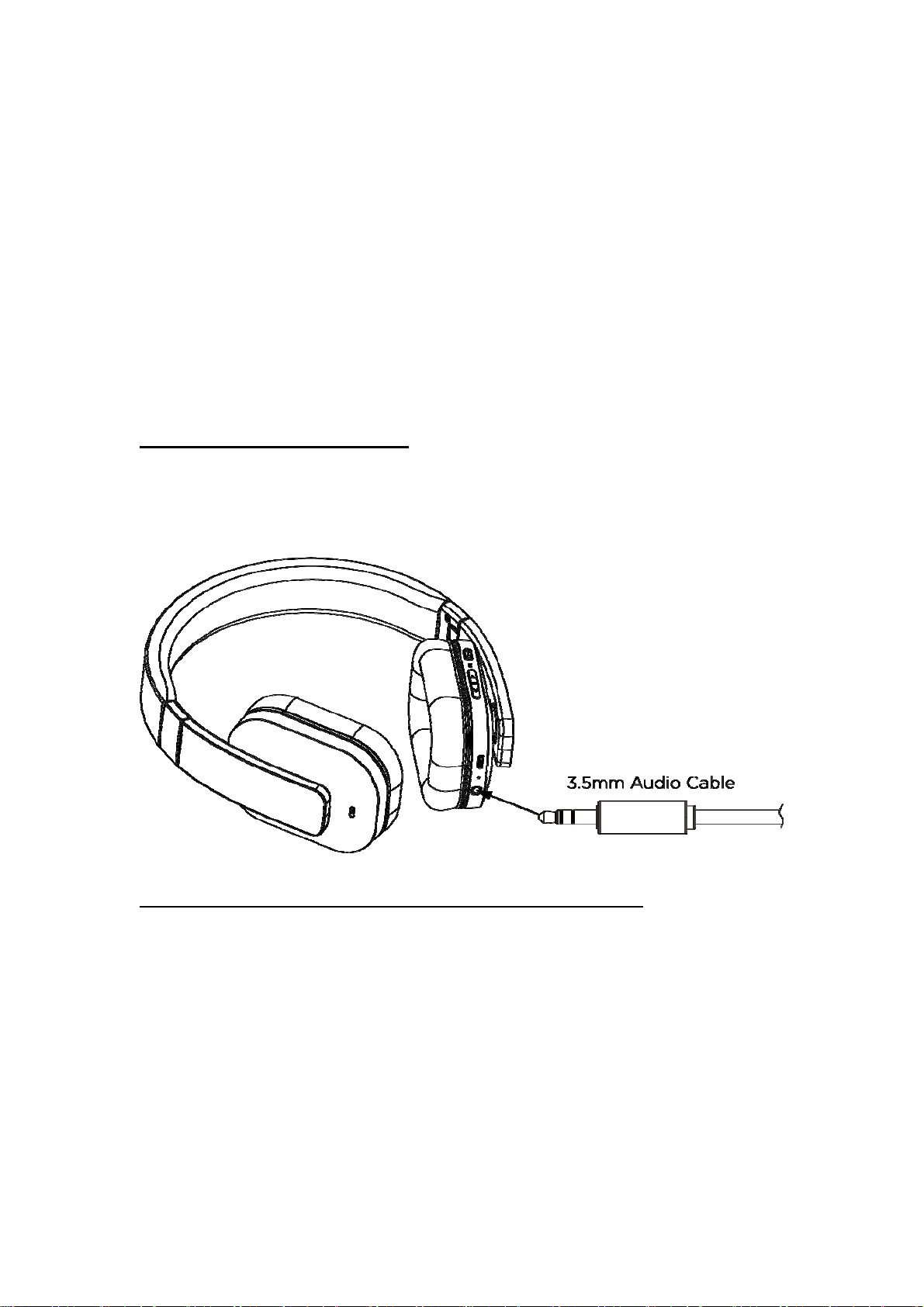
3.5mm music line-in function:Connect Audio line in cable to 3.5 audio jack for wired
music.
Active noise reduction function(ANC)
When there is too much noise in surroundings, Switch the ANC key to “ON
“ location ,ANC function can be enabled to reduce noise , providing listening pleasure of
high quality to users.
Phone call function cannot be used in this mode
The headphone is on or off status
1, connect the 3.5 audio wire to the headphone and audio player.
2, you can adjust volume bottom of the audio player or the mobile phone to reach right
volume to listen music.
3, Pairing (One headphone support connecting 2 phone devices )
Pairing with one phone or other device
Make sure the headphone is power off.
Press and hold the multifunctional button for 5 seconds to enter into the pairing mode.
Red LED & Blue LED flashes alternately, Activate your phone or device Bluetooth function
and search for headphone. From the list of found devices on your mobile phone , select
the headphone “F5AS” to connect it. Follow the instruction to enter “0000” as PIN if the
mobile phone
music or dial phone call etc.
Pairing with two phones or other devices at the same time
This headphone can support 2 devices multi-connection. It can pair with two mobile
reminder to need. Headphone or device can be used to play your phone
4
Page 5

phones simultaneously, taking the call from any of them. After completing pairing with the
first phone, turns off the headphone, then re-do the paring procedure with another phone.
Once finished the pairing, restart the headphone, it will automatically connect to the
Phone or device of Last connected , and short press the two key of “volume +” and
“volume -” simultaneously ,can enable the multipoint Connect function, from the list of
found devices on another mobile phone, select the headphone ““F5AS” to connect it.
4, Sound quality with apt-X® code
Featuring the apt-X code, the headsets can connect wirelessly to any apt-X® enabled
devices, vastly improves the quality of Bluetooth streaming, delivering CD-quality sound.
Kit Contents
1, 1 X Stereo Bluetooth ANC headphone “F5AS”
2, 1 X Charging Micro USB Cable
3, 1 X User Manual
4, 1 X 3.5mm audio wire
Warning
1, You must choose a qualified charger from a regular manufacturer to charge the
headphone.
2, you must charge the headphone if it has not been used for more than 12 months.
Specification
Bluetooth version: 4.1+EDR
Talk time: 14h
Stand-by time: 540h
Music play time: 14h
Wireless range: 10m
Bluetooth profiles: A2DP/ AVRCP/ HSP /HFP
Impedance: 32Ω
Sound pressure level: 110±3dB
Frequency Response: 20Hz---20 KHz
Weight: 255g
Dimension: 200x180x65mm
5
Page 6

FCC Warning
This equipment has been tested and found to comply with the limits for a Class B digital
device, pursuant to part 15 of the FCC Rules. These limits are designed to provide
reasonable protection against harmful interference in a residential installation. This
equipment generates, uses and can radiate radio frequency energy and, if not installed
and used in accordance with the instructions, may cause harmful interference to radio
communications. However, there is no guarantee that interference will not occur in a
particular installation. If this equipment does cause harmful interference to radio or
television reception, which can be determined by turning the equipment off and on, the
user is encouraged to try to correct the interference by one or more of the following
measures:
—Reorient or relocate the receiving antenna.
—Increase the separation between the equipment and receiver.
—Connect the equipment into an outlet on a circuit different from that to which the
receiver is connected.
—Consult the dealer or an experienced radio/TV technician for help.
This device complies with part 15 of the FCC Rules. Operation is subject to the following
two conditions: (1)This device may not cause harmful interference, and (2) this device
must accept any interference received, including interference that may cause undesired
operation.
changes or modifications not expressly approved by the party responsible for compliance
could void the user's authority to operate the equipment. This equipment complies with
FCC radiation exposure limits set forth for an uncontrolled environment .The device has
been evaluated to meet general RF exposure requirement. The device can be used in
portable exposure condition without restriction.
6
 Loading...