

Page 1
MANUAL
FiberLink
6000 & 6000A
Rackmountable Card Cage
Installation and Operations
Manual
WWW.ARTEL.COM
Page 2

FiberLink Rackmountable Card Cage
Contents
Contents
Welcome ........................................................................3
Features. . . . . . . . . . . . . . . . . . . . . . . . . . . . . . . . . . . . . . . . . . . . . . . . . . . . . . . . . . . . . . . . . . . . . . . . . 3
Package Contents ...............................................................3
Technical Specications
Model Part Number Specications ............................................4
Installation Instructions ..........................................................5
Accessories and Related Products ................................................6
Certications. . . . . . . . . . . . . . . . . . . . . . . . . . . . . . . . . . . . . . . . . . . . . . . . . . . . . . . . . . . . . . . . . 6
Page 2 FiberLink Rackmountable Card Cage User’s Manual
Page 3

FiberLink Rackmountable Card Cage
Welcome | Features | Package Contents
Welcome
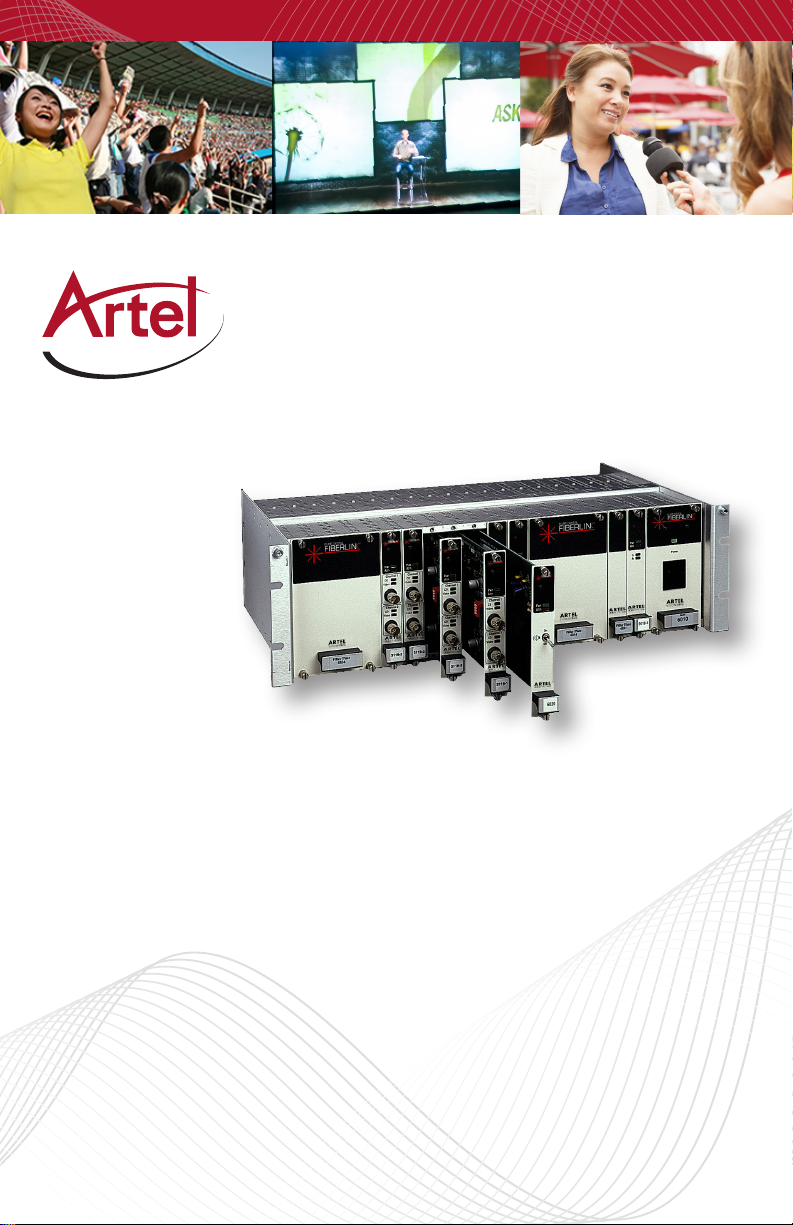
Thank you for purchasing Artel Video Systems FiberLink Rackmountable Card Cage. The
Model 6000A card cage is a rack-mountable enclosure designed to accommodate up to 20
single-width plug-in FiberLink transmission modules (or cards). Measuring 19 inches wide
by 5 1/4 inches high, this unit may be used with either a model 6010 universal switching
plug-in power supply or with an external customer-provided power source.
When used with the Model 6010 universal switching power supply, 17 positions are
available for product modules. When used with an external power source, all 20 positions
are available. Redundant operation can be achieved by inserting more than one power
supply into the card cage. Each additional power supply will use three of the remaining
positions.
This card cage is certied to meet the safety and EMI requirements of most regulatory
agencies in the US, Canada and abroad.
Features
• Optional alarm module indicates fault condition via an audible piezo sounder,
blinking red LED and activation of isolated contacts for use with remote
monitoring
• Optical signal input and output connectors on each card module are at the
rear of the card cage.
• May be powered with optional 3-position plug-in power supply or with an
external, customer-provided power source
• Two power supplies may be used to provide redundant power
• Single and multiple position blank ller panels are available to conceal
positions not in use
• ROHS Compliant
Package Contents
• One FiberLink 6000A Card Cage
• This User’s Manual
Page 3FiberLink Rackmountable Card Cage User’s Manual
Page 4

FiberLink Rackmountable Card Cage
Technical Specications
Technical Specications
Model Part Number Specication
Number of Available Positions (less power supply) 20
Number of Available Positions (with single power supply) 17
Finish Clear Irridited Aluminum
Physical Size 19W x 5.25H x 10D inches)
Operating Temperature Range -40 to + 75 degrees, C
Optional External Power Input * +10 to +12 VDC
Maximum Allowable External Input Current 10 Amperes
* The external power input connector is reverse-polarity protected.
Page 4 FiberLink Rackmountable Card Cage User’s Manual
Page 5

FiberLink Rackmountable Card Cage
Installation Instructions
1. The Model 6000A card cage may be mounted in a standard EIA 19 inch rack frame.
When possible, allow at least 1 to 2 inches of clearance from other equipment for
proper ventilation.
2. If the card cage is to be used with the Model 6010A universal switching power supply,
plug the power supply into the card cage in the position desired. If redundant operation is desired, plug in any additional power supplies as well.
3. Plug a suitable line cord into the rear IEC power connector of each Model 6010A
power supply being used.
4. If the Model 6000A is to be used with external power, a +10 to +12 volt DC source is
recommended. External power sources must provide any necessary protective fuses
or circuit breakers. Connect the external source to the terminal block on the rear of
the card cage as follows:
Position 1 DC Return
Position 2 +10 to +12 VDC @ at up to 10 amperes (as required)
Position 3 Case Ground (Normally isolated from position 1)
Note that a separate ground stud is provided for use when a direct connection to
the card cage frame is desired.
If using an external power supply, do not exceed an input of 14 Volts DC or
allow more than 10 amperes to ow into the card cage. Doing so may
damage the product modules.
5. Plug any desired FiberLink transmission modules into any free positions.
6. Make all optical and signal connections at the rear of the card cage.
7. If a Model 6010A universal switching power supply is being used, use the front panel
switch to turn on the power. The power indicator LED will illuminate when power is
present. If an external power source is being used, use the controls on that source to
turn power on and o.
Page 5FiberLink Rackmountable Card Cage User’s Manual
Page 6

FiberLink Rackmountable Card Cage
For instructions on the use of specic transmission modules used with the card
cage system, refer to the manuals that came with each module. Unless otherwise
indicated, all information and specications provided in those manuals apply when
using the modules with the Model 6000A card cage.
Products and Accesories
Products and Accessories
The following products are available for use with your card cage:
• Plug-in fault-sensing alarm module
• Blank ller plates (for single and multiple positions)
• Wall mounting brackets
Contact our sales department for further details on these and other accessories.
Certications
Page 6 FiberLink Rackmountable Card Cage User’s Manual
Page 7

FiberLink Rackmountable Card Cage
Page 7FiberLink Rackmountable Card Cage User’s Manual
Page 8
Proven Products, Unrivaled
Service, and Great Support
• High performance plug and play products
• Stand alone and card cage versions available
• Solutions for most video, audio, and data formats
• Multimode and single mode versions
• Designed and manufactured in the USA
• Training and installation support available
• 24x7x365 technical support available
Artel Video Systems Corp.
5B Lybert y Way,
Westford, MA 01886 USA
T: 978-263-5775
F: 978-263-9755
[email protected]
[email protected]
www.artel.com
All specifications subject to
change without notice. ©2016
Updated 02/16/2016
CS200-120815-00_H
 Loading...