

Page 1
Page 2

manArgard11060001type4
Page 3

ARGARD M10
manual
Page 4

Page 5
Contents
02
Overview
03
Accessories
04
Features
05
Specifications
06
Getting Started
11
Using Your Headset
12
Menu Functions
16
Troubleshooting & FAQ
18
Care and Maintenance
20
Warranty
01
Page 6
Overview
3
2
1
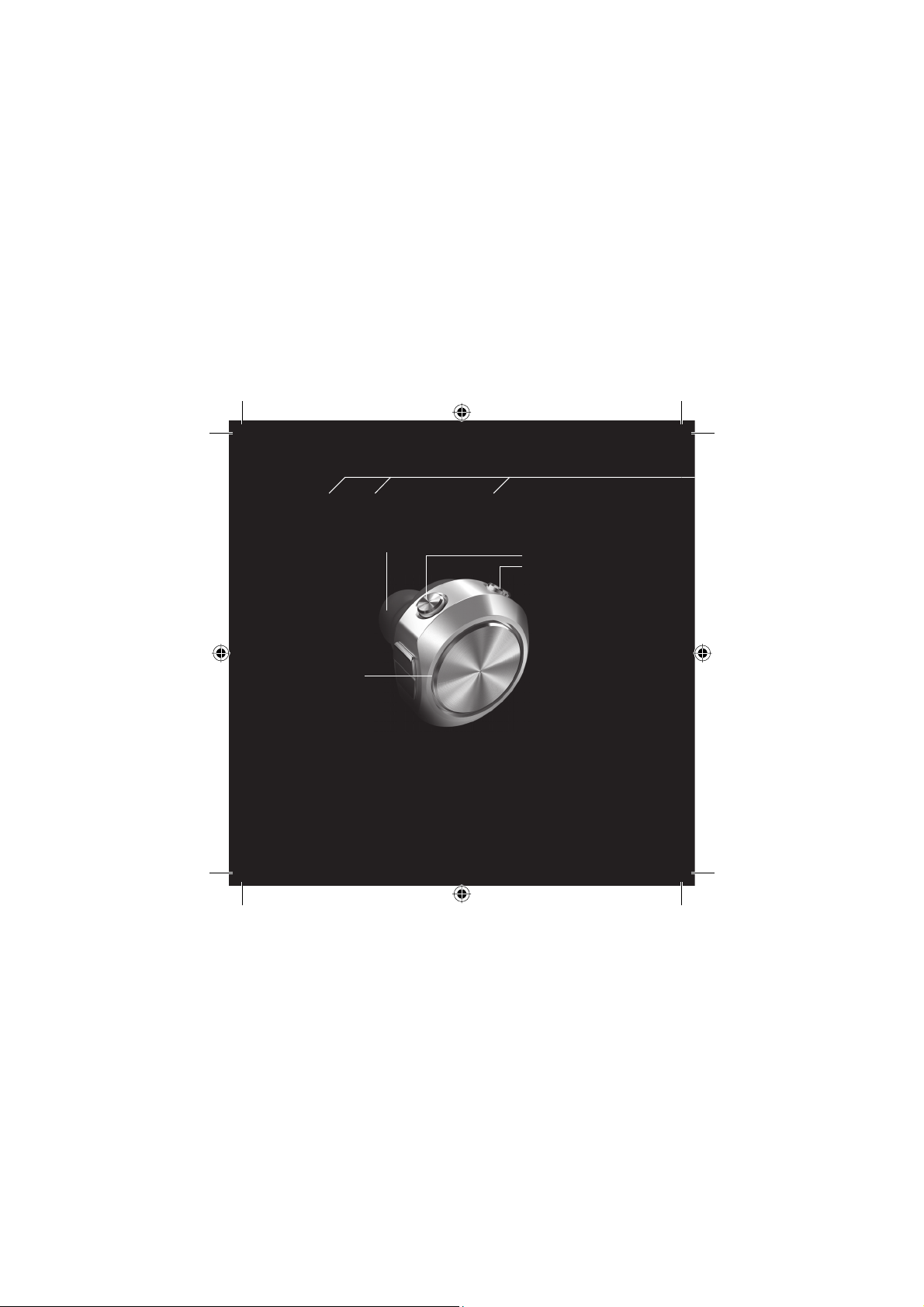
1. Talk Button
Answer and end your calls
directly from your headset
2. Volume Buttons
Manage the call volume
without accessing your
mobile phone
3. Earpiece
Comes with extra
earpieces (larger
and smaller sizes)
Page 7
Charging Cradle
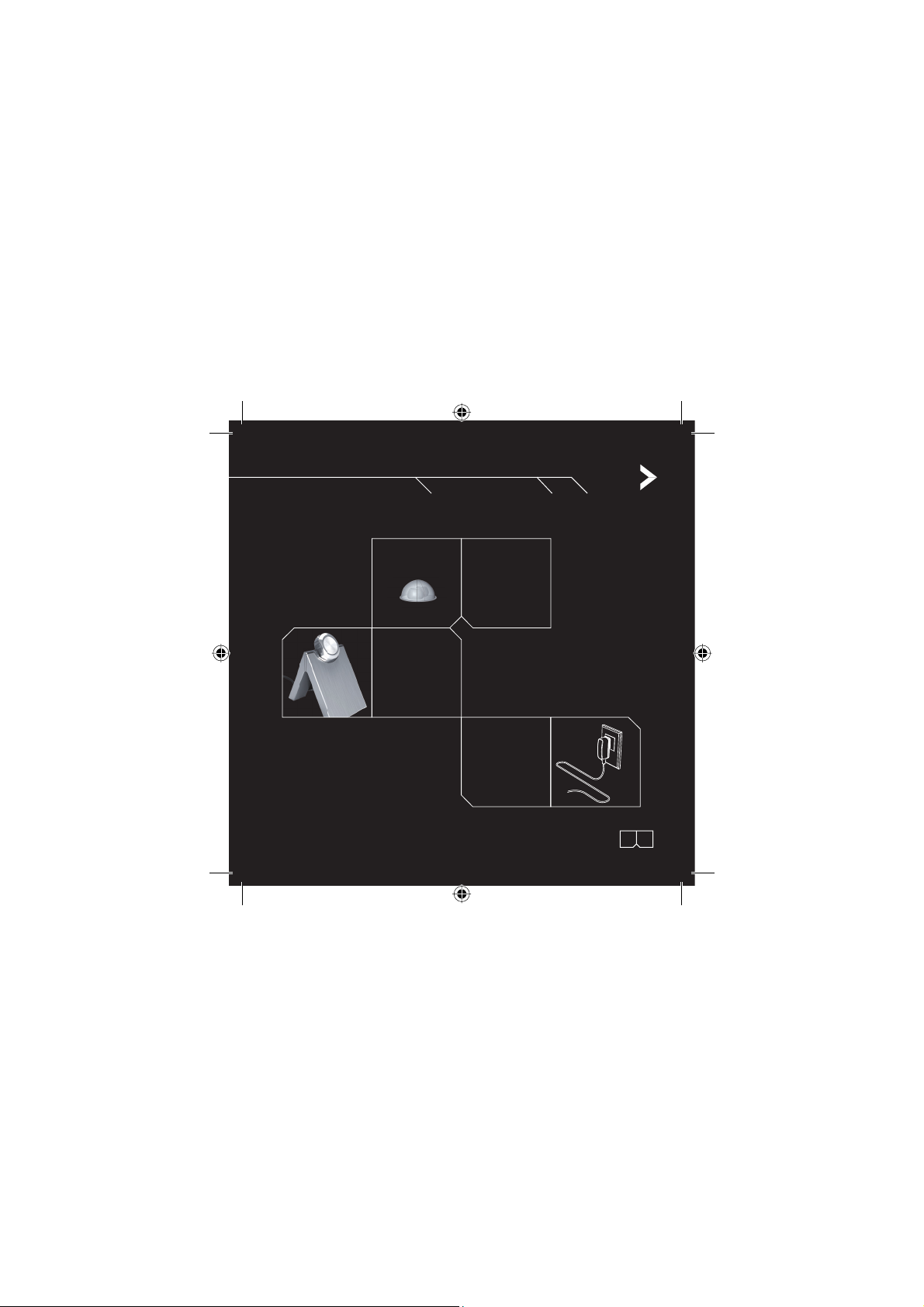
Accessories
Extra Earpieces
AC Adaptor
02:03
Page 8
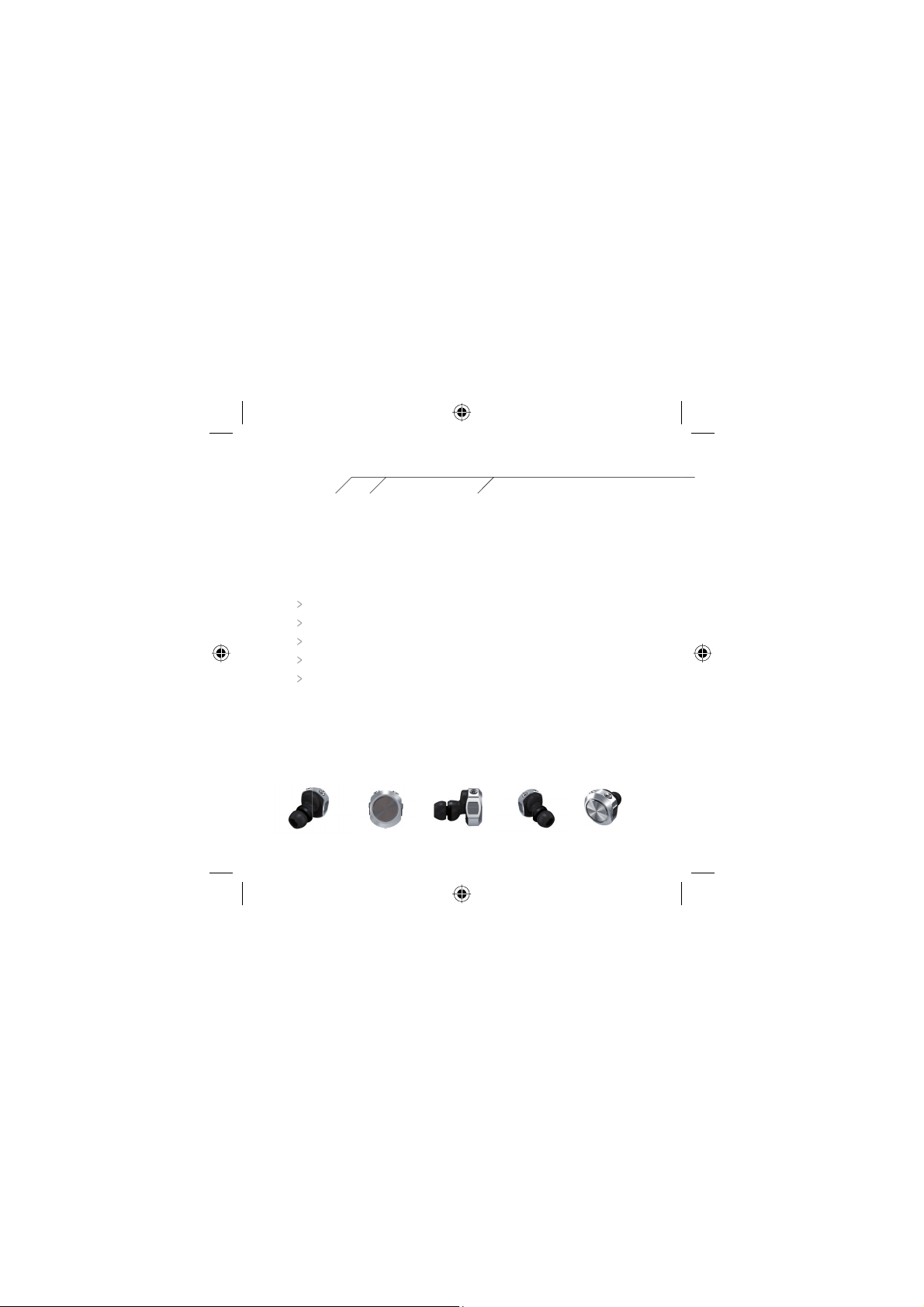
Features
Lightweight, small, cutting edge design
In-ear Design, fits completely in ear
Design to be wearable on the left or right ear
Easy to use: only 3 buttons and one clear indicator light
Battery will last all day long
Page 9
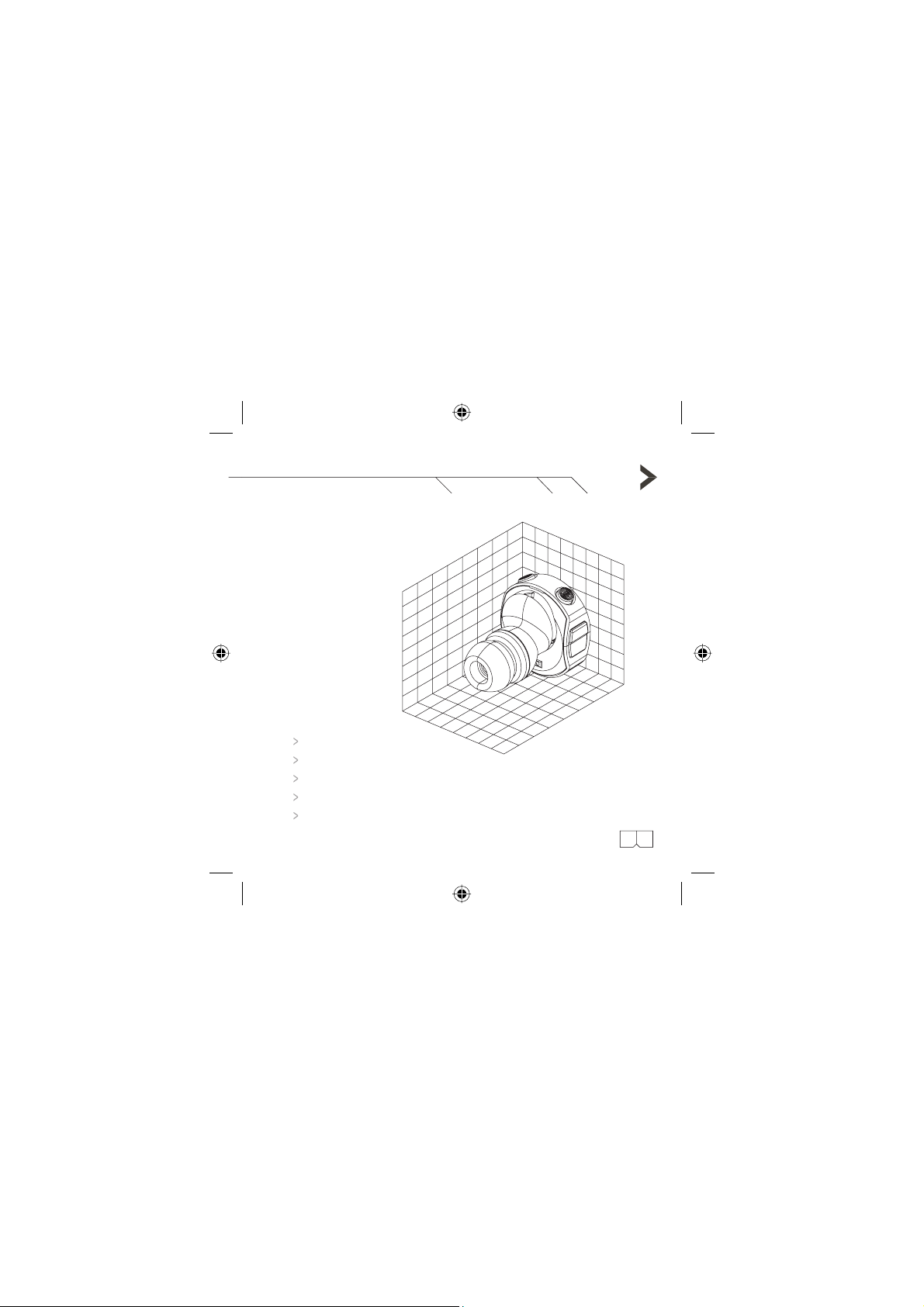
Weight: 5 grams
Size: 23 mm x 22 mm x 31.5 mm
Talk Time: Up to 3 hours
Standby Time: Up to 100 hours
Bluetooth Version 1.2 Class 2
Specifications
04:05
Page 10
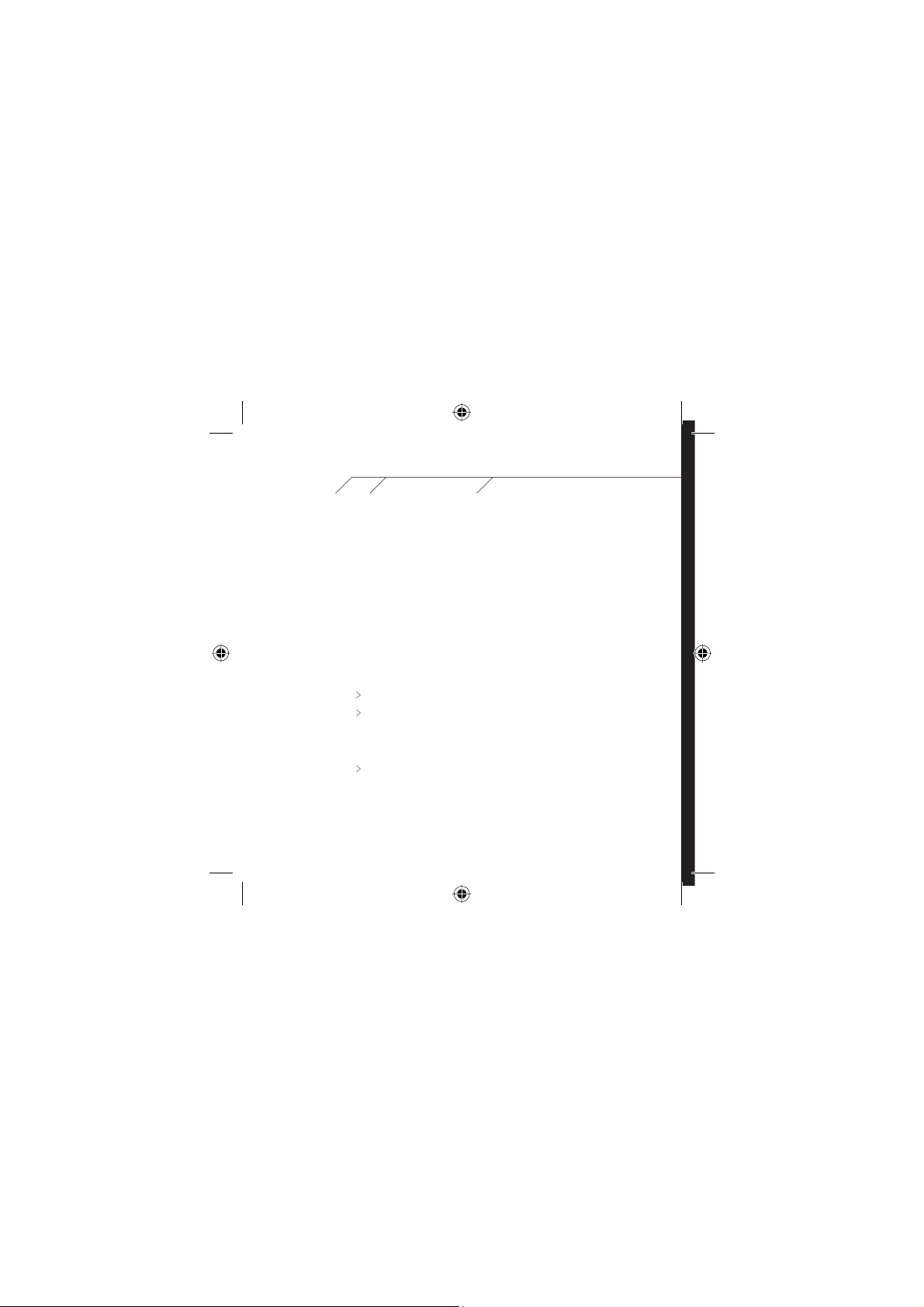
Getting Started
5.1 Charging the battery
1.
Connect the charging port of the ARGARD M10 to the charging port on
the charging cradle.
2. Connect the DC jack of the adaptor to the DC jack socket of the charging cradle.
3. Plug the adaptor into the appropriate electrical outlet.
Notes:
Charge ARGARD M10 for 8 hours before using it for the first time.
While the ARGARD M10 is charging, the red light on the TALK button
will come on. If it does not, please press the TALK button to activate.
Once the battery is fully charged the red light will turn off.
Recharging takes approximately 2 hours.
Page 11
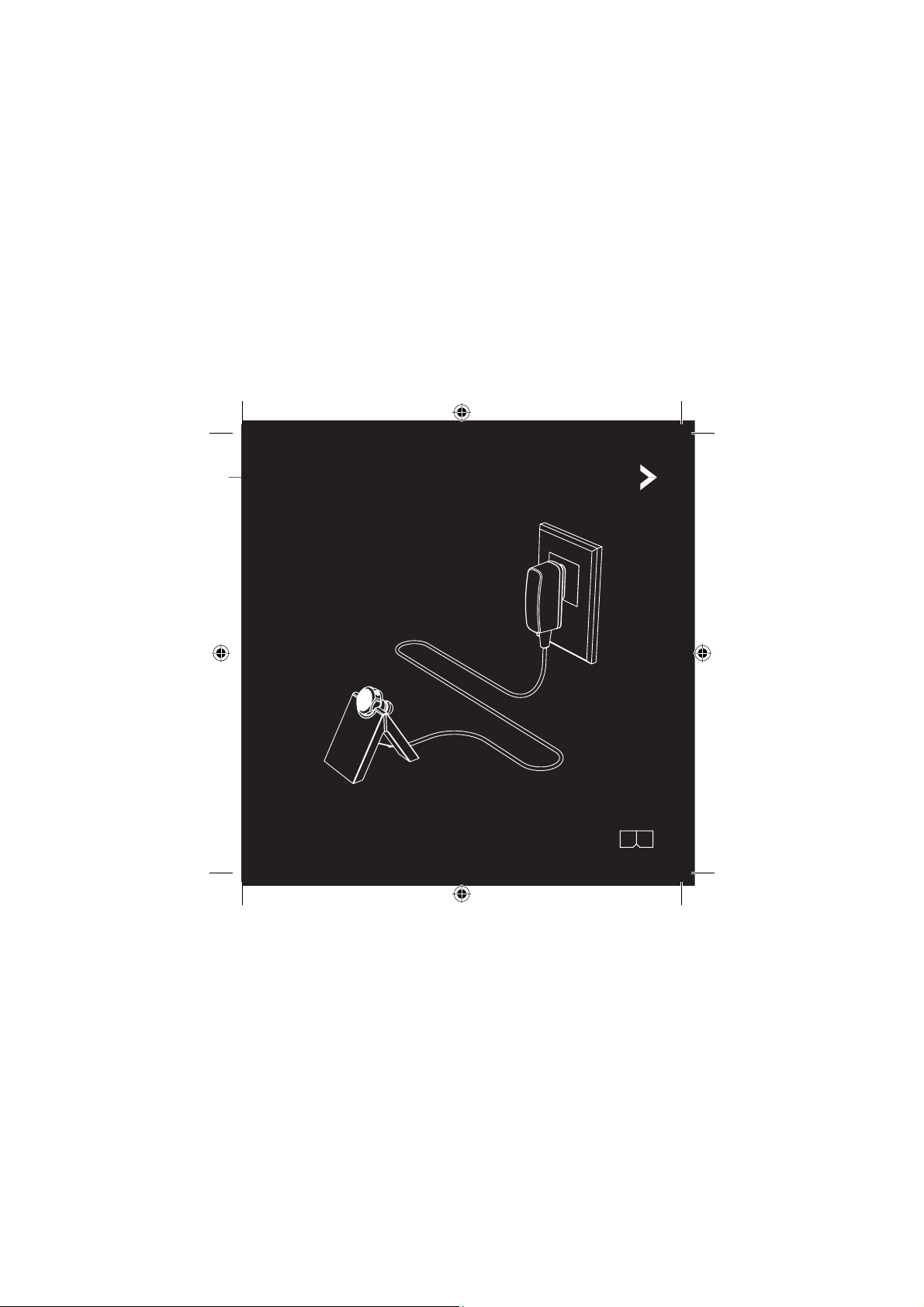
Charging using the AC Adaptor
06:07
Page 12
5.2 Pairing with the phone
5.2.1 Setting the ARGARD M10 headset to pairing mode
Press and hold down the
The blue light will flash rapidly 4 times. Continue holding
the button until the red and blue lights flash alternately.
Release the TALK button.
5.2.2 Setting Bluetooth on the mobile phone to device searching and pairing modes
Activate Bluetooth on the mobile phone and start searching for the new Bluetooth
device. When the search is complete, the name of the ARGARD M10 will appear
“M10” on the mobile phone screen and select pairing with M10. When the mobile
phone requests a passkey, please enter “0000” (four zeros) and then press “Yes”
or “OK”.
TALK
button for approximately 10 seconds.
Page 13
5.2.3 Connecting Bluetooth with a mobile phone
Some mobile phone models support Bluetooth hand free profiles or have a function
to select the type of connection. When set to “Always ask before connection”,
the connection will be completed by either pressing the TALK button on the headset
or entering the Bluetooth menu, choosing a connecting device, then pressing “Yes”
or “OK” to confirm the connection. When the type of connection is set to
“Automatic without confirmation”, the system will make a connection automatically
after the pairing is complete.
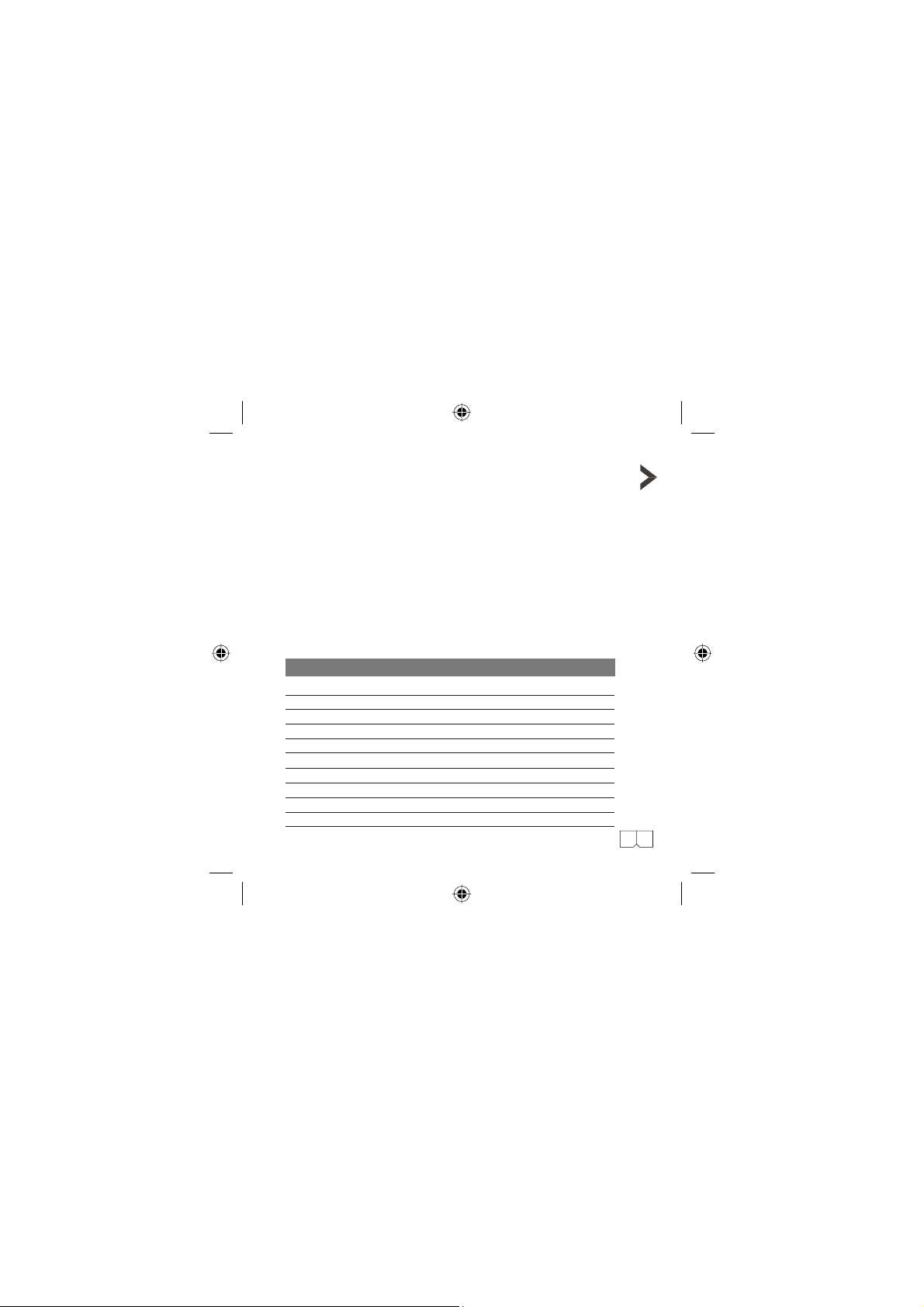
Table of Status Indicator Lights
Order Headset Status Headset Indicator Lights
1
Power on Blue light, flashes 4 times
2
Power off Red light, flashes 3 times
3
Pairing mode Blue and red lights, alternating flashes
4
Pairing successful Blue light, flash 1 time
5
Standby mode Blue light, flash 1 time every 10 seconds
Low battery Red light, flash 1 time every 10 seconds
6
Charging battery Red light is on continuously
7
Charging completed Red light goes out
8
Incoming call Blue light, rapid flashes until the call is received
9
During a call Blue light, flashes 2 times every 10 seconds
10
08:09
Page 14
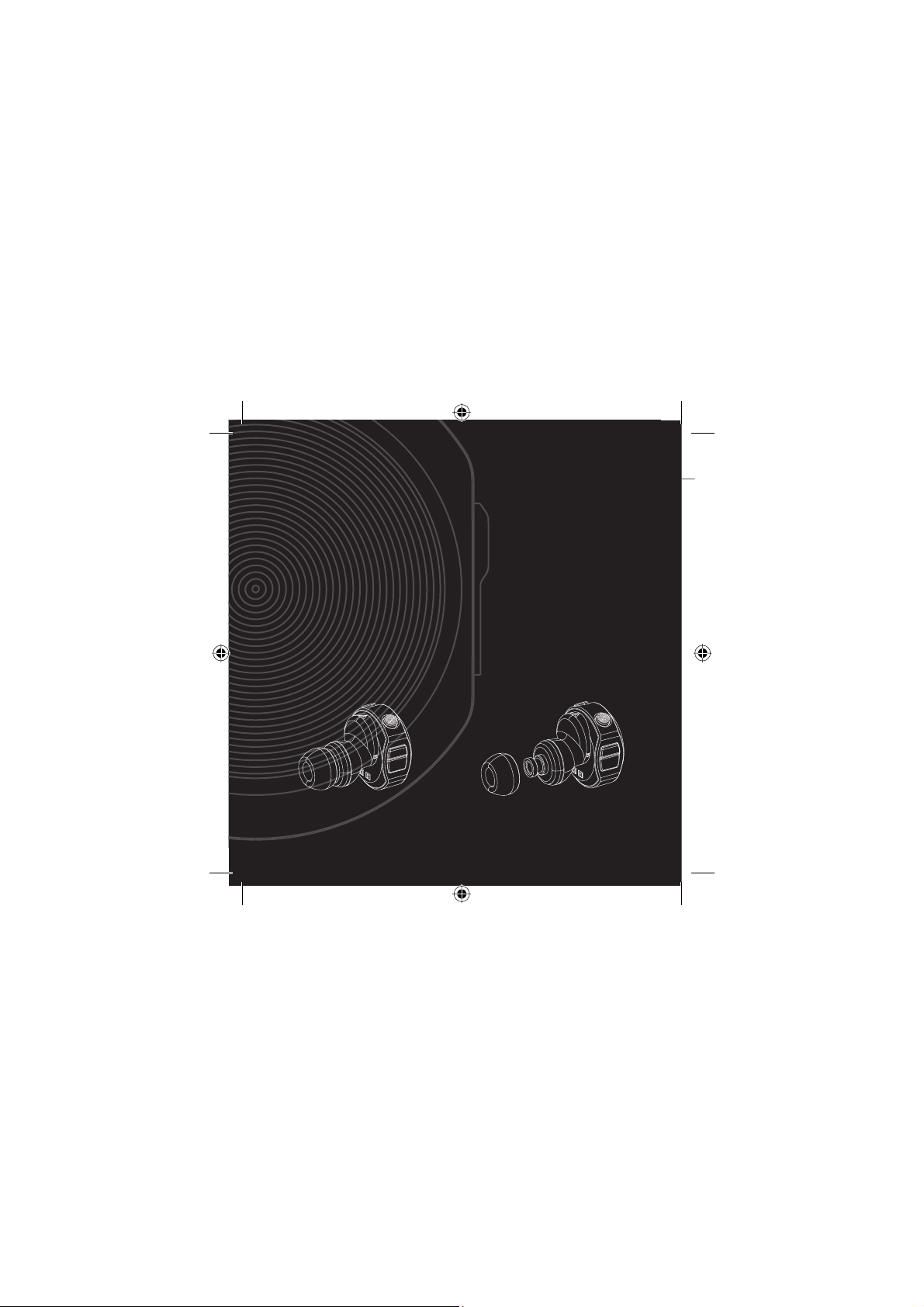
ARGARD M10
Designed to completely fulfill user requirements for ease of use and convenience.
Page 15
Using the Headset
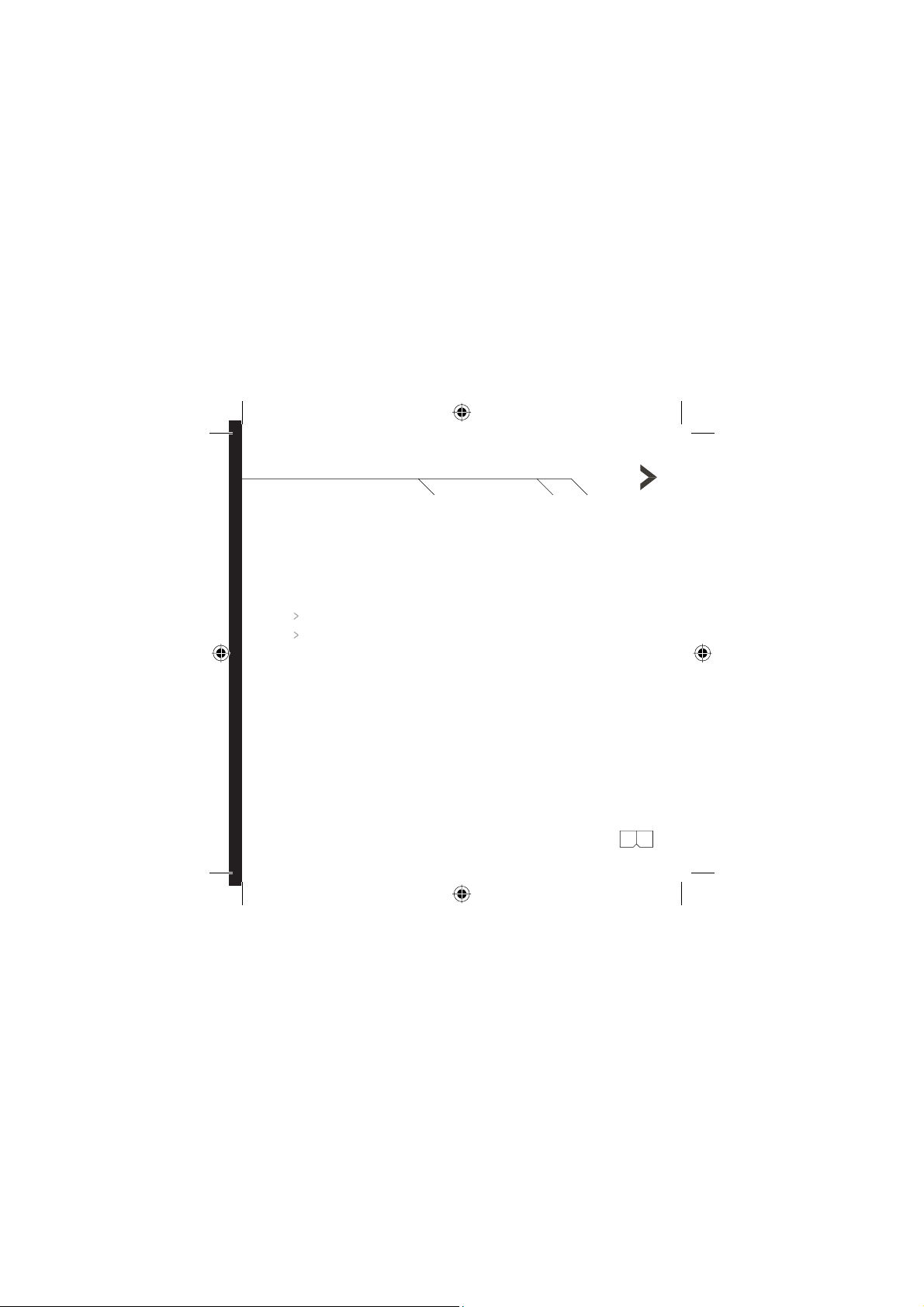
6.1 Wearing the headset
Put one of the earpieces on the headset as shown in the figure on page 10.
The earpiece can be placed in either the left or right ear,
depending on the user's preference.
6.2 Answering and ending a call
With just one touch of the TALK button on the headset, a call can be instantly
answered or ended.
6.3 Low battery warning
A warning tone will sound when the battery is low during a call or in stand-by mode,
and the flashing blue TALK button light will change to a red light, with 1 flash
every 10 seconds.
10:11
Page 16
Menu Functions
7.1 Quick Connect/Disconnect
If the mobile phone is already paired with the ARGARD M10, activate
Bluetooth on the mobile phone, and then do the following:
To connect: press and hold down the TALK button on the ARGARD M10
for approximately 2 seconds. When the blue light flashes 5 times, release
the button. The ARGARD M10 will connect to the mobile phone automatically.
To disconnect: press and hold the TALK button on the ARGARD M10 for
approximately 2 seconds. When the red light flashes 3 times, release the
button. The ARGARD M10 will disconnect from the mobile phone
automatically.
7.2 One-touch On/Off
To turn on: press and hold the TALK button for approximately 2 seconds.
The blue light will flash 3 times.
To turn off: press and hold the TALK button for approximately 2 seconds.
The red light will flash 3 times.
7.3 Volume Up/Down
The volume may be increased or decreased according to the wearer's preference:
To increase the volume: press the “volume up” button located on the right
side of the headset (when holding the headset with the TALK button turned
towards the user).
Page 17
To decrease the volume: press the “volume down” button located on the left side
(when holding the headset with the TALK button turned towards the user).
7.4 One Touch Answer Call/End Call
An incoming call can be answered or ended with one touch by pressing the TALK button.
7.5 Voice Dialing
To use voice dialing, the voice command for the phone number to be called using
voice dialing must first be recorded. Consult the mobile phone's User Guide for
instructions on the recording methods available.
Voice dialing
Press the TALK button. Alternating high and low tones will be heard. Speak the
voice command recorded in the phonebook. If the voice command is the same
as that recorded in the phone book, the ARGARD M10 will repeat the sound
voice command, and then call the recorded number.
Cancel voice dialing
Press the TALK button to cancel voice dialing.
12:13
Page 18

7.6 Transfer Call to ARGARD M10/ARGARD M10 to Phone
A call can be switched between the mobile phone and the ARGARD M10 without
ending the call:
To transfer a call from the ARGARD M10 to the mobile phone:
Press the TALK button twice. The ARGARD M10 will transfer the call from the
Bluetooth headset to the mobile phone.
To transfer a call from the mobile phone to the ARGARD M10:
Press the TALK button once to transfer a call back to the ARGARD M10.
Continue the call using the ARGARD M10 without ending the call or
reconnecting the ARGARD M10.
Page 19
7.7 Reject a Call
To reject an incoming call, press and hold the TALK button for 2 seconds. The mobile
phone will send a busy signal to the caller.
7.8 Redial Last Number
To redial the last number called, press the TALK button twice. A “beep” sound will be
heard, and the last number called will be redialed.
To cancel redialing the last number press the TALK button once.
Note: Use of some of these functions depends on the type of mobile phone.
Check which functions are available in the mobile phone's User Guide.
14:1 5
Page 20

Troubleshooting & FAQ
Problem: The ARGARD M10 will not turn on.
Cause: This may be due to a malfunction in the battery, in case the headset
is dropped, or has sustained a sharp impact.
Solution:
Reactivate the headset by charging the battery and pressing the TALK button.
The red TALK button light will be turned on (if the battery is full, the red light may not
be turned on). Continue pressing for approximately 5 seconds and then release.
Problem: The ARGARD M10 is connected, but it doesn’t work.
Cause: This may be due to a failed connection between the phone and
the ARGARD M10.
Solution: Reset the phone by turning it off and then on again. Then turn
the ARGARD M10 off and on again to create a new connection.
Problem: There are problems when trying to use the following functions: rejecting
a call, putting a call on hold, redialing, three-way calling, or voice dialing.
Cause: These functions are dependent a mobile phone that supports the activation
of a headset or hands-free unit.
Solution: Check these functions in the mobile phone's User Guide.
Problem: Ring tone for incoming call cannot be heard.
Cause: This may occur if the phone is set to silent mode or if the ring tone
is disabled.
Solution: Change the phone settings to enable the incoming call ring tone.
Page 21
Problem: Background noise during phone conversations.
Cause: The ARGARD M10 is designed for safety from propagating frequency waves.
It is designed to use the lowest transmission power (including the use of as little
battery power as possible) while still meeting the signal efficiency standards of
Bluetooth Class 2.
Solution: For the best sound quality, wear the headset on the same side as
the mobile phone.
Problem: The ARGARD M10 is automatically disconnected when not in use for over
90 minutes, or calls cannot be answered using the ARGARD M10.
It is a normal feature of the headset that when not in use for over 90 minutes,
Cause:
the headset enters energy saving mode. If the mobile phone does not support the use
of this mode, the ARGARD M10 will temporarily disconnect the signal.
Solution: When there is an incoming call, press the TALK button once to reconnect
and answer the call (it may take 2-3 seconds to make the connection).
Problem: The ARGARD M10 improperly performs a function, or the control buttons
don’t work correctly.
Cause: This may be due to usage that is improper or at too high a temperature,
which can cause the processor chip to hang or malfunction.
Solution: The ARGARD M10 should be reset. Press and hold down the Volume Up,
Volume Down, and Talk buttons simultaneously for approximately 10 seconds.
The red light will flash 3 times to indicate headset shutdown and reset. Then press
the Talk button once more to restart the ARGARD M10 for normal use.
16:17
Page 22
Care and Maintenance
The ARGARD M10 was designed and produced using high technology, and
should be carefully maintained. The following recommendations will help you to
use the ARGARD M10 in accordance with the requirements of the warranty,
and will help to extend the usable lifetime of the ARGARD M10.
Avoid storing the ARGARD M10 headset under humidity, dusty, moist conditions,
or at a temperature over 45oC. These conditions may degrade the electronic
components.
Do not store the headset in very cold conditions (Below -10oC). Use of the
headset will produce a higher temperature, which will in turn create condensation
inside the headset and may damage its electronic circuits.
Avoid using the Argard M10 in very hot conditions, as the heat may shorten the
life of the electronic equipment, and may also damage the battery.
Page 23
Avoid knocking or shaking the Argard M10. Careless usage may damage the
internal circuits.
Do not clean the headset with strong chemicals or substances, as they may
damage the surface.
Do not attempt to open the headset.
These recommendations will help you to use the headset more efficiently and
to extend its usage lifetime. If any problems are encountered using the
headset, please contact a nearby service center.
Certification and safety approvals
FCC
This device complies with Part 15 of the FCC Rules. Operation is subject to following two conditions:
(1) this device may not cause harmful interference and
(2) this device must accept any interference received, including interference that may cause undesired
operation.
CE
This product is CE Marked according to provisions of the R&TTE Directive
Bluetooth
The Bluetooth word mark and logos are owned by Bluetooth SIG, Inc. and any use of such marks by
Argard is under license. Other trademarks and trade names are those of their respective owners.
18:19
Page 24

Warranty
Argard Co., Ltd, the producer of this Bluetooth headset, guarantees to provide quality
after-sales support and service to buyers or users of this product, under the following
conditions:
1. The product warranty is valid for the duration of one (1) year from
the date of purchase.
2. The buyer must produce a receipt or other documentation showing the date,
time, and place where this product was purchased, in the event that the
service representative asks to see such information.
3. The buyer shall not receive coverage or benefits of the warranty under the
following conditions:
The product is damaged due to: improper usage or storage, falling or being dropped
hard on the ground, direct contact with steam or water.
The product has been repaired or modified by someone who is not authorized
by the company.
The product is sent for repairs after the warranty has expired, in which case the
company will charge for the service at the normal cost.
The battery has been modified, or an unsuitable battery has been used.
Charging equipment other than that provided with the ARGARD M10 headset has
been used.
4. If there is a problem with the product within the duration of the warranty,
the buyer should send or take the product to be checked or repaired at a
nearby service center.
5. All information regarding the warranty or the product may be changed or
modified without prior notice.
Page 25

Page 26

Page 27

This Device must be marketed
maintaining a minimum of 20cm
separation to the users’ body
Page 28

www.argard.com
 Loading...