

Page 1
Arcana Strum
Quick Start Guide AS-0.6
Page 2
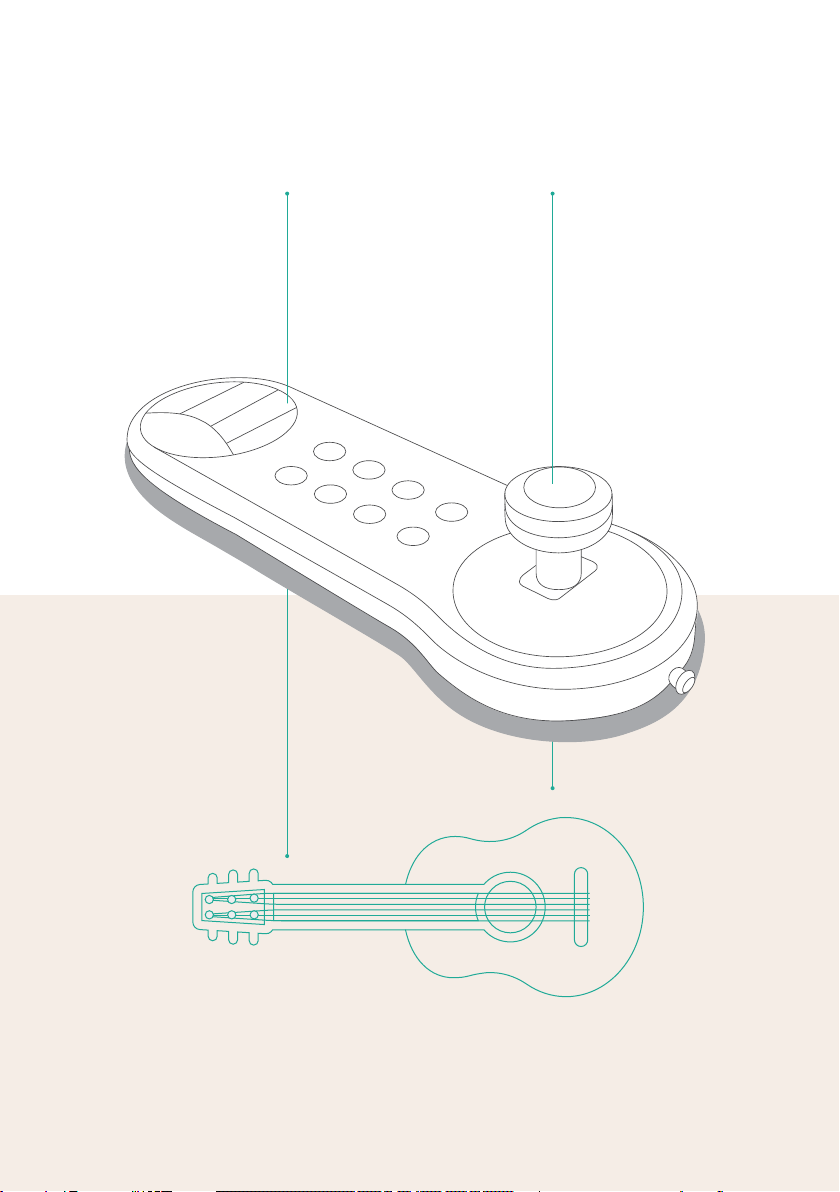
StrumPress
StrumPress
2
Page 3
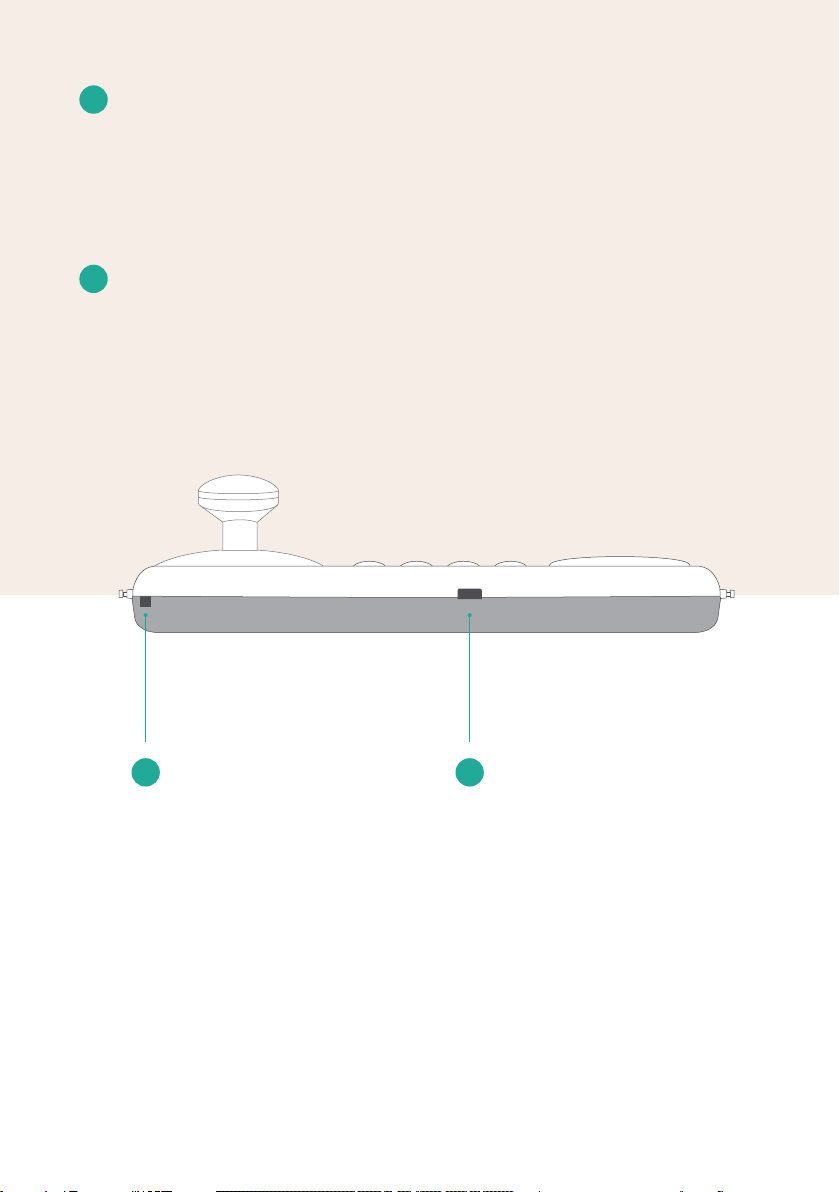
1
USB Connection to Power
Connection to a 5 volt power supply. Also allows MIDI
connection to supported devices, such as computers or
mobile devices running MIDI apps. While the device is
connected to USB power, the internal lithium battery is
also being charged.
2
Connection to External Devices
E-Box: connection to an external box through which
various switches and sensors can be connected.
1
USB
Connection
to Power
2
Connection to
External Devices
3
Page 4
Melodic
Mode
Power
Reset
10
Mode
Mode
9
8
7
Transposition
11
6
String
Location
5
4
3
Duration
SeptaChords
Connecting
a Strap
4
Page 5
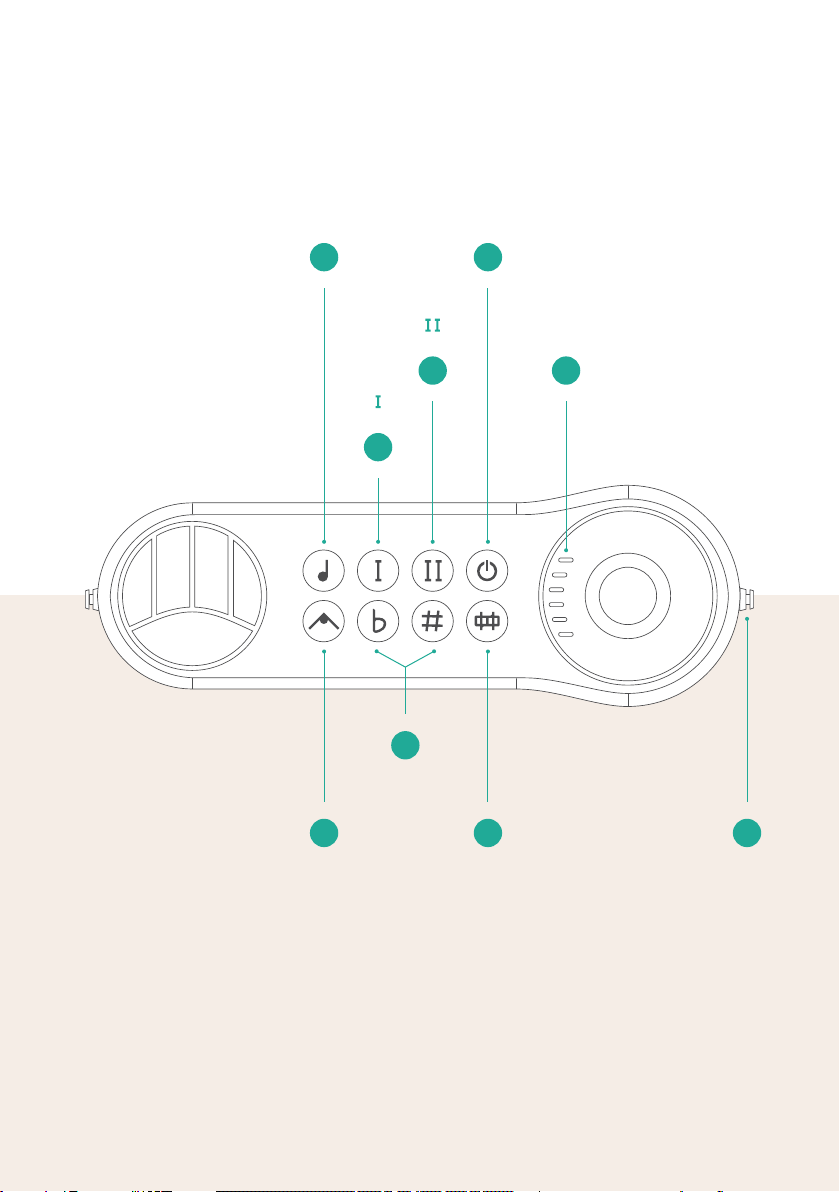
3
Connecting a Strap
The Arcana Strum can be played close to the body with a
standard guitar strap.
4
String Location
The six strum stick lights indicate the location of the strings
on the strum stick.
5
SeptaChords
Changes in the variety of sounds and the addition of a
fourth note in each chord played with the Arcana Strum.
6
Power, Reset
When the device is off, pressing this button will activate the
device. While the device is on, a short press will put the
device in Harmony Mode and will display the battery level
on the strum stick indicators. Press this button for over 5
seconds to turn the device off.
7
Transposition
Pressing the Sharp # or Flat button changes the tonal
range by a semitone each' time. A long press (until the light
blinks) changes the range by an octave. Pressing the Sharp
and Flat buttons simultaneously returns the device to its
default state.
8
Mode 9 Mode
Different note arrangement - more details can be found in
the included MUSICAL GUIDELINES booklet.
10
Melodic Mode
Pressing this button will switch the instrument from Harmonic
Mode to Melodic Mode, used for playing melodies, solos and
compositions with notes or tabs (a method used for writing
music for guitar).
11
Duration
Changing the note duration. When the light is on, the note
duration is shorter. This function is only available in
Harmonic Mode. In Melodic Mode, the notes persist until the
keys are released.
5
Page 6
Locking the
Keyboard
Strum Stick
Adjustment
17
16
Changing
to 3 Keys
Mode
15
Left
Hand
Playing
12
14
Method
Changes
Skill 1/2
13
Dynamics
6
Page 7

12
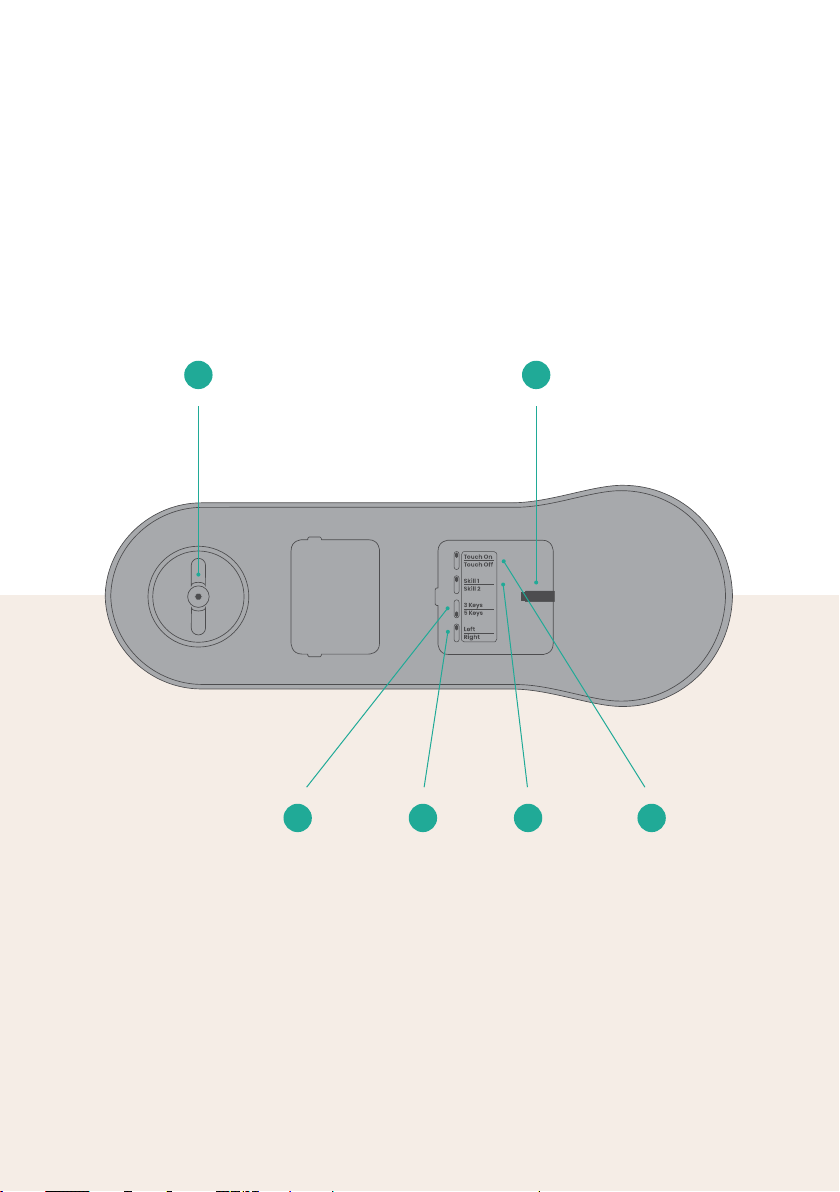
Strum Stick Adjustment
Changes the strength of the Strum Stick’s resistance
when moving between strings. Rotating clockwise will
increase the resistance. Rotating counter-clockwise will
decrease the resistance.
13
Dynamics
When this switch is on, the volume of the sound will
depend on the pressure and strength of the player’s
performance. When this switch is off, the volume remains
constant, and does not depend on the player.
14
Method Changes Skill 1/2
Changes the order and arrangement of the notes
according to the player’s ability.
15
Left Hand Playing
Changestheorderofstringstotlefthandedplayers.
16
Changing to 3 Keys Mode
Changing the musical method from 5 keys to 3 keys, and
thus, changing the arrangement of notes accordingly.
17
Locking the Keyboard
You can customize the keyboard angle to your personal
liking by releasing the locking knob and rotating the
keyboard to your prefered angle.
7
Page 8
Scan Me
INSTRUMENTS
www.arcanainstruments.com
More support information can be found at:
www.arcanainstruments.com/support
Copyright © 2020 by Arcana Instruments LTD. All rights reserved
 Loading...