

Page 1
Disassembling Apple Time Capsule Lower Case
Disassembling Apple Time Capsule Lower Case
Tools used in this guide
Heat gun or hair dryer
Phillips #00 Screwdriver
Spudger
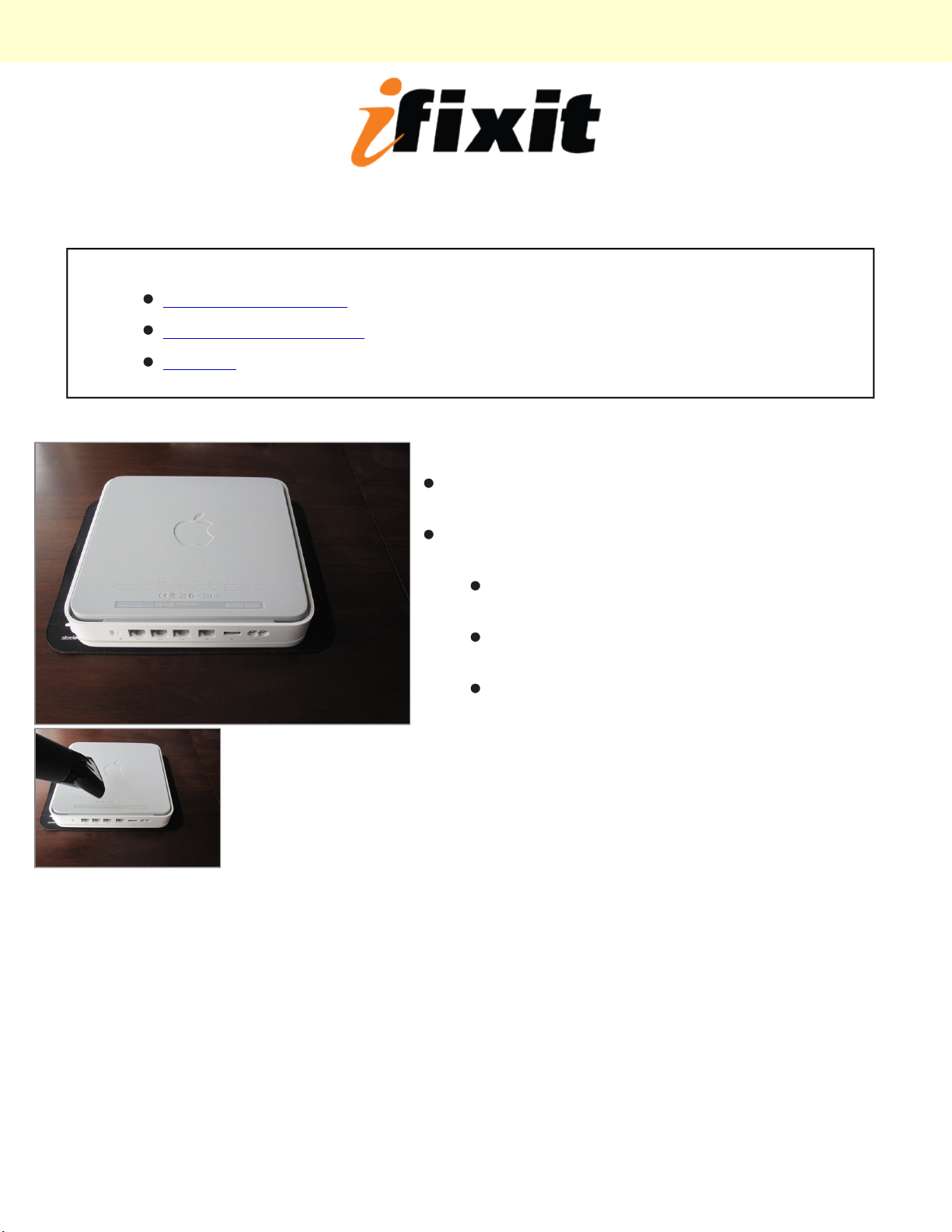
Step 1 - Lower Case
Place the unit bottom up on your work surface. Use a
cloth or similar to protect it from scratches.
Use a heat gun, hair dryer or similar in order to weaken
the adhesives in the tape that hold it in place.
Start in a corner, it can be tricky to get a good grip
at first.
Progress slowly not to tear the tape, but do not
over heat the unit.
You will tear some of the tape, don't worry to
much about it. It will still hold in place.
© 2010 iFixit — CC BY-NC-SA www.iFixit.com Page 1 of 2
Page 2
Disassembling Apple Time Capsule Lower Case
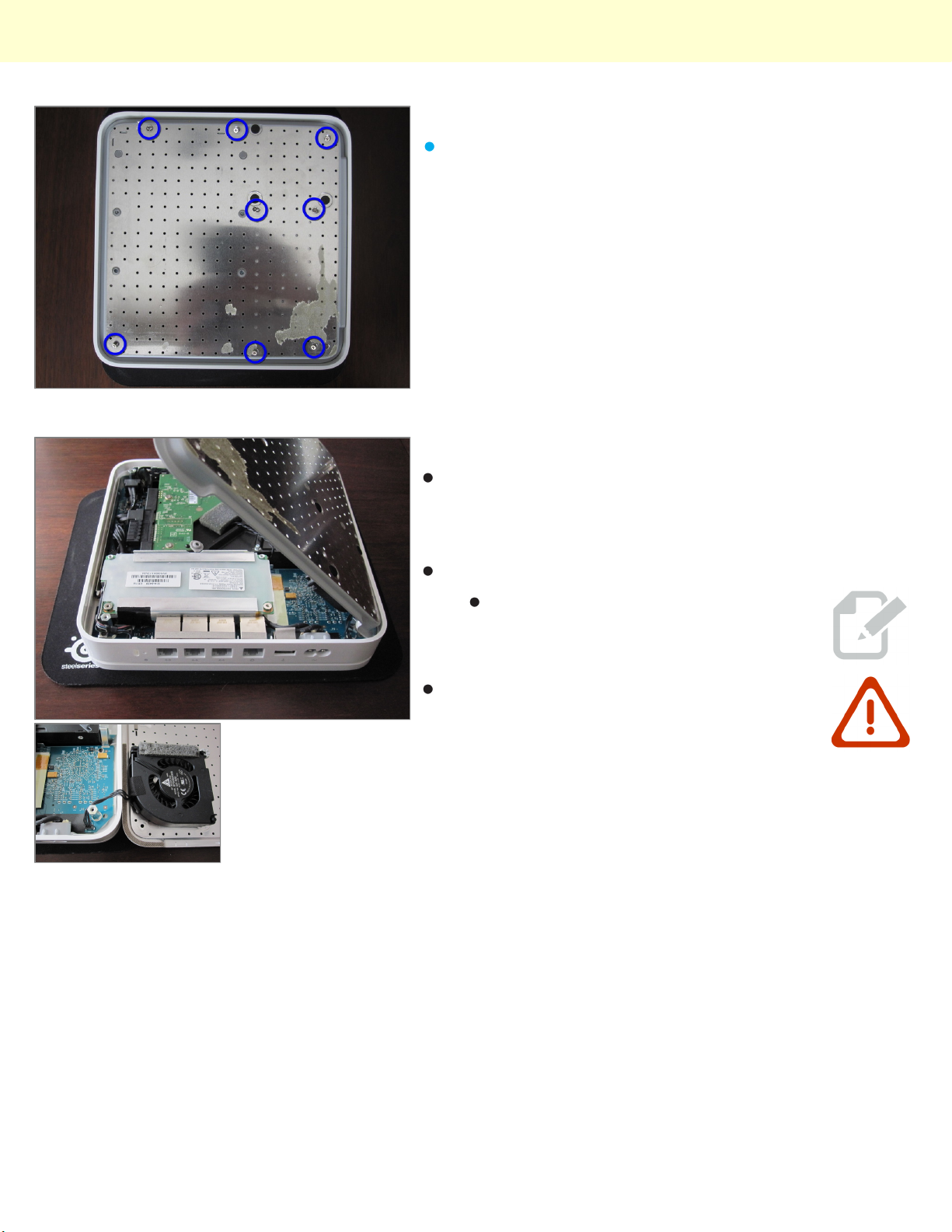
Step 2
Using a Phillips #00 screwdriver undo the 8 screws
shown with blue.
Step 3
With the ethernet connectors facing you carefully open
the unit like on the picture. I can best describe the
opening technique as you would open a book from the
rear cover.
Unplug the fan, a spudger can be of good use here.
Unless you are replacing or working
on the fan you don't need to unplug it.
The fan is connected to the motherboard
next to the power connector. Don't lift the
plate straight up or use force.
© 2010 iFixit — CC BY-NC-SA www.iFixit.com Page 2 of 2
 Loading...