

Page 1
Disassembling Power Mac G4 M5183 DVD-ROM Drive
Disassembling Power Mac G4 M5183 DVD-ROM Drive
Tools used in this guide
Phillips #1 Screwdriver
Spudger
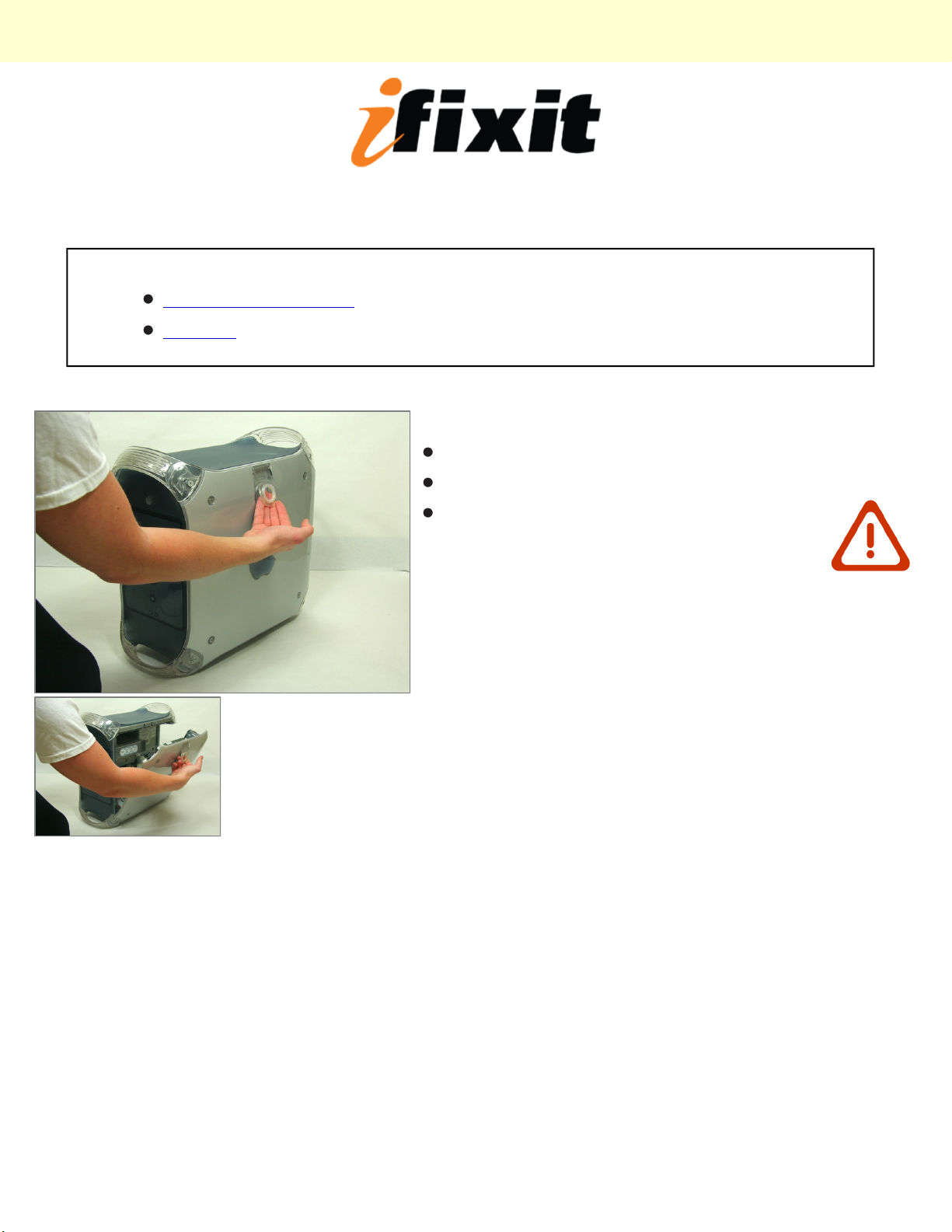
Step 1 - Case
Pull on outer latch.
Lower door until it is level with your work surface.
Before working on the computer make sure
it is not plugged into a power supply, then
touch a metal object. This discharges static
electricity, which could damage the
computer.
© 2010 iFixit — CC BY-NC-SA www.iFixit.com Page 1 of 3
Page 2
Disassembling Power Mac G4 M5183 DVD-ROM Drive
Step 2 - installation DVD-ROM Drive
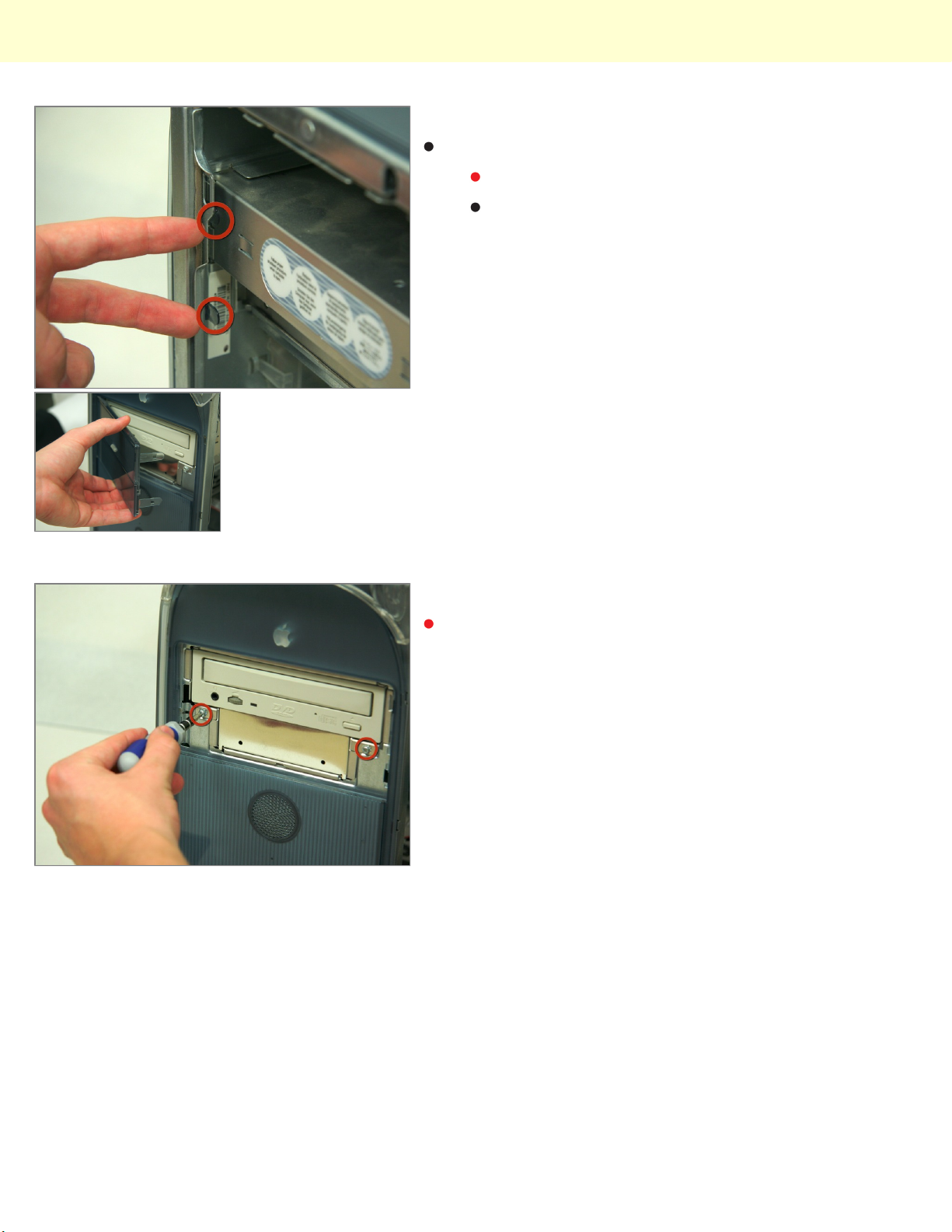
Removing the faceplate.
On the inside of the case, find the two plastic tabs.
While depressing the tabs, remove the faceplate
by pulling and rotating outward.
Step 3
Remove the two screws on the front of the drive with
the Phillips #1 screwdriver.
© 2010 iFixit — CC BY-NC-SA www.iFixit.com Page 2 of 3
Page 3
Disassembling Power Mac G4 M5183 DVD-ROM Drive
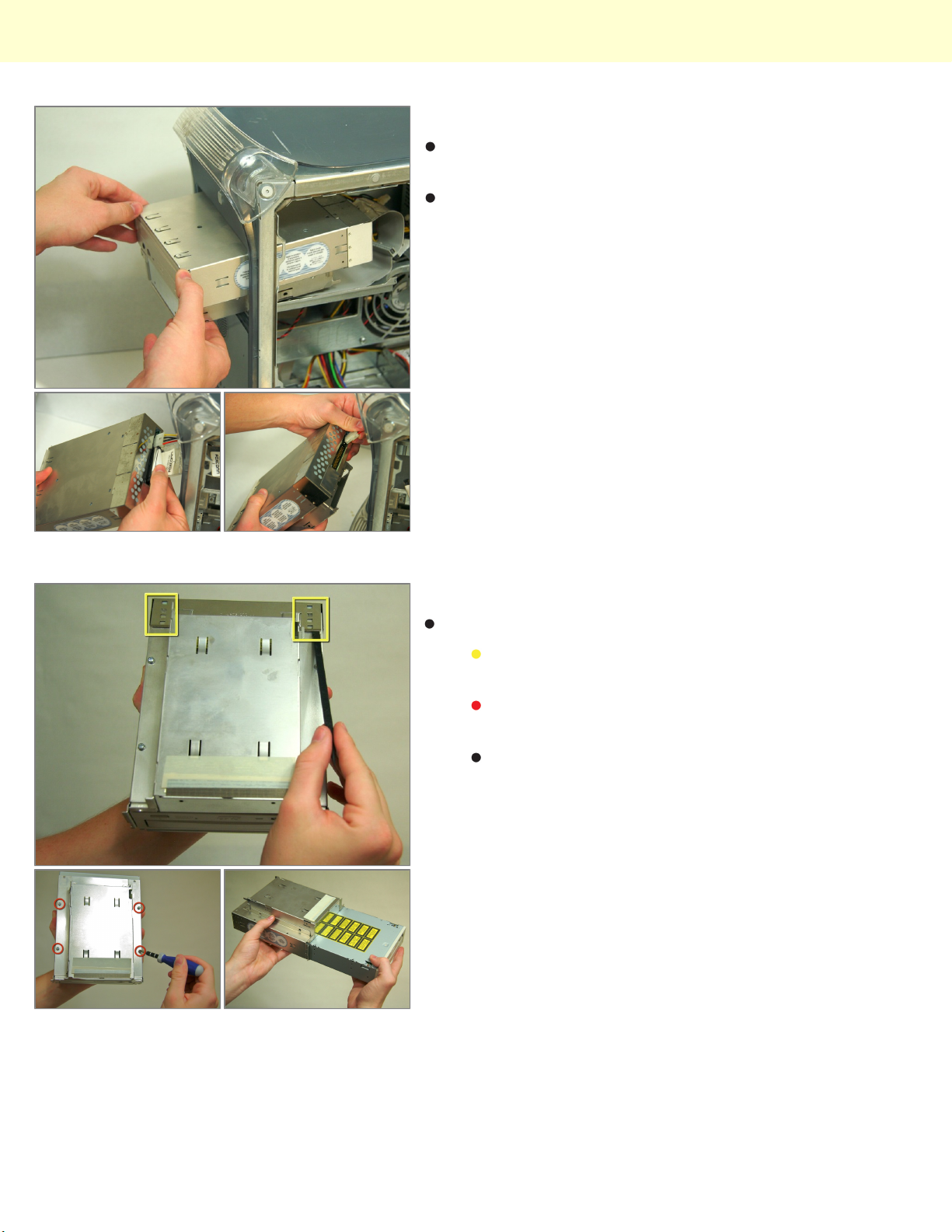
Step 4
Pull the drive out to allow access to the power and
ribbon cables. Do not fully remove.
Remove both the power and ribbon cable.
Step 5 - DVD-ROM Drive
Remove DVD drive from the drive bay.
Lift the two metal tabs on the back of the shielding
and remove.
Remove the four screws on the bottom of the
drive with the Phillips #1 screwdriver.
Slide out DVD drive.
© 2010 iFixit — CC BY-NC-SA www.iFixit.com Page 3 of 3
 Loading...