

Page 1
1
Q2 User Manual
Thanks for purchasing our car dashcam
Please read this manual carefully and be sure you fully
understand before using.
Please operate it according the manual.
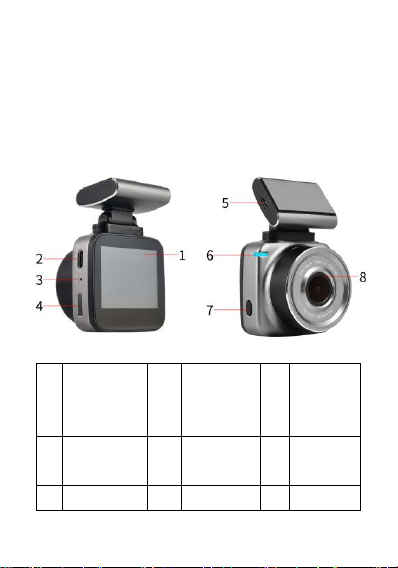
1. Construction
1
Display
2
Rear Cable
camera
interface
3
Reset Hole
4
Car Slot
5
Power
Interface
6
Power
Indicator
7
Power Button
8
Lens
Page 2
2
2. Button
Power(PWR): On/Off; Turn on/off display; Reset
3. Touch Screen
1)Touch any point of the display.
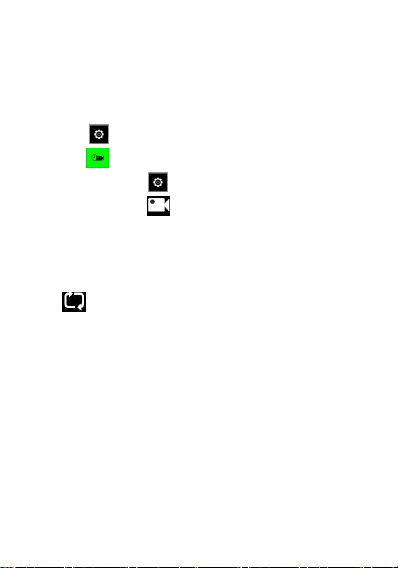
2)Touch to enter the Settings menu.
3)Press to reset the sub-menu of video
4)Press the button to system reset
5)Press the button to star, stop or pause of shooting.
The sign, will flash.Press any point of the display to turn on
the display
4. Switch
Press to switch between front lens, rear lens and
picture-in-picture.
Micro SD Card
Insert or take out
The files will be saved in Micro sd card.
Turn on
1.Press the button,Power
2.Connect it to Power source.
Turn Off
1. Press the button, Power for 3s
Page 3

3
2. Disconnect it to Power source.
Function
System
1.Press to enter the menu
2.Press the in the menu
3.Press the Ok for reset the following iterms:
1).Beep of button: on/off
2).Vol: off/high/mid/low
3).Time: dd/mm/yy,hh/mm/ss
4).Language: English/简体中文/繁体中文
5).Frequency: 50Hz/60Hz
6).Display off: Off/1min/3min,factory default:Off
7).G-sensor Sensitivity:Off/high/mid/low,factory default:Off
8).System : Y/N ;Note: Y means factory default
9).WIFI: On/Off
10).Format: Y/N.
11).Software Version: AT-2018XXXX
12).WIFI Code: ANTK_XXXX,Note: Different model,
different code
Video
1. Shooting
Page 4
4
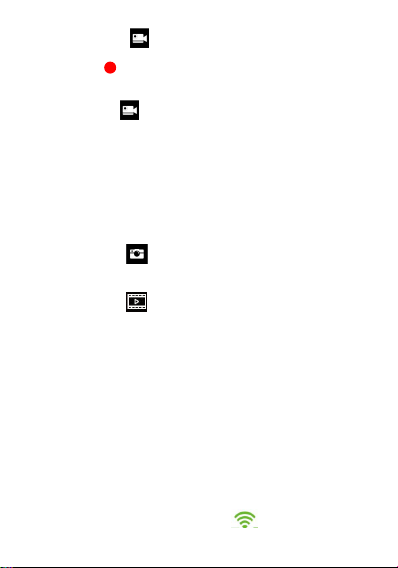
1).Press the sign,
2).The sign, will flash during shooting.
2.Pause
Press the sign,
2. Loop Time
Reset in Menu
Loop Time:1min/3min/5min
Factory default:3min
Image
1)Press the sign,
Replay
1)Press the sign,
2) Choose,“F” is for front lens,”R” is for rear lens.
3)Press the file to replay.
4)Press it again to pause.
WiFi
1. APP Download
1) Please track “Anzone” at Google Market
2) Please track the “Anzone” at the Apple Store
2. WIFI
1.Turn on WiFi on camera,the sign, will display on
Page 5

5
Upright of display
2.It will show SSID:ANTK-XXXX and PWA2:12345678
3.Please Choose this SSID in the smartphone
4.Insert the PWA in smartphone
5.Please open the Anzone
Specifications
Display
2.0 Inches 320*240
Pixel
20M CMOS
Lens
140°wide Angle lens
Video Resolution
1080P
Video Format
MOV
Loop Time
1/3/5 Minutes
Memory
Support 32G TF
Power
USB 5V. 2000mA
Frequency
50HZ/60HZ
Battery
Super Capacitor
Microphone/Horn
Support
Language
简体中文/繁体中文/En
 Loading...