

Page 1

Page 2
3
2
PRO
ANOVA PRECISION COOKER PRO
THE NEXT LEVEL OF PRECISION
At Anova, our mission has always been to create
products that empower people to Cook Like A Pro.
Over the past decade, we have listened to our
community to learn what our members would want
in their ultimate sous vide device.
Anova Precision Cooker Pro is that product – our
most accurate and powerful sous vide device yet,
created to help you take precision cooking to the
next level.
In this manual, you will find everything you need to
get started with your Anova Precision Cooker Pro.
As always, if you need any additional service, our
customer support team is ready to help.
Page 3

4
5
PRECISION
COOKER
QUICK START GUIDE
CONTENTS
6
get started
8
connect to wi-fi
10
cook with pro
12
the perfect finish
14
power + flow rate
16
community
20
additional info
Page 4
7
PRO
6
SETTING UP
GET STARTED
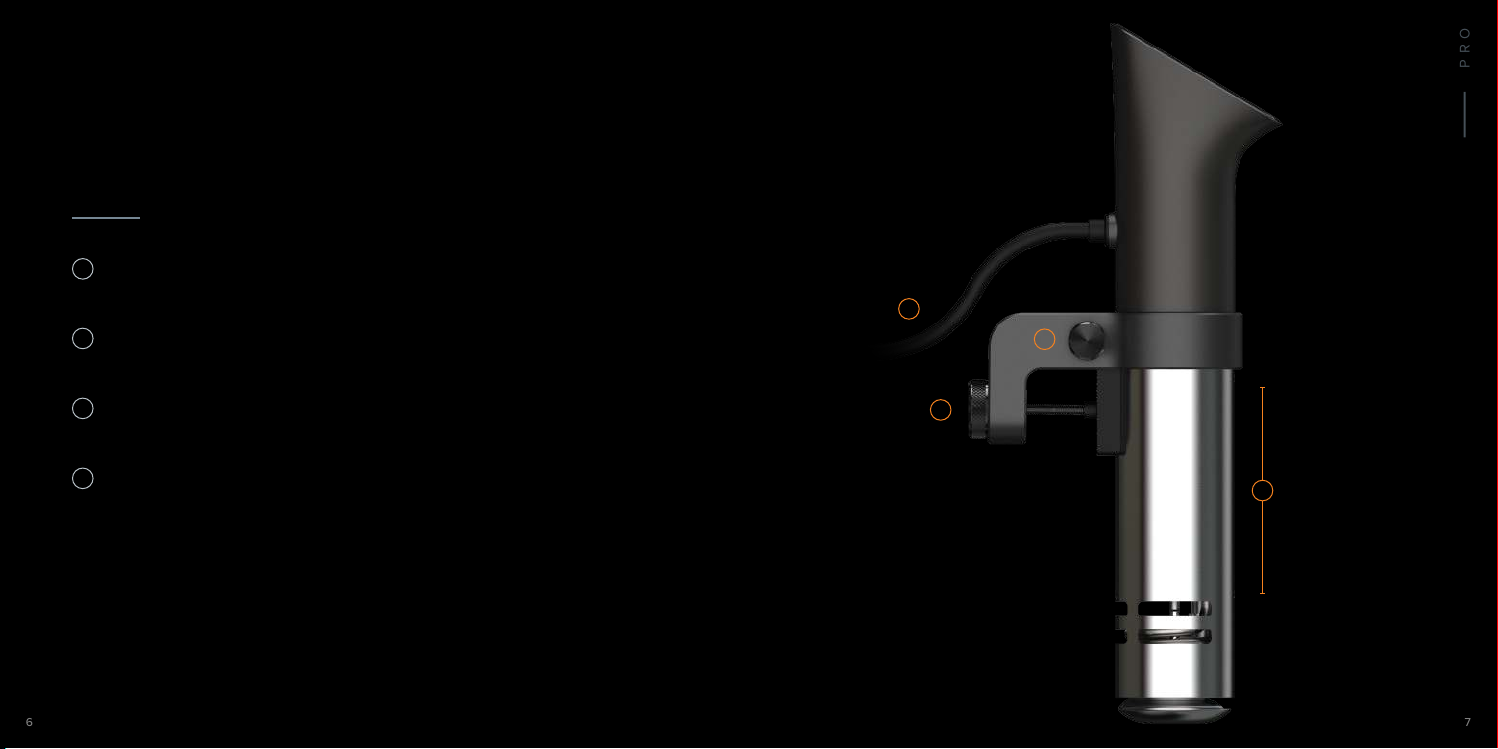
adjust the height of the clamp by loosening
1
and tightening the side screw
attach the device to a pot or other heat-safe
2
container with the rear screw
3
fill your container with water between the
minimum and maximum line on the metal skirt
4
plug in your Pro and place your sealed food in
the water bath when you are ready to cook
adjusting the clamp
Tighten the screws with finger
pressure only, so the clamp feels
snug around the device and your
container. Do not over-tighten
the side or rear screws.
heat safety
Keep your pot or container away
from counter edges and place it
on a heat-safe flat surface, such
as a butcher block or trivet to
protect countertops.
Rear Screw
4
2
Side Screw
1
Max Water
3
Min Water
Page 5
9
8
PRO
SETTING UP
CONNECT TO WI-FI
Anova Culinary App
previously connected users
If you already use an Anova
Precision Cooker and would like
to connect your Pro, first open the
Anova Culinary App, go to Settings,
and disconnect your previous
Precision Cooker.
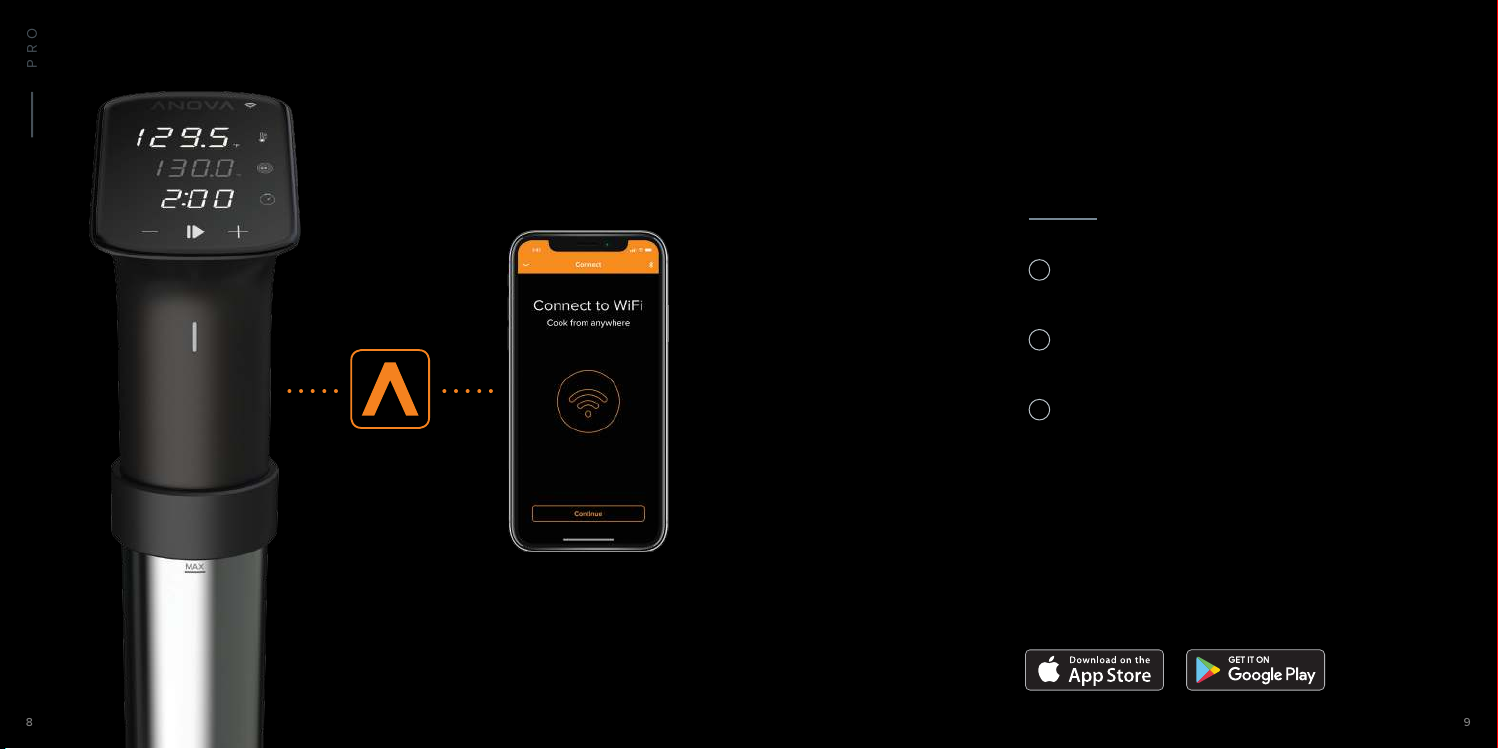
download the Anova Culinary App on
1
your smartphone or tablet
connect to your preferred Wi-Fi network
2
and turn your device's Bluetooth on
open the app and follow the on-screen
3
instructions to connect to your Anova Pro
System Requirements:
iOS 9.0+, iPhone 5s or later, or Android 4.4 Kitkat or later
Page 6
11
10
PRO
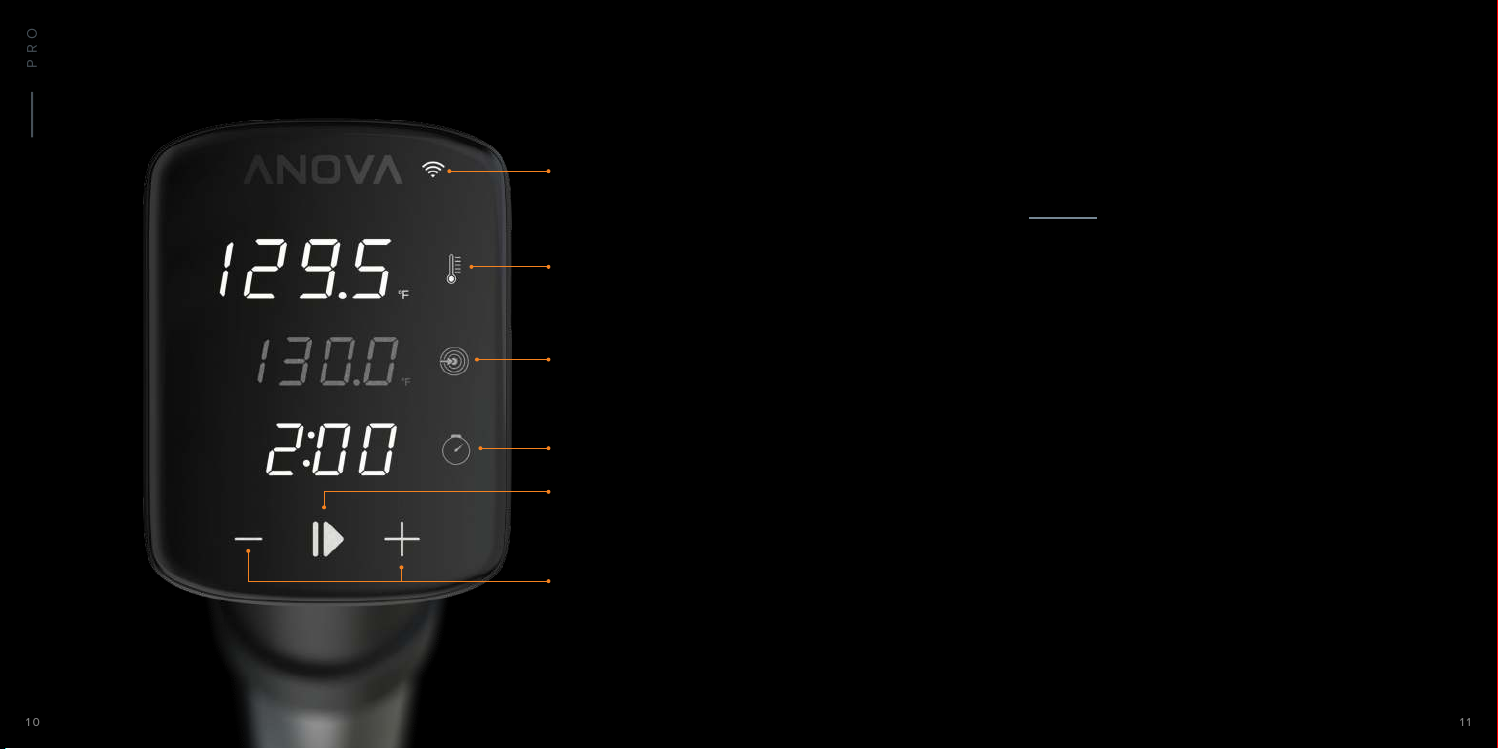
Wi-Fi Connection
SETTING UP
COOK WITH PRO
Current Temperature
Target Temperature
Timer
Start/Stop
Set Time/Temp
led indicator modes
The light on the front of the
device indicates the status of
the cooker with dierent colors:
White: idle
Pulsing Blue: preheating
Solid Blue: cooking
Red: low water or error
wi-fi connection
The Wi-Fi icon will appear lit
when Anova Pro is connected
to a Wi-Fi network.
change units of temperature
Toggle between Fahrenheit and
Celsius by pressing and holding
the Current Temperature button
for 3 seconds.
using the touch screen interface
• Set or change desired temperature by pressing
the Target Temperature button followed by the
+/- buttons
• Set or change cooking time by pressing the
Timer button followed by the +/- buttons
• Press the Start button to begin cooking. Cooking
can begin with or without setting a Timer
using the mobile app
• Choose an existing guide, recipe, or one of your
own saved recipes within the Anova Culinary App
• Press Start on the app recipe to begin cooking
Page 7
13
PRO
12
SETTING UP
THE PERFECT FINISH
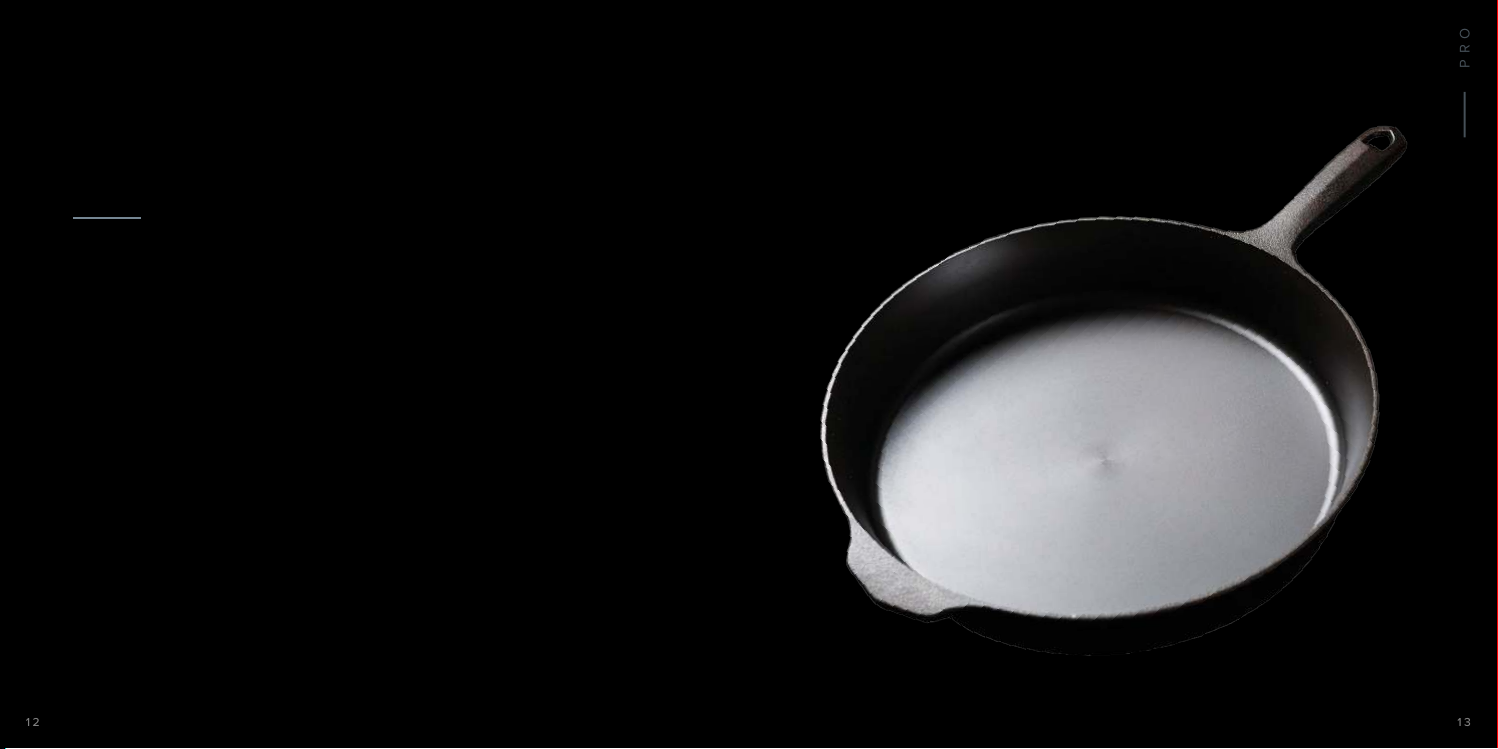
Cooking the perfect protein often involves getting
a beautiful golden char from searing. For the best
sear, we recommend removing your protein from
the sous vide bath and sealed bag and allowing
it to rest for a few minutes. Remove all surface
moisture by dabbing with a paper towel.
You can sear with a barbecue grill, propane torch,
or our favorite – a simple cast iron pan.
Make sure your cast iron pan is arriving at very
high heat over a cooktop or flame, with a drizzle
of oil with a high smoke point, such as avocado
or virgin olive oil. Sear each side of the protein for
30 seconds. For even more savory flavor, you can
baste the protein by spooning melted butter and
herbs over the protein during the sear.
Page 8
15
14
PRO
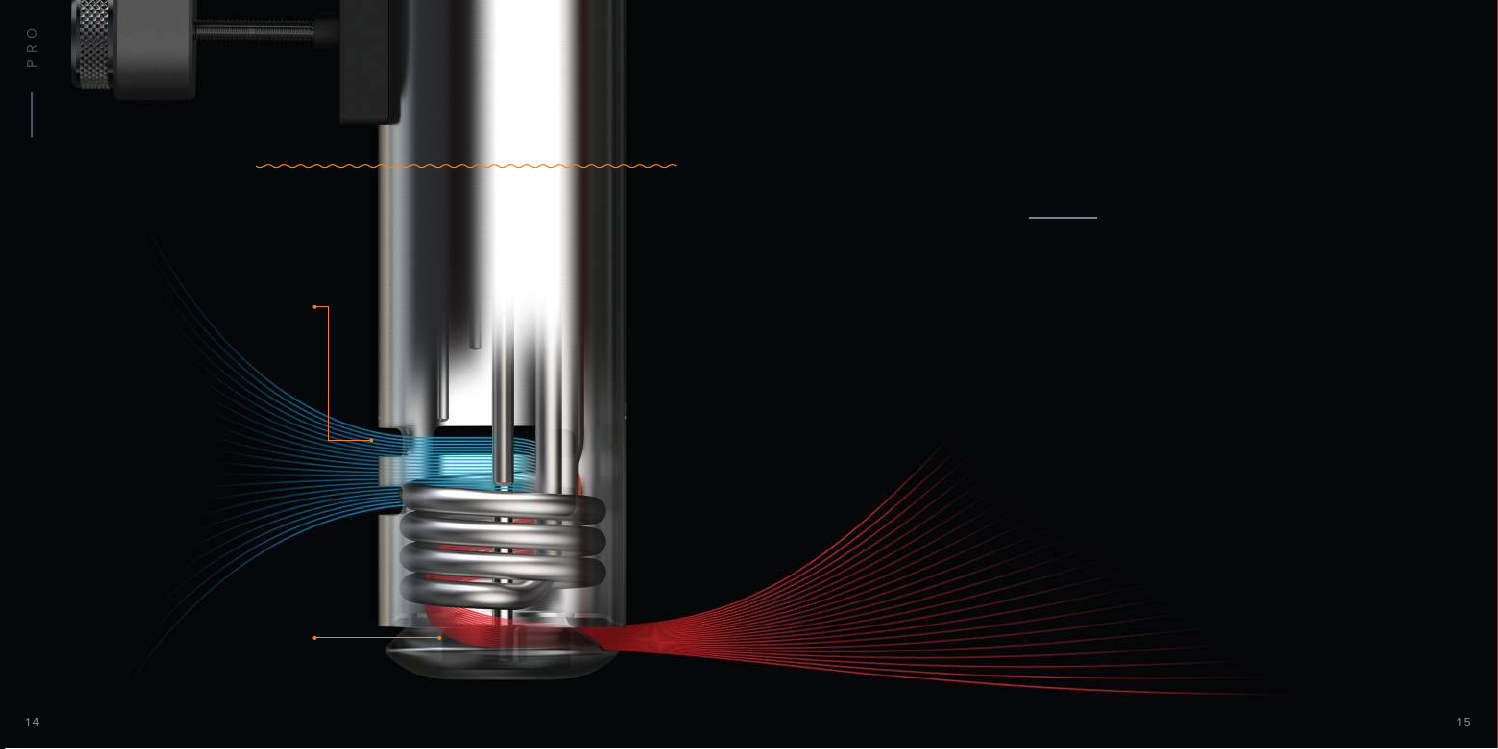
Water Line
Water Inlet
Impeller
ABOUT PRO
POWER + FLOW RATE
Anova Pro is powerful enough to cook in containers
up to 60 Liters (15 Gallons) in volume. This is achieved
with a 1200 Watt heater combined with a high-speed
impeller and flow rate delivering 12 Liters per minute.
With this caliber of power and precision, you'll be
amazed at what Pro can do. Whether cooking eggs
in a shallow saucepan or serving a steak dinner for
20, you can be confident that anything you cook will
be temperature controlled with perfect accuracy.
Page 9
17
PRO
16
ABOUT PRO
COMMUNITY
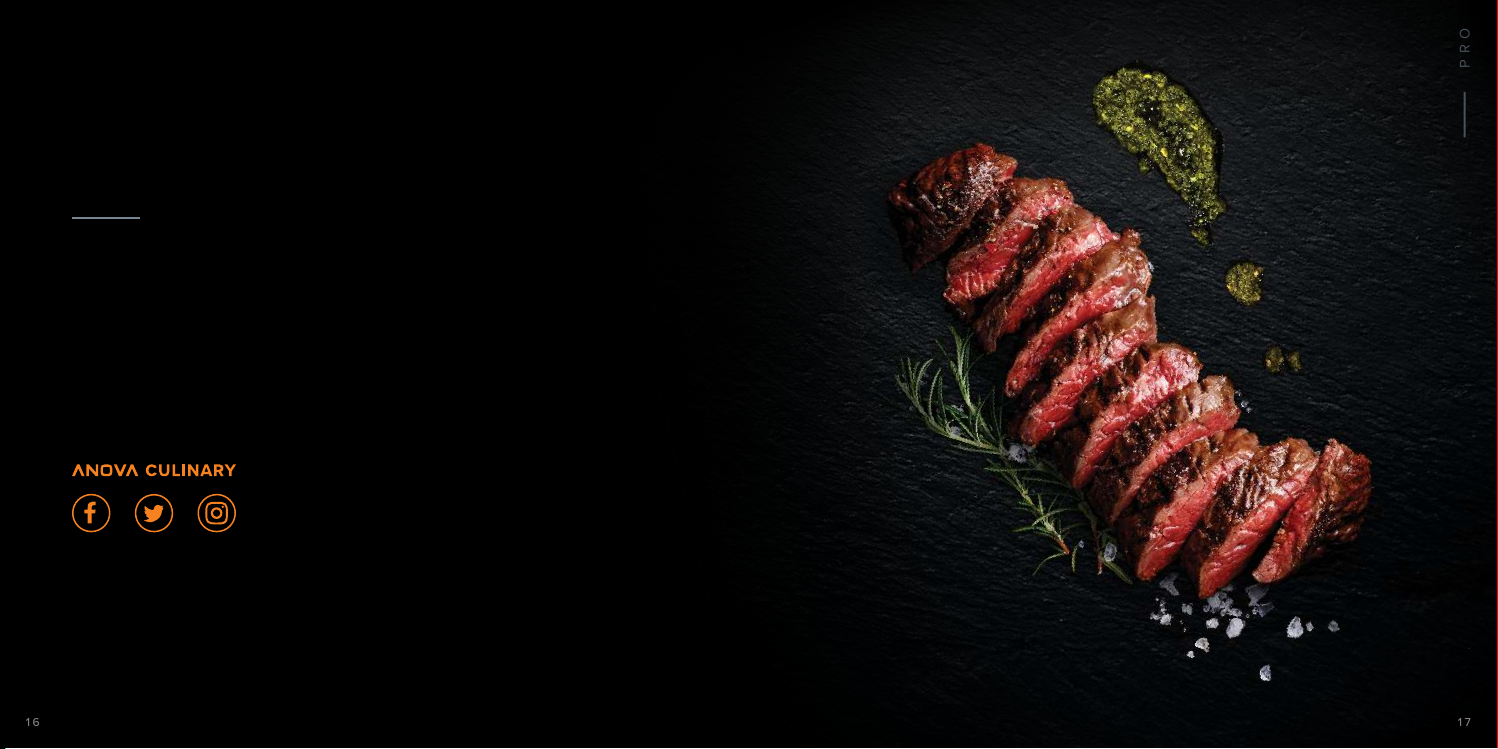
We love to feature mouth-watering, perfectly cooked
sous vide dishes from our community.
Join our Anova Food Nerd family by tagging your
Anova Pro food photos with #anovafoodnerd and
following us @anovaculinary, and start showing the
world what you can make with Pro.
#anovafoodnerd
Page 10
PRO
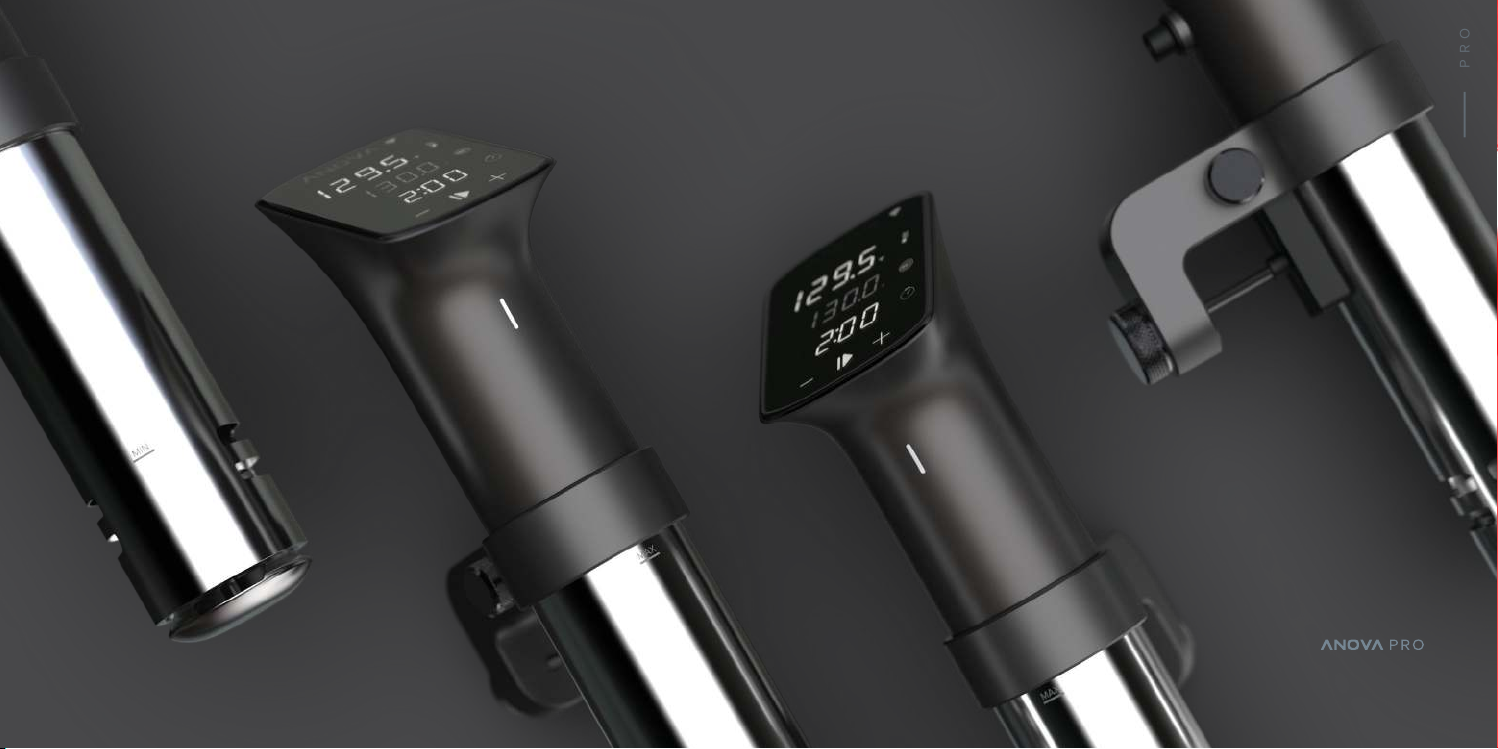
COOK LIKE A PRO
Page 11
20
21
ADDITIONAL INFO
CARE
ADDITIONAL INFO
SAFETY
vinegar bath
Build-up due to mineral deposits from tap water is normal. It can be white,
brown, black, or green depending on your plumbing and water source.
Dilute equal parts water and white vinegar (5-7% acetic acid) in a small
pot and attach your cooker. Set the temperature to 140º F (60º C) and
press start. Allow the cooker to reach temperature, then turn it off allow
the cooker to dry completely.
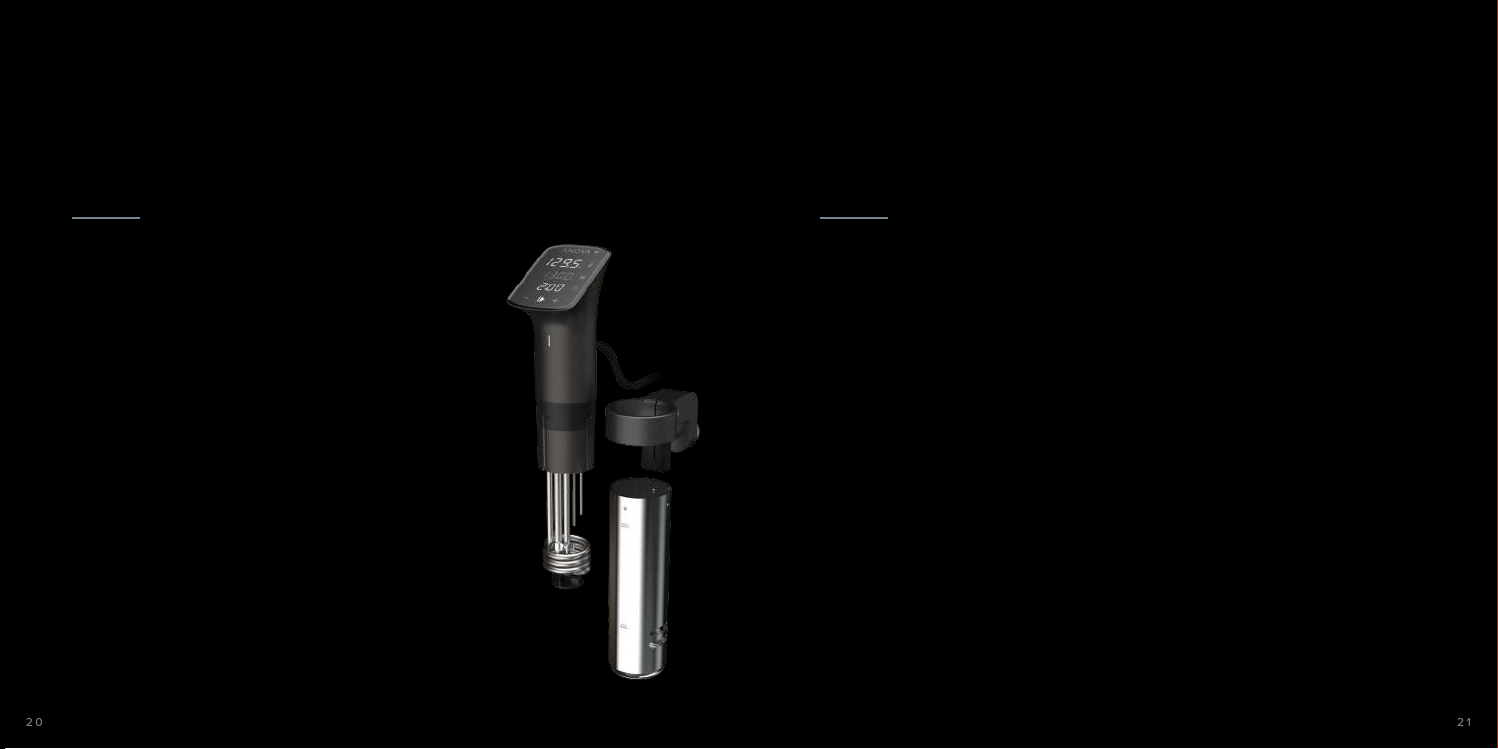
cleaning internal components
Remove the clamp by loosening the side knob and sliding the clamp down.
Remove the skirt by grasping the stainless steel skirt, and gently twisting
it clockwise to unlock it from the upper body. Then carefully pull the skirt
downward off the device.
Wash the skirt with mild dish soap or place it in the dishwasher.
Use a tooth brush with mild dish soap to gently scrub the now exposed
metal and plastic components.
displace any of the exposed components.
When cleaning the unit, do not bend or
Rinse with a damp cloth.
Reassemble by sliding the stainless steel skirt over the exposed
components, aligning the dots on the skirt with the grooves in the upper
housing. Gently twist the skirt counter-clockwise to lock it in place.
cleaning the display
Gently wipe the display with a damp microfiber cloth. Dry gently with a
dry microfiber cloth.
for more information, visit anovaculinary.com/procare
to reduce the risk of fire, electric shock,
or injury:
1. Do not use with damaged cord or plug.
2. If appliance is not working as it should, has been
dropped, damaged, left outdoors, or dropped into
water, do not attempt to use the device again.
Contact Anova Support at support@anovaculinary.
com for assistance.
3. Do not use outdoors.
4. Unplug the electrical cord when not in use and
before servicing.
5. Do not allow to be used as a toy. Close attention is
necessary when used by or near children.
6. Use only as described in this manual. Use only
manufacturer’s recommended attachments.
7. Do not pull or carry by cord or use cord as a handle.
8. Do not use extension cords or outlets with
inadequate current carrying capacity.
9. Do not unplug by pulling on cord. To unplug, grasp
the plug, not the cord.
10. Do not handle plug or appliance with wet hands.
11. Do not put any object into openings. Do not use with
any opening blocked; keep free of dust, lint, hair,
and anything that may reduce water flow.
12. Do not use appliance in flammable or combustible
liquids such as gasoline, or use in areas where they
may be present.
13. Store your appliance indoors in a cool, dry area.
always exercise basic safety precautions
when operating electrical appliances,
including the following:
1. Read all instructions. Including the instructions you’re
reading now.
2. Do not touch hot surfaces.
3. To protect against electrical shock, do not immerse
cord, plugs, or the device’s electrical components in
water or other liquid.
4. Close supervision is necessary when appliance is
used by or near children.
5. Unplug from outlet when not in use and before
cleaning. Allow device to cool before assembling or
disassembling.
6. Do not operate any appliance with a damaged cord
or plug. Do not operate the appliance if it has
malfunctioned or been damaged in any manner.
Contact Anova Support at support@anovaculinary.
com for assistance.
7. The use of accessory attachments is not
recommended by the appliance manufacturer and
may cause injuries.
8. Do not let cord hang over the edge of the table or
counter. Do not let the cord come in contact with hot
surfaces.
9. Do not place the device on or near hot gas or electric
burner, or in a heated oven.
10. Use extreme caution when moving an appliance
containing hot liquids.
11. Do not unplug while device is running.
12. Do not use appliance for anything other than its
intended use.
13. Do not open bottom enclosure while device is plugged
in or operating as there are heating elements and
moving parts.
14. Do not use directly on a granite or marble surface.
Always place an insulating surface between the hot pot
and granite or marble surface.
Page 12

22
23
ADDITIONAL INFO ADDITIONAL INFO
WARRANTY + TRADEMARKS FCC/IC COMPLIANCE
LIMITED WARRANTY
Full details available at anovaculinary.com/warranty
Apple, the Apple logo and iPhone are trademarks of
Apple Inc., registered in the U.S. and other countries.
App Store is a service mark of Apple Inc. Android,
Google Play, and the Google Play logo are trademarks
of Google Inc. The Bluetooth® word mark and logos
are registered trademarks owned by the Bluetooth
SIG, Inc. and any use of such marks is under license.
All other trademarks and trade names are properties
of their respective owners.
Precision™ is a trademark of Anova Applied
Electronics, Inc. ©2018 Anova Applied Electronics, Inc.
San Francisco, CA, US | Stockholm, SE. All Rights
Reserved.
This device complies with Part 15 of the FCC
Rules / Industry Canada licence-exempt RSS
standard(s). Operation is subject to the following
two conditions: (1) this device may not cause
harmful interference, and (2) this device must
accept any interference received, including
interference that may cause undesired operation.
Le présent appareil est conforme aux CNR
d’Industrie Canada applicables aux appareils
radio exempts de licence. L’exploitation est
autorisée aux deux conditions suivantes : (1)
l’appareil ne doit pas produire de brouillage, et
(2) l’utilisateur de l’appareil doit accepter tout
brouillage radioélectrique subi, même si le
brouillage est susceptible d’en compromettre le
fonctionnement.
Changes or modifications not expressly approved
by the party responsible for compliance could
void the user’s authority to operate the
equipment.
This equipment has been tested and found to
comply with the limits for a Class B digital device,
pursuant to part 15 of the FCC Rules. These limits
are designed to provide reasonable protection
against harmful interference in a residential
installation. This equipment generates uses and
can radiate radio frequency energy and, if not
installed and used in accordance with the
instructions, may cause harmful interference to
radio communications. However, there is no
guarantee that interference will not occur in a
particular installation. If this equipment does
cause harmful interference to radio or television
reception, which can be determined by turning
the equipment off and on, the user is encouraged
to try to correct the interference by one or more
of the following measures:
• Reorient or relocate the receiving antenna.
• Increase the separation between the equipment
and receiver.
• Connect the equipment into an outlet on a
circuit different from that to which the receiver is
connected.
• Consult the dealer or an experienced radio/TV
technician for help.
Page 13

ANOVACULINARY.COM
 Loading...