

Page 1
by
User Guide
Page 2
Table of Contents
1
Overview of the OontZ Angle 3XL
2
In the Package
The Buttons and Connectors
3
4
Charging your OontZ Angle 3XL
5
Pairing and Connecting the OontZ Angle 3XL to
your Bluetooth device: smartphone, iPhoneTM,
tablet, iPadTM, Bluetooth iPod
6
Playing from your Bluetooth device: smartphone,
iPhoneTM, tablet, iPadTM, Bluetooth iPod
7
Playing from your Laptop, Computer and
non-Bluetooth devices using AUX IN and the 3.5mm
audio cable
8
Wireless Hands-Free Personal Speakerphone
9
OontZ Wireless Dual Pairing
second OontZ Angle 3XL
10
Product Safety and Precautions
TM
TM
TM
for playing from a
1 2
Overview of the OontZ Angle 3XL
Thank you very much for being an OontZ Angle 3XL owner!
Listen to your music, videos and games on your OontZ Angle 3XL, playing
wirelessly over Bluetooth from your smartphone, iPhoneTM, tablet, iPadTM,
Bluetooth iPodTM. Please take a few minutes to read through this guide and
try out the features on your OontZ Angle 3XL.
Your OontZ Angle 3XL can also connect to a second OontZ Angle 3XL with
our OontZ Dual Wireless PairingTM feature. If you purchase a second OontZ
Angle 3XL you can connect to your first OontZ Angle 3XL wirelessly and play
two OontZ Angle 3XL speakers in tandem for awesome sound, or use the
two speakers as left and right for amazing stereo separation.
Please visit our website: TheOontZ.com for the latest in Getting Started
Help, complete troubleshooting tips, manual updates, and to email our
customer support team. Please visit our Corporate Sales page for more
information about the OontZ Angle 3XL as the perfect corporate gifts,
holiday and special occasion gifts, or event gifts. You can also learn about
our Ultra-Portable OontZ Angle 3, perfect for travel and gift giving.
- PAGE 2 -
In the Package
• 1 - OontZ Angle 3XL
• 1 - Dual Voltage Power Adapter
• 1 - 3.5mm Audio Cable
• 1 - Quick Start Sheet
• 1 - User Guide
10
Product Safety and Precautions
1. Read these instructions – All the safety and operating instructions should be read before this product is operated.
2. Keep these instructions – The safety and operating instructions should be retained for future reference.
3. Heed all warnings – All warnings on the appliance and in the operating instructions should be adhered to.
4. Follow all instructions – All operating and use instructions should be followed.
5. Do not use this apparatus near water – The appliance should not be used near water or moisture – for example, in a wet
basement or near a swimming pool, and the like.
6. Clean only with dry cloth.
7. Do not block any ventilation openings. Install in accordance with the manufacture’s instructions.
8. Do not install near any heat sources such as radiators, heat registers, stoves, or other apparatus (including amplifiers) that
produce heat.
9. Do not defeat the safety purpose of the polarized or grounding plug. A polarized plug has two blades with one wider than the
other. A grounding plug has two blades and a third grounding prong. The wide blade or the third prong is provided for your
safety. If the provided plug does not fit into your outlet, consult an electrician for replacement of the obsolete outlet.
10. Protect the power cord from being walked on or pinched particularly at the plugs, convenience receptacles, and at the point
where they exit from the apparatus.
11. Only use attachments/accessories specified by the manufacturer.
12. Use only with the cart, stand, tripod, bracket, or table specified by the manufacturer, or sold with the
apparatus. When a cart or rack is used, use caution when moving the cart/apparatus combination to
avoid injury from tip-over.
13. Unplug the apparatus during lightning storms or when unused for long periods of time.
14. Refer all servicing to qualified personnel. Servicing is required when the apparatus has been
damaged in any way, such as power supply cord or plug is damaged, liquid has been spilled or
objects have fallen into the apparatus has been exposed to rain or moisture, does not operate
normally, or has been dropped.
- PAGE 11 -
This lightning flash with arrowhead symbol within an equilateral triangle is
intended to alert the user to the presence of non-insulated “dangerous
voltage” within the product’s enclosure that may be of sufficient magnitude
to constitute a risk of electric shock.
- The exclamation point within an equilateral triangle is intended to alert
the user to the presence of important operating and maintenance
Page 3
OontZ Wireless Dual Pairing
TM
for playing from a second OontZ Angle 3XL (continued) : Indoor/Outdoor Mode
To choose which mode to play in, slide the Indoor/Outdoor Switch (13)
either left or right.
Indoor Mode
While in Indoor mode, the two speakers will play in stereo sound. Your
speakers will hint “Left Channel” and “Right Channel” to indicate the role of
LEFT RIGHT
each OontZ Angle 3XL.
In Outdoor mode, both speakers will play with identical audio outputs,
unlike Indoor mode.
Note 1: Speakers must be in the same mode (Indoor or Outdoor) for both
to play simultaneously.
Outdoor Mode
Note 2: Only the controls on Speaker A will be functional while both speakers are
paired together. You may only use the Pause/Play (8) button on Speaker B to
unpair the speakers.
A
Note 3: The two OontZ Angle 3XL speakers should automatically pair together
when you turn them on if they have been paired together before.
- PAGE 10 -
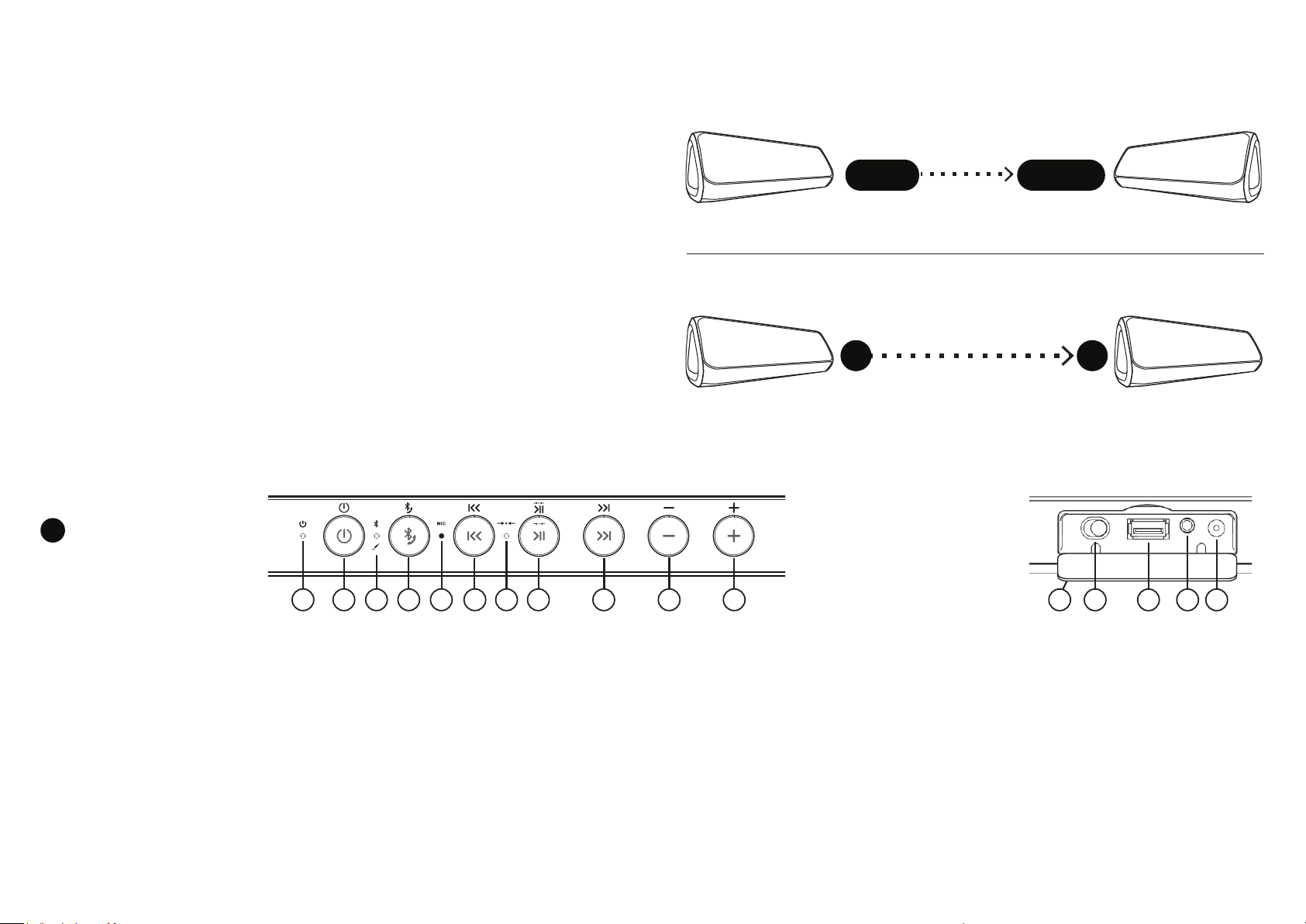
3
The Buttons (top) and Connectors (rear)
B
1 4 5 632 7 8 9 1110
1. Charging Indicator Light (Red) - Flashes red when
charging, solid red when fully charged
2. On/Off Button - Press and release to turn on.
Press and hold for two seconds to turn off.
3. Bluetooth Indicator Light –
- Flashes blue when in pairing mode.
- Solid blue when connected over Bluetooth.
- Solid green when the 3.5mm cable is inserted into
the AUX IN Jack
4. Bluetooth Button (Dual Function) –
Function A: For switching to a different Bluetooth device -
Press and hold down for three seconds to unpair from
current Bluetooth device and put speaker in pairing mode
Function B: Answer or end a phone call in Speakerphone
mode - Press and release to answer a call, press and
release to end a call
5. Built-In Microphone for Speakerphone
6. Back/Previous Track - Press and release to skip to beginning of
track, press and release again to go to previous track
7. OontZ Wireless Dual Pairing
when pairing to second OontZ Angle 3XL, solid white when paired
8. Pause/Play (Dual Function) –
Function A: Pause/play - Press and release to pause, and to play
Function B: For pairing to a second OontZ Angle 3XL with OontZ
Wireless Dual Pairing
into Wireless Dual Pairing
9. Next Track - Press and release to skip to next track
10. Volume – Button - Press and release to decrease volume one
level, or press and hold down to decrease volume multiple levels
11. Volume + Button - Press and release to increase volume one
level, or press and hold down to increase volume multiple levels
TM
TM
Light (White) - Flashes white
- Press and hold for three seconds to go
TM
mode
- PAGE 3 -
12 13 14 1615
12. Connector Flap which can be lowered down –
Inputs are located on the rear of the speaker
underneath this flap
13. Indoor/Outdoor switch – For switching between
Indoor (left/right stereo) or Outdoor (tandem)
modes, when playing with a second OontZ Angle
3XL using OontZ Wireless Dual Pairing
- Switch to the left for Indoor (left/right stereo)
- Switch to the right for Outdoor (tandem)
14. USB Power Bank (5V/1A) – Use for charging
your smartphone or iPhone
15. AUX IN Jack for plugging in the 3.5mm audio cable
16. Charging Jack to connect the Dual Voltage
Power Adapter
TM
.
Page 4
4
Charging your
OontZ Angle 3XL
5
Pairing and Connecting the OontZ Angle 3XL to your Bluetooth device:
smartphone, iPhone
TM
, tablet, iPadTM, Bluetooth iPod
TM
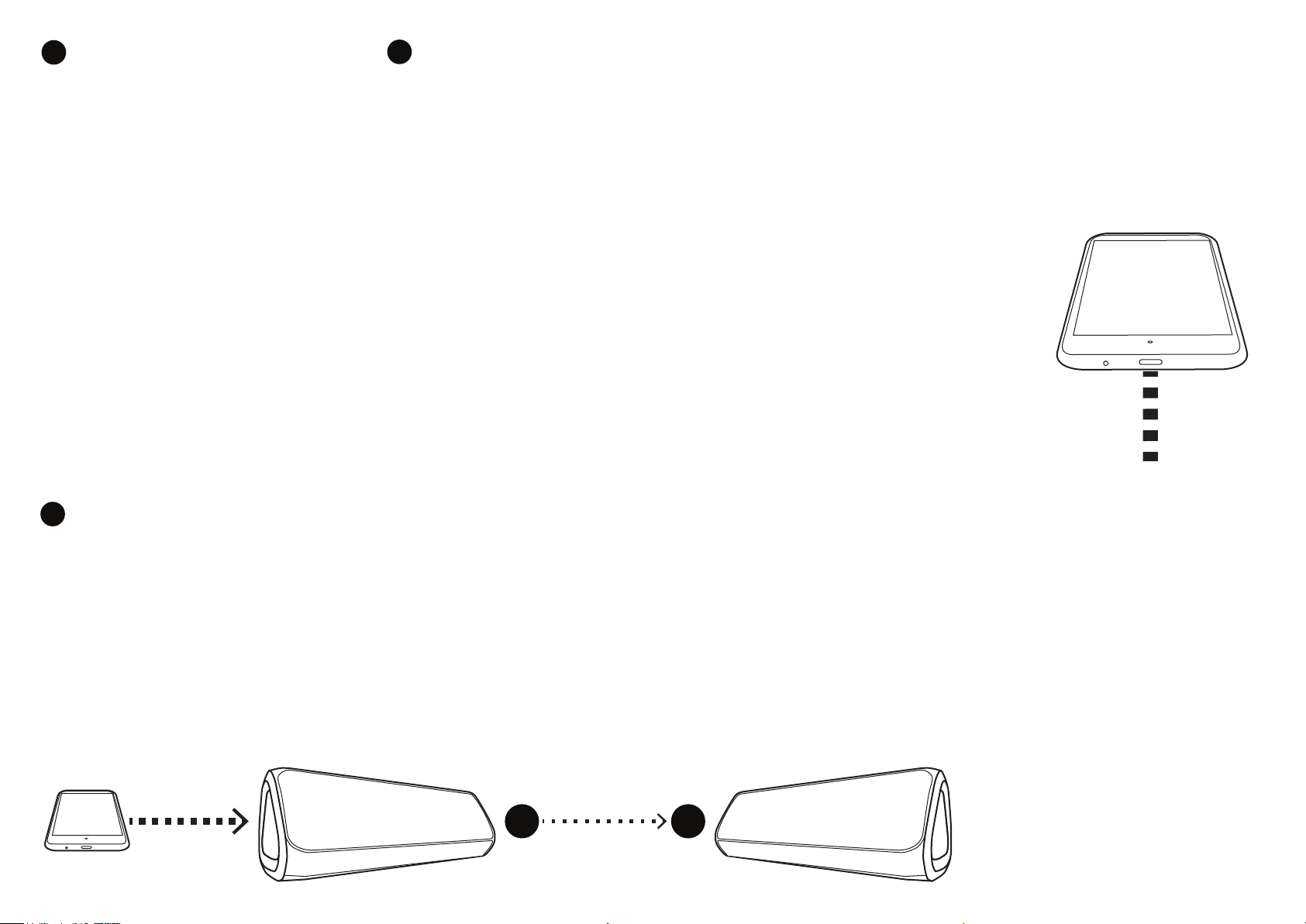
To charge your OontZ Angle 3XL, plug the
connector end of the included power
adapter into the Charging Jack (16). Plug
the other end into a wall outlet. You can
play your speaker while charging.
- When charging, the Charging Indicator
Light (1) will flash red, slowly.
- When fully charged it will turn solid red.
- The speaker will take about 4 hours to
fully charge. We recommend you fully
charge your speaker during the first use.
Note: When playing from battery power the
OontZ Angle 3XL will turn off after 30 minutes
of not playing audio.
9
OontZ Wireless Dual Pairing
In OontZ Wireless Dual PairingTM mode, you can play from two OontZ Angle 3XL speakers simultaneously in Indoor stereo mode or Outdoor mode.
Step 1 – To turn on your OontZ Angle 3XL press and release the ON/OFF Button (2). The Bluetooth
Indicator Light (3) will flash blue and you will hear the voice prompt: “Ready for connecting”. This
indicates that the speaker is in pairing mode and it is ready to pair and connect to your device.
Step 2 – Enable the Bluetooth function on your device and then search/scan for
the OontZ Angle 3XL. When “OontZ Angle 3XL” appears on the Bluetooth device
list, select it and your device will pair and connect to the speaker. Make sure
your device indicates that it is connected to “OontZ Angle 3XL” in your device
list. If your device requests a password, enter “0000”.
Step 3 – The Bluetooth Indicator Light (3) will turn solid blue to indicate that
the OontZ Angle 3XL is paired and connected to your device and you will hear
the voice prompt: “Connected”.
You can now play wirelessly from your device.
- PAGE 4 -
TM
for playing from a second OontZ Angle 3XL
Step 1 – Make sure both OontZ Angle 3XL speakers are on and in close proximity to each other.
Step 2 – Press and hold the Pause/Play (8) button for 3 seconds on one of the OontZ Angle 3XL speakers that will be Speaker B. The Wireless Dual Pairing
Light (7) will flash white and you will hear the voice prompt: “Searching”.
Step 3 – Once the two speakers are paired together, the Wireless Dual Pairing Light (7) will turn solid white on each speaker to indicate that the two OontZ
Angle 3XL speakers are paired.
Step 4 – Pair your device via Bluetooth to Speaker A. Please refer to section 5 : “Pairing and Connecting the OontZ Angle 3XL to your Bluetooth device: smartphone,
iPhone
AUX IN cable to Speaker A. Please refer to section 7 : “
Bluetooth device
TM
, tablet, iPadTM, Bluetooth iPodTM”. You can also use a non-Bluetooth device while in OontZ Wireless Dual PairingTM mode by connecting the device via
Playing from your Laptop, Computer and non-Bluetooth devices using AUX IN and the 3.5mm audio cable
A
- PAGE 9 -
B
To unpair two speakers from Wireless
Dual Pairing
B. The Wireless Dual Pairing Light (White) (7)
will be solid white on Speaker B. Press and
hold the Pause/Play (8) button for 3 seconds
on Speaker B. and it will return to single
speaker mode.
TM
mode: Turn on the Speaker
”.
Page 5
8
Wireless Hands-Free Personal Speakerphone
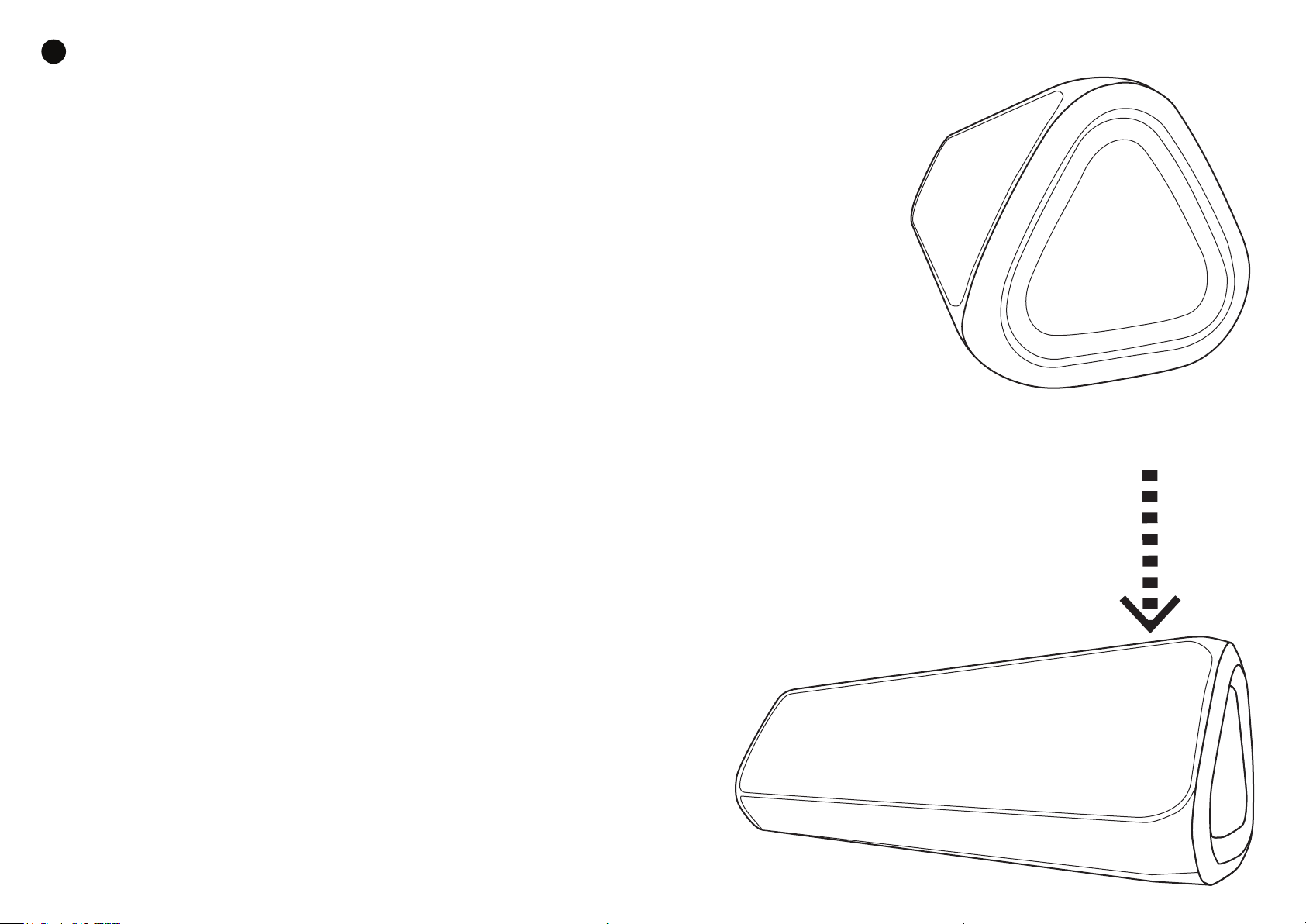
When connected by Bluetooth to a smartphone or iPhone that supports Hands-Free Profile (HFP), the OontZ
Angle 3XL will have Wireless Hands-Free Speakerphone.
To answer an incoming call, press and release the Bluetooth Button (4). To end a call, press and release the
button. To reject a call, press and hold down the button for about two seconds. You can use your smartphone
to switch between using Hands-Free Speakerphone and the device.
Note 1: An incoming call will be heard on the OontZ Angle 3XL and your voice will be picked up by the inbuilt
microphone. Please keep the speaker close in front of you so you may be heard clearly by the listener.
Note 2: The Personal Speakerphone feature is enabled in Bluetooth mode only, this feature does not function when
using an AUX IN connection to your phone.
Note 3: For some smartphones the call/phone Bluetooth audio needs to be enabled as well as media audio to use the
speakerphone feature.
- PAGE 8 -
Pairing and Connecting the OontZ Angle 3XL to your Bluetooth device:
TM
smartphone, iPhone
Note 1. The OontZ Angle 3XL can only be connected to one device at a time. You will need to disconnect the first device from the OontZ
Angle 3XL before trying to pair to another device: Press and hold the Bluetooth button for 3 to 5 seconds for the speaker to enter
pairing mode, it will disconnect from the current device when entering pairing mode. The blue light will flash indicating the device is
disconnected and the OontZ Angle 3XL is in pairing mode. You can then pair and connect to the next device.
Note 2. The OontZ Angle 3XL will automatically try to pair to the last connected device each
time it is turned on and that device is or comes within range. If the OontZ Angle 3XL
successfully connects to the last device it will prevent any other device from pairing to it,
until that current device is disconnected.
Note 3: You can play wirelessly to your speaker up to 33 unobstructed feet away
from your device
, tablet, iPadTM, Bluetooth iPodTM (continued)
- PAGE 5 -
Page 6
6
Playing from your Bluetooth device: smartphone, iPhone
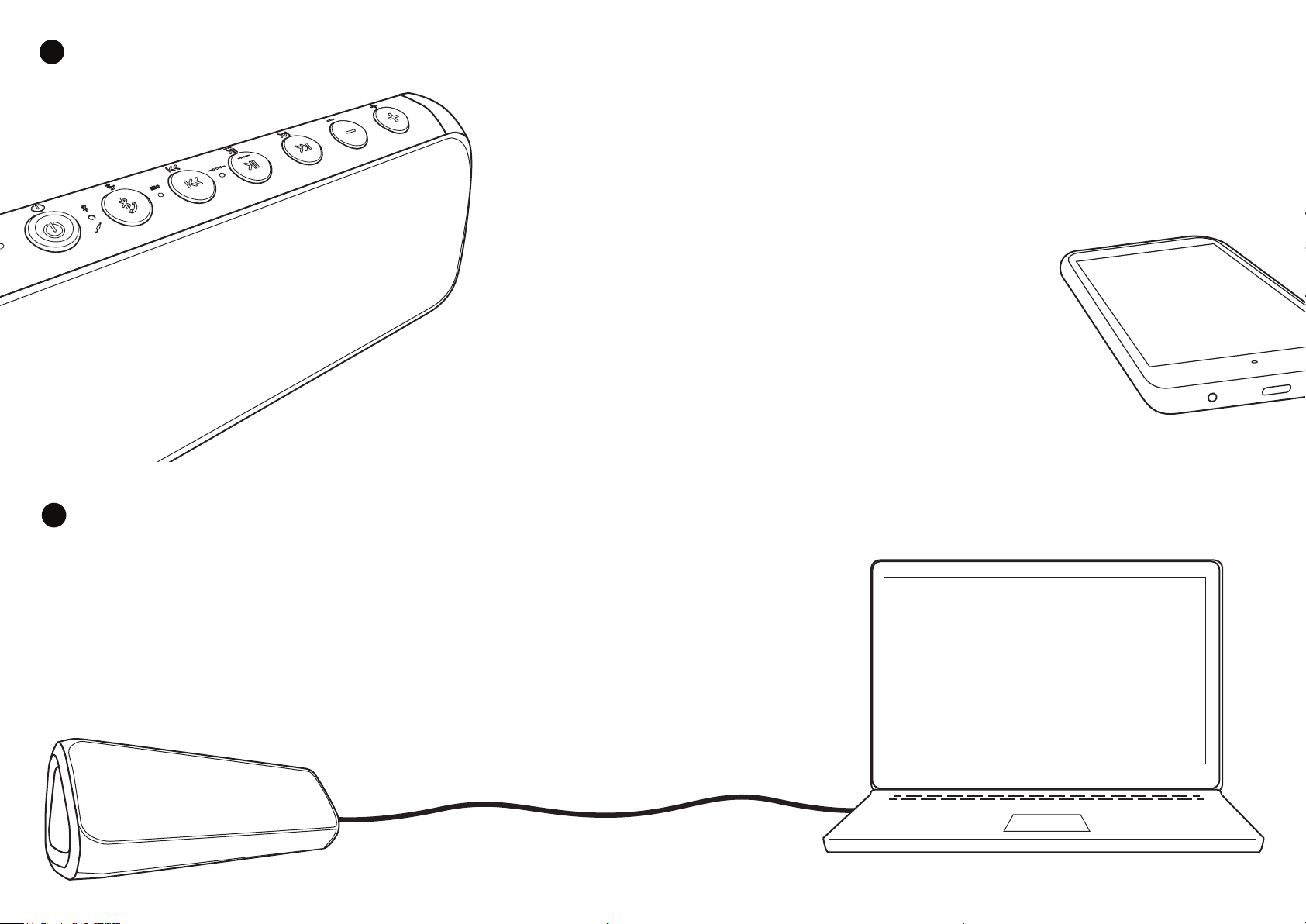
You can control the play functions from your device or from the OontZ Angle 3XL.
Please keep your device volume setting above 60%.
Important Note: If you have previously turned the volume down on your OontZ Angle 3XL you may need to
increase it to full volume in order to reach maximum overall volume, even if your device volume is already at
100%. You can press and hold down the Volume + Button (11) until the Bluetooth Indicator Light (3) flashes
to indicate that the speaker is at maximum volume. You can then fine tune the volume from your device.
To increase volume, press and release the Volume + Button (11).
Press and hold down the button to increase volume multiple levels.
To decrease volume, press and release the Volume – Button(10).
Press and hold down the button to decrease volume multiple levels.
To skip to the beginning of a track, press and release the Back/Previous
Track Button (6) . Press and release again to go to previous track.
To pause or play, press and release the Pause/Play Button (8).
To skip to the next track, press and release the Next Track Button (9).
- PAGE 6 -
TM
, tablet, iPadTM, Bluetooth iPod
TM
7
Playing from your Laptop, Computer and non-Bluetooth devices using AUX IN and the 3.5mm audio cable
Make sure your OontZ Angle 3XL has sufficient charge or connect to a charging source. Plug one end of
the included 3.5mm audio cable into the AUX IN Jack (15) on the back of your speaker and plug the
other end into the headphone/audio out jack on your audio source. Once connected, the Bluetooth
Indicator Light (3) will turn green and you will hear the voice prompt: “AUX IN Source”
Note: When in AUX IN mode the next track and back/previous track controls are controlled from the device
only. In AUX IN mode the next track and back/previous track buttons will not function on the OontZ Angle 3XL.
There is no speakerphone support in AUX IN mode.
- PAGE 7 -
Page 7

FCC Notice
This device complies with Part 15 of the FCC Rules. Operation is
subject to the following two conditions:
(1) This device may not cause harmful interference, and (2) this device must accept any
interference received, including interference that may cause undesired operation.
NOTE 1: This equipment has been tested and found to comply with the limits for a Class B digital
device, pursuant to part 15 of the FCC Rules. These limits are designed to provide reasonable
protection against harmful interference in a residential installation. This equipment generates, uses
and can radiate radio frequency energy and, if not installed and used in accordance with the
instructions, may cause harmful interference to radio communications. However, there is no
guarantee that interference will not occur in a particular installation. If this equipment does cause
harmful interference to radio or television reception, which can be determined by turning the
equipment off and on, the user is encouraged to try to correct the interference by one or more of
the following measures:
- Reorient or relocate the receiving antenna.
- Increase the separation between the equipment and receive r .
-Connect the equipment into an outlet on a circuit different from that to which the receiver is
connected.
-Consult the dealer or an experienced radio/TV technician for help.
NOTE 2: Any changes or modifications to this unit not expressly approved by the party
responsible for compliance could void the user's authority to operate the equipment.
 Loading...