

Page 1

OWNER’S MANUAL
FOR YOUR PEACE OF MIND
EN
2
FR
19
ES
39
Page 2

TABLE OF CONTENTS
WARNINGS ..................................................................................................................................................3
AC1300 SETUP REQUIREMENTS ..................................................................................................................5
STEP 1 - Charging the Parent Unit (9 hours) .............................................................................................6
STEP 2 - Installing the Sensor Pad ...............................................................................................................7
STEP 3 - Setting up the Nursery Unit ..........................................................................................................9
STEP 4 - Turning on your monitor ................................................................................................................9
STEP 5 - Testing and getting to know your monitor ............................................................................10
STEP 6 - Activating and deactivating additional functions ............................................................... 13
Troubleshooting ................................................................................................................................................ 17
Limited warranty ............................................................................................................................................... 18
Technical specifications .................................................................................................................................. 18
FRANÇAIS ........................................................................................................................................................... 19
ESPAÑOL ............................................................................................................................................................39
OWNER’S MANUAL
KEEP YOUR OWNER’S MANUAL FOR FUTURE REFERENCE.
PLEASE READ THE WARNINGS AND INSTRUCTIONS CAREFULLY BEFORE
ASSEMBLING & USING THE PRODUCT.
FAILURE TO FOLLOW THE WARNINGS AND THE INSTRUCTIONS COULD
RESULT IN SERIOUS INJURY OR DEATH OR DAMAGES TO THE PRODUCT.
THE SENSOR PAD FEATURE IS NOT FOR USE WITH ADULTS, CHILDREN OR
INFANTS OLDER THAN 24 MONTHS.
THE SENSOR PAD IS NOT INTENDED TO BE USED TO DETERMINE
IF A CHILD IS OUT OF THE CRIB.
WARNING
Adult assembly required.
Keep small parts away from children when assembling.
®
We, at Angelcare
If you are not completely satisfied or have any questions,
United States and Canada: Please contact us at: [email protected]
Other countries: Please contact your local distributor.
FCC AND IC REGULATIONS
RF radiation exposure statement
The Nursery Unit complies with FCC RF radiation exposure limits set forth for an uncontrolled environment.
Caution: To maintain the compliance with the FCC’s and Industry Canada’s RF exposure guideline, install
the Nursery Unit at least 20 cm from ALL persons. The transmitter of this device must not be co-located or
operating in conjunction with any other antenna or transmitter.
Industry Canada
This product meets the applicable Industry Canada technical specifications.
CAN ICES-3 (B)/NMB-3 (B)
2
02mf8_Manuel_AC1300_NA_12301.indd 2 2015-10-09 11:11 AM
, stand behind all of our products.
Page 3
1.
10.
when not in use. If
12.
13.
BATTERY WARNING
15.
15.1
15.2
15.3
fall
15.4
15.5
15.6
15.7
15.8
E
N
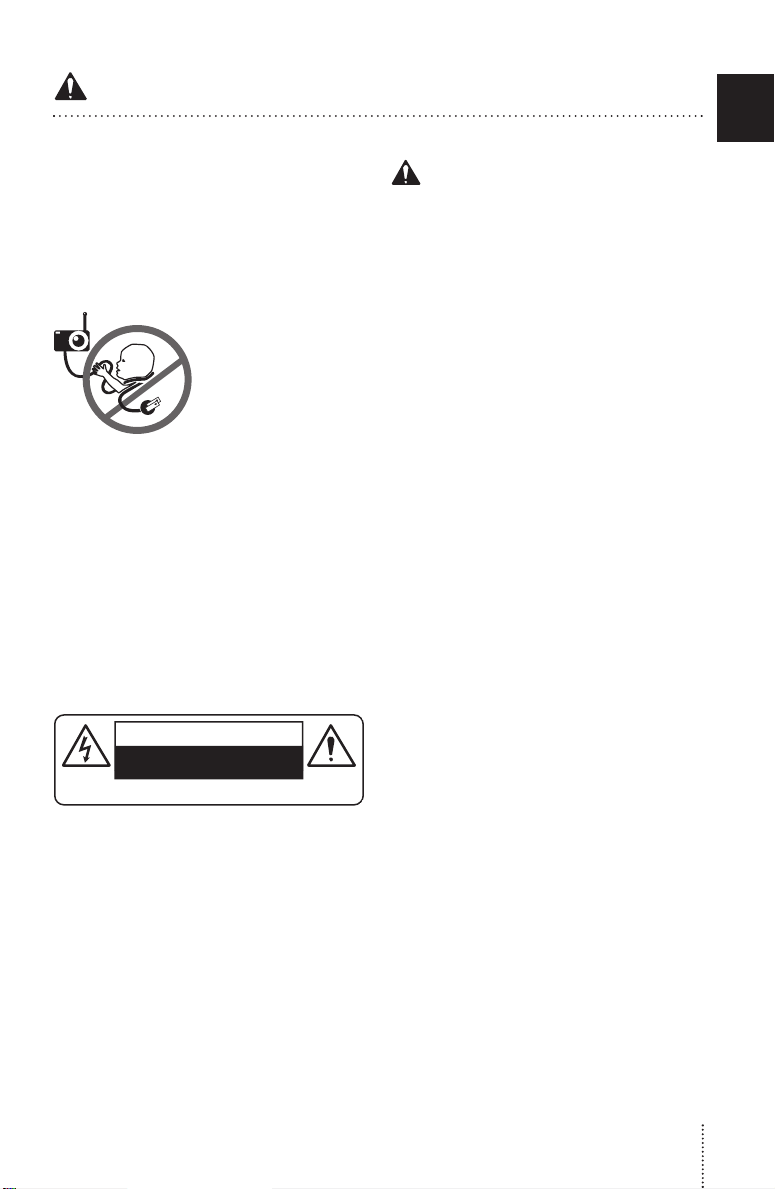
CAUTION
RISK OF ELECTRIC SHOCK
DO NOT OPEN
DO NOT EXPOSE TO RAIN OR MOISTURE
Page 4

15.9
15.10
15.11
15.12
15.13
15.14
15.15
15.16
15.17
15.18
monito r and the alarm will not
You may experience false alarms for several
af ter
15.19
monito r in a stationary sleeping
16.
16.1
16.2
16.3
16.4
16.5
16.6
16.7
16.8
16.9
16.10
16.11
16.12
Page 5
16.13 R emove batte ries from the Nurser y Uni t if
you store t he produc t over 30 d ays becau se the
bat terie s c ould leak and da mage the pr oduct.
16.14 D iscard ‘dead’ bat teri es as soon as p ossi ble
since ‘d ead ’ b atte ries are mo re l ikely to lea k i n a
product . If a batter y has leaked or vented , it should
be re plac ed immedi ately usin g prote ctiv e gloves.
16.15 D O NOT s tore this p roduct , or th e bat teri es
pr ovi de d with or id entif ie d
product , i n hi gh-t emperat ure areas.
WARNING
FCC
17. (N ort h A merica Only)
17.1 Warning : Change s or modif icatio ns to this
equip ment not expressly a pproved by th e par ty
resp onsible f or c omplian ce could void th e user’s
auth orit y to op erat e th e e quipment .
17.2 NO TE : Th is e quip ment h as b ee n te st ed
and fou nd to co mpl y with par t 15 of the FCC
Rules and the Industr y Canad a licen se- exe mpt
RS S standard (s). The se li mit s are design ed to
pro vid e reasona ble pr otec tion aga ins t harm ful
in ter fe re nce in a re sid en tial i ns talla tio n. Th is
equip ment ge ner ates , use s and c an radiate radio
frequency energy and, if not inst alle d and used
in accordance with the instructi ons , may cau se
har mful int erferen ce to ra dio communica tions.
fo r us e wit h th is
SETUP REQUIREMENTS
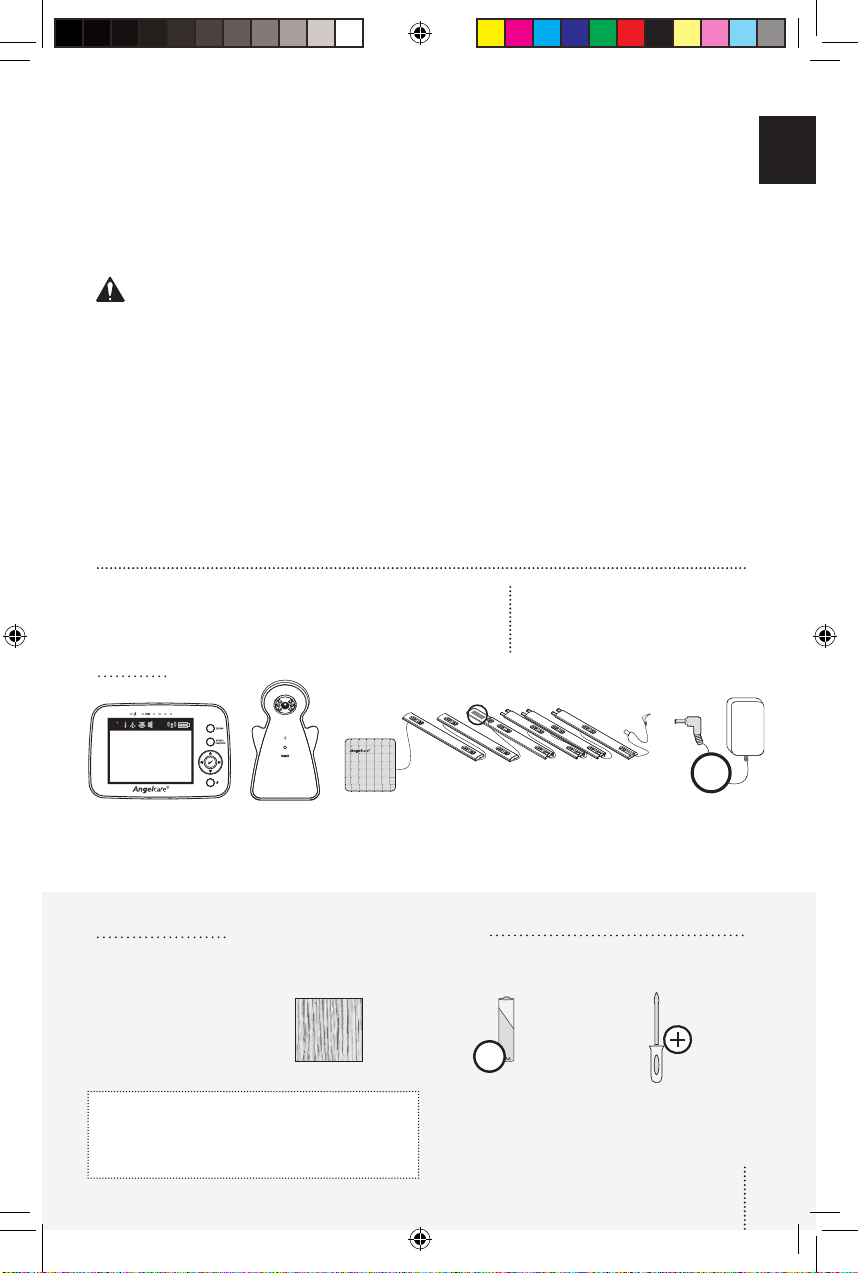
INCLUDED:
17.3 Howe ver, ther e i s n o g ua ran tee th at
in te rfe re nc e will n ot o cc ur i n a p ar ti cu lar
ins tall ation. If this eq uipment doe s cau se harmfu l
inter feren ce to radio or television recept ion, whic h
can be determ ine d by turni ng the eq uipment OFF
and ON, the user is enc oura ged to t ry to co rrec t
the inte rfe renc e by on e or mo re o f th e f ollow ing
measu res:
• Reorient or relocate the receiving
antenna.
• Increase the separation between
the equipment and receiver.
• Connect the equipment into an
outlet on a circuit different from that
to which the receiver is connected.
• Consult the dealer or an experienced
radio/TV technician for help.
17.4 Thi s de vice co mp lies wi th t he p ar t 15 of
the FCC Rules and the Industry Can ada lice nse
- exemp t RSS standard s(s). Ope ratio n is subjec t
to t he following two co nditi ons:
This device may not cause harmful interference,
(1)
and
(2) This device must accept any interference
received, including interference that may cause
undesired operation.
VIDEO, MOVEMENT
& SOUND MONITOR
Model AC1300
E
N
73
F
6
3 2 1
4
5
2X
Rechargeable Parent
Unit with enclosed
and non-detachable
lithium battery
YOU MUST PREPARE:
Nursery Unit
1 Sensor Pad (AC1300) or 2 Sensor Pads
(AC1300-2SP) with pre-installed cord covers
One hardboard (not included)
Thickness: 1/4’’ (6 mm)
Minimum dimensions:
13’’ x 13’’ (33 x 33 cm)
Maximum dimensions:
equal to the mattress size
Hardboard
IMPORTANT
The hardboard must be larger than the Sensor Pad
surface area or in the case of the AC1300-2SP of
two Sensor Pads.
WHAT YOU WILL NEED (NOT INCLUDED):
3X
3 AA Alkaline
Batteries for Nursery
Unit
2 AC Adapters
Miniature Philips
Screwdriver
5
02mf8_Manuel_AC1300_NA_12301.indd 5 2015-10-09 11:11 AM
Page 6
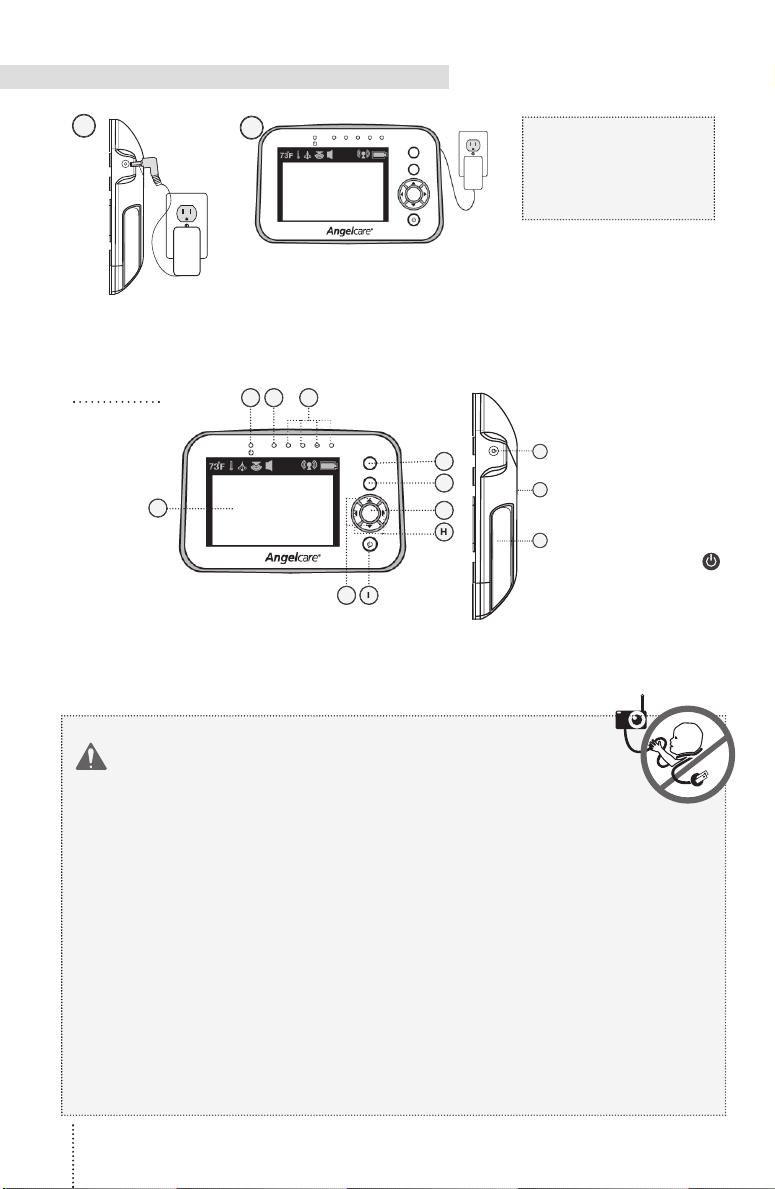
To optimize your battery
to Battery Guidelines in the
Troubleshooting section.
A)
VIDEO ON/OFF
button
J)
WARNING
use Sensor Pad without the cord covers. Check
use extension cords with adapters.
use
A
J
Page 7
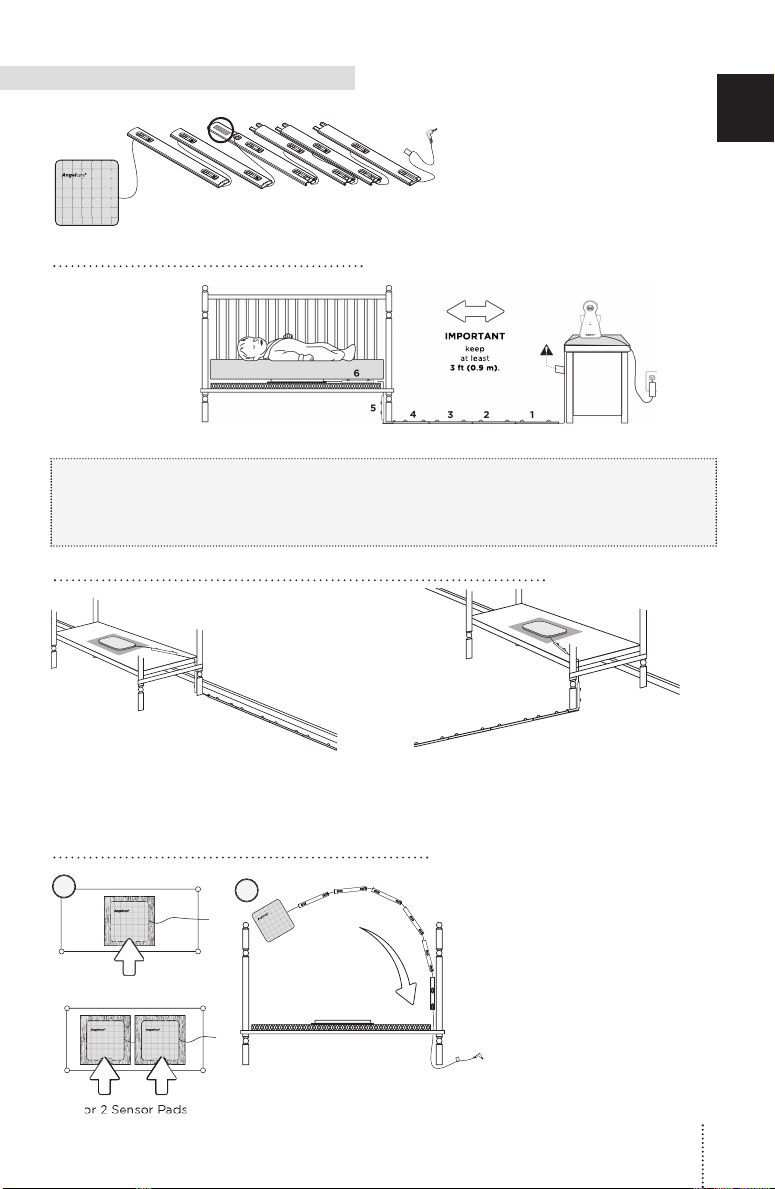
6
5
4
32 1
4
1
4
1
E
N
Page 8
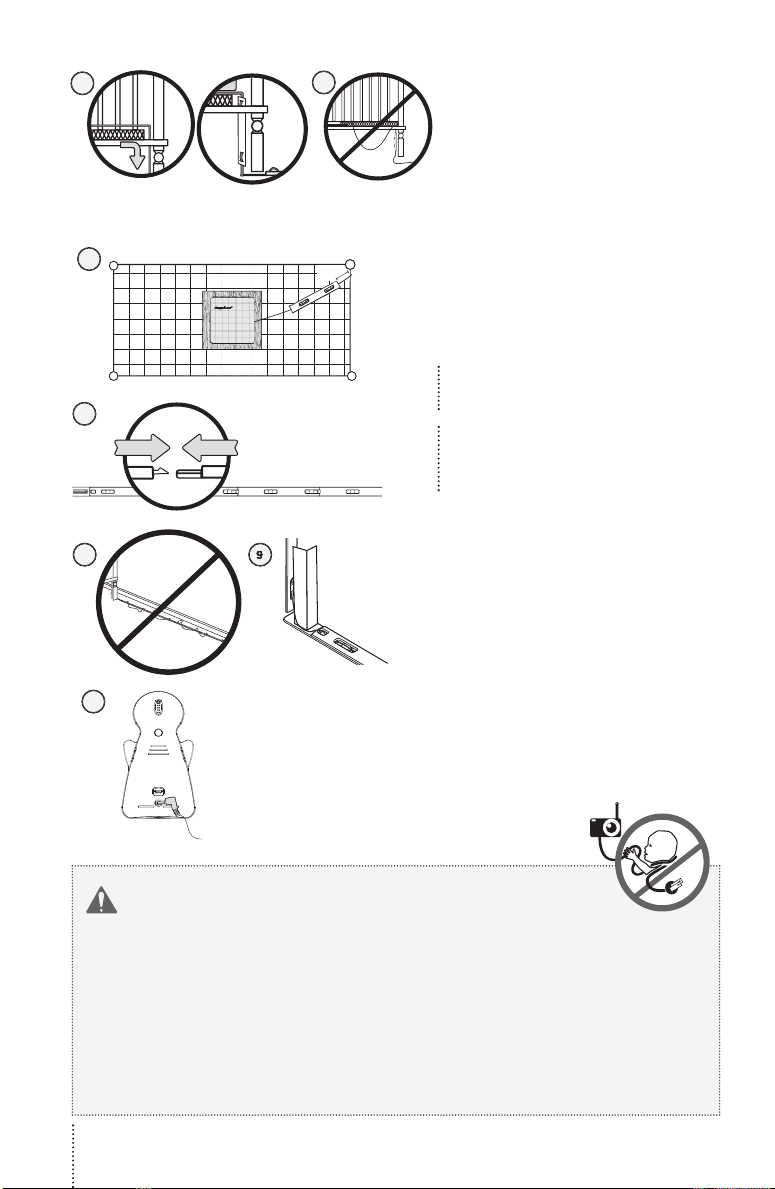
6
3”
4132
CLIC!
4
3
2
1
10
WARNING
cord
cord cover approximately
cord cover and place it securely
5
Page 9
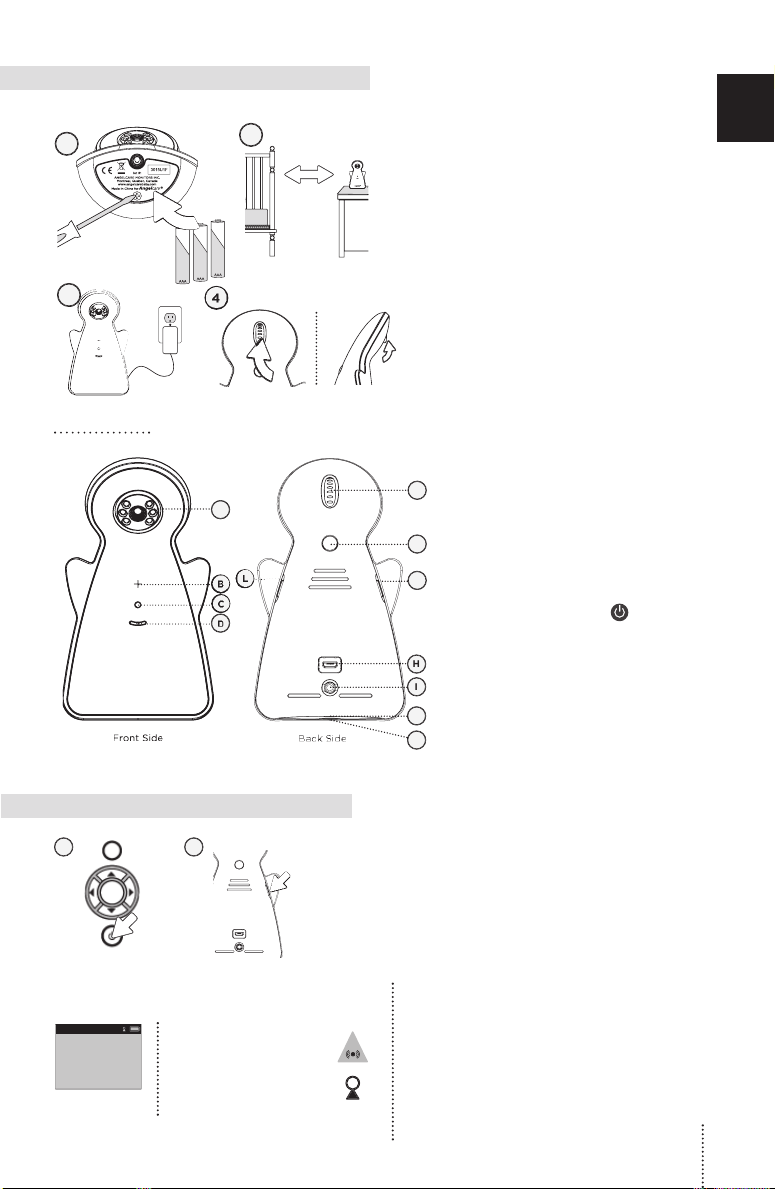
away from the crib.
NOTE:
The batteries maintain power
supply in case of power outage.
1
J
A)
Indicator
J)
button for 2 seconds.
mode
and Nursery
after 60 seconds.
alarm will sound
icon will appear
icon will appear
E
N
Page 10
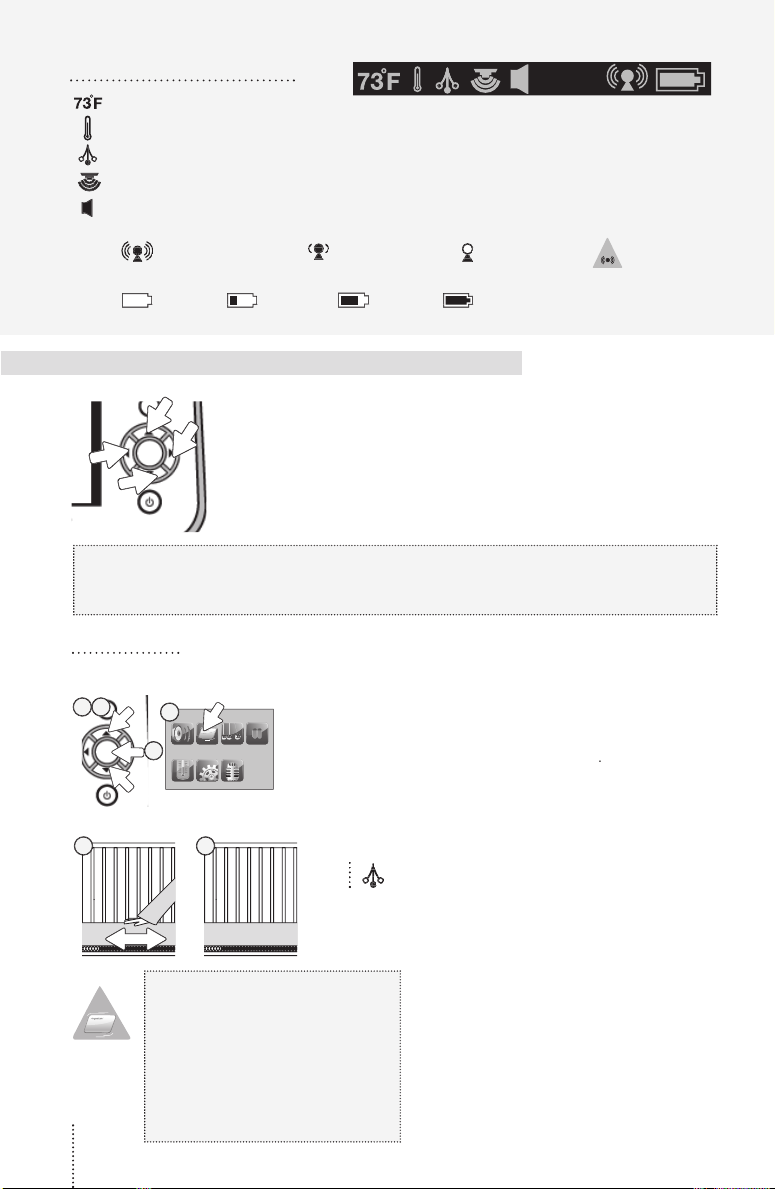
Indicates room temperature
Indicates Temperature Alarm is active
Indicates the Movement Sensor is active
Indicates that Sound function is active
Indicates the connection quality between the Parent Unit and the Nursery Unit.
Good connection Poor connection Lost connection Out-of-Range
Empty 1/3 Full 2/3 Full Full
monitor can be used with the pre-program factory settings or
button to select an icon. The light icon will change from
VIDEO ON/OFF
button to
button to access
icon.
the
button
The
icon will appear on Parent Unit
indicator bar.
will trigger.
crib mobile, fans, loud
1
Alarm
icon will show on
 Loading...