

American Dynamics ADD600ULPV100, ADD600ULPV200, ADD600ULPV300, ADD600ULPV400, ADD600URP300 Specifications
...Page 1

Digital Video
Management Solutions
Performances at the 293,000
square foot Walt Disney
Concert Hall in Los Angeles
can draw up to 10,000
attendees. Intellex, Network
Client Remote Management
Software, MegaPower
Matrix Switcher/Controllers
and 97 SpeedDome Ultra
programmable dome
cameras form the core of the
integrated security system
that safeguards them.
58
Page 2

Digital Video Management Systems
merican Dynamics offers the most comprehensive range of digital video management
A
products on the market. From smaller installations (Intellex LT) to mid-size applications
(Intellex DVMS) and now to more demanding applications requiring higher resolution and performance
(Intellex Ultra), there is a solution for any situation. Plus, we provide the flexibility of IP-based video
surveillance (Intellex IP) and every platform can be remotely managed using Network Client Remote
Management Software. But Intellex does more than just record. You can simultaneously record and play
back video, text, and audio while using sophisticated search functions to define and find only those
important events meeting your criteria. Our patented Active Content Compression (ACC) technology lets
you easily play back video frame by frame, forward or reverse. For added flexibility and control, install
Network Client on any PC with a network connection and you’ll have control of every Intellex on your
system, no matter how distributed or decentralized the operation.
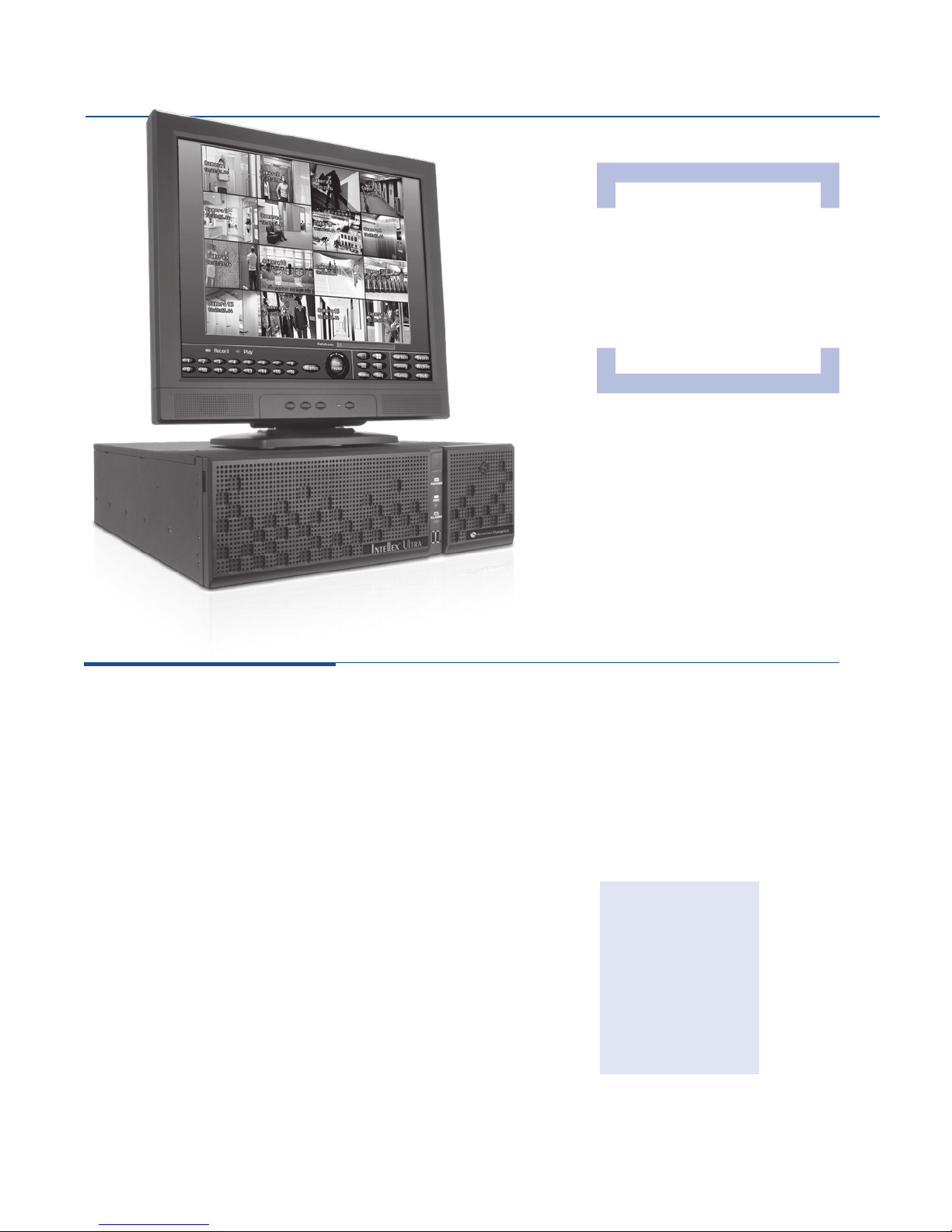
Intellex Ultra (available with 16 channels):
Award-winning Intellex Ultra is a reliable, high
performance platform that captures higher resolution,
de-interlaced images (4CIF, 480 ips) without compromising the
capability to record full motion video. Its 3U chassis requires less
rack space, making it an ideal solution for applications like
casinos or government facilities with a limited area for security
equipment. For ultimate flexibility and security, Intellex Ultra has up
to four front-accessible, swappable 3.5 inch hard drive bays
which can optionally be used in a RAID 5 configuration. Plus, an
industry first separate solid-state embedded system drive means
no moving parts to wear out or fail.
Intellex LT (available with 4, 8, and 16 channels):
Intellex LT delivers key Intellex features in an economical package,
providing the best solution for small retail stores, health care
facilities, and small of fices. It can store more than 900 hours of
video and supports up to five simultaneous Network Client users.
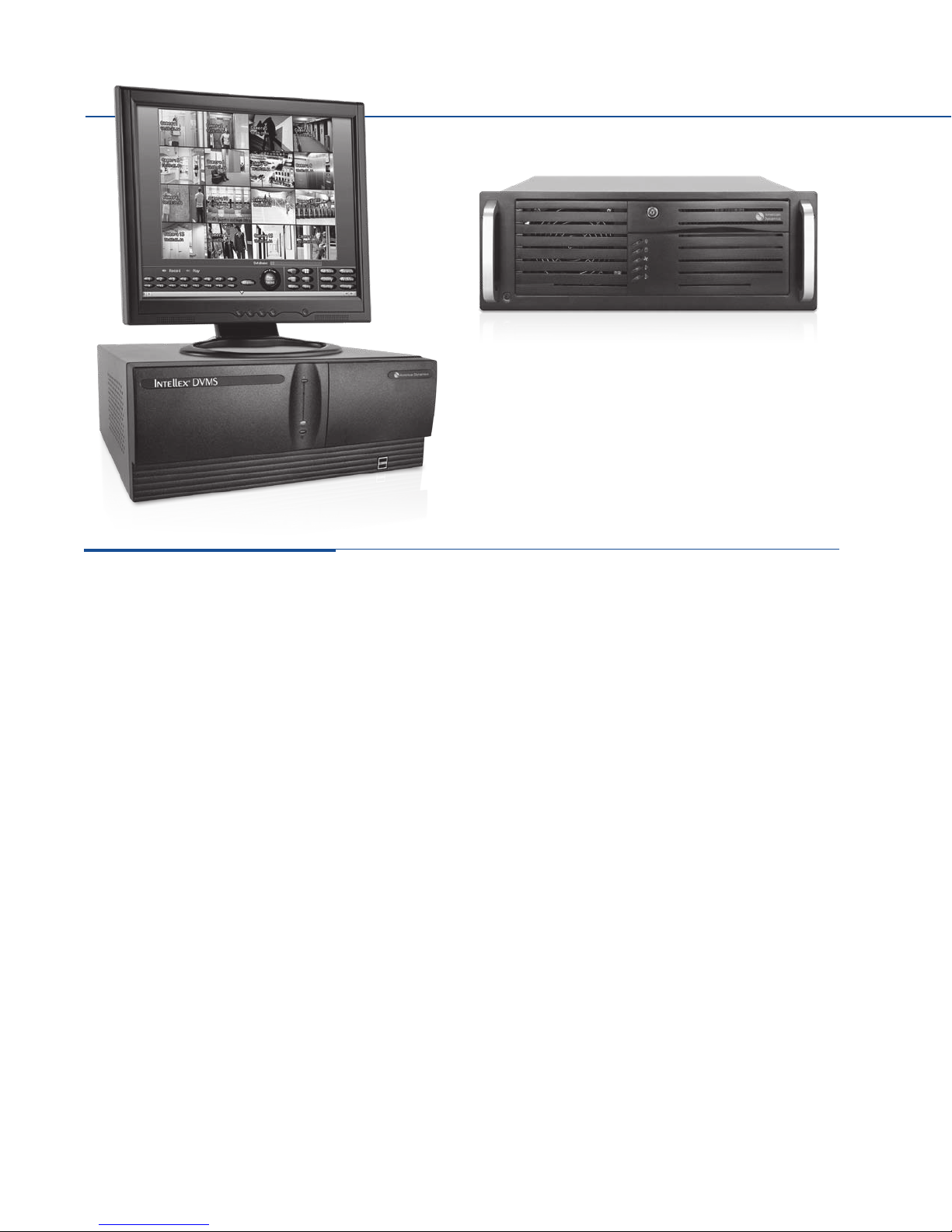
Intellex DVMS (available with 8 and 16 channels):
The original digital video management system, Intellex DVMS has
been leading the market since 1997. The 16-channel version
records up to 240 ips at 4CIF. Intellex DVMS is offered in a
desktop or rack mount chassis with Standard, Deluxe, and
Premier packages. This means simplified packaging for easier
ordering, maintenance, and configuration. And because Intellex
DVMS is networkable and easily integrates with other equipment
and software applications, it’s a cost-effective solution for many
new and existing applications.
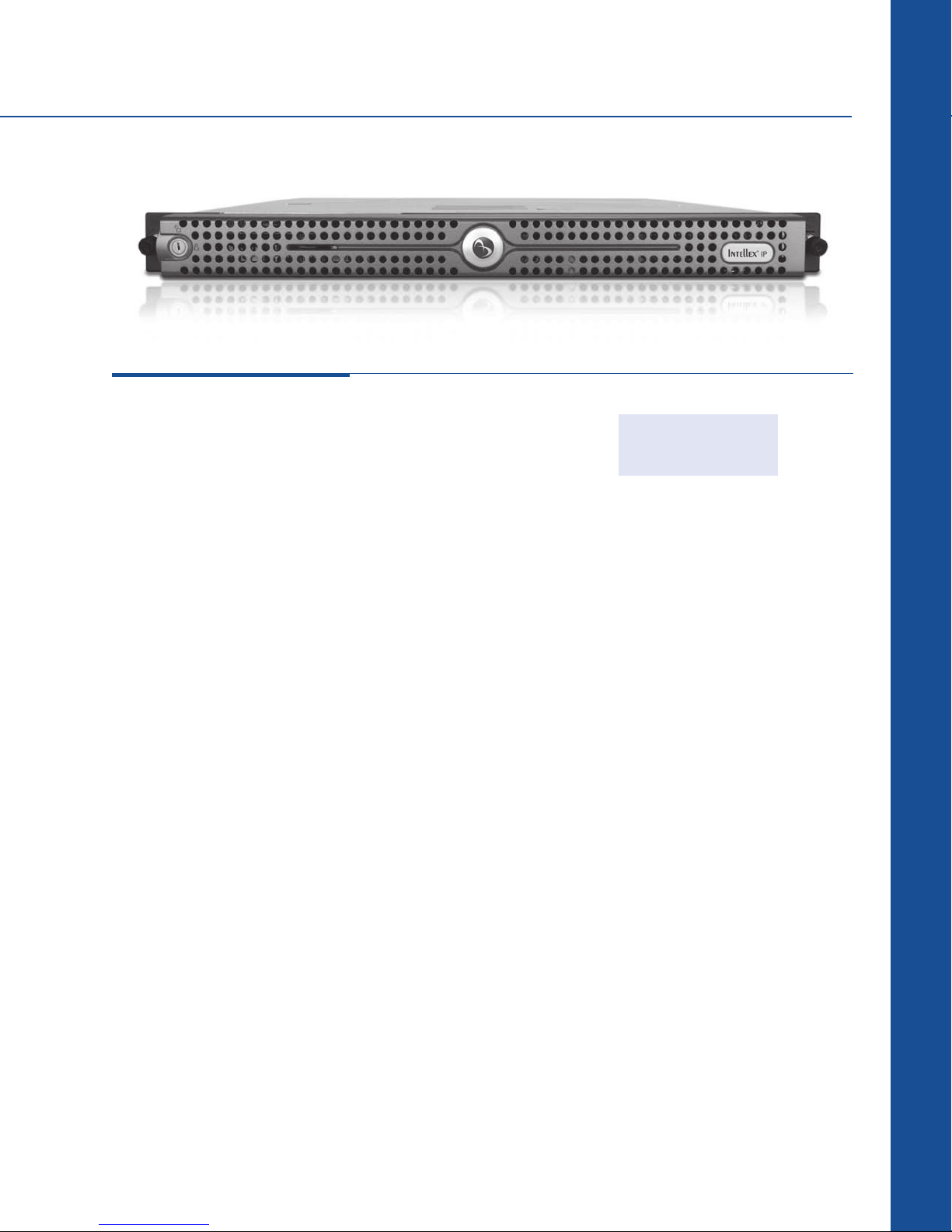
Intellex IP (up to 16 network video streams):
Intellex IP supports IP cameras with performance of up to 480 ips
at 1CIF and 240 ips at 4CIF. Intellex IP integrates seamlessly with
existing Intellex systems and analog and digital cameras to
leverage prior investments. Its scalable 1U form factor
complements the design of large systems. The ability to use
existing IT network cable further reduces total cost of ownership.
59
Page 3

Intellex Digital Video Management Systems
INTELLEX DIGITAL VIDEO MANAGEMENT SYSTEMS COMPARISON TABLE
Intellex Ultra
(Premier)
Maximum Images per
Second (NTSC/PAL):
4CIF 48 0/400 240/200 120 /10 0 240/200
2CIF 48 0/400 4 80/40 0 240/200 240/200
1CIF 48 0/400 4 80/40 0 480 /400 480 /40 0
Storage Capacity
®
Windows
Record Mode Linear or Circular/Continuous Linear or Circular/Continuous Linear or Circular/Continuous Linear or Circular/Continuous
Pre-Alarm Recording Yes (up to 5 minutes) Yes (up to 5 minutes) Yes (up to 60 seconds) Yes (up to 5 minutes)
Alarm Indexing Yes (15 minutes) Yes (15 minutes) No Yes (15 minutes)
Alarm/Event Notification:
Remote
Local Yes Yes Yes Yes
Email Ye s Yes Yes Yes
Video Resolutions
Available:
4CIF
2CIF 704 x 240/704 x 288 704 x 240/704 x 288 704 x 240/704 x 288 704 x 240/704 x 288
1CIF 352 x 240/352 x 288 352 x 240/352 x 288 352 x 240/352 x 288 352 x 240/352 x 288
Text Insertion
(Via Serial Port)
Video Analysis Tools
(Size, Speed, Direction of
Motion)
Smart Search Yes Yes Yes Yes
Custom Schedule/
Weekends
Multi-Screen Playback Yes Yes No Yes
Covert Camera Yes Yes Yes Yes
Dome Control
Alarm-Triggered Camera
Action
User-Defined Matrix &
Dome Control Camera
Handler
Activity Log
(Who, When, What)
3rd Party Integration via
API
Chassis Configuration 3U, Desktop/Rack Mount 4U, Desktop or Rack Mount† 4U, Desktop or Rack Mount‡ 1U, Rack Mount
Alarm Quality & Sensitivity
Settings
Camera-Selectable Frame
Rate
One-Click Clip Export Yes, CD-RW/DVD-RW Yes, CD-RW/DVD-RW§ Yes, CD-RW Yes, CD-RW/DVD-RW
Extended Storage Devices Yes Yes Yes Yes
Support for Remote
Configuration &
Management
NTSC/PAL Toggle Yes Yes Yes N/A
XP Pro Yes Yes Yes Yes
(NTSC/PAL)
1.0 TB, 2.0 TB,
3.0 TB, 4.0 TB (RAID5 3.0 TB)
Yes (via Network Client) Yes (via Network Client) Yes (via Network Client) Yes (via Network Client)
704 x 480/704 x 576 704 x 480/704 x 576 704 x 480/704 x 576 704 x 480/704 x 576
Yes (16 channels) Yes** (up to 8 channels) Yes** (up to 8 channels) Yes (16 channels)
Yes Yes, Premier Edition only No No
Yes, with IntelleCord Yes, with IntelleCord Yes, with IntelleCord Yes, with IntelleCord
Via Network Client, Browser
Client, or Intellex GUI
(via ADTT16E, ADACSNET,
MP48, MP168, MP1024,
MP3200, or other third party
switchers)
Yes Yes Yes Yes
Yes Yes Yes Yes
Yes Yes Yes Yes
Yes Yes Yes Yes
Yes Yes Yes Yes
Yes Yes Yes Yes
Yes Yes Yes Yes
Intellex DVMS
(Standard, Deluxe & Premier)
250 GB, 500 GB, 1.0 TB, 1.5 TB* 250 GB, 500 GB 1.0 TB, 2.0 TB
Via Network Client,
Browser Client, or Intellex GUI
(via ADTT16E, ADACSNET,
MP48, MP168, MP1024,
MP3200, or other third
party switchers)
Intellex LT
Via Network Client, Browser
Client, or Intellex GUI
(via ADTT16E, ADACSNET,
MP48, MP168, MP1024,
MP3200, or other third party
switchers)
Intellex IP
(Premier)
Via Network Client,
Browser Client, or Intellex GUI
(via ADTT16E, ADACSNET,
MP48, MP168, MP1024,
MP3200, other third party
switchers, or any IP
422-compatible device)
Digital Video Management Solutions
* 250 GB and 500 GB are available in Standard Edition; 500 GB, 1.0 TB and 1.5 TB (rack mount) are available in Deluxe and Premier Editions.
** Premier Edition only.
† Rack mount is only available in Deluxe and Premier Editions.
‡ Accessory Kit is required for rack mount, ordered separately.
§ CD-RW is only available in the Standard and Deluxe Editions; DVD-RW is only available in the Premier Edition.
60
Page 4
Intellex Digital Video Management Systems
Forward/Reverse
Playback
Closely examine recorded
video of suspicious activities
one frame at a time, forward
or reverse—something that is
difficult to do with MPEG-4
solutions.
Intellex Ultra:
Gain the ability to multiplex, detect alarms •
and events, record video, audio and text,
and much more
Set dome presets, patterns, and •
configurations right from the Intellex GUI
Search for specific clips using video •
analysis tools and advanced text
Operate Intellex like a virtual matrix via •
Network Client with CCTV keyboardbased camera control and an expanded
capacit y to stream video simultaneously
from multiple cameras*
React faster to potential emergencies with •
immediate email notification of system
events and alarms
Customize camera views for flexible •
monitoring
Respond to events with alarm-triggered •
dome positioning
Record higher frame rates per second for •
cer tain cameras and assign the remainder
to less critical cameras
Easily export video, audio, and text to •
CD-RW or DVD-RW with one click of the
mouse
Store more video than MPEG-4 and •
MJPEG-based systems using patented
American Dynamics Active Content
Compression (ACC) technology
Use 3rd party applications—such as •
access control from Software House and
Kantech as well as video forensics, virtual
matrix, remote monitoring, and more—
integrated with Intellex via the powerful
application programming interface (API)
Windows XP Professional operating •
system
4CIF at 480 ips**•
Separate solid-state system drive•
Front accessible, swappable drives•
Space-saving 3U chassis•
Optional RAID 5 protection•
Steel-reinforced door provides •
unsurpassed durability and drive
protection
Includes one license of Network Client•
Desktop/rack mount configurable•
Dimensions: •
130 x 429 x 546 mm
(5.125 x 16.895 x 21.5 in)
Weight: 17.3 kg (38 lbs)•
Desktop/Rack Mount
Models
ADD600ULPV100
ADD600ULPV200
ADD600ULPV300
ADD600ULPV400
RAID 5 Model
ADD600URP300
* Requires Network Client v4.04 or higher and supports the ADTT16E Touch Tracker Controller, ControlCenter 1100, ControlCenter 200, 300, AD2088 and AD2089.
61
** All ips measurements reflect NTSC format 120 ips NTSC=100 ips PAL.
Page 5

Lincoln Park, a dog racing
track and casino (racino) just
outside of Providence, RI, chose
Intellex Ultra when an expansion
demanded a new surveillance
system. A customer for several
years, Lincoln Park had already
benefited from a reliable Intellex
system, but wanted to look
at a new platform to fit its
growing needs. As the facility
expanded, so did its surveillance
requirements. “We chose Intellex
Ultra because it is the only digital
video management system with
the performance, integration
capability and reliability that fit
our needs while using limited
rack space. We’re saving an
estimated forty percent of rack
space than if we had selected
other competing products,” said
Jason Gittle, Director of IT for
Lincoln Park. “We are required
by state regulations to record
all activity within the building.
It is imperative that our digital
recorders are operating all the
time.”
62
Page 6
Monitor sold separately.
Intellex DVMS:
Rack Mount version
Desktop version
Standard:
Set dome presets, patterns, and •
configurations right from the Intellex GUI
Operate Intellex like a virtual matrix via •
Network Client with CCTV keyboard-based
camera control and an expanded capacity
to stream video simultaneously from
multiple cameras*
React faster to potential emergencies with •
immediate email notification of system
events and alarms
Customize camera views for flexible •
monitoring
Respond to events with alarm-triggered •
dome positioning
Record higher frame rates per second for •
cer tain cameras and assign the remainder
to less critical cameras
Easily export video, audio, and text to •
CD-RW with one click of the mouse
Store over 9 times more video than •
MPEG-4 and MJPEG-based systems
using patented American Dynamics Active
Content Compression (ACC) technology
Use 3rd party applications—such as •
access control from Software House and
Kantech as well as video forensics, virtual
matrix, remote monitoring, and more—
integrated with Intellex via the powerful
application programming interface (API)
Smart Search (motion, perimeter, light)•
Search based on date, time, camera, •
alarm
Windows XP Professional operating system•
Covert camera•
Includes one license of Network Client•
Supports up to 20 Network Client users•
Control domes from Intellex and •
Network Client**
Desktop dimensions: •
172 x 432 x 464 mm
(6.75 x 17.0 x 18.25 in)
Weight: 14.50 kg (31.90 lbs)
Rack mount dimensions: •
175 x 432 x 521 mm
(6.875 x 17.0 x 20.5 in)
Weight: 20.39 kg (44.95 lbs)
Deluxe:
Includes ALL the Standard features PLUS
the following:
Export capabilities to CD-RW•
Fourth monitor output •
(analog call/spot monitor)
†
Premier:
Includes ALL the Deluxe features PLUS
the following:
Includes one USB to RS-232 converter•
Video analysis tools (size, speed, direction •
of motion)
Single channel of live and recorded audio•
Text-based searching and exception •
recording
Support for remote text-based searching•
Support for remote video analysis tools•
Single channel of RS-232 text recording •
(expandable to 8 with additional hardware)
Export capabilities to DVD-RW •
‡
* Requires Network Client v4.04 or higher and supports the ADTT16E Touch Tracker Controller, ControlCenter 1100, ControlCenter 200, 300,
AD2088 and AD2089.
** Requires ADTT16E Touch Tracker Controller, AD168, AD1024, MP48, MP3200, or USB Control Module.
† Available only with 16 channel systems.
‡ Only DVD-RW is available on Premier models; no CD-RW available.
63
Page 7
Intellex Digital Video Management Systems
DESKTOP MODELS
8-Channel: 16-Channel:
Standard
ADD800DVSV025
ADD800DVSV050
RACKMOUNT MODELS
16-Channel:
Deluxe
ADD6R0DVDV050
ADD6R0DVDV100
ADD6R0DVDV150
Deluxe
ADD800DVDV050
ADD800DVDV100
Premier
ADD6R0DVPV050
ADD6R0DVPV100
ADD6R0DVPV150
Premier
ADD800DVPV050
ADD800DVPV100
Standard
ADD600DVSV025
ADD600DVSV050
Deluxe
ADD600DVDV050
ADD600DVDV100
Premier
ADD600DVPV050
ADD600DVPV100
Digital Video Management Solutions
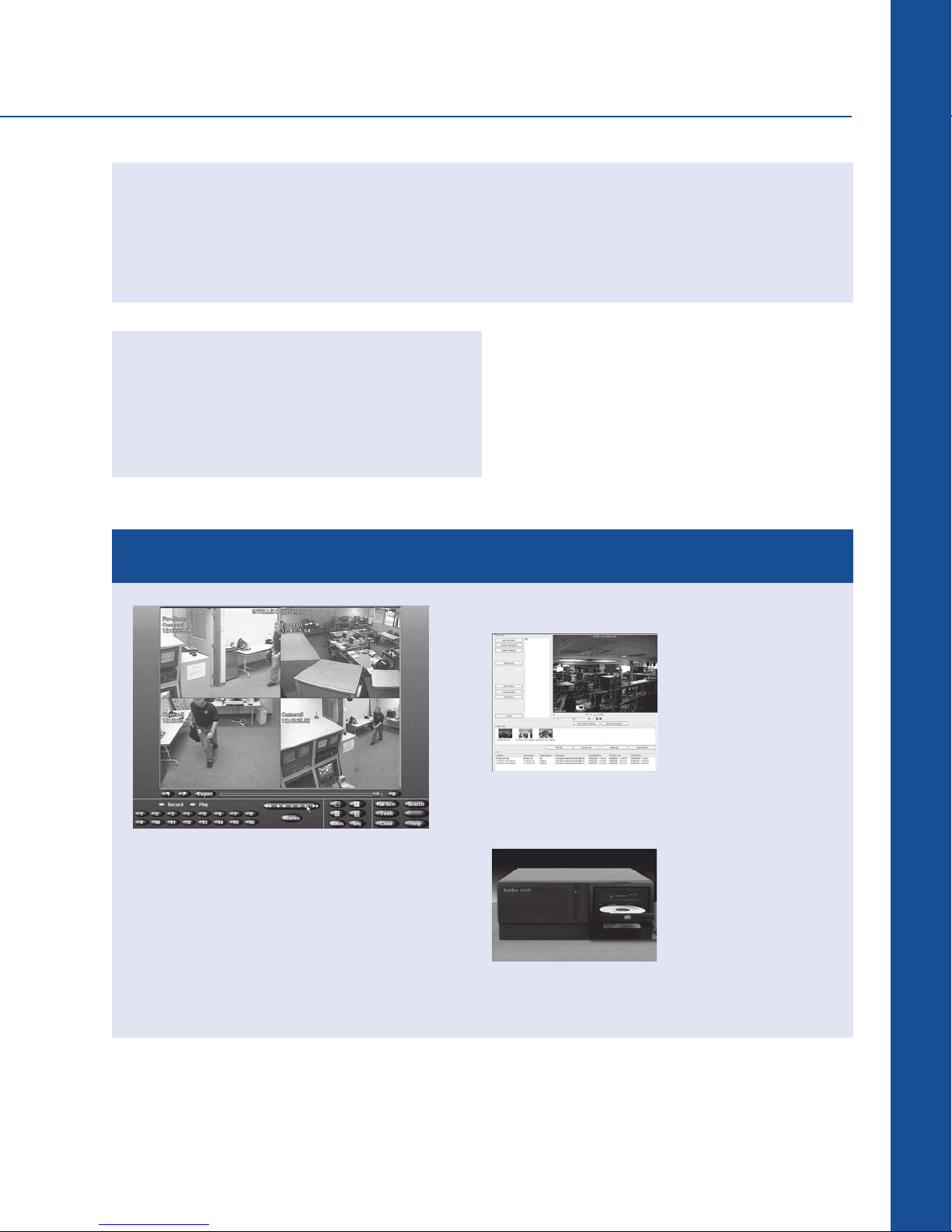
STORYBOARD AND STREAMING PLAYBACK FEATURES
Our storyboard and streaming
playback features provide security
professionals the ability to do more
with their systems.
Storyboard and Network Client:
Network Client provides
the ability to concatenate
exported video clips and
then play a series of
related clips, creating an
“incident storyboard”,
when video evidence
and auditing of incidents is required.
Streaming Playback:
You can view video from
any external source CD, DVD, network drive,
or flash drive, directly
from Intellex. Click on
the “External” button,
and select the appropriate drive, then view your
stored video.
64
Page 8
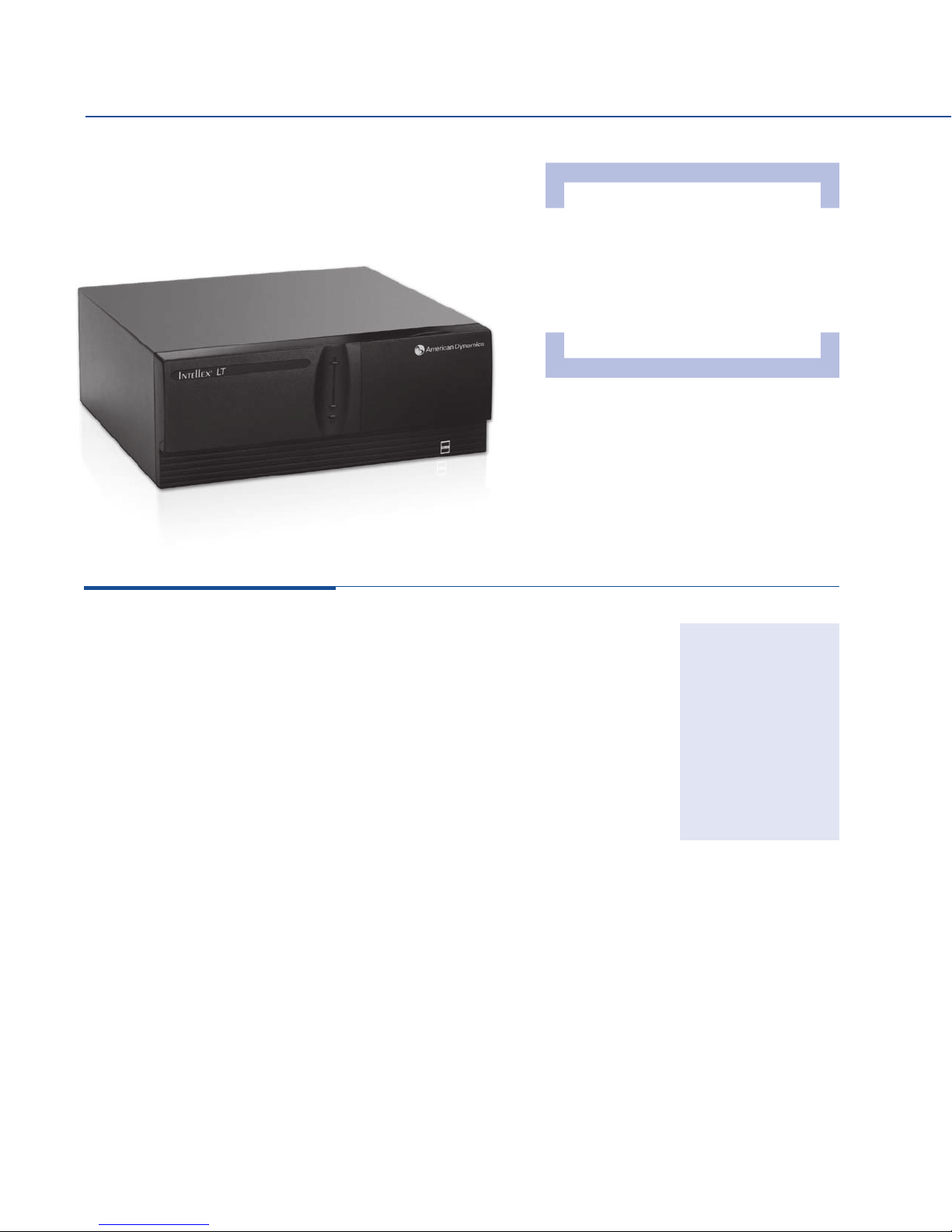
I nte llex LT:
All Intellex Platforms Work
Seamlessly Together
Whatever platform you choose,
Intellex lets you customize your
system and Network Client lets
you manage them all from the
same user interface.
Multiplex, detect alarms and events, •
record video, audio and text, and much
more
Set dome presets, patterns, and •
configurations right from the Intellex GUI
Search for specific clips using video •
analysis tools and advanced text
React faster to potential emergencies with •
immediate email notification of system
events and alarms
Customize camera views for flexible •
monitoring
Respond to events with alarm-triggered •
dome positioning
Easily export video, audio, and text to •
CD-RW with one click of the mouse
Store over 9 times more video than •
MPEG-4 and MJPEG-based systems
using patented American Dynamics Active
Content Compression (ACC) technology
Connect up to three External Storage •
Modules (ESM) to expand the local
storage capacity
Use 3rd party applications—such as •
access control from Software House and
Kantech as well as video forensics, virtual
matrix, remote monitoring, and more—
integrated with Intellex via the powerful
application programming interface (API)
Control domes from Intellex and •
Network Client
Single channel of live and recorded audio•
Single channel of RS-232 text recording •
(expandable to 8 with additional hardware)
Third monitor output (analog call/•
spot monitor)
4-Channel
ADD400LTPV025
ADD400LTPV050
8-Channel
ADD800LTPV025
ADD800LTPV050
16-Channel
ADD600LTPV025
ADD600LTPV050
65
Page 9
Intellex Digital Video Management Systems
Intellex IP:
Digital Video Management Solutions
Supports IP cameras and the 4-channel •
IP encoders, allowing you to plug analog
outputs into the units surveillance
environment
Capture up to 4CIF resolution•
Dual embedded Gigabit NIC•
Integrated recording and storage in a •
1U rack mount chassis
Keyboard, video, monitor (KVM) port on •
front
Windows XP operating system•
1.0 TB or 2.0 TB SATA hard drive •
configurations
16 video inputs•
Simultaneously record, play back, view •
remotely, conduct a search, and more
Text-based searching and exception •
recording
Search based on date, time, camera, •
alarm
Smart Search (motion, perimeter, light)•
Single channel of live and recorded audio•
Single channel RS-232 text recording •
(expandable to 8 with additional
hardware)
CD-RW/DVD-RW combo drive•
Multi-screen playback•
Third par ty applications such as access •
control from Software House and
Kantech can be integrated with Intellex
via application programming interface
(API)
Alarm notification to remote software•
Pre-alarm recording and activity logging•
Image printing and enhancement tools•
Individual camera settings for sensitivity, •
quality, and scheduling with IntelleCord
(record all, alarmed recording, and so on)
Alarm quality and sensitivity setting•
Covert camera•
Selectable frame rates•
Supports external storage (via FireWire•
or iSCSI
Seamless integration with other Intellex •
products
Includes one license of Network Client •
Remote Management Software
Support for up to 20 simultaneous •
Network Client users
Control domes from Intellex and •
Network Client*
Dimensions: •
44 x 447 x 546 mm
(1.75 x 17.6 x 21.5 in)
Weight: 11.82 kg (26 lbs)•
®
ADDIP100
ADDIP200
)
* Requires the ADTT16E Touch Tracker Controller or an AD1024, MP48, or M P3200.
66
Page 10
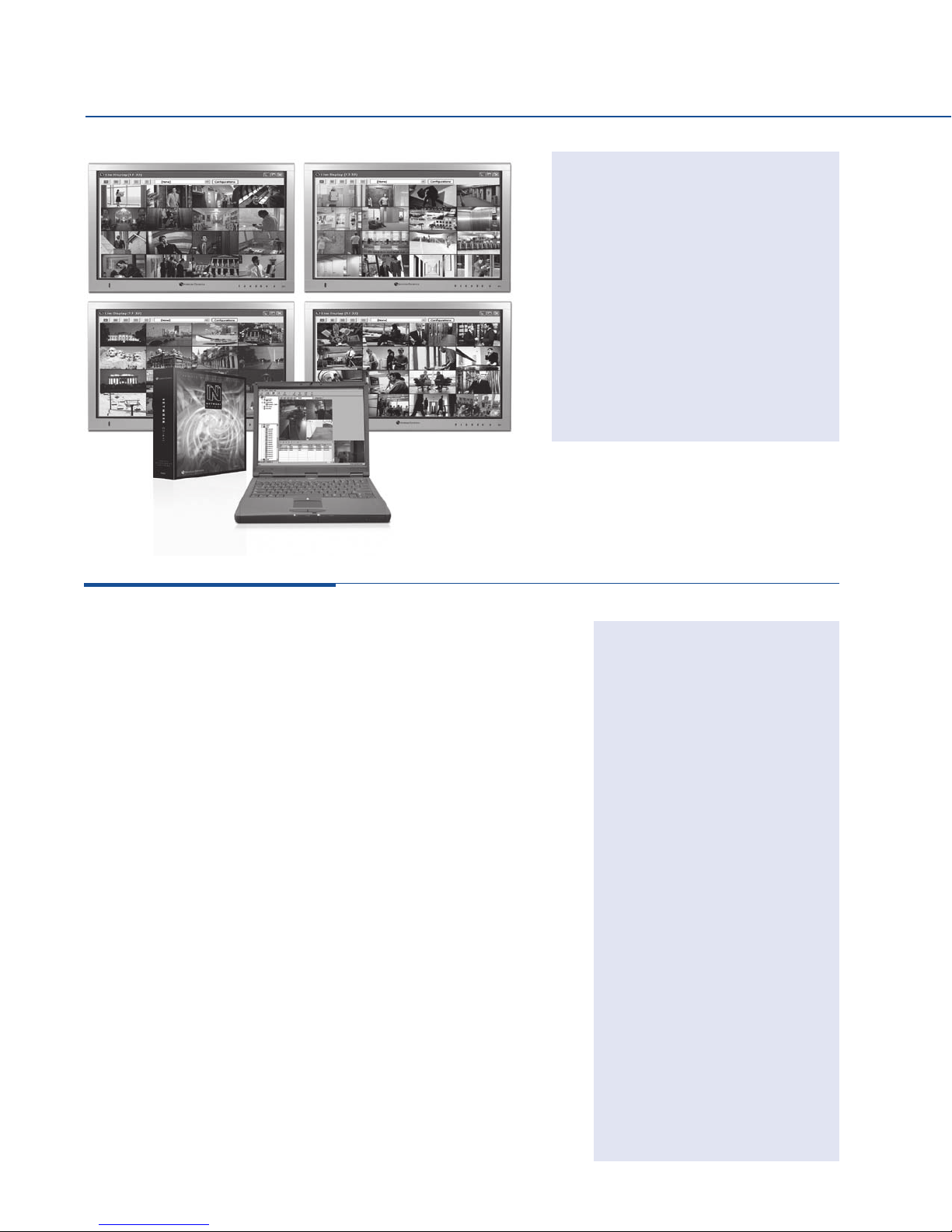
Network Client:
Install Network Client on any PC with
a network connection and you’ll have
control of every Intellex on your system,
no matter how far-flung or decentralized
the operation. Simply log in and access
a menu just as if you were sitting in front
of an Intellex. You can view live video
from up to 64 cameras simultaneously,
send and receive alarm notifications,
and much more. Now, it’s easier than
ever with our exciting new CCTV
keyboard options that give you the
functionality of a virtual matrix.
Laptop and monitors sold separately.
Receive alarm notifications from several •
Intellex units regardless of whether Network
Client is active
Remotely use video analysis tools for •
scheduling cameras to record and
specifying search criteria based on the
size, speed, and direction of an object in
motion
Remotely use the advanced text tool •
for scheduling cameras to record and
specifying search criteria based on the
contents and contexts of a text transaction
Remotely search for video using standard •
or Smart Search tools
Organize camera icons on your computer •
screen as easily as you would arrange files
and folders on a PC
Create video incident storyboards with •
the incident clip builder feature for video
evidence or auditing
View recorded video in streaming playback •
without having to download individual video
clips
Simultaneously view live or recorded video •
from multiple cameras on one or more
Intellex units
Play back video from one or multiple •
cameras with both audio and text
Use the network bandwidth limiter to •
download or transfer video without
overtaxing your system
Remotely synchronize all Intellex units on •
your network by the hour, minute, and
second
Email or export video segments on CD and •
DVD in AVI or proprietary format converted
via Network Client
Supports video analy tics with integrated •
snap-in interface
ADDSNC43 (Single license)
ADDSNC43UL (Corporate license)
Virtual Matrix/ Keyboard
Control with MegaPower
Matrix Switcher Integration
ADDSNCVMK (Single license)
ADDSNCVMKUL (Corporate license)
Snap-In Manager & Virtual
Matrix/Keyboard Control with
MegaPower Matrix Switcher
Integration
ADDSNCSIVMK (Single license)
ADDSNCSIVMKUL (Corporate license)
Snap-In Manager
ADDSNCSI (Single license)
ADDSNCSIUL (Corporate license)
Keyboard Accessories
ADACKBPC2000
(Connection kit, for AD2000 series
keyboards)
ADACKBPCMPCC
(Connection kit, for ControlCenter
series keyboards)
67
Incident Clip Builder
ADDSNCICB (Single license)
ADDSNCICBUL (Corporate license)
Page 11
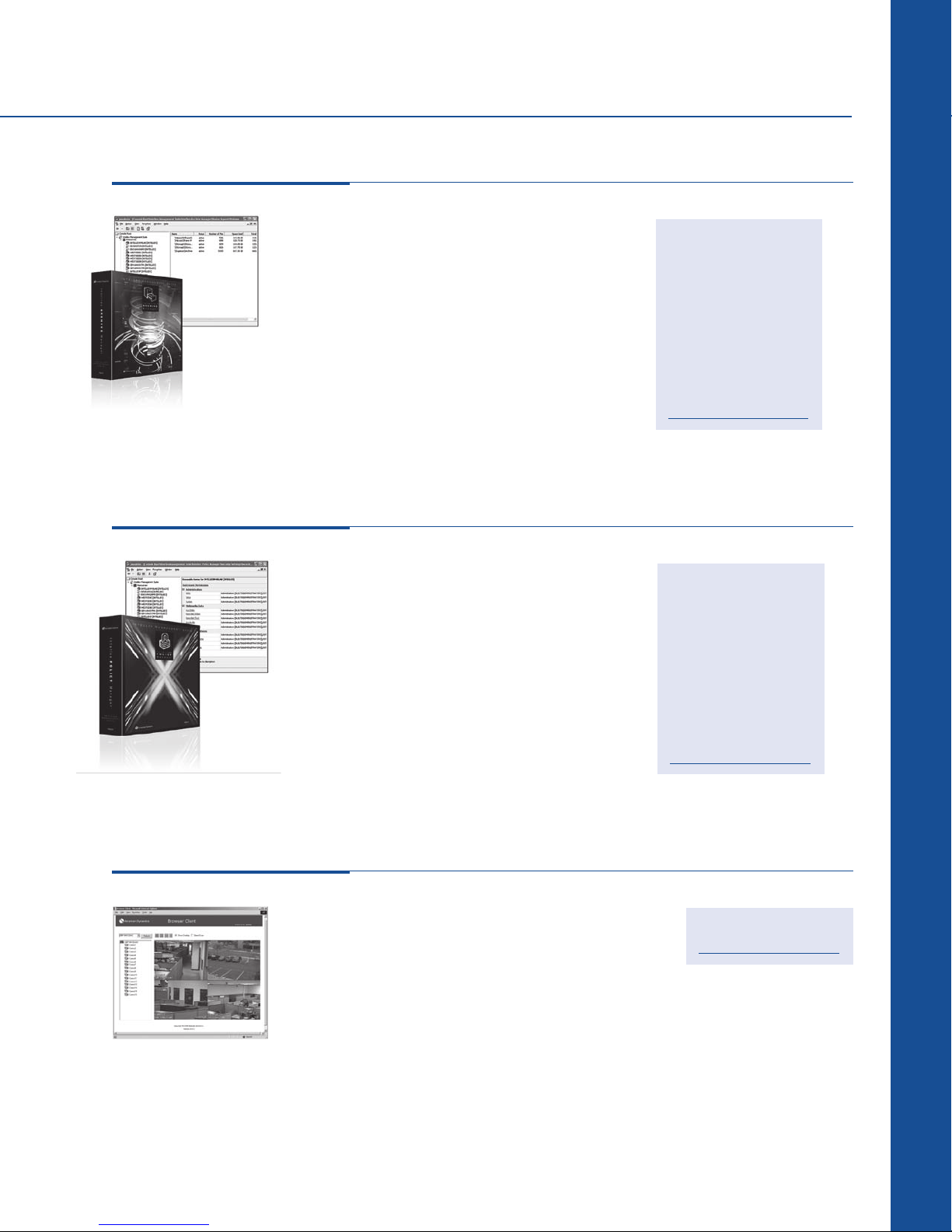
Intellex Management Software
Intellex Archive Manager:
Digital Video Management Solutions
Manages the storage of •
video, audio, and text data
to network-attached storage
devices
Integrates with Intellex •
Policy Manager for securing
access to network stored
data
Increases storage capacity, •
allowing you to retain video
longer
Provides the ability to assign •
storage space per Intellex
unit and control which
storage devices are online
Intellex Policy Manager:
Enables advanced security •
for Intellex Ultra, DVMS, LT,
or IP
Tighter access management •
of Intellex functions with
login credentials and access
privileges per user per group
Integrate physical security •
with IT security via Windows
network security
Central management •
of security accessible
anywhere through the
Admin Client
Specify archive data (alarms, •
schedules, specific cameras)
Provides Network Client •
access to network stored
data
User interface provides •
real-time storage status and
reports
Leverages Microsoft •
Management Console
(MMC) technologies
Simplified configuration by •
applying security templates
to multiple Intellex systems
Monitor availability of •
Intellex units and access
violations by using the logs
in Windows Event Viewer
generated by Intellex Policy
Manager
Leverages Microsoft •
Management Console
(MMC) technologies
ADDSAM43U10
(Up to 10 Intellex Units)
ADDSAM43U25
(Up to 25 Intellex Units)
ADDSAM43UUL
(Unlimited Intellex Units)
Upgrades provide an
ever-increasing return on
your initial investment; visit
www.americandynamics.net
ADDSPM43U10
(Up to 10 Intellex Units)
ADDSPM43U25
(Up to 25 Intellex Units)
ADDSPM43UUL
(Unlimited Intellex Units)
Upgrades provide an
ever-increasing return on
your initial investment; visit
www.americandynamics.net
Intellex Browser Client
Remote dome control and •
viewing of live Intellex video
through a web browser
(requires Windows operating
system and Internet Explorer)
Access to multiple Intellex •
units
Similar GUI to Network Client•
Easy 1-2-3 step installation •
and setup for the
administrator
Self-installing web browser •
plug-in software upon
connection
Password protected•
Online help•
Available free at
www.americandynamics.net
68
Page 12
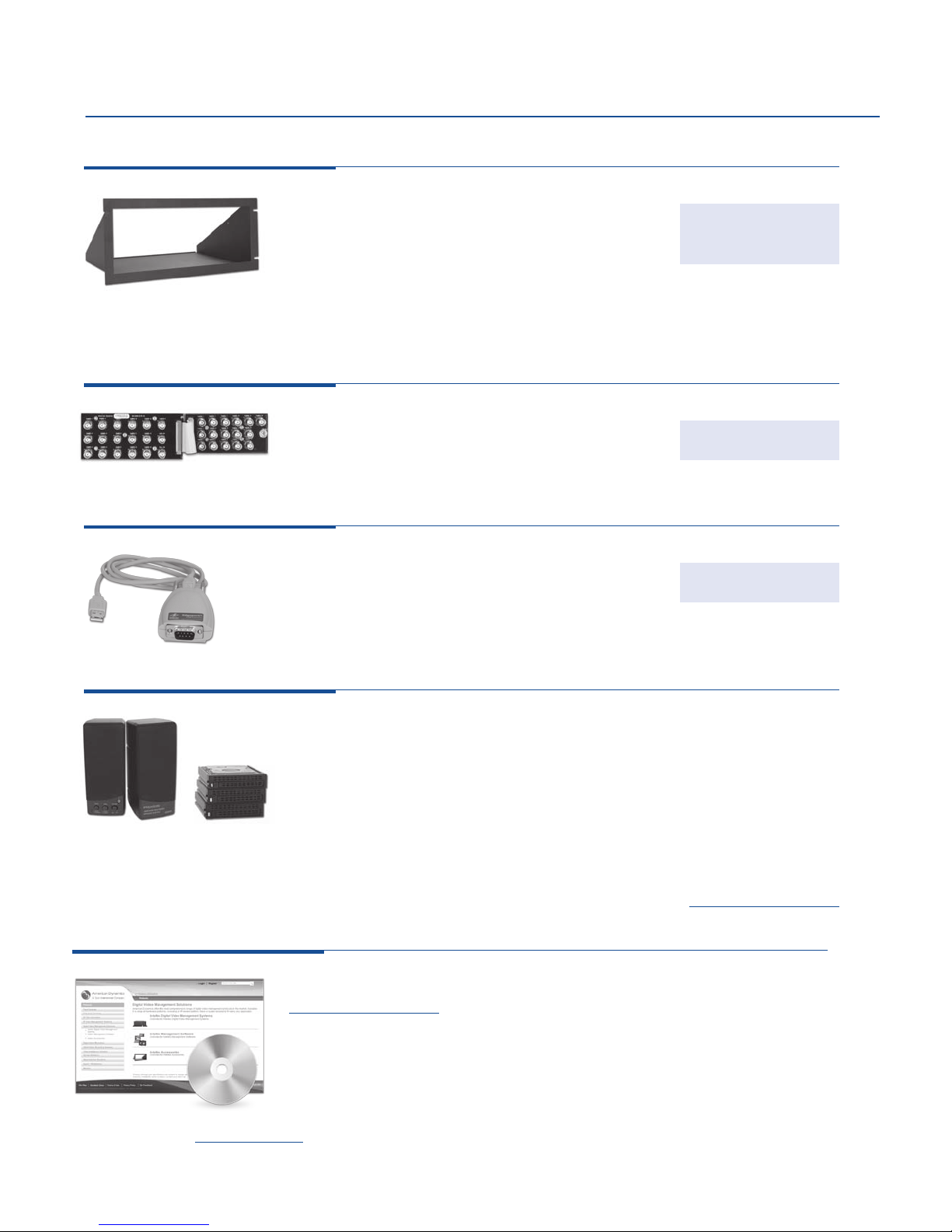
Intellex Accessories
Rack Mount Kits:
Steel-constructed •
Requires DVMS v2.0 or higher•
Intellex rack mount kit for •
Intellex with desktop chassis;
16-channel DVMS or LT
platforms only
Intellex BNC rack mount •
extension kit for 16-channel
Looping Panels:
Includes a BNC looping •
board, ribbon cable, right
angle audio adapters, and
mounting hardware
USB to RS-232 Adapter:
Intellex USB to RS-232 •
adapter; includes 1.83 m (6 ft)
cable
Hardware; Intellex v2.1 or •
higher
DVMS or LT desktop
platforms only
Intellex BNC rack mount •
extension kit enables BNC
video and alarm board
installation on the back of the
rack and connect it to Intellex
using flexible extension ribbon
cables
Available for Intellex Ultra only•
Software; Intellex v2.4 or •
higher
DVRM-01
UHRM09
ADACHULP
RDVUSB23201
Intellex Accessories*:
Intellex Ultra hard drive replacement, 500 GB ............................. ADACHDDC500
Intellex Ultra hard drive replacement, 1 TB .............................. ADACHDDC1000
Intellex 1 to 4 Text Data Port Expander, ext USB, hardware
systems v2.1 & higher, software v2.4 & higher ................................RDVEXP01
Intellex 1 to 8 Text Data Port Expander, ext USB, hardware
systems v2.1 & higher, software v3.1 & higher ................................RDVEXP02
Intellex speakers, pair, external, for hardware systems v2.1 & higher,
software v2.4 & higher, 120 VAC .........................................RDVSPK01
Anti-Virus Protection ..............................available at www.americandynamics.net
Software and Firmware Upgrades*:
Upgrades provide an ever-increasing return on your initial investment; visit •
www.americandynamics.net
* Check the data sheet at www.americandynamics.net for the current minimum requirements.
69
Page 13
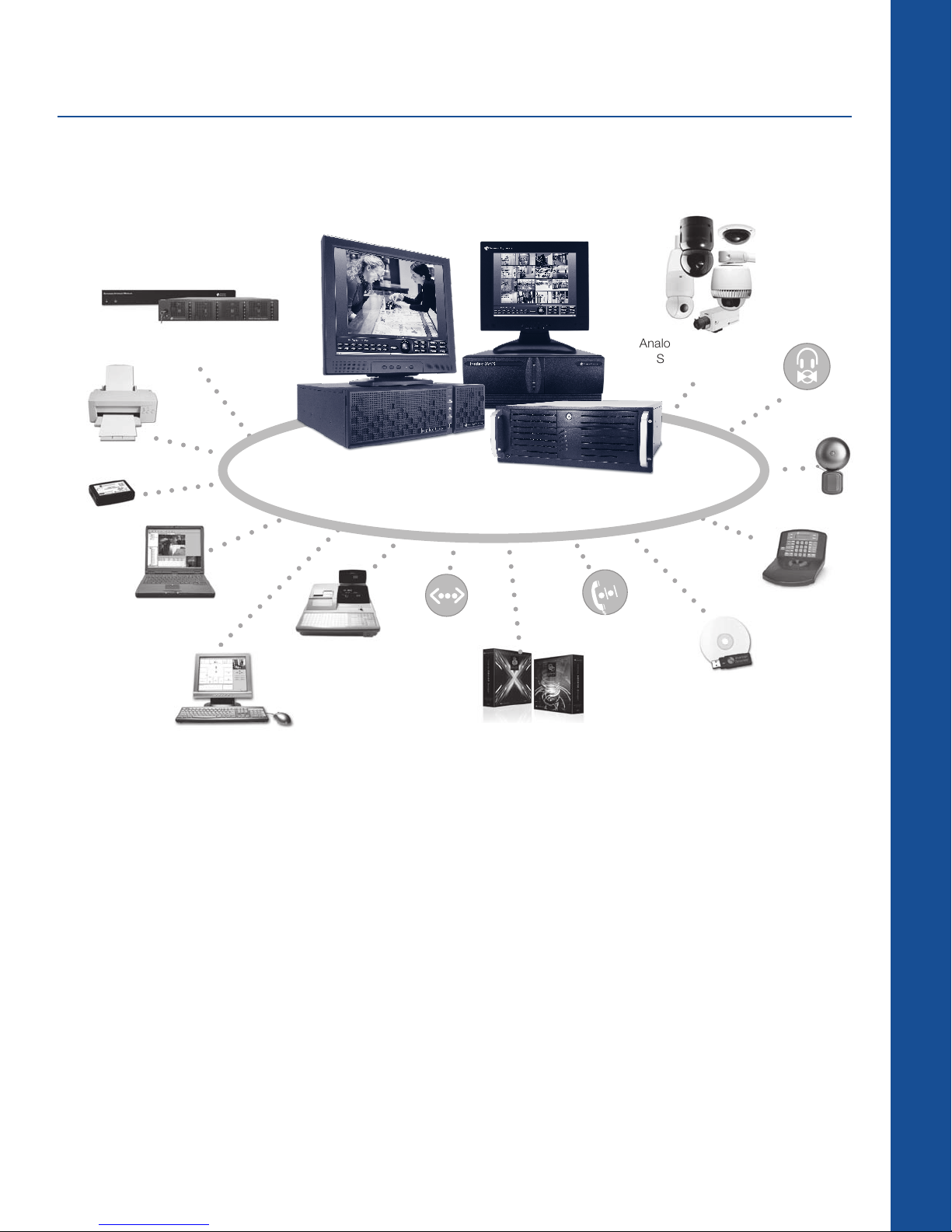
Intellex Ultra, DVMS + LT
SYSTEM DIAGRAM
Digital Video Management Solutions
Printer
USB Control
Module
Network Client &
Digital Video Storage
Devices*
Browser Client
API
Cash Register
Intellex
(Ultra, DVMS & LT)
Monitors sold separately.
Ethernet
TCP/IP
Intellex Policy Manager &
Intellex Archive Manager
Analog Fixed Cameras,
SpeedDomes, or
Mini-Domes
Audio
In/Out
I/O Alarm Devices
ADTT16E Touch
Tracker Controller
Modem
USB Devices
(CD-RW or Thumbdrive)
Whatever platform you choose, Intellex lets you customize your system. Add fixed cameras and
SpeedDomes and operate them with the ADTT16E Touch Tracker Controller. Display video on a variety
of monitors, integrate I/O alarm devices, stream in audio or ASCII text from cash registers. Even add a
printer. Need more storage capacity? Install up to three External Storage Modules (ESMs) for each
Intellex DVMS or LT, or the RAID Storage System for Intellex Ultra. Want to integrate your video with 3rd
party software? The Intellex API provides a set of programming interfaces that enable interoperability
with access control and business management software applications.
* ESM compatible with only Intellex DVMS, LT, or IP; RAID Storage System is compatible with Intellex Ultra v4.0 Service Pack 1 (v4.03) or higher.
70
Page 14
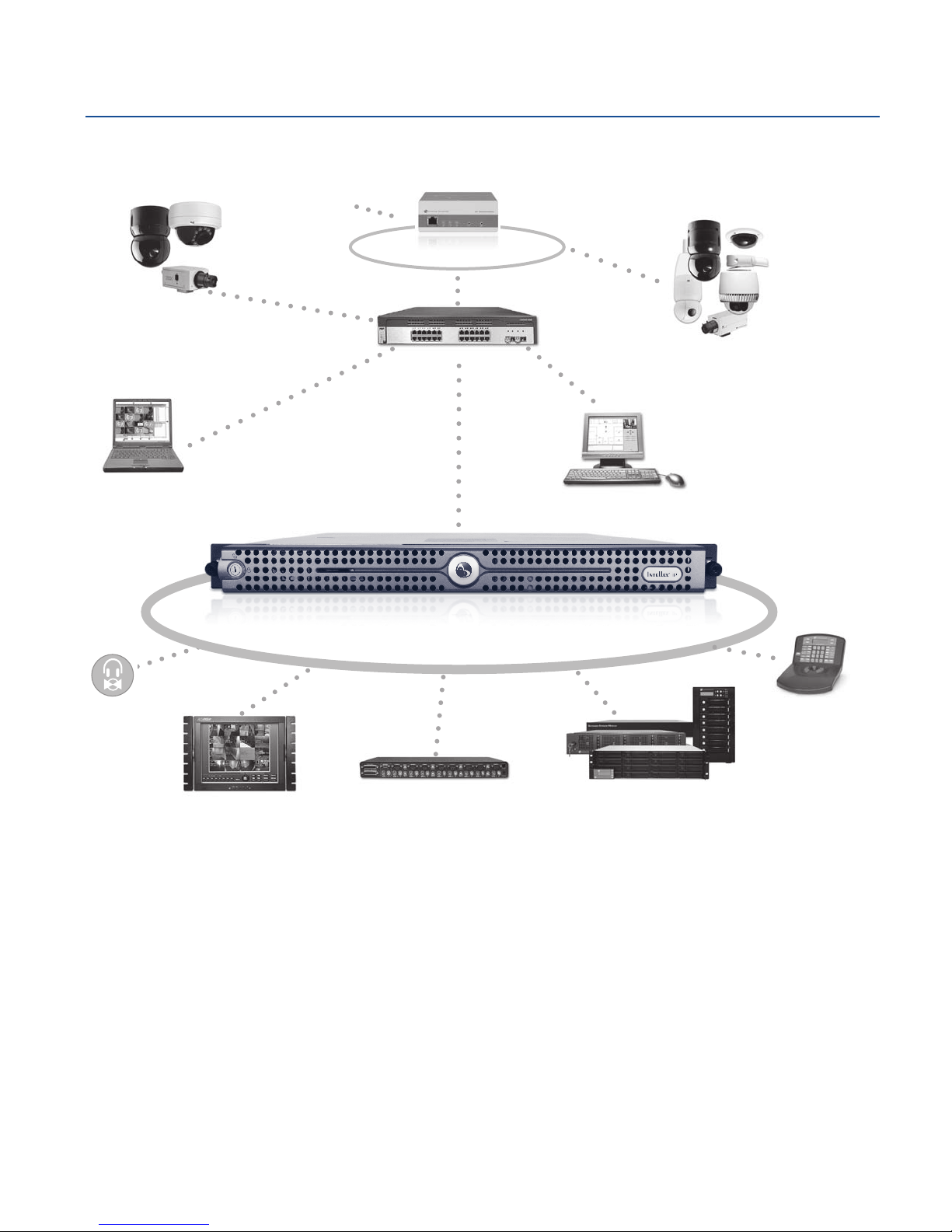
Intellex IP
SYSTEM DIAGRAM
Input and Output
IP Fixed Cameras,
SpeedDomes, or
Mini-Domes
Alarms
4-channel IP Encoder
Switch
Analog Fixed Cameras,
SpeedDomes, or
Mini-Domes
Network Client
Intellex API
Intellex IP
Audio
In/Out
Monitor
KVM Switch
Network and Digital
Video Storage Devices*
With Intellex IP, you can connect both IP cameras and — via video encoders — analog fixed cameras
and SpeedDome programmable dome cameras. Network Client lets you access surveillance video
directly from your computer network while a switched network minimizes the impact on bandwidth by
ADTT16E Touch
Tracker Controller
segregating the traffic generated by the cameras and video encoders from the rest of the system. You
can expand your storage capacity by adding up to three ESMs and get interoperability with 3rd party
software for access control, point of sale systems, and other applications that integrate with the Intellex
API. Intellex IP is compatible with all Intellex platforms and the Intellex API.
* ESM compatible with only Intellex DVMS, LT, or IP; RAID Storage System is compatible with Intellex Ultra v4.0 Service Pack 1 (v4.03) or higher.
71
 Loading...