

Page 1
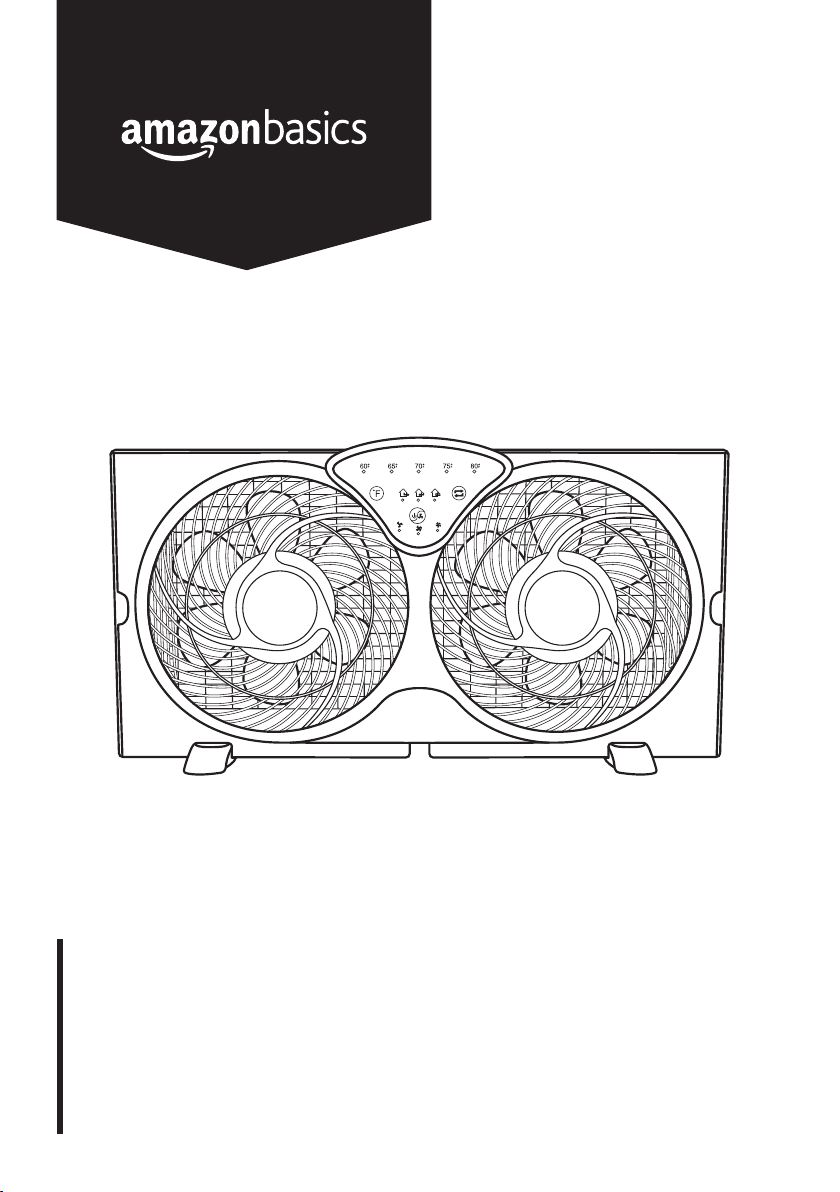
Digital Window Fan with Twin 9-Inch Reversible Airflow Blades
and Remote Control
Ventilateur de Fenêtre Numérique à Double Hélice de 9Pouces
(22,86cm) à Débit d’Air Réversible avec Télécommande
Ventilador Digital para Ventanas con Aspas Dobles Reversibles
de 9Pulgadas (22.86cm) y Control Remoto
B07YJCWY8N
Page 2

English . . . . . . . . . . . . . . . . . . . . . . . . . . . . . . . . . 3
Français . . . . . . . . . . . . . . . . . . . . . . . . . . . . . . . 11
Español . . . . . . . . . . . . . . . . . . . . . . . . . . . . . . . 19
Page 3
IMPORTANT SAFETY
INSTRUCTIONS
Read these instructions carefully and retain them for future use.
If this product is passed to a third party, then these instructions
must be included.
When using electrical appliances, basic safety precautions should always
be followed to reduce the risk of fire, electric shock, and/or injury to
persons including the following:
EN
WARNING
all components have completely stopped before touching them.
CAUTION
do not use this fan with any solid-state speed control device.
CAUTION
connect only to an outlet provided with a ground fault circuit interrupting
device.
• Before connecting the product to the power supply, check that the
power supply voltage and current rating corresponds with the power
supply details shown on the product’s rating label.
• Do not insert fingers or foreign objects in any opening of the product
and do not obstruct the air vents.
• Do not operate any fan with a damaged cord or plug. Discard fan or
return to an authorized service facility for examination and/or repair.
• Do not use an extension cord for this fan.
• Do not run under carpeting. Do not cover cord with throw rugs,
runners, or similar coverings. Do not route cord under furniture or
appliances. Arrange cord away from traffic area and where it will not
be tripped over.
• Never use the product without the safety guard or with a damaged
safety guard.
• Do not place any clothes or curtains on the product as they could be
sucked into the fan during operation and damage the product.
• During use, keep hands, hair, clothing and utensils away from the
safety guard to avoid injuries and damage of the product.
• Unplug or disconnect the appliance from the power supply before
servicing.
Risk of injury! Avoid contacting moving parts. Wait until
Risk of fire! To reduce the risk of fire or electric shock,
Risk of electric shock! To reduce risk of electric shock,
3
Page 4
EN
• This product employs overload protection (fuse). A blown fuse
indicates an overload or short-circuit situation. If the fuse blows,
unplug the product from the outlet. Replace the fuse according to
the instructions in this manual (follow product marking for proper
fuse rating) and check the product. If the replacement fuse blows, a
short-circuit may be present and the product should be discarded or
returned to an authorized service facility for examination and/or repair.
Polarized plug
• This appliance has a polarized plug (one blade is wider than the
other). To reduce the risk of electric shock, this plug is intended to
fit in a polarized outlet only one way. If the plug does not fit fully in
the outlet, reverse the plug. If it still does not fit, contact a qualified
electrician. Do not attempt to defeat this safety feature.
SAVE THESE INSTRUCTIONS
Battery Warnings
NOTICE
• Always insert batteries correctly with regards to polarity (+ and –)
marked on the battery and the product.
• Exhausted batteries should be immediately removed from product
and properly disposed.
The batteries are not included.
Intended Use
• This product is intended for household use only. It is not intended for
commercial use.
• This product is intended for a fixed installation in a window or as a
freestanding unit. The power cord must be connected to indoor GFCI
protected receptacles only. This product is not intended for use in
bathrooms, laundry areas and similar indoor locations.
• No liability will be accepted for damages resulting from improper use
or non-compliance with these instructions.
4
Page 5

Product Description
A
EN
D
B
C
D
H
I
J
E
F
G
L
C
E
H
Temperature indicators
A
Airflow direction indicators
B
Temperature button
C
Power/mode button
D
Airflow direction button
E
Mode indicators
F
K
Remote control
G
Accordion shutters
H
Front grille
I
Control panel
J
Stands
K
Power cord with plug
L
5
Page 6

EN
Before First Use
• Check the product for transport damages.
• Remove all the packing materials.
• Before connecting the product to the power supply, check that the
power supply voltage and current rating corresponds with the power
supply details shown on the product rating label.
DANGER
from children – these materials are a potential source of danger, e.g.
suffocation.
Risk of suffocation! Keep any packaging materials away
Installation
Floor/table installation
NOTICE
3.9" (10 cm) from the wall or other obstacles.
• Align the stands (K) with the indents on the main body. Push the
stands in until they snap in place.
The product should be placed at a minimum distance of
K
6
Page 7

Window installation
EN
NOTICE
minimum openings of 24.4" (62 cm) in width and 13" (33 cm) in height.
• Place the product on the window sill.
• Fully extend the accordion shutters (H) until the product fits the
window frame.
• Close the window sash, so it rests on the top of the product.
The product can be installed in double-hung windows with
H H
Operation
Thermostat/automatic switch-off
The product features a thermostat that enables to set the automatic
switch-on temperature.
NOTICE
control is set to one of the modes , or .
NOTICE
warmer than the set thermostat temperature.
To enable the automatic switch-on, ensure the mode
The product switches on only if the room temperature is
• To set the automatic switch-on temperature, press the temperature
button (C) repeatedly. The corresponding setting indicator lights up.
• To turn off the automatic switch-off mode, keep pressing the
temperature button until the temperature indicators go off.
7
Page 8

EN
Switching on/off
• To switch the product on, press the power/mode button (D).
The mode indicator (F) lights up.
• To switch the product off, keep pressing the power/mode button (D)
until the mode indicators (F) go off.
Fan modes
The product features 3 fan modes. Press the power/mode button (D)
repeatedly to toggle between:
Mode indicator Function
High airflow
Medium airflow
Low airflow
Off
Airflow direction control
The product features airflow direction control. The fans can be set to
intake, exhaust or exchange airflow mode.
To set airflow direction, press the airflow direction button (E) repeatedly to
choose between:
Mode indicator Function
Exhaust air mode
Intake air mode
Exchange air mode
User Servicing Instructions
Fuse replacement
NOTICE
• Grasp plug and remove from the
receptacle or other outlet device. Do
not unplug by pulling on cord.
• Slide open fuse access cover on top of
attachment plug towards blades.
8
The product requires a 2.5 A 125 V fuse.
Fuse
Fuse
cover
Page 9

• Remove fuse carefully by using a small screwdriver to pry the fuse out
of the compartment by the metal ends of the fuse.
• Risk of fire. Replace only with 2.5 A, 125 Volt fuse.
• Slide closed the fuse access cover on top of the attachment plug.
Cleaning and Maintenance
WARNING
unplug the product before cleaning.
WARNING
immerse the product in water or other liquids. Never hold the product
under running water.
Cleaning
• To clean the product, wipe with a soft, slightly moist cloth.
• Never use corrosive detergents, wire brushes, abrasive scourers,
metal or sharp utensils to clean the product.
Storage
• Store the product in its original packaging in a dry area. Keep away
from children and pets.
Risk of electric shock! To prevent electric shock,
Risk of electric shock! During cleaning do not
EN
Maintenance
• Any other servicing than mentioned in this manual should be
performed by a professional repair centre.
Specifications
Model number: B07YJCWY8N, WDF9-1D
Rated voltage: 120V~, 60Hz
Power consumption: 63W
Net weight: approx. 5.63 lbs (2.56 kg)
Dimensions (W x H x D):
approx. 23.4 x 12.6 x 5.35"
(59.4 x 32 x 13.6cm)
9
Page 10

EN
Feedback and Help
Love it? Hate it? Let us know with a customer review.
AmazonBasics is committed to delivering customer-driven products
that live up to your high standards. We encourage you to write a review
sharing your experiences with the product.
amazon.com/review/review‑your‑purchases#
amazon.com/gp/help/customer/contact‑us
10
Page 11

MADE IN CHINA
FABRIQUÉ EN CHINE
HECHO EN CHINA
amazon.com/AmazonBasics
V01-11/19
 Loading...