

Page 1

Akiles CardMac Manual
Business Card Slitter
with Bleed
Instruction Manual
Page 2
• Only feed one sheet at a time.
• Only use paper or cardstock to a maximum thickness of 0.3 mm (12 mil) or weight of 140 lb (300gsm).
• Avoid placing fingers or foreign objects into the openings or cutting slots. This can result in injury or damage
to the machine.
• Read and understand all operating instructions and safety information before using the machine.
• Observe all warnings and instructions marked on the machine.
• Install the machine securely on a stable surface.
• If the machine does not operate normally, contact your local reseller or service agent for help.
• There are no user serviceable parts inside the machine.
• Do not remove any covers, modify or change any part of the machine. Doing so will void your warranty.
OPERATING INSTRUCTIONS
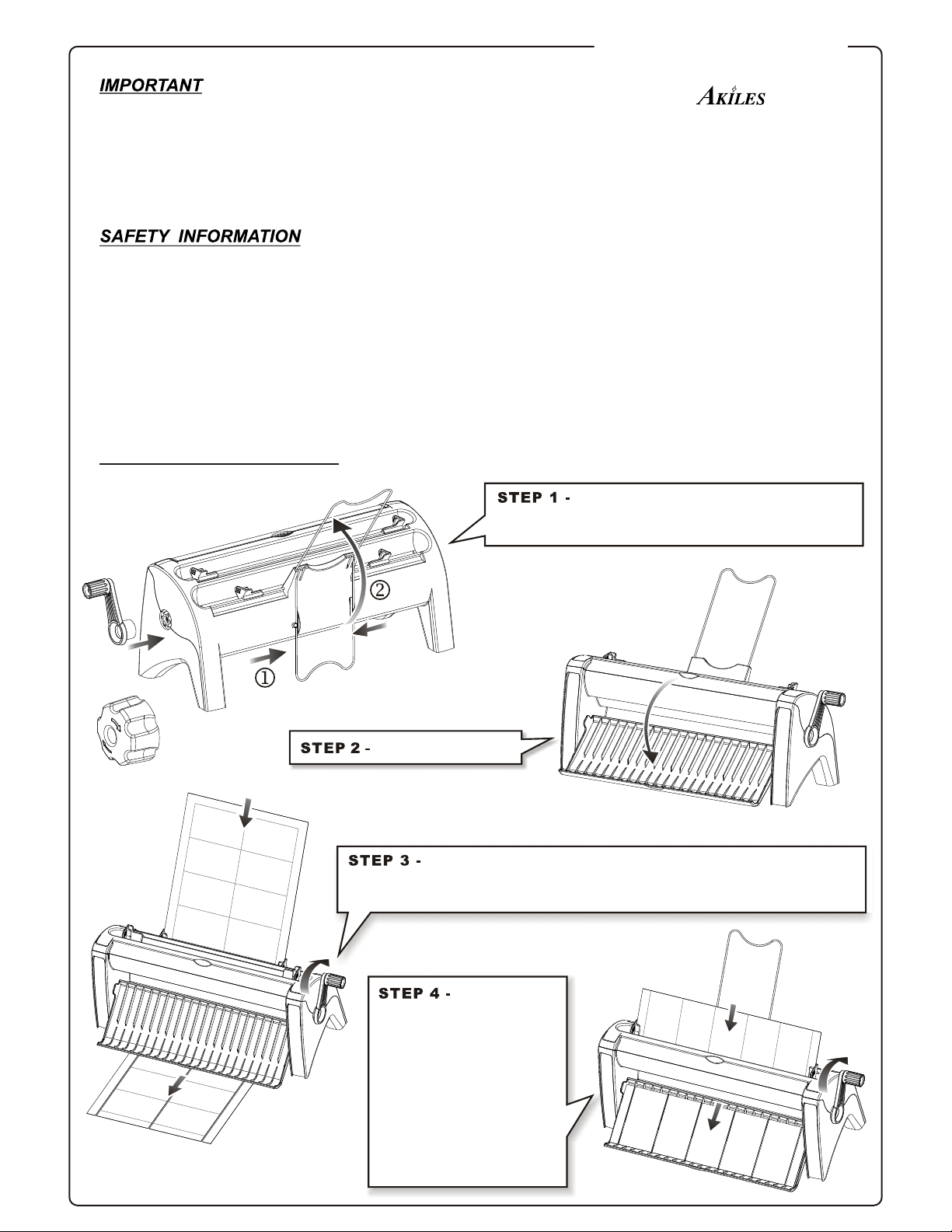
into the working position. Install one of the two
manual handles into the side gear of the CardMac.
Squeeze and flip the metal wire upward
Open the front cover.
Insert paper/cardstock into the rear feed tray (1st cut). Align the
paper/cardstock with the roller blades by adjusting the paper guides on
both sides. Turn the manual handle to trim the paper/cardstock into 2 strips.
Insert one strip
into the front feed tray
(2nd cut). Again, align the
strip with the roller blades
by adjusting the paper
guides on both sides. Be sure
to slit the strip one at a time.
Turn the manual handle to
get finished cards. Repeat
this step for other strips to
create your business cards.
CardMac-B
Business Card Slitter
by
 Loading...