

Page 1
QUICK SETUP GUIDE
Please insert the AirTies Easy Setup CD (with animated
instructions) into the CD drive of your PC before beginning the
setupprocess. All wiring andconfiguration procedures explained
in this
Quick Setup Guide will be demonstrated interactively.
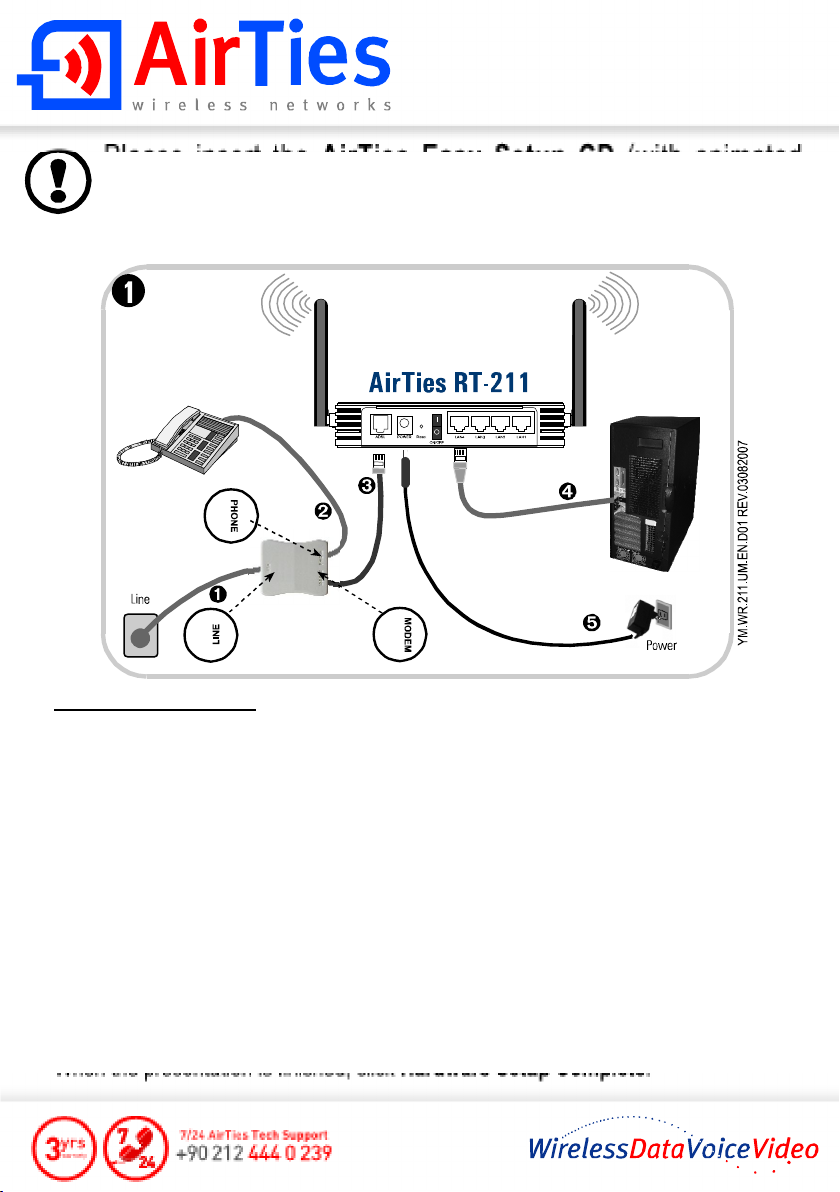
Connecting the Cables:
1- Usingthelongertelephone/ADSLcablesuppliedin thebox,connectthetelephone
wall socket to the
2- Using your original telephone cable, connect your telephone to the
of theSplitter.
3- Using the short telephone/ADSL cable supplied in the box, connect the
port of the Splitter with the ADSL port of the AirTiesRT-211 router.
4- Connectthe Ethernet port of your PC to one of the
RT-211.
5- Connectthe power adapter provided into the
plug itinto a 220V wall outlet.
6- Turnyour router on.
Verifythat you have connected the cables correctly by following the sequence of
animated instructions that start automatically when you run the
When the presentation is finished, click
LINE portof the Splitter.
PHONE port
MODEM
LAN ports of theAirTies
POWER port of the RT-211and
Easy Setup CD.
Hardware Setup Complete.
Page 2
QUICK SETUP GUIDE
2
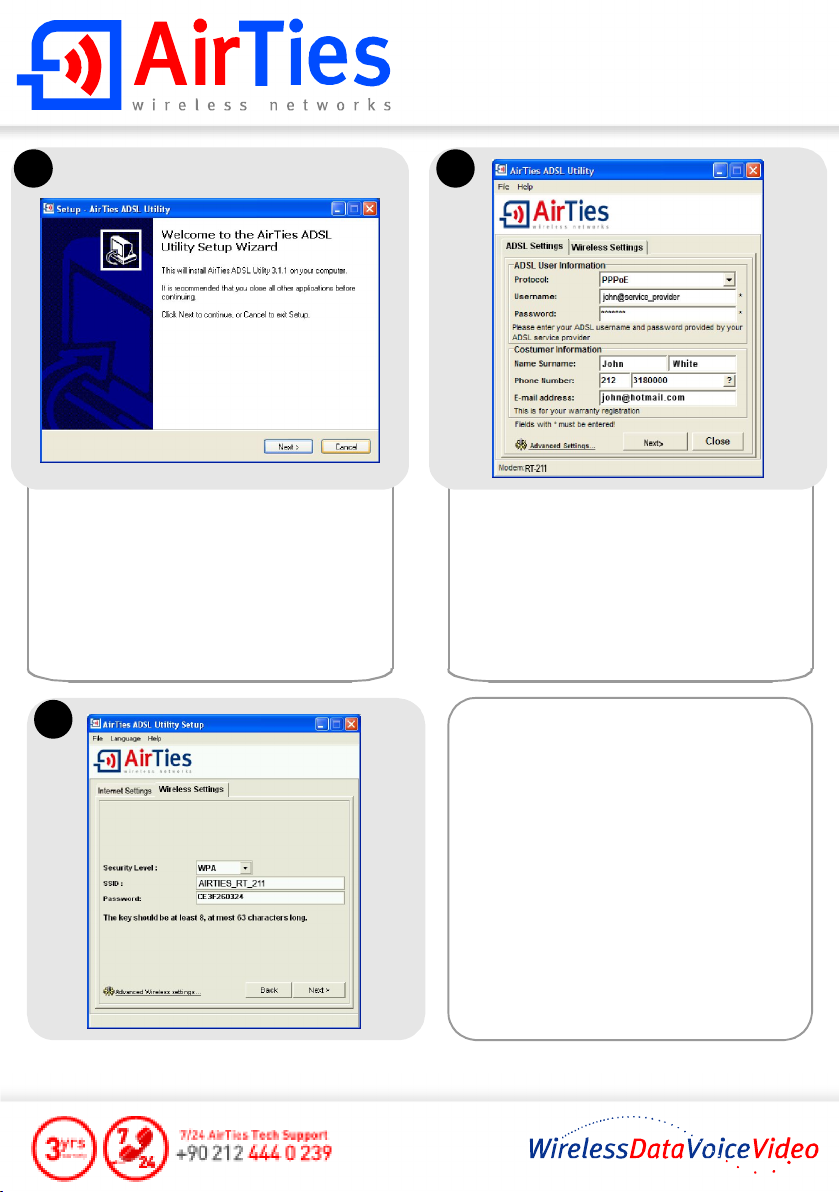
ClickNext> intheAirTiesADSLUtilitySetup
Wizard window to start the configuration.
It is recommended that you shut down all
other programs before starting the
configuration.
4
3
Enter the username and password
assigned to you by your ADSL service
provider.
FillouttheCustomerInformationfieldsand
click
Next>.
The AirTiesADSL Utility will automatically
configure your Wireless Security settings.
You can change the Wireless Network
Name and/or Password, if you wish.
Click
Next>.
Make a note of your wireless password
and click
OK.
This concludes the setup and configuration
of your AirTies RT-211 router.
The connection status of your router and
ADSL line will be displayed on the next
screen.
For detailed information please see the AirTies RT-211 User Manual.
 Loading...