

Page 1

QUICK START GUIDE v1.5
Initial Base Setup
FCC / OFCOM Database Mode
© 2017 Adaptrum, Inc.
Page 2

ACRS 2.0 Base Initial Setup
Database Mode: Base(FCC/OFCOM) mode(1)
1. Select device from dropdown menu and open GUI
2. Fill out all information in form shown below
For OFCOM: Add Authorization Key provided by Nominet
Location
Information
Network
Settings
OFCOM ONLY: Authentication Token
3. Save All Settings to Target and Reboot (wait 60 seconds)
4. Open GUI and select device from dropdown menu
5. Wait for Channel list to come up
6. Select any channel from database channel dropdown list
Registration
Information
Initial Base Setup | 2
Select a Channel
Get Channel List Again
Page 3
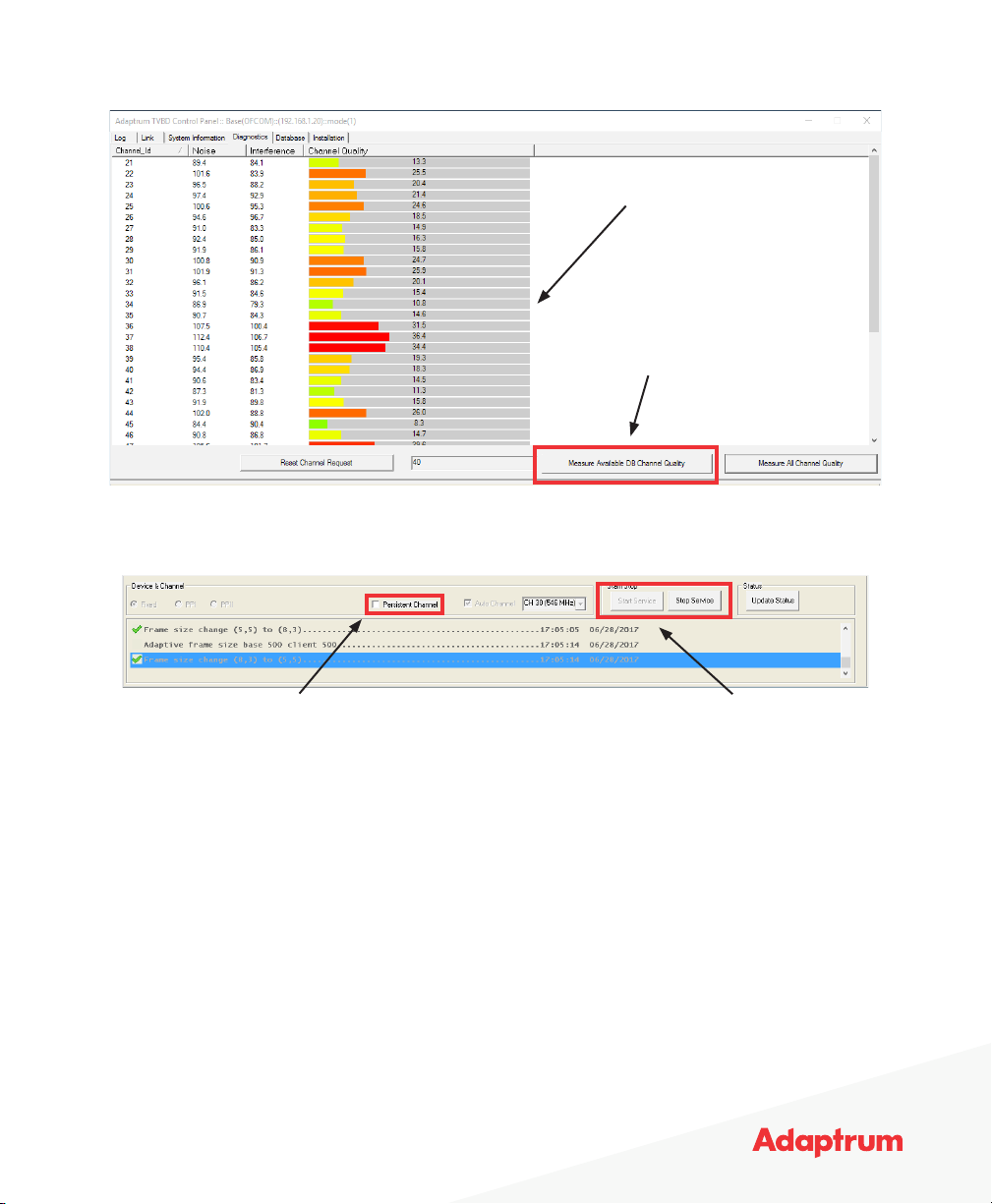
7. Select the Diagnostics Tab
8. Measure Available DB Channel Quality and pick a channel with the smallest number/greenest bar
Lower number is better
Measure Channel Quality
9. Select the Database Tab and click Reset Channel Request
10. Select chosen channel from dropdown list
Persistent Channel Start Service
11. Click Start Service to begin broadcasting
12. Select Persistent Channel if device should maintain service even after power cycle
For OFCOM: Do not use Persistent Channel and keep GUI open so that GUI can notify database
of any changes.
13. Save and Reboot to commit all changes
14. Proceed to congure Adaptrum Clients
Initial Base Setup | 3
Page 4
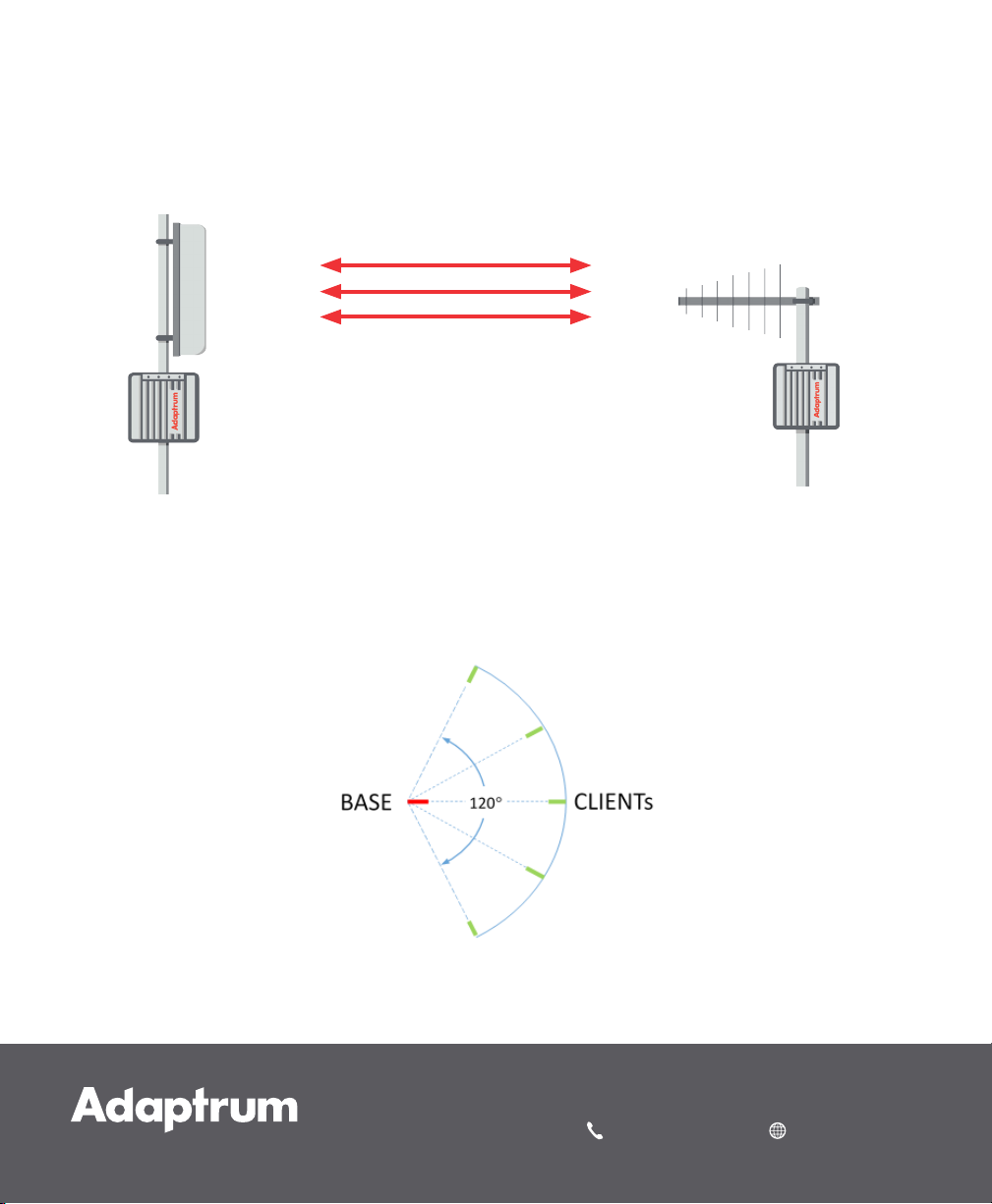
Antenna Orientation
Panel to Multi-Yagi Client Installations
1. Client Yagi antennas should all be pointed directly at the Base Panel antenna
Client Yagi
Antenna
Base
Panel Antenna
2. All Client antennas must be within a 120-degree arc
3. The Base antenna direction should point towards the center of the Clients’ sector
Copyright © 2017 Adaptrum, Inc.
408 850 9996 adaptrum.com
 Loading...