

Page 1

DISCLAIMER
The innoBand-D activity-tracking device is designed primarily for fitness and motivational purposes, and is not a
medical instrument, and therefore shall not be treated as such. Always consult your physician before you begin or
modify any exercise or sleep programme.
Wristband Activity Tracker with BLE
innoBand-D Owner’s Manual for Android Devices
WELCOME TO A WORLD OF ACTIVITY:
Welcome to your innoBand-D, a simple and stylish activity-tracking device that monitors your daily
activity around the clock. It tracks the STEPS you take and the physical DISTANCE you travel, as well as
calculates the CALORIES you burn through your activities. It also has a SLEEP-QUALITY monitoring
function, ensuring that you can follow your regular sleeping patterns and work on improving them for
optimal health benefits.
Synchronize your module with your innoBand mobile application, set your targets, and focus on
achieving them. If you’re up for a challenge, challenge yourself by setting higher targets each day
through your mobile application, and focus on completing them.
The world of improved fitness and health is always in your hands. Or in the case of an innoBand,
supporting you all the way on your wrist or body
PACKAGE CONTENTS:
© 2015 3 N Half Limited. www.innowear.hk Version September 2015. Page | 1
Page 2
GETTING STARTED
DOWNLOAD COMPATIBLE MOBILE APP:
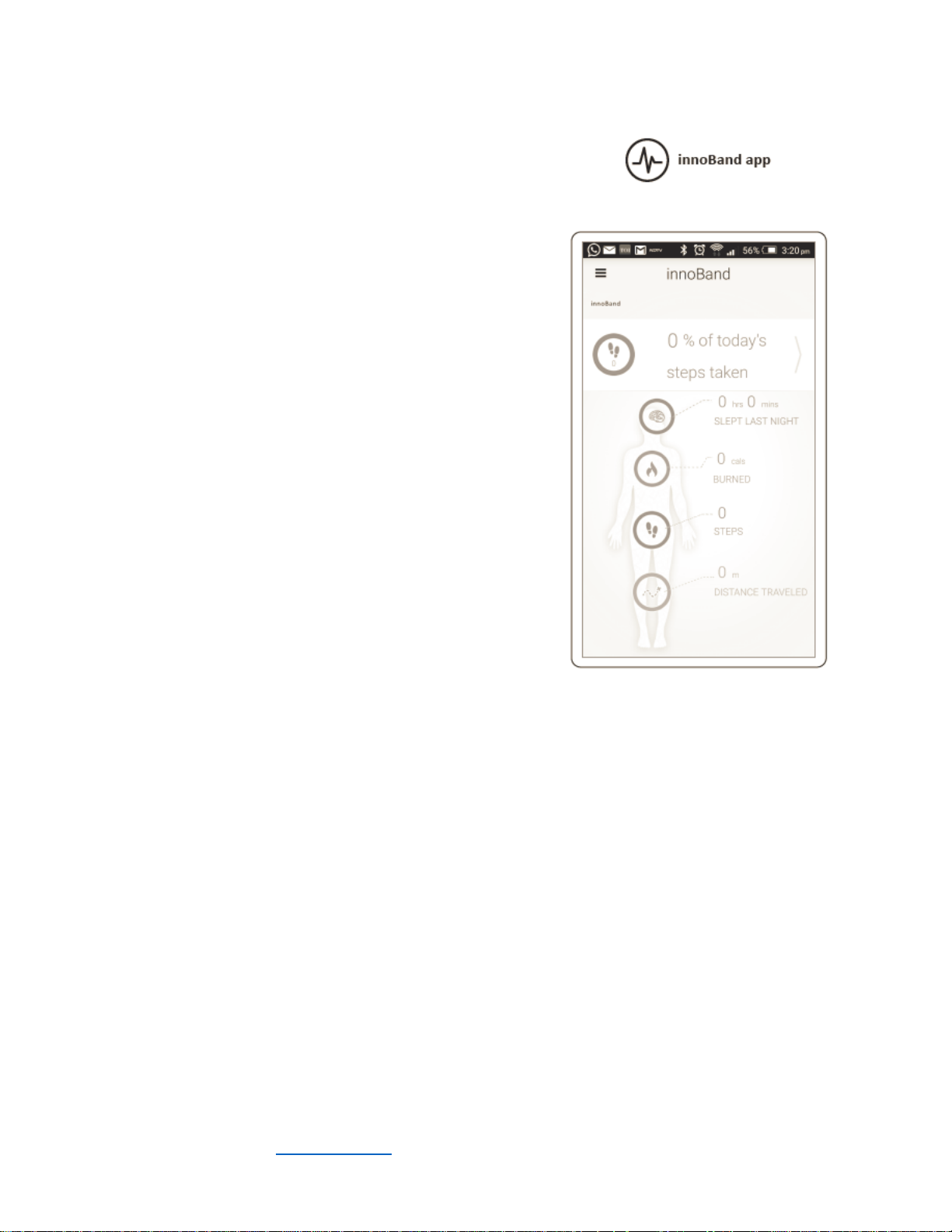
Before you can start using your innoBand-D, you must
download an innoBand app on a compatible mobile device, and
pair the module with the innoBand app.
1) Download the correct app (iOS / Android) for your
compatible mobile device. You may also download the app on
your mobile phone through GOOGLE PLAY (Android) or the
APP STORE (iOS)
2) Launch the App and follow the instructions on the mobile
device screen. The app will scan for your innoBand-D module
via Bluetooth automatically. If it does not, on your app, click
the menu button on the top left corner, and select Settings.
Under Device Settings, click “InApp Pairing”
NOTE: Until you pair your mobile device and complete the
setup process, the module will have limited functionality.
Supported Operating Systems:
Apple iOS 7.0 or above on an iPhone 4s or above, or Android
4.3 installed on Mobile Phones which have BLE4.0 compatibility
WEARING THE DEVICE:
It is important that when wearing the device:
1. Select a Band that best fits your wrist (Small / Large).
2. Make sure the pegs on the clasp are fully inserted into the band, and that the clasp is not
dangling out
3. When both pegs are fully inserted, that the band fits securely against your wrist.
4. Wear the device all day to ensure 24 hour monitoring of your activity information.
If you decide to charge your device, charge the device before you sleep, with the module placed on your
bed for further sleep monitoring.
© 2015 3 N Half Limited. www.innowear.hk Version September 2015. Page | 2
Page 3
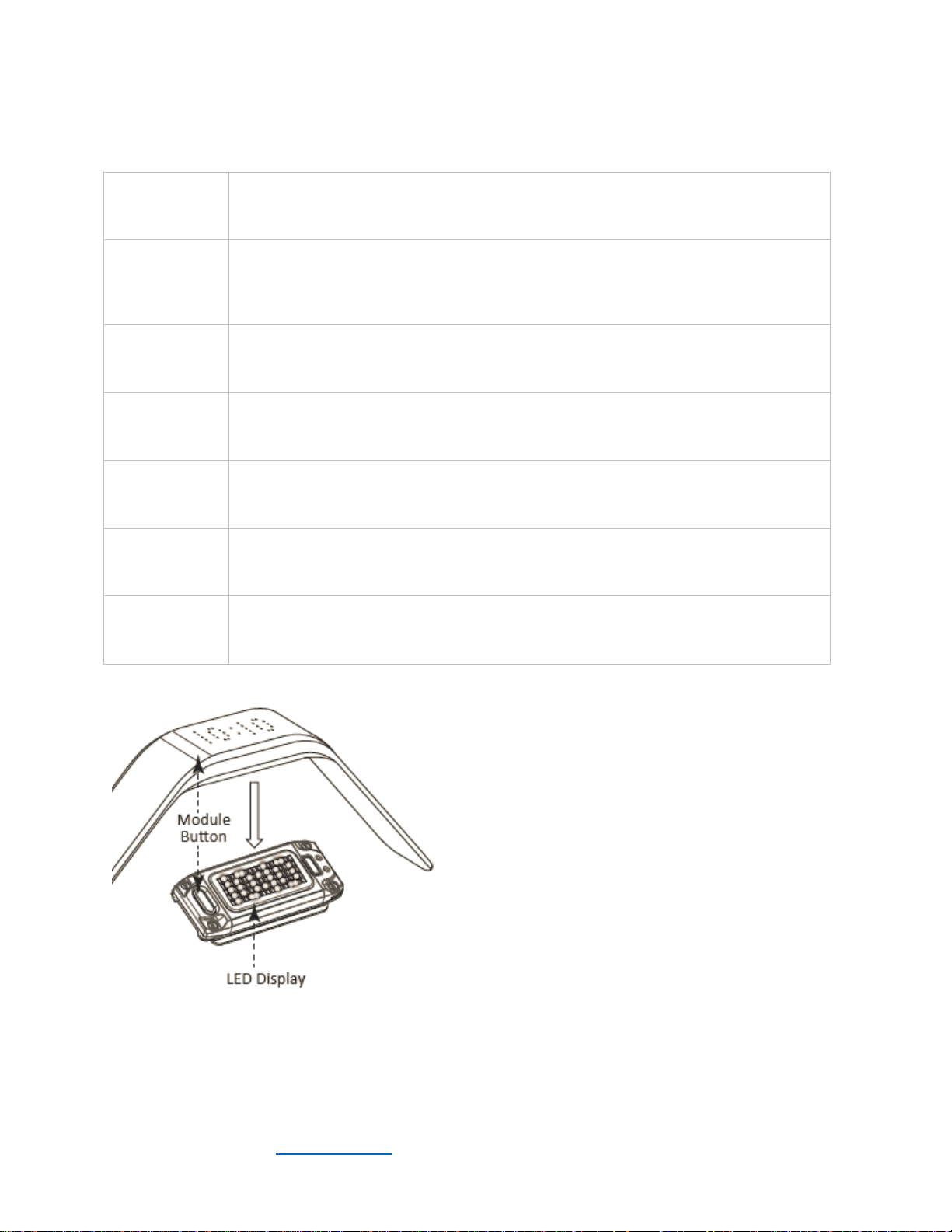
MODULE FUNCTIONS AND ICONS:
TIME
The official time, synchronized directly with your phone. TIME is displayed in 2
different formats, a 24 hour format (00:00 to 23:59), or a 12 hour format (12:0011:59), in which AM and PM is denoted by a dot on the lower left of the screen.
GOAL
Your goal completion progress, expressed as a percentage of the target you set
through your mobile app. You may set targets for STEPS, DISTANCE, or CALORIES.
Your GOAL display on the Module will also change to show GOALS for steps, GOALD
for Distance and GOALC for Calories.
STEPS
The number of steps taken in a day
DIST
The total physical distance traveled, measured in meters
CALS
The amount of calories burned for the current day through activity
SLEEP
BATT
On your module, you have a number of different functions.
Device is in sleep mode and tracking your sleep patterns.
Your battery level. To display BATT, hold onto the module button until the BATT
icon appears.
To scroll through the functions, click the module
button until your desired function icon appears.
Through your innoBand app, you can also customize
your settings such as:
Change Your Display Name (e.g. Jack)
Change Your Goal (Steps, Distance, Calories).
Change Your Wrist (Left / Right handed display)
Change Your LED Intensity (Scale of 1-15)
Change Your Time (12 hour or 24 hour format)
Change Your Sleep Time
© 2015 3 N Half Limited. www.innowear.hk Version September 2015. Page | 3
Page 4
PAIRING WITH YOUR innoBand APP
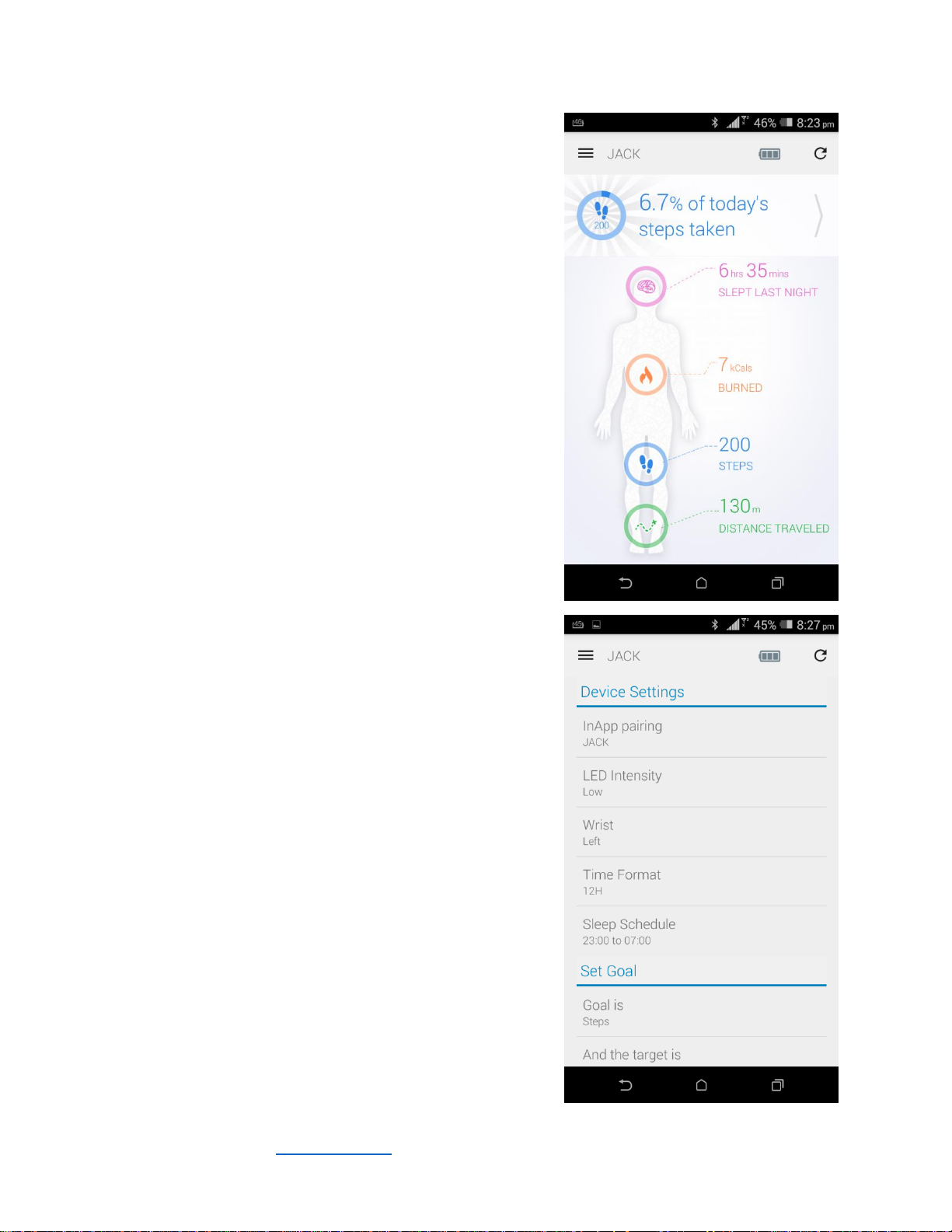
MAIN DASHBOARD
After the innoBand App is set up, the app pairs continuously
with the module through BLE 4.0. Once connected, the
“Connected” message appears on the top left under the menu.
(see image of Main Dashboard for reference).
On this MAIN DASHBOARD page, you can see:
GOAL, expressed as a percentage of target
SLEEP, expressed as a time slept (Pink)
CALORIES Burned (Orange)
STEPS Taken (Blue)
DISTANCE Traveled (Green)
You can also see your name which you’ve set (e.g. Jack), and a
battery level meter. Below that, you may also flick through
the data by swiping the heading data section that displays the
goal percentage in the picture on the right.
Once the innoBand App is open, the innoBand App shows the
current paired data from the module – and the number of
Steps, Distance Travelled and Calories Burned are shown on
the dashboard. The app will also sync your data so that GOAL
PROGRESS, SLEEP PATTERN, and INSIGHTS are updated.
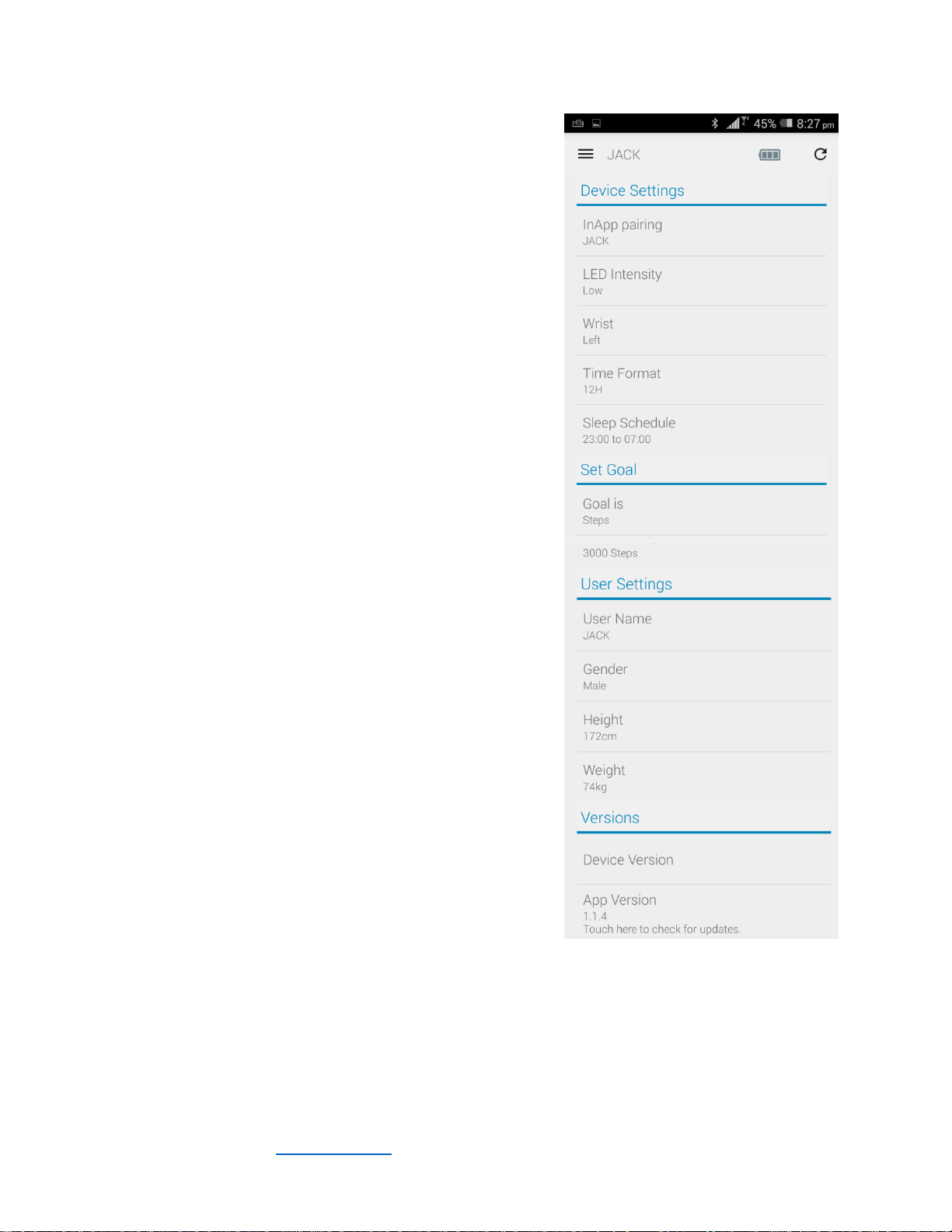
“SETTINGS”
Click on your Menu tab on the top left, and select “Settings”.
Here you will see a list of functions.
Device Settings:
InApp Pairing: Click to scan and connect to a device if
it cannot be directly connected.
LED Intensity: Click and select on a level from 1-15.
The higher the number, the higher the LED intensity.
It is encouraged to use a lower LED intensity to save
on battery. Once you select the intensity, the sync
happens automatically. This is similar to most other
selected functions.
Wrist: Left / Right – you may choose the wrist which
you regularly wear your device. This ensures that it’s
the right way up every time.
Time Format: In either a 12 hour or 24 hour format.
Sleep Schedule: Setting your regular sleeping and
wake up times.
© 2015 3 N Half Limited. www.innowear.hk Version September 2015. Page | 4
Page 5
Set Goals:
To set your goal, you must set a target. To do this, click on
‘Goal Is’ and select your target in ‘Steps’, ‘Calories’, or
‘Distance’. After selecting your goal type, you can select your
target under ‘And the target is’ (e.g. 1000 calories, or 15,000
steps). Your goal percentage will now be calculated towards
achieving this objective.
User Settings:
Your User Name (e.g Jack) can be changed directly to a
name of your choice. Once this is paired, you will see
this name on top of your Dashboard, as well as on
your innoBand-D Module when you click the module
button.
Your details, such as your ‘Gender’, ‘Height’ and
‘Weight’ can be input here. Please ensure that they
are accurate, so that your distance, steps and calories
burned can be measured as accurately as possible.
Sleep Function:
The Sleep Function is a manual process and needs to be
constantly updated to ensure its accuracy. In the app
‘Settings’, enter your predicted sleep times into the ‘Sleep
Schedule’ (e.g. 23:00 – 07:00). Once it reaches the time, your
module will immediately be in “Sleep Mode”. To adjust sleep
mode so that your module switches to normal, on your phone,
go back to settings, and change the sleep time to your
predicted time of sleep. Once this is changed, your module
will revert to its regular functions (Time, Goal, Calories,
Distance, Steps).
If you do not wish to utilize Sleep Mode at all, switch the sleep
mode to “00:00 – 00:00”. Sleep will no longer be recorded.
INSIGHTS, GOAL PROGRESS & SLEEP PATTERN:
These are the main analytical tools on the app to track your
activity.
© 2015 3 N Half Limited. www.innowear.hk Version September 2015. Page | 5
Page 6
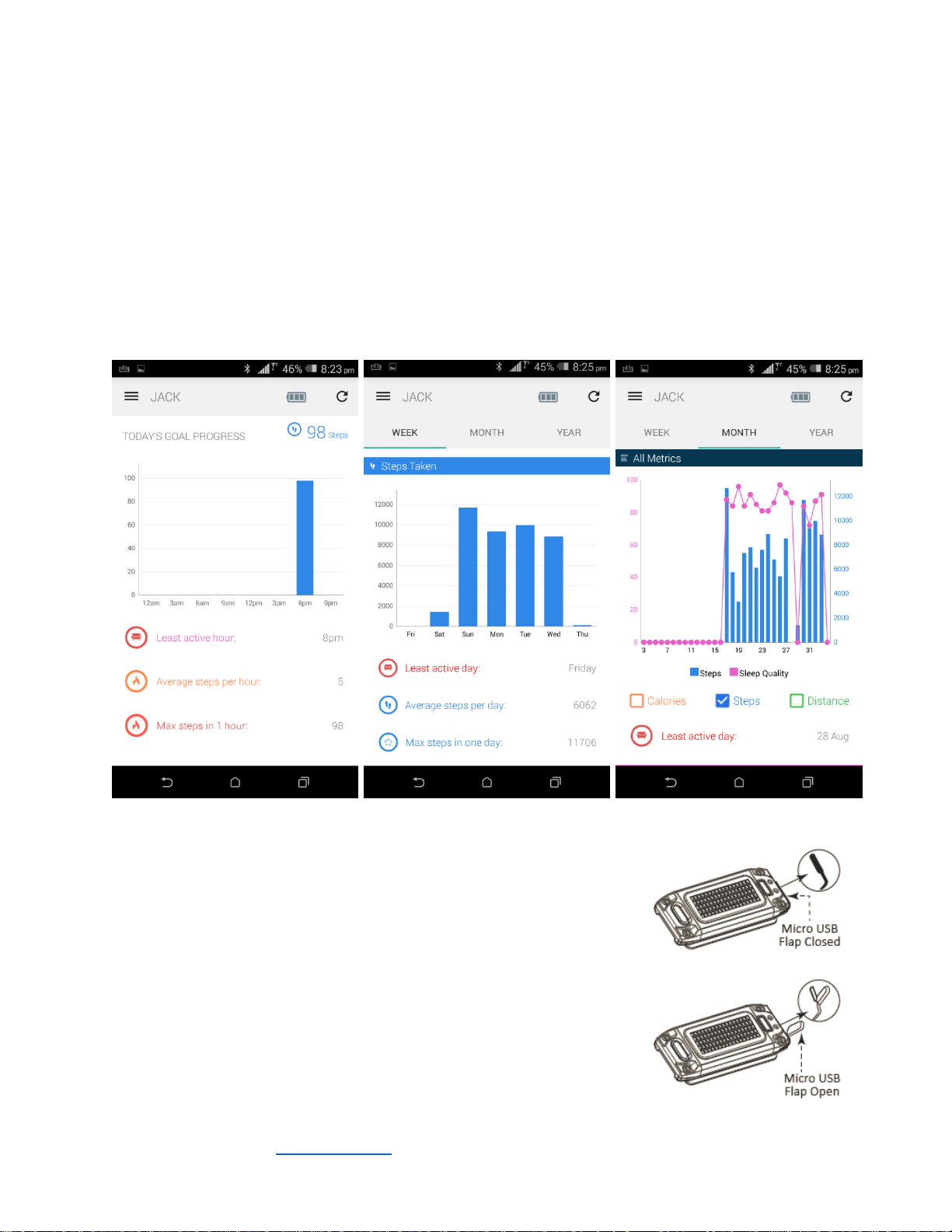
INSIGHTS
For ‘INSIGHTS’, on the ‘MENU TAB’, click into ‘INSIGHTS’, and you will have a full list of your activities
(Steps, Calories, Distance) logged under this section.
You can choose to select your data in either ‘Week’, ‘Month’, or ‘Year’ formats by clicking the tab above
the chart. You can also display all your activities by checking and unchecking ‘Steps’, ‘Calories’, and
‘Distance’ under the chart.
Under the ‘MENU TAB’, click on for ‘GOAL PROGRESS’ to show you Daily Goal Progress by the hour, and
the ‘SLEEP PATTERN’ section to show the tracking data of the quality of your sleep.
CARING FOR YOUR DEVICE:
CHARGING:
On a normal-usage basis, your battery should last about a week.
To check your battery charge, hold onto the module button until the
BATT screen appears, or view it directly from your compatible mobile
device app.
To recharge your module battery, push the module out from the band,
and lift the Micro-USB flap. Plug in the Micro-USB cable to the module
and recharge through any suitable USB adaptor or port.
© 2015 3 N Half Limited. www.innowear.hk Version September 2015. Page | 6
Page 7
CARING FOR YOUR DEVICE:
WATER RESISTANCE:
The innoBand-D is designed to be splash/sweat proof. It is not advised to go swimming with the device,
or submerge the device in water unless the module is cased in a special “innoBand Clip-On Casing” or
“band” that is designed for such purpose to protect the module in water. This can be purchased
separately either on the website www.innowear.hk or through authorized distributors, subject to
availability.
DEVICE CARE:
To ensure proper care for your product:
Do not expose the device to extreme temperatures. The optimal temperature range is - 0˚C to
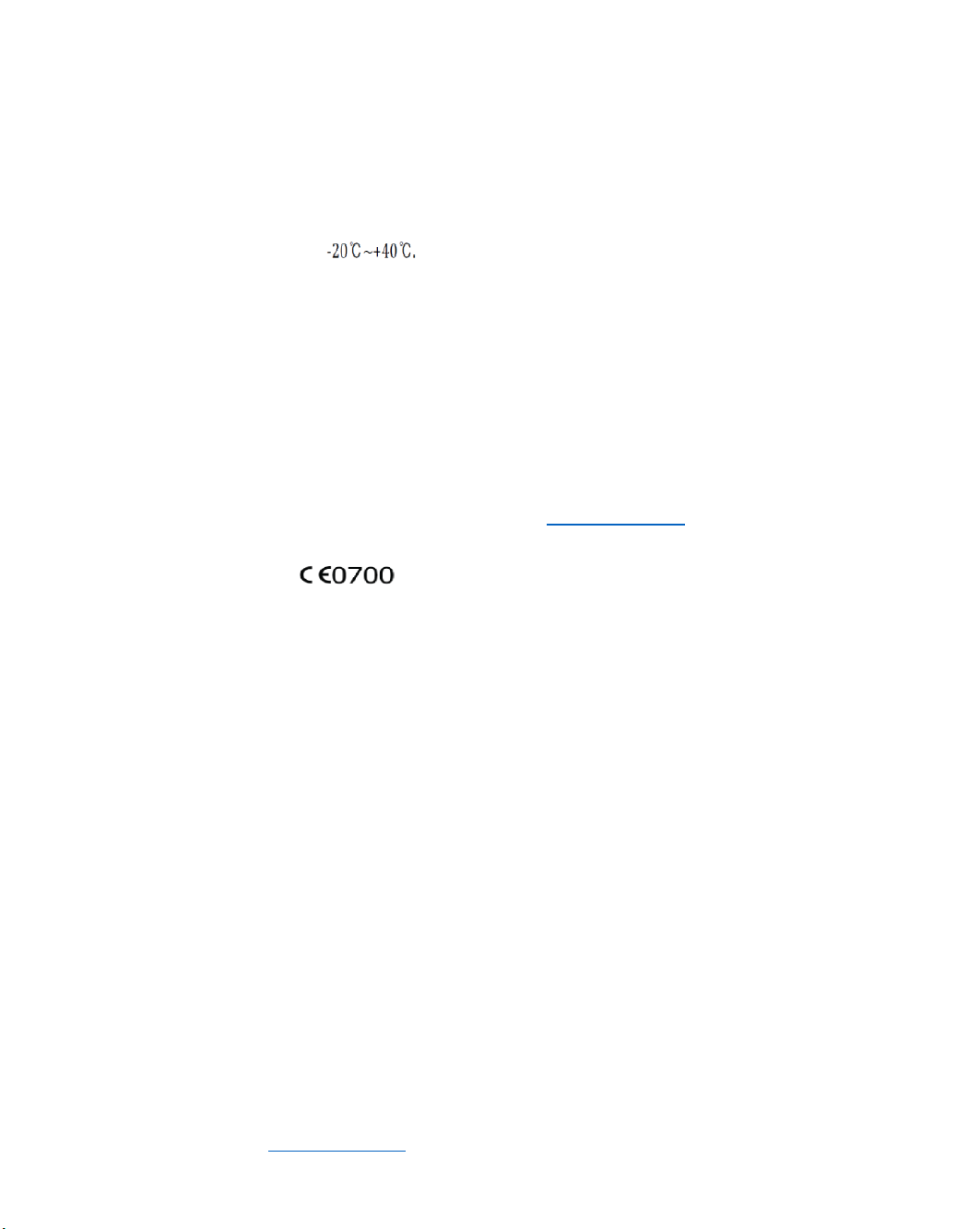
40˚C
2
Avoid extreme shock and harsh treatment, because it can degrade the life of the product;
Do not use sharp objects to clean the device;
Avoid chemical cleaners, solvents, and insect repellents that can damage plastic components
and finishes.
Thoroughly wipe the device with a cloth soaked in fresh water after exposure to chlorine salt
water, sunscreen, cosmetics, alcohol, or other harsh chemicals. Prolonged exposure to these
substances can damage the case.
CUSTOM-FIT:
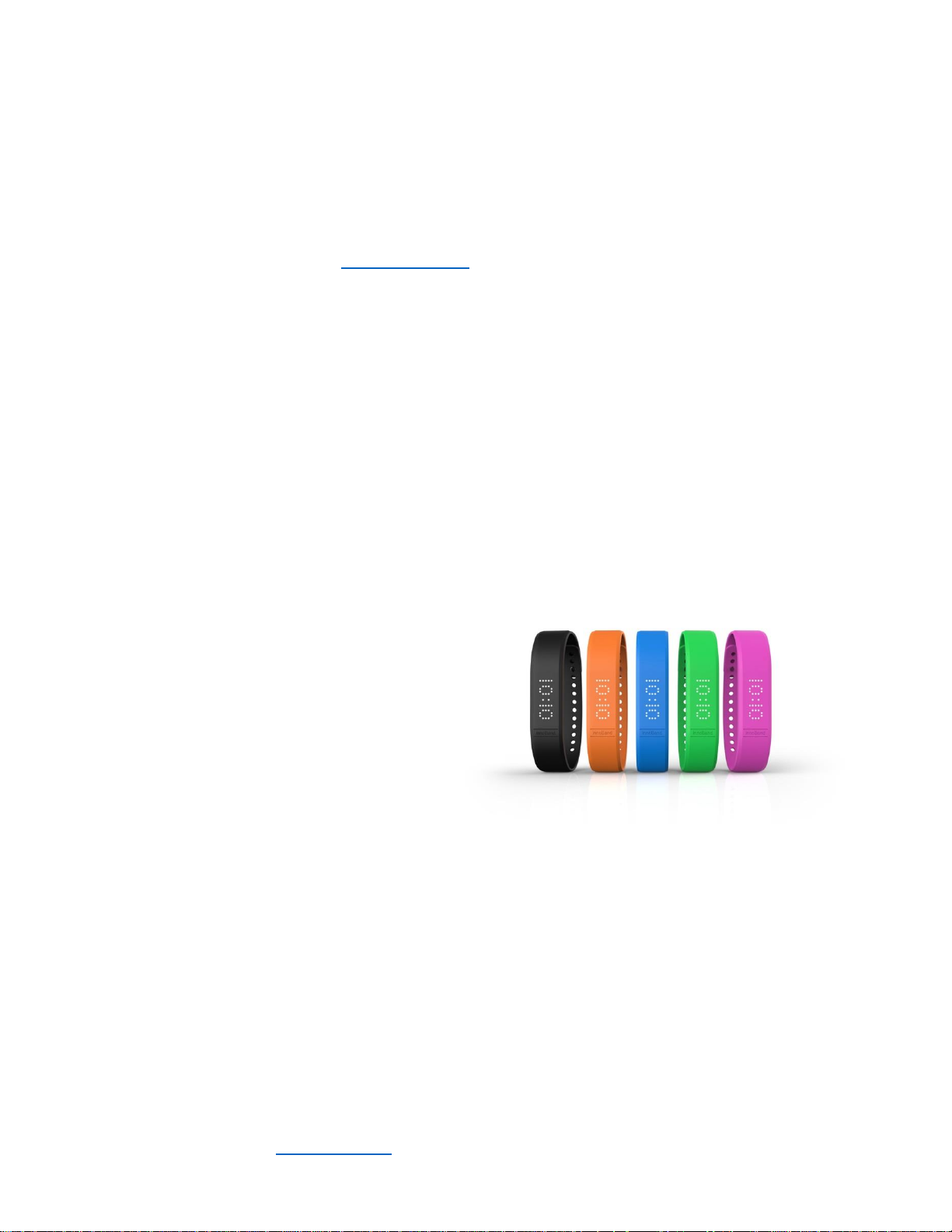
Your module comes with at least one colored
band in a Smaller or Larger size.
Purchase new bands or clip-on module casings
through the innoWear online store or
authorized distributors to always stay ahead in
fashion and stylishness.
WARRANTY:
ONE YEAR LIMITED WARRANTY:
This product is warranted by 3 N Half Ltd, producers of innoWear and the innoBand activity tracker
series, to be free of defects in materials or workmanship, under normal use for a period of one year
starting from the date of purchase. Within this period, 3 N Half Ltd will, at its sole discretion, repair or
replace any parts that fail under normal use, at no cost to the customer for such parts. In some cases,
the customer may be subjected to transportation fees. If your product is defective, please return it,
along with the store receipt, to the place of purchase.
This limited warranty excludes damage resulting from improper care of handling, accidents,
unauthorized repairs, modifications, normal wear or other causes that are not defects in materials or
workmanship. Damage to a product resulting from being connected to power and/or data cables that
© 2015 3 N Half Limited. www.innowear.hk Version September 2015. Page | 7
Page 8
are not supplied by 3 N Half Ltd are also not covered. In any case, 3 N Half Ltd reserves the right to
refuse warranty.
All repairs have a 90 day warranty period. If the unit repaired is still under its original warranty, then the
new warranty is 90 days or to the end of the original warranty, depending on whichever is longer. The
limited warranty is in place of all other express, implied or statutory warranties of any kind, which are
hereby excluded.
This warranty gives you specific legal rights, which may vary from jurisdiction to jurisdiction, and without
prejudice to other legal rights which may arise under applicable national legislations. In no event shall
innoWear or 3 N Half Ltd be liable for direct, indirect, incidental or consequential health issues and/or
damages arising out of the use of the product, and any such recovery is limited to the purchase price
only. The warranty extends only to products purchased from an authorized innoWear retailer. No other
person or company is authorized to change this limited liability, and your dealer is solely responsible for
any additional warranties.
TESTING AND COMPLIANCE:
FCC STATEMENT:
This device complies with part 15 of the FCC Rules. Operation is subject to the following two conditions:
(1) This device may not cause harmful interference, and (2) this device must accept any interference
received, including interference that may cause undesired operation.
CAUTION:
Any Changes or modifications not expressly approved by the party responsible for compliance could
void the user’s authority to operate the equipment
REWARNING:
The device has been evaluated to meet general RF exposure requirement. The device can be used in
portable exposure condition without restriction.
© 2015 3 N Half Limited. www.innowear.hk Version September 2015. Page | 8
Page 9
Maintenance
1. Risk of explosion if battery is replaced by an incorrect
the instructions.
2. The product shall only be connected to a USB interfac
3.. EUT working temperature:
4. Adapter:
The plug considered as disconnect device of adapter
Input:
Output: 5V 500mA
AC 100-240V,50/60Hz,0.25A
Micro USB Port
EU plug
Declaration of Conformity
ABBA E Tech
the essential requirements and
hereby
declares that this
other relevant provisions
Wristband Activity Tracker with BLE
declaration of conformity may be found or obtained at
type. Dispose of used batteries according to
of version USB2.0.
e
is in compliance with
of Directive 1999/5/EC.a copy of the original
www.innowear.hk
© 2015 3 N Half Limited. www.innowear.hk Version September 2015. Page | 9
Page 10

FCC Caution.
§ 15.19 Labelling requirements.
This device complies with part 15 of the FCC Rules. Operation is subject to the following two conditions:
(1) This device may not cause harmful interference, and (2) this device must accept any interference
received, including interference that may cause undesired operation.
§ 15.21 Changes or modification warning
Any Changes or modifications not expressly approved by the party responsible for compliance could
void the user's authority to operate the equipment.
§ 15.105 Information to the user.
Note: This equipment has been tested and found to comply with the limits for a Class B digital device,
pursuant to part 15 of the FCC Rules. These limits are designed to provide reasonable protection
against harmful interference in a residential installation. This equipment generates uses and can
radiate radio frequency energy
harmful interference to radio communications. However, there is no guarantee that interference will not
occur in a particular installation. If this equipment does cause harmful interference to radio or television
reception, which can be determined by turning the equipment off and on, the user is encouraged to try
to correct the interference by one or more of the following measures:
-Reorient or relocate the receiving antenna.
-Increase the separation between thee quipment and receiver.
-Connect the equipment into an outlet on a circuit different from that to which the receiver is connected.
-Consult the dealer or an experienced radio/TV technician for help.
and, if not installed and used in accordance with the instructions, may cause
© 2015 3 N Half Limited. www.innowear.hk Version September 2015. Page | 10
 Loading...