

Page 1
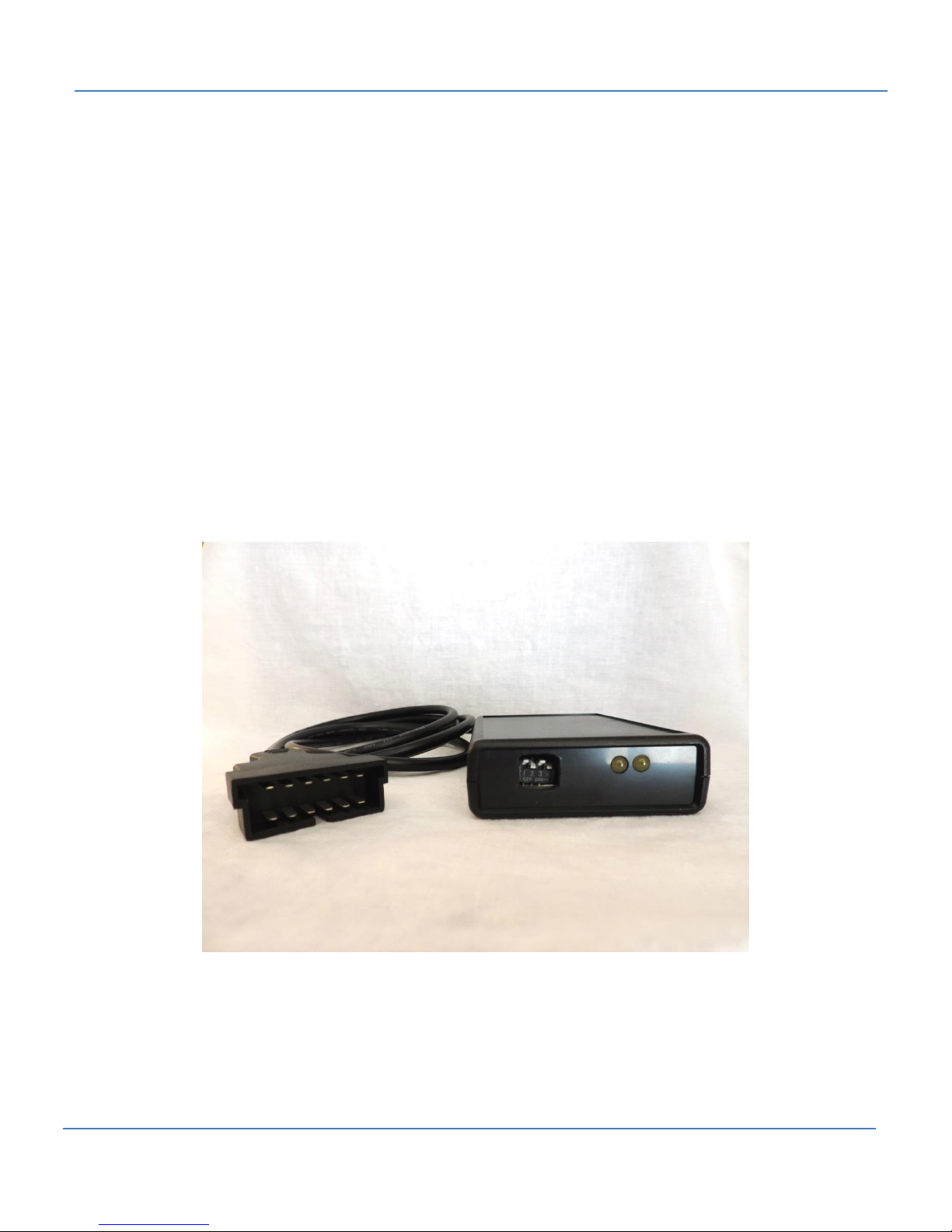
1320 Electronics LLC ALDL Bluetooth Adapter Quick Start Guide
1320 Electronics LLC
Quick Start for:
ALDL Bluetooth Adapter
1
Page 2

1320 Electronics LLC ALDL Bluetooth Adapter Quick Start Guide
Warnings
3
Quick Start Instructions
4 Screenshots
5
Contents
2
Page 3

1320 Electronics LLC ALDL Bluetooth Adapter Quick Start Guide
Warnings
Fuse Replacement!
The power cord contains an internal fuse. Only replace the fuse with an identical fuse.
Replacement with a different fuse may result in fire!
Cord Entanglement!
ALDL connectors are typically located in the driver’s foot well. Route the ‘ALDL Bluetooth Adapter’
cabling and secure to prevent cord entanglement with the driver’s feet and legs.
Don’t Operate While Driving!
Do not operate this device while driving. Make sure your vehicle is off the road and transmission is
in park/neutral with emergency brake set. ‘ALDL Scan’ App provides a data recording feature.
Utilize this feature for your safety. If device is operated while vehicle is moving, bring a passenger in
the vehicle to operate the device.
Flashing ECMs!
Due to the limited buffer size in the ‘ALDL Bluetooth Adapter’, only software specifically designed to
flash ECMs with this ‘ALDL Bluetooth Adapter’ should be used. The adapter contains a very small
buffer that can overflow easily, resulting in data corruption and possible ECM failure. Flashing ECMs
even with software compatible with this ‘ALDL Bluetooth Adapter’ can result in ECM failure. 1320
Electronics is not liable for damaged ECMs.
Disclaimer: 1320 Electronics is not liable for damaged ECMs.
3
Page 4
1320 Electronics LLC ALDL Bluetooth Adapter Quick Start Guide
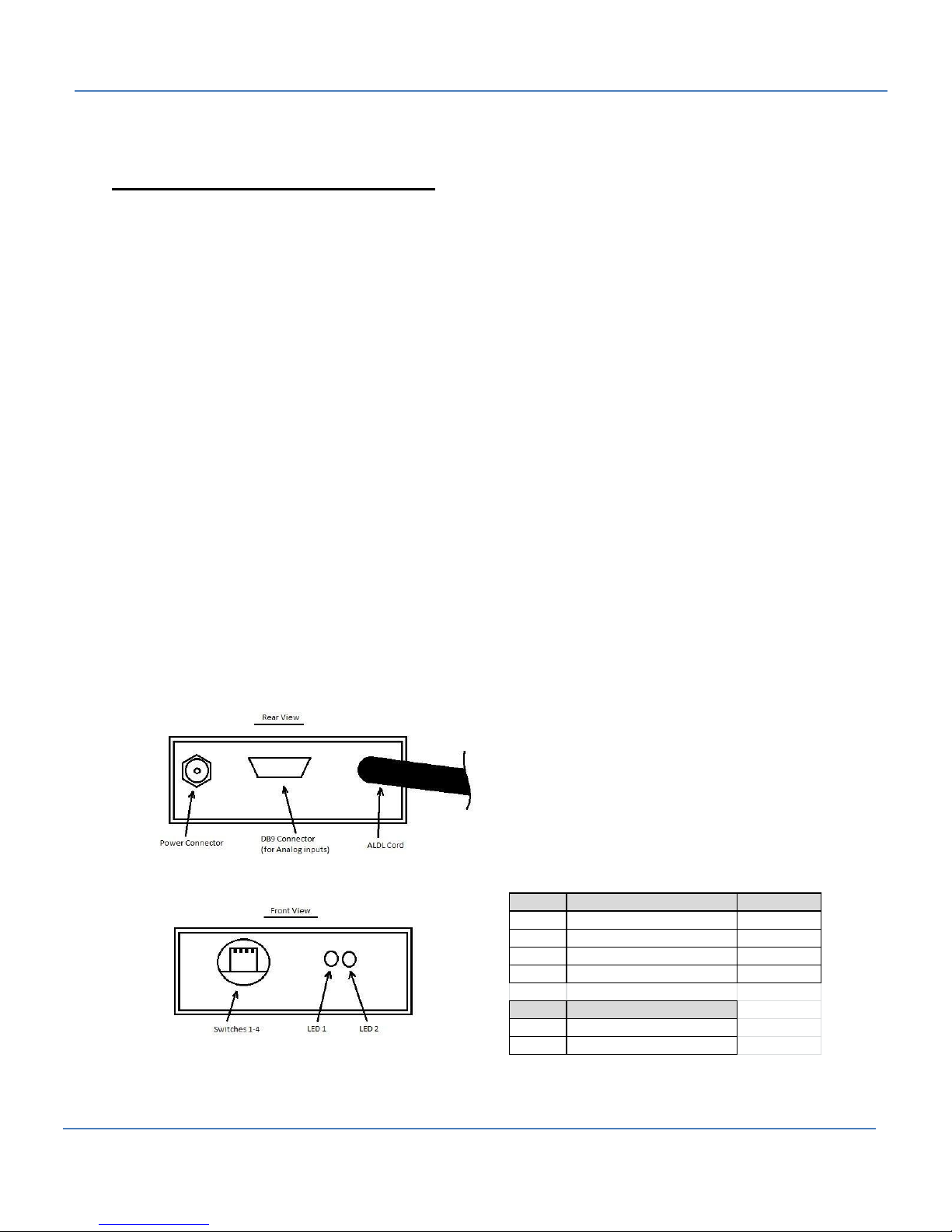
Switch On Off
S1 10K Diag Mode Open
S2 8192 Baud 160 Baud
S3 Not Used Not Used
S4 Enhanced Mode, Analog Data Regular Mode
LED Indication
LED1 ALDL Data Communications
LED2 Power
Quick Start Instructions
1. Download the ‘ALDL Scan’ App from Google Play onto your Android device.
2. Run ‘ALDL Scan’. The app will create a folder ‘ALDL’ on your SD card.
3. Download the applicable .aldl file for your vehicle onto your Android device. Move the .aldl file
to the ‘ALDL’ folder on your SD card.
4. Connect the supplied power cord to the ‘ALDL Bluetooth Adapter’.
5. Plug the ‘ALDL Bluetooth Adapter’ into the ALDL connector of your vehicle. Configure switches
1-4 prior to applying power.
6. Plug the supplied power cord into the utility power receptacle of your vehicle.
7. Start your vehicle.
8. Start the ‘ALDL Scan’ App.
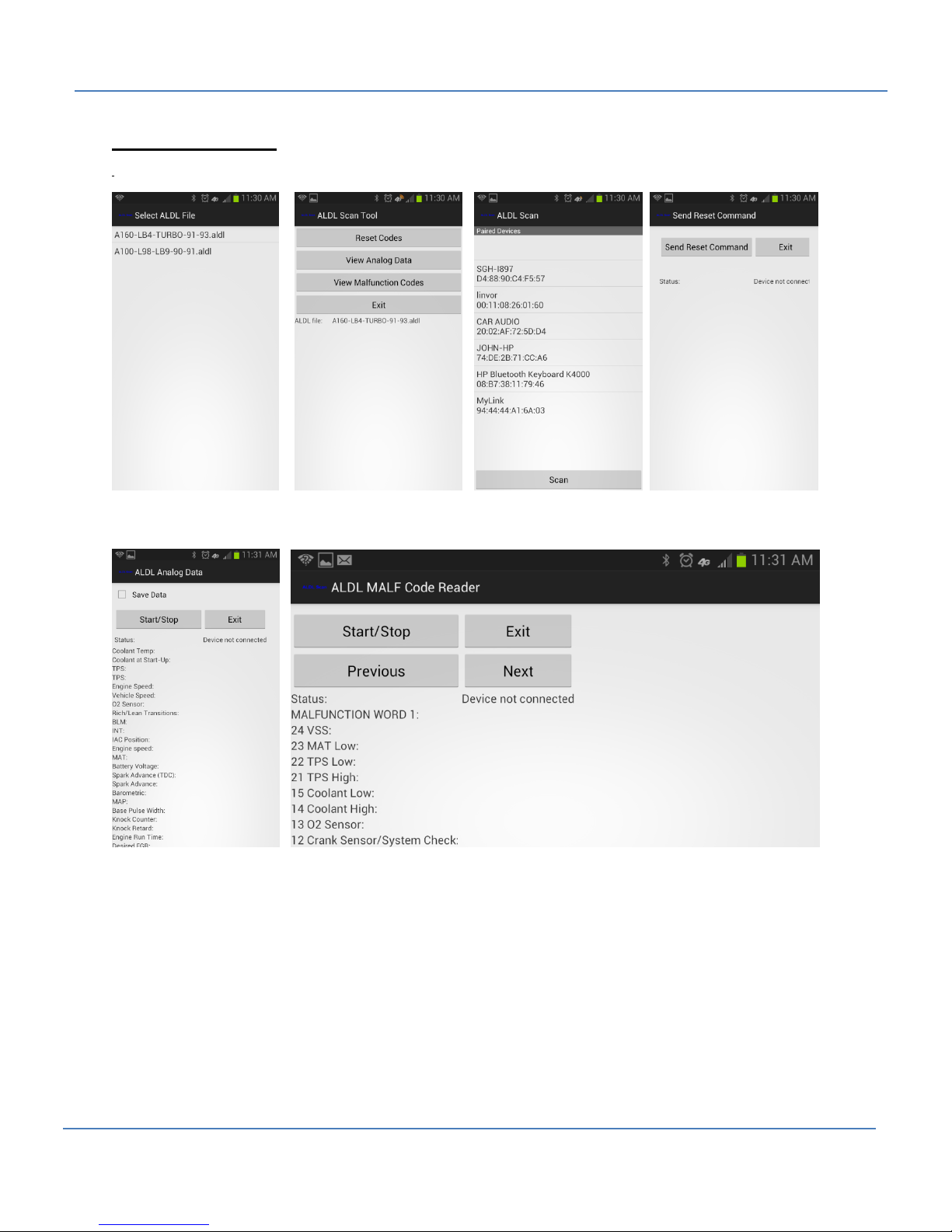
9. Select the .aldl file from the opening screen of the app (see screenshot 1).
10. Select one of the three menu items: Analog Data, Malfunction Codes, or Reset (see screenshot
2).
11. Select the Bluetooth adapter from the pop-up list (see screenshot 3).
12. The main app window should now be visible. Press the ‘Start/Stop’ button to view data from
your vehicle’s computer (see screenshot 4, 5, and 6).
13. When finished, press the ‘Start/Stop’ button to stop data collection.
14. Press the ‘Exit’ button to exit.
4
Page 5
1320 Electronics LLC ALDL Bluetooth Adapter Quick Start Guide
Screenshots
Ope
Screen (1) Screen (2) Screen (3) Screen (4)
Screen (5) Screen (6)
5
 Loading...